2) Even if your fw is up to date I would strongly suggest using a VPN server for remote access (many NAS's or routers provide VPN servers for remote access). Given the lackadaisical approach to support (as mentioned by others regarding the gmail issue) and general "bugginess" of their software I have little faith there aren't other vulnerabilities in their software.
3) I'm running openvpn on my NAS. One further advantage of going this route is you can also use the VPN when on un-secure networks (public wifi) or for localisation shifting (using BBC iPlayer when abroad etc).
4) DO NOT buy a grey market Hikvision product. When I got my first Hikvision cameras they weren't readily available in the UK, as such I ordered from abroad. At the time I had no idea Hikvision would start a vendetta against its customers who bought from abroad, rather then address the issues with its supply chain. Fortunately those early cameras are R0 build so I can update the fw relatively "easily". But later customers have had real issues. And there are no exceptions for security fixes as mentioned in (1)
5) Many other options are now available. When I first opted for Hikvision, on a £ for £ basis no one came close. The gap between the competition has closed significantly since. Consider Dahua etc. If Hikvision still makes sense, do some research to ensure there aren't any show stopping issues for your requirements. As you can't be sure they will be fixed before they choose to drop support.
6) I see little reason to get a NVR, unless you have a large number of cameras. The cameras have decent onboard motion based events, can push to an SMB share, push alerts to mobile and email alerts/snapshots. Unless there is a compelling reason to buy an NVR I would suggest POE switch + NAS is a better route.
7) I have set my cameras up with 3 detection zones.
Line crossing detection sends push notifications to my mobile via IVMS4500. The lines are drawn in from my boundary to minimise false triggers, although I still get some from shadows/light changing/car lights on my drive/animals. Line triggering tends to give far less false positives. You can switch notifications on and off from the App. So I just have it on when i'm out.
Intrusion detection is set without push notifications to cover secondary areas (rest of my drive/etc). This ensures events are still captured, but means I don't get notifications for every little thing. So if someone strays on my property, breaks something, etc it will be recorded. But I won't be bombarded with alerts.
Finally I use the standard motion detection for tertiary areas. Again this is without notifications, so events will still be recorded should I discover an issue and need to go back to look at recordings retrospectively.
With this setup a 3TB serving 4 cameras (3 & 4MP @ 20fps) gives 30+ days worth of recordings.
8 ) If I was starting from scratch I'd get cameras with external alarm triggering inputs. I could then add PIR's to trigger recordings and use push notifications to mobile for those. Thus eliminating most of the false triggers (other then stray animals). I could also setup floodlights to trigger on those same PIR's to improve night recording performance and as a deterrent. This is the only reason I may consider an NVR in the future, so I can cheaply add external PIR based triggers for recording and notifications.
9) If you go the NAS route, unless you only have one camera and the NAS is dedicated to it alone, ensure it has the ability to set "user quotas". When using a network share the Hikvision cameras format it and expect to have the whole capacity to themselves. Therefore if anything else writes to the NAS reducing the capacity (including another camera), the Hikvision camera will dismount the storage and stop recording. You then have to reformat it manually. A NAS with user quotas overcomes this issue.
If anyones interested, my setup is HP Microserver running as a NAS and openvpn server. With the cameras powered by a POE switch. No ports forwarded and uPNP off at the router and cameras.
Hope that helps.
All comments (77)
888eyeball
30 Apr 17#1
waiting on a deal on a 4k setup myself
edd666999 to 888eyeball
30 Apr 17#2
And I thought 1080p was over kill!
Not sure what use case your buying for but in terms of a normal residential property 1080p cameras are more than enough imo. Cost of 4k @25fps cameras are going to be expensive! Most professionals that set up CCTV for residential customers have it set at 720p @ like 15fps tops, from what i've seen.
But each to their own :smiley:
thetarget to 888eyeball
1 May 17#45
Not used the following company but seems quite a good price:
A little cheaper via some eBay sellers though. Some state they supply UK stock with full Hikvision warranty.
An eBay seller has the DS-7608NI-I2/8P version for £275 which is stated as a UK item.
From what I have seen the Hikvision input bandwidth usually appears to be 10Mbps per channel. Just the output bandwidth is higher for the 4K NVRs. Some of the playback capability seems to just be 1080p for non and 4K NVRs. The above I2 version appears to be able to do playback capability at 8MP for 4 cameras.
sslesar to 888eyeball
4 Jul 17#77
You need a huge storage, SSD is too expensive
justintrouble
30 Apr 171#3
Thanks for posting, but I need an NVR that does H.265, to work with the cheap Chinese Hikvisions I bought off Aliexpress :laughing:
edd666999 to justintrouble
30 Apr 17#4
My friend went to Hikvisions trade event, their h.265 cameras and NVR's are on their way so not too much of wait for you.
melted to justintrouble
30 Apr 17#15
I thought hikvision NVRs were fixed not to work with hikvision cameras from a different region, such as the cheap hacked into english language Chinese ones that are sold on aliexpress?
hasan6958 to justintrouble
30 Apr 17#17
Mind me asking which Hikvision cameras you went for?
Mikiex to justintrouble
30 Apr 17#23
I've seen a Hikvision NVR on ebay for £139.99 no HDD thats does H.265 , 4 channel with 40Mbps input bandwidth - so depends a lot how many cameras and res used.
Bighare
30 Apr 171#5
Thanks for posting, but I need an NVR that does H.265, to work with the ones I liberated from the big posh house down the road two nights ago
Holgmaster
30 Apr 171#6
What does this give you over say a synology station with surveillance app??? Don't really get it why someone would buy this over a Qnap or Synology station.
edd666999 to Holgmaster
30 Apr 171#8
So, POE to the cameras (16 of them) and from the last time I used the surveillance app, doesn't it only allow a certain number of camera before you have to pay a subscription? HDMI out to a tv/monitor.
And working in Tech support i know how difficult to a novice setting up a NAS is, these however are much simpler :smiley:
But there are many ways to go about CCTV, this is one way with its own benefits.
thetarget to Holgmaster
30 Apr 17#9
Thanks for mentioning these. Looks like I need to do some more CCTV storage research before purchasing a system.
phead to Holgmaster
30 Apr 171#14
For a start a synology only supports 2 cameras without additional licenses, you will also need a heavier nas to process the number if signals. Typically these kind of devices support higher numbers of cameras at a lower price than a nas.
Is the above camera suitable for use on a 1930s terraced house or would 6mm ones be more suitable? Approx 100ft garden. Unsure if one camera at the front of the property and one at the rear would provide good enough coverage or whether 2 each side (one high and one lower down) would be better.

![Fresh Breakfast Meat Box (Using code) @ Campbells Meat [Haggis / Lorne Sausage / Bacon / Black Pudding & More]](/images/topics/208684_1.jpg)




































![[Xbox One] Q. u. b. e: Director's Cut on Deals with Gold](/images/topics/208716_1.jpg)


















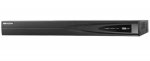
Opening post
CamelCamelCamel says this is the cheapest its been.
You require cameras preferable POE ones and a HDD, preferably a surveillance drive to get this up and running.
Not a deal for the masses but certainly if you're looking to build a decent CCTV system this is a good base.
Top comments
1) DO NOT open any Hikvision camera to the WWW (port forward/uPNP) without checking this release and ensuring your fw is updated accordingly Security Notification: Privilege-Escalating Vulnerability in Certain Hikvision IP Cameras
2) Even if your fw is up to date I would strongly suggest using a VPN server for remote access (many NAS's or routers provide VPN servers for remote access). Given the lackadaisical approach to support (as mentioned by others regarding the gmail issue) and general "bugginess" of their software I have little faith there aren't other vulnerabilities in their software.
3) I'm running openvpn on my NAS. One further advantage of going this route is you can also use the VPN when on un-secure networks (public wifi) or for localisation shifting (using BBC iPlayer when abroad etc).
4) DO NOT buy a grey market Hikvision product. When I got my first Hikvision cameras they weren't readily available in the UK, as such I ordered from abroad. At the time I had no idea Hikvision would start a vendetta against its customers who bought from abroad, rather then address the issues with its supply chain. Fortunately those early cameras are R0 build so I can update the fw relatively "easily". But later customers have had real issues. And there are no exceptions for security fixes as mentioned in (1)
5) Many other options are now available. When I first opted for Hikvision, on a £ for £ basis no one came close. The gap between the competition has closed significantly since. Consider Dahua etc. If Hikvision still makes sense, do some research to ensure there aren't any show stopping issues for your requirements. As you can't be sure they will be fixed before they choose to drop support.
6) I see little reason to get a NVR, unless you have a large number of cameras. The cameras have decent onboard motion based events, can push to an SMB share, push alerts to mobile and email alerts/snapshots. Unless there is a compelling reason to buy an NVR I would suggest POE switch + NAS is a better route.
7) I have set my cameras up with 3 detection zones.
Line crossing detection sends push notifications to my mobile via IVMS4500. The lines are drawn in from my boundary to minimise false triggers, although I still get some from shadows/light changing/car lights on my drive/animals. Line triggering tends to give far less false positives. You can switch notifications on and off from the App. So I just have it on when i'm out.
Intrusion detection is set without push notifications to cover secondary areas (rest of my drive/etc). This ensures events are still captured, but means I don't get notifications for every little thing. So if someone strays on my property, breaks something, etc it will be recorded. But I won't be bombarded with alerts.
Finally I use the standard motion detection for tertiary areas. Again this is without notifications, so events will still be recorded should I discover an issue and need to go back to look at recordings retrospectively.
With this setup a 3TB serving 4 cameras (3 & 4MP @ 20fps) gives 30+ days worth of recordings.
8 ) If I was starting from scratch I'd get cameras with external alarm triggering inputs. I could then add PIR's to trigger recordings and use push notifications to mobile for those. Thus eliminating most of the false triggers (other then stray animals). I could also setup floodlights to trigger on those same PIR's to improve night recording performance and as a deterrent. This is the only reason I may consider an NVR in the future, so I can cheaply add external PIR based triggers for recording and notifications.
9) If you go the NAS route, unless you only have one camera and the NAS is dedicated to it alone, ensure it has the ability to set "user quotas". When using a network share the Hikvision cameras format it and expect to have the whole capacity to themselves. Therefore if anything else writes to the NAS reducing the capacity (including another camera), the Hikvision camera will dismount the storage and stop recording. You then have to reformat it manually. A NAS with user quotas overcomes this issue.
If anyones interested, my setup is HP Microserver running as a NAS and openvpn server. With the cameras powered by a POE switch. No ports forwarded and uPNP off at the router and cameras.
Hope that helps.
All comments (77)
Not sure what use case your buying for but in terms of a normal residential property 1080p cameras are more than enough imo. Cost of 4k @25fps cameras are going to be expensive! Most professionals that set up CCTV for residential customers have it set at 720p @ like 15fps tops, from what i've seen.
But each to their own :smiley:
http://www.netviewcctv.co.uk/cctv-recorders/hikvision-ds-7608ni-k2-8p
A little cheaper via some eBay sellers though. Some state they supply UK stock with full Hikvision warranty.
An eBay seller has the DS-7608NI-I2/8P version for £275 which is stated as a UK item.
From what I have seen the Hikvision input bandwidth usually appears to be 10Mbps per channel. Just the output bandwidth is higher for the 4K NVRs. Some of the playback capability seems to just be 1080p for non and 4K NVRs. The above I2 version appears to be able to do playback capability at 8MP for 4 cameras.
And working in Tech support i know how difficult to a novice setting up a NAS is, these however are much simpler :smiley:
But there are many ways to go about CCTV, this is one way with its own benefits.
What set up do you currently have?
Is the above camera suitable for use on a 1930s terraced house or would 6mm ones be more suitable? Approx 100ft garden. Unsure if one camera at the front of the property and one at the rear would provide good enough coverage or whether 2 each side (one high and one lower down) would be better.
There is the 8 channel NVR for ~ £170
Assuming it is best to get WD purple drives for use with the NVR?
Thanks.
I went on youtube to see the differences in 2/4/6mm to decide whats best for me.
I'm getting a purple, https://www.amazon.co.uk/dp/B00IMPO5MO/ref=wl_it_dp_o_pd_S_ttl?_encoding=UTF8&colid=KLCVDB7D7SK2&coliid=I2ZJ8N1KQ030IX&psc=1
Also currently a good price.
I prefer the 16, 1 because its cheaper and 2 because I'd like to think its build with a bit more overhead than the 8 port model.