2) Even if your fw is up to date I would strongly suggest using a VPN server for remote access (many NAS's or routers provide VPN servers for remote access). Given the lackadaisical approach to support (as mentioned by others regarding the gmail issue) and general "bugginess" of their software I have little faith there aren't other vulnerabilities in their software.
3) I'm running openvpn on my NAS. One further advantage of going this route is you can also use the VPN when on un-secure networks (public wifi) or for localisation shifting (using BBC iPlayer when abroad etc).
4) DO NOT buy a grey market Hikvision product. When I got my first Hikvision cameras they weren't readily available in the UK, as such I ordered from abroad. At the time I had no idea Hikvision would start a vendetta against its customers who bought from abroad, rather then address the issues with its supply chain. Fortunately those early cameras are R0 build so I can update the fw relatively "easily". But later customers have had real issues. And there are no exceptions for security fixes as mentioned in (1)
5) Many other options are now available. When I first opted for Hikvision, on a £ for £ basis no one came close. The gap between the competition has closed significantly since. Consider Dahua etc. If Hikvision still makes sense, do some research to ensure there aren't any show stopping issues for your requirements. As you can't be sure they will be fixed before they choose to drop support.
6) I see little reason to get a NVR, unless you have a large number of cameras. The cameras have decent onboard motion based events, can push to an SMB share, push alerts to mobile and email alerts/snapshots. Unless there is a compelling reason to buy an NVR I would suggest POE switch + NAS is a better route.
7) I have set my cameras up with 3 detection zones.
Line crossing detection sends push notifications to my mobile via IVMS4500. The lines are drawn in from my boundary to minimise false triggers, although I still get some from shadows/light changing/car lights on my drive/animals. Line triggering tends to give far less false positives. You can switch notifications on and off from the App. So I just have it on when i'm out.
Intrusion detection is set without push notifications to cover secondary areas (rest of my drive/etc). This ensures events are still captured, but means I don't get notifications for every little thing. So if someone strays on my property, breaks something, etc it will be recorded. But I won't be bombarded with alerts.
Finally I use the standard motion detection for tertiary areas. Again this is without notifications, so events will still be recorded should I discover an issue and need to go back to look at recordings retrospectively.
With this setup a 3TB serving 4 cameras (3 & 4MP @ 20fps) gives 30+ days worth of recordings.
8 ) If I was starting from scratch I'd get cameras with external alarm triggering inputs. I could then add PIR's to trigger recordings and use push notifications to mobile for those. Thus eliminating most of the false triggers (other then stray animals). I could also setup floodlights to trigger on those same PIR's to improve night recording performance and as a deterrent. This is the only reason I may consider an NVR in the future, so I can cheaply add external PIR based triggers for recording and notifications.
9) If you go the NAS route, unless you only have one camera and the NAS is dedicated to it alone, ensure it has the ability to set "user quotas". When using a network share the Hikvision cameras format it and expect to have the whole capacity to themselves. Therefore if anything else writes to the NAS reducing the capacity (including another camera), the Hikvision camera will dismount the storage and stop recording. You then have to reformat it manually. A NAS with user quotas overcomes this issue.
If anyones interested, my setup is HP Microserver running as a NAS and openvpn server. With the cameras powered by a POE switch. No ports forwarded and uPNP off at the router and cameras.
Hope that helps.
Latest comments (77)
888eyeball
30 Apr 17#1
waiting on a deal on a 4k setup myself
edd666999 to 888eyeball
30 Apr 17#2
And I thought 1080p was over kill!
Not sure what use case your buying for but in terms of a normal residential property 1080p cameras are more than enough imo. Cost of 4k @25fps cameras are going to be expensive! Most professionals that set up CCTV for residential customers have it set at 720p @ like 15fps tops, from what i've seen.
But each to their own :smiley:
thetarget to 888eyeball
1 May 17#45
Not used the following company but seems quite a good price:
A little cheaper via some eBay sellers though. Some state they supply UK stock with full Hikvision warranty.
An eBay seller has the DS-7608NI-I2/8P version for £275 which is stated as a UK item.
From what I have seen the Hikvision input bandwidth usually appears to be 10Mbps per channel. Just the output bandwidth is higher for the 4K NVRs. Some of the playback capability seems to just be 1080p for non and 4K NVRs. The above I2 version appears to be able to do playback capability at 8MP for 4 cameras.
sslesar to 888eyeball
4 Jul 17#77
You need a huge storage, SSD is too expensive
Mitch_s_s
14 Jun 17#76
Thanks for taking the time to reply.
I'll do some reading, and start looking for cameras - seems to be hundreds of different cameras to choose from!
I can do the work on the MicroServe. The http://xpenology.com/forum/ looks a little date, but I don't think that will be an issue.
Mentos
14 Jun 17#75
NP :smiley:
I'm using HIKVision dome cameras. I've got some of varying ages, so different model numbers, but as an example one is the DS-2CD2142FWD.
If picking them up today there are likely better options so worth doing some research. But in my case since I already had HIKVision cameras i've stuck with them. Also i'd highly recommend getting cameras with external alarm triggering, so you can add a PIR. That would really eliminate false triggers and therefore allow you to leave push notifications on 24/7. In my case the older cameras don't have external alarm triggering inputs, so I'm using smart motion detection (line crossing/intrusion rather then simple grid detection). Its ok, but the false triggers are too often to leave it on 24/7, instead I turn push notifications on when no ones home and leave it off most of the time.
I think you've misunderstood the VPN. I'm not using any provider. I'm running the VPN server on the Microserver, so the connection is direct between my devices and the Microserver. i.e. Where you would put the VPN providers IP address in the client, I put my home IP address.
Mitch_s_s
14 Jun 17#74
Last question(s), I promise!
What cameras are you using? And who do you use for your VPN?
In laymen terms it's like being at home on my WIF once I connect the VPN. I could port forward the cameras for remote access, but as per my previous post I don't trust them to be open to the web (there have been a few exploits revealed).
The added advantage of the VPN is I can also access other devices on my home network. And when I'm travelling I can use it to shift my localisation (eg. so I can watch iPlayer from Spain).
One point to make clear as I'm not sure its got across. I don't need to run any surveillance software, such as motion eye, as the cameras themselves have it on board. So they do the motion tracking, recording based on my settings, push notifications to my mobile, etc. They only use the NAS (Microserver) to store recordings. I connect directly to the cameras (using IVMS 4500 app) for live view and playing back recordings.
Mitch_s_s
14 Jun 17#72
I'll take a look in to it, thanks!
Are you still able to watch the live streams when you're out and about? I've got motioneye set up on a couple of raspberry pis currently, but want something more robust
Mentos
14 Jun 17#71
NP, hopefully it will save others the head scratching and searching I had to go through :smiley:
I'm running xpenology on my micro servers (one N54L and one Gen 8 ):
However, i'm just using it as a NAS/VPN Server (Open VPN) for remote access. I don't use surveillance station as my cams have built in DVR functionality and just need somewhere to store recordings. I'm not sure the Micro servers would be powerful enough to run 4 cameras anyway. Plus I believe the surveillance station licenses are quite expensive and not sure about legality of that part of using synology on third party hardware (core firmware is available through open source license of code they built on).
Mitch_s_s
13 Jun 17#70
Thanks for the detailed write up. I've got a HP microserver sitting around doing nothing.
I didn't realise I could use it for a surveillance system.
Any links or recommendations you may have, would be appreciated
Holgmaster
30 Apr 171#6
What does this give you over say a synology station with surveillance app??? Don't really get it why someone would buy this over a Qnap or Synology station.
edd666999 to Holgmaster
30 Apr 171#8
So, POE to the cameras (16 of them) and from the last time I used the surveillance app, doesn't it only allow a certain number of camera before you have to pay a subscription? HDMI out to a tv/monitor.
And working in Tech support i know how difficult to a novice setting up a NAS is, these however are much simpler :smiley:
But there are many ways to go about CCTV, this is one way with its own benefits.
thetarget to Holgmaster
30 Apr 17#9
Thanks for mentioning these. Looks like I need to do some more CCTV storage research before purchasing a system.
phead to Holgmaster
30 Apr 171#14
For a start a synology only supports 2 cameras without additional licenses, you will also need a heavier nas to process the number if signals. Typically these kind of devices support higher numbers of cameras at a lower price than a nas.
Mitch_s_s to Holgmaster
13 Jun 17#69
It's the first I've heard of Synology and Qnap.
What set up do you currently have?
Mentos
4 Jun 17#68
If you don't mind i'll convert that to metric as I find it easier to deal with, so ~6m. And to provide an example to help people visualise that's likely the length of a typical front garden (a typical family saloon would be ~4-5m).
Lets assume all else is equal, i.e. quality of lens, lighting, quality of camera CCD, etc. Also lets assume the camera is mounted just above arms reach, so distance to target head is perhaps 7m.
Now there is one other important factor to consider, the FOV (Field of View). I'll list the typical lens types you will come across and approximate FOV:
2.8mm = ~130 deg
3.6mm = ~90 deg
8.0mm = ~60 Deg
A 1080p camera is ~2mp, in other words 2million pixels make up each frame.
So lets say you have a camera with an 8.0mm lens. At 7m (line of sight distance) the subjects head is still likely to cover a significant portion of the frame. Which in turn means their head is covered by a significant portion of those 2m pixels, which in turn means you'll get a reasonable level of detail of their face and have a good chance of being able to identify them from the footage.
However, 60 deg will likely not cover much of your boundary. So you may need two or three cameras to get even reasonable coverage and still lose peripheral areas (i.e. you may want to cover your car if its parked on the road).
That's why people may opt for one 2.8mm camera to cover the main boundary (usually the front). You get good coverage, but that same subject at 7m will cover far less of the frame and therefore far fewer pixels will make up their face. If you take a 2mp picture and then try to zoom in to see a person in the background you'll see their face is quite fuzzy (purely in terms of resolution not focus) and you likely couldn't use the image for identification.
I have a 4mp 2.8mm camera and thats about the minimum level you need to be able to identify someone at 7m with that FOV.
Now at the beginning I mentioned the presumption all else is equal. Unfortunately there's one other factor that complicates the otherwise simple calculation. Quality of CCD/Lens. Not all Camera's/Lenses are equal so don't just follow the numbers. For example squeezing 4 million pixels on a small CCD may actually result in worse results then 2mp. The comparison between a phone camera and DSLR is a good one to illustrate this point. You'll see phones advertise 10mp+/etc yet when you look at the images a DSLR with a huge sensor but only half the MP will outshine them.
Hope this helps.
Typey1
18 May 17#67
What would be your choice over 20'?
haileris
4 May 17#64
I've a really dumb question - in what use cases would one use a DVR? Isn't the first thing the potential thief is going to do is follow the wires to the NAS (particularly if its POE) So I can see benefit from an external camera perspective where that is indoors but for internals is it not a matter of getting your snapshots / video onto an external provider ASAP (which then sorts out the external use case.) I guess you can put it up in the loft to make it difficult to get to?
unknownuser to haileris
5 May 17#65
That depends on how you run the wires, they can be routed discreetly. For me the advantage of this is that it can be put somewhere and largely forgotten about unless you need access to footage.
For most people it's unpractical to continuously upload high resolution footage to an external provider. I think it all depends on your personal needs.
melted to haileris
5 May 17#66
Lofts can get very hot in summer, so not a good location for a DVR/NVR.
A thief is likely to try to avoid getting his face caught on camera in the first place, but I would think it quite likely for him to take or destroy the DVR if he notices it while robbing the place.
There was a burglary last year at one of the clubs where I used to maintain/repair their DVRs, the first thing the thief did was to take out the camera mounted a few feet above the door by wacking it really hard with his crowbar while keeping out of shot. The camera had internal IR leds, which probably drew his attention to it.
As you might expect he kept his head down with his hoodie pulled down hiding his face where he noticed cameras. I wish he had smashed some of the other cameras and the dvr so I could have chosen them a decent system that they would be able to maintain themselves.
You can get IP cameras that will record to an internal micro sd card so you have back up footage if the NVR goes wrong.
Mentos
3 May 176#63
Having been through setting up 8 cameras across two of our houses I thought I'd share my thoughts for the benefit of others:
2) Even if your fw is up to date I would strongly suggest using a VPN server for remote access (many NAS's or routers provide VPN servers for remote access). Given the lackadaisical approach to support (as mentioned by others regarding the gmail issue) and general "bugginess" of their software I have little faith there aren't other vulnerabilities in their software.
3) I'm running openvpn on my NAS. One further advantage of going this route is you can also use the VPN when on un-secure networks (public wifi) or for localisation shifting (using BBC iPlayer when abroad etc).
4) DO NOT buy a grey market Hikvision product. When I got my first Hikvision cameras they weren't readily available in the UK, as such I ordered from abroad. At the time I had no idea Hikvision would start a vendetta against its customers who bought from abroad, rather then address the issues with its supply chain. Fortunately those early cameras are R0 build so I can update the fw relatively "easily". But later customers have had real issues. And there are no exceptions for security fixes as mentioned in (1)
5) Many other options are now available. When I first opted for Hikvision, on a £ for £ basis no one came close. The gap between the competition has closed significantly since. Consider Dahua etc. If Hikvision still makes sense, do some research to ensure there aren't any show stopping issues for your requirements. As you can't be sure they will be fixed before they choose to drop support.
6) I see little reason to get a NVR, unless you have a large number of cameras. The cameras have decent onboard motion based events, can push to an SMB share, push alerts to mobile and email alerts/snapshots. Unless there is a compelling reason to buy an NVR I would suggest POE switch + NAS is a better route.
7) I have set my cameras up with 3 detection zones.
Line crossing detection sends push notifications to my mobile via IVMS4500. The lines are drawn in from my boundary to minimise false triggers, although I still get some from shadows/light changing/car lights on my drive/animals. Line triggering tends to give far less false positives. You can switch notifications on and off from the App. So I just have it on when i'm out.
Intrusion detection is set without push notifications to cover secondary areas (rest of my drive/etc). This ensures events are still captured, but means I don't get notifications for every little thing. So if someone strays on my property, breaks something, etc it will be recorded. But I won't be bombarded with alerts.
Finally I use the standard motion detection for tertiary areas. Again this is without notifications, so events will still be recorded should I discover an issue and need to go back to look at recordings retrospectively.
With this setup a 3TB serving 4 cameras (3 & 4MP @ 20fps) gives 30+ days worth of recordings.
8 ) If I was starting from scratch I'd get cameras with external alarm triggering inputs. I could then add PIR's to trigger recordings and use push notifications to mobile for those. Thus eliminating most of the false triggers (other then stray animals). I could also setup floodlights to trigger on those same PIR's to improve night recording performance and as a deterrent. This is the only reason I may consider an NVR in the future, so I can cheaply add external PIR based triggers for recording and notifications.
9) If you go the NAS route, unless you only have one camera and the NAS is dedicated to it alone, ensure it has the ability to set "user quotas". When using a network share the Hikvision cameras format it and expect to have the whole capacity to themselves. Therefore if anything else writes to the NAS reducing the capacity (including another camera), the Hikvision camera will dismount the storage and stop recording. You then have to reformat it manually. A NAS with user quotas overcomes this issue.
If anyones interested, my setup is HP Microserver running as a NAS and openvpn server. With the cameras powered by a POE switch. No ports forwarded and uPNP off at the router and cameras.
Hope that helps.
aLV426
3 May 17#62
My Dowshu license is due to expire, need to find something cheaper to view 64+ cameras!
Mentos
3 May 171#61
I picked up a 4MP/20FPS Hikvision (UK) for £90 to complete my install. They aren't actually that expensive these days.
Moreover, for residential use its advisable to go higher resolution then frame rate. For commercial use, where you may want to watch a cash register or shoplifting, frame rate is important. However, for residential (or even commercial boundary monitoring) frame rate is a secondary concern. You don't need to see every step a person takes, if they step on your property or damage something (unless they are the flash) you will capture enough at even 10fps. What is far more important is capturing a very good image of their face/license plate/etc.
Hence go MP over Frame rate. And if storage is a concern, drop the Frame rate rather then resolution to save on storage.
Another mistake people make is sticking the cameras up near the roof. An image of someones head isn't much use unfortunately. Such positions are good for general intrusion monitoring. But you also want some lower cameras (just above reach) so you can get a good image of an intruder or a car and its license plate.
Hope that helps.
Mentos
3 May 17#60
I think you're getting a little confused between layer 2 and layer 3 switching.
If the cameras and NVR/NAS are on the same switch and same subnet all traffic will remain on the switch. Unless you have an ancient switch, it will be able to handle line speed switching at layer 2. Therefore there are no concerns about bandwidth. The only reason you'd need to be concerned about bandwidth at layer 2 is if the cameras sit on one switch and the NVR/NAS on another, then there would likely be either a 100MB or 1GB connection between the switches, which again should be more then sufficient.
Remember this link between the switches only services traffic between devices on the two switches. Equipment on the same switch will switch at line speed (i.e. two devices pushing 1GB/s between them on a switch won't impact the other devices on the same switch). So even in this scenario, you'd need a lot of devices sitting on separate switches talking to each other, to worry about saturating layer two uplink between the switches.
Moreover, in terms of redundancy/fault tolerance its far less likely the switch will fail, rather then the NVR/Camera (remember the NVR will also have an embedded switch that could fail aswell as the NVR itself).
In my case I really don't see the point in running an NVR (unless its in place of a POE switch). I have a decent POE switch and run the onboard NVR with storage on NAS, which is quite capable on my Hikvision cameras (motion detection, intrusion detection, line crossing detection, pushes to NAS).
scav
3 May 171#57
Word of warning with Hikvision - if using an smtp server such as google make sure the NVR is compatible.
Google introduced secure smtp last year and a lot of Hikvision boxes stopped sending emails. Hikvision support did not want to know about it and said an NVR over 1 year old should not expect firmware updates as they have to many new products to look after...
Sharpharp to scav
3 May 17#59
Ditto, not had SMTP for ages... Hikvision messed up big time here.
Also bear in mind, even if the NVR is under a year old, it's a 50/50 chance you'll brick your box with any kind of upgrade
scimitar
1 May 171#34
a few points to bear in mind about Him;
they are implementing firmware updates which if you have grey clone from abroad will brick or fail
you need the firmware update as they have switched off their open hosting service and you now need to register via MAC and password on sticker on camera - or bypass entirely using open DNS (paid or annoyware service) to host.
this will affect your remote viewing potential via app etc .
also the talk about having and using high Resolution will be ok on the camera but she used on the NVR - the Hik cannot cope with high Res and multiple cam's - I have a 4 port and can only run 2 cam's at 3mp potential the additional of one more results in abnormal shutdown as the CPU can't cope (Google as known issue). my fix was to lower resolution- defeats purpose of buying high Res cameras though...
also factor in cost of POE switch , brackets to hold camera e.g. away from wall, junction box?, UTP cat 5e/6 external wiring, cover/shield for UTP, decent hard drive and microSD card 64/127gb? as you can't rely on NVR entirely.
hope this helps
snoopy18 to scimitar
3 May 17#58
Hi are the amazon hik cameras i bought grey imports ?
I have the same 4 port nvr and have been running the 4mps cameras I have with no problem
I have 3 running, not changed any settings out of the box so either they are set to low resolution or it's maybe to do with bandwidth ?
callum84
2 May 17#56
Thanks for clearing that up :smirk:
lynchnigel
2 May 171#55
I have 6 Hikvision cameras, 5 going to the POE and one a PTZ which doesn't and CPU from the switch which is 1GB is 15%
TL-SG2210P is the POE switch I use.
lynchnigel
2 May 171#54
ermmm IP cameras to a NVR can go through a POE switch which can potentially be on the same network depending on how your network is set up and if you can depending on the switch types. Its the same with a NAS - it can connect to a switch upto the POE switch like mine does, through a patch panel. Hikvision CCTV cameras arent bandwidth hoggers, if you have set them up for alarming on motion etc.
If a router goes down you dont lose anything potentially if your network is set up correctly it goes through a switch :smiley:
callum84
1 May 17#53
In theory you should be able to add a POE switch, connect cameras and NVR, set NVR and camera IP on same subnet and it should route all traffic through the switch directly.
This should work as a standalone system, problems may be when you connect to your existing network to access remotely.
Problem is that if you use the same IP pool and subnet as your routers DHCP, all camera traffic will be routed through router and back to NVR.
If you use another subnet it wont be accessible directly as not on your home network.
You can bridge the network's in your routers settings but I'm not sure exactly how this is done, but think it's similar to port forwarding.
Sure someone will chime in with proper advice.
888eyeball
1 May 17#52
Thanks buddy l will have a look at them.
callum84
1 May 17#51
Probably the right decision.
I have that model. No setup required, plug and play.
unknownuser
1 May 17#50
I read that as... if the cameras and NVR are on the same switch, the normal traffic between the cameras and NVR shouldn't affect other devices connected to your router.
thetarget
1 May 17#49
Found this info which may be useful for those with NVR with PoE ports on the back and NVR with no PoE ports:
Connect as many cameras as you wish into the PoE ports on the back of your NVR.
For the remaining cameras that you want also to power using PoE, get a new PoE switch. The more common, cheaper ones have 10/100 ports, and ideally a Gigabit uplink port. Connect the remaining cameras into the PoE ports on the PoE switch.
Now you have a choice of how to combine the NVR (which will have a gigabit LAN port) and the PoE switch (which may have a gigabit uplink port) into your network.
The traffic from the cameras on the PoE ports on the NVR will stay within the NVR (ignoring for the moment any traffic that results from using Live View or Playback via a PC), so you don't have to accommodate it on your normal LAN.
The traffic from the cameras on your new PoE switch will have to get back to the NVR.
In aggregate this will be approximately (number of cameras on the new PoE switch x around 5-8Mbps each). So if you had say 8 cameras, that's about 50Mbps, which is about as far as you should probably take a 10/100 LAN port, but fine for a gigabit uplink port.
Ideally - you'd have a gigabit core switch, into which you'd connect all the high-traffic items such as the NVR LAN port, the new PoE switch gigabit uplink port, your PC, your NAS etc.
In practice, and assuming you don't have a high-end router with gigabit ports that you'd use as the 'gigabit core' you'd just about get away with connecting the NVR LAN port into the new PoE switch, and the new PoE switch uplink port into the router. But if the new PoE switch has a gigabit uplink port, you could usefully connect that to the NVR LAN port instead, and use a spare port on the new PoE switch to connect to the router.
The weak link here would be the NVR LAN port into the PoE switch (if the uplink port is not gigabit), handling the aggregate camera traffic, but that traffic would not affect the router, which generally would only be handling your internet traffic.
Other combinations are possible.
I hope that makes sense.
Taken from:https://ipcamtalk.com/threads/hikvision-ds-7608ni-e2-8p-some-pics-and-first-impressions.3013/page-3 with the comment posted by alastairstevenson.
Hopefully someone on here with good IT knowledge can confirm if this is the solution and good advice.
thetarget
1 May 17#48
A reviewer for the GS308p switch gave the following tip:
I set unique fixed internal IP addresses (eg: 10.0.1.67, 10.0.1.68 etc etc) on the cameras and the router just saw them through the switch and routed them automatically regardless of port numbers etc. It really is that simple.
Would that stop the network from being bogged down by routing the camera data to the NVR via the switch. Or should a managed POE switch be used for this NVR?
Unsure whether to cancel everything or not!
unknownuser
1 May 171#47
I've just cancelled my order, it is a good deal for what it is (it's still less than it would normally be). I don't need so many channels and would rather have the the poe ports so it can be run completely standalone of a network. I'm going with the one i've linked before.
callum84
1 May 17#46
No, when cameras are connected to NVR POE ports they are on a different subnet to your home network.
My home network IP is 192.168.1.xxx
Cameras are on 192.168.0.xxx with NVR as gateway.
Data travels from camera directly to NVR.
The only time data travels on your home network is if you are viewing remotely.
You could run the NVR with no connection to your home network at all.
Edit
Sorry think you're right there, does this model have any ports?
Looks like it should have /16P in model for 16 port.
Not so good a deal if no ports
unknownuser
1 May 171#44
With this one the cameras are routed through your home network, although I'm not sure if that's entirely the case if you have NVR and cameras on the same switch.
lynchnigel
1 May 17#41
I use a WD NAS with mine - directing Hikvision IP cameras to the NAS is possible depending on your level of expertise, However Hikvision tech support is good in the UK.
The upside is you can do other things with the NAS at the same time, or save your family photos, stream, etc so I find it more
advantageous in my case.
it's raided and backed up.
callum84 to lynchnigel
1 May 17#43
I used to use my Qnap. Surveillance centre was useless but had motion detection FTP to nas.
One of the other advantages of using a NVR is that camera bandwidth is not routed through your home network.
The cameras sit on a separate subnet and communicate directly with NVR through POE ports.
If your router goes down you don't lose any footage.
Plus you don't have the cameras hogging bandwidth on your router.
callum84
1 May 171#42
It can be a bit confusing.
I bought a package from cctvkits.co.uk, they do a few hikvision packages which are all guaranteed compatible.
Might be worth a look, even if just to get an idea then buy elsewhere if price is not right.
thetarget
1 May 171#40
Scrap what I said before. It states 25Mbps in the product description but at the top it states 40MBps bandwidth.
Callum84 has commented it is 40Mbps.
Amazon need to sort out correct information on listings. I've got confused from looking at all the Hikvision stuff. With some NVRs reportedly having issues with some 4MP cameras. Lack or PoE ports; bandwidth etc!
Just when I think I have sorted something out there is another curveball.
unknownuser
1 May 17#39
Thanks I'd missed that, I'd assumed it was the 40Mbps version.
callum84
1 May 17#38
DS-7604NI-E1-4P (40MBps)
thetarget
1 May 17#37
The one you linked to for £124.99 only has 25Mbps incoming bandwidth. This one has 40Mbps for 4 channels, 80 for 8 and 160 for 16. Depends on what cameras you want to use as to their bandwidth requirements.
I opted for this one as it should be okay for 4MP Hikvision cameras. The other one mentions 3MP cameras. Assuming all Amazon information is correct on both product pages.
unknownuser
1 May 171#36
Yeah i get that the number of cameras you can connect is limited by the number of channels. At the moment i don't actually need more than 3 channels, but I'm still tempted by this one incase i ever do decide to increase the number of cameras.
Another bit I'm not sure about is that 4mp is specifically not mentioned as a supported recording resolution, will that be a problem with the 4mp cameras?
Now to decide whether to go for a 2TB or 4TB WD Purple HDD; sort out some CAT5e/6 cable; and order a camera.
Sheikys
1 May 172#32
you can only add cameras to the total numbers of POE ports ie 4port NVR means only 4 camera regardless of going via a poe switch, as i have the 8 poe port version and can only add 8x camera as cameras are connected via 24 port POE switch not the NVR but does connect via lan to my switch...hope it make sense to someone LOL
you_gotta_be_kidding
30 Apr 171#16
I've got a swann CCTV which has 720p Poe cameras, the swann box is crap, will my cameras work with this?
Sheikys to you_gotta_be_kidding
1 May 17#31
yes it will work but you will need to change the network for the swann to match that of the NVR network as these have their own network IP's
thetarget
1 May 17#30
Thanks for this. Which NVR are you using?
Holgmaster
30 Apr 17#29
Thanks for this. I have a 8 bay synology which came with 4 camera license out of the box. It's a good system and with a cloud backup you can save your footage in a S3 bucket or glacier bucket. I see what you mean by HDMI output which does come in handy. I run The Surveillance station app on an old android tab glued to the wall.
Might have a look at this for my parents home. Thanks again!
callum84
30 Apr 172#28
I have 4 of the 4mm exir turrets, 4 Ch NVR and WD purple 3TB.
Cameras are brilliant, night vision is crystal clear.
The 4mm has quite a wide field of view, I have them mounted around 3m high.
Thanks for posting, but I need an NVR that does H.265, to work with the cheap Chinese Hikvisions I bought off Aliexpress :laughing:
edd666999 to justintrouble
30 Apr 17#4
My friend went to Hikvisions trade event, their h.265 cameras and NVR's are on their way so not too much of wait for you.
melted to justintrouble
30 Apr 17#15
I thought hikvision NVRs were fixed not to work with hikvision cameras from a different region, such as the cheap hacked into english language Chinese ones that are sold on aliexpress?
hasan6958 to justintrouble
30 Apr 17#17
Mind me asking which Hikvision cameras you went for?
Mikiex to justintrouble
30 Apr 17#23
I've seen a Hikvision NVR on ebay for £139.99 no HDD thats does H.265 , 4 channel with 40Mbps input bandwidth - so depends a lot how many cameras and res used.
tomlewis007
30 Apr 17#22
Could somebody be so kind as too recommend a 4 camera system? I would prefer POE .... But not essential. remote access via iPhone would be needed 1080p and cameras would need to be wall and ceiling mounted. many thanks!
unknownuser
30 Apr 17#21
I was going to get the 4 channel version which is cheaper...
But i'm tempted by this, however I am slightly put off by the lack of POE ports, has anyone used a hikvision nvr like this one with only one port?
888eyeball
30 Apr 17#20
exactly :smile:
MazingerZ
30 Apr 17#19
1080p is ok for close cctv but no good if the suspect is 20ft away
bencompston
30 Apr 17#18
The main problem with grey imports is when you upgrade thd nvr sometimes the camera will refuse to operate until its firmware is up to date which would mean your cameras are no longer in english...up to now we have found Chinese cameras still work however hikvision keep saying theyre working on stopping them
bencompston
30 Apr 17#13
Most amazon sales / ebay have 180 days to get a refund after which its fingers crossed territory, authorised resellers can get a reconditioned unit sent out within 1-2working days as opposed to having to wait up to 4weeks on a repair. I know this as my company is an authorised reseller *im not going to link to our site*
bencompston
30 Apr 17#12
Hdd wise wd purple or seagate skyhawks are recommended
bencompston
30 Apr 171#11
My advice is make sure the seller is an authorised reseller and gives a full 3yr warranty
edd666999
30 Apr 17#10
Those are the cameras I have in my wish list, only the 4mm version.
I went on youtube to see the differences in 2/4/6mm to decide whats best for me.
Is the above camera suitable for use on a 1930s terraced house or would 6mm ones be more suitable? Approx 100ft garden. Unsure if one camera at the front of the property and one at the rear would provide good enough coverage or whether 2 each side (one high and one lower down) would be better.

![Fresh Breakfast Meat Box (Using code) @ Campbells Meat [Haggis / Lorne Sausage / Bacon / Black Pudding & More]](/images/topics/208684_1.jpg)




































![[Xbox One] Q. u. b. e: Director's Cut on Deals with Gold](/images/topics/208716_1.jpg)


















Opening post
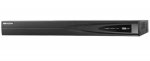
CamelCamelCamel says this is the cheapest its been.
You require cameras preferable POE ones and a HDD, preferably a surveillance drive to get this up and running.
Not a deal for the masses but certainly if you're looking to build a decent CCTV system this is a good base.
Top comments
1) DO NOT open any Hikvision camera to the WWW (port forward/uPNP) without checking this release and ensuring your fw is updated accordingly Security Notification: Privilege-Escalating Vulnerability in Certain Hikvision IP Cameras
2) Even if your fw is up to date I would strongly suggest using a VPN server for remote access (many NAS's or routers provide VPN servers for remote access). Given the lackadaisical approach to support (as mentioned by others regarding the gmail issue) and general "bugginess" of their software I have little faith there aren't other vulnerabilities in their software.
3) I'm running openvpn on my NAS. One further advantage of going this route is you can also use the VPN when on un-secure networks (public wifi) or for localisation shifting (using BBC iPlayer when abroad etc).
4) DO NOT buy a grey market Hikvision product. When I got my first Hikvision cameras they weren't readily available in the UK, as such I ordered from abroad. At the time I had no idea Hikvision would start a vendetta against its customers who bought from abroad, rather then address the issues with its supply chain. Fortunately those early cameras are R0 build so I can update the fw relatively "easily". But later customers have had real issues. And there are no exceptions for security fixes as mentioned in (1)
5) Many other options are now available. When I first opted for Hikvision, on a £ for £ basis no one came close. The gap between the competition has closed significantly since. Consider Dahua etc. If Hikvision still makes sense, do some research to ensure there aren't any show stopping issues for your requirements. As you can't be sure they will be fixed before they choose to drop support.
6) I see little reason to get a NVR, unless you have a large number of cameras. The cameras have decent onboard motion based events, can push to an SMB share, push alerts to mobile and email alerts/snapshots. Unless there is a compelling reason to buy an NVR I would suggest POE switch + NAS is a better route.
7) I have set my cameras up with 3 detection zones.
Line crossing detection sends push notifications to my mobile via IVMS4500. The lines are drawn in from my boundary to minimise false triggers, although I still get some from shadows/light changing/car lights on my drive/animals. Line triggering tends to give far less false positives. You can switch notifications on and off from the App. So I just have it on when i'm out.
Intrusion detection is set without push notifications to cover secondary areas (rest of my drive/etc). This ensures events are still captured, but means I don't get notifications for every little thing. So if someone strays on my property, breaks something, etc it will be recorded. But I won't be bombarded with alerts.
Finally I use the standard motion detection for tertiary areas. Again this is without notifications, so events will still be recorded should I discover an issue and need to go back to look at recordings retrospectively.
With this setup a 3TB serving 4 cameras (3 & 4MP @ 20fps) gives 30+ days worth of recordings.
8 ) If I was starting from scratch I'd get cameras with external alarm triggering inputs. I could then add PIR's to trigger recordings and use push notifications to mobile for those. Thus eliminating most of the false triggers (other then stray animals). I could also setup floodlights to trigger on those same PIR's to improve night recording performance and as a deterrent. This is the only reason I may consider an NVR in the future, so I can cheaply add external PIR based triggers for recording and notifications.
9) If you go the NAS route, unless you only have one camera and the NAS is dedicated to it alone, ensure it has the ability to set "user quotas". When using a network share the Hikvision cameras format it and expect to have the whole capacity to themselves. Therefore if anything else writes to the NAS reducing the capacity (including another camera), the Hikvision camera will dismount the storage and stop recording. You then have to reformat it manually. A NAS with user quotas overcomes this issue.
If anyones interested, my setup is HP Microserver running as a NAS and openvpn server. With the cameras powered by a POE switch. No ports forwarded and uPNP off at the router and cameras.
Hope that helps.
Latest comments (77)
Not sure what use case your buying for but in terms of a normal residential property 1080p cameras are more than enough imo. Cost of 4k @25fps cameras are going to be expensive! Most professionals that set up CCTV for residential customers have it set at 720p @ like 15fps tops, from what i've seen.
But each to their own :smiley:
http://www.netviewcctv.co.uk/cctv-recorders/hikvision-ds-7608ni-k2-8p
A little cheaper via some eBay sellers though. Some state they supply UK stock with full Hikvision warranty.
An eBay seller has the DS-7608NI-I2/8P version for £275 which is stated as a UK item.
From what I have seen the Hikvision input bandwidth usually appears to be 10Mbps per channel. Just the output bandwidth is higher for the 4K NVRs. Some of the playback capability seems to just be 1080p for non and 4K NVRs. The above I2 version appears to be able to do playback capability at 8MP for 4 cameras.
I'll do some reading, and start looking for cameras - seems to be hundreds of different cameras to choose from!
I can do the work on the MicroServe. The http://xpenology.com/forum/ looks a little date, but I don't think that will be an issue.
I'm using HIKVision dome cameras. I've got some of varying ages, so different model numbers, but as an example one is the DS-2CD2142FWD.
If picking them up today there are likely better options so worth doing some research. But in my case since I already had HIKVision cameras i've stuck with them. Also i'd highly recommend getting cameras with external alarm triggering, so you can add a PIR. That would really eliminate false triggers and therefore allow you to leave push notifications on 24/7. In my case the older cameras don't have external alarm triggering inputs, so I'm using smart motion detection (line crossing/intrusion rather then simple grid detection). Its ok, but the false triggers are too often to leave it on 24/7, instead I turn push notifications on when no ones home and leave it off most of the time.
I think you've misunderstood the VPN. I'm not using any provider. I'm running the VPN server on the Microserver, so the connection is direct between my devices and the Microserver. i.e. Where you would put the VPN providers IP address in the client, I put my home IP address.
What cameras are you using? And who do you use for your VPN?
iOS (OpenVPN Connect) (OpenVPN Server) Microserver/Synology Cameras
In laymen terms it's like being at home on my WIF once I connect the VPN. I could port forward the cameras for remote access, but as per my previous post I don't trust them to be open to the web (there have been a few exploits revealed).
The added advantage of the VPN is I can also access other devices on my home network. And when I'm travelling I can use it to shift my localisation (eg. so I can watch iPlayer from Spain).
One point to make clear as I'm not sure its got across. I don't need to run any surveillance software, such as motion eye, as the cameras themselves have it on board. So they do the motion tracking, recording based on my settings, push notifications to my mobile, etc. They only use the NAS (Microserver) to store recordings. I connect directly to the cameras (using IVMS 4500 app) for live view and playing back recordings.
Are you still able to watch the live streams when you're out and about? I've got motioneye set up on a couple of raspberry pis currently, but want something more robust
I'm running xpenology on my micro servers (one N54L and one Gen 8 ):
http://xpenology.com/forum/
However, i'm just using it as a NAS/VPN Server (Open VPN) for remote access. I don't use surveillance station as my cams have built in DVR functionality and just need somewhere to store recordings. I'm not sure the Micro servers would be powerful enough to run 4 cameras anyway. Plus I believe the surveillance station licenses are quite expensive and not sure about legality of that part of using synology on third party hardware (core firmware is available through open source license of code they built on).
I didn't realise I could use it for a surveillance system.
Any links or recommendations you may have, would be appreciated
And working in Tech support i know how difficult to a novice setting up a NAS is, these however are much simpler :smiley:
But there are many ways to go about CCTV, this is one way with its own benefits.
What set up do you currently have?
Lets assume all else is equal, i.e. quality of lens, lighting, quality of camera CCD, etc. Also lets assume the camera is mounted just above arms reach, so distance to target head is perhaps 7m.
Now there is one other important factor to consider, the FOV (Field of View). I'll list the typical lens types you will come across and approximate FOV:
2.8mm = ~130 deg
3.6mm = ~90 deg
8.0mm = ~60 Deg
A 1080p camera is ~2mp, in other words 2million pixels make up each frame.
So lets say you have a camera with an 8.0mm lens. At 7m (line of sight distance) the subjects head is still likely to cover a significant portion of the frame. Which in turn means their head is covered by a significant portion of those 2m pixels, which in turn means you'll get a reasonable level of detail of their face and have a good chance of being able to identify them from the footage.
However, 60 deg will likely not cover much of your boundary. So you may need two or three cameras to get even reasonable coverage and still lose peripheral areas (i.e. you may want to cover your car if its parked on the road).
That's why people may opt for one 2.8mm camera to cover the main boundary (usually the front). You get good coverage, but that same subject at 7m will cover far less of the frame and therefore far fewer pixels will make up their face. If you take a 2mp picture and then try to zoom in to see a person in the background you'll see their face is quite fuzzy (purely in terms of resolution not focus) and you likely couldn't use the image for identification.
I have a 4mp 2.8mm camera and thats about the minimum level you need to be able to identify someone at 7m with that FOV.
Now at the beginning I mentioned the presumption all else is equal. Unfortunately there's one other factor that complicates the otherwise simple calculation. Quality of CCD/Lens. Not all Camera's/Lenses are equal so don't just follow the numbers. For example squeezing 4 million pixels on a small CCD may actually result in worse results then 2mp. The comparison between a phone camera and DSLR is a good one to illustrate this point. You'll see phones advertise 10mp+/etc yet when you look at the images a DSLR with a huge sensor but only half the MP will outshine them.
Hope this helps.
For most people it's unpractical to continuously upload high resolution footage to an external provider. I think it all depends on your personal needs.
A thief is likely to try to avoid getting his face caught on camera in the first place, but I would think it quite likely for him to take or destroy the DVR if he notices it while robbing the place.
There was a burglary last year at one of the clubs where I used to maintain/repair their DVRs, the first thing the thief did was to take out the camera mounted a few feet above the door by wacking it really hard with his crowbar while keeping out of shot. The camera had internal IR leds, which probably drew his attention to it.
As you might expect he kept his head down with his hoodie pulled down hiding his face where he noticed cameras. I wish he had smashed some of the other cameras and the dvr so I could have chosen them a decent system that they would be able to maintain themselves.
You can get IP cameras that will record to an internal micro sd card so you have back up footage if the NVR goes wrong.
1) DO NOT open any Hikvision camera to the WWW (port forward/uPNP) without checking this release and ensuring your fw is updated accordingly Security Notification: Privilege-Escalating Vulnerability in Certain Hikvision IP Cameras
2) Even if your fw is up to date I would strongly suggest using a VPN server for remote access (many NAS's or routers provide VPN servers for remote access). Given the lackadaisical approach to support (as mentioned by others regarding the gmail issue) and general "bugginess" of their software I have little faith there aren't other vulnerabilities in their software.
3) I'm running openvpn on my NAS. One further advantage of going this route is you can also use the VPN when on un-secure networks (public wifi) or for localisation shifting (using BBC iPlayer when abroad etc).
4) DO NOT buy a grey market Hikvision product. When I got my first Hikvision cameras they weren't readily available in the UK, as such I ordered from abroad. At the time I had no idea Hikvision would start a vendetta against its customers who bought from abroad, rather then address the issues with its supply chain. Fortunately those early cameras are R0 build so I can update the fw relatively "easily". But later customers have had real issues. And there are no exceptions for security fixes as mentioned in (1)
5) Many other options are now available. When I first opted for Hikvision, on a £ for £ basis no one came close. The gap between the competition has closed significantly since. Consider Dahua etc. If Hikvision still makes sense, do some research to ensure there aren't any show stopping issues for your requirements. As you can't be sure they will be fixed before they choose to drop support.
6) I see little reason to get a NVR, unless you have a large number of cameras. The cameras have decent onboard motion based events, can push to an SMB share, push alerts to mobile and email alerts/snapshots. Unless there is a compelling reason to buy an NVR I would suggest POE switch + NAS is a better route.
7) I have set my cameras up with 3 detection zones.
Line crossing detection sends push notifications to my mobile via IVMS4500. The lines are drawn in from my boundary to minimise false triggers, although I still get some from shadows/light changing/car lights on my drive/animals. Line triggering tends to give far less false positives. You can switch notifications on and off from the App. So I just have it on when i'm out.
Intrusion detection is set without push notifications to cover secondary areas (rest of my drive/etc). This ensures events are still captured, but means I don't get notifications for every little thing. So if someone strays on my property, breaks something, etc it will be recorded. But I won't be bombarded with alerts.
Finally I use the standard motion detection for tertiary areas. Again this is without notifications, so events will still be recorded should I discover an issue and need to go back to look at recordings retrospectively.
With this setup a 3TB serving 4 cameras (3 & 4MP @ 20fps) gives 30+ days worth of recordings.
8 ) If I was starting from scratch I'd get cameras with external alarm triggering inputs. I could then add PIR's to trigger recordings and use push notifications to mobile for those. Thus eliminating most of the false triggers (other then stray animals). I could also setup floodlights to trigger on those same PIR's to improve night recording performance and as a deterrent. This is the only reason I may consider an NVR in the future, so I can cheaply add external PIR based triggers for recording and notifications.
9) If you go the NAS route, unless you only have one camera and the NAS is dedicated to it alone, ensure it has the ability to set "user quotas". When using a network share the Hikvision cameras format it and expect to have the whole capacity to themselves. Therefore if anything else writes to the NAS reducing the capacity (including another camera), the Hikvision camera will dismount the storage and stop recording. You then have to reformat it manually. A NAS with user quotas overcomes this issue.
If anyones interested, my setup is HP Microserver running as a NAS and openvpn server. With the cameras powered by a POE switch. No ports forwarded and uPNP off at the router and cameras.
Hope that helps.
Moreover, for residential use its advisable to go higher resolution then frame rate. For commercial use, where you may want to watch a cash register or shoplifting, frame rate is important. However, for residential (or even commercial boundary monitoring) frame rate is a secondary concern. You don't need to see every step a person takes, if they step on your property or damage something (unless they are the flash) you will capture enough at even 10fps. What is far more important is capturing a very good image of their face/license plate/etc.
Hence go MP over Frame rate. And if storage is a concern, drop the Frame rate rather then resolution to save on storage.
Another mistake people make is sticking the cameras up near the roof. An image of someones head isn't much use unfortunately. Such positions are good for general intrusion monitoring. But you also want some lower cameras (just above reach) so you can get a good image of an intruder or a car and its license plate.
Hope that helps.
If the cameras and NVR/NAS are on the same switch and same subnet all traffic will remain on the switch. Unless you have an ancient switch, it will be able to handle line speed switching at layer 2. Therefore there are no concerns about bandwidth. The only reason you'd need to be concerned about bandwidth at layer 2 is if the cameras sit on one switch and the NVR/NAS on another, then there would likely be either a 100MB or 1GB connection between the switches, which again should be more then sufficient.
Remember this link between the switches only services traffic between devices on the two switches. Equipment on the same switch will switch at line speed (i.e. two devices pushing 1GB/s between them on a switch won't impact the other devices on the same switch). So even in this scenario, you'd need a lot of devices sitting on separate switches talking to each other, to worry about saturating layer two uplink between the switches.
Moreover, in terms of redundancy/fault tolerance its far less likely the switch will fail, rather then the NVR/Camera (remember the NVR will also have an embedded switch that could fail aswell as the NVR itself).
In my case I really don't see the point in running an NVR (unless its in place of a POE switch). I have a decent POE switch and run the onboard NVR with storage on NAS, which is quite capable on my Hikvision cameras (motion detection, intrusion detection, line crossing detection, pushes to NAS).
Google introduced secure smtp last year and a lot of Hikvision boxes stopped sending emails. Hikvision support did not want to know about it and said an NVR over 1 year old should not expect firmware updates as they have to many new products to look after...
Also bear in mind, even if the NVR is under a year old, it's a 50/50 chance you'll brick your box with any kind of upgrade
they are implementing firmware updates which if you have grey clone from abroad will brick or fail
you need the firmware update as they have switched off their open hosting service and you now need to register via MAC and password on sticker on camera - or bypass entirely using open DNS (paid or annoyware service) to host.
this will affect your remote viewing potential via app etc .
also the talk about having and using high Resolution will be ok on the camera but she used on the NVR - the Hik cannot cope with high Res and multiple cam's - I have a 4 port and can only run 2 cam's at 3mp potential the additional of one more results in abnormal shutdown as the CPU can't cope (Google as known issue). my fix was to lower resolution- defeats purpose of buying high Res cameras though...
also factor in cost of POE switch , brackets to hold camera e.g. away from wall, junction box?, UTP cat 5e/6 external wiring, cover/shield for UTP, decent hard drive and microSD card 64/127gb? as you can't rely on NVR entirely.
hope this helps
I have the same 4 port nvr and have been running the 4mps cameras I have with no problem
I have 3 running, not changed any settings out of the box so either they are set to low resolution or it's maybe to do with bandwidth ?
TL-SG2210P is the POE switch I use.
If a router goes down you dont lose anything potentially if your network is set up correctly it goes through a switch :smiley:
This should work as a standalone system, problems may be when you connect to your existing network to access remotely.
Problem is that if you use the same IP pool and subnet as your routers DHCP, all camera traffic will be routed through router and back to NVR.
If you use another subnet it wont be accessible directly as not on your home network.
You can bridge the network's in your routers settings but I'm not sure exactly how this is done, but think it's similar to port forwarding.
Sure someone will chime in with proper advice.
I have that model. No setup required, plug and play.
Connect as many cameras as you wish into the PoE ports on the back of your NVR.
For the remaining cameras that you want also to power using PoE, get a new PoE switch. The more common, cheaper ones have 10/100 ports, and ideally a Gigabit uplink port. Connect the remaining cameras into the PoE ports on the PoE switch.
Now you have a choice of how to combine the NVR (which will have a gigabit LAN port) and the PoE switch (which may have a gigabit uplink port) into your network.
The traffic from the cameras on the PoE ports on the NVR will stay within the NVR (ignoring for the moment any traffic that results from using Live View or Playback via a PC), so you don't have to accommodate it on your normal LAN.
The traffic from the cameras on your new PoE switch will have to get back to the NVR.
In aggregate this will be approximately (number of cameras on the new PoE switch x around 5-8Mbps each). So if you had say 8 cameras, that's about 50Mbps, which is about as far as you should probably take a 10/100 LAN port, but fine for a gigabit uplink port.
Ideally - you'd have a gigabit core switch, into which you'd connect all the high-traffic items such as the NVR LAN port, the new PoE switch gigabit uplink port, your PC, your NAS etc.
In practice, and assuming you don't have a high-end router with gigabit ports that you'd use as the 'gigabit core' you'd just about get away with connecting the NVR LAN port into the new PoE switch, and the new PoE switch uplink port into the router. But if the new PoE switch has a gigabit uplink port, you could usefully connect that to the NVR LAN port instead, and use a spare port on the new PoE switch to connect to the router.
The weak link here would be the NVR LAN port into the PoE switch (if the uplink port is not gigabit), handling the aggregate camera traffic, but that traffic would not affect the router, which generally would only be handling your internet traffic.
Other combinations are possible.
I hope that makes sense.
Taken from:https://ipcamtalk.com/threads/hikvision-ds-7608ni-e2-8p-some-pics-and-first-impressions.3013/page-3 with the comment posted by alastairstevenson.
Hopefully someone on here with good IT knowledge can confirm if this is the solution and good advice.
I set unique fixed internal IP addresses (eg: 10.0.1.67, 10.0.1.68 etc etc) on the cameras and the router just saw them through the switch and routed them automatically regardless of port numbers etc. It really is that simple.
Would that stop the network from being bogged down by routing the camera data to the NVR via the switch. Or should a managed POE switch be used for this NVR?
Unsure whether to cancel everything or not!
My home network IP is 192.168.1.xxx
Cameras are on 192.168.0.xxx with NVR as gateway.
Data travels from camera directly to NVR.
The only time data travels on your home network is if you are viewing remotely.
You could run the NVR with no connection to your home network at all.
Edit
Sorry think you're right there, does this model have any ports?
Looks like it should have /16P in model for 16 port.
Not so good a deal if no ports
The upside is you can do other things with the NAS at the same time, or save your family photos, stream, etc so I find it more
advantageous in my case.
it's raided and backed up.
One of the other advantages of using a NVR is that camera bandwidth is not routed through your home network.
The cameras sit on a separate subnet and communicate directly with NVR through POE ports.
If your router goes down you don't lose any footage.
Plus you don't have the cameras hogging bandwidth on your router.
I bought a package from cctvkits.co.uk, they do a few hikvision packages which are all guaranteed compatible.
Might be worth a look, even if just to get an idea then buy elsewhere if price is not right.
Callum84 has commented it is 40Mbps.
Amazon need to sort out correct information on listings. I've got confused from looking at all the Hikvision stuff. With some NVRs reportedly having issues with some 4MP cameras. Lack or PoE ports; bandwidth etc!
Just when I think I have sorted something out there is another curveball.
I opted for this one as it should be okay for 4MP Hikvision cameras. The other one mentions 3MP cameras. Assuming all Amazon information is correct on both product pages.
Another bit I'm not sure about is that 4mp is specifically not mentioned as a supported recording resolution, will that be a problem with the 4mp cameras?
Now to decide whether to go for a 2TB or 4TB WD Purple HDD; sort out some CAT5e/6 cable; and order a camera.
Might have a look at this for my parents home. Thanks again!
Cameras are brilliant, night vision is crystal clear.
The 4mm has quite a wide field of view, I have them mounted around 3m high.
Can definitely recommend.
http://www.hikvision.com//uploadfile/image/10297_CUsersdingyingtingDesktopUD.6L0202G2022A01SpecofDS7600NIE2AV3.3.220150702.pdf
http://www.hikvision.com/europe/Products_accessries_212_i8813.html
You'll need to choose the right model number on the tabs to see the exact specs.
If you look at this model at another retailer it shows only one physical network port:
http://www.dipolnet.com/ip_nvr_hikvision_ds-7616ni-e2-a_16ch_160mbps_2xsata_vga_hdmi_alarm_in-out__K22161.htm
http://www.hikvision.com/us/Products_1_10649_i8726.html
https://www.amazon.co.uk/d/5fn/Hikvision-DS-7604NI-E1-4P-Embedded-Network-Video-Recorder/B0171MUWO8/
But i'm tempted by this, however I am slightly put off by the lack of POE ports, has anyone used a hikvision nvr like this one with only one port?
I went on youtube to see the differences in 2/4/6mm to decide whats best for me.
I'm getting a purple, https://www.amazon.co.uk/dp/B00IMPO5MO/ref=wl_it_dp_o_pd_S_ttl?_encoding=UTF8&colid=KLCVDB7D7SK2&coliid=I2ZJ8N1KQ030IX&psc=1
Also currently a good price.
I prefer the 16, 1 because its cheaper and 2 because I'd like to think its build with a bit more overhead than the 8 port model.
Is the above camera suitable for use on a 1930s terraced house or would 6mm ones be more suitable? Approx 100ft garden. Unsure if one camera at the front of the property and one at the rear would provide good enough coverage or whether 2 each side (one high and one lower down) would be better.
There is the 8 channel NVR for ~ £170
Assuming it is best to get WD purple drives for use with the NVR?
Thanks.