Much better card than the hideously slow and unreliable SanDisk Ultra (U1 class) microSD cards that people keep on posting on here without realising that they're basic entry level cards (the 'Ultra' tag in the model name is just a marketing con). My SanDisk Ultra card also failed after 18 months.
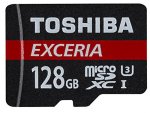
The Toshiba M302 here is in the faster U3 category of MicroSD cards. It's not the read speeds of 90MB/s+ that's the big deal, its the guaranteed minimum sequential write speed of 30MB/s that is more important. Good for recording high bit rate / high FPS 1080p video as well as standard 4K video which is more demanding in terms of data transfer speed requirements. Obviously, you'll see a speed boost when copying photos, MP3s etc as well.
- Specialised for 4K and Full HD recording
- Line-up from 16GB to 128GB Capacity
- Read Speed: Up to 90 MB/s
- Shockproof
- Waterproof
- X-ray Proof
- 5 Years Warranty
Great price for a 128GB and U3 speed class card as almost all cards at this price point are the slower Class 10 / U1 class.
This the cheapest it's ever been on Amazon, and its unlikely to stay this price for long, so pick up a bargain! Make sure you select the 2016 model as they seem to make slight improvements with each revision.
SD cards are given a speed class rating that refers to its category for writing data, with each category describing a real-world video recording use.
Class 2 supports SD video recording with a minimum serial write speed of 2 MB/s.
Classes 4 and 6 are designed to support from 720p and 1080p video (but not all framerates) with a minimum serial write speed of 4 MB/s and 6 MB/s respectively.
Class 10 is designed to support 1080p recording at minimum (but again, not at all framerates) with a minimum serial write speed of 10 MB/s. You’ll often see it marketed as “full HD”, but that’s pretty outdated now. What “full HD” means in this context is 1080HD video, which is no longer a cutting edge HD video mode.
U1 is designed to support real-time broadcasts and HD video (720p and 1080p) with a minimum serial write speed of 10 MB/s.
U3 is designed to support 4K video recording at a sustained video capture rate of 30MB/s.
For practical purposes, the most common currently are Class 10, U1, and U3, with U3 being the current fastest consumer class card. It is technically still possible to find older, slower cards that are class 2, 4, or 6, but most modern cameras are likely to work better with at least class 10 cards, especially for recording video.
UHS-I vs UHS-II
Newer microSDHC and microSDXC cards have a feature called ultra high-speed bus, which refers to the interface. So far, there is UHS-I and UHS-II.
UHS-II is the newer, and potentially faster, system but adoption is still not widespread. And a UHS-II isn’t necessarily guaranteed to be faster than every UHS-I card in practice, as you can see from the test results above. The UHS-I category refers a type of interface that has a potential maximum speed of 104MB/sec.
The product labeling for cards with this technology will have either UHS-I or UHS-II, or sometimes just I or II. Technically, it should be Roman numerals, but you’ll sometimes see it list with a number 1, like UHS-1, even by some manufacturers.
You can also tell them apart by looking at the cards themselves. UHS-I cards have a single row of pins on the back.
But it’s important to note that taking advantage of the potential speed increases of UHS-II requires that both the card and the host (eg. card reader or camera) support it. Using a UHS-II card in a camera or host that only supports UHS-I will result in it falling back to UHS-I speeds. Put another way, if you use a UHS-II card in a card reader or device that’s only rated for UHS-I, you’ll only get a maximum potential of UHS-I.
General Recommendations
- There are counterfeit memory cards out there. Buying from a reputable retailer helps minimize the risk of getting a fake.
- Memory cards are complicated electronic products. A small percentage of electronic products end up being faulty from the manufacturing process. So it’s good practice to test your card before using it in a mission critical application. Better yet, have spare/s as backup.
- Memory cards are not designed for long-term archival storage of photos and video. It’s good practice to download the data as soon as practical and get it backed up securely.
- Format the card in the camera rather than with your computer. It reduces the risk of formatting problems.
All comments (42)
Picard123
11 Dec 166#1
Speed Classes
SD cards are given a speed class rating that refers to its category for writing data, with each category describing a real-world video recording use.
Class 2 supports SD video recording with a minimum serial write speed of 2 MB/s.
Classes 4 and 6 are designed to support from 720p and 1080p video (but not all framerates) with a minimum serial write speed of 4 MB/s and 6 MB/s respectively.
Class 10 is designed to support 1080p recording at minimum (but again, not at all framerates) with a minimum serial write speed of 10 MB/s. You’ll often see it marketed as “full HD”, but that’s pretty outdated now. What “full HD” means in this context is 1080HD video, which is no longer a cutting edge HD video mode.
U1 is designed to support real-time broadcasts and HD video (720p and 1080p) with a minimum serial write speed of 10 MB/s.
U3 is designed to support 4K video recording at a sustained video capture rate of 30MB/s.
For practical purposes, the most common currently are Class 10, U1, and U3, with U3 being the current fastest consumer class card. It is technically still possible to find older, slower cards that are class 2, 4, or 6, but most modern cameras are likely to work better with at least class 10 cards, especially for recording video.
UHS-I vs UHS-II
Newer microSDHC and microSDXC cards have a feature called ultra high-speed bus, which refers to the interface. So far, there is UHS-I and UHS-II.
UHS-II is the newer, and potentially faster, system but adoption is still not widespread. And a UHS-II isn’t necessarily guaranteed to be faster than every UHS-I card in practice, as you can see from the test results above. The UHS-I category refers a type of interface that has a potential maximum speed of 104MB/sec.
The product labeling for cards with this technology will have either UHS-I or UHS-II, or sometimes just I or II. Technically, it should be Roman numerals, but you’ll sometimes see it list with a number 1, like UHS-1, even by some manufacturers.
You can also tell them apart by looking at the cards themselves. UHS-I cards have a single row of pins on the back.
But it’s important to note that taking advantage of the potential speed increases of UHS-II requires that both the card and the host (eg. card reader or camera) support it. Using a UHS-II card in a camera or host that only supports UHS-I will result in it falling back to UHS-I speeds. Put another way, if you use a UHS-II card in a card reader or device that’s only rated for UHS-I, you’ll only get a maximum potential of UHS-I.
General Recommendations
- There are counterfeit memory cards out there. Buying from a reputable retailer helps minimize the risk of getting a fake.
- Memory cards are complicated electronic products. A small percentage of electronic products end up being faulty from the manufacturing process. So it’s good practice to test your card before using it in a mission critical application. Better yet, have spare/s as backup.
- Memory cards are not designed for long-term archival storage of photos and video. It’s good practice to download the data as soon as practical and get it backed up securely.
- Format the card in the camera rather than with your computer. It reduces the risk of formatting problems.
nabeel6235
11 Dec 16#2
This is pretty decent, cheers! :smiley:
twe
11 Dec 16#3
These are good cards. Bought for my phone and work better than my lexar branded one.
iby2012
11 Dec 161#4
trying to find a 256gb micro sd card for my surface or should i just get a 128gb one as the 256gb ones seem to be way more them double the price
prasathvishnu to iby2012
11 Dec 16#6
I have same question. Is it good for a laptop / tablet hybrid. I will be using it for my Acer Switch 11 tablet / laptop.
On the other hand, will it be a good match for my Sony RX100 Mark 1 camera
swanlake
11 Dec 161#5
Nice one. Needed an SD card for my daughters tablet for xmas, so i'll buy this for myself and put the 32gb from my phone into the tablet - win win
louloul
11 Dec 16#7
hottie hot hot
Picard123
11 Dec 161#8
You can use it for a tablet, Surface 4 etc, but if your device has a USB3.0 port, I would always choose a fast nano sized USB 3.0 flash drive over MicroSD as they're faster. MicroSD cards aren't really intended to be used like you would an SSD (though people do use it like that). They're more for temporary storage.
prasathvishnu
11 Dec 16#9
Thank you. I think I would go with your option of USB 3.0 for my tablet hybrid. Will it be a better fit for my RX 100 Mark 1 (with SD Card adapter)

![Fresh Breakfast Meat Box (Using code) @ Campbells Meat [Haggis / Lorne Sausage / Bacon / Black Pudding & More]](/images/topics/208684_1.jpg)




































![[Xbox One] Q. u. b. e: Director's Cut on Deals with Gold](/images/topics/208716_1.jpg)


















Opening post
The Toshiba M302 here is in the faster U3 category of MicroSD cards. It's not the read speeds of 90MB/s+ that's the big deal, its the guaranteed minimum sequential write speed of 30MB/s that is more important. Good for recording high bit rate / high FPS 1080p video as well as standard 4K video which is more demanding in terms of data transfer speed requirements. Obviously, you'll see a speed boost when copying photos, MP3s etc as well.
- Specialised for 4K and Full HD recording
- Line-up from 16GB to 128GB Capacity
- Read Speed: Up to 90 MB/s
- Shockproof
- Waterproof
- X-ray Proof
- 5 Years Warranty
Great price for a 128GB and U3 speed class card as almost all cards at this price point are the slower Class 10 / U1 class.
Toshiba also offer a 5 year guaratee with these cards:
http://www.toshiba.co.uk/flash-memory/microsd-cards/exceria-m302/
http://www.toshiba-memory.com/cms/en/products/microsd-cards/exceria/exceria-pro-m302-ec.html
This the cheapest it's ever been on Amazon, and its unlikely to stay this price for long, so pick up a bargain! Make sure you select the 2016 model as they seem to make slight improvements with each revision.
http://uk.camelcamelcamel.com/Toshiba-Exceria-128GB-Micro-Memory/product/B01EAKAUUK
Top comments
Speed Classes
SD cards are given a speed class rating that refers to its category for writing data, with each category describing a real-world video recording use.
Class 2 supports SD video recording with a minimum serial write speed of 2 MB/s.
Classes 4 and 6 are designed to support from 720p and 1080p video (but not all framerates) with a minimum serial write speed of 4 MB/s and 6 MB/s respectively.
Class 10 is designed to support 1080p recording at minimum (but again, not at all framerates) with a minimum serial write speed of 10 MB/s. You’ll often see it marketed as “full HD”, but that’s pretty outdated now. What “full HD” means in this context is 1080HD video, which is no longer a cutting edge HD video mode.
U1 is designed to support real-time broadcasts and HD video (720p and 1080p) with a minimum serial write speed of 10 MB/s.
U3 is designed to support 4K video recording at a sustained video capture rate of 30MB/s.
For practical purposes, the most common currently are Class 10, U1, and U3, with U3 being the current fastest consumer class card. It is technically still possible to find older, slower cards that are class 2, 4, or 6, but most modern cameras are likely to work better with at least class 10 cards, especially for recording video.
UHS-I vs UHS-II
Newer microSDHC and microSDXC cards have a feature called ultra high-speed bus, which refers to the interface. So far, there is UHS-I and UHS-II.
UHS-II is the newer, and potentially faster, system but adoption is still not widespread. And a UHS-II isn’t necessarily guaranteed to be faster than every UHS-I card in practice, as you can see from the test results above. The UHS-I category refers a type of interface that has a potential maximum speed of 104MB/sec.
The product labeling for cards with this technology will have either UHS-I or UHS-II, or sometimes just I or II. Technically, it should be Roman numerals, but you’ll sometimes see it list with a number 1, like UHS-1, even by some manufacturers.
You can also tell them apart by looking at the cards themselves. UHS-I cards have a single row of pins on the back.
But it’s important to note that taking advantage of the potential speed increases of UHS-II requires that both the card and the host (eg. card reader or camera) support it. Using a UHS-II card in a camera or host that only supports UHS-I will result in it falling back to UHS-I speeds. Put another way, if you use a UHS-II card in a card reader or device that’s only rated for UHS-I, you’ll only get a maximum potential of UHS-I.
General Recommendations
- There are counterfeit memory cards out there. Buying from a reputable retailer helps minimize the risk of getting a fake.
- Memory cards are complicated electronic products. A small percentage of electronic products end up being faulty from the manufacturing process. So it’s good practice to test your card before using it in a mission critical application. Better yet, have spare/s as backup.
- Memory cards are not designed for long-term archival storage of photos and video. It’s good practice to download the data as soon as practical and get it backed up securely.
- Format the card in the camera rather than with your computer. It reduces the risk of formatting problems.
All comments (42)
Speed Classes
SD cards are given a speed class rating that refers to its category for writing data, with each category describing a real-world video recording use.
Class 2 supports SD video recording with a minimum serial write speed of 2 MB/s.
Classes 4 and 6 are designed to support from 720p and 1080p video (but not all framerates) with a minimum serial write speed of 4 MB/s and 6 MB/s respectively.
Class 10 is designed to support 1080p recording at minimum (but again, not at all framerates) with a minimum serial write speed of 10 MB/s. You’ll often see it marketed as “full HD”, but that’s pretty outdated now. What “full HD” means in this context is 1080HD video, which is no longer a cutting edge HD video mode.
U1 is designed to support real-time broadcasts and HD video (720p and 1080p) with a minimum serial write speed of 10 MB/s.
U3 is designed to support 4K video recording at a sustained video capture rate of 30MB/s.
For practical purposes, the most common currently are Class 10, U1, and U3, with U3 being the current fastest consumer class card. It is technically still possible to find older, slower cards that are class 2, 4, or 6, but most modern cameras are likely to work better with at least class 10 cards, especially for recording video.
UHS-I vs UHS-II
Newer microSDHC and microSDXC cards have a feature called ultra high-speed bus, which refers to the interface. So far, there is UHS-I and UHS-II.
UHS-II is the newer, and potentially faster, system but adoption is still not widespread. And a UHS-II isn’t necessarily guaranteed to be faster than every UHS-I card in practice, as you can see from the test results above. The UHS-I category refers a type of interface that has a potential maximum speed of 104MB/sec.
The product labeling for cards with this technology will have either UHS-I or UHS-II, or sometimes just I or II. Technically, it should be Roman numerals, but you’ll sometimes see it list with a number 1, like UHS-1, even by some manufacturers.
You can also tell them apart by looking at the cards themselves. UHS-I cards have a single row of pins on the back.
But it’s important to note that taking advantage of the potential speed increases of UHS-II requires that both the card and the host (eg. card reader or camera) support it. Using a UHS-II card in a camera or host that only supports UHS-I will result in it falling back to UHS-I speeds. Put another way, if you use a UHS-II card in a card reader or device that’s only rated for UHS-I, you’ll only get a maximum potential of UHS-I.
General Recommendations
- There are counterfeit memory cards out there. Buying from a reputable retailer helps minimize the risk of getting a fake.
- Memory cards are complicated electronic products. A small percentage of electronic products end up being faulty from the manufacturing process. So it’s good practice to test your card before using it in a mission critical application. Better yet, have spare/s as backup.
- Memory cards are not designed for long-term archival storage of photos and video. It’s good practice to download the data as soon as practical and get it backed up securely.
- Format the card in the camera rather than with your computer. It reduces the risk of formatting problems.
On the other hand, will it be a good match for my Sony RX100 Mark 1 camera