Do I need a gigabit powerline adapter if I only have 35mb broadband connection?
dusktilldawn to bbfb123
25 Dec 162#4
No you can get 500 mb or 600. Amazon do one for 20 quid here
I have one next to the router. And I bought a tp link switch. Have the other near your tv or media centre. Then you can have 5+ ports for your TV, console\s. example of a budget switch
Delio79 to bbfb123
25 Dec 161#5
That depends what is on your home network. If you have a NAS and want Gigabit speed access to the data stored on it, then yes, you need Gigabit powerline.
If all you want is to access the internet, a lesser product will be more than good enough till you get Gigabit speed internet.
BigYoSpeck to bbfb123
26 Dec 161#12
Need? No. Useful? Certainly. You may not always only have a 35mb internet connection so you'll have a device to handle future capacity.
It's important to note that powerline adapters never achieve their full rated speed in the real world. So even though this is 1gigabit it may only serve up around 100mbit depending on your power cable quality and how far in the house they're having to transmit between.
Finally there are other uses for home networking that just the internet. If you're sharing any files through your home network, a faster connection for that is beneficial regardless of your broadband speed.
Yes. My setup is Virgin superhub -> gigabit switch -> PL1000 No.1 -> PL1000 No. 2 -> PC
But there is no reason it wouldn't work going superhub -> PL1000 No.1 -> PL1000 No. 2 -> gigabit switch -> 8 different devices.
What? The connection looks like a standard ethernet link, is this definitely correct? I can't think of any reason this would be true, I'm happy to be educated otherwise but it makes no sense.
Stevie Badman
25 Dec 16#6
single port - cold, I need double.
Dan__
25 Dec 16#7
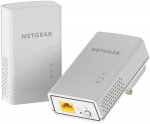
was going to order this but its not the same model as the deal that was posted few weeks back. This one doesn't have wifi.
cwpics1
25 Dec 161#8
Can a small gigabit switch connect to these to expand on ports?
ShroomHeadToad to cwpics1
25 Dec 16#11
Just standard ethernet port so should work.
adam5321
25 Dec 16#9
Needed pass through!
cliffio76
25 Dec 16#10
If you're using an iMac, be mindful that these arent 100% compatible.
colourpie to cliffio76
26 Dec 16#18
Perhaps the setup software, if there is some, isn't mac compatible. There's no chance that the ethernet link could be "incompatible" with Macs.
Besides that, I'd bet these can be configured through a web browser without needing anything from any bundled CD.

![Fresh Breakfast Meat Box (Using code) @ Campbells Meat [Haggis / Lorne Sausage / Bacon / Black Pudding & More]](/images/topics/208684_1.jpg)




































![[Xbox One] Q. u. b. e: Director's Cut on Deals with Gold](/images/topics/208716_1.jpg)


















Opening post
All comments (36)
I have one next to the router. And I bought a tp link switch. Have the other near your tv or media centre. Then you can have 5+ ports for your TV, console\s. example of a budget switch
If all you want is to access the internet, a lesser product will be more than good enough till you get Gigabit speed internet.
It's important to note that powerline adapters never achieve their full rated speed in the real world. So even though this is 1gigabit it may only serve up around 100mbit depending on your power cable quality and how far in the house they're having to transmit between.
Finally there are other uses for home networking that just the internet. If you're sharing any files through your home network, a faster connection for that is beneficial regardless of your broadband speed.
Yes. My setup is Virgin superhub -> gigabit switch -> PL1000 No.1 -> PL1000 No. 2 -> PC
But there is no reason it wouldn't work going superhub -> PL1000 No.1 -> PL1000 No. 2 -> gigabit switch -> 8 different devices.
What? The connection looks like a standard ethernet link, is this definitely correct? I can't think of any reason this would be true, I'm happy to be educated otherwise but it makes no sense.
Besides that, I'd bet these can be configured through a web browser without needing anything from any bundled CD.