If you're using an iMac, be mindful that these arent 100% compatible.
colourpie to cliffio76
26 Dec 16#18
Perhaps the setup software, if there is some, isn't mac compatible. There's no chance that the ethernet link could be "incompatible" with Macs.
Besides that, I'd bet these can be configured through a web browser without needing anything from any bundled CD.
MarkT1967 to cliffio76
5 Apr 17#36
How come mate?
tommydowp
29 Dec 16#35
Thanks to OP for posting. Good price, heat added & ordered :smiley:
ShroomHeadToad
27 Dec 161#34
You ask the engineer on the day, should be free of charge as the socket extension is for the fibre broadband router only.
ShroomHeadToad
27 Dec 161#29
Depending on the distance to the bedroom you can ask the engineer to install an extension socket solely for connecting the router modem, the wiring goes via the master socket to upstairs.
dougrobbins78 to ShroomHeadToad
27 Dec 16#33
Really good to know. Do you know if I can request this with the engineer on the day or do I have to call them up prior to installation?
Sorry to have hijacked the thread. Normal service about the netgear deal resumes after this bit :smile:
dougrobbins78
27 Dec 16#32
Thanks I've ordered this. Great price and heat added
I guess I don't need a passthrough as I don't mind having an extension lead to plug the devices into
Thanks for taking the time to reply. All the best and Happy new year
BigYoSpeck
27 Dec 16#31
You might only be getting 52mb now, but chances are in the future that speed will increase. The thing to remember about these powerline adapters is they never give you their rated speed. A 1 gigbit adapter may only give you somewhere in the region of 100mbit actual connection speed if there's a fair distance between the 2 adapters, so I'd always go for the fastest rated.
Plus those other two even though they're '600mbit' probably only have a 100mbit ethernet port on them so even if they are connecting at a fast rate, the port will wind up being a bottleneck. Not a problem now with a 52mbit internet connection but like I said in the future if that bandwidth increases your stuck with a slow connection.
dougrobbins78
27 Dec 16#30
Amazing thank you both for your replies.
I'll try shroomheadtoad's suggestion first as that would be the ideal scenario. However I'm doubtful as my bedroom is one floor up
Failing that, it's good to know these adapters can provide an Ethernet connection to my room
I don't care how good BT purport their home hub to be; I hate wireless router signals
Last question then as the folk in this deal seem to know their stuff technically; should I go for this 1000 Mbps deal, £20 600mbps from other HUKD deal or the BT powerline 600mbps?
I'll only be getting 52mb.
Thanks again for your advice Gang. Much appreciated
dougrobbins78
27 Dec 16#27
Hi guys. I'm having BT fibre installed in a couple of weeks.
Apparently the BT home hub (which I assume is some sort of router) has to go by the master socket which is downstairs by the front door
Could I use a powerline adapter to have the home hub router upstairs in my bedroom?
Or does the router still stay down stairs and I use the powerline adapter to bring a wired internet connection to my bedroom?
Is the first option even possible? Thanks in advance
BigYoSpeck to dougrobbins78
27 Dec 161#28
The home hub router has to be connected to the BT fibre data cable so it will have to live where the engineer installs it. You can run an ethernet cable from the router to one of these powerline adapters, then put the other powerline adapter in the other location in the house you want to have network access.
There's nothing to stop you have a network switch connected to the second powerline adapter though. And if you want to extend wifi access then you can also have a wireless access point connected to that.
K9sandFelines
26 Dec 16#26
Yes that's the one. I haven't looked into it tbh, and feel these would be a good alternative although not necessarily the cheapest. I'm no good at wiring/DIY etc, so these would be better and easier for me.
K9sandFelines
26 Dec 16#25
That's perfect thanks. Also I meant phone *line not lime, obviously!
jg213
26 Dec 16#24
Is there a version of these I can get with wi-fi? I've got a wi-fi extender but it doesn't extend the signal to where I want it too. Then my laptop doesn't have an ethernet port and it would probably be useful for connecting tablets etc too. Or could I connect something like a cheap router to the other end of this in the other room that will allow me to get wi-fi in there?
ljshooter
26 Dec 16#15
Can't decide if I should pull the trigger... just upgraded to 200mb connection (and actually appear to get that speed) but my PC download which is connected via some oldish 500mb plugs is still only downloading at about 5-6mbps. I am hoping it's the fault of the plugs but fear it's my wiring. Wifi is just so far away I know it would be unreliable. Thoughts on anything I can check before I buy? (I should mention I know the 200mb connection is megabit not megabytes)
lynchnigel to ljshooter
26 Dec 161#23
As someone says below best if you are using them in the wall, they should be ok across different ring main circuits as i've been using some over different ones and speed ok. Remember both ends (ie the PC end and the router end really need to be the same speed if possible)
I would say the faster the better as you dont always get the speed they say :smiley: After upgrading mine about 3 times in the past i've installed cat6 cable alot of mess but hey only once more speed and free sockets again
K9sandFelines
26 Dec 16#16
Would these be okay so I could put desktop and monitor on the other side of the room, or have I misunderstood? Router is over by the window where BT socket is, but only space for desktop etc is the other side where there is no phone lime and where the router wont reach.
bailey87 to K9sandFelines
26 Dec 161#17
That would be fine indeed. These will take the worldwide web from your router, through your house's power wiring and out of your power socket conveniently located by your desktop/monitor. You just want to make sure you plug them directly into a wall rather than an extension plug
BigYoSpeck to K9sandFelines
26 Dec 16#22
So in the same room as your router but just on the other side of it?
Why not just get a long ethernet cable and run it around the room perimeter?
resurrection4u
26 Dec 16#21
I thought it effects the quality when on a power surge extension
resurrection4u
26 Dec 16#19
Great price shame I need a pass through or I would have snapped a few up
dusktilldawn to resurrection4u
26 Dec 16#20
I have a pass through but you can plug it into a extension.
hukdplan
26 Dec 162#14
I've been testing these and returned them to PC World. Running a ping tester over 3 days, over my mains wiring, gave about 99.6% success with around 30 seconds total loss of connectivity - not bad but not ideal. Swapped them for some "TP-Link TL-PA8010P KIT AV1200 Gigabit Pass Through Powerline Adapter Starter Kits" - ran same test, zero connectivity issues - 100% ping success - absolutely perfect performance.
Could be down to a better chipset, could be the Netgear stuff is just not that great - either way TP-Link works literally perfectly and was worth paying a bit extra for.
nublets2k
26 Dec 161#13
It's a standard ethernet port, so wouldn't be surprised if Apple have removed the ethernet port from iMacs and now require a £90 adapter. :laughing:
bbfb123
25 Dec 16#3
Do I need a gigabit powerline adapter if I only have 35mb broadband connection?
dusktilldawn to bbfb123
25 Dec 162#4
No you can get 500 mb or 600. Amazon do one for 20 quid here
I have one next to the router. And I bought a tp link switch. Have the other near your tv or media centre. Then you can have 5+ ports for your TV, console\s. example of a budget switch
Delio79 to bbfb123
25 Dec 161#5
That depends what is on your home network. If you have a NAS and want Gigabit speed access to the data stored on it, then yes, you need Gigabit powerline.
If all you want is to access the internet, a lesser product will be more than good enough till you get Gigabit speed internet.
BigYoSpeck to bbfb123
26 Dec 161#12
Need? No. Useful? Certainly. You may not always only have a 35mb internet connection so you'll have a device to handle future capacity.
It's important to note that powerline adapters never achieve their full rated speed in the real world. So even though this is 1gigabit it may only serve up around 100mbit depending on your power cable quality and how far in the house they're having to transmit between.
Finally there are other uses for home networking that just the internet. If you're sharing any files through your home network, a faster connection for that is beneficial regardless of your broadband speed.
Yes. My setup is Virgin superhub -> gigabit switch -> PL1000 No.1 -> PL1000 No. 2 -> PC
But there is no reason it wouldn't work going superhub -> PL1000 No.1 -> PL1000 No. 2 -> gigabit switch -> 8 different devices.
What? The connection looks like a standard ethernet link, is this definitely correct? I can't think of any reason this would be true, I'm happy to be educated otherwise but it makes no sense.
cwpics1
25 Dec 161#8
Can a small gigabit switch connect to these to expand on ports?
ShroomHeadToad to cwpics1
25 Dec 16#11
Just standard ethernet port so should work.
adam5321
25 Dec 16#9
Needed pass through!
Dan__
25 Dec 16#7
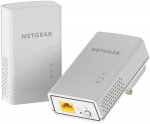
was going to order this but its not the same model as the deal that was posted few weeks back. This one doesn't have wifi.

![Fresh Breakfast Meat Box (Using code) @ Campbells Meat [Haggis / Lorne Sausage / Bacon / Black Pudding & More]](/images/topics/208684_1.jpg)




































![[Xbox One] Q. u. b. e: Director's Cut on Deals with Gold](/images/topics/208716_1.jpg)


















Opening post
Latest comments (36)
Besides that, I'd bet these can be configured through a web browser without needing anything from any bundled CD.
Sorry to have hijacked the thread. Normal service about the netgear deal resumes after this bit :smile:
I guess I don't need a passthrough as I don't mind having an extension lead to plug the devices into
Thanks for taking the time to reply. All the best and Happy new year
Plus those other two even though they're '600mbit' probably only have a 100mbit ethernet port on them so even if they are connecting at a fast rate, the port will wind up being a bottleneck. Not a problem now with a 52mbit internet connection but like I said in the future if that bandwidth increases your stuck with a slow connection.
I'll try shroomheadtoad's suggestion first as that would be the ideal scenario. However I'm doubtful as my bedroom is one floor up
Failing that, it's good to know these adapters can provide an Ethernet connection to my room
I don't care how good BT purport their home hub to be; I hate wireless router signals
Last question then as the folk in this deal seem to know their stuff technically; should I go for this 1000 Mbps deal, £20 600mbps from other HUKD deal or the BT powerline 600mbps?
I'll only be getting 52mb.
Thanks again for your advice Gang. Much appreciated
Apparently the BT home hub (which I assume is some sort of router) has to go by the master socket which is downstairs by the front door
Could I use a powerline adapter to have the home hub router upstairs in my bedroom?
Or does the router still stay down stairs and I use the powerline adapter to bring a wired internet connection to my bedroom?
Is the first option even possible? Thanks in advance
There's nothing to stop you have a network switch connected to the second powerline adapter though. And if you want to extend wifi access then you can also have a wireless access point connected to that.
I would say the faster the better as you dont always get the speed they say :smiley: After upgrading mine about 3 times in the past i've installed cat6 cable alot of mess but hey only once more speed and free sockets again
Why not just get a long ethernet cable and run it around the room perimeter?
Could be down to a better chipset, could be the Netgear stuff is just not that great - either way TP-Link works literally perfectly and was worth paying a bit extra for.
I have one next to the router. And I bought a tp link switch. Have the other near your tv or media centre. Then you can have 5+ ports for your TV, console\s. example of a budget switch
If all you want is to access the internet, a lesser product will be more than good enough till you get Gigabit speed internet.
It's important to note that powerline adapters never achieve their full rated speed in the real world. So even though this is 1gigabit it may only serve up around 100mbit depending on your power cable quality and how far in the house they're having to transmit between.
Finally there are other uses for home networking that just the internet. If you're sharing any files through your home network, a faster connection for that is beneficial regardless of your broadband speed.
Yes. My setup is Virgin superhub -> gigabit switch -> PL1000 No.1 -> PL1000 No. 2 -> PC
But there is no reason it wouldn't work going superhub -> PL1000 No.1 -> PL1000 No. 2 -> gigabit switch -> 8 different devices.
What? The connection looks like a standard ethernet link, is this definitely correct? I can't think of any reason this would be true, I'm happy to be educated otherwise but it makes no sense.