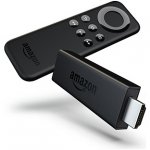
Fire TV Stick for effortless streaming of great movies, TV, music and more. Just plug into your TVs HDMI, connect to WiFi and enjoy. With a massive selection of content from BBC iPlayer, Netflix, Amazon Instant Video and lots more. Easy to move between rooms or take to a friends. Music streaming from Pandora, Vevo, Tune in and Spotify.
Top comments
scousetomo to Gennip
23 Aug 1625#4
i dont agree i have them in 3 rooms hidden in back of tv all running kodi and mobdro
hcc27 to Gennip
23 Aug 1616#6
Can't agree with that I'm afraid. If you have Amazon Prime and Netflix subscriptions, this is a fantastic device for accessing them. I've installed Kodi on the two sticks I have and it runs flawlessly, streaming movies from my NAS as well as accessing ahmm..those streams :-)
Just make sure you use the HDMI extension cable as the WiFi antenna on these is quite poor and being located at the back of the TV results in a poor connection if your TV isn't in the same room as the router.
I had a couple of Chromecasts before these, they're now gathering dust as a standalone solution works so much better at least for me.
bond e lad
23 Aug 1613#14
I have one of these,for me,mega rubbish,,,but wait,I don't have a clue,took it to the geezer a couple of doors down,now,it's the best thing since sliced bread,as he knows what to do,I clearly do not.heat added.
Gennip
23 Aug 168#3
I bought one of these a month ago and it is lying in the corner somewere gathering dust. Over-hyped rubbish.
All comments (40)
summerof76
23 Aug 16#1
Heat added :innocent:
secretspartan1
23 Aug 163#2
Will amazon price match argos? Bricks and mortar store and stuff :P
bigdeal66 to secretspartan1
23 Aug 16#9
No,they will try to price match their market place only.
Gennip
23 Aug 168#3
I bought one of these a month ago and it is lying in the corner somewere gathering dust. Over-hyped rubbish.
scousetomo to Gennip
23 Aug 1625#4
i dont agree i have them in 3 rooms hidden in back of tv all running kodi and mobdro
hcc27 to Gennip
23 Aug 1616#6
Can't agree with that I'm afraid. If you have Amazon Prime and Netflix subscriptions, this is a fantastic device for accessing them. I've installed Kodi on the two sticks I have and it runs flawlessly, streaming movies from my NAS as well as accessing ahmm..those streams :-)
Just make sure you use the HDMI extension cable as the WiFi antenna on these is quite poor and being located at the back of the TV results in a poor connection if your TV isn't in the same room as the router.
I had a couple of Chromecasts before these, they're now gathering dust as a standalone solution works so much better at least for me.
Curtis3012 to Gennip
23 Aug 164#10
Have got Kodi running on it? I managed to get one for £9.99 from amazon about a month ago (new customer prime deal plus £10 off audible)
I followed a guide on youtube on how to install which took around 20 minutes. I now can stream all the latest boxsets, movies and sport.
Although, I'm yet to find a really decent link for sport, the quality isn't great and lags a bit despite running 68 down / 18 up speeds on my internet (my router is about 3m away in the same room)
Shard
23 Aug 164#5
Gave up on mine, daughter was using it to watch youtube but it kept hanging, went back to the chromecast in the end
hcc27 to Shard
23 Aug 16#8
You probably have a poor WiFi signal to it. Try using the HDMI extension and locating the Fire Stick away from the back of the TV. I also had some buffering issues as my TV isn't in the same room as the router, using the HDMI extension resolved these.
cannycoyote to Shard
23 Aug 16#34
same here. very frustrating..it was next to the wireless router aswell so couldnt get a better signal. went for a hardwired android box instead what a difference being hardwired makes!
Robbieee
23 Aug 164#7
Quite alot of people giving up on the setup of this! I have one and run Kodi, runs really well... look up youtube for how to guides!
:smiley::smiley:
maple4
23 Aug 16#11
you couldnt go wrong with this little thing and for the price.better than some other android boxes out there.just have it close to your wifi router

![Fresh Breakfast Meat Box (Using code) @ Campbells Meat [Haggis / Lorne Sausage / Bacon / Black Pudding & More]](/images/topics/208684_1.jpg)




































![[Xbox One] Q. u. b. e: Director's Cut on Deals with Gold](/images/topics/208716_1.jpg)


















Opening post
Top comments
Just make sure you use the HDMI extension cable as the WiFi antenna on these is quite poor and being located at the back of the TV results in a poor connection if your TV isn't in the same room as the router.
I had a couple of Chromecasts before these, they're now gathering dust as a standalone solution works so much better at least for me.
All comments (40)
Just make sure you use the HDMI extension cable as the WiFi antenna on these is quite poor and being located at the back of the TV results in a poor connection if your TV isn't in the same room as the router.
I had a couple of Chromecasts before these, they're now gathering dust as a standalone solution works so much better at least for me.
I followed a guide on youtube on how to install which took around 20 minutes. I now can stream all the latest boxsets, movies and sport.
Although, I'm yet to find a really decent link for sport, the quality isn't great and lags a bit despite running 68 down / 18 up speeds on my internet (my router is about 3m away in the same room)
:smiley::smiley:
https://www.amazon.co.uk/dp/B00KAKUN3E