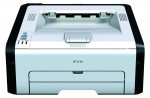
Decent little WiFi mono laser printer. A few quid cheaper than it's recently been.
Toner refill kits (1500 page) are available for around £14 on ebay etc
Fast 22 pages per minute output. 150-sheet paper capacity.
Ideal for small and home offices looking for a productive print solution.
WiFi-ready wireless connectivity.
Effortless printing with Ricoh's Smart Device Print&Scan mobile app.
2 year Pan-European warranty
Top comments
Gollywood
11 Jul 165#65
Quote of the Week :smile:
It's almost as if it's deliberate!! But it isn't...
Thanks very much for this pointer to Groupon - I managed to find a £10 off code here https://www.myvouchercodes.co.uk/groupon so an amazing bargain now at £20.98 - also went through TCB so could be even cheaper
booboy2
10 Jul 163#6
Hi mousey.
I am also on win 10 and this model definitely works perfectly.
I just held the wifi buy-in on the printer for2 seconds then pressed the wps button on the router to connect them. Then and only then install the software and select install wirelessly. If you install via usb you can't use it wirelessly and would have to uninstall the driver software and start again.
It really is simple if you ignore the instructions.
All comments (210)
booboy2
10 Jul 162#1
I bought this printer a couple of weeks ago from seller zila (a few pence more than this deal) and think it's great.
Just set it up on wi fi by pairing it with the wps button on the router then install using disk....simples.
Prints beautifully and no more dried out inkjet cartridges do to lack of use.
mousey
10 Jul 161#2
Agree a great printer - have one at moment but recently changed my laptop which has windows 10 system which is not compatible with this printer, I was windows vista before - unless I'm doing something wrong - any advice appreciated!
Ops, sorry just checked mine is the SP201N
Do you think it's worth me waiting until prime day to see if it goes down more?
dvdphile to k_lc
10 Jul 161#4
It's unlikely to get cheaper than this especially as it's not sold by Amazon themselves! :stuck_out_tongue:
MarioMan
10 Jul 16#5
Is it black and white only?
Gollywood to MarioMan
10 Jul 16#15
Black
booboy2
10 Jul 163#6
Hi mousey.
I am also on win 10 and this model definitely works perfectly.
I just held the wifi buy-in on the printer for2 seconds then pressed the wps button on the router to connect them. Then and only then install the software and select install wirelessly. If you install via usb you can't use it wirelessly and would have to uninstall the driver software and start again.
It really is simple if you ignore the instructions.
booboy2
10 Jul 161#7
Hi Marioman.
Yes it's a mono printer.
Black & white only
noisyneighbour
10 Jul 161#8
Available at Groupon for £30.98 with 8.4% Topcashback, so after £2.60 TCB it's £28.38. As we all know, cashback is never guaranteed, but I've never had Groupon declined.
Bear in mind it comes with a 700 page starter toner cartridge, but still a great deal for what should be a cheap to run mono printer :smiley:
xeroc
10 Jul 16#9
Works fine with OS X despite Amazon comments;
Connect to Wifi (hold WPS button as above)
Auto displays as network printer (generic postscript/Pcl) in printer settings.
No need for software
Or via usb; plug in cable. Done
Only got 260 pages out of my starter toner however! (Predominantly double spaced text as well!)

![Fresh Breakfast Meat Box (Using code) @ Campbells Meat [Haggis / Lorne Sausage / Bacon / Black Pudding & More]](/images/topics/208684_1.jpg)




































![[Xbox One] Q. u. b. e: Director's Cut on Deals with Gold](/images/topics/208716_1.jpg)


















Opening post
Toner refill kits (1500 page) are available for around £14 on ebay etc
Fast 22 pages per minute output. 150-sheet paper capacity.
Ideal for small and home offices looking for a productive print solution.
WiFi-ready wireless connectivity.
Effortless printing with Ricoh's Smart Device Print&Scan mobile app.
2 year Pan-European warranty
Top comments
It's almost as if it's deliberate!! But it isn't...
I am also on win 10 and this model definitely works perfectly.
I just held the wifi buy-in on the printer for2 seconds then pressed the wps button on the router to connect them. Then and only then install the software and select install wirelessly. If you install via usb you can't use it wirelessly and would have to uninstall the driver software and start again.
It really is simple if you ignore the instructions.
All comments (210)
Just set it up on wi fi by pairing it with the wps button on the router then install using disk....simples.
Prints beautifully and no more dried out inkjet cartridges do to lack of use.
Ops, sorry just checked mine is the SP201N
http://support.ricoh.com/bb/html/dr_ut_e/re/model/sp201n/sp201nen.htm
I am also on win 10 and this model definitely works perfectly.
I just held the wifi buy-in on the printer for2 seconds then pressed the wps button on the router to connect them. Then and only then install the software and select install wirelessly. If you install via usb you can't use it wirelessly and would have to uninstall the driver software and start again.
It really is simple if you ignore the instructions.
Yes it's a mono printer.
Black & white only
Bear in mind it comes with a 700 page starter toner cartridge, but still a great deal for what should be a cheap to run mono printer :smiley:
Connect to Wifi (hold WPS button as above)
Auto displays as network printer (generic postscript/Pcl) in printer settings.
No need for software
Or via usb; plug in cable. Done
Only got 260 pages out of my starter toner however! (Predominantly double spaced text as well!)