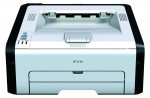
Decent little WiFi mono laser printer. A few quid cheaper than it's recently been.
Toner refill kits (1500 page) are available for around £14 on ebay etc
Fast 22 pages per minute output. 150-sheet paper capacity.
Ideal for small and home offices looking for a productive print solution.
WiFi-ready wireless connectivity.
Effortless printing with Ricoh's Smart Device Print&Scan mobile app.
2 year Pan-European warranty
Top comments
Gollywood
11 Jul 165#65
Quote of the Week :smile:
It's almost as if it's deliberate!! But it isn't...
Thanks very much for this pointer to Groupon - I managed to find a £10 off code here https://www.myvouchercodes.co.uk/groupon so an amazing bargain now at £20.98 - also went through TCB so could be even cheaper
booboy2
10 Jul 163#6
Hi mousey.
I am also on win 10 and this model definitely works perfectly.
I just held the wifi buy-in on the printer for2 seconds then pressed the wps button on the router to connect them. Then and only then install the software and select install wirelessly. If you install via usb you can't use it wirelessly and would have to uninstall the driver software and start again.
It really is simple if you ignore the instructions.
Latest comments (210)
plumberman56
21 Jul 16#210
£27.95 eBay
RealDash
20 Jul 161#209
Just hold down `STOP/START` while turning the printer on, then release and press `JOB RESET` 15 times, then press and hold `WIFI` for 20 seconds while humming God Save The Queen.
Or, take the paper out and turn it over.
burnie2011
20 Jul 16#208
Hi. Does anyone know how to turn the print around? It prints face (print) down at the moment.
tylah3
20 Jul 16#207
Thanks, managed to get it working. I had to lug my comp and the printer downstairs to where the BT hub is. It took quite a bit of pressing the buttons, but eventually the circular wi-fi button lit up, still I could only get it installed by the CD. Odd than windows couldn't find it.
booboy2
20 Jul 16#206
Hi tylah3
I am also on win10.
All i did was hold Wi-Fi button on printer for a few seconds then while it's flashing press wps button on router. This may take a few tries until they connect and you get a solid light on the wifi button on the printer. Then and only then install the drivers using the cd. Select install wirelessly option...done.
If you have already installed the driver cd either wirelessly or wired using usb cable uninstall it and start again.
Hth
tylah3
20 Jul 16#205
I can't for the life of me figure out how to get this printer set up over wifi. The blue light is lit, but 'printers and setting's in win 10 doesn't find it. If I manually set it up it just says it's offline. AHHHHH!
panddda
19 Jul 16#204
Oh no!! I was hoping I'd just hit a glitch that would resolve itself, this sounds like a bit of a nightmare.
Our wifi went do-pally overnight last night, so we did the usual turn-off-turn-back-on of the router this morning and everything worked fine again apart from the printer - the wifi button was lit but it just says 'offline'. Messed around for ages with the wps button in the router (don't really understand these things) and eventually gave up, drove 2 miles to work to print my boarding passes out! I was hoping it was just the heat or something, but sounds like maybe more of a problem. Might need to call in someone who u set stands these things when we get back from hols.
Seggamackem
19 Jul 16#203
Sounds hard!!
topss
19 Jul 16#202
If you know the printers ip address and you know how to login to your router, then it's pretty easy to 'reserve' the printers ip address (in the router settings). That may solve the problem.
Seggamackem
19 Jul 16#201
Mines the same you have to print a test page to get the ip address then put it back in the printer settings ,pain in the a##e something to do with a static ip address , beyond meoO
topss
19 Jul 16#200
£27.95 now.
topss
18 Jul 16#199
Should connect automatically if it's switched off/on or the router is.
JohnLeicester
18 Jul 16#198
I received mine on Saturday, manged to get it working on Win7 64Pro ViginMedia Router.
48 hours later switched printer on and after 15 seconds blue Wifi = ON, printed a page
perfectly over WiFi. I'm very happy.
usernamenotavailable
18 Jul 161#197
In a bit of trouble here
Printer received and (not without some pain) installed via WiFi WPS a couple of days ago. I have now turned it back on (it doesn't seem to turn itself off after prolonged inactivity: mine stayed on all night, so better turn it off manually), but it doesn't automatically connect back to the router via WiFi. On Windows10 it shows as offline. If I press the WiFi button on the printer (which goes on automatically after about 30 seconds) nothing happens: I can't turn WiFi off! I am tempted to send it back, have had wi-fi printers for over 8 years and never had so many issues
Does anyone else have similar problems? Does your printer connect automatically back to the same WiFi network after it's turned off and back on again? Thanks for any useful comment
plumberman56
18 Jul 16#196
could not resist... got one on eBay ? £29.95...
MORE4
18 Jul 16#195
TCB not tracked
Anyone else?
Parfy
17 Jul 162#194
Don't know if you've fixed it, but i was having the same problem and solved it fairly easily in the end. When you add the printer make sure you do it via the printers and scanners settings menu, click the + and make sure you use PCL rather than postscript. It seems that if you let OS X add it and choose generic drivers on some systems it defaults to postscript and prints nonsense.
eagleon
17 Jul 16#193
Just got this printer from Amazon.
nvm, found the switch!
Thanks OP :smiley:
Got mine yesterday, much easier to set up the wifi than anticipated after reading the reviews :smiley:
steveclecy
16 Jul 16#188
Ordered Thursday midday, arrived today (Saturday) 0930. Wi-Fi set up in a jiffy, pleased as punch. Thank you OP
n3m3s1s
15 Jul 16#187
2-3 years one cartridge ! - oh that explains it - they would last even longer if you didn't use at all :smiley:
Anyone found reasonably priced replacement cartridges yet
fishmaster
15 Jul 16#186
lol
n3m3s1s
15 Jul 16#185
No, incorrect... yes, uses black toner (hence Mono in OP's title) but not limited to only white paper - can use many other colours of paper ( blues pinks yellows, etc ) :smile: .
Grayscale - varying intensity of black toner ? rather than varying lightness of black toner ?
solid
15 Jul 16#184
OK, that's great - seems straightforward. I thought you meant it needed some special instructions.
As an aside, the printer looks huge. I'll need to shuffle a few things around, it fit in the same space as the printer it's replacing.
booboy2
15 Jul 161#183
@ solid.
I just used the driver disk that came with it and I'm on win10.
Hope that helps
Gollywood
15 Jul 16#182
I re-read the post & I think you are right. Initially I read it as 'I'm gonna take advantage of the deal', but not tell you about it! That's the cynic in me I guess! Funnily enough, I also thought I could get it for about £23 via a £5 Amazon promotional credit, but that only applied to items fulfilled by Amazon, so didnt work!
solid
15 Jul 16#181
Any chance you can share or link to the win10 drivers and instructions please ?
mas99
15 Jul 161#180
Seems sensible to me - why post something that might not work and just lead to rejected orders. Better to alert people that there may be a better deal and confirm if it works.
Gollywood
15 Jul 16#179
That's the true spirit of HUKD...
FrooGal
15 Jul 161#178
Thanks for replying - I did see something in the thread about setting up a print server, but seems a little too complicated for me to try! I don't use the iPad that much so no big deal really - getting nice prints from the PC!
Thanks anyway.
xeroc
15 Jul 16#177
Sadly this printer doesn't support the AirPrint protocol, hence why one has to be reliant on flakey 3rd party apps, as you have discovered. The solution to this, as has been briefly detailed above, is to create an AirPrint server on your network. You will then be able to print from your iPhone/iPad using the native print options, without any need for the Ricoh app.
To do this, you will need to plug it in to a computer - preferably one you leave on permanently - and install an AirPrint server. Or you can use a Raspberry Pi for a very compact solution, as I have done. Simply google '[operating system] AirPrint server'. I appreciate it's not a great solution, but I (like many) already have plenty of tech devices (NAS/Pi) that are left on permanently than this plugs in to, so it's no hardship - and the printer is <£30!
topss
15 Jul 16#176
Maximum paper thickness recommended is 105 g/m².
The paper path is U shaped, so will probably struggle with anything thicker.
noobnoob
15 Jul 16#175
Could any one lucky enough to have got one of these printers try printing on some reasonably thick card and see how the printer copes?
Would be much appreciated!
Sharpharp
15 Jul 16#174
There is a way to get this for £23, but will see if the printer arrives before posting
TygerrTygerr
15 Jul 16#173
Don't any of these sorts of printers come in black, like everything else? What's up with that.
david1274
15 Jul 16#172
Thanks. Hopefully will be under £20 by the time we replace it, which could be for a good year or so with light use.
Still using the same starter cartridge on my Dell 1130 after 2/3 years, and 2500-page replacement cartridges for that have gone as low as a tenner on Amazon. Don't print a lot though :wink:
Neil_
15 Jul 16#171
Running my SP201N on Windows 10 just fine. Download the latest drivers and follow the instructions carefully.
fishmaster
15 Jul 16#170
The only material the printer can use is black toner and a white page, grayscale is varying lightness of the black toner used :smiley:
Duelling Duck
15 Jul 161#169
I found one on Amazon, 2600 pages for 23 quid. Search for 407254 as it's the high-yield cartridge.
bootneck42
15 Jul 16#168
Yes, works well on Mac, I have a few Ricoh's and they all run well on on both macOS, and Windows on the Mac.
n3m3s1s
14 Jul 16#167
Comes with a half volume 700 print starter cartridge - perhaps cost out the replacement cartridges before rushing to buy... seem to be £23 on amazon !
n3m3s1s
14 Jul 16#166
No ... actually ... it also does grayscale:laughing:
msmyth
14 Jul 162#165
Still available for £29.99 on Box_uk eBay store here as per edit in OP :smiley:
mhl
14 Jul 16#164
Yes i would like to know the same .
tylah3
14 Jul 16#163
Checked on Flubit and got offered £25.12.
Vegeta
14 Jul 16#162
Got mine today. Cheapest printer I ever purchased and also one of the best!
It will be used as a backup for my Epson WF-3620 colour printer.
helmethead
14 Jul 16#161
£31.99 now.
Sandy1012
14 Jul 16#160
This is a great deal, hot!
If you are printing alot, then you are far better offer spending more initially to get a printer which can take a bigger capacity 10,000 page toners as you would save much much more more in the long run,
I get the generic toner replacements for my Bother laser and its only £10 and it prints 10,000 pages, so cost me a fraction compared to this i think it works out 80/90% cheaper 'per page' t
Anyone have any experience of printing on card with these printers? Need to print out some promotional materials but cheap printers often have an issue with this kind of thing. The specs only go up to 105 g/m3 weight but wondered if anyone had tried anything thicker?
Thanks
Sharpharp
14 Jul 161#157
Cheaper on flubit, £25
david1274
14 Jul 161#156
what's the the cheapest toner cartridge replacement (ie where you don't have to manually refill with toner)?
Does ricoh smart device app work well with android cloud printing (reviews seem sketchy)?
jonboy0802
14 Jul 16#155
Cheers ordered.
Gollywood
14 Jul 16#154
I just cover with black tape
HottyHotty
14 Jul 16#153
Ahhh I see...
robti
14 Jul 16#152
Hi has anyone got it working with iOS yet as it's the only thing stopping me buying a couple
topss
14 Jul 16#151
I believe the 'standby' mode on these type of devices can be enabled by a small piece of sticky tape.
HottyHotty
14 Jul 16#150
Haha, worked it out now, have to unclick two little clips on the sides to allow the tray to extend for A4 paper.
For anyone even tempted to read the setup instructions: don't bother. As someone else said try this first:
Turn printer on. Hold down wifi button for 2s. Then go and hold down the WPS button on your router for 2s. Then install disc on your PC. Up and running in about two minutes that way.
Oh and to enable toner save mode go into printer preferences after setup. Then prints pages with about 50% less ink which is fine for some uses.
HottyHotty
14 Jul 16#149
Anyone know if this printer has any sort of standby mode? Have it up and running and working great, but the blue lights are a bit dazzling. It's in an awkward place so would rather not be turning it on and off at the back all the time.
Gollywood
14 Jul 16#148
Welcome to a Post-Brexit Britain.
Where life is no longer what it was 2 weeks ago....
Gollywood
14 Jul 16#147
Took the plunge when I realised I missed out on the Groupon (minus £10 discount) offer.
Got it for £27.95 & will use the £5 promo code on something soon!
noahsdad
14 Jul 16#146
inkjet cartridge should not and do not dry out due to lack of use in my experience ever. maybe dodgy or cheaper ones do if they have a high water content?
HottyHotty
14 Jul 16#145
Just setting mine up, the instructions for how to load the paper are mind-boggling.
HottyHotty
14 Jul 161#144
Just read the thread, pretty sure that's been answered multiple times.
ozgur
14 Jul 16#143
Nope, didn't have time. I read the description on Amazon. Sorry for the repetition but can people confirm that it works with Mac?
FrooGal
14 Jul 161#142
Got mine yesterday and can print wirelessly from PCs - great!
However, I want to print from my iPad, so I downloaded the official Ricoh Scan and Print app but when I try to add my device by specifying the IP address (192.168.1.107) it doesn't even search - just get the error "Please check the network connection". Needless-to-say, the wireless network is working fine!
Anyone else tried the Print and Scan app? If you managed to add the printer as a device, how did you do it?
Any help appreciated...
OK, an update ... by pressing the search button repeatedly, and getting several "Please check the network connection" errors, it eventually found the printer! ... so I added to Devices.
Thought that was an end to my problems, but no ... went to try and print a small document (the Clipboard contents) and every time I press "Print" I get the same "Please check the network connection" error".
Thought I'd try the same trick, just keep pressing Print until it does finally print ... but I've tried about 20 times and I just get the same error. Not good at all.
Any help appreciated - did anyone get to print something from their iPad/iPhone?
OK, so I managed to print a picture from my Camera Roll.
Then I tried to print a document from Dropbox - got the document preview, specified the page range I wanted to print but when I hit print .... you guessed it! ... error "Please check the network connection"!
Unless I'm doing something wrong, the app really isn't worth downloading as it is right now - just won't print any documents!
Not good, thought I'd be able to print from iPad, Dropbox etc ...
Anyone managed to get it working?
HottyHotty
14 Jul 16#141
Have you read the thread?
ozgur
14 Jul 16#140
It seems it doesn't work with Mac, pity.
HottyHotty
14 Jul 16#139
Yep similar experience with my canon inkjet, and actually never print in colour because the colour cartridge ran out and not missed it at all, so went for this. Like the fact it holds the paper enclosed too, looks really neat hope it performs well.
mscAUser
14 Jul 16#138
Got this to replace my old Epson photo printer, we rarely print photos anymore but Im so tired of the Epson as it refuses to print even a letter in black ink if the "light cyan" is empty. Costs a fortune in ink cartridges.
xdaminis
14 Jul 16#137
Just advised a few friends to buy it as a backup printer.
PeteBest
13 Jul 16#136
Great deal, got the non-wireless version last year. Has been faultless, which is a nice change coming from the world of inkjets!
NorthantsPete
13 Jul 16#135
arrived today wow what a deal. plugged it in, shared it out and away it goes. brilliant. cant believe i have a laser for thirty quid!
anthony69
13 Jul 16#134
Been watching this - couldn't resist any longer - thankyou Op!
antomac1001
13 Jul 16#133
I actually put a colour toner in this at work and it printed out full colour in superb detail.
also available with 10 euro credit on amazon.de, may come in handy.
I did this and got £10 & 10 euro credit on the same amazon account, only thing is how do I spend the euro credit? Is there anything on the german site with free international shipping?
xeroc
13 Jul 16#130
Glad that you've got it sorted! The 'First Attempt' option worked for me, but it must be a bit flakey!
To anyone wondering; you don't need an AirPort Extreme to use this with Macs. Just hit the physical WPS button found on most modern routers to pair it, and follow the rest of the instructions.
Right back on the first page of this thread, I posted instructions indicating you needed to choose either Generic PCL/Postscript (either should work), as there is no bespoke driver for this device available. However, it works fine. This is a basic printer without a duplexer or other advanced features, so the generic driver is bearable. The only downside is that you won't be able to view detailed printer status/toner capacity directly via the printer status window. This is easily resolved: just visit the printers web panel. Enter the IP Address of your printer into your favourite web browser, and you will be confronted with a web portal that displays its status. It also enables you to configure any network settings.
Ricoh are clearly dimwits; the printer supports IPP/LPR/RAW printing, so will work on any imaginable platform that supports those protocols. Which, last time I checked, is basically all of them!
usenetz
13 Jul 161#129
Thanks again. When I use the method you mention on my Airport using option 'First Attempt' it just keeps waiting.... So then I tried PIN and entered '0000' and it connected and showed as a Bonjour service in available printers. I added it to my printers list with 'Use Generic' option (it was that or cancel) and tried printing a single page and it once again started the 28 page gobbledegook I mention previously. So, I then deleted it from my printer list and added again this time manually selecting a 'Configure' option which popped-up and I selected 'Generic PCL Printer'. This time when I went to print it printed single page correctly.
So, now successfully set-up on two Macs. :innocent:
Oh! I've also heard back from Ricoh support who sent me a one line reply:
"The SP213W is a Windows only device" :neutral_face:
othen
13 Jul 16#128
Well spotted!
Prepel
13 Jul 16#127
Anyone recommend something similar in colour please?
The refill was quite easy, it's just that guy made a hash of it. Back when I bought my refill (this time last year) a compatible toner was around £60 (That's why I went for the refill). That's great to know that the price has dropped massively, these printers must have a decent userbase now for the price to over halve.
Thanks for that link, I'll bookmark it.
xeroc
13 Jul 16#124
Yeah sure- make sure you've held the WPS button on the printer until it flashes as per the instructions. Open Airport Utility on your Mac, select your AirPort, then under Base Station click Add WPS printer. There are two options, one is PIN - can't remember the other one, but choose that.
usenetz
13 Jul 16#123
Thanks - could you tell me how you connect via WPS button with Airport?
xeroc
13 Jul 16#122
Works perfectly in my exclusively Mac environment.
xeroc
13 Jul 16#121
See my comment on the first page.
topss
13 Jul 16#120
I suppose you could give the driver package on that page a go. Install via USB and then try WiFi. The reason I mention it, is because if you search the net for 'Ricoh pcl mac drivers' several people mention using these drivers to solve similar printing problems you mentioned.
Purchased via Groupon earlier and can confirm only £20.98 was taken from my bank account.
Also received £1.69 cashback bringing the total cost of the printer to £19.29!
usenetz
12 Jul 16#117
Thanks - I can't see anything there that will work but I'll keep looking.
I have managed to get it working on my older Mac but the MacBook Air refuses to install other than via USB.
It's a challenge so for under thirty quid I'll keep at it - I love a challenge :laughing:
mousey
12 Jul 16#116
Many thanks Glentoran Mark...I'm not great with IT stuff but I'll keep trying but thanks so much for your input,appreciated! Dreadful weather at the moment, hope it gets better!
topss
12 Jul 16#115
I don't think Ricoh have released any Mac drivers for this printer. I had an old Samsung printer that was also PCL only, but I installed drivers from the following site and it worked perfectly. It wasn't WiFi though, but you could give it a try…
I've tried two different MacBooks (Air and Pro) and after a lot of messing about have installed printer via IP address when I try to print one page as a test the machine spews out 28 pages of gobbledegook.
Only comes with Windows software and Ricoh website does not list Mac software either.
[Edit] I've tried contacting Ricoh via their website form and repeatedly get Page not found - 404 Error
HottyHotty
12 Jul 16#113
Are you having those issues on Mac or PC? Maybe you have a defective unit...
usenetz
12 Jul 16#112
Ordered, arrived today:
1. No software for Mac
2. Hit & miss connection via Wi-Fi
3. On occasions printer visible setup virtually impossible
4. Try printing one page and it spews-out dozens of pages of rubbish ... or at least until I delete printer queue
Complete waste of money.
Duelling Duck
12 Jul 16#111
High yield refill kit is £17.99 which does 2600 pages. The £13.99 one does 1500. That's 73% more pages for under 30% more cash, bargain hunters.
Search 'ricoh sp213w toner' on ebay. First result £13.99 for the full refill kit.
Brewer
12 Jul 16#106
Any links to the lowest cost source for toner replacements and the refill kits please (£14)?
geekonthepc
12 Jul 161#105
No and no.
GlentoranMark
12 Jul 161#104
The initial toner is only a couple of hundred pages. The refill is over 1,000. I've refilled once about a year ago and it's still running. Sorry for such a vague answer but I haven't been counting them!
Flutter
12 Jul 16#103
Does it work with apple air and does it have a scanner? Thanks
Brewer
12 Jul 161#102
https://www.groupon.co.uk/deals/gg-groupon-goods-global-gmb-h-500-163
I just checked and it seems to have gone to "sold out". It said 180 sold when I placed my order, but now says 190 sold.
Keep checking as it seems to come back into stock regularly. Codes WELCOME (new customers only) or SAVE10 seem to work for £10 off.
GlentoranMark
12 Jul 161#101
I'm a SP201n user and it's been a great purchase. Toner was easy to refill as well. This is a different model but basically the same I would think.
Can't help you with Windows 10, I upgraded painlessly so I can confirm this works under W10 so it's not a Hardware glitch. Try re-installing your drivers is all I can suggest.
anthony69
12 Jul 16#100
Do you have a link pls? I tried searching but looking back in this thread it sold out yesterday?
marky mark
12 Jul 16#99
Hot, cheers op
Brewer
12 Jul 16#98
No scanner. No Apple Air. However, there is a Ricoh app for IOS which allows some printing from phone/tablet.
Brewer
12 Jul 16#97
Just got one for £20.98 via Groupon.
CasualInvestor
12 Jul 16#96
Ordered with Groupon :smiley:
Flutter
12 Jul 16#95
Does it work with apple air and does it have a scanner? Thanks
Brewer
12 Jul 16#94
Do you know how many pages that refill toner will produce? Also, do you have a link? THANKS!
NannyVal
11 Jul 16#93
Being totally ignorant of technology - can i print stuff from my mobile with this?
Clarenotclair
11 Jul 16#92
Yes it was and highly probable giving the timing was the end of the financial year!
HottyHotty
11 Jul 16#91
camelcamel says it was, sounds slightly improbable though
john9999
11 Jul 16#90
14.99 for a refill from ebay. also if you run out...why not buy a new printer which comes with a cartridge lol..because i think the genuine refill os 30 quid
panddda
11 Jul 16#89
I've ordered one of these - would be interested to hear what toners you guys are buying for them, I've had a bit of a look on ebay but not entirely sure what the best is. Hopefully won't need it for a while, but good to have one in hand!
guest5234
11 Jul 16#88
no it was not.
goldilocks7
11 Jul 16#87
Thank you for posting. Just bought. :smiley:
Clarenotclair
11 Jul 16#86
This printer was for sale in May on Amazon for £11.95!
panddda
11 Jul 16#85
Ahhh... that's the dealbreaker, we keep the printer out the way in the utility room (hence size isn't a massive problem) but it's miles away from the router and I don't fancy faffing about with cables and stuff to try and get it connected. In that case I'll probably just go for the black and white on on this deal and save my colour printing for when I'm at work. Thanks for the advice!
topss
11 Jul 16#84
It is big and heavy, office big. But if you have the space, a great printer. Search eBay for toner refills. And yes, you only replace which ever colour finishes, it uses 4 separate toners. Also, it's not WiFi enabled as such, but it has an Ethernet port, so if you're able to connect it to a nearby router/switch, then you can print to it wirelessly once the wired connection is setup.
tonydavis72
11 Jul 16#83
Never use WPS, it has security issues!
panddda
11 Jul 16#82
Thanks, I'll have a look through old threads! I'll check the dimensions, but unless we're talking office photocopier size then I don't think the size should be too much of a problem.
Do you happen to have a link or an idea of where to look for the toners that would be used in this? And am I right in thinking that it will only need to replace the coloured toner that needs replaced, so if I do the majority of the printing in B&W then I'll only need to regularly replace the black toner and the colour ones will last ages?
mhl
11 Jul 16#81
Ordered Thanks.
Pattie7
11 Jul 16#80
Is this printer compatible with iPad 3?
topss
11 Jul 161#79
There are several old deals about that colour laser, have a read for lots of good information including running costs. One thing to note, it's huge and very heavy. I have two of them and they are great printers.
can anybody recommend any cheap toners for this printer?
john9999
11 Jul 16#73
Amazing printer.. excellent value for money. Ive had this for 2 weeks no problems at all and running perfectly on windows 10
topss
11 Jul 16#72
I have been using refill kits for years, on various printers and never had a problem. Take your time, it can be a little messy if you try to rush it, but always seems to work just as well as the original supplied toner. But yes, a printer with cheap replacement toners (complete units) is probably a better option.
2manymilos
11 Jul 16#71
I was emailed an invoice from Groupon later last night that showed the full price but they have just told me on live chat that invoices always show the full price and the discount code was applied.
All sold out on Groupon now
thelucster
11 Jul 16#70
I tried this for a HP laser printer I had a few years ago, and it honestly is not worth the effort. First of all I managed to spill the toner everywhere, it took a few hours to do, and finally when printing with the refilled cartridge it had lines on the print. I now have a Dell colour laser which costs £18 for a full set of toners.
denisedoris
11 Jul 16#69
Bought one good printer, it prints double sided very fast,just wonder about its power consumption.
0zone
11 Jul 16#68
Bought one of these in another deal some time ago.
Fantastic bit of kit for the price.
Heat
Gollywood
11 Jul 16#67
And they never disappoint :smile:
jayelloh
11 Jul 16#66
youve / you've bean/been weighting/ waiting for/four this haven't ewe?
Gollywood
11 Jul 165#65
Quote of the Week :smile:
It's almost as if it's deliberate!! But it isn't...
nbgrobbo
10 Jul 16#64
Their stupid
Psaleem1
10 Jul 16#63
Thanks...orderd
Awaisian
10 Jul 16#62
Thanks OP, looking for one .. ordered
PaulT82
10 Jul 16#61
Is this compatible, out of the box, with Mac OS X?
captainbeaky
10 Jul 16#60
The mobile app mentioned in the description does allow some printing from iOS. Not ideal - but better than a poke in the eye.
cartzuk
10 Jul 16#59
Sounds but of a faff to use the wifi to iOS otherwise I would of snapped one up.
andykapa
10 Jul 16#58
Color No
geekonthepc
10 Jul 16#57
Follow this and then this - takes about 20 minutes! This works for both USB connections and printers that are already networked via ethernet or wireless - just jump to the step installing samba if your printer is networked.
TravelSteve
10 Jul 16#56
Great printer. Also got the Network/scanner/Fax version (SP 204SFN). Brought replacement toner/chip off Ebay for around £15. Absolute bargain at this price.
guru_the
10 Jul 16#55
Hot, I would buy if I could.
HottyHotty
10 Jul 16#54
Just checked mine, both paypal and groupon showing at the discounted price.
Mr_CP
10 Jul 16#53
Cheers op. Heat added, just in time as my Hp inkjet has just died and the ink was stupidly expensive!
Vegeta
10 Jul 16#52
Same, need to check my statement to verify amount taken but Topcashback tracked on the amount of £20.98 for £1.69.
2manymilos
10 Jul 16#51
That seems strange - mine showed the voucher was deducted after I applied it and the total was £20.98 - paid by credit card so will check the amount charged in the next day or two
doublespresso
10 Jul 16#50
Do you have a step by step guide how to go about it?
geekonthepc
10 Jul 16#49
Might be worth adding that if you want AirPrint support, I've just set up my raspberry pi to be an AirPrint server in 20 minutes and it works beautifully!
imsraj
10 Jul 16#48
Purchased through groupon and used the £10 off voucher but got charged full price. Paid with paypal
supermann
10 Jul 16#47
Don't groupon take a 50% cut of commission? If so, whoever is selling it will probably be making a loss.
hmm just signed up with a different email address and used the SAVE10 code. hopefully they don't realise i'm already a member and try and claw it back...
2manymilos
10 Jul 16#43
Yes, it's a new customer code but no reason why you can't set up another account for another family member or yourself with a different email address?. I have ordered two on different accounts - the code didn't work initially on the second order but I went back through the myvouchercodes link and and generated a different code, one of them was 97KKATVE
coventgamer
10 Jul 16#42
yes make a new account with different email
andbek
10 Jul 16#41
Hi, do you know if it is Apple ready? Thx
HottyHotty
10 Jul 16#40
Groupon code not working for me, is it just for new customers?
ds18
10 Jul 16#39
Will this air print from an iOS device if on same network ?
topss
10 Jul 16#38
I think the point the person who replied to you was making, is that if the double sided printing isn't 'automatic', then it's not really duplex.
Magorath
10 Jul 16#37
Good deal, but like someone else, managed to order through groupon with £10 discount.
MORE4
10 Jul 161#36
The code is K28ULW4F
It ends today and gives £10 off
I just used it and bought this printer for the £20.98 stated above
I paid via Paypal but it went back to the Groupon Ricoh 213w £30 page with a message that the payment had failed.
I checked my email and I had in fact successfully sent a Paypal payment to Groupon for the £20.98
The order also shows in my Groupon account
Thanks to all
solid
10 Jul 161#35
Duplex printing is a feature of some computer printers and multifunction printers (MFPs) that allows the printing of a sheet of paper on both sides. Print devices without this capability can only print on a single side of paper, sometimes called single-sided printing or simplex printing
Wiki-quote, so not sure how accurate this description is
uselessboy
10 Jul 16#34
So its not duplex
solid
10 Jul 16#33
Is this a duplex capable printer?
Looks like It is
"Easy-to-use, WiFi-ready, A4 black & white printer. ... The SP 213w is an A4 black-and- white printer that will fit perfectly on your desktop. ... Offering standard WiFi, manual double-sided printing, an embedded paper tray and an all-in-one print cartridge, the SP 213w is ideal for small"
Diskette
10 Jul 16#32
Do you have a link to the code please?
2manymilos
10 Jul 163#31
Thanks very much for this pointer to Groupon - I managed to find a £10 off code here https://www.myvouchercodes.co.uk/groupon so an amazing bargain now at £20.98 - also went through TCB so could be even cheaper
topss
10 Jul 16#30
I'm replying to your assumption that the page/paper is white. Not always was my reply ie. you might not get any white on a page at all.
Gannet
10 Jul 16#29
How tall are they? It says 16.5cm on Amazon, but I've only got a 16cm spot on my shelf :smile:
fishmaster
10 Jul 16#28
In the case of this deal most definitely the page is white and the printer only prints black.
There are printers that can print white, they're rare for consumer printers, anyway not this printer, it has black toner which prints black, it definitely can't print white and that's all that needs to be said on this matter.
topss
10 Jul 16#27
Not always.
fishmaster
10 Jul 16#26
No its black only. The page is white! Lol
Taz1529
10 Jul 16#25
Awesome printers. Have 2 now. Cheap to refill yourself (bit messy mind...) and the start toner lasted a year for me!
twe
10 Jul 162#24
Its black only.... the white comes from the paper used......
bazzaric
10 Jul 16#23
purchased, cheers
topss
10 Jul 16#22
Not of this one in particular, but the Ricoh SPC-240DN is around £45 (posted on here several times) but is physically huge compared to the one in this deal.
k_lc
10 Jul 16#21
I was just about to ask this
Gollywood
10 Jul 16#18
I've only ever bought directly from Amazon not from sellers or shops within. Do you have the same customer services/returns policy etc
xeroc to Gollywood
10 Jul 161#20
If it's fulfilled by Amazon, then it's fairly easy to return as Amazon deal with it- so the same process- if it's pure 3rd party as this is, then it's all down to individual seller returns policies!
mRActivate8
10 Jul 16#17
does this has to be in same WiFi network or it can be printed globally? like printer in UK but someone from France print as well?
xeroc to mRActivate8
10 Jul 16#19
If you set up port forwarding on your router, you could print a document from anywhere in the world. Obviously it would come out of your printer in the UK, so it would be fairly pointless
Gollywood
10 Jul 161#16
Is there a colour version of this? Thanks
MarioMan
10 Jul 16#5
Is it black and white only?
Gollywood to MarioMan
10 Jul 16#15
Black
geekonthepc
10 Jul 16#14
Looks good - no AirPrint but the Ricoh iOS app looks solid. Might pick one up. :smile:
AjunNg
10 Jul 16#13
This is a great printer. Got it 2 months ago.
Text is crisp, and it's a laser printer for under £30!
Never will you stick with inkjet again.
Only B&W though.
mousey
10 Jul 161#12
Oh, thank-you so much for this, appreciate you taking the effort to help me! Thanks again!
aaran7
10 Jul 16#11
Is this the best printer for fast black only wireless? Anyone got a link for toners?
I sometimes reuse the paper the other side as they are only used for ups labels is this easy enough to do? Or do you have to open paper tray and reload it? Is there another tray?
mousey
10 Jul 161#2
Agree a great printer - have one at moment but recently changed my laptop which has windows 10 system which is not compatible with this printer, I was windows vista before - unless I'm doing something wrong - any advice appreciated!
Ops, sorry just checked mine is the SP201N
Connect to Wifi (hold WPS button as above)
Auto displays as network printer (generic postscript/Pcl) in printer settings.
No need for software
Or via usb; plug in cable. Done
Only got 260 pages out of my starter toner however! (Predominantly double spaced text as well!)
noisyneighbour
10 Jul 161#8
Available at Groupon for £30.98 with 8.4% Topcashback, so after £2.60 TCB it's £28.38. As we all know, cashback is never guaranteed, but I've never had Groupon declined.
Bear in mind it comes with a 700 page starter toner cartridge, but still a great deal for what should be a cheap to run mono printer :smiley:
booboy2
10 Jul 161#7
Hi Marioman.
Yes it's a mono printer.
Black & white only
booboy2
10 Jul 163#6
Hi mousey.
I am also on win 10 and this model definitely works perfectly.
I just held the wifi buy-in on the printer for2 seconds then pressed the wps button on the router to connect them. Then and only then install the software and select install wirelessly. If you install via usb you can't use it wirelessly and would have to uninstall the driver software and start again.
It really is simple if you ignore the instructions.
k_lc
10 Jul 16#3
Do you think it's worth me waiting until prime day to see if it goes down more?
dvdphile to k_lc
10 Jul 161#4
It's unlikely to get cheaper than this especially as it's not sold by Amazon themselves! :stuck_out_tongue:
booboy2
10 Jul 162#1
I bought this printer a couple of weeks ago from seller zila (a few pence more than this deal) and think it's great.
Just set it up on wi fi by pairing it with the wps button on the router then install using disk....simples.
Prints beautifully and no more dried out inkjet cartridges do to lack of use.

![Fresh Breakfast Meat Box (Using code) @ Campbells Meat [Haggis / Lorne Sausage / Bacon / Black Pudding & More]](/images/topics/208684_1.jpg)




































![[Xbox One] Q. u. b. e: Director's Cut on Deals with Gold](/images/topics/208716_1.jpg)


















Opening post
Toner refill kits (1500 page) are available for around £14 on ebay etc
Fast 22 pages per minute output. 150-sheet paper capacity.
Ideal for small and home offices looking for a productive print solution.
WiFi-ready wireless connectivity.
Effortless printing with Ricoh's Smart Device Print&Scan mobile app.
2 year Pan-European warranty
Top comments
It's almost as if it's deliberate!! But it isn't...
I am also on win 10 and this model definitely works perfectly.
I just held the wifi buy-in on the printer for2 seconds then pressed the wps button on the router to connect them. Then and only then install the software and select install wirelessly. If you install via usb you can't use it wirelessly and would have to uninstall the driver software and start again.
It really is simple if you ignore the instructions.
Latest comments (210)
Or, take the paper out and turn it over.
I am also on win10.
All i did was hold Wi-Fi button on printer for a few seconds then while it's flashing press wps button on router. This may take a few tries until they connect and you get a solid light on the wifi button on the printer. Then and only then install the drivers using the cd. Select install wirelessly option...done.
If you have already installed the driver cd either wirelessly or wired using usb cable uninstall it and start again.
Hth
Our wifi went do-pally overnight last night, so we did the usual turn-off-turn-back-on of the router this morning and everything worked fine again apart from the printer - the wifi button was lit but it just says 'offline'. Messed around for ages with the wps button in the router (don't really understand these things) and eventually gave up, drove 2 miles to work to print my boarding passes out! I was hoping it was just the heat or something, but sounds like maybe more of a problem. Might need to call in someone who u set stands these things when we get back from hols.
48 hours later switched printer on and after 15 seconds blue Wifi = ON, printed a page
perfectly over WiFi. I'm very happy.
Printer received and (not without some pain) installed via WiFi WPS a couple of days ago. I have now turned it back on (it doesn't seem to turn itself off after prolonged inactivity: mine stayed on all night, so better turn it off manually), but it doesn't automatically connect back to the router via WiFi. On Windows10 it shows as offline. If I press the WiFi button on the printer (which goes on automatically after about 30 seconds) nothing happens: I can't turn WiFi off! I am tempted to send it back, have had wi-fi printers for over 8 years and never had so many issues
Does anyone else have similar problems? Does your printer connect automatically back to the same WiFi network after it's turned off and back on again? Thanks for any useful comment
Anyone else?
nvm, found the switch!
Thanks OP :smiley:
Search for SP201N and your operating system will autmatically be detected
Anyone found reasonably priced replacement cartridges yet
Grayscale - varying intensity of black toner ? rather than varying lightness of black toner ?
As an aside, the printer looks huge. I'll need to shuffle a few things around, it fit in the same space as the printer it's replacing.
I just used the driver disk that came with it and I'm on win10.
Hope that helps
Thanks anyway.
To do this, you will need to plug it in to a computer - preferably one you leave on permanently - and install an AirPrint server. Or you can use a Raspberry Pi for a very compact solution, as I have done. Simply google '[operating system] AirPrint server'. I appreciate it's not a great solution, but I (like many) already have plenty of tech devices (NAS/Pi) that are left on permanently than this plugs in to, so it's no hardship - and the printer is <£30!
The paper path is U shaped, so will probably struggle with anything thicker.
Would be much appreciated!
Still using the same starter cartridge on my Dell 1130 after 2/3 years, and 2500-page replacement cartridges for that have gone as low as a tenner on Amazon. Don't print a lot though :wink:
It will be used as a backup for my Epson WF-3620 colour printer.
If you are printing alot, then you are far better offer spending more initially to get a printer which can take a bigger capacity 10,000 page toners as you would save much much more more in the long run,
I get the generic toner replacements for my Bother laser and its only £10 and it prints 10,000 pages, so cost me a fraction compared to this i think it works out 80/90% cheaper 'per page' t
http://www.ebay.co.uk/itm/Ricoh-Wireless-Mono-Laser-Printer-Wifi-Ready-Windows-10-Compatible-/301856844534?hash=item464811eaf6:g:AVwAAOSwXshWqi5f
Thanks
Does ricoh smart device app work well with android cloud printing (reviews seem sketchy)?
For anyone even tempted to read the setup instructions: don't bother. As someone else said try this first:
Turn printer on. Hold down wifi button for 2s. Then go and hold down the WPS button on your router for 2s. Then install disc on your PC. Up and running in about two minutes that way.
Oh and to enable toner save mode go into printer preferences after setup. Then prints pages with about 50% less ink which is fine for some uses.
Where life is no longer what it was 2 weeks ago....
Got it for £27.95 & will use the £5 promo code on something soon!
However, I want to print from my iPad, so I downloaded the official Ricoh Scan and Print app but when I try to add my device by specifying the IP address (192.168.1.107) it doesn't even search - just get the error "Please check the network connection". Needless-to-say, the wireless network is working fine!
Anyone else tried the Print and Scan app? If you managed to add the printer as a device, how did you do it?
Any help appreciated...
OK, an update ... by pressing the search button repeatedly, and getting several "Please check the network connection" errors, it eventually found the printer! ... so I added to Devices.
Thought that was an end to my problems, but no ... went to try and print a small document (the Clipboard contents) and every time I press "Print" I get the same "Please check the network connection" error".
Thought I'd try the same trick, just keep pressing Print until it does finally print ... but I've tried about 20 times and I just get the same error. Not good at all.
Any help appreciated - did anyone get to print something from their iPad/iPhone?
OK, so I managed to print a picture from my Camera Roll.
Then I tried to print a document from Dropbox - got the document preview, specified the page range I wanted to print but when I hit print .... you guessed it! ... error "Please check the network connection"!
Unless I'm doing something wrong, the app really isn't worth downloading as it is right now - just won't print any documents!
Not good, thought I'd be able to print from iPad, Dropbox etc ...
Anyone managed to get it working?
...kidding....:wink:
also available with 10 euro credit on amazon.de, may come in handy.
I did this and got £10 & 10 euro credit on the same amazon account, only thing is how do I spend the euro credit? Is there anything on the german site with free international shipping?
To anyone wondering; you don't need an AirPort Extreme to use this with Macs. Just hit the physical WPS button found on most modern routers to pair it, and follow the rest of the instructions.
Right back on the first page of this thread, I posted instructions indicating you needed to choose either Generic PCL/Postscript (either should work), as there is no bespoke driver for this device available. However, it works fine. This is a basic printer without a duplexer or other advanced features, so the generic driver is bearable. The only downside is that you won't be able to view detailed printer status/toner capacity directly via the printer status window. This is easily resolved: just visit the printers web panel. Enter the IP Address of your printer into your favourite web browser, and you will be confronted with a web portal that displays its status. It also enables you to configure any network settings.
Ricoh are clearly dimwits; the printer supports IPP/LPR/RAW printing, so will work on any imaginable platform that supports those protocols. Which, last time I checked, is basically all of them!
So, now successfully set-up on two Macs. :innocent:
Oh! I've also heard back from Ricoh support who sent me a one line reply:
"The SP213W is a Windows only device" :neutral_face:
Thanks for that link, I'll bookmark it.
https://www.amazon.co.uk/Toner-compatible-RICOH-SP200-SP201/dp/B01AJKMA1M
Also received £1.69 cashback bringing the total cost of the printer to £19.29!
I have managed to get it working on my older Mac but the MacBook Air refuses to install other than via USB.
It's a challenge so for under thirty quid I'll keep at it - I love a challenge :laughing:
https://www.openprinting.org/driver/gutenprint/
Only comes with Windows software and Ricoh website does not list Mac software either.
[Edit] I've tried contacting Ricoh via their website form and repeatedly get Page not found - 404 Error
1. No software for Mac
2. Hit & miss connection via Wi-Fi
3. On occasions printer visible setup virtually impossible
4. Try printing one page and it spews-out dozens of pages of rubbish ... or at least until I delete printer queue
Complete waste of money.
I just checked and it seems to have gone to "sold out". It said 180 sold when I placed my order, but now says 190 sold.
Keep checking as it seems to come back into stock regularly. Codes WELCOME (new customers only) or SAVE10 seem to work for £10 off.
Can't help you with Windows 10, I upgraded painlessly so I can confirm this works under W10 so it's not a Hardware glitch. Try re-installing your drivers is all I can suggest.
Do you happen to have a link or an idea of where to look for the toners that would be used in this? And am I right in thinking that it will only need to replace the coloured toner that needs replaced, so if I do the majority of the printing in B&W then I'll only need to regularly replace the black toner and the colour ones will last ages?
https://www.amazon.co.uk/Ricoh-SPC-240DN-Colour-Laser-Printer/dp/B005VMPODU/ref=cm_cr_arp_d_product_top?ie=UTF8
https://www.groupon.co.uk/deals/gg-groupon-goods-global-gmb-h-500-163
All sold out on Groupon now
Fantastic bit of kit for the price.
Heat
It's almost as if it's deliberate!! But it isn't...
It ends today and gives £10 off
I just used it and bought this printer for the £20.98 stated above
I paid via Paypal but it went back to the Groupon Ricoh 213w £30 page with a message that the payment had failed.
I checked my email and I had in fact successfully sent a Paypal payment to Groupon for the £20.98
The order also shows in my Groupon account
Thanks to all
Wiki-quote, so not sure how accurate this description is
Looks like It is
"Easy-to-use, WiFi-ready, A4 black & white printer. ... The SP 213w is an A4 black-and- white printer that will fit perfectly on your desktop. ... Offering standard WiFi, manual double-sided printing, an embedded paper tray and an all-in-one print cartridge, the SP 213w is ideal for small"
There are printers that can print white, they're rare for consumer printers, anyway not this printer, it has black toner which prints black, it definitely can't print white and that's all that needs to be said on this matter.
Not always.
Text is crisp, and it's a laser printer for under £30!
Never will you stick with inkjet again.
Only B&W though.
I sometimes reuse the paper the other side as they are only used for ups labels is this easy enough to do? Or do you have to open paper tray and reload it? Is there another tray?
Ops, sorry just checked mine is the SP201N
http://support.ricoh.com/bb/html/dr_ut_e/re/model/sp201n/sp201nen.htm
Connect to Wifi (hold WPS button as above)
Auto displays as network printer (generic postscript/Pcl) in printer settings.
No need for software
Or via usb; plug in cable. Done
Only got 260 pages out of my starter toner however! (Predominantly double spaced text as well!)
Bear in mind it comes with a 700 page starter toner cartridge, but still a great deal for what should be a cheap to run mono printer :smiley:
Yes it's a mono printer.
Black & white only
I am also on win 10 and this model definitely works perfectly.
I just held the wifi buy-in on the printer for2 seconds then pressed the wps button on the router to connect them. Then and only then install the software and select install wirelessly. If you install via usb you can't use it wirelessly and would have to uninstall the driver software and start again.
It really is simple if you ignore the instructions.
Just set it up on wi fi by pairing it with the wps button on the router then install using disk....simples.
Prints beautifully and no more dried out inkjet cartridges do to lack of use.