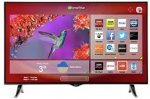
Bring a stunning TV experience to your home with this 4K Ultra HD Smart TV from Hitachi. At 49 inches, it's perfect for living rooms, letting you get even closer to your favourite shows, sport and films. Freeview HD offers plenty of channels to watch right out of the box, while Smart functions give you access to your favourite apps.
got the 43"version and it is stunning especially for pc use, full chroma 4-4-4 4k60hz on all 4 hdmi 2.0 connections
Top comments
Interloper
5 Jul 165#13
The snobs will be out in force for this one I'm sure, but this is a very good 4k TV at a silly price. I've owned plenty of Samsung, Sony, Panasonic and LG TVs over the years and the picture on this is as good as any of them at 1080p. You would have to pay £200-250 more at least to get a similar 4k spec.
It's a rebadged Vestel, but don't let that put you off. Colours, sharpness and saturation are all excellent. All four HDMI 2.0 ports are HDCP 2.2-compliant, too, which can't be said for many other TVs at double the price. This means any port can be used with, for example, BT's Ultra HD Sport channel.
The few poor reviews seem to come from people who haven't set it up properly - it needs a firmware update out of the box and is unforgiving of poor quality feeds. SD can look a little rough, but 1080p and 4k are simply stunning. You also need at least HDMI 1.4-compliant cables (cheap Amazon ones here: http://www.amazon.co.uk/dp/B014I8SX4Y ) or anything that will support a stable 60Hz refresh rate - my Sky-supplied cable showed visible tearing and pixellation on a 60Hz source but that disappeared with the Amazon ones above.
The built-in Smart features are minimal - iPlayer, TuneIn Radio and a few others - but Netflix and YouTube are both present and look amazing in 4k. You can easily cast YouTube content directly from your phone or tablet. DLNA is also present and works superbly (picked up my Plex server no problem) as well as two USB 3.0 ports. I also have a 4k Amazon Fire TV box hooked up and it just looks terrific.
Update the firmware, connect some decent sources, buy HDMI 1.4 cables, tweak the settings to your liking and sit back and enjoy an awful lot of TV for the money.
All comments (28)
Nealjane100
5 Jul 162#1
cheap TV, Argos rebranded. and not very smart - I have one and it crashes so often I can only suggest don't buy at any price!!
miaomiaobaubau to Nealjane100
5 Jul 161#2
totally different story with my 43", have you upgraded the firmware? I remember there was one available when I purchased mine few month ago, I did upgrade as soon it was out of the box so not sure if mine was affected by any visible problem. Try with the upgrade and see , not any single problem so far since purchase few month ago.
keloid
5 Jul 16#3
How do you upgrade please?
miaomiaobaubau
5 Jul 162#4
make sure you are connected to a reliable internet connection first of all, cable is the best when upgrading firmware:
menu/setting/more.../software upgrading/scan for upgrade
good luck and make sure to not interfere while upgrading or the tv might brick up.
If not luck at all, I would suggest to ask for service
Muir
5 Jul 16#5
I have the 43" as well, and it's decent. The sound's not theatre quality, but living in a flat how much can you turn it up anyway. The picture is pretty crisp. The smart features are convenient for Netflix. It's more than good enough for programmes about obnoxious people digging through each others' houses and talking crap, or whatever else is usually on there.
squeakybot
5 Jul 16#6
whats the model number for the 43" version please. Think 49" mayb too big. Thanks
have you tested this with any PC games did it handle 60fps with no tearing? Looking to replace my aging Samsung TV but need something I can still use Steam big picture mode with
miaomiaobaubau
5 Jul 16#9
too expensive in comparison, we got this few months ago @ £249

![Fresh Breakfast Meat Box (Using code) @ Campbells Meat [Haggis / Lorne Sausage / Bacon / Black Pudding & More]](/images/topics/208684_1.jpg)




































![[Xbox One] Q. u. b. e: Director's Cut on Deals with Gold](/images/topics/208716_1.jpg)


















Opening post
got the 43"version and it is stunning especially for pc use, full chroma 4-4-4 4k60hz on all 4 hdmi 2.0 connections
Top comments
I have the Panasonic version - http://www.tesco.com/direct/panasonic-tx-48cx400b-smart-4k-ultra-hd-48-inch-led-tv-with-built-in-wifi-and-freeview-hd/313-7784.prd?pageLevel=&skuId=313-7784 - it's the exact same TV with the same "Smart" features.
It's a rebadged Vestel, but don't let that put you off. Colours, sharpness and saturation are all excellent. All four HDMI 2.0 ports are HDCP 2.2-compliant, too, which can't be said for many other TVs at double the price. This means any port can be used with, for example, BT's Ultra HD Sport channel.
The few poor reviews seem to come from people who haven't set it up properly - it needs a firmware update out of the box and is unforgiving of poor quality feeds. SD can look a little rough, but 1080p and 4k are simply stunning. You also need at least HDMI 1.4-compliant cables (cheap Amazon ones here: http://www.amazon.co.uk/dp/B014I8SX4Y ) or anything that will support a stable 60Hz refresh rate - my Sky-supplied cable showed visible tearing and pixellation on a 60Hz source but that disappeared with the Amazon ones above.
The built-in Smart features are minimal - iPlayer, TuneIn Radio and a few others - but Netflix and YouTube are both present and look amazing in 4k. You can easily cast YouTube content directly from your phone or tablet. DLNA is also present and works superbly (picked up my Plex server no problem) as well as two USB 3.0 ports. I also have a 4k Amazon Fire TV box hooked up and it just looks terrific.
Update the firmware, connect some decent sources, buy HDMI 1.4 cables, tweak the settings to your liking and sit back and enjoy an awful lot of TV for the money.
All comments (28)
menu/setting/more.../software upgrading/scan for upgrade
good luck and make sure to not interfere while upgrading or the tv might brick up.
If not luck at all, I would suggest to ask for service
http://www.argos.co.uk/static/Product/partNumber/4550374.htm