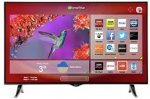
Bring a stunning TV experience to your home with this 4K Ultra HD Smart TV from Hitachi. At 49 inches, it's perfect for living rooms, letting you get even closer to your favourite shows, sport and films. Freeview HD offers plenty of channels to watch right out of the box, while Smart functions give you access to your favourite apps.
got the 43"version and it is stunning especially for pc use, full chroma 4-4-4 4k60hz on all 4 hdmi 2.0 connections
Top comments
Interloper
5 Jul 165#13
The snobs will be out in force for this one I'm sure, but this is a very good 4k TV at a silly price. I've owned plenty of Samsung, Sony, Panasonic and LG TVs over the years and the picture on this is as good as any of them at 1080p. You would have to pay £200-250 more at least to get a similar 4k spec.
It's a rebadged Vestel, but don't let that put you off. Colours, sharpness and saturation are all excellent. All four HDMI 2.0 ports are HDCP 2.2-compliant, too, which can't be said for many other TVs at double the price. This means any port can be used with, for example, BT's Ultra HD Sport channel.
The few poor reviews seem to come from people who haven't set it up properly - it needs a firmware update out of the box and is unforgiving of poor quality feeds. SD can look a little rough, but 1080p and 4k are simply stunning. You also need at least HDMI 1.4-compliant cables (cheap Amazon ones here: http://www.amazon.co.uk/dp/B014I8SX4Y ) or anything that will support a stable 60Hz refresh rate - my Sky-supplied cable showed visible tearing and pixellation on a 60Hz source but that disappeared with the Amazon ones above.
The built-in Smart features are minimal - iPlayer, TuneIn Radio and a few others - but Netflix and YouTube are both present and look amazing in 4k. You can easily cast YouTube content directly from your phone or tablet. DLNA is also present and works superbly (picked up my Plex server no problem) as well as two USB 3.0 ports. I also have a 4k Amazon Fire TV box hooked up and it just looks terrific.
Update the firmware, connect some decent sources, buy HDMI 1.4 cables, tweak the settings to your liking and sit back and enjoy an awful lot of TV for the money.
All comments (28)
Nealjane100
5 Jul 162#1
cheap TV, Argos rebranded. and not very smart - I have one and it crashes so often I can only suggest don't buy at any price!!
miaomiaobaubau to Nealjane100
5 Jul 161#2
totally different story with my 43", have you upgraded the firmware? I remember there was one available when I purchased mine few month ago, I did upgrade as soon it was out of the box so not sure if mine was affected by any visible problem. Try with the upgrade and see , not any single problem so far since purchase few month ago.
keloid
5 Jul 16#3
How do you upgrade please?
miaomiaobaubau
5 Jul 162#4
make sure you are connected to a reliable internet connection first of all, cable is the best when upgrading firmware:
menu/setting/more.../software upgrading/scan for upgrade
good luck and make sure to not interfere while upgrading or the tv might brick up.
If not luck at all, I would suggest to ask for service
Muir
5 Jul 16#5
I have the 43" as well, and it's decent. The sound's not theatre quality, but living in a flat how much can you turn it up anyway. The picture is pretty crisp. The smart features are convenient for Netflix. It's more than good enough for programmes about obnoxious people digging through each others' houses and talking crap, or whatever else is usually on there.
squeakybot
5 Jul 16#6
whats the model number for the 43" version please. Think 49" mayb too big. Thanks
have you tested this with any PC games did it handle 60fps with no tearing? Looking to replace my aging Samsung TV but need something I can still use Steam big picture mode with
miaomiaobaubau
5 Jul 16#9
too expensive in comparison, we got this few months ago @ £249
miaomiaobaubau
5 Jul 161#10
you get tearing on anything but it all depends how much you can handle, very subjective to our eyes. I actually got the impression that the worse tearing is mostly a think of the lower resolutions, cannot see really much here and cannot really remember anymore how bad it can be on a 1080p as I do not play in that resolution anymore. Also, with a large screen I would suggest playing in cinematic resolutions like 3840x1600, my favourite is 3840x1440 or just anything you like non scaled (the process is easier on a Nvidia).
davesmith10
5 Jul 16#11
if I'm not mistaken, that link is for a 43", op has listed a 49".......
Cal_G
5 Jul 161#12
You shouldn't have any tearing on PC games with vsync enabled surely?
Interloper
5 Jul 165#13
The snobs will be out in force for this one I'm sure, but this is a very good 4k TV at a silly price. I've owned plenty of Samsung, Sony, Panasonic and LG TVs over the years and the picture on this is as good as any of them at 1080p. You would have to pay £200-250 more at least to get a similar 4k spec.
It's a rebadged Vestel, but don't let that put you off. Colours, sharpness and saturation are all excellent. All four HDMI 2.0 ports are HDCP 2.2-compliant, too, which can't be said for many other TVs at double the price. This means any port can be used with, for example, BT's Ultra HD Sport channel.
The few poor reviews seem to come from people who haven't set it up properly - it needs a firmware update out of the box and is unforgiving of poor quality feeds. SD can look a little rough, but 1080p and 4k are simply stunning. You also need at least HDMI 1.4-compliant cables (cheap Amazon ones here: http://www.amazon.co.uk/dp/B014I8SX4Y ) or anything that will support a stable 60Hz refresh rate - my Sky-supplied cable showed visible tearing and pixellation on a 60Hz source but that disappeared with the Amazon ones above.
The built-in Smart features are minimal - iPlayer, TuneIn Radio and a few others - but Netflix and YouTube are both present and look amazing in 4k. You can easily cast YouTube content directly from your phone or tablet. DLNA is also present and works superbly (picked up my Plex server no problem) as well as two USB 3.0 ports. I also have a 4k Amazon Fire TV box hooked up and it just looks terrific.
Update the firmware, connect some decent sources, buy HDMI 1.4 cables, tweak the settings to your liking and sit back and enjoy an awful lot of TV for the money.
ezzer72
5 Jul 16#14
Muir
5 Jul 16#15
One thing I found with this (note: referring to the 43" size) is that the volume doesn't go up very high, and for the longest time it was highly inadequate (e.g. even at 100% you had to strain to hear some things if there was any kind of background noise, fans etc.). Some searching and lots of trial and error pinpointed the Sky+ box as the culprit - apparently these boxes are known to limit the volume of certain devices they are connected to, and therefore if CEC was enabled the TV would carry over this sound dampener from the Sky+ box. Anyway, after disabling CEC, the volume is fine - no boom box, but fine.
keloid
5 Jul 16#16
I have tried to do a software upgrade but it says no upgrade is available?
It says I have the firmware dated 26.1.16. Is this the latest version?
Can't understand the questions about tearing and pc games. Tearing occurs when the framerate (fps) exceeds the refresh rate substantially. Now at 60hz what kind of machine you running that can vastly exceed 60fps at 4k? Because it would cost considerably more than this telly lol.
miaomiaobaubau to ultra2extreme
6 Jul 161#23
by experience, tearing does occur even at lower FPS than the set frequency of the screen, as an example even if you set it up at a fixed 60fps to match the screen frequency it would still tear at 60fps or lower. Vsync is not a solution as it is taxing on the latency and uses pc power too even so we might not feel any slowdown etc.. or best solution should be to use a proper monitor with G_SYNC for NVidia cards or Free-Sync for amd cards
Gollywood
6 Jul 16#22
Replace it with a Sony
michaelthor
8 Jul 16#24
Hi guys. Does this TV have wireless standard 802.11N or 802.11AC? I ask this because I don't have the possibility of using a wire. The router is not in my room (shared house). Thank you!
miaomiaobaubau
8 Jul 16#25
wired and wireless, does not say if AC but could very well be. Cannot spot any difference between wired or not but be aware that my router is just beside. I always use wired whenever is possible
kitaismith
8 Jul 16#26
Bought the TV yesterday from my local Argos and using it right now.
Seems nice and quite good for the price.
A few things I've noticed though.
There's a limit on the size of the USB hard drive that it can read. I have several 3TB and 4TB (all external usb 3.0 ), it won't read any of them. It sees the USB and the folders in it but it won't show any individual file(s). It however reads my 1TB hard drive fine, also usb 3.0. I don't have any 2TB hard drive so I can't test if it sees 2TB as well.
I'm using it as monitor now (EVGA 760) so I can't comment on the chroma 4:4:4 subsampling, right now it's on 4:2:0. I'll have to wait till I buy a GTX 1080 before I can comment on that.
It plays 4K content fine.
It won't see files shared over the network from your pc, it won't even see your pc across the network.
It sees my KODI DNLA box but it will only display the folders it sees there but not any individual file so that means you can't play anything across the network on it.
The smart functions are pretty much basic and next to useless.
Not putting it down but honestly it's quite ok for the price and well worth it.
The best approach is to assume this as just a non-smart 4K TV , buy it ( £350) then buy one of those KODI boxes (about £50) that has thing's like Amazon Prime, Netflix (the tv has Netflix and youtube) and so on. So in total you'll be spending around £400 still well worth it.
Please ask any questions if you have any and hopefully I can help.
Also the "backlight" value can't be changed. I mean you can change things like Brightness, contrast colour etc but not the backlight, it's dimmed out.
michaelthor
10 Jul 16#27
Hi mates,
How are you?
Do you have an opinion regarding which one should I choose from this list?
HISENSE 40M3300 - 4k, qual core
PHILIPS 40PUT6400 - 4k, Android TV, dual core
TOSHIBA 40U7653DB - 4k, dual core, 3D
I'm interested in buying a 40 inch 4K, which has USB 3.0, HDMI 2.0, WiFi 802.11AC if possible.
Thanks,
Michael.
ArmstrongNice
12 Jul 16#28
Hello, you said that colours are great which is nice to hear, but how is the ghosting? I tried a Bush 50" 4K from Argos that had terrible ghosting in dark scenes and had to be returned. How does this fair?

![Fresh Breakfast Meat Box (Using code) @ Campbells Meat [Haggis / Lorne Sausage / Bacon / Black Pudding & More]](/images/topics/208684_1.jpg)




































![[Xbox One] Q. u. b. e: Director's Cut on Deals with Gold](/images/topics/208716_1.jpg)


















Opening post
got the 43"version and it is stunning especially for pc use, full chroma 4-4-4 4k60hz on all 4 hdmi 2.0 connections
Top comments
I have the Panasonic version - http://www.tesco.com/direct/panasonic-tx-48cx400b-smart-4k-ultra-hd-48-inch-led-tv-with-built-in-wifi-and-freeview-hd/313-7784.prd?pageLevel=&skuId=313-7784 - it's the exact same TV with the same "Smart" features.
It's a rebadged Vestel, but don't let that put you off. Colours, sharpness and saturation are all excellent. All four HDMI 2.0 ports are HDCP 2.2-compliant, too, which can't be said for many other TVs at double the price. This means any port can be used with, for example, BT's Ultra HD Sport channel.
The few poor reviews seem to come from people who haven't set it up properly - it needs a firmware update out of the box and is unforgiving of poor quality feeds. SD can look a little rough, but 1080p and 4k are simply stunning. You also need at least HDMI 1.4-compliant cables (cheap Amazon ones here: http://www.amazon.co.uk/dp/B014I8SX4Y ) or anything that will support a stable 60Hz refresh rate - my Sky-supplied cable showed visible tearing and pixellation on a 60Hz source but that disappeared with the Amazon ones above.
The built-in Smart features are minimal - iPlayer, TuneIn Radio and a few others - but Netflix and YouTube are both present and look amazing in 4k. You can easily cast YouTube content directly from your phone or tablet. DLNA is also present and works superbly (picked up my Plex server no problem) as well as two USB 3.0 ports. I also have a 4k Amazon Fire TV box hooked up and it just looks terrific.
Update the firmware, connect some decent sources, buy HDMI 1.4 cables, tweak the settings to your liking and sit back and enjoy an awful lot of TV for the money.
All comments (28)
menu/setting/more.../software upgrading/scan for upgrade
good luck and make sure to not interfere while upgrading or the tv might brick up.
If not luck at all, I would suggest to ask for service
http://www.argos.co.uk/static/Product/partNumber/4550374.htm
I have the Panasonic version - http://www.tesco.com/direct/panasonic-tx-48cx400b-smart-4k-ultra-hd-48-inch-led-tv-with-built-in-wifi-and-freeview-hd/313-7784.prd?pageLevel=&skuId=313-7784 - it's the exact same TV with the same "Smart" features.
It's a rebadged Vestel, but don't let that put you off. Colours, sharpness and saturation are all excellent. All four HDMI 2.0 ports are HDCP 2.2-compliant, too, which can't be said for many other TVs at double the price. This means any port can be used with, for example, BT's Ultra HD Sport channel.
The few poor reviews seem to come from people who haven't set it up properly - it needs a firmware update out of the box and is unforgiving of poor quality feeds. SD can look a little rough, but 1080p and 4k are simply stunning. You also need at least HDMI 1.4-compliant cables (cheap Amazon ones here: http://www.amazon.co.uk/dp/B014I8SX4Y ) or anything that will support a stable 60Hz refresh rate - my Sky-supplied cable showed visible tearing and pixellation on a 60Hz source but that disappeared with the Amazon ones above.
The built-in Smart features are minimal - iPlayer, TuneIn Radio and a few others - but Netflix and YouTube are both present and look amazing in 4k. You can easily cast YouTube content directly from your phone or tablet. DLNA is also present and works superbly (picked up my Plex server no problem) as well as two USB 3.0 ports. I also have a 4k Amazon Fire TV box hooked up and it just looks terrific.
Update the firmware, connect some decent sources, buy HDMI 1.4 cables, tweak the settings to your liking and sit back and enjoy an awful lot of TV for the money.
It says I have the firmware dated 26.1.16. Is this the latest version?
Thanks
Available for £359 as there is a £20 off voucher
Seems nice and quite good for the price.
A few things I've noticed though.
There's a limit on the size of the USB hard drive that it can read. I have several 3TB and 4TB (all external usb 3.0 ), it won't read any of them. It sees the USB and the folders in it but it won't show any individual file(s). It however reads my 1TB hard drive fine, also usb 3.0. I don't have any 2TB hard drive so I can't test if it sees 2TB as well.
I'm using it as monitor now (EVGA 760) so I can't comment on the chroma 4:4:4 subsampling, right now it's on 4:2:0. I'll have to wait till I buy a GTX 1080 before I can comment on that.
It plays 4K content fine.
It won't see files shared over the network from your pc, it won't even see your pc across the network.
It sees my KODI DNLA box but it will only display the folders it sees there but not any individual file so that means you can't play anything across the network on it.
The smart functions are pretty much basic and next to useless.
Not putting it down but honestly it's quite ok for the price and well worth it.
The best approach is to assume this as just a non-smart 4K TV , buy it ( £350) then buy one of those KODI boxes (about £50) that has thing's like Amazon Prime, Netflix (the tv has Netflix and youtube) and so on. So in total you'll be spending around £400 still well worth it.
Please ask any questions if you have any and hopefully I can help.
Also the "backlight" value can't be changed. I mean you can change things like Brightness, contrast colour etc but not the backlight, it's dimmed out.
How are you?
Do you have an opinion regarding which one should I choose from this list?
HISENSE 40M3300 - 4k, qual core
PHILIPS 40PUT6400 - 4k, Android TV, dual core
TOSHIBA 40U7653DB - 4k, dual core, 3D
I'm interested in buying a 40 inch 4K, which has USB 3.0, HDMI 2.0, WiFi 802.11AC if possible.
Thanks,
Michael.
Thanks.