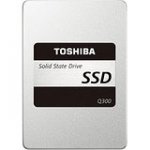
Not the fastest SSD (but better than many of the Sandisk drives we see commonly) this is a strictly "middle of the road" drive for a good price.
That said, for pretty much everyone, unless you're benchmarking the drive, you probably won't notice much difference in day to day performance.
Comes with a useful bit of migration software/etc available by download (for those with the "how do I move from spinning rust to this" type questions).
•2.5" Toshiba Solid State Drive, 19 nm 3-bit-per-cell NAND flash, 7mm slim
•Adaptive Size SLC Write Cache Technology
•Migration software by download, Storage utilities by download
•High-speed boot-up and operation, Fast system responsiveness
•Includes a spacer for 9.5mm applications
•3-year limited warranty
All comments (18)
LesD
30 May 16#1
Wow....Amazon reviews indicate a high failure rate.
mercutio98uk
30 May 16#2
Hmmm, 4*
The 1 star have quite a few with the usual "kingfast better SSD's. Much low failure and fasting" type comments attached :stuck_out_tongue:
I've yet to have an SSD fail on me (had... ~9 of em total). Currently got one of these as the boot drive on my main setup. But... experiences are different/etc. They've all had issues at some point (even the Samsungs) so you take your chances with whoever's preferred :smiley:
Ashan85
30 May 16#3
this or the samsung evo for a 4 years old dell laptop?
Is it worth it to spend 27£ more on samsung?
fishmaster
30 May 161#4
Definitely do NOT pay more than this. You almost certainly won't have SATA III (6Gb/s) on your laptop, most likely SATA II (3Gb/s). You'll be wasting your money and even if you did have SATA 6Gb I feel you'd be wasting your money.
fishmaster
30 May 16#5
I've had about 10 SSDs and 3 of them have failed.
Ashan85
30 May 16#6
Thank you very much. I red that you won't notice a significant improvement in speed when it comes to movies, photos, media data in general. And since I will be using my old hdd in a caddy inside my dvd ram and/or an external hdd, should I choose 240 gb vs 480? Laptop used for browsing 85% of the time, streaming.
mercutio98uk
30 May 16#7
240GB or 480GB is totally a personal choice thing. Space is space. If you want twice as much fast storage this is worth it otherwise look for a 240GB deal if you're only after quality of life improvements.
Basically, SSD makes small file access VERY quick which sharpens up windows response time considerably (as it's constantly read/writing small files all-the-damn-time). The extra space will only be of benefit if you have tonnes of big apps or are gaming, for a general "browsing/social media/content consumption" type user, the bigger SSD probably doesn't have so much point.
bradford_dr
30 May 161#8
Definitely not. The difference in day-to-day usage comes from the very low latency / lack of seek time on an SSD - this is several orders of magnitude better than a mechanical disk.
As a comparision if you take the incremental difference between a mechanical disk and SSD, this difference between the best and worst SSDs will be about +/- 2% either way....

![Fresh Breakfast Meat Box (Using code) @ Campbells Meat [Haggis / Lorne Sausage / Bacon / Black Pudding & More]](/images/topics/208684_1.jpg)




































![[Xbox One] Q. u. b. e: Director's Cut on Deals with Gold](/images/topics/208716_1.jpg)


















Opening post
That said, for pretty much everyone, unless you're benchmarking the drive, you probably won't notice much difference in day to day performance.
Comes with a useful bit of migration software/etc available by download (for those with the "how do I move from spinning rust to this" type questions).
•2.5" Toshiba Solid State Drive, 19 nm 3-bit-per-cell NAND flash, 7mm slim
•Adaptive Size SLC Write Cache Technology
•Migration software by download, Storage utilities by download
•High-speed boot-up and operation, Fast system responsiveness
•Includes a spacer for 9.5mm applications
•3-year limited warranty
All comments (18)
The 1 star have quite a few with the usual "kingfast better SSD's. Much low failure and fasting" type comments attached :stuck_out_tongue:
I've yet to have an SSD fail on me (had... ~9 of em total). Currently got one of these as the boot drive on my main setup. But... experiences are different/etc. They've all had issues at some point (even the Samsungs) so you take your chances with whoever's preferred :smiley:
Is it worth it to spend 27£ more on samsung?
Basically, SSD makes small file access VERY quick which sharpens up windows response time considerably (as it's constantly read/writing small files all-the-damn-time). The extra space will only be of benefit if you have tonnes of big apps or are gaming, for a general "browsing/social media/content consumption" type user, the bigger SSD probably doesn't have so much point.
As a comparision if you take the incremental difference between a mechanical disk and SSD, this difference between the best and worst SSDs will be about +/- 2% either way....