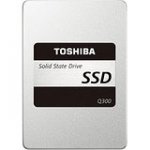
Not the fastest SSD (but better than many of the Sandisk drives we see commonly) this is a strictly "middle of the road" drive for a good price.
That said, for pretty much everyone, unless you're benchmarking the drive, you probably won't notice much difference in day to day performance.
Comes with a useful bit of migration software/etc available by download (for those with the "how do I move from spinning rust to this" type questions).
•2.5" Toshiba Solid State Drive, 19 nm 3-bit-per-cell NAND flash, 7mm slim
•Adaptive Size SLC Write Cache Technology
•Migration software by download, Storage utilities by download
•High-speed boot-up and operation, Fast system responsiveness
•Includes a spacer for 9.5mm applications
•3-year limited warranty
Latest comments (18)
netjock
31 May 16#18
I read the comments it reminds me of the mechanical disk days of 4200/5400/7200/10k RPM, 9 vs 11ms, 32MB vs 64MB cache blah blah blah. very insightful.
xyz123
31 May 16#17
I quite like this for use as an external drive but no. Of bad reviews on Amazon put me off (most bad reviews are from Amazon verified purchases, so job just a scam......).
Nate1492
31 May 16#16
It's not snobbery at all. Toshiba (Ex-OCZ) have shown to have an above average AFR. On top of that, it already is a bottom of the pack drive. So literally, any other drive priced anywhere near it... Is better.
PlaggyTerry
30 May 16#15
Sooo much SSD snobbery around. I've literally just cloned a 500GB SATA Hard Drive in an i7 MacBook Pro to one of these. From pressing the power button to reaching the login screen took 46 seconds with the Hard Drive. With SSD it takes 13 seconds. Registered with Toshiba to get the 3 year warranty.
fishmaster
30 May 16#14
Additionally the 4K figure is defined as how fast the SSD can randomly read and write 4K blocks of data from the NAND chips.
A technical description of why 4K sector sizes were chosen is described in this article >
SATA SSDs use AHCI controller interface, an up to date system uses NVMe controller interface where the native command queuing more closely matches how SSDs operate.
Queue depth generally is not a problem at all with any modern SSD.
A more technical description of AHCI and NVMe and how they relate to each other is found in this document >
Hmmm, neither of you is actually completely wrong.
While the 4k speeds are impressive on the Samsungs, neither drive gets to serious queue depths (waiting to service requests that involve the disk) unless put under pretty extreme/unusual loads. Under normal use most folks would immediately notice the huge improvement in general use (due to the small reads been masses quicker which IS about the seek time compared to mechanical drives - this is where he wasn't completely wrong).
The mechanical has to re-position the read/write arm lots of times (mechanicals are fancy record players) at... 11ms a read so opening say... word might take 50-80 tiny reads at 11ms (100th's of a second) a read (on average) so 5-8 seconds to open. The SSD can blitz all those 50-80 read operations inside 5/6ns (1000th's of a second) a read so it takes about 5ms to complete the entire read operation.
The 4k read speed is all about the speed the controller can poll the memory chips but any SSD is leaps and bounds faster than mechanical storage. The really good ones can go further but most folks wouldn't notice.
Nate1492
30 May 16#12
Your advice and numbers are way off.
Please check out reviews and do some research before you say something like +/2%. That's VERY specific and VERY wrong.
Here's a comparison between the best VALUE Sata3 ssd (850 EVO) and the best performing SSD (850 Pro).
Take a look at the other drives included, take a look a the charts.
Even in the sequential read/write where most drives do reach a similar *maximum* speed, the minimum speeds are much lower.
But who uses an SSD just for sequential read? Almost nobody!
Check out the Random Read scores. You know, the typical use of an SSD, where you take random bits of data from the drive, or somewhat random bits, and read them.
The Crucial BX100 (which is similar to the toshiba 300, although the crucial doesn't have quite the same AFR as the Toshiba...) gets absolutely demolished.
So... To answer OPs question... Should he get a Samsung Evo for 27 more? The answer is probably not, but for other reasons. I'd suggest one of the SanDisk drives that float around for a similar price. They have a lower AFR (annual failure rate) than Toshiba.
The other thing to consider is the EVO comes with a 5 year warranty, that is really nice.
jkennyd
30 May 16#11
I've bought three and all of them failed. Terrible drives
Anthonis
30 May 161#10
Nice, will wait till it drops to 50quid (next year?) :neutral_face:
Failure rate bla bla bla... they ALL do fail, just have reasonable back up storage and enjoy the deal you got!
Ashan85
30 May 16#9
hmm...ran the crucial system scanner, looks like I do have SATA3 6GB/s
bradford_dr
30 May 161#8
Definitely not. The difference in day-to-day usage comes from the very low latency / lack of seek time on an SSD - this is several orders of magnitude better than a mechanical disk.
As a comparision if you take the incremental difference between a mechanical disk and SSD, this difference between the best and worst SSDs will be about +/- 2% either way....
mercutio98uk
30 May 16#7
240GB or 480GB is totally a personal choice thing. Space is space. If you want twice as much fast storage this is worth it otherwise look for a 240GB deal if you're only after quality of life improvements.
Basically, SSD makes small file access VERY quick which sharpens up windows response time considerably (as it's constantly read/writing small files all-the-damn-time). The extra space will only be of benefit if you have tonnes of big apps or are gaming, for a general "browsing/social media/content consumption" type user, the bigger SSD probably doesn't have so much point.
Ashan85
30 May 16#6
Thank you very much. I red that you won't notice a significant improvement in speed when it comes to movies, photos, media data in general. And since I will be using my old hdd in a caddy inside my dvd ram and/or an external hdd, should I choose 240 gb vs 480? Laptop used for browsing 85% of the time, streaming.
fishmaster
30 May 16#5
I've had about 10 SSDs and 3 of them have failed.
fishmaster
30 May 161#4
Definitely do NOT pay more than this. You almost certainly won't have SATA III (6Gb/s) on your laptop, most likely SATA II (3Gb/s). You'll be wasting your money and even if you did have SATA 6Gb I feel you'd be wasting your money.
Ashan85
30 May 16#3
this or the samsung evo for a 4 years old dell laptop?
Is it worth it to spend 27£ more on samsung?
mercutio98uk
30 May 16#2
Hmmm, 4*
The 1 star have quite a few with the usual "kingfast better SSD's. Much low failure and fasting" type comments attached :stuck_out_tongue:
I've yet to have an SSD fail on me (had... ~9 of em total). Currently got one of these as the boot drive on my main setup. But... experiences are different/etc. They've all had issues at some point (even the Samsungs) so you take your chances with whoever's preferred :smiley:
LesD
30 May 16#1
Wow....Amazon reviews indicate a high failure rate.

![Fresh Breakfast Meat Box (Using code) @ Campbells Meat [Haggis / Lorne Sausage / Bacon / Black Pudding & More]](/images/topics/208684_1.jpg)




































![[Xbox One] Q. u. b. e: Director's Cut on Deals with Gold](/images/topics/208716_1.jpg)


















Opening post
That said, for pretty much everyone, unless you're benchmarking the drive, you probably won't notice much difference in day to day performance.
Comes with a useful bit of migration software/etc available by download (for those with the "how do I move from spinning rust to this" type questions).
•2.5" Toshiba Solid State Drive, 19 nm 3-bit-per-cell NAND flash, 7mm slim
•Adaptive Size SLC Write Cache Technology
•Migration software by download, Storage utilities by download
•High-speed boot-up and operation, Fast system responsiveness
•Includes a spacer for 9.5mm applications
•3-year limited warranty
Latest comments (18)
A technical description of why 4K sector sizes were chosen is described in this article >
http://www.seagate.com/gb/en/tech-insights/advanced-format-4k-sector-hard-drives-master-ti/
Essentially 4K random read/write states the efficiency of the SSD and is generally more important than the sequential read/write maximum speeds.
To further understand SSDs with regard to IOPS and Queue Depth, then read this article page >
http://www.tomshardware.co.uk/ssd-gaming-performance,review-32255-3.html
SATA SSDs use AHCI controller interface, an up to date system uses NVMe controller interface where the native command queuing more closely matches how SSDs operate.
Queue depth generally is not a problem at all with any modern SSD.
A more technical description of AHCI and NVMe and how they relate to each other is found in this document >
https://www.sata-io.org/sites/default/files/documents/NVMe%20and%20AHCI%20as%20SATA%20Express%20Interface%20Options%20-%20Whitepaper_.pdf
While the 4k speeds are impressive on the Samsungs, neither drive gets to serious queue depths (waiting to service requests that involve the disk) unless put under pretty extreme/unusual loads. Under normal use most folks would immediately notice the huge improvement in general use (due to the small reads been masses quicker which IS about the seek time compared to mechanical drives - this is where he wasn't completely wrong).
The mechanical has to re-position the read/write arm lots of times (mechanicals are fancy record players) at... 11ms a read so opening say... word might take 50-80 tiny reads at 11ms (100th's of a second) a read (on average) so 5-8 seconds to open. The SSD can blitz all those 50-80 read operations inside 5/6ns (1000th's of a second) a read so it takes about 5ms to complete the entire read operation.
The 4k read speed is all about the speed the controller can poll the memory chips but any SSD is leaps and bounds faster than mechanical storage. The really good ones can go further but most folks wouldn't notice.
Please check out reviews and do some research before you say something like +/2%. That's VERY specific and VERY wrong.
http://www.tomshardware.co.uk/samsung-850-evo-850-pro-2tb-ssd,review-33258.html
Here's a comparison between the best VALUE Sata3 ssd (850 EVO) and the best performing SSD (850 Pro).
Take a look at the other drives included, take a look a the charts.
Even in the sequential read/write where most drives do reach a similar *maximum* speed, the minimum speeds are much lower.
But who uses an SSD just for sequential read? Almost nobody!
Check out the Random Read scores. You know, the typical use of an SSD, where you take random bits of data from the drive, or somewhat random bits, and read them.
The Crucial BX100 (which is similar to the toshiba 300, although the crucial doesn't have quite the same AFR as the Toshiba...) gets absolutely demolished.
So... To answer OPs question... Should he get a Samsung Evo for 27 more? The answer is probably not, but for other reasons. I'd suggest one of the SanDisk drives that float around for a similar price. They have a lower AFR (annual failure rate) than Toshiba.
The other thing to consider is the EVO comes with a 5 year warranty, that is really nice.
Failure rate bla bla bla... they ALL do fail, just have reasonable back up storage and enjoy the deal you got!
As a comparision if you take the incremental difference between a mechanical disk and SSD, this difference between the best and worst SSDs will be about +/- 2% either way....
Basically, SSD makes small file access VERY quick which sharpens up windows response time considerably (as it's constantly read/writing small files all-the-damn-time). The extra space will only be of benefit if you have tonnes of big apps or are gaming, for a general "browsing/social media/content consumption" type user, the bigger SSD probably doesn't have so much point.
Is it worth it to spend 27£ more on samsung?
The 1 star have quite a few with the usual "kingfast better SSD's. Much low failure and fasting" type comments attached :stuck_out_tongue:
I've yet to have an SSD fail on me (had... ~9 of em total). Currently got one of these as the boot drive on my main setup. But... experiences are different/etc. They've all had issues at some point (even the Samsungs) so you take your chances with whoever's preferred :smiley: