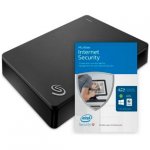
The Seagate Expansion Desktop 3.0 offers an instant solution to add storage to your computer. With USB 3.0, data transfer is high-speed while built in power management ensures energy efficiency. This removable storage device is easy to use; simply plug in to your computer and the mains, then drag-and-drop your files to save.
Top comments
BritishDragon
1 May 164#3
In b4 self-proclaimed disk failure rate experts & inevitable comment of 'lot of data to lose'
sradmad
1 May 164#1
Cracking deal op, heat added :smiley:
aceuk
2 May 163#33
The drive will most likely be formatted with NTFS, but it is easy enough for format it to something different if required.
Seagate often include a copy of Paragon's NTFS driver on the HDD which allows OS X to read and write to NTFS drives. It can also be downloaded from their website (although I am not sure if this version supports El Capitan)...
Mac's have been able to read NTFS formatted drives for a very long time (since 10.3 according to Wikipedia).
Some Mac users reformat the drive with the ExFAT file-system since Windows (XP onwards) and OS X (10.6.5 onwards) can both read and write to it. However, unlike NTFS this file-system isn't journaled which means there's an increased chance of corruption. e.g. if you don't eject the drive properly.
Another option is to install OSXFUSE and NTFS-3G which are both free, but this is more complicated.
reindeer333 to sradmad
1 May 163#2
Thanks sradmad, have a good evening, and enjoy the extra day off tomorrow :smiley:
All comments (83)
sradmad
1 May 164#1
Cracking deal op, heat added :smiley:
reindeer333 to sradmad
1 May 163#2
Thanks sradmad, have a good evening, and enjoy the extra day off tomorrow :smiley:
BritishDragon
1 May 164#3
In b4 self-proclaimed disk failure rate experts & inevitable comment of 'lot of data to lose'
frakison to BritishDragon
1 May 162#6
Its a valid comment but it does get boring, its amazing how many people don't keep backups (and backups of the backups) :smiley:
Might bag one of these, seems a good price.... still annoys me that I paid more than this for my "huge" 250Gb drive way back when :smiley:
daveroy
1 May 16#4
Very good price for this. I've actually been pricing up 4TB drives over the last couple of days and this beats everything I've seen so far. Looks like you'd get the 2016 version as well judging by the reviews.
aLV426
1 May 16#5
Well spotted - have some heat, the extra £5 voucher adds to the deal! I don't need it, but I'm tempted...
tingly
1 May 16#7
Can you save stuff from both a mac and windows on one of these please? And say you just saved stuff from the mac , could you then put the stuffonto a windows machine? ( please excuse my ignorance, i am old, not tech savvy , and have no one to ask, thanks.
daveroy to tingly
1 May 161#8
Yes, you will be able to save and access files on both Mac and PC.
tingly
1 May 161#9
Ooh thankyou daveroy, thats really solved a problem for me.
mgk to tingly
1 May 16#20
Can you do that out of the box or do they need reformatting ? Do they come NTFS formatted or FAT32...I didnt think Mac could read NTFS due to MS licensing the files system ?
Houstieboy
1 May 162#10
ooooh very tempting. Xbox one is getting a tad full
benjammin316
1 May 161#11
This is the one I have for my Xbox One, perfect. Great price too, paid £99 about a year ago

![Fresh Breakfast Meat Box (Using code) @ Campbells Meat [Haggis / Lorne Sausage / Bacon / Black Pudding & More]](/images/topics/208684_1.jpg)




































![[Xbox One] Q. u. b. e: Director's Cut on Deals with Gold](/images/topics/208716_1.jpg)


















Opening post
The Seagate Expansion Desktop 3.0 offers an instant solution to add storage to your computer. With USB 3.0, data transfer is high-speed while built in power management ensures energy efficiency. This removable storage device is easy to use; simply plug in to your computer and the mains, then drag-and-drop your files to save.
Top comments
Seagate often include a copy of Paragon's NTFS driver on the HDD which allows OS X to read and write to NTFS drives. It can also be downloaded from their website (although I am not sure if this version supports El Capitan)...
http://www.seagate.com/gb/en/support/downloads/item/ntfs-driver-for-mac-os-master-dl/
Mac's have been able to read NTFS formatted drives for a very long time (since 10.3 according to Wikipedia).
Some Mac users reformat the drive with the ExFAT file-system since Windows (XP onwards) and OS X (10.6.5 onwards) can both read and write to it. However, unlike NTFS this file-system isn't journaled which means there's an increased chance of corruption. e.g. if you don't eject the drive properly.
Another option is to install OSXFUSE and NTFS-3G which are both free, but this is more complicated.
All comments (83)
Might bag one of these, seems a good price.... still annoys me that I paid more than this for my "huge" 250Gb drive way back when :smiley:
Can you do that out of the box or do they need reformatting ? Do they come NTFS formatted or FAT32...I didnt think Mac could read NTFS due to MS licensing the files system ?