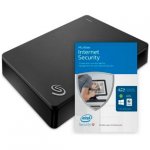
The Seagate Expansion Desktop 3.0 offers an instant solution to add storage to your computer. With USB 3.0, data transfer is high-speed while built in power management ensures energy efficiency. This removable storage device is easy to use; simply plug in to your computer and the mains, then drag-and-drop your files to save.
Top comments
BritishDragon
1 May 164#3
In b4 self-proclaimed disk failure rate experts & inevitable comment of 'lot of data to lose'
sradmad
1 May 164#1
Cracking deal op, heat added :smiley:
aceuk
2 May 163#33
The drive will most likely be formatted with NTFS, but it is easy enough for format it to something different if required.
Seagate often include a copy of Paragon's NTFS driver on the HDD which allows OS X to read and write to NTFS drives. It can also be downloaded from their website (although I am not sure if this version supports El Capitan)...
Mac's have been able to read NTFS formatted drives for a very long time (since 10.3 according to Wikipedia).
Some Mac users reformat the drive with the ExFAT file-system since Windows (XP onwards) and OS X (10.6.5 onwards) can both read and write to it. However, unlike NTFS this file-system isn't journaled which means there's an increased chance of corruption. e.g. if you don't eject the drive properly.
Another option is to install OSXFUSE and NTFS-3G which are both free, but this is more complicated.
reindeer333 to sradmad
1 May 163#2
Thanks sradmad, have a good evening, and enjoy the extra day off tomorrow :smiley:
All comments (83)
sradmad
1 May 164#1
Cracking deal op, heat added :smiley:
reindeer333 to sradmad
1 May 163#2
Thanks sradmad, have a good evening, and enjoy the extra day off tomorrow :smiley:
BritishDragon
1 May 164#3
In b4 self-proclaimed disk failure rate experts & inevitable comment of 'lot of data to lose'
frakison to BritishDragon
1 May 162#6
Its a valid comment but it does get boring, its amazing how many people don't keep backups (and backups of the backups) :smiley:
Might bag one of these, seems a good price.... still annoys me that I paid more than this for my "huge" 250Gb drive way back when :smiley:
daveroy
1 May 16#4
Very good price for this. I've actually been pricing up 4TB drives over the last couple of days and this beats everything I've seen so far. Looks like you'd get the 2016 version as well judging by the reviews.
aLV426
1 May 16#5
Well spotted - have some heat, the extra £5 voucher adds to the deal! I don't need it, but I'm tempted...
tingly
1 May 16#7
Can you save stuff from both a mac and windows on one of these please? And say you just saved stuff from the mac , could you then put the stuffonto a windows machine? ( please excuse my ignorance, i am old, not tech savvy , and have no one to ask, thanks.
daveroy to tingly
1 May 161#8
Yes, you will be able to save and access files on both Mac and PC.
tingly
1 May 161#9
Ooh thankyou daveroy, thats really solved a problem for me.
mgk to tingly
1 May 16#20
Can you do that out of the box or do they need reformatting ? Do they come NTFS formatted or FAT32...I didnt think Mac could read NTFS due to MS licensing the files system ?
Houstieboy
1 May 162#10
ooooh very tempting. Xbox one is getting a tad full
benjammin316
1 May 161#11
This is the one I have for my Xbox One, perfect. Great price too, paid £99 about a year ago
CrazyBob
1 May 16#12
Thanks, ordered two.
Should have done the orders separately so I could have used the first £5 voucher on the 2nd order.
Need to find something to spend the £10 on now :confused:
polarbaba
1 May 16#13
has it got a sata drive inside?... can I take it out and reuse it?.. great price!
daveroy to polarbaba
1 May 16#14
Should be able to. These use standard 3.5" Samsung drives as far as I'm aware.
ando
1 May 16#15
Samsung in a Seagate branded drive...... I don't think so
daveroy
1 May 16#16
Seagate owns the Samsung hard drive business.
ando
1 May 16#17
Confused on why you'd think Seagate would put a Samsung drive inside a Seagate branded external drive
daveroy
1 May 16#18
Well the reason I think it is because that's exactly what they do. Why do they do it? I'm not 100% sure, but as they're putting the drives in a plastic shell that's not supposed to opened by the end user it doesn't really make much difference what's on the label that's hidden inside.
ando
1 May 16#19
I've had 3 of these in the last 2 years, all opened up and all have a Seagate label.
All videos of removing the drive show Seagate drives too
daveroy
1 May 161#21
See here, here, here and here for examples of Samsung drives in Seagate branded external enclosures.
I would imagine maybe more recently made external drives use Seagate branded hard drives. Or maybe it depends on the location of manufacture. I'm not sure of the ins and out of it.
ando
1 May 161#22
Take it you didn't notice that they are all portable drives?
The drive here in this deal is a Desktop external not a portable
daveroy
1 May 16#23
I'm not entirely sure but I think they come formatted for FAT32 and should be compatible out of the box. If not then yes, you would need to format the drive to use it on Mac and PC.
daveroy
1 May 161#24
Fair point, my mistake then. I hadn't considered it would be different between 2.5" and 3.5" drives. Still, Seagate do use Samsung drives in Seagate branded products, but it looks like I was wrong about this particular product.
tfish
2 May 161#25
Can the hard drives be removed from these? No one actually answered.
veedubjai to tfish
2 May 161#29
This will void your warranty. If the 2 year warranty is not that important to you then yes can. You most likely may find a SATA-USB adaptor board inside the case that you can remove. These large capacity drives will most likely pre-formatted as NTFS.
The Seagate Backup Plus costs £124.99 from Amazon if you need a 4TB portable hard drive.
aceuk
2 May 163#33
The drive will most likely be formatted with NTFS, but it is easy enough for format it to something different if required.
Seagate often include a copy of Paragon's NTFS driver on the HDD which allows OS X to read and write to NTFS drives. It can also be downloaded from their website (although I am not sure if this version supports El Capitan)...
Mac's have been able to read NTFS formatted drives for a very long time (since 10.3 according to Wikipedia).
Some Mac users reformat the drive with the ExFAT file-system since Windows (XP onwards) and OS X (10.6.5 onwards) can both read and write to it. However, unlike NTFS this file-system isn't journaled which means there's an increased chance of corruption. e.g. if you don't eject the drive properly.
Another option is to install OSXFUSE and NTFS-3G which are both free, but this is more complicated.
Pipedream
2 May 16#35
This will replace my Zipdrive. :smiley:
kick_u_in_the_nuts
2 May 16#36
segate seem to be quite noisy with regard to disk activity
bojangles
2 May 161#37
hardly a deal. I paid this price beginning of April & had £1 discount for fast track.
Graham1979 to bojangles
2 May 16#39
Only if I had a time machine and got a £1 discount to play with. lol
bojangles
2 May 16#38
Nope, Seagate was in my device which I cracked open to use the drive.
What is strange - I tried putting a smaller HDD in the caddy - but it gets recognised as a 4TB - so I am guessing there is something funky going on with the SATA to USB adapter board to stop me doing this.
bojangles
2 May 16#40
Yes - that is the version I had. Not the one like in the pic on the website.
I thought at first they gave me a different one assuming it was out of stock - then I checked their stock code on the box to the catalog & it matched.
bojangles
2 May 16#41
well lets just post everything in argos catalog that gives a £5 voucher then
lol
zzzzz
+1 to ignore list
MrFizzy
2 May 16#42
Yep, and you'll be just as annoyed in 20 years time that you paid more for this than your new petabyte storage unit.
DirtyAde
2 May 16#43
Does anyone know if this would work with the Wii U. Or does anyone have any alternative recommendations. There doesn't seem to be much information online regarding this. Thanks!
ultrak3wl
2 May 16#44
Think you misspelled "yottabyte"
shasnir
2 May 161#45
Yes.
You can look at the Q&A below the drive info.
Argos staff.
"Yes, the Seagate Expansion 4TB Desktop USB 3.0 Hard Drive is suitable for PC, Mac and Xbox One."
ravi47
2 May 16#46
Just ordered mine cracking deal.
f1refox
2 May 16#47
Samsung own Seagate. All Samsung and Seagate drives are made by seagate.
bearcat
2 May 16#48
Is the hard drive in these, if removed from the enclosure, sutable for a NAS?
calumhyslop10
2 May 161#49
£10 off a 3rd ?
GiggleStool
2 May 16#50
How do you get the £5 voucher?
mikmac1
2 May 16#51
Format as exfat not fat 32 to be able to save files larger than 2Gb. Do this using Disk Utility. This can be read by both Mac and PC without the 2gb file size limit.
VimesUK
2 May 16#52
IIRC it was FAT 15 with 2GB max file size and FAT32 with 4GB, minus 1 byte.
Good value drive but I'll wait for a 2.5" portable of 4TB to come down in price a bit more.
Heat added and thanks OP.
Houstieboy
2 May 162#53
Stick with WD Reds for your NAS.
Ussyyy
2 May 16#54
I've recently purchased the sea gate backup plus and I'm considering buying this now instead, but not sure, can someone tell me the difference between them both please, thanks
mikedigitales
2 May 16#55
Yep just picked mine up and it's one of the new 'spikey' cases not the old flat design
ollie87
2 May 16#56
Format the disk as ExFat
DavidSteward
2 May 16#57
I can read and write to NTFS formatted drives from my MacBook Pro.
Jonnybgood1
2 May 16#58
Thanks OP.. Just got mine, took the drive out and is now internal working a treat. Saves me £20 off the Scan price and going to get another with my £5 voucher saving me even more! Cracking deal.
daveroy
2 May 16#59
I know. That was the last post in an ultimately pointless conversation about what hard drives are actually inside these external drives, and how they're labelled.
ando
2 May 16#60
Hardly pointless when you're stating incorrect information, you'll find that these are all Seagate drives in these desktop externals, whether they have Samsung components is irrelevant, me or you and most here would never be able to distinguish between the two component wise.
If they were actual Samsung drives from 6-8 years ago that would be different but they're labelled Seagate so they are Seagate drives, whether they bought out Samsung's hard drive division or not.
m1chaels
2 May 16#61
the 5tb is 111 and you get a £10 voucher
summerof76
2 May 162#62
Heat added
sradmad
2 May 161#63
Sorry missed it, have a great day too, :smiley:
daveroy
2 May 16#64
Let it go. I said I was wrong about the 3.5" drives. I also started this whole thing with "as far as I'm aware" so I wasn't stating it as fact that these use Samsung HDDs. I just incorrectly assumed that they did.
What is a fact is that Seagate use Samsung branded hard drives in at least some of their 2.5" external drives so it's not out of the realms of possibility that there would be a differently branded drive inside other products too.
When it comes down to it though it doesn't really matter what's inside in the case, which is what I meant when I said it was pointless.
ando
2 May 161#65
:wink:
Hunkzilla
2 May 16#66
Can any confirm if it's a Sata drive inside? Been after a new desktop drive but never a deal on any, want to buy and gut this one
varunadas
2 May 16#67
Hard Disk sizes have not exploded that quickly in this decade compared to late 1990's when size of new hard drives used to be double in size that the current ones. After 2GB drives became the norm in 1998, 4 GB drives were launched. Now we see 1TB, 2TB, 3TB, 4TB, 5TB and so on ...
Muryu13
2 May 16#68
Don't use these drives out of the enclosure, got a 5tb two weeks ago, took it out of the enclosure to use in my PC, it's now spitting out bad sector warnings and Warranty is void :disappointed:
3guesses
2 May 16#69
Are you worried it might be IDE? Or maybe SCSI?
3guesses
2 May 16#70
Did you run an exhaustive drive test on it before you removed it from the enclosure?
Muryu13
3 May 16#71
Just a quick chkdisk
3guesses
3 May 16#72
I don't think that would have checked for bad blocks...
morty
3 May 16#73
Very good price for the size but they are cheap for a reason.
Had so many clients with these drives faulty what are Seagate up to they used to be good it's like all they care about is shifting as many units they can not caring about quality control.
Muryu13
3 May 16#74
It wouldn't. my point is that the warranty is void if removed from the enclosure
Muryu13
3 May 16#75
They can be but I wouldn't recommend it, it voids warranty (the drives have a different model no from regular drives) and there have been lots of reports of failures (I have had the 5tb version for two weeks and have already lost data due to bad blocks)
3guesses
3 May 16#76
Sure, but my point is that the hard drive might have had bad blocks BEFORE you removed it from the enclosure. As you didn't check, we will never know!
Muryu13
3 May 161#77
Yup it definitely could have, not disagreeing with that.
Muryu13
3 May 16#78
Before removing from the enclosure make sure you run a program that will check for Bad Blocks by filling the disk with data. I would avoid Seagate's own tools as they say my 5tb is fine while everything else including QNAP and Windows spits out errors. These drives have a bad reputation for a reason.
kris147
3 May 16#79
Does this have to be plugged into the mains to work with Xbox one? Just bought it and thought it might of been like the my passport ones and just need the usb.
Houstieboy
3 May 16#80
Yes.
daveroy
5 May 16#81
Yes it does need external power. 3.5" drives need to draw more power than USB will allow.

![Fresh Breakfast Meat Box (Using code) @ Campbells Meat [Haggis / Lorne Sausage / Bacon / Black Pudding & More]](/images/topics/208684_1.jpg)




































![[Xbox One] Q. u. b. e: Director's Cut on Deals with Gold](/images/topics/208716_1.jpg)


















Opening post
The Seagate Expansion Desktop 3.0 offers an instant solution to add storage to your computer. With USB 3.0, data transfer is high-speed while built in power management ensures energy efficiency. This removable storage device is easy to use; simply plug in to your computer and the mains, then drag-and-drop your files to save.
Top comments
Seagate often include a copy of Paragon's NTFS driver on the HDD which allows OS X to read and write to NTFS drives. It can also be downloaded from their website (although I am not sure if this version supports El Capitan)...
http://www.seagate.com/gb/en/support/downloads/item/ntfs-driver-for-mac-os-master-dl/
Mac's have been able to read NTFS formatted drives for a very long time (since 10.3 according to Wikipedia).
Some Mac users reformat the drive with the ExFAT file-system since Windows (XP onwards) and OS X (10.6.5 onwards) can both read and write to it. However, unlike NTFS this file-system isn't journaled which means there's an increased chance of corruption. e.g. if you don't eject the drive properly.
Another option is to install OSXFUSE and NTFS-3G which are both free, but this is more complicated.
All comments (83)
Might bag one of these, seems a good price.... still annoys me that I paid more than this for my "huge" 250Gb drive way back when :smiley:
Can you do that out of the box or do they need reformatting ? Do they come NTFS formatted or FAT32...I didnt think Mac could read NTFS due to MS licensing the files system ?
Should have done the orders separately so I could have used the first £5 voucher on the 2nd order.
Need to find something to spend the £10 on now :confused:
All videos of removing the drive show Seagate drives too
I would imagine maybe more recently made external drives use Seagate branded hard drives. Or maybe it depends on the location of manufacture. I'm not sure of the ins and out of it.
The drive here in this deal is a Desktop external not a portable
Save money cracking open / disassemble seagate expansion drive 4tb
... but Scorchio! (Only twenty quid dearer than the 2TB!)
http://www.seagate.com/gb/en/external-hard-drives/desktop-hard-drives/innov8/ (USB-C)
http://www.seagate.com/gb/en/products/laptop-mobile-storage/laptop-external-drives/
The Seagate Backup Plus costs £124.99 from Amazon if you need a 4TB portable hard drive.
Seagate often include a copy of Paragon's NTFS driver on the HDD which allows OS X to read and write to NTFS drives. It can also be downloaded from their website (although I am not sure if this version supports El Capitan)...
http://www.seagate.com/gb/en/support/downloads/item/ntfs-driver-for-mac-os-master-dl/
Mac's have been able to read NTFS formatted drives for a very long time (since 10.3 according to Wikipedia).
Some Mac users reformat the drive with the ExFAT file-system since Windows (XP onwards) and OS X (10.6.5 onwards) can both read and write to it. However, unlike NTFS this file-system isn't journaled which means there's an increased chance of corruption. e.g. if you don't eject the drive properly.
Another option is to install OSXFUSE and NTFS-3G which are both free, but this is more complicated.
What is strange - I tried putting a smaller HDD in the caddy - but it gets recognised as a 4TB - so I am guessing there is something funky going on with the SATA to USB adapter board to stop me doing this.
I thought at first they gave me a different one assuming it was out of stock - then I checked their stock code on the box to the catalog & it matched.
lol
zzzzz
+1 to ignore list
You can look at the Q&A below the drive info.
Argos staff.
"Yes, the Seagate Expansion 4TB Desktop USB 3.0 Hard Drive is suitable for PC, Mac and Xbox One."
Good value drive but I'll wait for a 2.5" portable of 4TB to come down in price a bit more.
Heat added and thanks OP.
If they were actual Samsung drives from 6-8 years ago that would be different but they're labelled Seagate so they are Seagate drives, whether they bought out Samsung's hard drive division or not.
What is a fact is that Seagate use Samsung branded hard drives in at least some of their 2.5" external drives so it's not out of the realms of possibility that there would be a differently branded drive inside other products too.
When it comes down to it though it doesn't really matter what's inside in the case, which is what I meant when I said it was pointless.
Had so many clients with these drives faulty what are Seagate up to they used to be good it's like all they care about is shifting as many units they can not caring about quality control.