Yeah, I had one. It stopped working very quickly - which was okay, because it stopped me burning my fingers on it every time I tried to remove it from the machine.
tyliu
4 Feb 17#4
Bought. Huge thank you twomugs :smiley:
5426angela
4 Feb 17#5
Purchased the 64gb version today, will be returning tomorrow! Get extremely hot after 5 minutes use. And it sticks out a lot more than the cruzer fit, will be purchasing the 64gb version of this one instead.
papasb
4 Feb 17#6
Owned this for quite a while. Used it to boost storage on my mac book air. Although it (for reasons I never could work out) caused massive battery drain.
Well worth it at this price.
tomwatts to papasb
4 Feb 17#8
I used it as an iTunes drive and only mounted it when I wanted to use it, wasn't too bad. Got a retina pro now though and it's nice not having to remember to mount the drive each time!
motionwerk to papasb
5 Feb 17#13
Because it also works as USB heater.
tempt
4 Feb 17#7
Does it come with a pair of pliers? You need one!
umirza85
4 Feb 172#9
Bought a couple for next winter, just charge them up in a hub and toss them in your boots of gloves. Great little reusable warming pads.
jamhops
5 Feb 17#10
I have one never noticed it getting to hot easy to unplug due to the lip and still working so no issues personally, I want some 4/8 GB ones at the same price per gb but based on what I just paid for a new wd red that will never happen :disappointed:
shahidali47
5 Feb 17#11
these are rubbish my 128gb heats up so quickly when doing large transfers and disconnects
captainbeaky
5 Feb 17#12
These are really fiddly to use & do get really hot. But they look great if you've got one of those devices that only has USB slots on the front.
twomugs
6 Feb 17#14
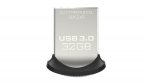
My flash drive turned up today, and having read the bad reviews I thought I had better test it out, and decide whether to send it back.
tldr; I'm keeping it.
Here is the summary of my tests:
USB 3.0 socket in 3 1/2 inch bay with Aluminium front panel.
Room temperature 20C. I don't have a suitable temperature mointor to hand, so all temperatures are my best guess.
Test 1 - Idle
Plug in. Leave 10 minutes, then eject.
Warm to touch (maybe 30C)
Test 2 - Sequential writes
Copy 5GB (10 x video) HDD => SanDisk
First 500MB @ 70MB/s
Remainder @ 20MB/s
Eject drive
Temperature hot but not burning (maybe 40C) cools quickly (10s) in hand.
Test 3 – Sequential reads
Copy 5GB (10 x video) SanDisk => SSD
130MB/s constant
Test 4 – Cache test
Copy single 400MB file SSD => SanDisk
85MB/s
Eject immediately with no delay, so files were definitely written to flash, and not just RAM cache.
I repeated the process of writing 500MB files to the disk as soon as it was mounted, and then ejecting it again. Part way through the third file, it slowed down to 20MB per second.
So, I suspect the drive has 512 MB of fast flash, and will then copy out to slower flash while it is idle.
Some reviewers incorrectly attribute this slow down to the drive getting hot.
Test 5 - Capacity
15 minute random data Write / Read test (PassMark BurnInTest)
While the test was running, I could just about touch the metal shell of the drive with my little finger. It was hot, and would have been uncomfortable to keep touching for more than a few second, but touching it cooled it down quickly.
I had a look at a datasheet for some flash chips, and it quoted an operating temperature of -20 to +85 C, so I don't think they likely to destroy themselves by getting too hot.
Summary
Sustained write performance is only 20MB per second, so if you will often be writing multiple GBs of data to it, you may want to pick a different drive. For writing a few hundred MB at a time it is fast. It gets hot, but for me I don't think it is a problem.

![Fresh Breakfast Meat Box (Using code) @ Campbells Meat [Haggis / Lorne Sausage / Bacon / Black Pudding & More]](/images/topics/208684_1.jpg)




































![[Xbox One] Q. u. b. e: Director's Cut on Deals with Gold](/images/topics/208716_1.jpg)


















Opening post
14 comments
https://www.amazon.co.uk/SanDisk-Ultra-150MB-Flash-Drive-x/dp/B01BGTG41W/
Well worth it at this price.
tldr; I'm keeping it.
Here is the summary of my tests:
USB 3.0 socket in 3 1/2 inch bay with Aluminium front panel.
Room temperature 20C. I don't have a suitable temperature mointor to hand, so all temperatures are my best guess.
Test 1 - Idle
Plug in. Leave 10 minutes, then eject.
Warm to touch (maybe 30C)
Test 2 - Sequential writes
Copy 5GB (10 x video) HDD => SanDisk
First 500MB @ 70MB/s
Remainder @ 20MB/s
Eject drive
Temperature hot but not burning (maybe 40C) cools quickly (10s) in hand.
Test 3 – Sequential reads
Copy 5GB (10 x video) SanDisk => SSD
130MB/s constant
Test 4 – Cache test
Copy single 400MB file SSD => SanDisk
85MB/s
Eject immediately with no delay, so files were definitely written to flash, and not just RAM cache.
I repeated the process of writing 500MB files to the disk as soon as it was mounted, and then ejecting it again. Part way through the third file, it slowed down to 20MB per second.
So, I suspect the drive has 512 MB of fast flash, and will then copy out to slower flash while it is idle.
Some reviewers incorrectly attribute this slow down to the drive getting hot.
Test 5 - Capacity
15 minute random data Write / Read test (PassMark BurnInTest)
While the test was running, I could just about touch the metal shell of the drive with my little finger. It was hot, and would have been uncomfortable to keep touching for more than a few second, but touching it cooled it down quickly.
I had a look at a datasheet for some flash chips, and it quoted an operating temperature of -20 to +85 C, so I don't think they likely to destroy themselves by getting too hot.
Summary
Sustained write performance is only 20MB per second, so if you will often be writing multiple GBs of data to it, you may want to pick a different drive. For writing a few hundred MB at a time it is fast. It gets hot, but for me I don't think it is a problem.