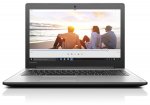
Priced reduced on this great spec laptop to just £499! Great for an full HD, i7 with 2tb!
And before anyone else says it - I know it isn't SSD! :wink:
Top comments
yoyelp to Duckman
7 Jan 1710#7
Because they use different controllers. Only since Ivy Bridge microarchitecture Intel included USB 3.0 controller into their chipsets. So manufacturers must use a separate USB 3.0 controller from other companies if they want to provide a USB 3.0 port in mainboards using Sandy Bridge and older chipsets. That makes designing more complex beside taking more mainboard area and power.
One important point is that most external controllers often only supports 2 ports, and one may be used internally for some purpose, only one is exposed to users and that's why you often see old laptops with only 1 USB 3.o port and 1-3 more USB 2.0 ports from native controller inside the chipset. Newer laptops may have more or all USB 3.0 ports.
This is also the same reason for some mainboards have different SATA port
fishmaster to The Lone Ranger
7 Jan 176#14
HDDs and SSDs are very much slower than the various other busses in the computer. SSDs are much faster because of the much reduced latency and secondly usually have much improved sequential read/write times as well.
A computer will keep programs in to RAM, you can test this yourself, if you have a HDD rather than SSD, boot up your PC and immediately load your web browser and time how long it takes to load, next close the browser and reopen it, you'll see it will load much quicker than before. Why is this? This is because the computer has to load the data from the very slow hard drive to the RAM, once the program is in RAM the computer will decide whether to keep it there or not based on various factors. So next time you open the web browser, the operating system (OS) says ah yes I thought you might want to do that, so I've kept the program in RAM. RAM speeds are in the order of many GB/s (gigabytes per second). This is still the same for SSDs but because of their improved latency, random read times and sequential read times you won't notice the difference as much as a HDD. All SSDs and HDDs based on SATA 3/III (6GB/s) bus are in the order of many MB/s (Megabytes per second) and therefore considerably slower than RAM. Even the fastest SSDs are no match for modern DDR3/DDR4 RAM speeds.
The above is essentially a not too technical description of what happens. It's also the reason why task killers are a very bad idea on modern phone/tablet OS's, so long as you have enough RAM, it's better to keep the programs in RAM than freeing up the RAM, a task killer works against the principles which make the OS faster. There comes a point where having more RAM won't help you simply because in general usage you'll never be able to saturate it. If you can't use your RAM effectively then it's essentially a waste.
Lastly Intel are pulling the wool over the eyes of the consumer, for quite some time now they've had dual core i7 CPUs, where as in the past i7's were always quad core. Therefore there's little difference between the i3.i5.i7 tiers except clock speed and cache. Clock speed can be taken in to consideration as a comparison as it's the same architecture being compared.
TL;DR : Yes change the HDD for SSD you will see a big improvement in performance.
Duckman
7 Jan 175#4
Potentially daft question, but why do all computers come with 2 x USB 2 and 1 x USB 3? USB 3s are compatible with 2, right? I don't understand why they don't do all 3 ports. Again, I'm not techy, so possibly missing something obvious, but I'd love to know.
BrianSewell
7 Jan 174#24
So you completely missed his point, spent hundreds of words failing to answer his simple question, then got petulant.
A good mornings work, well done!
Latest comments (56)
Karze
10 Jan 17#56
Just to say that this laptop is still a Very Good and well balanced piece of equipment and comes at a reasonable priceand nt to take anything away from Ops post or Soled's detailed comment.
Voted Hot.
soled73
9 Jan 17#55
Just looked it up and I'm surprised to see you are also correct. I had assumed an i7 6xxx was the latest group of chips but I see this is dated July 2015, so yes not the latest but still good enough for a home PC.
soled73
9 Jan 17#54
Yup, your right - I was writing on the assumption 'he' was going to play average games but not the latest/powerful - in which case a gaming laptop 'type' would be best. So yes you are correct
Hadi0
9 Jan 17#53
Wrong; It does not have the latest generation chip; it has a skylake i7 chip NOT Kaby lake.
Karze
9 Jan 17#52
Thats INCORRECT, you need something like a Nvidia GTX 950 or higher to play some of the latest games in a acceptable capacity IMHO (or atleast get Nvidia 940MX if your really struggling for a budget).
Please check the graphics card benchmarks on http://www.notebookcheck.net/ for further info.
brj080402
9 Jan 17#49
Is this the best laptop, for home use, for 500 quid, anyone in the know here knows of then??? :smiley:
soled73 to brj080402
9 Jan 172#51
It's very hard to give you a precise answer as your actual requirements will differ from another person, but I would say if you plan to spend £500, for general home use then this laptop is more than suitable for your needs. I don't think you will be disappointed....
my comments...hope they help
Item Weight 2.1 Kg - probably an average weight, not too heavy or light
Screen Size 15.6 inches - more than suitable for home use Screen Resolution 1920 x 1080 pixels - more than suitable for home use Processor Type Core i7 - ** amended** good spec and although not the latest generation (July 2015) should be fine for home use
RAM Size 8 GB - good amount
Hard Drive Size 2000 GB - lots and lots of space, so good. Would be super fast to boot if it included an SDD (solid state hard drive), but you may be able to add one later.
Graphics Card Description NVIDIA GeForce 920MX - ** amended** Not for the latest demanding games but should be ok for the majorityNumber of USB 3.0 Ports 1 - could have done with more usb 3 but not a deal breaker
Caoltan
9 Jan 17#50
Does anyone know when GTX1050/1050TI laptops will actually hit the shelves in the UK?
fishmaster
9 Jan 17#48
Yeah I was being pendantic sorry.
Mitster
9 Jan 17#47
I had this issue, I have the 1TB version, this was even after doing a fresh install without using the Recovery. Another fresh install sorted this issue. May have been a particular order in which I updated Windows/Installed software that caused the slowdown. Still working well! DVD drive is flimsy, but well spec'd laptop.
fishmaster
9 Jan 17#46
Yes that's true, still no reason for using the paging file if you have enough RAM :wink: but we shouldn't get in to that debate I think :smiley: With regard to the paging file it's not something I tweak/touch on any PC, I only deal with consumer PCs. There's no definitive answer with the paging file it's dependent on workload. I wouldn't disable it but I also would, meaning you can experiment but don't spent too much time on it
Uridium
8 Jan 17#45
In the early days of SSD's when they were more expensive (and a little fragile) it was quite common place for people to disable the pagefile airing on the side of caution...The world has realised now though that having a pagefile on an SSD doesn't do any harm .
Duckman
8 Jan 17#44
Thank you, yoyelp and myapps - very concise and helpful.
Fishmaster - I probably am incorrect - thanks for pointing that out - but I assume that's usually on higher spec laptops, because the last 20 odd mid/budget range laptops I've looked at on HUK only seem to have the 1 x USB 3 and 2 x USB 2 configuration. It's one of the the first things I check, but of course I probably missed some.
fishmaster
8 Jan 17#43
No I definitely answered his question and he even answered the question for himself but obviously didn't realise it. He was almost asking a redundant question if you look at it. How is it not obvious from this quote " I have an SSD in both my laptop and desktop". Doesn't need a lot of thinking about does it.
fishmaster
8 Jan 17#42
You wouldn't have the paging file enabled with an SSD though. So it only applies to HDDs and further strengthens the point being made.
balluji
8 Jan 17#41
closest I could find with dedicated graphics
kitana8
8 Jan 17#40
Your comparing any brand to a more expensive acer... Think i prefer my house not to burn down
02wilben
8 Jan 17#39
After getting my first SSD laptop a year ago I'm never going back. Makes such a difference.
Why people need full HD to watch a screen that is a meter away from your face beats me.
cookied
8 Jan 17#38
about 18 months ago I splashed out & bought the lenovo y70-70 which cost about £1000.00 with a quad i7 processor & 16gb ram & gtx 960m graphics card it should have been the dogs danglies but it was terrible I contacted lenovo quite a few times but kept getting fobbed off or told to reformat the HD & start again but in the end I got on amazon changed their terrible 1tb hybrid drive for a crucial 750gb ssd drive & now it is performing like it should.. I can even run titanfall 2. so the answer to your question is yes swap it asap.
funkyfreddy2k14
8 Jan 17#37
why is it that almost all good laptop deals are on 15inch or larger laptops? I'm only interested in 13 or smaller but they never seem to be on offer!
ozzmosiz
7 Jan 171#35
crud processor scores. i bought a latop for 600 from Dell that had over 9000 on cpu benchmark 3 years ago
MaximusRo to ozzmosiz
7 Jan 17#36
In today's marketing terms, this is called progress
Uridium
7 Jan 17#34
All well and good until windows decides to swap applications out of ram back to disk on the pagefile.....
luvsadealdealdeal
7 Jan 17#33
those marks are all a bit rubbish vs a good PC
this one is about 5000
hay3010
7 Jan 17#32
I have ordered one for my sons birthday thanks
hay3010
7 Jan 17#31
Cheers thanks for that
pw26228
7 Jan 17#30
"You can get something better for more money" is becoming the stock answer on every laptop thread on here at the minute
Hootwo
7 Jan 17#29
^^ This. Most laptop i7s are Ultra low voltage/power and have lower throughput than a desktop i3. A laptop i3 plus SSD will be better for most purposes.
hay3010
7 Jan 17#26
Does anyone know if this laptop has the turbo boost to boost from a 2.5 ghz to 3.1 ghz?? as i have read on some sites it does and some it doesnt
.
captainbeaky to hay3010
7 Jan 17#28
I believe all core i5 & i7 mobile processors feature turbo boost. It's the i3 that doesn't.
chrisredmayne
7 Jan 17#27
looks like the deal has gone now but always comes back on, acer f15 i5 950m 1tb plus 128sd
haritori
7 Jan 171#25
I think its still questionable why the hell they are still putting USB 2.0 ports on Laptops?
BrianSewell
7 Jan 174#24
So you completely missed his point, spent hundreds of words failing to answer his simple question, then got petulant.
A good mornings work, well done!
The Lone Ranger
7 Jan 17#15
I know the difference between SSD and HDs, I have an SSD in both my laptop and desktop. What I wanted to know from people with this laptop is whether it was slow to be ready from the time you sign in as this seemed particularly slow.
fishmaster to The Lone Ranger
7 Jan 17#23
You've answered your own question, since you have an experience of SSDs...well do I need to explain further.
Dejaque2k
7 Jan 171#22
cold. not an SSD.
Duckman
7 Jan 175#4
Potentially daft question, but why do all computers come with 2 x USB 2 and 1 x USB 3? USB 3s are compatible with 2, right? I don't understand why they don't do all 3 ports. Again, I'm not techy, so possibly missing something obvious, but I'd love to know.
yoyelp to Duckman
7 Jan 1710#7
Because they use different controllers. Only since Ivy Bridge microarchitecture Intel included USB 3.0 controller into their chipsets. So manufacturers must use a separate USB 3.0 controller from other companies if they want to provide a USB 3.0 port in mainboards using Sandy Bridge and older chipsets. That makes designing more complex beside taking more mainboard area and power.
One important point is that most external controllers often only supports 2 ports, and one may be used internally for some purpose, only one is exposed to users and that's why you often see old laptops with only 1 USB 3.o port and 1-3 more USB 2.0 ports from native controller inside the chipset. Newer laptops may have more or all USB 3.0 ports.
This is also the same reason for some mainboards have different SATA port
fishmaster to Duckman
7 Jan 17#13
You're incorrect. It's usually the reverse these days as in 2 x USB 3.0 and 1 x USB 2.0 and some USB 3.0 only. When USB 3.0 was first rolled out, it was common to see the configuration you state, as the years have gone by it now common to see more USB 3.0 ports than USB 2.0 on laptops. Anyway I see your question was answered earlier.
myapps to Duckman
7 Jan 172#21
Not a daft question, I asked the same thing on a post yesterday. :smiley: I found this though which was interesting.
Crippled i7 with no SSD. Much better deals available with i5 it even i3 with SSD will feel faster in daily use.
Gkains
7 Jan 17#19
Should be possible. As The Lone Ranger said, you'll need a caddy and often you'll have to swap the bezel from the optical to the caddy as the seldom fit.
Remember though that there are two heights of DVDs: 12.7mm and 9.5mm so you have to get the right one.
NBC list: Optical drive HL-DT-ST DVDRAM GUE0N http://www.notebookcheck.net/Lenovo-IdeaPad-310-15ISK-Notebook-Review.173924.0.html
and googling GUE0N returns 9mm drives.
The Lone Ranger
7 Jan 17#18
Not checked if you can get a caddy, that might be an option.
lukemack
7 Jan 171#17
Certainly looks a better laptop but its around 20% more expensive
The Lone Ranger
7 Jan 17#12
My son has this. Quite slow startup, I.e. takes a while after login until it is ready. Anyone else experienced this? Will look into replacing HD with an SSD during his summer break.
fishmaster to The Lone Ranger
7 Jan 176#14
HDDs and SSDs are very much slower than the various other busses in the computer. SSDs are much faster because of the much reduced latency and secondly usually have much improved sequential read/write times as well.
A computer will keep programs in to RAM, you can test this yourself, if you have a HDD rather than SSD, boot up your PC and immediately load your web browser and time how long it takes to load, next close the browser and reopen it, you'll see it will load much quicker than before. Why is this? This is because the computer has to load the data from the very slow hard drive to the RAM, once the program is in RAM the computer will decide whether to keep it there or not based on various factors. So next time you open the web browser, the operating system (OS) says ah yes I thought you might want to do that, so I've kept the program in RAM. RAM speeds are in the order of many GB/s (gigabytes per second). This is still the same for SSDs but because of their improved latency, random read times and sequential read times you won't notice the difference as much as a HDD. All SSDs and HDDs based on SATA 3/III (6GB/s) bus are in the order of many MB/s (Megabytes per second) and therefore considerably slower than RAM. Even the fastest SSDs are no match for modern DDR3/DDR4 RAM speeds.
The above is essentially a not too technical description of what happens. It's also the reason why task killers are a very bad idea on modern phone/tablet OS's, so long as you have enough RAM, it's better to keep the programs in RAM than freeing up the RAM, a task killer works against the principles which make the OS faster. There comes a point where having more RAM won't help you simply because in general usage you'll never be able to saturate it. If you can't use your RAM effectively then it's essentially a waste.
Lastly Intel are pulling the wool over the eyes of the consumer, for quite some time now they've had dual core i7 CPUs, where as in the past i7's were always quad core. Therefore there's little difference between the i3.i5.i7 tiers except clock speed and cache. Clock speed can be taken in to consideration as a comparison as it's the same architecture being compared.
TL;DR : Yes change the HDD for SSD you will see a big improvement in performance.
Krizzo3 to The Lone Ranger
7 Jan 17#16
Can you replace the dvd drive with an ssd and run two drives?
splatsplatsplat
7 Jan 17#6
A "U" processor so dual core.
Gkains to splatsplatsplat
7 Jan 171#11
Yes, not just 'U' models as most (all) i7 'M' were dual core too. Only i7 with HQ, MX, MQ are ever quad core with HT (4/:sunglasses:, everything else is pretty much two core with HT (2/4) same as mobile i3 and i5 except for bigger caches and higher clocks/boosts.
Yes, the PassMark scores reflect this (single-threaded in brackets):
i7-6500U @ 2.50GHz = 4296 (1639)
i5-6200U @ 2.30GHz = 3912 (1497)
i3-6100U @ 2.30GHz* = 3427 (1320) * but no turbo
Does anyone know if this would be suitable for using Autodesk Inventor smoothly? Thanks in advance
Chriscab82
7 Jan 17#5
from my own personal experience, I've had it before where I've plugged in an old USB 2 device into a USB 3 port and its just not behaved as it should. even though there's backward compatibility I would say that sometimes it isn't the case.
chrisredmayne
7 Jan 172#2
you can get a 950m and an ssd for slightly more than this. an i7 doesnt benchmark much much than an i5 on laptops...
5Rivers79 to chrisredmayne
7 Jan 17#3
Do you have a link please?
jasee
7 Jan 171#1
Not a bad spec.
Item Weight 2.1 Kg
Product Dimensions 26 x 37.9 x 2.3 cm
Batteries: 1 Lithium Polymer batteries required. (included)
Item model number 80SM00D1UK
Series Ideapad 310-15ISK
Color Silver
Form Factor Notebook
Screen Size 15.6 inches
Screen Resolution 1920 x 1080 pixels
Maximum Display Resolution 1920 x 1080 pixels
Processor Brand Intel
Processor Type Core i7
Processor Speed 2.5 GHz
Processor Count 2
RAM Size 8 GB
Computer Memory Type DDR4 SDRAM
Hard Drive Size 2000 GB
Hard Disk Technology HDD
Graphics Coprocessor Nvidia
Graphics Card Description NVIDIA GeForce 920MX
Graphics RAM Type GDDR3
Graphics Card Ram Size 2048
Connectivity Type 802_11_AC
Wireless Type 802.11 A/C
Number of USB 2.0 Ports 2
Number of USB 3.0 Ports 1
Number of HDMI Ports 1
Optical Drive Type DVD reader/writer
Hardware Platform Windows
Operating System Windows 10
Average Battery Life (in hours) 5 hours
Lithium Battery Energy Content 30 watt_hours
Lithium Battery Packaging batteries_contained_in_equipment

![Fresh Breakfast Meat Box (Using code) @ Campbells Meat [Haggis / Lorne Sausage / Bacon / Black Pudding & More]](/images/topics/208684_1.jpg)




































![[Xbox One] Q. u. b. e: Director's Cut on Deals with Gold](/images/topics/208716_1.jpg)


















Opening post
And before anyone else says it - I know it isn't SSD! :wink:
Top comments
One important point is that most external controllers often only supports 2 ports, and one may be used internally for some purpose, only one is exposed to users and that's why you often see old laptops with only 1 USB 3.o port and 1-3 more USB 2.0 ports from native controller inside the chipset. Newer laptops may have more or all USB 3.0 ports.
This is also the same reason for some mainboards have different SATA port
A computer will keep programs in to RAM, you can test this yourself, if you have a HDD rather than SSD, boot up your PC and immediately load your web browser and time how long it takes to load, next close the browser and reopen it, you'll see it will load much quicker than before. Why is this? This is because the computer has to load the data from the very slow hard drive to the RAM, once the program is in RAM the computer will decide whether to keep it there or not based on various factors. So next time you open the web browser, the operating system (OS) says ah yes I thought you might want to do that, so I've kept the program in RAM. RAM speeds are in the order of many GB/s (gigabytes per second). This is still the same for SSDs but because of their improved latency, random read times and sequential read times you won't notice the difference as much as a HDD. All SSDs and HDDs based on SATA 3/III (6GB/s) bus are in the order of many MB/s (Megabytes per second) and therefore considerably slower than RAM. Even the fastest SSDs are no match for modern DDR3/DDR4 RAM speeds.
The above is essentially a not too technical description of what happens. It's also the reason why task killers are a very bad idea on modern phone/tablet OS's, so long as you have enough RAM, it's better to keep the programs in RAM than freeing up the RAM, a task killer works against the principles which make the OS faster. There comes a point where having more RAM won't help you simply because in general usage you'll never be able to saturate it. If you can't use your RAM effectively then it's essentially a waste.
Lastly Intel are pulling the wool over the eyes of the consumer, for quite some time now they've had dual core i7 CPUs, where as in the past i7's were always quad core. Therefore there's little difference between the i3.i5.i7 tiers except clock speed and cache. Clock speed can be taken in to consideration as a comparison as it's the same architecture being compared.
TL;DR : Yes change the HDD for SSD you will see a big improvement in performance.
A good mornings work, well done!
Latest comments (56)
Voted Hot.
Please check the graphics card benchmarks on http://www.notebookcheck.net/ for further info.
my comments...hope they help
Item Weight 2.1 Kg - probably an average weight, not too heavy or light
Screen Size 15.6 inches - more than suitable for home use
Screen Resolution 1920 x 1080 pixels - more than suitable for home use
Processor Type Core i7 - ** amended** good spec and although not the latest generation (July 2015) should be fine for home use
RAM Size 8 GB - good amount
Hard Drive Size 2000 GB - lots and lots of space, so good. Would be super fast to boot if it included an SDD (solid state hard drive), but you may be able to add one later.
Graphics Card Description NVIDIA GeForce 920MX - ** amended** Not for the latest demanding games but should be ok for the majorityNumber of USB 3.0 Ports 1 - could have done with more usb 3 but not a deal breaker
Thank you, yoyelp and myapps - very concise and helpful.
Fishmaster - I probably am incorrect - thanks for pointing that out - but I assume that's usually on higher spec laptops, because the last 20 odd mid/budget range laptops I've looked at on HUK only seem to have the 1 x USB 3 and 2 x USB 2 configuration. It's one of the the first things I check, but of course I probably missed some.
Why people need full HD to watch a screen that is a meter away from your face beats me.
this one is about 5000
.
A good mornings work, well done!
One important point is that most external controllers often only supports 2 ports, and one may be used internally for some purpose, only one is exposed to users and that's why you often see old laptops with only 1 USB 3.o port and 1-3 more USB 2.0 ports from native controller inside the chipset. Newer laptops may have more or all USB 3.0 ports.
This is also the same reason for some mainboards have different SATA port
https://www.reddit.com/r/explainlikeimfive/comments/2hguhb/eli5_why_do_computer_manufacturers_still_include/
Remember though that there are two heights of DVDs: 12.7mm and 9.5mm so you have to get the right one.
NBC list:
Optical drive HL-DT-ST DVDRAM GUE0N
http://www.notebookcheck.net/Lenovo-IdeaPad-310-15ISK-Notebook-Review.173924.0.html
and googling GUE0N returns 9mm drives.
A computer will keep programs in to RAM, you can test this yourself, if you have a HDD rather than SSD, boot up your PC and immediately load your web browser and time how long it takes to load, next close the browser and reopen it, you'll see it will load much quicker than before. Why is this? This is because the computer has to load the data from the very slow hard drive to the RAM, once the program is in RAM the computer will decide whether to keep it there or not based on various factors. So next time you open the web browser, the operating system (OS) says ah yes I thought you might want to do that, so I've kept the program in RAM. RAM speeds are in the order of many GB/s (gigabytes per second). This is still the same for SSDs but because of their improved latency, random read times and sequential read times you won't notice the difference as much as a HDD. All SSDs and HDDs based on SATA 3/III (6GB/s) bus are in the order of many MB/s (Megabytes per second) and therefore considerably slower than RAM. Even the fastest SSDs are no match for modern DDR3/DDR4 RAM speeds.
The above is essentially a not too technical description of what happens. It's also the reason why task killers are a very bad idea on modern phone/tablet OS's, so long as you have enough RAM, it's better to keep the programs in RAM than freeing up the RAM, a task killer works against the principles which make the OS faster. There comes a point where having more RAM won't help you simply because in general usage you'll never be able to saturate it. If you can't use your RAM effectively then it's essentially a waste.
Lastly Intel are pulling the wool over the eyes of the consumer, for quite some time now they've had dual core i7 CPUs, where as in the past i7's were always quad core. Therefore there's little difference between the i3.i5.i7 tiers except clock speed and cache. Clock speed can be taken in to consideration as a comparison as it's the same architecture being compared.
TL;DR : Yes change the HDD for SSD you will see a big improvement in performance.
Yes, the PassMark scores reflect this (single-threaded in brackets):
i7-6500U @ 2.50GHz = 4296 (1639)
i5-6200U @ 2.30GHz = 3912 (1497)
i3-6100U @ 2.30GHz* = 3427 (1320) * but no turbo
Good if you need the storage
But for 499?
Dont think so
Item Weight 2.1 Kg
Product Dimensions 26 x 37.9 x 2.3 cm
Batteries: 1 Lithium Polymer batteries required. (included)
Item model number 80SM00D1UK
Series Ideapad 310-15ISK
Color Silver
Form Factor Notebook
Screen Size 15.6 inches
Screen Resolution 1920 x 1080 pixels
Maximum Display Resolution 1920 x 1080 pixels
Processor Brand Intel
Processor Type Core i7
Processor Speed 2.5 GHz
Processor Count 2
RAM Size 8 GB
Computer Memory Type DDR4 SDRAM
Hard Drive Size 2000 GB
Hard Disk Technology HDD
Graphics Coprocessor Nvidia
Graphics Card Description NVIDIA GeForce 920MX
Graphics RAM Type GDDR3
Graphics Card Ram Size 2048
Connectivity Type 802_11_AC
Wireless Type 802.11 A/C
Number of USB 2.0 Ports 2
Number of USB 3.0 Ports 1
Number of HDMI Ports 1
Optical Drive Type DVD reader/writer
Hardware Platform Windows
Operating System Windows 10
Average Battery Life (in hours) 5 hours
Lithium Battery Energy Content 30 watt_hours
Lithium Battery Packaging batteries_contained_in_equipment