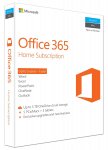
Microsoft Office 365 - 5 user - 1 year subscription.
This is normally about £65 from Amazon, and it is great value for money when you compare it to the single user license which is more expensive at £42.99.
I'm using it to renew my current subscription and will be ideal for all the new laptops purchased for Christmas!
You can either order a license card which will be shipped out to you or go for the download code which will be available instantly.
Office 365 comes fully loaded with the latest and greatest versions of Word, Excel, PowerPoint, OneNote, Outlook and more, downloaded directly to your favourite devices. You can keep working even if you are not online. All the tools you know and love, now built for even greater productivity and collaboration.
What's Included
Up to 5 household members can use one subscription, and each person will get 1 TB cloud storage and 60 monthly Skype minutes. Office 365 Home helps you get things done from virtually anywhere, on all your devices.
1-year subscription for 5 PCs or Macs, 5 tablets including iPad, Android, or Windows, plus 5 phones
Full, installed 2016 versions of Word, Excel, PowerPoint, Outlook, and more
60 Skype minutes per month and 1 TB OneDrive online storage for up to 5 users
Upgrades always included
Renew Your Current License And Stack Codes
You can renew your current subscription for more than one year by purchasing more licenses. I've just renewed mine until Dec 2021.
When you add an Office 365 subscription plan to an account that already has an Office 365 for home subscription, any remaining time from your current subscription is added to the new one. For example, if you have 6 months left on your current Office 365 Home subscription plan and you add a new yearly Office 365 Home subscription to your account, we’ll extend it to 18 months.
If you try to add too many subscriptions at once to the same account, you’ll get a Redemption Failed error because you can’t exceed the 5-year limit.
Depending what version you have, yes that is an option. It's kind of like owning a car. You may have an older car that still gets you about and costs you nothing, or you may want a newer car with more features but you're going to have to pay for it.
Different people have different needs. Some, as they have commented use a free option, which is great if it suits your needs.
I personally prefer this option as I share it on several computers which cuts the price per user down and I also get 1TB of cloud storage per account. I'm heavily invested in OneDrive as I use windows 10 and like having all my documents backed up.
If it's not something that you'd want or use, then stick with what you've got :smile:
All comments (114)
Silver47
25 Dec 161#1
d84rk_knight
25 Dec 16#2
If i get this, can I use it to renew when my current subscriptions ends in a few months?
ChilliHead to d84rk_knight
25 Dec 161#3
This was taken from an Amazon review:
Silver47 to d84rk_knight
25 Dec 161#4
Yes, that's what I'm doing. I've actually bought two and I'll use it again next year. I don't think that will be an issue but don't buy two on my say so. Buying one to renew your current subscription will be fine though.
Brianliptov
25 Dec 161#5
can't see why a code bought now can't be used next year
Silver47 to Brianliptov
25 Dec 161#6
Neither can I, but I don't want to say it'll be fine when something may happen next year preventing it working. It's a decent saving so I'm willing to take the risk.
CornishPasty79
25 Dec 164#7
Assuming you already have a Home subscription, you can just apply the license to your existing subscription and it'll extend it by 12 months.
Silver47 to CornishPasty79
25 Dec 16#9
Thanks CornishPasty79 I've just changed my order to a digital download and added two years to my account expiry. :smile:

![Fresh Breakfast Meat Box (Using code) @ Campbells Meat [Haggis / Lorne Sausage / Bacon / Black Pudding & More]](/images/topics/208684_1.jpg)




































![[Xbox One] Q. u. b. e: Director's Cut on Deals with Gold](/images/topics/208716_1.jpg)


















Opening post
This is normally about £65 from Amazon, and it is great value for money when you compare it to the single user license which is more expensive at £42.99.
I'm using it to renew my current subscription and will be ideal for all the new laptops purchased for Christmas!
You can either order a license card which will be shipped out to you or go for the download code which will be available instantly.
Download Code
Physical Card
All-new Office 2016 applications
Office 365 comes fully loaded with the latest and greatest versions of Word, Excel, PowerPoint, OneNote, Outlook and more, downloaded directly to your favourite devices. You can keep working even if you are not online. All the tools you know and love, now built for even greater productivity and collaboration.
What's Included
Up to 5 household members can use one subscription, and each person will get 1 TB cloud storage and 60 monthly Skype minutes. Office 365 Home helps you get things done from virtually anywhere, on all your devices.
1-year subscription for 5 PCs or Macs, 5 tablets including iPad, Android, or Windows, plus 5 phones
Full, installed 2016 versions of Word, Excel, PowerPoint, Outlook, and more
60 Skype minutes per month and 1 TB OneDrive online storage for up to 5 users
Upgrades always included
Renew Your Current License And Stack Codes
You can renew your current subscription for more than one year by purchasing more licenses. I've just renewed mine until Dec 2021.
Use this page to add your new license to your current account: https://setup.office.com/
When you add an Office 365 subscription plan to an account that already has an Office 365 for home subscription, any remaining time from your current subscription is added to the new one. For example, if you have 6 months left on your current Office 365 Home subscription plan and you add a new yearly Office 365 Home subscription to your account, we’ll extend it to 18 months.
If you try to add too many subscriptions at once to the same account, you’ll get a Redemption Failed error because you can’t exceed the 5-year limit.
What happens if I add another Office 365 for home subscription plan to my account?
Thanks to twangyferret for the link for the 5 year limit.
Merry Christmas to all, hope this helps some of you out.
Top comments
Different people have different needs. Some, as they have commented use a free option, which is great if it suits your needs.
I personally prefer this option as I share it on several computers which cuts the price per user down and I also get 1TB of cloud storage per account. I'm heavily invested in OneDrive as I use windows 10 and like having all my documents backed up.
If it's not something that you'd want or use, then stick with what you've got :smile:
All comments (114)
Microsoft Home Use Link