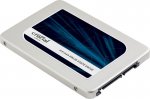
Crucial MX300 275 GB SATA 2.5 Inch Internal Solid State Drive with 9.5 mm Adapter - £59.90 with Prime
Some specs:
Sequential reads/writes up to 530 / 510 MB/s on all file types
Random reads/writes up to 92k / 83k on all file types
Over 90x more energy efficient than a typical hard drive
All comments (26)
taiko
15 Nov 16#1
I got one from amazon a week ago but got the 1 tb crucial one as well so might sell this one for 50 quid if anyone is interested :smiley:
huangxq2 to taiko
15 Nov 16#5
As still within in 30 days, you can return to amazon, you have to pay return postage. But still work out cheaper than you sell it 2nd hand.
brendinho
15 Nov 161#2
excellent!! cheers!!
dasachmo
15 Nov 161#3
Got a quick question if anyone can help.
I'm looking to switch to a ssd since I upgraded to win 10 on my Dell xps laptop. I read that I would need a caddy to transfer over the data?
And I also read that you should ideally do a fresh win10 install on the ssd. If you upgraded from win7 is the serial key on the sticker under my laptop still valid and how would you do the upgrade? Download the bootable USB file for Windows.
I know it's not the ideal place to post as it's not a deal but was going to buy this ssd to upgrade.
paulsalmon77 to dasachmo
15 Nov 16#4
You need some means to get data from the old to the new drive. Could be a caddy works for you, you could also use cloud storage. Make sure you have any important data backed up beforehand though!
With win10 your licence is tied to your motherboard (or ms account from anniversary edition or later), so you shouldn't need a key to do a fresh install. Best way is to create media using the MS tool and install clean on new ssd
taras to dasachmo
15 Nov 16#11
Two choices.
1 usb caddy for the old hdd, and usb flash drive with clone software. put the new sdd in, boot via the usb flash drive and clone the hdd to the ssd.
2. clean install with the ssd, as you upgraded via win7, you can either put the put the product key in (coa sticker) or just skip that part and it should find your lappy hash on ms' servers
3. You can either copy over user data (files) via usb flash, cd network or get a usb caddy for the hdd!
I would not use the cloud for the above operation. Remember that once you put data onto a cloud service you have reduced control over it (for me its no longer my data if its on the cloud)
monto to dasachmo
16 Nov 16#20
https://www.microsoft.com/en-us/software-download/windows10 download media tool now into usb(16GB preferably), plug in when ssd in, switch laptop on, install :smiley: it will activate win10 once you login with your account. forget all "caddies" if you need anything save into external drive
prash_2k to dasachmo
16 Nov 16#22
Buy a caddy. It's like £10 from currys.
Use the windows backup tool to create a backup image on ur SSD
Take the hard drive out replace with Ssd and restore ur backup it's easy.
No need to do a clean install unless u think you have some malware or viruses.
Use the caddy for ur old hard drive and use it as a backup or whatever.
verbumSapienti
15 Nov 16#6
Over 90x more energy efficient
lel
Plumbboy55
15 Nov 16#7
holding out for a good deal on the 750gb version. Black friday?
Deeco to Plumbboy55
15 Nov 162#8
Won't hold my breath #effbrexit
kidrock123 to Plumbboy55
16 Nov 16#19
+1
Holding out until black Friday deals are announced
hamzahuk
15 Nov 16#9
Waiting aswell to snag a 1tb, they just stupidly priced right now, so the waiting game continues.

![Fresh Breakfast Meat Box (Using code) @ Campbells Meat [Haggis / Lorne Sausage / Bacon / Black Pudding & More]](/images/topics/208684_1.jpg)




































![[Xbox One] Q. u. b. e: Director's Cut on Deals with Gold](/images/topics/208716_1.jpg)


















Opening post
Some specs:
Sequential reads/writes up to 530 / 510 MB/s on all file types
Random reads/writes up to 92k / 83k on all file types
Over 90x more energy efficient than a typical hard drive
All comments (26)
I'm looking to switch to a ssd since I upgraded to win 10 on my Dell xps laptop. I read that I would need a caddy to transfer over the data?
And I also read that you should ideally do a fresh win10 install on the ssd. If you upgraded from win7 is the serial key on the sticker under my laptop still valid and how would you do the upgrade? Download the bootable USB file for Windows.
I know it's not the ideal place to post as it's not a deal but was going to buy this ssd to upgrade.
With win10 your licence is tied to your motherboard (or ms account from anniversary edition or later), so you shouldn't need a key to do a fresh install. Best way is to create media using the MS tool and install clean on new ssd
1 usb caddy for the old hdd, and usb flash drive with clone software. put the new sdd in, boot via the usb flash drive and clone the hdd to the ssd.
2. clean install with the ssd, as you upgraded via win7, you can either put the put the product key in (coa sticker) or just skip that part and it should find your lappy hash on ms' servers
3. You can either copy over user data (files) via usb flash, cd network or get a usb caddy for the hdd!
I would not use the cloud for the above operation. Remember that once you put data onto a cloud service you have reduced control over it (for me its no longer my data if its on the cloud)
Use the windows backup tool to create a backup image on ur SSD
Take the hard drive out replace with Ssd and restore ur backup it's easy.
No need to do a clean install unless u think you have some malware or viruses.
Use the caddy for ur old hard drive and use it as a backup or whatever.
lel
Holding out until black Friday deals are announced