Temporarily out of stock. Order now and we'll deliver when available.
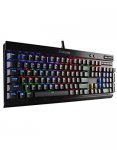
I`m a bit confused about the model number being CH-9101010-FR though? Will it be French as other sites show as model CH-9101010-UK and are selling for £150 on Ebay.
A bit confused about my own deal but for £40 it looks a bargain. Other retailers have Corsair K70`s for a lot higher price.
Top comments
Frank30uk
2 Nov 165#27
Me using my current UK layout
Me using the FR layout
All comments (47)
matedodgy
2 Nov 16#1
Wow.
anewman
2 Nov 162#2
Looks like you will get a French layout based on the model number and pictures. CH-9101010-FR
Frank30uk to anewman
2 Nov 16#3
Well the buy box is via a 3rd party seller who will dispatch from France. Is it possible the Amazon one will be a different model as in UK which we want?
EDIT - Just found the CH-9101010-UK model on Amazon for £153 so is looking like a French layout for sure now :disappointed:
Frank30uk
2 Nov 16#4
Picture showing QWERTY layout so I`m very confused... :confused:
powerbrick to Frank30uk
2 Nov 161#6
2nd and 3rd photo aren't :wink:
89quidyoucantgowrong
2 Nov 16#5
Can you just pull the keys off, put them back on in the UK layout and set the keyboard to UK in the OS?
Frank30uk
2 Nov 16#7
Oops, was looking at the CH-9101010-UK model..... :wink::laughing:
googleboogle
2 Nov 16#8
Not sure I want a French keyboard.
89quidyoucantgowrong
2 Nov 16#9
Ah, no £ sign. Entree instead of enter, etc. Bargain price, though.
kyeung
2 Nov 162#10
Can it be re-programmed to work as QWERTY ?
Just found this online, appears it can be done:
You can swap the keys themselves around but that would just mislabel them.
However you can change them through windows, but you better hope you remember the layout of QWERTY
Step 1: Go to the Start button and open "Control Panel"
Step 2: Choose the option "Clock, Language and Region"
Step 3: Select "Regional and Language Options" and in the "Installed Services" section, click "Add"
Step 4: If your keyboard is set to "French" (AZERTY) change it to "English US/UK" and if your keyboard is set to an English language (QWERTY), change the language to "French" (AZERTY).
Step 5: In the "Keyboard" section, choose "QWERTY" or "AZERTY" and apply the changes by clicking "OK

![Fresh Breakfast Meat Box (Using code) @ Campbells Meat [Haggis / Lorne Sausage / Bacon / Black Pudding & More]](/images/topics/208684_1.jpg)




































![[Xbox One] Q. u. b. e: Director's Cut on Deals with Gold](/images/topics/208716_1.jpg)


















Opening post
I`m a bit confused about the model number being CH-9101010-FR though? Will it be French as other sites show as model CH-9101010-UK and are selling for £150 on Ebay.
A bit confused about my own deal but for £40 it looks a bargain. Other retailers have Corsair K70`s for a lot higher price.
Top comments
Me using the FR layout
All comments (47)
EDIT - Just found the CH-9101010-UK model on Amazon for £153 so is looking like a French layout for sure now :disappointed:
Just found this online, appears it can be done:
You can swap the keys themselves around but that would just mislabel them.
However you can change them through windows, but you better hope you remember the layout of QWERTY
Step 1: Go to the Start button and open "Control Panel"
Step 2: Choose the option "Clock, Language and Region"
Step 3: Select "Regional and Language Options" and in the "Installed Services" section, click "Add"
Step 4: If your keyboard is set to "French" (AZERTY) change it to "English US/UK" and if your keyboard is set to an English language (QWERTY), change the language to "French" (AZERTY).
Step 5: In the "Keyboard" section, choose "QWERTY" or "AZERTY" and apply the changes by clicking "OK