Does anyone know if this would work if it was plugged into the wall but through a timer plug? I am trying to work out a way to limit the wifi time for my sons bedroom.
oliverhussick to xxfoxy-ladyxx
19 Sep 16#3
I can't say as I'd recommend that as an attempted solution. Unless his room is in an annexe at the bottom of the garden, he's always going to be able to pick up wifi from the main source in the house, even if he builds a high gain antenna.
Many routers have controls that might be far more useful to you, allow you to block specific devices.
mrew42 to xxfoxy-ladyxx
19 Sep 161#5
This is nothing to do with wifi
3guesses to xxfoxy-ladyxx
19 Sep 16#7
Alternatively, just use 2 wifi routers connected via an ethernet cable (most people tend to have at least one old one from a previous broadband deal, otherwise you can probably pick one up for under £5 in Cash Converters, etc). Use different wifi passwords on them and only give your son the password to the auxiliary one (not your main one, ie the one plugged into the phone socket), and then put the timer plug on the aux router to switch it on/off. Alternatively, you might be able to configure the aux router's settings to limit access as previously mentioned, or you can just disconnet the ethernet cable/manually power off the aux router when you don't want him to access the internet...
If you do go down this route, you will probably have to do a little bit of configuration of the aux router (eg turn off DHCP function since the main router will be doing that, change the wifi channel so as not to interfere with main router's wifi signal, for starters).
steve_b21 to xxfoxy-ladyxx
20 Sep 16#15
Easy way would be to add a restrictions to his device (phone, laptop etc). This can be done via the router admin page by adding the MAC address of the device you want to restrict, and the hours you want to restrict it for.
markybhoy to xxfoxy-ladyxx
23 Sep 16#23
Change the password.
rastbury to xxfoxy-ladyxx
6 Oct 161#25
do it through the router.. if your on virgin for example, login via 192.168.0.1 (passwords are on back of router and goto advanced options>MAC filtering. you can then select all unique devices on network (either on wired or wireless) and add them to a block list for certain times of the day.
brum
19 Sep 161#2
netgear genie is an app for netgear routers and possibly powerline? you can turn off individual phones consoles computers from Internet with it.
freakstyler
19 Sep 16#4
lots of routers have access limiting functions/timers and as said above that would be a more reliable solution than plugging one of these into a timer - the timer may also interfere with the plug limiting its performance. With settings you could block/restrict individual devices on your network and not pull the plug on everyone.
mrew42
19 Sep 16#6
Great price - have some heat
tarryboy
19 Sep 16#8
I'd like to know of this is a good deal.
usetheforceluke to tarryboy
20 Sep 16#10
.................cant be a serious question.................

![Fresh Breakfast Meat Box (Using code) @ Campbells Meat [Haggis / Lorne Sausage / Bacon / Black Pudding & More]](/images/topics/208684_1.jpg)




































![[Xbox One] Q. u. b. e: Director's Cut on Deals with Gold](/images/topics/208716_1.jpg)


















Opening post
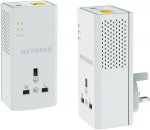
Decent powerline plug with a socket pass-through.
All comments (26)
Many routers have controls that might be far more useful to you, allow you to block specific devices.
If you do go down this route, you will probably have to do a little bit of configuration of the aux router (eg turn off DHCP function since the main router will be doing that, change the wifi channel so as not to interfere with main router's wifi signal, for starters).
Review: http://www.pcadvisor.co.uk/review/powerline-adapters/netgear-powerline-1200-review-3618686/