Mine got clogged up as soon as I tried one and never worked again.
Gazz59 to biggysilly
26 Jun 16#20
I got the WF-2650 thanks to HUKD over a year ago. Inks are fine, I now get single colour slim cartridges cheap off ebay, but when I got the machine, it was with a set of cartridges as part of the deal,and made a profit :sunglasses: BUT 1 word of warning...I used the machines email address for vouchers, so I didn't need to print them out, as they would simply go direct to printer. Luckily I was home when 1 such print job started, and printed NOT a voucher, but PAGE after PAGE,ROW after ROW of x's. Something to do with the format of the voucher, so I was told. Had I not been in, it wouldn't have stopped until I'd run out of ink, or paper :confused:
That aside, It's a good machine (I think) a bit...clunky/plastic sounding, but a LOT of machine for the money
steamworx
26 Jun 16#4
Scrapped few of those ink printing multifunction devices. If you don't print daily, it's better to go for laser one.
Common Sense to steamworx
26 Jun 16#24
True, the ink just dries up and runs out. It became the most expensive printer to run. I soon got rid of mine and replaced it with a colour laser printer.
roguesspam
26 Jun 163#5
These are ****, avoid. The nozzles get blocked.
chamelion to roguesspam
26 Jun 16#9
Apparently yes if you use third party ink.
retro65
26 Jun 16#6
Had this printer for over a year no probs what so ever, even android phone software works faultless.
john54321 to retro65
26 Jun 16#8
Where do you get your ink from?
Flambo
26 Jun 16#7
The chips used on 3rd party carts can be very much a hit or miss. One of the most significant issues is that they over-report the ink actually remaining in the cart, meaning that the printer can inadvertently run the nozzles dry causing all sorts of issues such as blockages in the future.
Other times the chips don't work at all and the printer will reject the cartridge.
I go though about a dozen sets of 3rd party carts on a similar Epson printer a year, I pry off and keep the chips that over-report and transplant them in to new carts with dead chips. It does mean having to do a bit of guesswork when it comes to replacing empty carts, but considering the money I'm saving, it's something I'm happy to put up with.
leedslad83
26 Jun 16#10
Bought this last year with the £30 cashback offer.
Utter @&*# ended up in the tip after endless ink & WiFi network issues. Avoid
chamelion to leedslad83
26 Jun 16#15
i'm
Im puzzled about people who say they bought this last year / people who had issues all year.
This printer came out really recently - on Amazon since April this year for pre-orders, announced by epson in May!?
Fleabum
26 Jun 16#12
I've now had 5 of these, 4 replacements within 1 year for the same issue. The nozzle tube from the ink head is badly designed, and if the pad doesn't keep the head wet it dries out. This happens quicker with compatible inks but it still happens with original.
Avoid this one like the plague unless you got it with free set of inks and £50 cash back like I did.
Pay a little more, get a laser, and you will never go back.
Regards
Flea
fishmaster to Fleabum
26 Jun 16#14
Laser printers are not as good for photos the dpi (dots per inch) resolution is much lower than a comparable inkjet.
Printing Resolution 5,760 x 1,440 dpi for Epson, a typical laser jet around this price will give you 600 x 600 dpi.
Buy an ink jet if you do photo printing, although it's expensive if you're doing many colour prints. Buy a laser if you want cheap crisp mono printing and some colour printing such as charts and graphs.

![Fresh Breakfast Meat Box (Using code) @ Campbells Meat [Haggis / Lorne Sausage / Bacon / Black Pudding & More]](/images/topics/208684_1.jpg)




































![[Xbox One] Q. u. b. e: Director's Cut on Deals with Gold](/images/topics/208716_1.jpg)


















Opening post
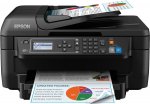
Not suitable for those looking for the £25 deals on home use all-in-ones, these are heavy duty home office work horses.
Does double side printing, multi page scanning too.
Top comments
All comments (30)
https://www.amazon.co.uk/Epson-C13T16314010-16XL-Ink-Cartridges/dp/B008GJHB8G/ref=pd_sim_229_1?ie=UTF8&dpID=51JNNnFZRZL&dpSrc=sims&preST=_AC_UL160_SR137%2C160_&psc=1&refRID=N93BBH9KZBBQXYN461CN
That aside, It's a good machine (I think) a bit...clunky/plastic sounding, but a LOT of machine for the money
Other times the chips don't work at all and the printer will reject the cartridge.
I go though about a dozen sets of 3rd party carts on a similar Epson printer a year, I pry off and keep the chips that over-report and transplant them in to new carts with dead chips. It does mean having to do a bit of guesswork when it comes to replacing empty carts, but considering the money I'm saving, it's something I'm happy to put up with.
Utter @&*# ended up in the tip after endless ink & WiFi network issues. Avoid
Im puzzled about people who say they bought this last year / people who had issues all year.
http://news.epson.com/news/epson-introduces-fast-versatile-workforce-2700-series-business-printers
This printer came out really recently - on Amazon since April this year for pre-orders, announced by epson in May!?
Avoid this one like the plague unless you got it with free set of inks and £50 cash back like I did.
Pay a little more, get a laser, and you will never go back.
Regards
Flea
Printing Resolution 5,760 x 1,440 dpi for Epson, a typical laser jet around this price will give you 600 x 600 dpi.
Buy an ink jet if you do photo printing, although it's expensive if you're doing many colour prints. Buy a laser if you want cheap crisp mono printing and some colour printing such as charts and graphs.