Fantastic FHD 10 inch tablet with an i5 processor, 4GB RAM and 128GB SSD for under £175! Bargain! Add the WWAN card for a tablet with Internet access on the go.
MCS Technology are selling a great value Dell Venue 11 Pro for only £143.40+vat&delivery.
Venue 11 Pro (7130) Tablet
Intel Core i5-4300Y 1.6GHz
4Gb DDR3
128Gb SSD
Intel HD Graphics
10.8″ FHD 1920 x 1080
8MP Rear Camera & 2MP Front Camera
mini HDMI
Full size USB 3.0.
Micro-SD Card Reader
36Whr Swappable Battery
Bluetooth + Wireless
They are refurbished and come without an operating system but you can add Windows 10 for just £14 and a WWAN card for £7!
Total price with VAT & Delivery would be is £184.14
Please see my post below for some reviews and usual support and accessories links.
Top comments
BigYoSpeck
30 Nov 1551#8
I've got the i3 4020Y version, honestly I don't think there is a strong case for going i5 with a Y series processor. Mine doesn't thermal throttle but it does throttle on power usage. It can burst mode 11.5W but then settles down to 6W to preserve battery life. The i5 is going to do the same and limit itself to 6W so gaming rig this is not.
Build quality wise there is a reason so many of these are available as refurbished units but if you get a good one they're pretty good.
The first unit I got thermal throttled all the time, would spin the fan constantly at high speed and didn't recognise the keyboard that you can get for them. Once I let Mark at MCS know he sent out a replacement the next day so top service from them. This one works almost perfectly, but if I let the battery run flat it loses all the bios settings and the back panel feels a bit flimsy.
Unless you have a Windows license to put on it already get one with an OS. I figured with the way Microsoft licensing works I'd just be able to install myself and activate but the Windows key has been removed from them. There is no MSDM table under ACPI so neither Windows 8 or 10 will activate.
There was however a Windows 7 SLIC license but installing Windows 7 is a major hassle as there are no touchscreen or wifi drivers available. Just save yourself the time and get it with an OS.
It only really works with the charger it comes with even though that is a Micro USB charger. It's a 23W charger and it does something kooky with the voltage to charge the tablet. A normal charger like from your phone will take forever to charge it if it's powered off, and if you try to charge it and use at the same time it throttles the CPU back to like 300mhz and is practically unusable.
I've both keyboards for it. The folio type one is ok, better than touchscreen typing but it's no Model M. The laptop type keyboard with the inbuilt battery is pretty good. It's not exactly a Lenovo quality keyboard but it's alright for a chiclet keyboard. Dell build quality issues are still there there though with these. The brand new one I bought from ebay had a defective batter and the touchpad wasn't properly glued down. I got a full refund though through ebay but come on Dell!
So overall my recommendation is go for the i3 as once it throttles on power usage the i5 doesn't have any advantage. Get it with an OS from MCS, don't be a hero just get it ready to use. Go for the laptop style keyboard and it's a decent little ultrabook style unit you can take the screen off of. And be prepared that you might receive a dud so if this is a Christmas gift for someone test it thoroughly before handing it over.
Keyboards can be bought of fleabay for about £50 for the slim, and £90 for the keyboard with battery. **EDIT** price going up due to Supply & Demand.
Regards
Flea
plewis00
30 Nov 154#16
MCS is a good and reliable company but this tablet is not - there are overwhelming issues with this device exiting sleep and/or draining the battery as a result of the suspend issues (Google it). There was a new revision of these but it's hard to tell what you'll end up with and Dell was swapping them out under warranty. I had two both like this - in the end I bit the bullet and bought a Surface Pro 3 as that's what I was trying to save money on by buying the Dell in the first place; usually really like Dell products (all my laptops and desktops are Dell) but never before has the phrase 'buy cheap, buy twice' been more relevant.
BigYoSpeck
1 Dec 153#126
Here's the fix I posted on the last offer:
You need to download the deployment pack for Windows 10 from here:
Then you need to extract the files, I use 7-zip. With that you just right click the 7130-Win10-A00-FXC3H.CAB file and select 7-Zip followed by Extract to "7130-Win10-A00-FXC3H.CAB\"
Once that's done right click the start menu and click device manager. Double click SD host adapters. It should then list two SDA Standard Compliant SD Host Controller devices. On my system the bottom of those two was the one to update the driver on but your system may have them the other way round. Either way it will only let you update the driver for the correct one.
Start with the bottom one then and double click it, then go to the Driver tab and click Update Driver. Click Browse my computer for driver software and browse to the directory to extracted the 7130-Win10-A00-FXC3H.CAB file into. Then make sure Include subfolders is checked and click next. It should then update the driver to a BayhubTech/O2Micro driver and this one no longer crashes when connecting or removing the power cable.
It's also worth doing the same for the IDE ATA/ATAPI controllers entry if it's just using the standard Microsoft driver. Changing this to the Intel 8 Series driver gives a reasonable speed boost to the onboard SSD.
Latest comments (424)
N3RO
4 Dec 16#424
pre 2014 been on recall and even post 2014 had same issues..
plap
23 Apr 16#423
I don't want to disable Windows 10 Modern Standby (was called Connected Standby in Win8.1), tried it and takes much longer to wake up the device - defeats the point of using a modern computer. WHen I disable McroSDHC the battery drain is gone, has anyone got other fixes/ideas?
laxmanstretch
23 Apr 16#422
Re battery drain, there is a fix here in these comments. It is do to with an always connect task running in the background while in sleep mode
plap
23 Apr 16#421
I don't get any phantom key presses on the touch screen (but haven't got a screen protector).
Issue I have = terrible battery drain when device is sleeping!!!
Seems to be ok when I disable the MicroSDHC reader in Device Manager.
Running Windows 10 - has anyone else has battery drain issues when the device is sleeping?
VimesUK
23 Apr 16#420
Yup. In fact due to that my first tablet was exchanged as it got to the point of key repetition causing so much of an issue I spent more time correcting the words I wrote than writing them...! Entering passwords also was nigh on impossible.
The second tablet was better, but not perfect, but the rear camera never worked.
The third tablet is ok but I have accepted that the virtual keyboard for touch typing will never be as good as my other Windows tablet - a cheap Linx 10". I also have a 8" Acer Windows tablet and that is perfect with its Virtual keyboard.
I have tried so many setting changes and BIOS settings as well as firmware and driver updates etc.
I just now accept the fact that the odd key repetition is part of this tablet if I wished to keep it.
I'm just glad that I didn't pay full price.
laxmanstretch
23 Apr 16#419
Hi, i got a skinomi skin for my screen in the end. It is perfect for the pirppse of stopping light scratches on the glass screen. Comes with a good replacement guarantee too. The only issue is i get an occational keystroke repeat on the keyboard, that may ne related to using the screen protector. Does anyone else have the key stroke repeat issue.
Fotis
21 Apr 16#418
I didnt buy othe keys. I just swapped the keys
sihaworth
21 Apr 16#417
Where did you get the replacement keys from?
cavendishdream
30 Mar 16#416
I bought the 8GB Ram and 256GB SSD version back in December for around GBP 250. Everything works well, however I am wishing to sell it as I bought a laptop. Do PM me if you are interested in to buy it off me. It costs 320 now. Thank you.
Fleabum
20 Feb 16#415
I use Snappy Driver Installer a lot now, works wonders.
Regards
Flea
VimesUK
19 Feb 16#414
... ah I see. Misunderstood you there. So I'll try the chipset drivers.
ccs_digital
19 Feb 16#413
Not sure that it is...I was referring to finding the drivers manually on the support site. For the record the Command Update worked on both 7130 and 5130 that we have without an issue.
VimesUK
19 Feb 16#412
Thanks for that. It has been that long since u used that utility I hadn't realised that was an option. I'll give it a go later.
ccs_digital
19 Feb 161#411
Don't let it auto detect or use a service tag - use the 'Find it myself' tab.
VimesUK
19 Feb 16#410
IIRC it is written in this thread as to why when using that utility the Dell tablet is identified incorrectly and thus the wrong drivers are found.
You need to update the Intel Chipset driver, no need to reinstall. Best way is to install the Dell Command Update utility which will ensure that all the correct drivers are installed.
VimesUK
19 Feb 16#407
Could be. Overall I'm ok with thse tablets but I'm glad tha tI did not buy them new at the price they were. Each of the three I have had have had issues and the one I'm left with is n't great.
It made me realise that the older Linx 10 isn't that bad after all.
Fleabum
19 Feb 16#406
Might have been a Windows driver update...
Regards
Flea
VimesUK
19 Feb 16#405
Mine does exactly the same and when I have the time I'll get around to sorting that out hopefully. However I have managed to use it so far and if IIRC it has only recently started happening and I'm tending to think that it might be an update which has caused it...?
This is my third from MSC, the previous two had to be exchanged due to faults.
Fleabum
19 Feb 16#404
The one I bought for the missus works very well except for one annoyance, Windows likes to occasionally freeze for 5-10 seconds, nothing responds but the Windows button still vibrates the tablet. More often than not in Edge.
I would try reinstalling, but sometimes its just not worth the hassle! :smile:
Regards
Flea
ccs_digital
19 Feb 161#403
The warranty on these is with MCS...
We have had 3 refurbished Venue tabs from this company : a 7130, 5130 and an 8 - all work perfectly.
Bearpaws
19 Feb 16#402
These are appalling. Dell have had so many returned that's why they are knocking them out cheap. The Dell warranty isn't worth the1s and 0s it's made of. If you don't believe me, go and read the comments on Dell's own forum and Trustpilot. I have one. Totally bricked and Dell won't repair it under warranty.
laxmanstretch
5 Jan 16#401
hey, i bought a targus maximum protection rugged case for my 7130. Unfortunately i am sending the case back as the front was slightly warped or ill-fitting such that the touchscreen wouldnt work on the top left and it refused to click in to place around the edges.
has anyone had better luck with this or can recommend a screen protector? i only really want to avoid screen scratches, and not have a horribly peely protector in place. my iphone protector is plasticy and peels off in my pocket wheres my zune one is slightly more rubbery and has stayed on pain free for years..aany advice on protector type would be appreciated.
VimesUK
31 Dec 15#400
Read reviews about the keyboards made for this device and watch some of the Youtube videos, just search for them.
After doing that I decided to carry on using my Motorola BT keyboard, which has an excellent tactile response when typing. Both the slim and the battery version of keyboard seemed pretty dire in comparison when noting some peoples opinions. The weight and bulk of the battery version, and cost, didn't enthuse me much either.
For me and my use that has been the right choice.
daviescr
31 Dec 15#399
Hello, Not sure whether to buy a keyboard with battery for this device. Like the idea of being able to use like a Laptop PC as opposed to a Tablet PC only but not sure whether it's a justifiable expense so to speak. Can anyone offer their comments on this please? Thank you.
Fleabum
31 Dec 15#398
You can be our guinea pig. :smile:
Regards
Flea
pcfarrar
31 Dec 15#397
Also does anyone know if the Intel 8260 NGW wifi adapter will work in the venue 11 pro (7130)?
I'm tempted to buy one as an upgrade but can't find anyone online who has tried it..
pcfarrar
31 Dec 15#396
That sounds like you have connected standby switched on. Disable it as above and you'll get very little drain.
TheShadowWalker
31 Dec 15#395
Hmm. I'm having some power consumption issues too on the i3 version. Last night the Tablet is 100%, keyboard 93%. I put it in Flight mode and muted the sound; single press the Power button and closed the lid.
This morning 12 hours later, Tablet has 93% left, Keyboard 0%.
Crazy power consumption. Even using it for 1 hour the keyboard lost 50% battery life I believe. Will have to investigate this.
pcfarrar
31 Dec 15#394
New battery from Amazon has resolved the problem. The battery health on my old one was 81%...
pcfarrar
21 Dec 15#393
I've noticed on my 7130 a few times the power level has jumped from 30% to 1% instantly. The battery only has 8 charge cycles after checking the diagnostics. Do I need to get a new battery? Or is it just a calibration issue that will resolve itself eventually?
There's loads of issues with Windows 10 and connected standby. The surface 4 battery drains really fast too.
TheShadowWalker
17 Dec 15#390
I see. I never had those problems. My battery life is fine. My question is with regards to discharge whilst asleep. I think it's using a lot of power in sleep (i think its called connected standby) whilst connected to the keyboard dock. Just wanted to know what others are getting when they close the lid on their tablet/keyboard before going to bed, and what % is left when they wake up 6 hours later.
bubblesmoney
17 Dec 15#389
Once out got discharged after being plugged in all night and wouldn't start then on repeatedly long pressing start button wouldn't start and started after detaching keyboard on start up have some BIOS error and needed to press F5 with volume up button to do error checks and was OK that day and did all updates again including keyboard and has been fine since.
10 to 13 hour battery life
TheShadowWalker
17 Dec 15#388
Yup tried the uitliy before. Says everything is up to date. I've installed everything separately form the dell site.
Hows your standby battery life like when the tablet is connected to the keyboard slept overnight?
bubblesmoney
17 Dec 15#387
Use the Dell command update utility link I have posted in this thread. Once you download it then update each of the options it gives separately then later it auto updates on its own.
Don't forget to update the keyboard updates as well apart from everything for the laptop. The dock update has to be done with the dock and not separately if you have the dock. Mine is fine after the updates from del website earlier it had the same issues
TheShadowWalker
17 Dec 15#386
I went to bed with the tablet and keyboard battery connected, each battery at 82% separately. 7 hours later I woke up and the keyboard battery is at 0% whilst the Tabet battery is at 73%. Is this normal when the hybrid laptop is asleep? Do you guys use the Dell Power Manager?
Mine came with the cloverleaf plug, and then when I returned it (without the charger as instructed), the replacement came with the cable instead and another charger.
In short, I have a spare charger! :smiley:
ccs_digital
16 Dec 15#382
Ah, interesting. Both the tablets we have bought came with a standard mains cable.
Fleabum
16 Dec 15#381
Mine came with the cloverleaf plug....
Regards
Flea
ccs_digital
16 Dec 15#380
Discovered that the 'Dell UK Cloverleaf Plug (Longwell 2.5A~250V). DFWKX' being sold by MCS is actually the correct part to attach to the Venue 11 Pro power supply to make it a single plug in unit rather than needing to carry a separate power cable as well:
Cheap enough but addition of VAT and carriage may make it more appropriate as an add-on if you are buying something else from them.
VimesUK
15 Dec 151#379
^^^^^ Use Marium Reflect (Free Edition) to create a backup of your OS to a backup folder on the SD card. That way you could boot from a created rescue USB stick and restore the drive.
My MicroSD card is working fine now haha. Have no idea which of the steps I did to make it work, but I think it was downloading these after performing the steps mentioned by BigYoSpeck on post #316:
I actually clean installed Win 8.1 Pro on this thing when I got it. Then upgraded to Win 10 Pro for free.
Anyway, everything works fine now. No BSOD and no MicroSD card issue. Will just have to use it more often and hopefully no other problems arises. Anyone know how to save it as it is as a backup image and store it in a recovery partition in case I get a virus?
Thanks everyone for your help :smiley:
Fotis
15 Dec 15#377
i bought a french keyboard (new) for 50£ and swapped the keys. Then I used the microsoft keyboard software to assign the new keys and it works great. Some symbols might be somewhere else but its ok. Far better than using stickers.
VimesUK
15 Dec 15#376
I'm not sure about the Windows 8.1 installation, just check back over the last few days of posts and you will see who posted about it.
The BT keyboard....
MOTOROLA Bluetooth keyboard SJYN0821A
I had bought two of the keyboards, from eBay IIRC at different times. They seem to come up now and again, they are really excellent. Just make sure you get the one with the UK layout and £ sign etc.
daviescr
15 Dec 15#375
Hi, Can you advise what Motorola BT keyboard you're referring to please? Interesting to hear that some have installed Win 8.1 onto these. Is the CoA still in the BIOS at all or has is been removed? (not checked-do not know where exactly to check (that is should it be possible to check this at all). Thank you.
VimesUK
15 Dec 15#374
IIRC it states on the back of the tablet that it was originally sold with Windows 8. Someone a few pages back stated that they had successfully installed Windows 8.1 and that it seemed more responsive over that of the Windows 10 install it came with.
For the most part mine is running fine on Windows 10, for my needs. I decided not to bother with the Dell Slim keyboard as it seemed expensive for what it was and pretty dire in terms of a good tactile type of keyboard that I would enjoy typing on. Instead I will use a Motorola BT keyboard as I would need to use one. I love the feel of the Motorola BT keyboard and it pairs and works well with the tablet. I already had a Dell Folio case.
Fleabum
15 Dec 15#373
They do seem to have a few quirks, but I feel some of these are caused by Windows 10 and poor drivers.
For the price though, they are very nice tablets.
Regards
Flea
Boopop
14 Dec 15#372
Just in case anyone's had this problem..
Noticed sometimes you can't adjust your brightness as it's greyed out in the notifications? Right click/tap and hold on desktop, go to display options. If when you click "Identify" you get 1|2 appear on screen rather than just "1", then there's your problem. Scroll down to "Multiple Display" and it probably says "Duplicate". You need to change it to "Show only on 1". I had mine set to duplicate when I got it, only just discovered this fix this evening :smiley:
TheShadowWalker
14 Dec 15#371
It's dissapeared now. Not sure why it happened... from google other Venue owners mentioned it was due to CPU usage too high, but I didn't see that for me in Task Manager. Oh well.
TheShadowWalker
14 Dec 15#370
Hi, thanks for this post.
After I did this my BSOD issue disappeared, but now I'm not getting MicroSD to work. Before, it worked if I shut down and turned on the tablet (but won't work if I only restart the tablet). Now there's only one SD host in Device manager and the MircoSD card doesnt load up.
I only have the Microsoft storage controller. What can I do?
I'm on Windows 10 Pro i3
Update: After turning the tablet on, if I press the power button to turn the screen off. Turn the screen back on, then go to Device Manager and Scan hardware changes, the MicroSD card appears and works again. But stops working once Shutdown/restart.. I'm guessing Windows keeps on reverting back the drivers that makes the hardware dissapear or something. However... after this is done the Power button doesn't work anymore to turn the screen off or on....
I'm going to try Clean install Win 10 pro with drivers and if it doesn't work.. Might have to return it to MCS for a replacement. Or just go for the M Core versions.
What is the best way to install the drivers after a clean install?
VimesUK
14 Dec 15#369
Not experienced any sound distortion from the speakers. In fact it has been pretty good.
There are Realtek drivers over at the Dell sir you could try. IIRC I used those on the first tablet I had before it got replaced.
They might help.?
TheShadowWalker
14 Dec 15#368
Yup, will try out the solution on post #316. Got a new problem now. The speaker crackles sometimes. Does this mean it's broken? It's not even full volume :disappointed:
VimesUK
14 Dec 15#367
See post number 316 for the solution. I'm on my phone and can't link it directly.
Fleabum
14 Dec 15#366
I've not tried disconnecting the charger while the tablet is on at all. Sorry.
I will see if the missus will try that later. If she will I'll post the results for you.
Regards
Flea
TheShadowWalker
14 Dec 15#365
The Core M version on MCS are much cheaper than the ones on the Dell Outlet.
I'm still experiencing BSOD when I connect/disconnect the charging for the Tablet :disappointed:
This is the error I get. I'm guessing it is some problem with the SD Host? Which one am I suppose to use?
New tablet arrived. Checked the camera and it was perfect, no problems at all and multiple photos taken. Worked great after reboot etc.
Then build 10240 got updated to build 10586 and the camera stopped working.
I have contacted MCS and suggested that the solution is that of MS or Dell. As MCS package the first release of W10 with these tablets then they will not be aware of the issue once they update.
Update
Flashing the latest LiteOn update for the rear camera fixed the issue with this tablet, not sure why the successful flash on my last one failed to get it to work...?
Anyway I'm well impressed, grainy crappy tablet photos are now back :smile:
VimesUK
12 Dec 15#360
Turns out that it was a good job that I hadn't bothered to start a Windows 8.1 installation this morning as the intended swap over with the replacement tablet has been brought forward to this morning.!
Whilst I might have had a problem with the tablets the service and support from MCS is nothing short of amazing.
Fingers crossed :smiley:
Fleabum
11 Dec 15#359
If your having driver issues, give SnappyDriverInstaller a go, its open source, its good and has none of he other spyware/carpware that your other driver type programs have.
Its sorted many an issue with lappy and driver issues.
Regards
Flea
TheShadowWalker
11 Dec 15#358
I cleaned install Windows 10 on Linx 10 and 8, had a lot of camera problems.. keeps on showing a blank screen. I wasn't able to install the Intel SOC as it was for Win 8.1, but managed to find a Win10 one online here:
However this is for Intel Atoms. Not sure if you can try find one suited for i-core CPUs.
Like CCS mentions though, the camera really isn't that great. At least the front is quite decent for skyping.
Hope it works out for you! I was lucky to get a fully working one on the first go :smiley:
VimesUK
11 Dec 15#357
Its a gamble though isn't it...?!
I know what you mean and knowing my luck so far I might end up with a tablet which has a major issue when it arrives on Monday rather than this one which could be lived with.
I might still be tempted to try Windows 8.1 on it and if it works from there then at least the hardware will work with that OS. There are many posts over in the Store about the latest camera app not working for many people on their devices.
I use the camera, hence finding it faulty rather than looking for a problem, on occasion and it would be nice to fully work as it always helps when it comes to selling the device.
Fingers crossed indeed for Monday, unless W8.1 gets tested and it works.
Fleabum
11 Dec 151#356
Don't know about the Dell, but the missus used to have a Acer Iconia and that rocked maybe 5 degrees while in the battery keyboard dock.
Regards
Flea
ccs_digital
11 Dec 152#355
Yes mine does too. Ironically it doesn't on the magnet-only attached slim keyboard.
VimesUK
11 Dec 15#351
I have tried the new and older firmware, the camera focuses but no photo taken.
Third time lucky hopefully for me on Monday.
ccs_digital to VimesUK
11 Dec 15#354
Completely understand that you want a tablet that works properly...however the image quality of the (working) camera isn't all that good....
TheShadowWalker
11 Dec 15#353
Yeah initially that LED on the side didn't turned on. I think because the keyboard battery was basically 0% but now it works.
Does anyone else's tablet rock back and forth on the keyboard hinge? I was hoping it would be a snug fit but when I lift it up to the other desk it wasn't as stable as I thought.
Fleabum
11 Dec 151#352
**fingers crossed for you**
Regards
Flea
pcfarrar
11 Dec 15#350
Yes I'm running the latest camera firmware.
ccs_digital
11 Dec 151#349
If you charge the keyboard alone (using the micro USB on the hinge) there is a charging status light on the left edge of the keyboard...don't think this lights up when charged while connected to the tablet though.
pcfarrar
11 Dec 15#346
The camera works on Windows 10 but can be a little temperamental. If you switch back and forth between the front and rear cameras a few times you sometimes end up with a black screen and have to quit and reload the camera app to get it working again.
ccs_digital to pcfarrar
11 Dec 15#348
Have you updated the rear camera firmware? (file is on the Dell support website under 8.1 drivers)
VimesUK
11 Dec 15#347
I suppose the bottom line is that I should expect it to work under Windows 10, at least sometimes.!
Thanks for posting though and hopefully I'll get a working one on Monday, kinda tempted to try Windows 8.1.
VimesUK
11 Dec 15#345
Well I have arranged for my third tablet to be delivered on Monday, this one with the faulty rear camera is being collected.
I thought that I might have resolved the issue as the focus is now working on it but it just will not take a photo, not sure if it is the hardware (likely) or Windows 10.
If anyone could test their camera (main) is working with Windows 10 that would be great, I'm on build 10586.
Fleabum
2 Dec 15#170
I bought one of the i3 versions for the missus, and here's a mini review.
Delivery and packing :- Excellent next day delivery using DPD based 1 hour timeslot technology. Packing was in original Dell box, with original new power supply and UK plug. USB cable seemed to be a cheap Chinese replacement 1.8m in length. There was a sealed Dell Windows 10 licence key card contained within.
Condition :- Used but good. Small scuffs round docking port so it was owned by someone who used the keyboard/docking station. The back has a faint rub line across, I assume from the docking station or stand from the thin keyboard. There is a very tiny scratch on the screen, but its in the black border area and can only be seen at a certain angle.
Performance :- Very Good. Its far superior to the Acer Iconica and Linx 10 it is replacing. Screen quality is very good being both bright and colourful from a high degree of angles. Speakers are very good with good sound quality and quite loud. I have yet to hear the fan kick in on this unit but only have tried light tasks.
Other notes :- The tablet was pre-installed and was on 60% battery. Switched off and plugged in it charged to 100% within 2 hours (it could have been a lot less, I only checked it at the 2 hour mark). It is quite heavy and would become annoying (to me) after using it 1 handed for a prolonged period of time.
I have the stylus arriving tomorrow so will test when I can. Still need to test the SD card slot as these are known to be an issue sometimes. Still need to test the battery capacity to see how degraded this is due to being a refurbished unit. Still need to source the keyboard and give feedback on that.
Regards
Flea
Boopop to Fleabum
3 Dec 15#242
Yup, using the charger that came with it, plugged in to a wall socket. BIOS/EFI is up to date and had a look and changed the charge profile to "standard". Windows 10 remains on "calculating" when it's plugged in and claims to be charging as the % charged slowly drops :disappointed:
Boopop to Fleabum
3 Dec 15#244
What does this tell you? This is while it's plugged in to a wall socket and the battery keyboard.
Thanks
EDIT: Well I can see the current capacity drop before my eyes despite it being plugged in =/
daviescr to Fleabum
3 Dec 15#250
Brilliant. Thank you for that. Wouldn't have known to check there. Is there any particular Application that needs to be installed for switching data connections please? Think you're an expert on these devices by the sound of things therefore you undoubtedly know the answer to this. Thanks again.
Boopop to Fleabum
3 Dec 15#251
All correct, doesn't change the fact I can't charge the tablet =/ Perhaps the next step would be to try and charge the dock on its own given it appears it can be charged independently.
TheShadowWalker to Fleabum
3 Dec 15#265
Is it possible to extract the generic driver and upload it to me? My windows update is not triggering it. I found out it's linked to the Wireless Card driver and that's what causing the problem. Very weird I know. But I tried uninstall the Wireless driver and reinstall it, and it worked for a while but then the tablet froze and I had to do a soft reset.
TheShadowWalker to Fleabum
5 Dec 15#301
Dom Jolly pionered this ages ago mate. Its commonly acceptable now :stuck_out_tongue:
daviescr to Fleabum
6 Dec 15#307
Hi, Thank you for your reply. Did you have to do anything particular with the mic setup please?
Thanks.
Edit: Cortana is working okay now thankfully. No idea why the mic setup earlier basically said Cortana wasn't a supported feature.
pcfarrar to Fleabum
9 Dec 15#319
No freezing on mine and I've used it a lot over the past few days. Must be a driver/software issue? I have all the latest drivers/updates installed.
TheShadowWalker to Fleabum
11 Dec 15#344
Haha, I'm hoping that MCS stocks the Docking station again. They only sell it for £17. Thanks for posting the deal! :smiley:
TheShadowWalker
11 Dec 15#342
Only thing I'm annoyed is that I can't use Alt F4. I have to Press FN + ALT + F4....:neutral_face:
Fleabum to TheShadowWalker
11 Dec 15#343
Glad its all worked out for you in the end.
Seems a lot of people good some good tablets which is good. Next time though I'll remember to buy the keyboard and docking station BEFORE I post the deal. :smiley:
Regards
Flea
TheShadowWalker
11 Dec 152#341
The QWERTY stickers actually arrived today too in a letter. I was worried they were made from paper but nope. They're actually made from quality vinyl film! They feel flush with the rest of the keyboard :smiley:. I've stucked some on, as you can see, the letterings are more White than the original ones. I actually prefer this as the keyboard isn't backlit, so White letterings are so much easier to see at night! I think I will just stick the rest of the stickers on so that I can type easier at night.
However, I think there are 3 keys at either edge of the keyboard that are just a tad smaller than the stickers. Due to this, when you press the key gets stuck sometimes. But over time this should not be a problem as the stickiness of the outer edges of the sticker gets worn. EDIT: I just trimmed the edges of the stickers for the 3 smaller keys. All good now.
VimesUK
11 Dec 15#340
Just needed to contact the supplier again as the rear camera doesn't work.....
If you get a working one this must be a good deal, but I'm kinda weary of it now.
VimesUK
11 Dec 15#339
Good find with the keyboard BSOD. Thanks for posting what you did about how the keyboard feels.
I'll have to think about what I'll buy as I seem to have a fault on this replaced i5 Venue Pro.....
Has anyone tried their rear camera yet....?
My front selfie cam works fine and the rear works good for video but it will not take a photo...!
TheShadowWalker
11 Dec 15#338
To FIX BSOD issues with Keyboard: Go to Intel Rapid storage > Performance tab > DISABLE Link power management.
The keyboard is roughly the same weight as the Tablet, maybe lighter as its far slimmer. The silver trim on it makes it look very sexy. Overall I really like it. The touchpad is not jumpy anymore and supports Multi-Gestures easily. I believe combine they're about 1.6kg and with my i3, it should last 18 hours+ with minimal usage according to Notebookcheck review.
Only thing to complain is the hinge where you snap your tablet on is very hard to move by hand (but moves easily once the tablet is connected). So basically to snap on your tablet, you have to move the hinge to the open position with your hand and it's very very hard. I'm not sure whether because this is a New keyboard but it's not a big deal anyway.
Wrt to the QWERTY stickers, they are non-transparent non-fade ones. Not sure how it will look, but i'm more concerned on how it will feel. However, if it will be too much of a nuisance, I only need it for the symbols, as I pretty much can touch type and not have to look at the QWERTY letters. Just waiting for it to arrive now.
For me this fits my needs perfectly. I could always just connect a USB hub to use as a desktop. If I want an extra monitor to the HDMI one already (so 3 monitors in total), I will try out the USB 3.0 to VGA adapter and see if it will work. Otherwise I will just buy a dock as they are pretty cheap on CEX and MCScom if they do come in stock. But as a travel buddy I really like as it's so much faster with an i3, 4gb ram, 128gb ssd + 32gb MicroSD, plus the Full HD gives me more screen estate to work with on a tiny screen and amazing battery life. All for £145 + £50 delivered with 1 year warranty. Nothing else comes close to this spec and price.
VimesUK
11 Dec 15#337
Thanks, managed to find a couple of videos showing them working. I'm still leaning towards a slim option for the keyboard. The other seems too bulky and heavy for my needs.
pcfarrar
11 Dec 15#336
No you can't use both.
VimesUK
11 Dec 15#335
you might be right with the keyboard firmware.
All that I know is that when using a PSU plugged into the Venue Pro and a SD card then I used to get BSOD's until I updated the SD host controller with the drivers linked a few pages back when using the Dell deplyment pack, for the drivers.
Since then it has been great for me.
How do the keyboard stickers look when applied....? It seems a great option to save some money over the UK English type and yet I am a little concerned how the stickers would look or wear off in use....?
I am tempted to just get the slim keyboard, acts as a folio type case, and a docking station. I don't imagine needing the extra battery capacity over that of keeping the unit light.
TheShadowWalker
11 Dec 15#334
May I ask why SD Host controller and not Keyboard firmware update?
It's a really good feel with premium quality. A tad heavy and the mouse is a bit jumpy. I'm trying to update the Firmware first before I make any full decisions, but need to charge it (only has 1% left). I'm not even sure if this thing is charging, I can't see any status indicators.
Keyboard with battery arrived today. I keep on getting BSOD when removing the charging cable with the keyboard attached :disappointed:
VimesUK to TheShadowWalker
11 Dec 15#333
You will probably need to update your SD card host controller, if using a micro SD card.
Let me know what you think of the keyboard please and was it from eBay new or refurbished....? Thanks.
VimesUK
11 Dec 15#331
With a docking station in use would I be right in thinking that you can't use the keyboard attached (slim type) at the same time....?
ccs_digital
11 Dec 15#330
Re-refurbished? :smile:
VimesUK
11 Dec 15#329
Just wish that I could source a UK layout reasonably priced keyboard for the 7130, seem a little thin on the ground.
VimesUK
11 Dec 15#328
We must share each others cast off then, good for the environment I suppose :smiley:
keenan316
11 Dec 15#327
I suspect they get "refurbished"...
VimesUK
11 Dec 15#326
^^^^^ My replaced i5 turned up yesterday and Yes the service from the company is indeed very good - with a direct swap for the tablet. It does make me wonder what happens to the returned faulty units...?
chappie86
10 Dec 15#325
I wouldn't hesitate to use this company again they are great and really helpful. sorted out my faulty unit.
Boopop
10 Dec 15#324
Got one of these delivered just now, seems to fit well and for a reasonable price (with the battery keyboard) -
Has the price now gone up? The total price I now get including delivery is £200.94, although does include the cost of Windows 10 being installed on the device.
Fleabum to leicesterlad
9 Dec 15#323
Not that I have seen. That's right with Windows 10 and delivery I think.
Regards
pcfarrar
9 Dec 15#321
Most likely it was the screen firmware as I updated all the firmwares as soon as I received mine. I'm also running the latest version of the Intel Rapid Storage drivers from the Intel website but I haven't modified the power link setting.
Fleabum
9 Dec 15#320
It was a known issue on some of them, there is a firmware upgrade for the screen, also turning of power link in Intel's SATA tools helped.
Regards
Flea
Fleabum
9 Dec 15#318
Well after using it for a few days here's the feedback from the missus:-
Positives
Quick and responsive
Brilliant screen clarity and colours
Good speakers
Active Dell Stylus is fantastic
Negative
30s freezing, usually in Edge (upgraded Samsung LCD / Touch drivers to try to fix this - only light testing so far)
Got a Dell slim keyboard/cover on the way then that's a few of the missus Chrimbo prezzies sorted. Now to find a cheap SurfaceBook to send to me from Santa! <3.
Regards
Flea
VimesUK
7 Dec 15#317
Many thanks for that.
They are arranging for the collection of my faulty i5 on Thursday and the new one to arrive will need Windows 10 installing. I will keep the Serial number that I have on the licence with Windows 10 and thus I will de-register it from the first tablet and use it for the second.
BigYoSpeck
7 Dec 152#316
The only thing Windows 10 doesn't install drivers for is the WiFi adapter. You want the Dell 1537 driver from their website for that.
But it does only install generic drivers for the SD card reader which many people have issues with causing a blue screen if you attach or remove the power cable with a card in the slot and it also installs Microsofts generic AHCI driver which is slower than the Intel driver for the storage drive controller.
For the correct drivers for those you need to download the deployment pack for Windows 10 from here:
Then you need to extract the files, I use 7-zip. With that you just right click the 7130-Win10-A00-FXC3H.CAB file and select 7-Zip followed by Extract to "7130-Win10-A00-FXC3H.CAB\"
Once that's done right click the start menu and click device manager. Double click SD host adapters. It should then list two SDA Standard Compliant SD Host Controller devices. On my system the bottom of those two was the one to update the driver on but your system may have them the other way round. Either way it will only let you update the driver for the correct one.
Start with the bottom one then and double click it, then go to the Driver tab and click Update Driver. Click Browse my computer for driver software and browse to the directory to extracted the 7130-Win10-A00-FXC3H.CAB file into. Then make sure Include subfolders is checked and click next. It should then update the driver to a BayhubTech/O2Micro driver and this one no longer crashes when connecting or removing the power cable.
It's also worth doing the same for the IDE ATA/ATAPI controllers entry if it's just using the standard Microsoft driver. Changing this to the Intel 8 Series driver gives a reasonable speed boost to the onboard SSD.
VimesUK
7 Dec 15#315
Did you need to have any drivers etc prepared for your Windows 10 fresh install or did it pick up the hardware correctly...?
Thanks
Boopop
7 Dec 15#314
Yeah I saw that but I've had experience with Ali Express in the past - I'd quite like to receive it before christmas! =P Thanks though :smiley:
Replacement received, charges fine and now have a spare charger. Much better :smiley: £330 in total for the tablet, battery/keyboard, and folio case. Now just need to get it a nice sleeve. Might have to venture in to PC World as I don't fancy measuring things and going back and forth with sleeves on Amazon. Anyone have any sleeve suggestions?
ccs_digital
7 Dec 15#311
I've seen that with Cortana on other machines - it says your microphone isn't compatible but actually works fine...
ccs_digital
7 Dec 15#310
According to the Quick Start Guide, there are 4 microphones - so it is all 4 holes!
balvi
6 Dec 15#309
Hi
We have these at work i5vpro witch are not being used so did picked one up and update to latest bios.
also have the battery keyboard and docking station.
Wasn't happy with the performance so I downloaded Win 8.1 pro ( I am not fan of Win 10 on tablets, tablet mode is disaster still ) on to USB and plugged it in to the usb slot.
went to recovery and selected that usb and installed win no problem.
Installed all the win updates (190 cca ). did the same with original win installation and can say with clean win 8.1 pro it had been miles faster. only driver needed to install was the wi-fi (even when entering the service tag it offered to me the wrong wi-fi driver, there are 3) apart from that all is well in device manager.
with the docking station connected I had connected 2x 24" dell monitors and it works well :smiley: lovely to have 3 monitors :smiley:
will do more testing during the week but so far it is capable to do all tasks required.
pic will follow.
daviescr
6 Dec 15#308
Thank you.
Fleabum
6 Dec 15#306
Working fine on my missus's, tells me I need an umbrella tomorrow. :smile:
She is getting a random 15s freeze though while using Edge sometimes.
Regards
Flea
daviescr
6 Dec 15#305
Hello, Has anyone managed to get Cortana to work on their device please?
How did you make the necessary adjustments to your mic settings?
Thank you.
Guess I will stick with my £59 delivered Swiss keyboard with additional battery that works great. Might buy some decal stickers for English conversion of some keys.
Fleabum
5 Dec 15#302
Maybe so, but it still makes you look a tw*t. :smiley:
Just like the people who hold up iPads at concerts and sporting events. :smile:
Regards
Flea
Fleabum
5 Dec 15#300
They had sold out at that price when I looked the other day, back up to £119.99 now. £64.99 for the slim type keyboard.
Regards
Flea
ccs_digital
5 Dec 15#299
Just received the Slim Keyboard (UK layout, £69 from Silicon Connect on that well known auction site). First impressions are pretty good (I am typing this with it).
The keys have a positive click action, although travel is necessarily limited, and don't require too much of a compromised style of typing. You do need to press them pretty much in the middle though as it is quite easy to end up with multiple characters - the keys auto repeat pretty quickly and the spacing between them is minimal.
I think this will be my favoured travel option as the keyboard acts as a screen cover when closed and isn't much thicker than a decent folio case. There is a storage loop for the active stylus on the back which folds out to make a stand and closes to protect the back where it is held by magnets.
It will also be really handy to have the touchpad as an alternative to the touchscreen, especially for those Windows programs that aren't optimised for touchscreen use.
ccs_digital
5 Dec 15#298
£99 from Silicon Connect on eBay - just search for Dell Venue 11 Pro mobile keyboard.
Boopop
5 Dec 15#297
Getting it replaced on Monday. Haven't managed to charge the tablet itself once. Tried it with a different cable, didn't make a difference. Thanks for the suggestions though!
Fleabum
5 Dec 15#296
There is a way!
Regards
Flea
keenan316
5 Dec 15#295
Going by all these comments I'm glad I got the 5130 baytrail version, not had one single issue so far.. The speakers do lack mids and bass, but the rest is outstanding! I installed Windows 8.1 on mine as it just feels like a better tablet OS compared to Windows 10..
stothy
5 Dec 15#294
Anyone sort out the constant fan noise? I managed to get it down a bit by reducing thermal throttling but I couldn't change the fan trip points. Any help is appreciated!
TheShadowWalker
5 Dec 15#293
Yes that's why. I'm trying to figure out which hole it is haha. When I tried speech recognition it wasn't clear.
TheShadowWalker
5 Dec 15#292
Yes I've tried the drivers you posted. It works fine when I turn off and on the tablet. But if I restart it doesn't work again. Try it on yours it may be the same situation. Not a big deal.
I can only install the driver on the 2nd SD Host controller. The first one will show up as "It is not compatible" and would not install. Anyway, problem sorted now.
Very interesting that you can indeed call and text with this! Was it downloaded from the Microsoft app store? I'm guessing I could always use o2 Tu Go
bubblesmoney
5 Dec 15#291
Are you using a three UK data sim or regular phone sim
bubblesmoney
5 Dec 15#290
How much did you pay for the UK keyboard and link please.
TheShadowWalker
3 Dec 15#226
I have the Liteon SSD. Thanks guys. Using Win 10 Pro now, just installing the drivers. Is the Swiss keyboard layout for £50 okay?
1. Also for those veteran owners; is it possible to use the SIM to call and text too? Is there a way to do this on Win 10 Pro?
2. Did you guys manage to find compatible spare chargers (do you need both dell charger and USB for it to work?). £20 is a bit too steep.
3. Have you found any compatible screen protectors? I can't seem to find any tempered glass ones. Guess I'll be using the Pipo W1 ones, which firts perfectly on my Linx 10
Thank you.
sambartle_theone to TheShadowWalker
5 Dec 15#289
You can text on it yes.. When I put my 3 sim in there it downloaded some settings, then the Mobile control screen asked me if I wanted the recommended app.. which downloaded a Three UK app.. which let me text in there.
I never tried calls, but I bet theres a way.
It doesn't work on SIMs that use WiFi Calling and Messaging.. but then again I'd expect it not too as theres no app for the network in Windows store.
Boopop
3 Dec 15#235
Left mine plugged in to the charger all day (including the battery keyboard), doesn't appear to have charged up at all. Not very promising.
daviescr to Boopop
3 Dec 15#237
Hi, Charged for very nearly 24-hrs and discovered battery never reached full capacity. As you say this is a little concerning.
sambartle_theone to Boopop
5 Dec 15#288
I've had that once or twice in the 4 months I've had one.. it seems to be an occasional issue.. Its better if you install the intel platform drivers than the default windows 10 chipset ones.. at least that's what I think fixed it.
Boopop
3 Dec 15#249
The boot ePSA diagnostic tool seems to think both my OnePlus One charger and my Venue charger are both "3 watt charger"s. Well that shouldn't be true, the Dell one claims to be 24w. Hmm.
sambartle_theone to Boopop
5 Dec 15#287
The charger is a DCP model.. so it negotiates with the device to become a 24w 19v model.. try swapping cables.. that can cause the dcp negotiation to fail (though the chargers supplied with these are new and the cable is the original dell one in all the ones Ive seen)
sambartle_theone
5 Dec 15#286
You should have 2 SDA host devices.. try updating the other one..
If you only have one.. it already has the broken dell driver installed, and it has a different name.. find it and uninstall it.. dlete the inf for it.. and reboot youll end up with 2 SDA devices again.. then update like I said the first time..
If that doesn't make sense.. upload a photos of device manager and ill help you figure it out.
sambartle_theone
5 Dec 15#285
The driver I posted on page 10 or 11 should fix that for you.. that's exactly how mine was working until I used that driver. Its now perfect.
1nternet
5 Dec 15#284
my second tablet has a fault, and will also need to be returned.
The fan appears to be spinning off it's axis, resulting in an annoying vibrating sound. The sound gets worse as you change the angle at which the tablet is being used/ held.
So frustrating, but on this occasion I have emailed mark to ask for a refund.
Nice tablet, and i'd be tempted to buy brand new if i could get a decent price.
ccs_digital
5 Dec 15#283
+1 to that. Really pleased I bought this...and apparently lucky to get a decent one. Added the mobile keyboard (UK layout), desktop dock (bargain at £32 delivered) and the active stylus (when Amazon actually deliver it)...oh and now the slim keyboard as well!
Pretty extensive use throughout today and batteries still have over 3 hours left (from 9.5 hours after full charge).
Still to find a decent folio case though...the search continues.
TheShadowWalker
4 Dec 15#278
Anyone managed to get the microphone working on this thing? Where actually is the microphone situated??
Fleabum to TheShadowWalker
4 Dec 15#279
Cortana works fine with inbuilt microphone.
On a side note, tried the Dell Active Stylus pen today, missus is over the moon, bloody awesome. :smile:
Regards
Flea
ccs_digital to TheShadowWalker
4 Dec 15#282
Microphone works fine, tested with Skype. There are a couple of suitably sized holes on the top edge next to the vents and a couple on the r/h side...any or all could be mics.
bubblesmoney
4 Dec 15#281
Man that was a bit more information than i bargained for on this thread :stuck_out_tongue:
Thanks OP, bought a very nice gadget because of you. Literally everyone who has seen it liked it and several were looking to buy it. Bought the battery keyboard *swiss* version for £59 delivered, dock for £34 delivered, pen for £25. Just need a sleeve to carry with keyboard dock and pen now and sorted. Battery life is just great. Guess i didnt really need the HP Spectre x360 I also bought but the more the merrier.
Fotis
4 Dec 15#280
My replacement arrived and this one have no scratches on the screen so its a keeper!
I am pleased with the communication as they sent a replacement in one day.
I also used my University key from an old windows 7 I had and it worked great.
stothy
4 Dec 15#277
Just so everyone knows I installed with my own OS key as I get it free with my university. There is a very easy way to do it and I know many people have struggled, you cannot do it by simply pressing 'activate this device' you have to do it through Windows Anytime Upgrade which is just as easy to set up! Hope this helps someone.
pcfarrar
4 Dec 15#276
Mine only shows 1 SD host controller the 2nd is in storage controllers called Bayhubtech/o2micro integrated mms/SD controller. It went there after I installed the driver that someone linked earlier in this thread via dropbox.
TheShadowWalker
4 Dec 15#275
Yup it's confirmed. If I restart the 2nd SD Host controller doesnt load up in device manager. It only happens when you shut down and turn it back on again.
Anybody know how to save this as a factory reset recovery partition on Windows 10 Pro? Thanks.
VimesUK
4 Dec 15#274
It seems that my i5 might need to be exchanged. It runs really well but even after updating the firmware for the touch panel I still get too many repeated keys when using the keyboard. I have emailed Mark from MCS and he has made various suggestions but sadly the key duplication is still a problem for me. It takes several attempts just to log on into Windows...!
Hopefully if it does get exchanged the next one should be better. Apart from that the tablet is great.
plap
4 Dec 15#273
Hmmm I wonder why the Service tags in BIOS are incorrect (and if we can change them).
The sticker with service code behind the panel is the default Dell tag with model number with Reg. Model, Reg. Type etc.
Not had issues with the SD card when sleeping/shutdown/reboot so far but only been playing around with the device for the past day or so (well, evenings).
In device manager I have 2 instances of "SDA Standard Compliant SD Host Controller",
both have a default Microsoft driver version 10.0.10586.0 dated 21/06/2006
In regards to booting: reboot and shutdown+boot are NOT the same anymore since Win 8.
Only a restart is a full reboot, or when you press and hold shift when clicking shutdown.
A shutdown is not a full shutdown and boot, it's a hybrid shutdown where part of the OS gets hibernated, then loaded from hibernation file when the machine is powered on.
TheShadowWalker
4 Dec 15#272
Nice! My Bios service tag is Optiplex. No sticker behind removable panel. I'm pretty sure mine is new though as it only has about 7% battery wear level and it's pretty immaculate.
Received a replacement microsd tray from MCS very quickly too.
It seems if I RESTART the tablet, the microsd card reader doesnt work. However, if I SHUT DOWN the tablet and turn it back on again, the SD card reader works and it shows up. Weird.
plap
4 Dec 15#271
Only problem am having: (i went for the i3 and not the i5 btw but hardware is near-identical between those 2)
In BIOS the Service Tag is set as "DLL730" and the Express Service Code is a string of numbers....
Means that the automated Dell tool to check form model/drivers etc. doesn't work because these codes are unrecognized by DELL +
when I enter these on the Dell website http://www.dell.com/support/home/uk/en/ukdhs1 they show as invalid
Does anyone else have the issue with an unexisting service code/tag?
Can we change the Service tag and Express Service Code on the tablet?
You can check yours by going into the BIOS (switch off, then press and hold Power button until you get haptic feedback and then immediately press and hold volume down button.
But the sticker behind the removable panel has a service code which is valid.
When I enter mine in http://www.dell.com/support/home/uk/en/ukdhs1/products/?app=warranty
it shows that the tablet has next business day warranty until 2017 (at least that's what I think that means):
Also worth noting that Dell did a recall on those, wonder if some of the refurbs are repaired recalled tablets.
Just wanted to make folks aware there have been issues with those which should have been resolved by Dell:
Tried turning on my tablet today and what do you know the SD card worked. But after a restart it deissapears again. Seems only to work when I reinstall the Wifi software.
Tried updating to your extracted drivers but it keeps on coming up with an error as not being compatible. I give up :disappointed:
1nternet
4 Dec 15#267
my second Pro Venue 11 has turned up. Much better condition than the first one. No scratches on screen.
Currently charging it up whilst it's tethered to my Xperia Z3. Looking good so far.
Now need to read through this thread for tips on setting it up......
stothy to 1nternet
4 Dec 151#268
I think the last post before your pretty much sums it up!
hukd seems to edit ink and redirects to general website instead of what i post. so search for "Recommended updates for optimal performance of your Venue 11 Pro 7130/7139 Tablet"
and then use the first link to use the Dell Command Update Utility which allows you to update all drivers, firmware and BIOS updates through a single utility
Fleabum
3 Dec 151#264
My tablet is working with the generic Windows 10 driver. I put a 64GB Samgung EVO miniSD in it and it would read and right fine.
Your 8.1 key is not in a format you can read, AFAIK it's stored in the BIOS SLIC table.
Regards
Flea
TheShadowWalker
3 Dec 15#263
Argh.. can't figure out how to fix the sd card. I'm pretty sure what fixed it before was a windows update that downloaded a Generic sd card reader adapter. I don't know how to trigger that.
Boopop
3 Dec 15#262
Afraid I haven't bothered trying since I realised it wasn't charging - didn't seem much point!
TheShadowWalker
3 Dec 15#253
On the driver page theres software for
Intel management engine components installer. Which one do I pick, vPro or non vPro?
i3 venue 11 pro.
And do these have a fingerprint reader?
Fleabum to TheShadowWalker
3 Dec 151#261
vPro is the Intel management for security, i.e. fingerprint reader. I believe this is for the 7139 model which has the fingerprint reader.
Regards
Flea
TheShadowWalker
3 Dec 15#260
Did your Microsd card reader get fixed? I've upgraded to Win 10 Pro and my SD card doesnt work again. Tried installing SD driver but still nothing :disappointed:
Nozzawolf
3 Dec 15#259
Thanks for the pointer. Just updated the keyboard firmware. Still no touchpad. Running down the battery to see if that works.
Mines also just froze when using MS edge - had to do a hard reset.
PS - typing this on my iPad Air. Such simple bliss....!
dazzy999
3 Dec 15#258
Doesn't come with a charger? Also the windows is not activated. It says the product id is blocked. Has anyone else experienced the same issue
Boopop
3 Dec 15#257
BIOS is up to date already, and I don't really see how a driver update should affect whether the thing can charge or not. Perhaps if there was a firmware update for the power system but there isn't.
Nozzawolf
3 Dec 15#255
Touch screen working better thanks to the assistance on here.
Got myself a mobile keyboard with the built-in battery - latest problem I'm having is that the touchpad on the keyboard isn't working. Keyboard works for typing. Google seems to suggest this is a common problem and that I need to run the battery down on both keyboard and tablet to hopefully bring the touchpad back. This thing is high maintenance!
TheShadowWalker to Nozzawolf
3 Dec 15#256
Read my post above yours. There are 2-3 firmware updates on there for the keyboard I believe.
Make sure the OS is selected as Windows 8.1 to get the full complete list of drivers available.
Look at the dell driver page for 8.1 pro. There's a bunch of diff updates on there that may help.
Fleabum
3 Dec 15#252
Not an expert, just good at technology (should be its my dam job!) and searching/reading.
**edit** OFC that's for Windows 8. but there will be a way in Windows 10.
Regards
Flea
Fleabum
3 Dec 15#248
If the keyboard with battery is plugged in, within windows the battery should show Battery 1 and Battery 2.
Point 2 makes it sound like you plug the power into the tablet, that then charges they keyboard.
Regards
Flea
ccs_digital
3 Dec 15#222
I have just received the mobile keyboard and can confirm the favourable reviews it receives. Nice key action and good build quality. Makes the V11 rather heavier and a little larger to carry around than my Asus T100 but worth it for the much better performance of the Dell. The keyboard plus tablet gives a combined battery life of 8.5 hours according to Windows.
fergys to ccs_digital
3 Dec 15#224
You got a link for the KB please fella.
benjammin316 to ccs_digital
3 Dec 15#247
Which keyboard did you go for?
Just seen you answered it already, apologies
daviescr
3 Dec 15#245
Apologies again for the ignorant comment but does this accept a micro-SIM considering some of the models are shipping with WWAN Modules please? Understand they're combined WiFi and 3G/4G providing I'm not mistaken. Thank you.
Fleabum to daviescr
3 Dec 15#246
Micro-Sim. Installed behind cover under/to the side of the battery. Battery needs removing to fit.
Regards
Flea
Fleabum
3 Dec 15#243
Download CPUID's HWMonitor and look at the battery stats, see what they tell you.
Excerpt from user guide:-
Regards
Flea
pcfarrar
3 Dec 15#241
No problems charging mine, it charged up pretty fast too. I also bought the slim travel keyboard and its not bad. I've got a Surface 3 Pro at work and its pretty similar to using the microsoft keyboard. Trackpad seems a bit better on the Dell.
Fleabum
3 Dec 15#240
Are you using the Dell charger that it came with? its totally different to a 'normal' Mini-USB charger as it charges at 19.5v @ 1.2A.
If you attempted to use a normal 5v USB charger it would appear not to be charging.
Regards
Flea
pcfarrar
3 Dec 15#238
I notice some people mention having a USB charger. The charger that came with mine plugs into the keyboard slot at the bottom. Is there another charger you can get?
Boopop to pcfarrar
3 Dec 15#239
Micro-USB charger here. Battery down to 88% despite being plugged in, email sent to them, awaiting their reply *sigh*.
daviescr
3 Dec 15#236
Hi, Thanks for that. Will give this a try.
pcfarrar
3 Dec 15#233
Received my tablet it was delivered to the wrong address about a mile away. The company has a similar name to us.
All seems great, the tablet is in good condition. I've noticed mine is the i5-4220Y and not the i5-4300Y but considering the condition I'm not bothered.
stothy to pcfarrar
3 Dec 15#234
Personally would ask to be refunded the difference between the two.
daviescr
3 Dec 15#232
Thank you wasn't aware of that.
stothy
3 Dec 15#231
I'm exactly the same, luckily found one going on gumtree for £40 yesterday so I am very happy!
Hirsty100
3 Dec 15#228
I did this to make mine run smooth:
Go to the Apps screen, Intel Rapid Storage icon and open it, click on the Performance button, and use the link to disable the Link Power Management. Reboot the tablet
You might have to install the Intel Rapid Storage if you don't already have it.
Disable link power management in the BIOS
Disable Intel Virtualisation technology in the BIOS
Disable c-states control (under performance) in the BIOS
Do a Firmware update on the Hard Drive
Do a Firmware update on the Touch Screen
Make sure you have the latest BIOS installed
ccs_digital to Hirsty100
3 Dec 15#230
If using Windows 10 also worth noting that there is a major version upgrade which my V11 downloaded and installed yesterday (via Windows update). Not looked at any firmware updates yet as my tab already has the latest BIOS and is running perfectly so far.
ccs_digital
3 Dec 151#229
Depends if you can live with some of the key tops being incorrect - the Swiss layout has Y & Z swapped around and other region specific variations. I did consider one of the non UK keyboards with the addition of stick on labels, but ultimately decided to pay the extra for a proper UK English version. Turns out the keys have a similar texture to the back panel of the tablet and sticking labels on some of them would have changed the feel and troubled my OCD... :confused:
ccs_digital
3 Dec 15#227
Check out Silicon Connect Ltd on a well known auction site,
pcfarrar
3 Dec 15#223
Interlink say my parcel has been delivered but it hasn't and the signed for name is not someone who works on our reception. Bit suspicious as we are a large company who receive interlink deliveries on almost every day. MCS are looking into it for me. Very surprised as interlink are usually quite reliable.
ccs_digital to pcfarrar
3 Dec 15#225
I had problems with Interlink receiving my delivery yesterday. Website showed my order delivered and signed for...but it wasn't to me. I emailed MCS and also phoned the Interlink delivery branch who spoke to the driver. Turned out he had delivered it next door apparently without even coming to my house. And the name of the signatory wasn't my neighbours name. So not that impressed with Interlink although they did resolve it.
ccs_digital
3 Dec 15#221
I have used the latest version of Speccy (the portable version, available in Builds on Piriform website, doesn't need to install) on my Venue 11 without problem.
ccs_digital
3 Dec 15#220
Also a long press on the Start button on the touchscreen is equivalent to a right click with a mouse.
daviescr
3 Dec 15#219
Thank you. Much appreciated.
BigYoSpeck
3 Dec 15#218
If you've got a mouse right click the start button, if you're just rocking the touchscreen press the search button and type device manager
daviescr
3 Dec 15#217
Hi, Does Win-10 still have a viewable device-manager to verify what hardware is installed please? Failing that do you know of a download that confirms this (Speccy is no longer working without crashing - Think this used to confirm what hardware is installed)? Thank you.
daviescr
3 Dec 151#216
Hi, That's a shame. Think it's a 1537 but don't know for certain.
Thank you.
BigYoSpeck
3 Dec 15#215
Nope, check out the top comment. Windows 8.1 product key has been removed.
TheShadowWalker
3 Dec 15#211
Can someone please confirm to me that the Wifi driver is 1537 network adapter? I clean installed 8.1 pro to upgrade to win 10 and it didn't have Wifi.
daviescr to TheShadowWalker
3 Dec 15#213
Hi, Will check for you. Noticed there's a 8.1 Pro sticker on the rear of the device does this mean that this particular OS can be installed without having had to pay for a Win-10 license? Think the product-key is embedded in the BIOS but do not know this for certain. Intrigued.
BigYoSpeck to TheShadowWalker
3 Dec 151#214
It is yes.
And for the SSD I've had two units. The first one had a liteon SSD and the second had a Sandisk (which is faster) so you may end up with either. If you pop the back off you can see on the top right corner near the wifi adapter assuming like mine yours doesn't have a plastic cover over it.
daviescr
3 Dec 15#212
To be confident you're flashing the correct firmware for the SSD that is installed on your device I'd highly recommend using something like Belarc Advisor to confirm the manufacturer of the SSD installed (Sandisk failing that Liteon).
Has anyone else on here found that Speccy makes their device crash and reboot at all please?
No issue as such. Noticed is crashing further to having updated drivers and firmware.
Thank you.
daviescr
3 Dec 15#210
Hi,
Apologies for being a little ignorant but I've failed to find these firmware downloads. Only the following one's.
Can you advise where they can be found on the Dell support site please? Thank you.
VIA VL812 Dell Tablet Desktop Dock USB Hub Firmware.
This package provides VL-812 USB HUB Firmware Update and is supported on Venue Pro 11 5130/7130/7139/7140 and Latitude 7350 that are running...
View details
FW_DTDK USB HUB_VL812_A00_WIN81_ZPE.exe | Hard-Drive (1 MB)
Firmware|Release date 24 Mar 2015|Last Updated 15 Sep 2015|Optional
Version 3091,A00
This file will automatically self-install after downloading.Restart required Download File
Add to download list
Dell Venue Pro 11 5130/7130/7139/7140 Travel Keyboard TI MSP430 Firmware View details
MSP430_FW_TI_A00_WIN7WIN81_ZPE.exe | Hard-Drive (2 MB)
Firmware|Release date 09 Jan 2015|Last Updated 29 Jan 2015|Recommended
Version A00,A00
Edit: Sorry think this has been answered by pcfarrar on post No. 209.
pcfarrar
3 Dec 151#209
They are all on the Dell Website, make sure you go into the Windows 8.1 section as you don't see them all if you select Windows 10.
Boopop
3 Dec 15#208
Cheers! Added to my dropbox account :smiley:
So where can I get all of these firmware updates?
neilb1977
3 Dec 15#207
Thanks for that information. I will take a look at the other tablets you mentioned.
sambartle_theone
3 Dec 15#206
Edit: You beat me too it..
Yes, the rear camera firmware is worth doing for sure, it crashes occasionally when using it otherwise !
I updated everything yeah.. Also if you get the travel keyboard... that also has a F/W available and that makes continuum work properly.. as in it switches in and out of tablet/desktop mode properly afterwards.
Oh also.. the SSD is likely to be a Sandisk one in these NOT a liteon.. so you need the CORRECT (by size and model) sandisk firmware for it (Unless it does have the liteon)
Just remember to read the instructions and be fully charged before doing FW updates..
pcfarrar
3 Dec 15#205
I guess that means it's worth installing all the firmware updates?
Rear Camera Firmware
Synaptic Touch Firmware
Samsung LCD Firmware
LITEONIT Solid State Drive Firmware Update etc....
keenan316
3 Dec 15#194
Just email Mark and ask if he could please make sure to send you a good replacement! Spoken to him over email a few times and he seems like a nice enough guy!
neilb1977 to keenan316
3 Dec 15#204
Yeah, I emailed him last night, saying exactly that. He responded this morning asking what the issue was with it. Am waiting to hear back.
Hirsty100
3 Dec 15#203
I got mine and it was a bit gammy to start with but with all the Firmware updates it seems to be running nicely so I'd recommend doing them. I noticed that when I did the msata firmware it sped up loads. Mine has a few marks but it is a refurb unit after all and I can take that if I'm not paying Dell prices :smiley:
fergys
3 Dec 15#202
cheers for that ive downloaded it just in case when i get mine later today............
To install.. download that and unzip it on the tablet (drag the files all into a folder outside the zip).
Then update the driver on the bottom "SDA Standard Compliant SD Host Controller" device in device manager and select browse for files or whatever its called, and point it at that folder, it should update the device and this one does seem to work MUCH better for me.
Thanks to the 2 posters earlier who told me about this driver as I had tried loads of them from various places and never got it stable.
sambartle_theone
3 Dec 15#196
The MicroSD driver that is available individually on the Dell website is rubbish.. it simply doesn't work properly.
You need the one out of the windows 10 CAB file.. Ill extract it and make it available if needed as extracting the CAB is a pain for one driver.
Boopop to sambartle_theone
3 Dec 15#200
Yes please, this would be a big help :smiley:
sambartle_theone
3 Dec 15#199
If anyone is after a case/cover for it, once you add the Keyboard it wont fit in most tablet covers so..
For £3 you cant go wrong.. It's a little bit too big.. but they don't seem to do a smaller one.. I'm happy with it though as I can chuck a few bits of paper and the stylus in with the machine when needed.
1nternet
3 Dec 15#193
Seeing as mine is going back, I am still on the lookout for a tablet, windows preferably.These Venue Pro's are nice and cheap, but i think i'll give MCS a miss.
I have seen the Linx mentioned in this thread, but it doesn't appeal to me.
Does anyone have any other suggestions? I would love a Surface 3, but the cost is prohibitive :disappointed:
sambartle_theone to 1nternet
3 Dec 15#198
Once you get a good one.. I assure you this is the best windows tablet for anywhere near the price. I have the Linx 7 and also the Toshiba Encore (8 Inch) and neither are anywhere near as good as this i3.. The one annoyance is the fan.. its loud if you use the tablet at night.. I switch to the encore for that, but otherwise I use this pretty much 24/7 as my main machine now.
You could look at the TF100.. but that's also Atom, 32GB and has less RAM..
sambartle_theone
3 Dec 15#197
Of the 3 I had from MCS non of them had that firmware installed.. So its definitely worth updating. Mine works perfectly after that update.
dandywarhol1
3 Dec 15#195
Hi guys i have problem activating windows 10, it ends in error code 0xc004c003. I can't find any product key supplied in the box with my dell venue 8. I ordered it with windows 10,but looks like it has a standard product key, any idea how to activate this, should i have had a product key supplied, i saw someone else say it came in a small envelope?
Thanks
Boopop
2 Dec 15#192
Tried the O2 micro smart whatsit, doesn't seem to have made a difference yet :disappointed: I've rebooted a couple of times already too.
EDIT: Mind, it is downloading "Upgrade to Windows 10 Home, version 1511, 10586"...perhaps that might help.
Boopop
2 Dec 15#190
Got mine today, seems fine for the most part, however it's not picking up the SanDisk 64GB MicroSD I use quite happily in my GoPro. Any ideas? No issues in device manager - I've got two instances of "SDA Standard Compliant SD Host Controller" and a rescan doesn't pick up any new devices. Would help if there was a guide on how to install SD cards!
TheShadowWalker to Boopop
2 Dec 15#191
I had the same problem. Download the o2 micro smart data or something from the dell support page for the 7130.
Let windows update, restart a coupe of times and let windows update.
After that if you put the micro sd card in, in Device manager it should pop up Generic sd card driver or something and your micro sd card should work.
stothy
2 Dec 15#189
Might as well check, would be an easy fix if not!
Nozzawolf
2 Dec 15#187
i3 version received. I quite like it but it's proving a little buggy shall we say. Anyone else get random touch screen problems? It occasionally stops responding and I have to hit the on/off button to 'reset' the screen.
pcfarrar to Nozzawolf
2 Dec 151#188
There is a touchscreen firmware update that mentions these kind of issues on the dell website but presumably it will be already installed?
ssc1
2 Dec 15#185
Is a keyboard available for attaching to this? Similar to Linx 1010 setup.
stothy to ssc1
2 Dec 151#186
Yes, it's rather expensive but there are ways to get it cheaper.
ssc1
2 Dec 15#184
Is a keyboard available for attaching to this? Similar to Linx 1010 setup.
chappie86
2 Dec 15#183
Finally got it turned back on but the fan is still going really loud. Not impressed, I was planning on using this to replace my ipad but with this reliability it is not an option.
neilb1977
2 Dec 15#182
Sorry for the duplicate post. My earlier one didn't show up at first.
neilb1977
2 Dec 15#181
Mine has turned up. What a mess debnt on that bezel and big scratches on the screen. A disappointing mess. Going straight back.
ccs_digital
2 Dec 15#180
In a sealed plastic envelope in the box. Dell part number 0PC0XY
chappie86
2 Dec 15#179
It seemed like a great machine for the 10 minutes that it worked. It wont boot at all now. I have sent an email and will see what they say.
chappie86
2 Dec 15#175
Tried charging for 30+ mins now and it still won't boot up. After searching online it appears that lots of units have the same issue.
BigYoSpeck to chappie86
2 Dec 15#178
Pull the battery out and leave it out for a couple of minutes. Pop it back in, put it back on charge for 10 minutes or so making sure the white LED charge indicator is lit then try powering it back on.
If it won't turn on try the windows button on the front, does it still give the haptic feedback when touched even if the screen is off?
neilb1977
2 Dec 15#177
well, mine is, a expected, a mess. big scratches on the screen and body. grime in the ports. very disappointing.
chappie86
2 Dec 15#173
My i5 arrived today. Good condition.
used it for 10 minutes and then it made a noise like the fan was going crazy and it turned itself off. It did this two more times and now it won't turn on.
ccs_digital to chappie86
2 Dec 15#176
That's a bummer. Mine has been on pretty much since it arrived at lunchtime and the fan is barely audible - have to put ear right next to the tablet to hear it.
ccs_digital
2 Dec 15#174
Just checked the BIOS version (using Piriform Speccy) on mine and it is A16 which from the Dell support site appears to be the latest version dated 16/07/15
dandywarhol1
2 Dec 15#172
Received my atom dell venue 8, overall its in amazing condition, no scratches, looks brand new, all.original dell.boxing etc, cables.
Started it a few times and it has frozen at least 2 times after just lightly.testing things, also it gets quite warm at the back. The screen just.freezes, and it becomes all jagged. Hope it isn't faulty, will have a proper test with it tonight.
But i am.really impressed with the build quality and speed of the apps/desktop,(when it was working). It came pre installed with office,windows 10, 60% battery which gives 3h 30 runtime. Feels good in the hand just a bit heavy for 1 handed use.
Will report back.
TheShadowWalker
2 Dec 15#171
My MicroSD card works now. Guess it was after a windows update or something. Glad to know its not a hardware issue. Tried the NFC too and its working well.
Review:
Sent by Interlink with 1hour slot text. Packaging is very good, came with Original Dell box with New Dell charger and Dell USB cable, plus the Win 10 Key Card. No instruction manuals.
Condition: Really good. Only one miniscule scuff at the bottom. Unfortunately the MicroSD tray plastic cover is chipped, hopefully MCS can send me a new one.Screen is immaculate (will be putting a tempered glass screen protector on it soon). Using HW monitor, Designed capacity is 35187 mWh. Full charge capacity is 32871 mWh.. Charged it to 100% and it says roughly 5 hours 50 mins left.
Performance: Very good compared to the Linx 10. Quite snappy and tried playing 1080p trailers and music videos, screen is stunning, sound is amazing (very loud without distortion), and overall, it does seem I have quite a powerful tablet in my hand.
After a few windows update and watching youtube; it got a bit warm at the back. After it got quite hot the fan kicked in and it's not noisy at all. Obviously this is subjective but to me it would not bother me at all. It doesn't seem the fan turns on often anyway.
Now on to sourcing a keyboard and selling my Linx 10 tablet.
neilb1977
2 Dec 15#169
getting mine in a minute, an i5 version. sounds like they're ropey compared to that i3 versions ordered :disappointed:
ccs_digital
2 Dec 15#164
Just received an i5 (somewhat indirectly as Interlink courier delivered it to a neighbour without even trying to deliver to me...)
The tablet (only) was in an original Dell box but the PSU and cables (which look new) were in the outer box in plastic bags. I would describe the condition of the tablet as B+, there is a small scratch on the top of the case and a couple of what I can only describe as scuff marks on the screen (not scratches and only visible if held at a particular angle with the screen off - doesn't affect the display at all so no problem with that). Oh and the (removable) back wasn't properly attached. Windows 10 was pre installed but needed activating using the code on the supplied COA card.
I have managed to source a refurb mobile keyboard and docking station from eBay and have ordered the stylus from Amazon at £25. Still looking for a folio type case for the tablet only as the Dell original is stupidly expensive for what is just a piece of plastic - it doesn't even cover the screen (there is a good review of the accessories by Lisa Gade on MobileTechReview). Be aware that fitted cases for the Atom version (5130) won't fit as the case is different from the 7130.
Early days yet, but at just over £300 for the whole lot I think it is a much better deal than a Surface Pro which would have been my other option.
Fotis to ccs_digital
2 Dec 15#168
mine is the same, its like a second hand device and dirty as well inside the dock mounting points.
i told them to replace it and said fine
by the way where did you find the windows code?
TheShadowWalker
2 Dec 15#167
Thanks guys. I wanted to make sure everything worked. Turns out it's not reading my MicroSd cards. And the plastic tray that covers the tablet is chipped :disappointed:
Tried installing o2micro smartcard reader driver from the dell page still doesnt work. Can anybody else who received theirs confirm their microsd card readers worked for them out of the box?
BigYoSpeck
2 Dec 15#166
Windows will do an inplace upgrade from Home to Pro if you change your product key
I wiped my tablet clean and did the Windows install myself so I didn't do anything with the cab files that came with it. I think they're just the deployment pack from the dell website nothing special.
Fleabum
2 Dec 15#165
Windows 8 onwards do not use a product key but KVM server side activation using BIOS. So Windows 8, 8.1 and 10 will show you a generic key in Produkey.
Regards
Flea
TheShadowWalker
2 Dec 15#163
It says A16, I'm guessing that's the latest bios.
Funnily enough when I connected it to the internet it now says Windows 10 Home is Activated. I'm assuming MCS has gone through all the trouble. But I'm returning the key back to them though as I want a Win 10 Pro. However, the activated Win 10 Home Key is different to the supplement key they supplied to me (according to produkey anyway). Wondering if I can let it be for awhile until I have the time to install the Pro version.
Do you know where I can get more information on what to do with the Cab files?
BigYoSpeck
2 Dec 15#162
The square hole is for a kensington lock.
Do you have an 8.1 license already? The current version of Windows 10 will install and allow you to use your Windows 8.1 key without doing the Win 8 to Win 10 upgrade. Windows 10 now accepts Windows 7 and 8 keys as long as it's the latest version from Microsoft.
And the CPUZ app will tell you the bios version under the mainboard tab.
bubblesmoney
2 Dec 15#154
Can the tablet be reversed on the keyboard dock link on the microwave surface book. That would be an awesome bonus. Dont want to break it by trying without asking if it is possible first.
BigYoSpeck to bubblesmoney
2 Dec 151#161
Nope, it connects magnetically and won't connect backwards.
Fotis
2 Dec 15#159
mine arrived in a dell box but not original. The tablet was wrapped with a nylon attached to the box. There is a big scratch on the screen....Not happy at all...
Anyone else with scratches?
Hirsty100 to Fotis
2 Dec 15#160
Contact them I'm sure they will swap it out. Did with mine :smiley:
TheShadowWalker
2 Dec 15#158
Just received my i3 too. Wow, this thing is a beast. Much larger and heavier than my linx 10. It has a miniscule scuff at the bottome (only noticed it after 10 mins use), apart from that it's immaculate. Glad it has a folder with all the drivers too courtesy of MCS Tech. Installing Win 10 Pro should be a breeze.
First thing I did, turned off "Enable adaptive brightness" :smiley:
Anyone know what that square hole is for next to the microsd tray?
Plus, is there a place where I can take a look at how to clean install it? My plan is to install 8.1 pro then free upgrade to 10 pro. I just don't understand what the Cabs folder is for? Do I need to install that individually? Plus, How do i check that my bios is A16?
Thanks
ipaq
2 Dec 15#157
Anyone had the i5 version (Intel Core i5-4300Y 1.6GHz) delivered yet? Would be good to know the condition of these before ordering...
Many thanks.
bubblesmoney
2 Dec 15#156
it was delivered by interlink express in original box which looked brand new. It was almost as if it came directly from Dell!
migesdt
2 Dec 15#155
Thnaks for post OP .
bubblesmoney
2 Dec 15#152
divvy water money buying AAAA battery with active pen as it comes with it! Bought batteries as didn't know it came with it. Just got the pen delivered and doing security updates on laptop. the 5ghz speeds on WiFi is fast.
anyone got any recommendations for data sim
pcfarrar to bubblesmoney
2 Dec 15#153
Bubbles what courier was the tablet delivered by?
bubblesmoney
2 Dec 15#151
by the way the active stylus is £25 delivered on Amazon for new
bubblesmoney
2 Dec 15#150
Just got my i3 it looks new, everything was packaged like new. The adapter etc had even the plastic stick on it like new. Looks mint condition. Got a mint condition ( new) said keyboard with battery from eBay again delivered a couple of hours ago. Both look awesome together. Boot time 11 seconds. Came with windows 10 license in pack. Awaiting the active pen to be delivered today which I bought before this to use with my HP SPECTRE X360. Wondering whether to put Norton or just use the built in security features on windows 10. It's small but heavy with the battery keyboard but looks awesome together. Pleased I got it even before using it! Thanks OP. HOPE THE PEN WORKS OK AS THAT WAS THE MAIN REASON I BOUGHT THIS INSTEAD OF THE LENOVO YOGA 3 PRO 500GB SSD deal from last weekend for about £499.
fishmaster
2 Dec 15#149
It's worth a shot using that driver repository, it's a reliable open source project written in C+ and is based on driver pack solution which is written in Java and was clunky, it's one of the ex team members of that project that wanted to do an open source optimised version.
My experience with Windows 10 and is based on a few hundred installations in the last few months is this, that Windows 10 when upgraded from Windows 7/8 will use previous drivers. A fresh installation of which version 1511 Build 10586 allows you to do without first upgrading will often miss drivers that were there from an upgrade, so it demonstrates that Windows 7/8 drivers work on Windows 10 and that Windows 10 often misses drivers. I have been able to find drivers for absolutely everything including old CIR driver hardware. My job is a laptop/tablet refurbisher and one of the tasks is installing Windows 10 on these machines, so I'm experienced in finding drivers. I know that Snappy Driver and Slim Drivers (I forgot to mention this one) are useful in finding missing drivers, and I've even manually found drivers for laptops.
stothy
2 Dec 15#148
That's just not true.
stothy
1 Dec 15#140
Quick opinion if anyone sees this in the next 10 minutes: Cube i7 is on sale and goes off soon. I can buy it new with keyboard and stylus for £260. My question is, for general use and light gaming is the core M significantly better than the i5? Performance wise and battery life wise.
alcurtis93 to stothy
2 Dec 15#147
No the i5 is a more powerful chip
bobbler
2 Dec 15#146
Yesterday when I checked - at the time I posted (because you know, that was hours ago - you do know websites are not just static right :smile: ) - the price had increased significantly and 12 i3 variants had reappeared. Now it's changed to the original price that it was when I originally tried to purchase and there's one in stock again
Good for you that you didn't have any issues at all, my experience has been completely different.
fergys
2 Dec 15#145
Just got one heat added cheers OP
bobbler
1 Dec 15#134
These guys seem like muppets to me. I had my order cancelled as no stock and now they magically found another 12 of the i3 model to put up this evening? Think I may have dodged a bullet LOL
An now I see why, price increased....
dazzy999 to bobbler
2 Dec 15#144
What are you on about ??? What price increase ??? I bought and didnt have any issue at all
So has anyone bought one without Windows on it and managed ok to get it on etc?
BigYoSpeck to MIDURIX
1 Dec 15#139
Yes. I advise against it unless it's not something you consider a big deal undertaking.
Installing Windows 10 from a bootable USB is very straight forward, only driver that won't be installed by default is for the wifi so you need that from Dells website. After that my post #126 will tell you how to fix the problem with it crashing if you remove or attach the charger while there is an SD card in it.
But it won't activate as the Windows 8.1 Pro license these will have originally come with has been removed so you will need to pay for a license.
harvey6974
1 Dec 15#138
Try ebay item number 221157492803 . There are loads available some cheaper than these. These are a lighter charcoal grey than the rest of the keyboard which is black so don't match exactly but they are good quality and aren't going to rub off.
sambartle_theone
1 Dec 15#136
That has worked perfectly.. So for anyone else.. do that rather than using the card reader driver available on the driver page (which doesn't work)
sambartle_theone
1 Dec 15#135
I think its just one or 2 guy's from the contact I had with them.
To be fair they/he was by far the best customer service I've had this year.. he had a replacement out to me twice next day each time.(The faults were dells really and not his - both stylus issues)
He also genuinely seemed to understand the product at a technical level and wasn't just selling it.
Fleabum
30 Nov 15#34
Are we killing the website ?!?
:smiley:
Regards
Flea
Boopop to Fleabum
1 Dec 15#133
It's a good deal (I've bought one myself) but these two reviews are for a newer model of this tablet as they mention Intel's Core M CPU, which isn't what the tablet in the deal comes with.
sambartle_theone
1 Dec 15#132
I did notice that the 3 I had (i had to swap a few times to get a working one for the stylus) all had different service tags.. One was DLLVNU one was DELLVNU and one had 7130 in it.. hmm ill definitly give that a go then. Thanks :smiley:
efem
1 Dec 15#131
if it would be a one-off I wouldn't even mention it, had 2 more exact same failures around me ... just google it, if you don't trust me :wink:
VimesUK
1 Dec 15#130
@BigYoSpeck Well done for posting that, I couldn't copy and paste what you had posted last time until I got to my main PC as I had saved the info there.
As noted the Dell update utility does not work on these refurbished units.
BigYoSpeck
1 Dec 15#129
I'm not sure the Dell command update program works as the service tag on these devices get's picked up as a Dell Optiplex or something silly like that.
TheShadowWalker
1 Dec 15#128
Holy macoroni those discounted prices are insane! You pay only 10-20% of their current prices. Thanks for that. Any way to know what other deals are about to begin instead of only just next upcoming 5 snap ups
sambartle_theone
1 Dec 15#127
Thanks to both I'll give that a try.. I thought I had already done this mind as I used dell command update to install the whole package to see if that would help.. maybe it didn't install that driver for some reason.. Ill give it a go the manual way.
BigYoSpeck
1 Dec 153#126
Here's the fix I posted on the last offer:
You need to download the deployment pack for Windows 10 from here:
Then you need to extract the files, I use 7-zip. With that you just right click the 7130-Win10-A00-FXC3H.CAB file and select 7-Zip followed by Extract to "7130-Win10-A00-FXC3H.CAB\"
Once that's done right click the start menu and click device manager. Double click SD host adapters. It should then list two SDA Standard Compliant SD Host Controller devices. On my system the bottom of those two was the one to update the driver on but your system may have them the other way round. Either way it will only let you update the driver for the correct one.
Start with the bottom one then and double click it, then go to the Driver tab and click Update Driver. Click Browse my computer for driver software and browse to the directory to extracted the 7130-Win10-A00-FXC3H.CAB file into. Then make sure Include subfolders is checked and click next. It should then update the driver to a BayhubTech/O2Micro driver and this one no longer crashes when connecting or removing the power cable.
It's also worth doing the same for the IDE ATA/ATAPI controllers entry if it's just using the standard Microsoft driver. Changing this to the Intel 8 Series driver gives a reasonable speed boost to the onboard SSD.
BigYoSpeck
1 Dec 15#125
Didn't mean to sound dismissive of the suggestion sorry. I'm just happy downloading the drivers manually without relying on repository software. That way I know everything is safe and clean from a trusted source.
But I'm 99.9% confident there are no Windows 7 compatible touchscreen or wifi drivers for these tablets. The wifi module is a Dell 1537 using an Atheros AR6004 chip.
Once Windows 10 is installed it finds drivers for everything other than the wifi adapter which is simple enough to download from Dells website. From then on Windows update will usually keep everything up to date.
VimesUK
1 Dec 15#124
I have tried several times to reply but for some reasons it keeps timing out..?!
I downloaded the Dell deployment pack and extracted the drivers from it and updated the SD Host Controller via the Device manager. If you need to be linked up to those drivers lmk and I'll post the link when I get to my main PC.
stanlenin
1 Dec 15#123
They add new items here(there used to be a lot more earlier): http://www.banggood.com/snapup.html?utmid=246
Availability is very low and it's hard to win anything for a normal person.
Boopop
1 Dec 15#122
Not too fussed about speakers. Laptop/tablet speakers tend to be pretty tinny on average anyway, that's what my nice big bluetooth speaker is for :smiley:
fishmaster
1 Dec 15#121
I suggested a way you could possibly find a driver, which you haven't tried and don't want to try by the sound of it, no worries though, the information I'm sure was useful to others.
johnfordeals
1 Dec 15#108
keenan316 the Atom speakers are OK, maybe slightly below average. Fine for general usage but you probably wouldn't want to listen to music or watch a film through them as they are very tinny.
The i3 and i5 ones are very good and have a much less tiny sound.
keenan316 to johnfordeals
1 Dec 15#120
This would have helped if any of the online reviews mentioned this! I bought mine for the sole purpose of watching movies and youtube! I guess it will be going back then..
pcfarrar
1 Dec 15#119
Ordered one (bought a Linx 1010b with keyboard from Amazon on black friday but it was faulty so had to send it back). I think this is a much better deal than the Linx with a high performance CPU, decent RAM, good screen etc.
stanlenin
1 Dec 15#114
Yesterday I bought on Banggood snap up deal out of only 10 available Cube I7 4GB-64GB 10.6" Core M 5Y10c 4.5W HD Graphics 5300 with Windows 10 new of course up to 10 hours battery life for £110. Lucky me.
stothy to stanlenin
1 Dec 15#115
Wow, that was my backup, never knew this was going on sale, fantastic find!
benjammin316 to stanlenin
1 Dec 151#116
Thanks for the totally irrelevant information
TheShadowWalker to stanlenin
1 Dec 15#118
How? Black Friday? Was it on hukd?
TheShadowWalker
1 Dec 15#117
Wow MCS guy promptly replied to my email in 3 minutes.
Hi
It will be the windows 10 home that is installed and licenced. If you do not register the licence when you receive it then you can return it with a copy of this email.
Looks like I'll be having to install win 8.1 by myself and then upgrade to win 10 pro for free.
stothy
1 Dec 15#113
Wow that is a good price!
TheShadowWalker
1 Dec 15#112
There were only 2 in stock for around £250 all inclusive (4gb ram 128gb ssd with Win 10 and WWAN). I decided to just go for the i3 for £162 delivered as that is enough for my needs.
stothy
1 Dec 15#111
That's a shame, thanks for the heads up! If anyone decides they don't want theirs well I'm interested.
stothy
1 Dec 15#107
Seen a few people say they got a deal for the 7140, where is this? It doesn't appear to be on their site!
Fleabum to stothy
1 Dec 15#110
7140 sold out.
Regards
Flea
Lert
1 Dec 15#109
Bought one, thanks. Not sure if should've done that :smile:
TheShadowWalker
1 Dec 15#106
Thanks for the kind offer mate but i live too far :disappointed:.
No point in me waiting for the keyboards to reappear on MCS then. Will start hunting for good deals on ebay. Cheers
sambartle_theone
1 Dec 15#105
Do you happen to know which driver worked for you?
This is the main Issue I have..
sambartle_theone
1 Dec 15#104
It's not the stylus that's faulty unfortunately.. its the hardware in the Tablet.. MCS will swap it no problem though.
I'm not aware of any way to test it without physically having the stylus.. If you happen to be near J31 of the M1 you can try mine if that helps.
The keyboards.. best price i've seen for ages was 71 with a voucher on eBay a few months back.. and that's for a one with dented edges.. they are pricey.. The european ones are the best deals.
I've not seen them in stock on MCSCOM for ages now..
Mind you I bought one of those ebay ones and its been fine couple of chipped edges but the battery is fine and it all works as expected :smiley:
TheShadowWalker
1 Dec 15#103
Crap is it really Windows 10 Home only? If that's the case can I call MCS to cancel it so I'll just install my own Win 10 Pro version.
Darn it, they dont even have a phone number to ring. Will have to wait for a reply via email
dazzy999
1 Dec 15#102
Thanks . Ordered 2
efem
1 Dec 15#98
avoid this tablet at any cost. had one, issues with wifi, screen, fan then finally died after 2 weeks ( brand new i5, 8gb, 256gb ssd ). Dell offered full refund - without a question! dell venue 8 pro however does a great job, feels like manufactured by a totally different company... save yourself some time and money and get something else ( like surface 3, non-pro, like I did :smiley: )
dazzy999 to efem
1 Dec 152#101
They have got excellent reviews. Just because you got a faulty one doesnt mean you scare people away from buying it
rish83
1 Dec 15#100
So is the venue pro 8 with getting? The 64gb Z3745D is only £78 after shipping and VAT
johnfordeals
1 Dec 15#95
This is a great deal. I had the i3 version previously then last year upgraded to the i5 version.
The i5 is noticeably faster and a lot more 'snappy' when browsing large websites or opening big programs. However if you're doing something where the CPU is under heavy load for more than 10 seconds or so the turbo boost drops back to the standard speed and they become about the same.
If you have a USB stick there is a fairly simple mod/software change you can do which pretty much removes the thermal throttling (but still keeps the power throttling.)
Also to note the i3 and i5 versions have excellent speakers whereas the Atom versions have very poor sound quality in comparison.
keenan316 to johnfordeals
1 Dec 15#99
Your comment about the speakers just made me wish I paid more and got the i3..
How bad are the Atom ones?
sokos
1 Dec 15#97
Thank you fleabum, just ordered one i5! Take my heat!!! :smiley:
My only concern is the Windows 10 is the home edition, so who needs it for joining workgroup/domains or remote desktop is bummed.
Any idea cheapest way to upgrade to Windows Professional? (even 8.1 is fine with me)
Fleabum
1 Dec 151#96
If you do a lot of book reading I guess you want to hold it one handed, that means weight would be a major part of your decision. Lenovo is 630g and the Dell is 772g so the Dell is a little heavier on this front. The built in stand of the Yoga could be a good if you like to watch video content without holding the device.
Maybe go and test like weighted / sized devices in PC World or something and see how they feel to you.
I spend about 75% using Kindle (tube) then the rest youtube/ internet
From reviews it seems the Yoga is much lighter/ ergonomic as the dell can't be used with one hand easily
Also Yoga comes with keyboard as opposed to an expensive outlay
However this Dell is similar price, but a much more powerful unit
Urgh, any help?
andreoo
1 Dec 15#92
wwan is Wireless Wan - this machine comes with a Wifi card built in, you DO NOT need a seperate WWAN card unless using in a corporate setting.
I have one, no wwan card and works with my 802.11N home wifi with no issues.
Fleabum to andreoo
1 Dec 15#93
The WWAN card is for people who like Internet access on the go. Pop in a SIM card with 3G/4G with mobile data allowance and you can use the Internet anywhere you can get a signal. I don't think I would use it, but for £7 extra, it makes it more viable when you sell it on so its a win IMHO.
Regards
Flea
stuartmc
1 Dec 15#91
The latest version of Windows 10 available using the Microsoft Media Creation tool should clean install and activate using a Windows 7 Licence Key More here click May be worth trying before installing Windows 7 and then upgrading to Windows 10
VimesUK
1 Dec 151#90
Not really. There are times when the fan does turn on and I did consider having a look at modifying either the cooling or make changes as others have done in regards to the temp that the fans ramps up or the TDP of the CPU and thus overclock. But I find that the performance has been fine for my needs and the noise has been minimal in relation to the fans.
MYK-IT
1 Dec 15#89
For the price; these are great value for money.
Yes, since they were launched, many have had (various) issues as previously mentioned. I've had i5 7130 4GB 128GB SSD from new, and (touch wood) it has been OK (applying all latest drivers/firmware updates). Not the lightest etc; but been using combined within a Targus Rugged Case. More recently (after 12-18 months or so of using just as a tablet only) the purchase of the official Dell Keyboard (with inbuilt battery) has totally transformed both the Tablet and the use of it! Bringing new life to the device! (The keys on this keyboard, are superior to that of the slim/non-battery keyboard model) Especially as Windows 10 isn't (quite, yet) a 100% touch-screen friendly environment. Yes, it makes quite a heavy laptop, but having a laptop/tablet available is great. just need to get a stylus next.
You can use a generic USB (or (Bluetooth) keyboard but there is only 1 USB Port; so using a (non-powered) USB HUB you can't (usually) connect a keyboard and mouse (or pen drive). A Powered USB Hub may be required (or a keyboard with touchpad may suffice). This will be the case if you are thinking of installing OS from USB. Comes with Windows 10 Home for the extra £10 or so; which may be easier?
Ordered another one for a work colleague too; which arrived today (A1 Condition, ever so slight mark on battery cover - screen perfect etc)
(Use my Nexus 9 from Argos Deal! for pure tablet use! :wink:)
Boopop
1 Dec 15#86
Finally pulled the trigger and bought one. Had been tempted the last time these showed up on HUKD. Hopefully it'll make a good replacement for both my 2007 MacBook and my HP Touchpad (running kitkat).
keenan316 to Boopop
1 Dec 15#88
Those HP Touchpads were pretty awesome! Only held back by really slow storage, but back in the day it was outstanding!
Dan_the_man28
1 Dec 15#87
I know people will say just use a USB keyboard with this but is there a laptop around this price with a 128GB SSD?
1nternet
1 Dec 15#85
Thanks OP. Ordered this to replace my Samsung Note 12.2 which is unsupported by Samsung, and has been stuck on Android KitKat (4.4) since i bought it.
jc5650
1 Dec 15#84
I say go for the i5. I started with the i3 but connected standby kills the battery. I5 4300 doesn't support it so it sleeps properly :smiley:
I have the i5 version of this and bought it from their eBay stores.
It has been really good and much more responsive than my Lynx 10 tablet.
It upgraded to the TH2 release with no issues and the registration of Windows 10 wet fine, with the serial number they provided.
No issues at all with it apart from needing to update the SD card driver as it would BSOD the Windows 10 desktop when unplugging the charger, due to an error with sdstor.sys driver.
I got an official case for it from eBay, I paid £25 at the time but they are going for £30 now.
I would have liked a keyboard / battery combo to add but they are a bit expensive for the use I would make of it. It couples fine to a BT keyboard.
Excellent tablet and I have not noted any thermal throttling whilst using Photoshop Elements or the Office suite of apps etc.
TheShadowWalker to VimesUK
1 Dec 15#82
I bought the i3 version so it may be a bit different.
But do you fans turn on quite often and are they loud? Do you get use to the fan noise and it becomes unnoticeable? Thanks
Fleabum
1 Dec 151#80
Buy one and test it, you can always send the stylus back under DSR.
Regards
Flea
sambartle_theone
1 Dec 15#77
I have one of these (from MCSCOM) but the i3 version..
It took me 3 attempts to get a good one because the stylus wouldn't work on the first 2 (however the guy at MCSCOM cant be faulted for service.. he had a new one at my door next day each time)..
I have one niggling issue.. the MicroSD card is flaky under windows 10.. it keep disconnecting.. I've seen plenty of people reporting the same problem.
Does anyone have it working and if so which drivers did you install to get it working? I've tried a couple including some from recent latitudes with the same card reader.. and some work marginally better than others, but on a reboot its pot luck if it shows up or not..
If I could fix that it'd be the best machine i have ever owned.. as it is its amazing but a bit buggy (the stylus for example works most of time but not always etc)
TheShadowWalker to sambartle_theone
1 Dec 15#79
Is there a way (some program) to test that the stylus will work with it when I receive this, if I dont have the stylus?
Also, does anyone know how much the VP 11 keyboard with built in battery usually goes for when MCS have them in stock? Don't feel like paying £50 for a keyboard from Ebay.
dandywarhol1
1 Dec 15#78
Yeah i was thinking £60 for a tablet and case was a great deal but then yes VAT + del bumped it up to £90 but its still ok. I would get pro 11 if i.could afford, looks nice.
taran311
1 Dec 15#70
Always wondered if these types of tablets can run flash and java, which your typical standard android tablets cannot run
sambartle_theone to taran311
1 Dec 15#76
Yes because it s a full windows computer. It can run ANYTHING windows can.
bobbler
1 Dec 15#75
Was the i3 which has now.been removed.
Would have preferred to upgrade to the i5...had they bothered to contact. Now the cash is stuck for best part of a week in bank limbo instead
ordered a dell venue pro 8, although that pro 10 was tempting,, very good specs on these models for what they are and the price,great value.
yes bobbler maybe they didn't have any stock and it didn't update straight away. when I ordered mine it went straight through (went to 8 left from 9 left) and they sent delivery info etc no hassle. and i got a case for it which was the last one, and checked it straight after and had a yellow '!' saying no stock left when i clicked on it, so it looks like their stock numbers are accurate. so it's weird how yours got cancelled. which one did you order?
captainbeaky to dandywarhol1
1 Dec 15#73
Just looking at the Pro 8 models & thought they were cheap. VAT & delivery is a bit of a killer.
tom23
1 Dec 15#72
When I bought one of these new from dell it was DOA so was the next 3 replacements they sent too, hopefully they got the bugs sorted.
bobbler
1 Dec 15#67
Well, this was a load of tosh.
Had my order cancelled apparently. No notice as to why. No email, no note on the order, can only assume they didn't have any stock in the first place. Another company to add to the avoid in future list that is ever growing...
keenan316 to bobbler
1 Dec 15#69
Which version did you buy?
andy_sym
1 Dec 15#63
Do you guys think the extra 64gb storage and 2GB ram on the i3 version outweighs the fact it is only dual core and doesn't turboboost so is always running at 1.5ghz compared to the quad core Atom which boosts to 2.39Ghz?
keenan316 to andy_sym
1 Dec 15#68
I went with the cheapest of the lot, the 5130 with the z3770 Atom. I was looking at the more expensive ones, but as I will only be using it as a media tablet running Kodi and a bit of steam streaming there's no need! If you plan on doing netbook/laptop tasks with it then spend extra for a bigger quicker SSD and more memory..
MEDICGUY
1 Dec 15#66
Ah brilliant, thanks for clearing that up :smiley:
MEDICGUY
1 Dec 15#64
Does anyone know what the WWAN card is actually for? Everyone seems to be adding it onto their bundle but I can't see the point. It's not a WLAN card is it?
bobbler to MEDICGUY
1 Dec 15#65
WWAN = 3G or 4G mobile Internet
keenan316
1 Dec 15#61
Anyone know how these are for watching films? What's the audio quality like?
benjammin316 to keenan316
1 Dec 15#62
Comment 2
Mikilibaby128
1 Dec 15#60
Thanks for your post
harvey6974
30 Nov 15#47
I have the 7130 i5 and as previous poster I got the Norwegian keyboard for £50 on ebay, the letters are the same and got some decals for the numbers and other keys, it's a great keyboard.
It's a brilliant set up for the price I love it, but I do have the freezing issues well documented from time to time. More annoying than anything else but could still do without it.
I have updated to latest BIOS, anyone know if there's anything else I should be doing?
Ta
TheShadowWalker to harvey6974
30 Nov 153#48
Have a read on the previous Venue pro HUKD deals here http://www.hotukdeals.com/deals/mcscom.co.uk. There's info on updating drivers and even a way to stop the i5 from throttling making the fan turn on less. You could also PM the owners there if you need more help
bubblesmoney to harvey6974
1 Dec 15#59
can you link to the decals you got for the keys please. I got a swiss keyboard.
bubblesmoney
1 Dec 15#58
thanks got the core i3 instead and a keyboard from ebay. Already had the dell active stylus on order for my other laptop.
HereKittyKitty
1 Dec 15#55
Very tempting, but I need to stop buying tablets
Just for my sanity, would this be much of an improvement over the Lenovo Yoga 3 (8-inch, LTE) that's currently gathering dust on my shelf?
Agharta to HereKittyKitty
1 Dec 15#57
It would be an improvement as it's a 10.1" tablet so will gather more dust than your pesky 8 incher.
BigYoSpeck
1 Dec 15#56
It is possible yes as within the ACPI table there is still a Windows 7 SLIC license which will let you offline activate a Windows 7 install. Then Windows 10 is available as a free upgrade from Microsoft and once that is installed they log your systems hardware signature on their servers so it will install and activate for the life of the computer without needing a product key. But the time it takes to do a Windows 7 install, Windows 10 upgrade and then Windows 10 clean install I would rather have just bought it with Windows 10.
If you already have a USB Windows 7 & Windows 10 installer, already know how the Windows 7 SLIC system works and how to install the certificate and product code (oh and where to find them online as well) so it offline activates then it's a way of saving the £17 I guess. But if you aren't familiar with all that then save yourself the time it will take to learn and just buy it with Windows.
todd3utler
30 Nov 15#54
cheers mate
TheShadowWalker
30 Nov 15#53
From reading prev threads, its not worth the hassle just to save £17. Apparently this things has 48 different drivers and if you install win 7 the Touchscreen doesn't work (no drivers) and you'd have to use an external keyboard and mouse.
Agharta
30 Nov 15#52
No, the RAM is soldered.
thodorisn
30 Nov 15#49
Do you know if RAM upgrade is possible with a screwdriver and my basic skills, disassembling PCs, phones?
You can change battery, m2 SATA, WWAN card. Memory is soldered onto the motherboard, Apple style!
Regards
Flea
andy_sym
30 Nov 15#50
Fancy the i3 one myself but just to clarify it is possible with a legitimate Windows 7 key to get Windows 7 installed on this before updating to Windows 10 but in your opinion not worth the £20 or so saving?
TheShadowWalker
30 Nov 15#46
Site is back up. Just ordered the i3 Win 10 WWAN for £162.30 delivered! I hope it will be Win 10 Pro and if all is working good I will buy the keyboard later on.
huangxq2
30 Nov 15#45
This may be good for some.
But it is too heavy for me.
I just need a tablet for movie on the move which I think Samsung Tab S 10.5 would suit me the most.
andy_sym
30 Nov 151#44
I have had the Atom one for just over a year and managed to get the genuine Dell Venue 11 Pro tablet mobile keyboard with the UK layout for £65 off a seller on Ebay around the same time. The Atom version is really capable (quad core vs dual core of i3 / i5) but I'm really tempted to get the i3 version for this price as my Atom one has a cracked screen and I miss the touchscreen which I had to disable. I'm pleased the web site crashed otherwise I might be £170 lighter!
TheShadowWalker
30 Nov 15#43
Yeah, decided to just settle with the i3. The £100 extra for the M core version wasn't worth the price IMO. Anyway, wasn't able to checkout and the website is dead :disappointed:
redcup
30 Nov 15#42
I have the 7140 with 5Y71, 8GB RAM, 256GB SSD, LTE which I bought from Dell Outlet for around £330. With the Type Cover (£35 from ebay for UK Spec) I have a very capable unit. It happily runs VMs and does some basic gaming. I don't think the 5y10 version is much slower. I've not touched my Vaio or GPAD since I've had it - for me it covers all the bases.
I still find myself looking at this 7130 deal to have as a spare though...
TheShadowWalker
30 Nov 15#41
The main site is fine. Just the cart and checkout pages have been suspended and offline.
Fleabum
30 Nov 15#40
Yes me too, another website HUKD has taken down. We will be reported for DDOS'ing soon. :smile:
**EDIT** back up, so its intermittent.
Regards
Flea
krooger
30 Nov 15#39
I get this message now:
This Website is currently Offline
bobbler
30 Nov 15#38
Well, I think I have bought one, not entirely sure...managed to checkout via Paypal, but the site appears to have been taken down on return from the PP checkout process!
TheShadowWalker
30 Nov 15#37
Crap.. I click Place order. nothing happened.
Now The website is currently offline..... :disappointed:
gb1999
30 Nov 15#36
I got the i3 version of this & it was not good at all. Couldn't even run kodi smoothly. If you get a good one you're laughing at this price but it's a gamble
bobbler
30 Nov 15#35
Been trying to checkout for the last half hour. They maybe should get something better than a raspberry Pi to run their website with.
Great offer, was on the lookout for a Windows tablet to replace my very old netbook and was thinking a Atom based unit for not a lot less. But for about £40 for 4GB, 128 storage and an i3 that's my Cyber Weekend sorted...if it will get to the payment stage.
TheShadowWalker
30 Nov 15#33
Yes, I'm thinking that too. Looks like with the CPU throtling on i5, the M core version will be far better + 9hr isolated battery life + resale value. Now trying to add it into the cart...loading up very slowly.
Shokz
30 Nov 15#32
I would suggest going for the i3 4020Y version over this; it's going to have very similar performance and is £162 all-in in comparison to £209 for this one - no brainer.
mister.c.
30 Nov 151#31
Thanks; I may give that a go. I only paid £160 for the tablet and don't really need the extra power, but just fancied it, if the price is right. The screen on this thing is excellent, and I've found Windows 10 to be better than Windows 8 so there is still some life in the thing yet.
TheShadowWalker
30 Nov 15#29
Which one to pick, i5 8GB 256GB SSD (7139) vs M-5Y10C 4GB 128GB SSD (7140) hmm.. the prices are similar, £250 all inclusive
kristmace to TheShadowWalker
30 Nov 15#30
I'd sacrifice the RAM for the newer model. Seems to be far less potential niggles.
mister.c.
30 Nov 15#26
Does anyone know where to get the keyboard with the battery in-built at a half decent price? Last one I watched on ebay went for close to £100. I've had the Atom one for over a year now and its been a reliable piece of kit. I'm happily using it with a bluetooth keyboard but if I could pick up one for £50 I may do so. Some folks when I last looked were going for a foreign keyboard and sticking on keyboard stickers last time I checked on here!
BigYoSpeck to mister.c.
30 Nov 15#27
£100 is just the price they are, I shopped round before biting the bullet. Annoyingly the European language one's are only around £50.
kristmace to mister.c.
30 Nov 151#28
UK keyboard rarely goes for under £100. I bought the Scandinavian layout keyboard from the bay for £45 about 6 months ago. Letter keys are all in the same place as the UK layout.
BigYoSpeck
30 Nov 15#25
It is possible and it's how I now have Windows 10 on mine. As I said touchscreen and wifi have no drivers. You also in the bios need to disable USB 3 so the port just shows as USB 2, disable secure boot and enable legacy roms. I'd also slipstreamed the ahci drivers into my Win7 install flashdrive.
Windows 7 will offline activate from the SLIC license key provided you have the Dell oem certificate & Windows 7 Pro product key. They're easy enough to find online. I plugged a usb wifi adapter in at this point just but make sure Windows update doesn't try doing anything as it will take forever. Then Windows 10 will install and activate with digital entitlement. It's a pain though.
I don't touch driver repositories, you can get all the drivers from Dell for it. There are no Windows 7 drivers for the wifi adapter though. Plenty of websites may have downloads saying they are but none work.
BigYoSpeck
30 Nov 1551#8
I've got the i3 4020Y version, honestly I don't think there is a strong case for going i5 with a Y series processor. Mine doesn't thermal throttle but it does throttle on power usage. It can burst mode 11.5W but then settles down to 6W to preserve battery life. The i5 is going to do the same and limit itself to 6W so gaming rig this is not.
Build quality wise there is a reason so many of these are available as refurbished units but if you get a good one they're pretty good.
The first unit I got thermal throttled all the time, would spin the fan constantly at high speed and didn't recognise the keyboard that you can get for them. Once I let Mark at MCS know he sent out a replacement the next day so top service from them. This one works almost perfectly, but if I let the battery run flat it loses all the bios settings and the back panel feels a bit flimsy.
Unless you have a Windows license to put on it already get one with an OS. I figured with the way Microsoft licensing works I'd just be able to install myself and activate but the Windows key has been removed from them. There is no MSDM table under ACPI so neither Windows 8 or 10 will activate.
There was however a Windows 7 SLIC license but installing Windows 7 is a major hassle as there are no touchscreen or wifi drivers available. Just save yourself the time and get it with an OS.
It only really works with the charger it comes with even though that is a Micro USB charger. It's a 23W charger and it does something kooky with the voltage to charge the tablet. A normal charger like from your phone will take forever to charge it if it's powered off, and if you try to charge it and use at the same time it throttles the CPU back to like 300mhz and is practically unusable.
I've both keyboards for it. The folio type one is ok, better than touchscreen typing but it's no Model M. The laptop type keyboard with the inbuilt battery is pretty good. It's not exactly a Lenovo quality keyboard but it's alright for a chiclet keyboard. Dell build quality issues are still there there though with these. The brand new one I bought from ebay had a defective batter and the touchpad wasn't properly glued down. I got a full refund though through ebay but come on Dell!
So overall my recommendation is go for the i3 as once it throttles on power usage the i5 doesn't have any advantage. Get it with an OS from MCS, don't be a hero just get it ready to use. Go for the laptop style keyboard and it's a decent little ultrabook style unit you can take the screen off of. And be prepared that you might receive a dud so if this is a Christmas gift for someone test it thoroughly before handing it over.
fishmaster to BigYoSpeck
30 Nov 153#24
It's common for Dell not to store the key in the MSDM table, you need a USB installer created for the tablet itself from Dell. Did you try the open source utility called Snappy Driver (terrible name)? Which is in my experience the best driver utility repository available anywhere and is continually updated for free in the program. The total driver count is 12GB currently however when you install there are 48 driver packs available, you can tell it to only obtain driver packs for the machine you're installing it on, you download the Index file and once that's done it will highlight all the driver packs that are applicable to the device. I use this utility on a daily basis >
You may be right but both times it was swapped under warranty. To be honest Always Connected (or whatever it's called), is pretty awful, all I've ever seen it do is drain batteries within hours and I've always disabled it on the Surface and Linx tablets - I can't think of a single person who thinks it's a good idea.
d_1999
30 Nov 15#22
I'm writing this on one of the atom based venue pros. Whilst the atom is quite a different device (no fans etc.) I must say I'm really quite pleased with it. The battery life is excellent (I use it with the battery keyboard and can easily get 10 hours on decent brightness), screen is really nice and the active stylus is actually quite good (as long as you go for the newer version). I got mine from MCS a while ago and was pretty happy with the condition it arrived in.
Bencrossji
30 Nov 15#21
I nearly bought one of these a few weeks ago and decided against it after reading of the throttling issues with the i3 and i5 CPUs, id love for someone to prove me wrong because I still really want one but just couldn't get past that risk. This is the old model (7130) apparently the newer one (7140) is passively cooled and thinner but I haven't seen them side by side.
nomnomnomnom
30 Nov 152#20
Awesome. Absolutely awesome. It's great to see some tech knowledge on here :smiley:
If it has a SLIC though, it should be easy enough to install 7, activate it and then upgrade to 10. As long as it has USB, that's all easy enough for me.
Hassle I know, but I don't mind.
Thanks for your post.
krooger
30 Nov 15#18
Can't seem to get to MCS website. Has it gone down?
Fleabum to krooger
30 Nov 15#19
I just tried it, seemed OK?
Regards
Flea
Fleabum
30 Nov 151#17
From what I read, this plagued the 7139 more than the 7130 as the 7139 used the Intel AMT chip set, and that caused more issues as they 'fiddled' with the with the Microsoft always connected technology... You can always disable the always connected with a registry change.
Personally I never use suspend, if I'm using it, its on, and if not, then its off.
Regards
Flea
plewis00
30 Nov 154#16
MCS is a good and reliable company but this tablet is not - there are overwhelming issues with this device exiting sleep and/or draining the battery as a result of the suspend issues (Google it). There was a new revision of these but it's hard to tell what you'll end up with and Dell was swapping them out under warranty. I had two both like this - in the end I bit the bullet and bought a Surface Pro 3 as that's what I was trying to save money on by buying the Dell in the first place; usually really like Dell products (all my laptops and desktops are Dell) but never before has the phrase 'buy cheap, buy twice' been more relevant.
Fleabum
30 Nov 15#15
That's what they said, I would take that with a pinch of salt though.
Regards
Flea
sradmad
30 Nov 15#14
good find op, heat
imdurc
30 Nov 15#13
uhm.. Civ is 10fps on this tablet?! My Dell venue 8 does much more than that for civ. Very smooth with nice touchscreen control, too.
jesterm
30 Nov 15#12
Cheers and heat. Ordered, with Win10 and WWAN card.
MarcoLoves360
30 Nov 15#11
just some gaming for when i go for holidays. i want it to watch anime and movies too and web browsing. i have been looking to the atom z8700 too wich one should be a better choise? my budget is £200. plus this have big ssd.. thanks
MarcoLoves360
30 Nov 15#9
hummm i really want it. can i play cs go on it?
BigYoSpeck to MarcoLoves360
30 Nov 151#10
I occasionally have a game of Civ V on mine but that's a game where it's fine to drop down to like 10 fps and be playable. I wouldn't bother with anything that you want a high frames per second for though, once the CPU throttling kicks in it's not likely to be a smooth experience. And playing a first person shooter on a 10" screen?
PinkyPonk Driver
30 Nov 15#7
Thanks Op ordered :wink:
todd3utler
30 Nov 15#1
will this run a full version of photoshop and can anyone recommend a decent pen to use to directly draw on screen.?
Fleabum to todd3utler
30 Nov 15#6
Yes it will. Dell sell an active Stylus to use with the Venue 11 Pro for about £30. (details below)
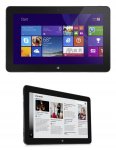

![Fresh Breakfast Meat Box (Using code) @ Campbells Meat [Haggis / Lorne Sausage / Bacon / Black Pudding & More]](/images/topics/208684_1.jpg)




































![[Xbox One] Q. u. b. e: Director's Cut on Deals with Gold](/images/topics/208716_1.jpg)


















Opening post
MCS Technology are selling a great value Dell Venue 11 Pro for only £143.40+vat&delivery.
Venue 11 Pro (7130) Tablet
Intel Core i5-4300Y 1.6GHz
4Gb DDR3
128Gb SSD
Intel HD Graphics
10.8″ FHD 1920 x 1080
8MP Rear Camera & 2MP Front Camera
mini HDMI
Full size USB 3.0.
Micro-SD Card Reader
36Whr Swappable Battery
Bluetooth + Wireless
They are refurbished and come without an operating system but you can add Windows 10 for just £14 and a WWAN card for £7!
Total price with VAT & Delivery would be is £184.14
Please see my post below for some reviews and usual support and accessories links.
Top comments
Build quality wise there is a reason so many of these are available as refurbished units but if you get a good one they're pretty good.
The first unit I got thermal throttled all the time, would spin the fan constantly at high speed and didn't recognise the keyboard that you can get for them. Once I let Mark at MCS know he sent out a replacement the next day so top service from them. This one works almost perfectly, but if I let the battery run flat it loses all the bios settings and the back panel feels a bit flimsy.
Unless you have a Windows license to put on it already get one with an OS. I figured with the way Microsoft licensing works I'd just be able to install myself and activate but the Windows key has been removed from them. There is no MSDM table under ACPI so neither Windows 8 or 10 will activate.
There was however a Windows 7 SLIC license but installing Windows 7 is a major hassle as there are no touchscreen or wifi drivers available. Just save yourself the time and get it with an OS.
It only really works with the charger it comes with even though that is a Micro USB charger. It's a 23W charger and it does something kooky with the voltage to charge the tablet. A normal charger like from your phone will take forever to charge it if it's powered off, and if you try to charge it and use at the same time it throttles the CPU back to like 300mhz and is practically unusable.
I've both keyboards for it. The folio type one is ok, better than touchscreen typing but it's no Model M. The laptop type keyboard with the inbuilt battery is pretty good. It's not exactly a Lenovo quality keyboard but it's alright for a chiclet keyboard. Dell build quality issues are still there there though with these. The brand new one I bought from ebay had a defective batter and the touchpad wasn't properly glued down. I got a full refund though through ebay but come on Dell!
So overall my recommendation is go for the i3 as once it throttles on power usage the i5 doesn't have any advantage. Get it with an OS from MCS, don't be a hero just get it ready to use. Go for the laptop style keyboard and it's a decent little ultrabook style unit you can take the screen off of. And be prepared that you might receive a dud so if this is a Christmas gift for someone test it thoroughly before handing it over.
Trusted Reviews - Dell Venue Pro 11 review
Alphr - Dell Venue 11 Pro 7000 review
Laptop Mag - Dell Venue 11 Pro 7000 Series Review
TechRadar - Dell Venue 11 Pro review
Other useful links:-
Support
Dell driver page for the 7130 - INCLUDES FIRMWARE UPDATES
Dell Venue Pro 11 - 7130/7139 User’s Guide
Recommended updates for optimal performance of your Venue 11 Pro 7130/7139 Tablet
SD Card reader driver (thanks to sambartle_theone post #201)
Accessories
Genuine Original Dell Active Stylus Pen for Venue Pro 8 & 11 Tablet - DABS £26.65 delivered (3% Quidco cashback)(thanks fuiseog)
Genuine Original Dell Venue 11 Pro SLIM Tablet Keyboard, Layout UK - Amazon £74.99
Genuine Original Dell Venue 11 Pro Tablet Keyboard (Includes 2nd battery), Layout UK - Amazon £129.99
Genuine Original Dell Docking Station for Venue 11 Pro - Amazon £49.99
Keyboards can be bought of fleabay for about £50 for the slim, and £90 for the keyboard with battery. **EDIT** price going up due to Supply & Demand.
Regards
Flea
You need to download the deployment pack for Windows 10 from here:
http://downloads.dell.com/FOLDER03235453M/1/7130-Win10-A00-FXC3H.CAB
Then you need to extract the files, I use 7-zip. With that you just right click the 7130-Win10-A00-FXC3H.CAB file and select 7-Zip followed by Extract to "7130-Win10-A00-FXC3H.CAB\"
Once that's done right click the start menu and click device manager. Double click SD host adapters. It should then list two SDA Standard Compliant SD Host Controller devices. On my system the bottom of those two was the one to update the driver on but your system may have them the other way round. Either way it will only let you update the driver for the correct one.
Start with the bottom one then and double click it, then go to the Driver tab and click Update Driver. Click Browse my computer for driver software and browse to the directory to extracted the 7130-Win10-A00-FXC3H.CAB file into. Then make sure Include subfolders is checked and click next. It should then update the driver to a BayhubTech/O2Micro driver and this one no longer crashes when connecting or removing the power cable.
It's also worth doing the same for the IDE ATA/ATAPI controllers entry if it's just using the standard Microsoft driver. Changing this to the Intel 8 Series driver gives a reasonable speed boost to the onboard SSD.
Latest comments (424)
Issue I have = terrible battery drain when device is sleeping!!!
Seems to be ok when I disable the MicroSDHC reader in Device Manager.
Running Windows 10 - has anyone else has battery drain issues when the device is sleeping?
The second tablet was better, but not perfect, but the rear camera never worked.
The third tablet is ok but I have accepted that the virtual keyboard for touch typing will never be as good as my other Windows tablet - a cheap Linx 10". I also have a 8" Acer Windows tablet and that is perfect with its Virtual keyboard.
I have tried so many setting changes and BIOS settings as well as firmware and driver updates etc.
I just now accept the fact that the odd key repetition is part of this tablet if I wished to keep it.
I'm just glad that I didn't pay full price.
Regards
Flea
Dell support
It made me realise that the older Linx 10 isn't that bad after all.
Regards
Flea
This is my third from MSC, the previous two had to be exchanged due to faults.
I would try reinstalling, but sometimes its just not worth the hassle! :smile:
Regards
Flea
We have had 3 refurbished Venue tabs from this company : a 7130, 5130 and an 8 - all work perfectly.
has anyone had better luck with this or can recommend a screen protector? i only really want to avoid screen scratches, and not have a horribly peely protector in place. my iphone protector is plasticy and peels off in my pocket wheres my zune one is slightly more rubbery and has stayed on pain free for years..aany advice on protector type would be appreciated.
After doing that I decided to carry on using my Motorola BT keyboard, which has an excellent tactile response when typing. Both the slim and the battery version of keyboard seemed pretty dire in comparison when noting some peoples opinions. The weight and bulk of the battery version, and cost, didn't enthuse me much either.
For me and my use that has been the right choice.
Regards
Flea
I'm tempted to buy one as an upgrade but can't find anyone online who has tried it..
This morning 12 hours later, Tablet has 93% left, Keyboard 0%.
Crazy power consumption. Even using it for 1 hour the keyboard lost 50% battery life I believe. Will have to investigate this.
Regards
Flea
10 to 13 hour battery life
Hows your standby battery life like when the tablet is connected to the keyboard slept overnight?
Don't forget to update the keyboard updates as well apart from everything for the laptop. The dock update has to be done with the dock and not separately if you have the dock. Mine is fine after the updates from del website earlier it had the same issues
Regards
Flea
In short, I have a spare charger! :smiley:
Regards
Flea
Link to item on MCS website
Cheap enough but addition of VAT and carriage may make it more appropriate as an add-on if you are buying something else from them.
http://www.macrium.com/reflectfree.aspx
http://www.dell.com/support/home/us/en/19/Drivers/DriversDetails?driverId=4Y1R8
I actually clean installed Win 8.1 Pro on this thing when I got it. Then upgraded to Win 10 Pro for free.
Anyway, everything works fine now. No BSOD and no MicroSD card issue. Will just have to use it more often and hopefully no other problems arises. Anyone know how to save it as it is as a backup image and store it in a recovery partition in case I get a virus?
Thanks everyone for your help :smiley:
The BT keyboard....
MOTOROLA Bluetooth keyboard SJYN0821A
I had bought two of the keyboards, from eBay IIRC at different times. They seem to come up now and again, they are really excellent. Just make sure you get the one with the UK layout and £ sign etc.
For the most part mine is running fine on Windows 10, for my needs. I decided not to bother with the Dell Slim keyboard as it seemed expensive for what it was and pretty dire in terms of a good tactile type of keyboard that I would enjoy typing on. Instead I will use a Motorola BT keyboard as I would need to use one. I love the feel of the Motorola BT keyboard and it pairs and works well with the tablet. I already had a Dell Folio case.
For the price though, they are very nice tablets.
Regards
Flea
Noticed sometimes you can't adjust your brightness as it's greyed out in the notifications? Right click/tap and hold on desktop, go to display options. If when you click "Identify" you get 1|2 appear on screen rather than just "1", then there's your problem. Scroll down to "Multiple Display" and it probably says "Duplicate". You need to change it to "Show only on 1". I had mine set to duplicate when I got it, only just discovered this fix this evening :smiley:
After I did this my BSOD issue disappeared, but now I'm not getting MicroSD to work. Before, it worked if I shut down and turned on the tablet (but won't work if I only restart the tablet). Now there's only one SD host in Device manager and the MircoSD card doesnt load up.
I only have the Microsoft storage controller. What can I do?
I'm on Windows 10 Pro i3
Update: After turning the tablet on, if I press the power button to turn the screen off. Turn the screen back on, then go to Device Manager and Scan hardware changes, the MicroSD card appears and works again. But stops working once Shutdown/restart.. I'm guessing Windows keeps on reverting back the drivers that makes the hardware dissapear or something. However... after this is done the Power button doesn't work anymore to turn the screen off or on....
I'm going to try Clean install Win 10 pro with drivers and if it doesn't work.. Might have to return it to MCS for a replacement. Or just go for the M Core versions.
What is the best way to install the drivers after a clean install?
There are Realtek drivers over at the Dell sir you could try. IIRC I used those on the first tablet I had before it got replaced.
They might help.?
Yup, will try out the solution on post #316. Got a new problem now. The speaker crackles sometimes. Does this mean it's broken? It's not even full volume :disappointed:
I will see if the missus will try that later. If she will I'll post the results for you.
Regards
Flea
I'm still experiencing BSOD when I connect/disconnect the charging for the Tablet :disappointed:
This is the error I get. I'm guessing it is some problem with the SD Host? Which one am I suppose to use?
DRIVER_UNLOADED_WITHOUT_CANCELLING_PENDING_OPERATIONS (sdstor.sys)
Does anyone else have the problem (PS. I have a 32GB MicroSD card inserted in mine)
http://mcscom.co.uk/product/venue-11-pro-7140-m-5y10c-up-to-2-0ghz-4gb-128gb-wwan-10-8-fhd-1yr-wty-mll530-2/?attribute_pa_choice-of-os=windows-10
Regards
Flea
Then build 10240 got updated to build 10586 and the camera stopped working.
I have contacted MCS and suggested that the solution is that of MS or Dell. As MCS package the first release of W10 with these tablets then they will not be aware of the issue once they update.
Update
Flashing the latest LiteOn update for the rear camera fixed the issue with this tablet, not sure why the successful flash on my last one failed to get it to work...?
Anyway I'm well impressed, grainy crappy tablet photos are now back :smile:
Whilst I might have had a problem with the tablets the service and support from MCS is nothing short of amazing.
Fingers crossed :smiley:
Its sorted many an issue with lappy and driver issues.
Regards
Flea
https://downloadcenter.intel.com/download/25311/SOC-Intel-Driver-Package-for-Baytrail-T-SOC-on-Intel-Compute-Stick
However this is for Intel Atoms. Not sure if you can try find one suited for i-core CPUs.
Like CCS mentions though, the camera really isn't that great. At least the front is quite decent for skyping.
Hope it works out for you! I was lucky to get a fully working one on the first go :smiley:
I know what you mean and knowing my luck so far I might end up with a tablet which has a major issue when it arrives on Monday rather than this one which could be lived with.
I might still be tempted to try Windows 8.1 on it and if it works from there then at least the hardware will work with that OS. There are many posts over in the Store about the latest camera app not working for many people on their devices.
I use the camera, hence finding it faulty rather than looking for a problem, on occasion and it would be nice to fully work as it always helps when it comes to selling the device.
Fingers crossed indeed for Monday, unless W8.1 gets tested and it works.
Regards
Flea
Third time lucky hopefully for me on Monday.
Does anyone else's tablet rock back and forth on the keyboard hinge? I was hoping it would be a snug fit but when I lift it up to the other desk it wasn't as stable as I thought.
Regards
Flea
Thanks for posting though and hopefully I'll get a working one on Monday, kinda tempted to try Windows 8.1.
I thought that I might have resolved the issue as the focus is now working on it but it just will not take a photo, not sure if it is the hardware (likely) or Windows 10.
If anyone could test their camera (main) is working with Windows 10 that would be great, I'm on build 10586.
Delivery and packing :- Excellent next day delivery using DPD based 1 hour timeslot technology. Packing was in original Dell box, with original new power supply and UK plug. USB cable seemed to be a cheap Chinese replacement 1.8m in length. There was a sealed Dell Windows 10 licence key card contained within.
Condition :- Used but good. Small scuffs round docking port so it was owned by someone who used the keyboard/docking station. The back has a faint rub line across, I assume from the docking station or stand from the thin keyboard. There is a very tiny scratch on the screen, but its in the black border area and can only be seen at a certain angle.
Performance :- Very Good. Its far superior to the Acer Iconica and Linx 10 it is replacing. Screen quality is very good being both bright and colourful from a high degree of angles. Speakers are very good with good sound quality and quite loud. I have yet to hear the fan kick in on this unit but only have tried light tasks.
Other notes :- The tablet was pre-installed and was on 60% battery. Switched off and plugged in it charged to 100% within 2 hours (it could have been a lot less, I only checked it at the 2 hour mark). It is quite heavy and would become annoying (to me) after using it 1 handed for a prolonged period of time.
I have the stylus arriving tomorrow so will test when I can. Still need to test the SD card slot as these are known to be an issue sometimes. Still need to test the battery capacity to see how degraded this is due to being a refurbished unit. Still need to source the keyboard and give feedback on that.
Regards
Flea
Thanks
EDIT: Well I can see the current capacity drop before my eyes despite it being plugged in =/
Thanks.
Edit: Cortana is working okay now thankfully. No idea why the mic setup earlier basically said Cortana wasn't a supported feature.
Seems a lot of people good some good tablets which is good. Next time though I'll remember to buy the keyboard and docking station BEFORE I post the deal. :smiley:
Regards
Flea
However, I think there are 3 keys at either edge of the keyboard that are just a tad smaller than the stickers. Due to this, when you press the key gets stuck sometimes. But over time this should not be a problem as the stickiness of the outer edges of the sticker gets worn. EDIT: I just trimmed the edges of the stickers for the 3 smaller keys. All good now.
Camera Fault
previous one had a fault with the keyboard key repetitions and general screen responsiveness......
Screen Fault first tablet
If you get a working one this must be a good deal, but I'm kinda weary of it now.
I'll have to think about what I'll buy as I seem to have a fault on this replaced i5 Venue Pro.....
Has anyone tried their rear camera yet....?
My front selfie cam works fine and the rear works good for video but it will not take a photo...!
The keyboard is roughly the same weight as the Tablet, maybe lighter as its far slimmer. The silver trim on it makes it look very sexy. Overall I really like it. The touchpad is not jumpy anymore and supports Multi-Gestures easily. I believe combine they're about 1.6kg and with my i3, it should last 18 hours+ with minimal usage according to Notebookcheck review.
Only thing to complain is the hinge where you snap your tablet on is very hard to move by hand (but moves easily once the tablet is connected). So basically to snap on your tablet, you have to move the hinge to the open position with your hand and it's very very hard. I'm not sure whether because this is a New keyboard but it's not a big deal anyway.
Wrt to the QWERTY stickers, they are non-transparent non-fade ones. Not sure how it will look, but i'm more concerned on how it will feel. However, if it will be too much of a nuisance, I only need it for the symbols, as I pretty much can touch type and not have to look at the QWERTY letters. Just waiting for it to arrive now.
For me this fits my needs perfectly. I could always just connect a USB hub to use as a desktop. If I want an extra monitor to the HDMI one already (so 3 monitors in total), I will try out the USB 3.0 to VGA adapter and see if it will work. Otherwise I will just buy a dock as they are pretty cheap on CEX and MCScom if they do come in stock. But as a travel buddy I really like as it's so much faster with an i3, 4gb ram, 128gb ssd + 32gb MicroSD, plus the Full HD gives me more screen estate to work with on a tiny screen and amazing battery life. All for £145 + £50 delivered with 1 year warranty. Nothing else comes close to this spec and price.
All that I know is that when using a PSU plugged into the Venue Pro and a SD card then I used to get BSOD's until I updated the SD host controller with the drivers linked a few pages back when using the Dell deplyment pack, for the drivers.
Since then it has been great for me.
How do the keyboard stickers look when applied....? It seems a great option to save some money over the UK English type and yet I am a little concerned how the stickers would look or wear off in use....?
I am tempted to just get the slim keyboard, acts as a folio type case, and a docking station. I don't imagine needing the extra battery capacity over that of keeping the unit light.
It's a really good feel with premium quality. A tad heavy and the mouse is a bit jumpy. I'm trying to update the Firmware first before I make any full decisions, but need to charge it (only has 1% left). I'm not even sure if this thing is charging, I can't see any status indicators.
I got it off ebay NEW. Asking price was £60, I offered £40, he counter offered £50.
http://www.ebay.co.uk/itm/301526630774?_trksid=p2057872.m2749.l2649&ssPageName=STRK%3AMEBIDX%3AIT
Then I bought some UK qwerty stickers
http://www.ebay.co.uk/itm/331723035126?_trksid=p2057872.m2749.l2649&ssPageName=STRK%3AMEBIDX%3AIT
Let me know what you think of the keyboard please and was it from eBay new or refurbished....? Thanks.
http://www.amazon.co.uk/gp/product/B00YDZNDVG?psc=1&redirect=true&ref_=oh_aui_detailpage_o01_s00
Regards
Regards
Flea
Positives
Quick and responsive
Brilliant screen clarity and colours
Good speakers
Active Dell Stylus is fantastic
Negative
30s freezing, usually in Edge (upgraded Samsung LCD / Touch drivers to try to fix this - only light testing so far)
Got a Dell slim keyboard/cover on the way then that's a few of the missus Chrimbo prezzies sorted. Now to find a cheap SurfaceBook to send to me from Santa! <3.
Regards
Flea
They are arranging for the collection of my faulty i5 on Thursday and the new one to arrive will need Windows 10 installing. I will keep the Serial number that I have on the licence with Windows 10 and thus I will de-register it from the first tablet and use it for the second.
But it does only install generic drivers for the SD card reader which many people have issues with causing a blue screen if you attach or remove the power cable with a card in the slot and it also installs Microsofts generic AHCI driver which is slower than the Intel driver for the storage drive controller.
For the correct drivers for those you need to download the deployment pack for Windows 10 from here:
http://downloads.dell.com/FOLDER03235453M/1/7130-Win10-A00-FXC3H.CAB
Then you need to extract the files, I use 7-zip. With that you just right click the 7130-Win10-A00-FXC3H.CAB file and select 7-Zip followed by Extract to "7130-Win10-A00-FXC3H.CAB\"
Once that's done right click the start menu and click device manager. Double click SD host adapters. It should then list two SDA Standard Compliant SD Host Controller devices. On my system the bottom of those two was the one to update the driver on but your system may have them the other way round. Either way it will only let you update the driver for the correct one.
Start with the bottom one then and double click it, then go to the Driver tab and click Update Driver. Click Browse my computer for driver software and browse to the directory to extracted the 7130-Win10-A00-FXC3H.CAB file into. Then make sure Include subfolders is checked and click next. It should then update the driver to a BayhubTech/O2Micro driver and this one no longer crashes when connecting or removing the power cable.
It's also worth doing the same for the IDE ATA/ATAPI controllers entry if it's just using the standard Microsoft driver. Changing this to the Intel 8 Series driver gives a reasonable speed boost to the onboard SSD.
Thanks
http://www.aliexpress.com/item/Fashion-Ultra-Thin-Laptop-Notebook-Soft-Wool-Felt-Sleeve-Pouch-Bag-Cover-Case-for-Macbook-Pro/32477792878.html
We have these at work i5vpro witch are not being used so did picked one up and update to latest bios.
also have the battery keyboard and docking station.
Wasn't happy with the performance so I downloaded Win 8.1 pro ( I am not fan of Win 10 on tablets, tablet mode is disaster still ) on to USB and plugged it in to the usb slot.
went to recovery and selected that usb and installed win no problem.
Installed all the win updates (190 cca ). did the same with original win installation and can say with clean win 8.1 pro it had been miles faster. only driver needed to install was the wi-fi (even when entering the service tag it offered to me the wrong wi-fi driver, there are 3) apart from that all is well in device manager.
with the docking station connected I had connected 2x 24" dell monitors and it works well :smiley: lovely to have 3 monitors :smiley:
will do more testing during the week but so far it is capable to do all tasks required.
pic will follow.
She is getting a random 15s freeze though while using Edge sometimes.
Regards
Flea
How did you make the necessary adjustments to your mic settings?
Thank you.
Guess I will stick with my £59 delivered Swiss keyboard with additional battery that works great. Might buy some decal stickers for English conversion of some keys.
Just like the people who hold up iPads at concerts and sporting events. :smile:
Regards
Flea
Regards
Flea
The keys have a positive click action, although travel is necessarily limited, and don't require too much of a compromised style of typing. You do need to press them pretty much in the middle though as it is quite easy to end up with multiple characters - the keys auto repeat pretty quickly and the spacing between them is minimal.
I think this will be my favoured travel option as the keyboard acts as a screen cover when closed and isn't much thicker than a decent folio case. There is a storage loop for the active stylus on the back which folds out to make a stand and closes to protect the back where it is held by magnets.
It will also be really handy to have the touchpad as an alternative to the touchscreen, especially for those Windows programs that aren't optimised for touchscreen use.
There is a way!
Regards
Flea
I can only install the driver on the 2nd SD Host controller. The first one will show up as "It is not compatible" and would not install. Anyway, problem sorted now.
Very interesting that you can indeed call and text with this! Was it downloaded from the Microsoft app store? I'm guessing I could always use o2 Tu Go
1. Also for those veteran owners; is it possible to use the SIM to call and text too? Is there a way to do this on Win 10 Pro?
2. Did you guys manage to find compatible spare chargers (do you need both dell charger and USB for it to work?). £20 is a bit too steep.
3. Have you found any compatible screen protectors? I can't seem to find any tempered glass ones. Guess I'll be using the Pipo W1 ones, which firts perfectly on my Linx 10
Thank you.
I never tried calls, but I bet theres a way.
It doesn't work on SIMs that use WiFi Calling and Messaging.. but then again I'd expect it not too as theres no app for the network in Windows store.
If you only have one.. it already has the broken dell driver installed, and it has a different name.. find it and uninstall it.. dlete the inf for it.. and reboot youll end up with 2 SDA devices again.. then update like I said the first time..
If that doesn't make sense.. upload a photos of device manager and ill help you figure it out.
The fan appears to be spinning off it's axis, resulting in an annoying vibrating sound. The sound gets worse as you change the angle at which the tablet is being used/ held.
So frustrating, but on this occasion I have emailed mark to ask for a refund.
Nice tablet, and i'd be tempted to buy brand new if i could get a decent price.
Pretty extensive use throughout today and batteries still have over 3 hours left (from 9.5 hours after full charge).
Still to find a decent folio case though...the search continues.
On a side note, tried the Dell Active Stylus pen today, missus is over the moon, bloody awesome. :smile:
Regards
Flea
Thanks OP, bought a very nice gadget because of you. Literally everyone who has seen it liked it and several were looking to buy it. Bought the battery keyboard *swiss* version for £59 delivered, dock for £34 delivered, pen for £25. Just need a sleeve to carry with keyboard dock and pen now and sorted. Battery life is just great. Guess i didnt really need the HP Spectre x360 I also bought but the more the merrier.
I am pleased with the communication as they sent a replacement in one day.
I also used my University key from an old windows 7 I had and it worked great.
Anybody know how to save this as a factory reset recovery partition on Windows 10 Pro? Thanks.
Hopefully if it does get exchanged the next one should be better. Apart from that the tablet is great.
The sticker with service code behind the panel is the default Dell tag with model number with Reg. Model, Reg. Type etc.
Not had issues with the SD card when sleeping/shutdown/reboot so far but only been playing around with the device for the past day or so (well, evenings).
In device manager I have 2 instances of "SDA Standard Compliant SD Host Controller",
both have a default Microsoft driver version 10.0.10586.0 dated 21/06/2006
In regards to booting: reboot and shutdown+boot are NOT the same anymore since Win 8.
Only a restart is a full reboot, or when you press and hold shift when clicking shutdown.
A shutdown is not a full shutdown and boot, it's a hybrid shutdown where part of the OS gets hibernated, then loaded from hibernation file when the machine is powered on.
Received a replacement microsd tray from MCS very quickly too.
It seems if I RESTART the tablet, the microsd card reader doesnt work. However, if I SHUT DOWN the tablet and turn it back on again, the SD card reader works and it shows up. Weird.
In BIOS the Service Tag is set as "DLL730" and the Express Service Code is a string of numbers....
Means that the automated Dell tool to check form model/drivers etc. doesn't work because these codes are unrecognized by DELL +
when I enter these on the Dell website http://www.dell.com/support/home/uk/en/ukdhs1 they show as invalid
Does anyone else have the issue with an unexisting service code/tag?
Can we change the Service tag and Express Service Code on the tablet?
You can check yours by going into the BIOS (switch off, then press and hold Power button until you get haptic feedback and then immediately press and hold volume down button.
But the sticker behind the removable panel has a service code which is valid.
When I enter mine in http://www.dell.com/support/home/uk/en/ukdhs1/products/?app=warranty
it shows that the tablet has next business day warranty until 2017 (at least that's what I think that means):
Also worth noting that Dell did a recall on those, wonder if some of the refurbs are repaired recalled tablets.
Just wanted to make folks aware there have been issues with those which should have been resolved by Dell:
http://windowsitpro.com/hardware/dell-clarifies-venue-11-pro-recall
http://windowsitpro.com/hardware/dell-recalling-venue-pro-11-tablet-some
Tried updating to your extracted drivers but it keeps on coming up with an error as not being compatible. I give up :disappointed:
Currently charging it up whilst it's tethered to my Xperia Z3. Looking good so far.
Now need to read through this thread for tips on setting it up......
edit see http://www.dell.com/support/article/us/en/04/SLN293406/EN?c=us&l=en&s=bsd&cs=04#Use_the_Dell_Command
hukd seems to edit ink and redirects to general website instead of what i post. so search for "Recommended updates for optimal performance of your Venue 11 Pro 7130/7139 Tablet"
and then use the first link to use the Dell Command Update Utility which allows you to update all drivers, firmware and BIOS updates through a single utility
Your 8.1 key is not in a format you can read, AFAIK it's stored in the BIOS SLIC table.
Regards
Flea
Intel management engine components installer. Which one do I pick, vPro or non vPro?
i3 venue 11 pro.
And do these have a fingerprint reader?
Regards
Flea
Mines also just froze when using MS edge - had to do a hard reset.
PS - typing this on my iPad Air. Such simple bliss....!
Got myself a mobile keyboard with the built-in battery - latest problem I'm having is that the touchpad on the keyboard isn't working. Keyboard works for typing. Google seems to suggest this is a common problem and that I need to run the battery down on both keyboard and tablet to hopefully bring the touchpad back. This thing is high maintenance!
Make sure the OS is selected as Windows 8.1 to get the full complete list of drivers available.
http://www.dell.com/support/home/us/en/19/product-support/product/dell-venue-11i-pro/drivers/advanced
**edit** OFC that's for Windows 8. but there will be a way in Windows 10.
Regards
Flea
Point 2 makes it sound like you plug the power into the tablet, that then charges they keyboard.
Regards
Flea
Just seen you answered it already, apologies
Regards
Flea
Excerpt from user guide:-
Regards
Flea
If you attempted to use a normal 5v USB charger it would appear not to be charging.
Regards
Flea
All seems great, the tablet is in good condition. I've noticed mine is the i5-4220Y and not the i5-4300Y but considering the condition I'm not bothered.
Go to the Apps screen, Intel Rapid Storage icon and open it, click on the Performance button, and use the link to disable the Link Power Management. Reboot the tablet
You might have to install the Intel Rapid Storage if you don't already have it.
Disable link power management in the BIOS
Disable Intel Virtualisation technology in the BIOS
Disable c-states control (under performance) in the BIOS
Do a Firmware update on the Hard Drive
Do a Firmware update on the Touch Screen
Make sure you have the latest BIOS installed
Thank you.
And for the SSD I've had two units. The first one had a liteon SSD and the second had a Sandisk (which is faster) so you may end up with either. If you pop the back off you can see on the top right corner near the wifi adapter assuming like mine yours doesn't have a plastic cover over it.
Has anyone else on here found that Speccy makes their device crash and reboot at all please?
No issue as such. Noticed is crashing further to having updated drivers and firmware.
Thank you.
Apologies for being a little ignorant but I've failed to find these firmware downloads. Only the following one's.
Can you advise where they can be found on the Dell support site please? Thank you.
VIA VL812 Dell Tablet Desktop Dock USB Hub Firmware.
This package provides VL-812 USB HUB Firmware Update and is supported on Venue Pro 11 5130/7130/7139/7140 and Latitude 7350 that are running...
View details
FW_DTDK USB HUB_VL812_A00_WIN81_ZPE.exe | Hard-Drive (1 MB)
Firmware|Release date 24 Mar 2015|Last Updated 15 Sep 2015|Optional
Version 3091,A00
This file will automatically self-install after downloading.Restart required Download File
Add to download list
Dell Venue Pro 11 5130/7130/7139/7140 Travel Keyboard TI MSP430 Firmware View details
MSP430_FW_TI_A00_WIN7WIN81_ZPE.exe | Hard-Drive (2 MB)
Firmware|Release date 09 Jan 2015|Last Updated 29 Jan 2015|Recommended
Version A00,A00
Edit: Sorry think this has been answered by pcfarrar on post No. 209.
So where can I get all of these firmware updates?
Yes, the rear camera firmware is worth doing for sure, it crashes occasionally when using it otherwise !
I updated everything yeah.. Also if you get the travel keyboard... that also has a F/W available and that makes continuum work properly.. as in it switches in and out of tablet/desktop mode properly afterwards.
Oh also.. the SSD is likely to be a Sandisk one in these NOT a liteon.. so you need the CORRECT (by size and model) sandisk firmware for it (Unless it does have the liteon)
Just remember to read the instructions and be fully charged before doing FW updates..
Rear Camera Firmware
Synaptic Touch Firmware
Samsung LCD Firmware
LITEONIT Solid State Drive Firmware Update etc....
To install.. download that and unzip it on the tablet (drag the files all into a folder outside the zip).
Then update the driver on the bottom "SDA Standard Compliant SD Host Controller" device in device manager and select browse for files or whatever its called, and point it at that folder, it should update the device and this one does seem to work MUCH better for me.
Thanks to the 2 posters earlier who told me about this driver as I had tried loads of them from various places and never got it stable.
You need the one out of the windows 10 CAB file.. Ill extract it and make it available if needed as extracting the CAB is a pain for one driver.
I use the 11" version of this: http://www.aliexpress.com/item/Fashion-Ultra-Thin-Laptop-Notebook-Soft-Wool-Felt-Sleeve-Pouch-Bag-Cover-Case-for-Macbook-Pro/32477792878.html
For £3 you cant go wrong.. It's a little bit too big.. but they don't seem to do a smaller one.. I'm happy with it though as I can chuck a few bits of paper and the stylus in with the machine when needed.
I have seen the Linx mentioned in this thread, but it doesn't appeal to me.
Does anyone have any other suggestions? I would love a Surface 3, but the cost is prohibitive :disappointed:
You could look at the TF100.. but that's also Atom, 32GB and has less RAM..
Thanks
EDIT: Mind, it is downloading "Upgrade to Windows 10 Home, version 1511, 10586"...perhaps that might help.
Let windows update, restart a coupe of times and let windows update.
After that if you put the micro sd card in, in Device manager it should pop up Generic sd card driver or something and your micro sd card should work.
If it won't turn on try the windows button on the front, does it still give the haptic feedback when touched even if the screen is off?
used it for 10 minutes and then it made a noise like the fan was going crazy and it turned itself off. It did this two more times and now it won't turn on.
Started it a few times and it has frozen at least 2 times after just lightly.testing things, also it gets quite warm at the back. The screen just.freezes, and it becomes all jagged. Hope it isn't faulty, will have a proper test with it tonight.
But i am.really impressed with the build quality and speed of the apps/desktop,(when it was working). It came pre installed with office,windows 10, 60% battery which gives 3h 30 runtime. Feels good in the hand just a bit heavy for 1 handed use.
Will report back.
Review:
Sent by Interlink with 1hour slot text. Packaging is very good, came with Original Dell box with New Dell charger and Dell USB cable, plus the Win 10 Key Card. No instruction manuals.
Condition: Really good. Only one miniscule scuff at the bottom. Unfortunately the MicroSD tray plastic cover is chipped, hopefully MCS can send me a new one.Screen is immaculate (will be putting a tempered glass screen protector on it soon). Using HW monitor, Designed capacity is 35187 mWh. Full charge capacity is 32871 mWh.. Charged it to 100% and it says roughly 5 hours 50 mins left.
Performance: Very good compared to the Linx 10. Quite snappy and tried playing 1080p trailers and music videos, screen is stunning, sound is amazing (very loud without distortion), and overall, it does seem I have quite a powerful tablet in my hand.
After a few windows update and watching youtube; it got a bit warm at the back. After it got quite hot the fan kicked in and it's not noisy at all. Obviously this is subjective but to me it would not bother me at all. It doesn't seem the fan turns on often anyway.
Now on to sourcing a keyboard and selling my Linx 10 tablet.
The tablet (only) was in an original Dell box but the PSU and cables (which look new) were in the outer box in plastic bags. I would describe the condition of the tablet as B+, there is a small scratch on the top of the case and a couple of what I can only describe as scuff marks on the screen (not scratches and only visible if held at a particular angle with the screen off - doesn't affect the display at all so no problem with that). Oh and the (removable) back wasn't properly attached. Windows 10 was pre installed but needed activating using the code on the supplied COA card.
I have managed to source a refurb mobile keyboard and docking station from eBay and have ordered the stylus from Amazon at £25. Still looking for a folio type case for the tablet only as the Dell original is stupidly expensive for what is just a piece of plastic - it doesn't even cover the screen (there is a good review of the accessories by Lisa Gade on MobileTechReview). Be aware that fitted cases for the Atom version (5130) won't fit as the case is different from the 7130.
Early days yet, but at just over £300 for the whole lot I think it is a much better deal than a Surface Pro which would have been my other option.
i told them to replace it and said fine
by the way where did you find the windows code?
Tried installing o2micro smartcard reader driver from the dell page still doesnt work. Can anybody else who received theirs confirm their microsd card readers worked for them out of the box?
http://www.techradar.com/news/software/operating-systems/how-to-upgrade-from-windows-10-home-to-windows-10-pro-1307074
I wiped my tablet clean and did the Windows install myself so I didn't do anything with the cab files that came with it. I think they're just the deployment pack from the dell website nothing special.
Regards
Flea
Funnily enough when I connected it to the internet it now says Windows 10 Home is Activated. I'm assuming MCS has gone through all the trouble. But I'm returning the key back to them though as I want a Win 10 Pro. However, the activated Win 10 Home Key is different to the supplement key they supplied to me (according to produkey anyway). Wondering if I can let it be for awhile until I have the time to install the Pro version.
Do you know where I can get more information on what to do with the Cab files?
Do you have an 8.1 license already? The current version of Windows 10 will install and allow you to use your Windows 8.1 key without doing the Win 8 to Win 10 upgrade. Windows 10 now accepts Windows 7 and 8 keys as long as it's the latest version from Microsoft.
And the CPUZ app will tell you the bios version under the mainboard tab.
Anyone else with scratches?
First thing I did, turned off "Enable adaptive brightness" :smiley:
Anyone know what that square hole is for next to the microsd tray?
Plus, is there a place where I can take a look at how to clean install it? My plan is to install 8.1 pro then free upgrade to 10 pro. I just don't understand what the Cabs folder is for? Do I need to install that individually? Plus, How do i check that my bios is A16?
Thanks
Many thanks.
anyone got any recommendations for data sim
My experience with Windows 10 and is based on a few hundred installations in the last few months is this, that Windows 10 when upgraded from Windows 7/8 will use previous drivers. A fresh installation of which version 1511 Build 10586 allows you to do without first upgrading will often miss drivers that were there from an upgrade, so it demonstrates that Windows 7/8 drivers work on Windows 10 and that Windows 10 often misses drivers. I have been able to find drivers for absolutely everything including old CIR driver hardware. My job is a laptop/tablet refurbisher and one of the tasks is installing Windows 10 on these machines, so I'm experienced in finding drivers. I know that Snappy Driver and Slim Drivers (I forgot to mention this one) are useful in finding missing drivers, and I've even manually found drivers for laptops.
Good for you that you didn't have any issues at all, my experience has been completely different.
An now I see why, price increased....
http://mcscom.co.uk/shop/dell-tablets/venue-11-pro/
Installing Windows 10 from a bootable USB is very straight forward, only driver that won't be installed by default is for the wifi so you need that from Dells website. After that my post #126 will tell you how to fix the problem with it crashing if you remove or attach the charger while there is an SD card in it.
But it won't activate as the Windows 8.1 Pro license these will have originally come with has been removed so you will need to pay for a license.
To be fair they/he was by far the best customer service I've had this year.. he had a replacement out to me twice next day each time.(The faults were dells really and not his - both stylus issues)
He also genuinely seemed to understand the product at a technical level and wasn't just selling it.
:smiley:
Regards
Flea
As noted the Dell update utility does not work on these refurbished units.
Thanks to both I'll give that a try.. I thought I had already done this mind as I used dell command update to install the whole package to see if that would help.. maybe it didn't install that driver for some reason.. Ill give it a go the manual way.
You need to download the deployment pack for Windows 10 from here:
http://downloads.dell.com/FOLDER03235453M/1/7130-Win10-A00-FXC3H.CAB
Then you need to extract the files, I use 7-zip. With that you just right click the 7130-Win10-A00-FXC3H.CAB file and select 7-Zip followed by Extract to "7130-Win10-A00-FXC3H.CAB\"
Once that's done right click the start menu and click device manager. Double click SD host adapters. It should then list two SDA Standard Compliant SD Host Controller devices. On my system the bottom of those two was the one to update the driver on but your system may have them the other way round. Either way it will only let you update the driver for the correct one.
Start with the bottom one then and double click it, then go to the Driver tab and click Update Driver. Click Browse my computer for driver software and browse to the directory to extracted the 7130-Win10-A00-FXC3H.CAB file into. Then make sure Include subfolders is checked and click next. It should then update the driver to a BayhubTech/O2Micro driver and this one no longer crashes when connecting or removing the power cable.
It's also worth doing the same for the IDE ATA/ATAPI controllers entry if it's just using the standard Microsoft driver. Changing this to the Intel 8 Series driver gives a reasonable speed boost to the onboard SSD.
But I'm 99.9% confident there are no Windows 7 compatible touchscreen or wifi drivers for these tablets. The wifi module is a Dell 1537 using an Atheros AR6004 chip.
Once Windows 10 is installed it finds drivers for everything other than the wifi adapter which is simple enough to download from Dells website. From then on Windows update will usually keep everything up to date.
I downloaded the Dell deployment pack and extracted the drivers from it and updated the SD Host Controller via the Device manager. If you need to be linked up to those drivers lmk and I'll post the link when I get to my main PC.
Availability is very low and it's hard to win anything for a normal person.
The i3 and i5 ones are very good and have a much less tiny sound.
Hi
It will be the windows 10 home that is installed and licenced. If you do not register the licence when you receive it then you can return it with a copy of this email.
Looks like I'll be having to install win 8.1 by myself and then upgrade to win 10 pro for free.
Regards
Flea
No point in me waiting for the keyboards to reappear on MCS then. Will start hunting for good deals on ebay. Cheers
This is the main Issue I have..
I'm not aware of any way to test it without physically having the stylus.. If you happen to be near J31 of the M1 you can try mine if that helps.
The keyboards.. best price i've seen for ages was 71 with a voucher on eBay a few months back.. and that's for a one with dented edges.. they are pricey.. The european ones are the best deals.
I've not seen them in stock on MCSCOM for ages now..
Mind you I bought one of those ebay ones and its been fine couple of chipped edges but the battery is fine and it all works as expected :smiley:
Darn it, they dont even have a phone number to ring. Will have to wait for a reply via email
The i5 is noticeably faster and a lot more 'snappy' when browsing large websites or opening big programs. However if you're doing something where the CPU is under heavy load for more than 10 seconds or so the turbo boost drops back to the standard speed and they become about the same.
If you have a USB stick there is a fairly simple mod/software change you can do which pretty much removes the thermal throttling (but still keeps the power throttling.)
Also to note the i3 and i5 versions have excellent speakers whereas the Atom versions have very poor sound quality in comparison.
How bad are the Atom ones?
My only concern is the Windows 10 is the home edition, so who needs it for joining workgroup/domains or remote desktop is bummed.
Any idea cheapest way to upgrade to Windows Professional? (even 8.1 is fine with me)
Maybe go and test like weighted / sized devices in PC World or something and see how they feel to you.
Regards
Flea
I spend about 75% using Kindle (tube) then the rest youtube/ internet
From reviews it seems the Yoga is much lighter/ ergonomic as the dell can't be used with one hand easily
Also Yoga comes with keyboard as opposed to an expensive outlay
However this Dell is similar price, but a much more powerful unit
Urgh, any help?
I have one, no wwan card and works with my 802.11N home wifi with no issues.
Regards
Flea
Not really. There are times when the fan does turn on and I did consider having a look at modifying either the cooling or make changes as others have done in regards to the temp that the fans ramps up or the TDP of the CPU and thus overclock. But I find that the performance has been fine for my needs and the noise has been minimal in relation to the fans.
Yes, since they were launched, many have had (various) issues as previously mentioned. I've had i5 7130 4GB 128GB SSD from new, and (touch wood) it has been OK (applying all latest drivers/firmware updates). Not the lightest etc; but been using combined within a Targus Rugged Case. More recently (after 12-18 months or so of using just as a tablet only) the purchase of the official Dell Keyboard (with inbuilt battery) has totally transformed both the Tablet and the use of it! Bringing new life to the device! (The keys on this keyboard, are superior to that of the slim/non-battery keyboard model) Especially as Windows 10 isn't (quite, yet) a 100% touch-screen friendly environment. Yes, it makes quite a heavy laptop, but having a laptop/tablet available is great. just need to get a stylus next.
You can use a generic USB (or (Bluetooth) keyboard but there is only 1 USB Port; so using a (non-powered) USB HUB you can't (usually) connect a keyboard and mouse (or pen drive). A Powered USB Hub may be required (or a keyboard with touchpad may suffice). This will be the case if you are thinking of installing OS from USB. Comes with Windows 10 Home for the extra £10 or so; which may be easier?
Ordered another one for a work colleague too; which arrived today (A1 Condition, ever so slight mark on battery cover - screen perfect etc)
(Use my Nexus 9 from Argos Deal! for pure tablet use! :wink:)
http://www.ebay.co.uk/itm/9-7-Onda-V919-64GB-3G-retina-Intel-Windows-Android-OS-Dual-BOOT-UK-STOCK-/272057273224?
It has been really good and much more responsive than my Lynx 10 tablet.
It upgraded to the TH2 release with no issues and the registration of Windows 10 wet fine, with the serial number they provided.
No issues at all with it apart from needing to update the SD card driver as it would BSOD the Windows 10 desktop when unplugging the charger, due to an error with sdstor.sys driver.
I got an official case for it from eBay, I paid £25 at the time but they are going for £30 now.
I would have liked a keyboard / battery combo to add but they are a bit expensive for the use I would make of it. It couples fine to a BT keyboard.
Excellent tablet and I have not noted any thermal throttling whilst using Photoshop Elements or the Office suite of apps etc.
But do you fans turn on quite often and are they loud? Do you get use to the fan noise and it becomes unnoticeable? Thanks
Regards
Flea
It took me 3 attempts to get a good one because the stylus wouldn't work on the first 2 (however the guy at MCSCOM cant be faulted for service.. he had a new one at my door next day each time)..
I have one niggling issue.. the MicroSD card is flaky under windows 10.. it keep disconnecting.. I've seen plenty of people reporting the same problem.
Does anyone have it working and if so which drivers did you install to get it working? I've tried a couple including some from recent latitudes with the same card reader.. and some work marginally better than others, but on a reboot its pot luck if it shows up or not..
If I could fix that it'd be the best machine i have ever owned.. as it is its amazing but a bit buggy (the stylus for example works most of time but not always etc)
Also, does anyone know how much the VP 11 keyboard with built in battery usually goes for when MCS have them in stock? Don't feel like paying £50 for a keyboard from Ebay.
Would have preferred to upgrade to the i5...had they bothered to contact. Now the cash is stuck for best part of a week in bank limbo instead
http://www.dabs.com/products/dell-active-stylus-for-dell-tablet-750-aahc-B3HR.html
Really pleased with how it works on my Venue 8 Pro.
yes bobbler maybe they didn't have any stock and it didn't update straight away. when I ordered mine it went straight through (went to 8 left from 9 left) and they sent delivery info etc no hassle. and i got a case for it which was the last one, and checked it straight after and had a yellow '!' saying no stock left when i clicked on it, so it looks like their stock numbers are accurate. so it's weird how yours got cancelled. which one did you order?
Had my order cancelled apparently. No notice as to why. No email, no note on the order, can only assume they didn't have any stock in the first place. Another company to add to the avoid in future list that is ever growing...
It's a brilliant set up for the price I love it, but I do have the freezing issues well documented from time to time. More annoying than anything else but could still do without it.
I have updated to latest BIOS, anyone know if there's anything else I should be doing?
Ta
Just for my sanity, would this be much of an improvement over the Lenovo Yoga 3 (8-inch, LTE) that's currently gathering dust on my shelf?
If you already have a USB Windows 7 & Windows 10 installer, already know how the Windows 7 SLIC system works and how to install the certificate and product code (oh and where to find them online as well) so it offline activates then it's a way of saving the £17 I guess. But if you aren't familiar with all that then save yourself the time it will take to learn and just buy it with Windows.
You can change battery, m2 SATA, WWAN card. Memory is soldered onto the motherboard, Apple style!
Regards
Flea
But it is too heavy for me.
I just need a tablet for movie on the move which I think Samsung Tab S 10.5 would suit me the most.
I still find myself looking at this 7130 deal to have as a spare though...
**EDIT** back up, so its intermittent.
Regards
Flea
This Website is currently Offline
Now The website is currently offline..... :disappointed:
Great offer, was on the lookout for a Windows tablet to replace my very old netbook and was thinking a Atom based unit for not a lot less. But for about £40 for 4GB, 128 storage and an i3 that's my Cyber Weekend sorted...if it will get to the payment stage.
Windows 7 will offline activate from the SLIC license key provided you have the Dell oem certificate & Windows 7 Pro product key. They're easy enough to find online. I plugged a usb wifi adapter in at this point just but make sure Windows update doesn't try doing anything as it will take forever. Then Windows 10 will install and activate with digital entitlement. It's a pain though.
I don't touch driver repositories, you can get all the drivers from Dell for it. There are no Windows 7 drivers for the wifi adapter though. Plenty of websites may have downloads saying they are but none work.
Build quality wise there is a reason so many of these are available as refurbished units but if you get a good one they're pretty good.
The first unit I got thermal throttled all the time, would spin the fan constantly at high speed and didn't recognise the keyboard that you can get for them. Once I let Mark at MCS know he sent out a replacement the next day so top service from them. This one works almost perfectly, but if I let the battery run flat it loses all the bios settings and the back panel feels a bit flimsy.
Unless you have a Windows license to put on it already get one with an OS. I figured with the way Microsoft licensing works I'd just be able to install myself and activate but the Windows key has been removed from them. There is no MSDM table under ACPI so neither Windows 8 or 10 will activate.
There was however a Windows 7 SLIC license but installing Windows 7 is a major hassle as there are no touchscreen or wifi drivers available. Just save yourself the time and get it with an OS.
It only really works with the charger it comes with even though that is a Micro USB charger. It's a 23W charger and it does something kooky with the voltage to charge the tablet. A normal charger like from your phone will take forever to charge it if it's powered off, and if you try to charge it and use at the same time it throttles the CPU back to like 300mhz and is practically unusable.
I've both keyboards for it. The folio type one is ok, better than touchscreen typing but it's no Model M. The laptop type keyboard with the inbuilt battery is pretty good. It's not exactly a Lenovo quality keyboard but it's alright for a chiclet keyboard. Dell build quality issues are still there there though with these. The brand new one I bought from ebay had a defective batter and the touchpad wasn't properly glued down. I got a full refund though through ebay but come on Dell!
So overall my recommendation is go for the i3 as once it throttles on power usage the i5 doesn't have any advantage. Get it with an OS from MCS, don't be a hero just get it ready to use. Go for the laptop style keyboard and it's a decent little ultrabook style unit you can take the screen off of. And be prepared that you might receive a dud so if this is a Christmas gift for someone test it thoroughly before handing it over.
http://sourceforge.net/projects/snappy-driver-installer/
If it has a SLIC though, it should be easy enough to install 7, activate it and then upgrade to 10. As long as it has USB, that's all easy enough for me.
Hassle I know, but I don't mind.
Thanks for your post.
Regards
Flea
Personally I never use suspend, if I'm using it, its on, and if not, then its off.
Regards
Flea
That's what they said, I would take that with a pinch of salt though.
Regards
Flea
Regards
Flea
Dell Active Stylus
Just ordered as this will be perfect for streaming to from my Xbox
If you have the WWAN card and windows, plus delivery it comes to £209!
Regards
Flea
Trusted Reviews - Dell Venue Pro 11 review
Alphr - Dell Venue 11 Pro 7000 review
Laptop Mag - Dell Venue 11 Pro 7000 Series Review
TechRadar - Dell Venue 11 Pro review
Other useful links:-
Support
Dell driver page for the 7130 - INCLUDES FIRMWARE UPDATES
Dell Venue Pro 11 - 7130/7139 User’s Guide
Recommended updates for optimal performance of your Venue 11 Pro 7130/7139 Tablet
SD Card reader driver (thanks to sambartle_theone post #201)
Accessories
Genuine Original Dell Active Stylus Pen for Venue Pro 8 & 11 Tablet - DABS £26.65 delivered (3% Quidco cashback)(thanks fuiseog)
Genuine Original Dell Venue 11 Pro SLIM Tablet Keyboard, Layout UK - Amazon £74.99
Genuine Original Dell Venue 11 Pro Tablet Keyboard (Includes 2nd battery), Layout UK - Amazon £129.99
Genuine Original Dell Docking Station for Venue 11 Pro - Amazon £49.99
Keyboards can be bought of fleabay for about £50 for the slim, and £90 for the keyboard with battery. **EDIT** price going up due to Supply & Demand.
Regards
Flea