- The Brother A3 duplex printing has been reduced from £199.99 to £129.99 across a number of retailers but £119 with code EXP10 at Co-op Electrical - Plus Brother are offering £50 cashback so works out at £69 - Which? rate it as a decent A3 printer with pros including A3 printing, AirPrint and Cloud Print, wi-fi, good photos, easy to use, document feeder, automatic double-sided printing - Delivery included with one hour delivery slot
Product info below:
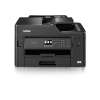
Brother's MFC-J5335DW is an easy to use all-in-one printer, ideal for both small businesses and home use. Even though it has neat and compact design, the print function can also handle A3 as well as A4. Wireless, and fast, whether you're needing to print, copy, scan or fax, it delivers excellent results every time.
Compact Design, A3 Printing The MFC-J5335DW's design is built to be robust and space-saving. While it has the compact footprint of a regular A4 printer, you can still print on paper size up to A3, all from the regular 250 sheet capacity tray.
Wireless Connectivity With built-in Wi-Fi it's easy to print wirelessly, or, if you prefer a wired connection, just plug into the USB port. And with support for AirPrint, Google Cloud Print, iPrint&Scan, and Mopria, it's a breeze to run off prints from your mobile smart device wherever you have internet coverage. And using dedicated Brother Apps you can also print from cloud services such as Dropbox and Evernote.
Speedy Printing First print document of the batch is delivered in a rapid 6 seconds, so you can always get printing straight away. And with print speeds of up to 35 pages per minute (black & white) and 27 pages per minute (colour) you'll be getting through those larger printing jobs in no time.
Quality Printing Achieve business quality documents. Printing at up to 4800 x 1200 dpi or scanning at 1200 x 2400 dpi, images are finely detailed, while pigment inks reliably produce sharp rich text and vivid colours, and are available in long-lasting high-yield cartridges.
Easy to Use A 6.8cm touchscreen keeps operation quick and simple. The 50 sheet automatic document feeder makes light work of heavy workloads, while the rear manual feed slot allows printing on a variety of other media for added flexibility. And automatic 2-sided printing saves on paper.
20 comments
VenusProject
20 Sep 17#18
Promotion
You can claim £50 cashback or an extended 3 year warranty on this printer.
Hmm which one is worth more...
microbar
20 Sep 17#17
Brother are expensive to run as they go through head cleaning even when not switched on. Had to pull the plug on mine while not in use.
missionhall
20 Sep 17#16
Now sold out !
lmbuying
19 Sep 17#14
Something amiss here. Coop website title says MFCJ5335DW but its blurb is for MFC-J5330DW...not sure what the difference is?
missionhall to lmbuying
20 Sep 17#15
I saw that but couldn't figure out the difference either ?
reb31
19 Sep 17#12
"A3 duplex" is slightly misleading, this is 1-sided A3 and 2-sided A4. Still a great deal with cashback though.
Marmite32
19 Sep 17#10
How do you get the Brother cash back?
Danger_Mouse to Marmite32
19 Sep 17#13
When you register it there is a code you need to use at the time, if co-op don't supply the code needed, call brother and they'll give it to you (did this on the next few models up recently & the Cashback was paid within about 1.5 weeks direct to bank account) :smile:
Sharpharp
19 Sep 17#8
Can be had for way way way less if you buy two or more... :thumbsup: Will post details once mine come through
jackie_chan to Sharpharp
19 Sep 17#9
what do u mean.
elditig to Sharpharp
19 Sep 17#11
Interested to know how, so long as it does not involve the back of a lorry......
summerof76
19 Sep 17#6
Heat added :wink:
m1chaels
19 Sep 17#5
How much ink is included? How much are refills?
Chanchi32 to m1chaels
19 Sep 17#7
Just looked on eBay and looks like a compatible blank ink cartridge is just under £12.

![Fresh Breakfast Meat Box (Using code) @ Campbells Meat [Haggis / Lorne Sausage / Bacon / Black Pudding & More]](/images/topics/208684_1.jpg)




































![[Xbox One] Q. u. b. e: Director's Cut on Deals with Gold](/images/topics/208716_1.jpg)


















Opening post
- The Brother A3 duplex printing has been reduced from £199.99 to £129.99 across a number of retailers but £119 with code EXP10 at Co-op Electrical
- Plus Brother are offering £50 cashback so works out at £69
- Which? rate it as a decent A3 printer with pros including A3 printing, AirPrint and Cloud Print, wi-fi, good photos, easy to use, document feeder, automatic double-sided printing
- Delivery included with one hour delivery slot
Product info below:
Brother's MFC-J5335DW is an easy to use all-in-one printer, ideal for both small businesses and home use. Even though it has neat and compact design, the print function can also handle A3 as well as A4. Wireless, and fast, whether you're needing to print, copy, scan or fax, it delivers excellent results every time.
Compact Design, A3 Printing
The MFC-J5335DW's design is built to be robust and space-saving. While it has the compact footprint of a regular A4 printer, you can still print on paper size up to A3, all from the regular 250 sheet capacity tray.
Wireless Connectivity
With built-in Wi-Fi it's easy to print wirelessly, or, if you prefer a wired connection, just plug into the USB port. And with support for AirPrint, Google Cloud Print, iPrint&Scan, and Mopria, it's a breeze to run off prints from your mobile smart device wherever you have internet coverage. And using dedicated Brother Apps you can also print from cloud services such as Dropbox and Evernote.
Speedy Printing
First print document of the batch is delivered in a rapid 6 seconds, so you can always get printing straight away. And with print speeds of up to 35 pages per minute (black & white) and 27 pages per minute (colour) you'll be getting through those larger printing jobs in no time.
Quality Printing
Achieve business quality documents. Printing at up to 4800 x 1200 dpi or scanning at 1200 x 2400 dpi, images are finely detailed, while pigment inks reliably produce sharp rich text and vivid colours, and are available in long-lasting high-yield cartridges.
Easy to Use
A 6.8cm touchscreen keeps operation quick and simple. The 50 sheet automatic document feeder makes light work of heavy workloads, while the rear manual feed slot allows printing on a variety of other media for added flexibility. And automatic 2-sided printing saves on paper.
20 comments
Had to pull the plug on mine while not in use.
Will post details once mine come through
Heat added :wink: