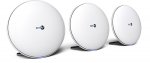
Blurb! Superfast, super-reliable Wi-Fi for every room. BT Whole Home Wi-Fi puts what matters most at your fingertips. It talks to all your gadgets to make sure they’re always automatically connected to the fastest and strongest signal. And it’s bristling with brilliant controls that put you in charge of a supercharged home network. This is Wi-Fi at its finest. With BT Whole Home Wi-Fi you can have your favourite TV, films, music and games in any room you wish. Three brilliant discs create a complete Wi-Fi network – which means no more dead spots. Even when there’s a laptop connected in the kitchen, smartphones upstairs and a tablet in the lounge – they all stay connected, all the time.
Top comments
ccnp
14 Jul 174#4
As with all things BT, this is someone else's hard/software. BT package it, sell it and forget it. Typically with BT you get no updates and 'support' will be in a far off land, with an imprecise grasp of the english language who will, and I would lay money on this, only be able to tell you to a) switch it off/on; or b) it's your fault and an engineer visit at well north of £100 is all that can be done.
Buy proper kit. TP-Link. Linksys. Cisco. There's loads of it out there and it will have useful support. And cost far less than BT's rip off offerings
the__cat
14 Jul 173#5
Buy proper kit, absolutely, but don't call TP-Link or Linksys "proper" kit.
All comments (37)
julesmay19
14 Jul 17#1
Sorely tempted but I want 4 discs and the additional is still full price
OrribleHarry to julesmay19
14 Jul 17#15
You live in a mansion??
Bunnster
14 Jul 17#2
Do these work well?
lightwavin
14 Jul 17#3
Good price so voted hot, but I actually sent mine back as they were a little temperamental with the BT smart hub I ran them through - software was also very underdeveloped, but has the potential for greatness once BT get their act together and add some decent features. If you have Sonos speakers, they will not work them those either.
ccnp
14 Jul 174#4
As with all things BT, this is someone else's hard/software. BT package it, sell it and forget it. Typically with BT you get no updates and 'support' will be in a far off land, with an imprecise grasp of the english language who will, and I would lay money on this, only be able to tell you to a) switch it off/on; or b) it's your fault and an engineer visit at well north of £100 is all that can be done.
Buy proper kit. TP-Link. Linksys. Cisco. There's loads of it out there and it will have useful support. And cost far less than BT's rip off offerings
Joshimitsu91 to ccnp
14 Jul 17#16
Go look at the pricing for the competition and you will see they are £150+ more and you don't even get 3 points.
They seem to have good enough reviews.
What do you mean they aren't truly mesh? Afaik these units will automatically connect you to the node with the best connection, and they are each talking to each other wirelessly. So what's missing for the casual/home user?
the__cat
14 Jul 173#5
Buy proper kit, absolutely, but don't call TP-Link or Linksys "proper" kit.
bigbak
14 Jul 171#6
If it's anything like the home hub, I'd avoid.
My version 5 was forever slowing down on wifi and required a restart.
I've attached a Netgear R7800 now and it runs like a dream.
Aiadi
14 Jul 17#7
Unifi Ubiquiti for me after trying so many others.
daver77 to Aiadi
14 Jul 17#9
What did you buy, there's a lot on Amazon to choose from
mjfp
14 Jul 17#8
I bought these in the 20% off Amazon Prime Warehouse deals this week. It's boxed up ready to be sent back, as they're no better than my existing router for internet distance and some discs were dropping connection. The app that you set them up with is very temperamental as well.
ccnp
14 Jul 171#10
Typical. Negative comment but nothing proposed. Both TP-Link and Linksys have product specific support pages, firmware upgrades and forums (unlike BT).
ivanwilson
14 Jul 17#11
Weird, I looked at this 30 mins ago and now it looks like it's gone back up to £189 :-(
bma1445
14 Jul 17#12
If you need coverage, just buy a couple of decent access points and a roll of network cable.
These mesh devices are utter crap.
the__cat
14 Jul 17#13
Why typical? Do you think I am unable to provide alternatives?
How about Ubiquiti? Good enough for you?
the__cat
14 Jul 17#14
True story. Even worse is that they're not really true mesh either. They're repeaters. That's why they're crap.
the__cat
14 Jul 17#17
I mean exactly that. They're not proper mesh and in any event, mesh doesn't encourage a client to connect to the strongest AP. That is purely a client decision.
lightwavin
14 Jul 17#18
So I had 3 of them which wouldn't cover my 2500 sq ft house. Not a mansion. My smart hub reaches just as far, without any issues (not bad for a flimsy bit of kit that came with the broadband).
Aiadi
14 Jul 17#19
Got 2 of these bad boys:
"Ubiquiti Networks UAP-LR AP Long Range Router". One wired to router (you will need at least one of these APs connected directly to router - even via a network adapter) and another connected wirelessly to complete a mesh covering even furthest parts of the garden through thick walls. Never looked back and all WiFi problems became a thing of the past.
julesmay19
14 Jul 17#20
No I don't live in a mansion - but am acutely aware that as of September bt will support 6 of these.
The additional was purely safeguarding
However seems to be a bit of negativity despite all the online and customer reviews
FunkiestMonkey
14 Jul 17#21
I used an old router to act as a WiFi access point to connect to a network switch that was connected to the router at the modem point to give me a weird access point. In other words I have two routers. One main one as usual and one at far end where signal is weak.
Took some setting up but got there in the end with internet forums.
baronbuzby
14 Jul 171#22
Bought these 3 months ago - work like a dream in my 3 storey house
foggy to baronbuzby
15 Jul 17#30
Snap. Not at first, as already said support said 'turn off and on'. Read some forums and changed one of the channels to a fixed band and not automatic and boom, my loft is finally covered. Even powerline wouldn't work up there as the electrics were fitted by a cowboy firm before I moved in.
The ethernet port also helps to connect to my BT TV .
I have Sonos all over and have no issues
daver77
14 Jul 17#23
Cheers. I was reading about the controller software, does that need to be on permanently or is it just needed for setup.
jazz81
14 Jul 171#24
+1 for the Ubiquiti UniFi kit, it's what I use at home. You need the controller software for the initial setup and further config changes and firmware upgrades but the AP's will work otherwise without. I had an old raspberry pi collecting dust which I installed the controller on and although a bit slow it works fine for me with only 3 AP's. The UAP AC Lite is best value in my opinion.
Aiadi
14 Jul 17#25
As jazz81 the unifi controller would only need to be running during installation, configuration or upgrades but can be off at other times when the ubiquti device would just be doing its job.
daver77 to Aiadi
15 Jul 17#29
Cheers! Bought a single LR unit to start with.
easy.tiger
15 Jul 17#26
I have the BT Smart hub and was sick of losing connection and the kids whinging about being kicked off xbox for loss of connection or lagging
I bought google wifi with 1 additional pod, turned off wifi on the smart hub and it works superbly. In 10 weeks now they have lost connection once, don't experience lagging and the constant moaning about our crap wifi is a thing of the past
I can't recommend google wifi enough
ehten
15 Jul 17#27
A really good consumer mesh system from BT at a good price. App is still a little basic supporting up to four discs until September when support for 6 is introduced. If you need to you can see 6 discs now using the browser admin tool. Just update the firmware to the latest. Forget the negative comments.
richxwill
15 Jul 17#28
Had these for 4 months and no complaints. They were a bit temperamental for the first couple of weeks, discs would suddenly say they had bad connection when they hadn't been moved etc but since then had no issues. Can now stream in 4K whilst the 2 kids are on Xbox live with no problems.
Aiadi
15 Jul 17#31
You won't regret it. Just come back here if you need any help although I am certain that I'm not the most techie person in here.
I wouldn't call it full price as rrp is £299.99 and that's how much some other retailers charge but it has reverted to Amazon's previous price of £189.99 (previous to that it was £194.99 and £199.99).
Anyone know much additional AP's cost and where they are available from?
Longy
16 Jul 17#33
I'm very happy with my 3 disk set. It works perfectly well with Android, Apple and various Chinese ip cameras. Coverage is now excellent. They all provide the same Internet speed. Very happy. Only problem experienced is connecting to works Vpn via them and have to use router's WiFi for that.
I have a largish old 3 bed house with very thick brick walls. Nothing could get a decent signal throughout our home and extension. The smart home hub from BT just couldn't broadcast enough. Brought this couple weeks ago after losing patience with unreliable extenders. It has been unbelievably good since installing. Perfect signal everywhere and full speed throughput through the hubs. I couldn't recommend this system highly enough. Everyone saying they sent it back bla bla bla probably didn't set it up correctly/ checked for the latest firmware. Its a rock solid system and i can't fault it.
Tabtester
19 Jul 17#37
tips for setting this up correctly. Install latest firmware. Access the settings via a PC as its more powerful options. Turn off automatic channel selection and set the bands manually. Placement of the hubs is everything. If it says its in a bad location then move it. When using a router/ home hub with this it is critical to turn off the wifi completely on the router as it will completely mess the system up with interference.

![Fresh Breakfast Meat Box (Using code) @ Campbells Meat [Haggis / Lorne Sausage / Bacon / Black Pudding & More]](/images/topics/208684_1.jpg)




































![[Xbox One] Q. u. b. e: Director's Cut on Deals with Gold](/images/topics/208716_1.jpg)


















Opening post
Blurb!
Superfast, super-reliable Wi-Fi for every room. BT Whole Home Wi-Fi puts what matters most at your fingertips. It talks to all your gadgets to make sure they’re always automatically connected to the fastest and strongest signal. And it’s bristling with brilliant controls that put you in charge of a supercharged home network. This is Wi-Fi at its finest. With BT Whole Home Wi-Fi you can have your favourite TV, films, music and games in any room you wish. Three brilliant discs create a complete Wi-Fi network – which means no more dead spots. Even when there’s a laptop connected in the kitchen, smartphones upstairs and a tablet in the lounge – they all stay connected, all the time.
Top comments
Buy proper kit. TP-Link. Linksys. Cisco. There's loads of it out there and it will have useful support. And cost far less than BT's rip off offerings
All comments (37)
Buy proper kit. TP-Link. Linksys. Cisco. There's loads of it out there and it will have useful support. And cost far less than BT's rip off offerings
They seem to have good enough reviews.
What do you mean they aren't truly mesh? Afaik these units will automatically connect you to the node with the best connection, and they are each talking to each other wirelessly. So what's missing for the casual/home user?
My version 5 was forever slowing down on wifi and required a restart.
I've attached a Netgear R7800 now and it runs like a dream.
These mesh devices are utter crap.
How about Ubiquiti? Good enough for you?
"Ubiquiti Networks UAP-LR AP Long Range Router". One wired to router (you will need at least one of these APs connected directly to router - even via a network adapter) and another connected wirelessly to complete a mesh covering even furthest parts of the garden through thick walls. Never looked back and all WiFi problems became a thing of the past.
The additional was purely safeguarding
However seems to be a bit of negativity despite all the online and customer reviews
Took some setting up but got there in the end with internet forums.
The ethernet port also helps to connect to my BT TV .
I have Sonos all over and have no issues
I bought google wifi with 1 additional pod, turned off wifi on the smart hub and it works superbly. In 10 weeks now they have lost connection once, don't experience lagging and the constant moaning about our crap wifi is a thing of the past
I can't recommend google wifi enough
Anyone know much additional AP's cost and where they are available from?
http://www.robertdyas.co.uk/bt-whole-home-wifi-add-on