It is a Good price but sometimes people cant see past the ££££'s . intel CPU , so many more apps will run/ be compatible.
hokers
17 Jun 17#4
Not sure why I would want a 4-bay over a 2-bay. RAID-1 gives me redundancy right?
hokers
17 Jun 17#5
Not sure why I would want a 4-bay over a 2-bay. RAID-1 gives me redundancy right?
Gibss to hokers
17 Jun 174#6
Because you can double your capacity compared to a 2bay?
loveextasy to hokers
17 Jun 17#15
You can setup 2 disks as Raid1 for most important stuff, and other disks on their own or other types for more capacity, that's what I am doing
ersen1
17 Jun 175#7
still better off with the Gen8 HP Microserver
benjai to ersen1
17 Jun 17#11
Only if you're a geek.
OrribleHarry to ersen1
17 Jun 17#22
Not necessarily it is depending what you need it for and what software you intend to use on the HP.
The Synology will work out of the box with minimum configuration.
The HP is much more flexible but requires extensive configuration and knowledge to make it work.
kennethsross
17 Jun 17#8
awesome NAS, awesome price.
zizzles to kennethsross
17 Jun 17#9
Awesome comment
Asura to kennethsross
17 Jun 17#10
Everything is cool when you're part of a team...
ourdave
17 Jun 171#12
2 bay RAID 1 - lose one of your disks for redundancy
2 x 4TB = 4TB usable
4 bay RAID 5
4 x 4TB = 12TB usable...so your extra 2 disks is ALL usable.
It's obviously much more expensive, but if you can afford the money then its better to start off with this and 2 x 4TB, and then add 4TB disks going forward.
If you start off with a 2 bay NAS and 2 x 4TB disks, then you've got a significant layout to incrementally go up to 2 x 6TB...which only gives you 2TB extra.
In short: I've got a DS214 Play (and love it) but wish I'd splashed out 2 year ago and got a 4 bay...because now I've filled my 2 x 3TB disks and it's a big price hit to get 1TB more of usable space.
Tenex to ourdave
17 Jun 17#16
I have a 2 bay Synology but I'm tempted to get a second 2 bay just for media and situate it next to the TV rather than take the hit selling the existing and buying a 4 bay. Any thoughts?
windhoek to ourdave
17 Jun 17#25
Thanks for posting this sage advice; I actually ordered a 3TB WD Red to go with the NAS but cancelled the order for the HD as I really should start as I mean to go on and 4 x 4TB WD Red HDs is where I want to end up because that should give me plenty of storage capacity for the foreseeable future if not the rest of my life :wink:
unconfirmed to ourdave
18 Jun 17#29
RAID 5 with disks larger than 1TB is a bad idea. 4TB is just asking for trouble. May as well JBOD to get more space.
TomScrut to unconfirmed
19 Jun 17#34
I agree, RAID 6 at least or don't bother.
The principle of running RAID with just one redundancy is silly IMO. If one fails then the stress of restoring the array is then put onto the other drives increasing the odds of another one failing, and because the likelihood is that the drives are the same age that they are also at an age where they are more likely to fail during the restore. Still a small percentage chance, but if the data is valuable enough for RAID to begin with then it ought to be valuable enough to not want losing during a rebuild. Obviously RAID 6 isn't bullet proof, and other backups (especially cloud or in another building) are also recommended, but if there is (off the top of my head) a 2% chance of failure per drive restoring RAID 5 then that will be a 6% chance of being screwed on a 4 bay. With RAID 6 that would go to 0.24% (4% of 6%) which is far far safer than 6%! Of course the 2% chance is just a number picked from my head so could be more, could be less IRL but I think the maths involving that figure is correct.
Also worth noting I had two drives start to die within a few days of each other (lots of bad sectors) in my 413 so I had to replace them and rebuild my RAID.
Kulaak
17 Jun 17#13
Didn't last long. Already gone up in price.
tek-monkey
17 Jun 17#14
Well at the easiest end of the spectrum you just install windows and share the drive, hardly rocket science.
Joshimitsu91
17 Jun 17#17
Microserver is much bigger physically and no doubt more power hungry, really no need for it unless you're going to need the extra features, otherwise just get a NAS
jasee
17 Jun 17#18
Get a Lenovo server
Eg Lenovo ThinkServer TS150 Intel Pentium G4400 8GB 3.3GHz DVD-RW for about £250 delivered.
(Taller but narrower but only about 37cm) Probably will take at least 6 disks.
idbirch
17 Jun 17#19
I'll admit I haven't seen this NAS box in the flesh but much bigger? Come on now, the HP Microserver is just big enough to house the 4 3.5" disks with very little room to spare so I think much larger is going a bit far. Also, I'm sure when I bought my Microserver a couple of years ago, it was was a smidge over £100 so "just buy a NAS" is a notion lacking any consideration for value for money.
As another poster says, it really is just a case of installing Windows and sharing the drive(s). If you can't mange that, then I'm pretty sure simple NAS usage and setup is beyond you too.
edit: not to take anything away from the deal, this seems a good price for the item in question but I don't think anyone should be shot down for suggesting a perfectly suitable alternative which comes in at around a third of the price.
jimbb
17 Jun 17#20
Xpenolgoy for da win
danjames922
17 Jun 17#21
Raid 5 isn't a backup.
OrribleHarry
17 Jun 17#23
Yes but that involves the expense of buying windows which increases the price by about 50%.
The free alternatives all require more knowledge.
duncanbishop
17 Jun 17#24
Some pretty varied apps on this, if you want to run DNS, DHCP, Directory services, Wordpress, etc. Also mobile apps to remotely access photo, audio, video, etc. Quite feature rich, pair with some WD Red drives and you're laughing.
tek-monkey
18 Jun 17#26
Uses about 50w, pretty efficient tbh.
droitwichdosser
18 Jun 17#27
Better to go for the 4Tb drive also because it has a slightly lower failure rate than the 3Tb.
I am more favoured towards the microserver as well but not keen on the extra power consumption compared to a dedicated nas.
The microserver will eat about 30w more than the Nas, even in standby mode when it's doing nothing.
An extra yearly cost in electricity works out at £39.42 per year for the microserver over the Nas. (0.030kw x 24hr x 365days x £0.15p/kW)
cava83
18 Jun 17#30
Raid 5 should not be used. Should not be recommended. End of. This was a good deal, it's gone up to £372 now. I have a 1513+ and considered buying this. Good devices.
tek-monkey
18 Jun 17#31
The price difference means that the NAS would cost the same as the microserver after 6 years of 24/7 use then. I guess mine is 4 years old now so I'm still ahead! :wink:
Edit: although my current deal is under 10p per unit for electricity! Shame it's ending in August :disappointed:
profet
18 Jun 17#32
I have both a Gen8 Microserver and a proper synology device. The Gen8 is really powerful and cheap, but you need to be a tech geek to get it working and keep it updated. I spend a lot of time on forums - think bootloaders, modifying grub files and checking usb pid/vid values. If you are excited by that, get the Gen8 with Xpenology. If not, pay the money and get a real a device.
unconfirmed to profet
18 Jun 17#33
Or save time and use Windows
profet
19 Jun 17#35
Windows and Synology DSM are very different OSs. I have apps on my phone to access my music, transcoded video, my IPcams, etc. that would be far harder to set up with Windows.
windhoek
21 Jun 17#36
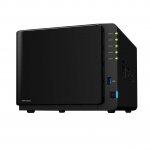
I've now got my DS416Play NAS up and running. It wasn't all plain sailing as the first 4TB Red HDD I ordered ('Like New' from Amazon Warehouse) was a dud as it was dead as a dodo on arrival, so it wasn't until last night when I managed to stick the second 4TB Red HDD I ordered in and got the thing up and running. I haven't faffed about with much of what it can do as it wasn't difficult to get Kodi on my Fire TV to see the NAS via FTP, but I'll have a look at what it can do next week when I'm on annual leave.
I bought a 4GB Ram module for it but I don't think it needs it - at least, it doesn't seem so having copied a few files to the NAS last night and then played them flawlessly through Kodi, which, fwiw, will be my primary digital media front end. I also bought another 4TB Red HDD (the second in real terms as the first was a dud as aforementioned), but that won't arrive until the end of the month as Amazon are out of stock at the moment.
Following a successful test drive last night, I'm now wondering why I never bought a NAS years ago lol :smiley:

![Fresh Breakfast Meat Box (Using code) @ Campbells Meat [Haggis / Lorne Sausage / Bacon / Black Pudding & More]](/images/topics/208684_1.jpg)




































![[Xbox One] Q. u. b. e: Director's Cut on Deals with Gold](/images/topics/208716_1.jpg)


















Opening post
Top comments
All comments (36)
https://uk.camelcamelcamel.com/Synology-DiskStation-DS416play-transcoding-DS416PLAY/product/B01GB9ZJ3Q
The Synology will work out of the box with minimum configuration.
The HP is much more flexible but requires extensive configuration and knowledge to make it work.
Everything is cool when you're part of a team...
2 x 4TB = 4TB usable
4 bay RAID 5
4 x 4TB = 12TB usable...so your extra 2 disks is ALL usable.
It's obviously much more expensive, but if you can afford the money then its better to start off with this and 2 x 4TB, and then add 4TB disks going forward.
If you start off with a 2 bay NAS and 2 x 4TB disks, then you've got a significant layout to incrementally go up to 2 x 6TB...which only gives you 2TB extra.
In short: I've got a DS214 Play (and love it) but wish I'd splashed out 2 year ago and got a 4 bay...because now I've filled my 2 x 3TB disks and it's a big price hit to get 1TB more of usable space.
I agree, RAID 6 at least or don't bother.
The principle of running RAID with just one redundancy is silly IMO. If one fails then the stress of restoring the array is then put onto the other drives increasing the odds of another one failing, and because the likelihood is that the drives are the same age that they are also at an age where they are more likely to fail during the restore. Still a small percentage chance, but if the data is valuable enough for RAID to begin with then it ought to be valuable enough to not want losing during a rebuild. Obviously RAID 6 isn't bullet proof, and other backups (especially cloud or in another building) are also recommended, but if there is (off the top of my head) a 2% chance of failure per drive restoring RAID 5 then that will be a 6% chance of being screwed on a 4 bay. With RAID 6 that would go to 0.24% (4% of 6%) which is far far safer than 6%! Of course the 2% chance is just a number picked from my head so could be more, could be less IRL but I think the maths involving that figure is correct.
Also worth noting I had two drives start to die within a few days of each other (lots of bad sectors) in my 413 so I had to replace them and rebuild my RAID.
Eg Lenovo ThinkServer TS150 Intel Pentium G4400 8GB 3.3GHz DVD-RW for about £250 delivered.
(Taller but narrower but only about 37cm) Probably will take at least 6 disks.
As another poster says, it really is just a case of installing Windows and sharing the drive(s). If you can't mange that, then I'm pretty sure simple NAS usage and setup is beyond you too.
edit: not to take anything away from the deal, this seems a good price for the item in question but I don't think anyone should be shot down for suggesting a perfectly suitable alternative which comes in at around a third of the price.
The free alternatives all require more knowledge.
this site is worth a quick read :wink:
https://www.backblaze.com/blog/hard-drive-reliability-stats-q1-2016/
The microserver will eat about 30w more than the Nas, even in standby mode when it's doing nothing.
An extra yearly cost in electricity works out at £39.42 per year for the microserver over the Nas. (0.030kw x 24hr x 365days x £0.15p/kW)
Edit: although my current deal is under 10p per unit for electricity! Shame it's ending in August :disappointed:
I bought a 4GB Ram module for it but I don't think it needs it - at least, it doesn't seem so having copied a few files to the NAS last night and then played them flawlessly through Kodi, which, fwiw, will be my primary digital media front end. I also bought another 4TB Red HDD (the second in real terms as the first was a dud as aforementioned), but that won't arrive until the end of the month as Amazon are out of stock at the moment.
Following a successful test drive last night, I'm now wondering why I never bought a NAS years ago lol :smiley: