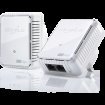
2 x 2 port devolo powerline switches they will do the job of switch and powerline distribution of your ethernet signal . If you plug two items into one you will experience no slowdown at all (due to wireless or ethernet) Admittedly, only flaw is they are not GIGAbit ports but that us inlikley to be a problemo in real life. Same price as a single device , so in effect this is a BOGOF.
Top comments
CoeK
13 Jun 1716#3
The shed has spiders, pretty sure they are coordinating their attacks over 4G.
aninginaneana to CoeK
13 Jun 1714#11
Rather than the World Wide Web?
GwanGy
13 Jun 175#1
Also great for playstation xbox nexus tv roku wdlive and ALL internet connected devices.
If you bought two twin packs you could even have internet in the SHED, yes SHED!
Joshimitsu91
13 Jun 174#13
Strange title, these aren't a replacement for a switch.
Latest comments (33)
X10
20 Jun 17#33
These are available again.
OrribleHarry
14 Jun 17#32
Through the ceiling? :confused: that would look horrendous.
minicale
13 Jun 17#31
Beware powerlines lose speeds over distance, mine only get 20mbs rather then 50mbps internet over a 30m distance, this might just be my houses wiring but one of my friends had the same issue.
cyclonus10
13 Jun 17#30
BT hub and the unavoidable firmware updates, ditched the hub as soon as i could, a real piece of garbage.
They big up how great the wifi signal is, whats the point if the actual connection disconnects randomly to **** firmware.
Bought a TP-link 9980 over two years ago for £50, best purchase in a long time.
intime
13 Jun 17#14
Thanks, I just snagged two of these before they realise their mistake
You need a Powerline adapter to use it.
Does it work with TP LINK Powerline adapter?
kebabthief to LyesLyes18
13 Jun 17#28
I've had issues with Devolo powerlines not working with others. When taking them back to my supplier I was told that Devolo Power over Ethernet has its own technology that won't work with other brands.
kkane_irl
13 Jun 17#27
i had zero disconnects with sky, just switched to the newest bt hub and cuts out regularly.
like some others have suggested, drill some holes and wire your house up. Some good sites out there to help you out.
wpj
13 Jun 17#26
We have about 6 of these in the house (usage depends on children being home), 2 with triple ports + Wi-Fi (+ 2 x 8 port hubs connected to them). They are only 200Mbps, but they have never had any connection problems, even after moving to fibre (40Mb).
Using their Cockpit software, the connections register between about 110-140Mbps (wiring is at least 30 years old).
StormB
13 Jun 17#25
Yum. Boiled fish!
19DembaBa19
13 Jun 17#24
Does this have wifi as well need to use my phone but got no network
CoeK
13 Jun 1716#3
The shed has spiders, pretty sure they are coordinating their attacks over 4G.
aninginaneana to CoeK
13 Jun 1714#11
Rather than the World Wide Web?
amour3k to CoeK
13 Jun 173#20
Why not?.
It makes sense, after all, is it not from Spiders we get the 'WEB'?, hahahahahahaha. :-D
Maevoric to CoeK
13 Jun 171#23
So that's where Google stores its spiders, in CoeK's shed!!
Hedja
13 Jun 17#22
It also depends on which plug combination you use. For me, some plug pairs work flawlessly, others disconnect randomly. Again, probably down to how they're wired.
Stoofa
13 Jun 171#21
I used powerline adaptors for a while, they were adequate.
I then spent a couple of hours one Saturday and drilled myself a couple of holes, ran 2 CAT5E cables and terminated them both in wall mounted sockets.
Difference - night & day.
If you've got no other option then powerline should offer better than WiFi. But you'll never get anywhere near the headline speed and if you've got the time and inclination, cable every time (don't always think about the most direct route for cables - I ran mine through a wall upstairs, down the side of the house and back in downstairs, so everywhere is wired now).
joshtbh
13 Jun 171#18
heat for the unorthodox description
kjfrazer
13 Jun 17#17
Yep, really good. I now have wifi in the garden thanks to one right near the back door of the house. :smiley:
tek-monkey
13 Jun 17#16
I also run a pond which eats about 400w, my power bills are a bit on the high side.
northbank1886
13 Jun 17#15
Have seen far to many of these type of products causing lag and we'll below standard throughput.
hardwire or mesh is the only way for me
Joshimitsu91
13 Jun 174#13
Strange title, these aren't a replacement for a switch.
skykid3
13 Jun 171#12
I've found I always need pass through with these
darthvader666uk
13 Jun 17#10
Honestly, possibly. Its a 10 year old house now and honestly, no clue about wiring.
darthvader666uk
13 Jun 17#8
Anyone know how well these are with BT TV? I have had the TP Link 500Mbps and they were a constant buffer
andysmoore to darthvader666uk
13 Jun 17#9
It might be your wiring as I have the 500meg tp-links and they work flawlessly with BT.
kkane_irl
13 Jun 17#4
some powerline products have issues with BT hub routers. cuts out every now and then
swiftez to kkane_irl
13 Jun 17#7
Been using these powerline adapters with HH5 for 2 years now and no disconnects.
CoeK
13 Jun 173#6
You have all that and no smart meter?
tek-monkey
13 Jun 171#5
I already have internet in my shed! :stuck_out_tongue:
And a router, a TV, a roku.....
I have an 8 port in the living room, cable through the ceiling to another 8 port in the loft where my servers live. I dread to think what my electricity bill for technology is!
paul_merton
13 Jun 172#2
In the modern gadget-filled household, you'd probably need to buy a switch as well :smiley:
Personally I'd rather have a pair of 8-port gigabit switches and drop a cable through the ceiling. The cost would be about the same, but it would make using a NAS much less painful.
GwanGy
13 Jun 175#1
Also great for playstation xbox nexus tv roku wdlive and ALL internet connected devices.
If you bought two twin packs you could even have internet in the SHED, yes SHED!

![Fresh Breakfast Meat Box (Using code) @ Campbells Meat [Haggis / Lorne Sausage / Bacon / Black Pudding & More]](/images/topics/208684_1.jpg)




































![[Xbox One] Q. u. b. e: Director's Cut on Deals with Gold](/images/topics/208716_1.jpg)


















Opening post
Admittedly, only flaw is they are not GIGAbit ports but that us inlikley to be a problemo in real life. Same price as a single device , so in effect this is a BOGOF.
Top comments
If you bought two twin packs you could even have internet in the SHED, yes SHED!
Latest comments (33)
They big up how great the wifi signal is, whats the point if the actual connection disconnects randomly to **** firmware.
Bought a TP-link 9980 over two years ago for £50, best purchase in a long time.
Single port gigabit version are under £20
https://www.mymemory.co.uk/d-link-1000mbps-powerline-gigabit-starter-kit-2-pack.html
Does it work with TP LINK Powerline adapter?
like some others have suggested, drill some holes and wire your house up. Some good sites out there to help you out.
Using their Cockpit software, the connections register between about 110-140Mbps (wiring is at least 30 years old).
It makes sense, after all, is it not from Spiders we get the 'WEB'?, hahahahahahaha. :-D
I then spent a couple of hours one Saturday and drilled myself a couple of holes, ran 2 CAT5E cables and terminated them both in wall mounted sockets.
Difference - night & day.
If you've got no other option then powerline should offer better than WiFi. But you'll never get anywhere near the headline speed and if you've got the time and inclination, cable every time (don't always think about the most direct route for cables - I ran mine through a wall upstairs, down the side of the house and back in downstairs, so everywhere is wired now).
hardwire or mesh is the only way for me
And a router, a TV, a roku.....
I have an 8 port in the living room, cable through the ceiling to another 8 port in the loft where my servers live. I dread to think what my electricity bill for technology is!
Personally I'd rather have a pair of 8-port gigabit switches and drop a cable through the ceiling. The cost would be about the same, but it would make using a NAS much less painful.
If you bought two twin packs you could even have internet in the SHED, yes SHED!