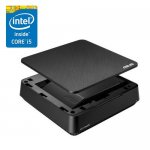
Barebones pc (just add ram storage and OS), including a 4th gen Intel i5, WiFi and Bluetooth unit, front speakers which are better than they should be, tons of ports at the back, and quiet fan.
Very similar to an NUC, a little larger, but will also take either 2 x 2.5" drives or 1 x 3.5" drive.
Comes with power and vesa mount.
Bought one a month ago, and price has not changed, so maybe not a deal deal, but I have not found anything brand new with similar specs for less than around £200, and after mentioning on a thread I was encouraged to share as a deal.
Price includes Vat and delivery, just make sure you select barebones only.
Top comments
fishmaster
21 May 1797#6
You're welcome to ask me anything about computers, I do this as a job, in fact I meet quite a lot of 70+ year old people that used to be programmers 30+ years ago, and as technology has moved on so rapidly, they are clueless for want of a better word. I fully expect that if I get to 70 (I'm 46 now) then I'll be just like them, I can walk in to a shop (if they still exist then) and tell them how I used to repair computers and now I don't have a clue about these new ones. Maybe I'll still be in to computers then, I've started to lose some interest in them due to how invasive the technology is and let's face it, anyone can learn to do what I do just by reading and watching youtube videos and spending enough time. It's so easy to learn things now, almost anyone can be an 'expert' these days.
You're never too old to learn anything, and don't be afraid to make mistakes and ask for help. Obviously some mistakes can be costly so do your research first. If you can build lego you can build a PC. Troubleshooting is where the skill is in building a PC and also in overclocking if you're in to that, overclocking is quite like car customisation and getting more power of the computer.
7day
21 May 1719#8
That's a credit to you . What a wonderful person. My job was medicine .
Keeping curious is the key to a good life.
Thanks again.and again
7day
21 May 1717#2
Any tips on what where you bought ram and os
First time doing this at 70 yrs
spannerzone
21 May 1712#10
Man of the month award goes to Fishmaster, or should that be Fish of the month? well regadless, well done that man/fish*, have a medal/worm*.
*delete as appropriate
Latest comments (104)
masai
25 May 17#104
Thanks! Bought a new dell branded 8gb stick for £38.
TBC15
23 May 17#103
Anyone know where you can buy one of these, as I quite fancied one.
TBC15
23 May 17#102
lucky chap
pakomen
23 May 17#101
Yes mine also arriving tomorrow by DPD
masai
23 May 17#100
Mines been dispatched. Arriving tomorrow via dpd.
mariochristianrivera1974
23 May 17#99
This. Get me a used business laptop all day.... If you want them "fixed", take battery off and stck them up. I have four e5430 at home running in mirrored mode. another advantage being, if one bombs up you have anothe ready....
jnm21
22 May 17#98
You can say that again! :smiley:
ezzer72
22 May 17#97
It would be awful mate, about 20 mins to boot!
TBC15
22 May 17#93
Ditto
spannerzone to TBC15
22 May 17#96
Well to be honest a £30 smartphone would possibly do, but the question was whether this particular PC would do for a certain task, which it would.
I am enjoying but also a bit perplexed at some of the replies seemingly desperate to convince us to buy something else though :smile:
Anyone bought a decent remote for one of these? Not a USB keyboard or anything but a media remote.
Also would be keen to know how people have set theirs up, ideally id like it to function more like a YouView box or something similar.
j0rd4n500
22 May 17#90
Would I be able to use an SD card to store the operationg system on, its 128gb so big enough to store.
Then would I just need to get RAM?
sam1123
22 May 17#87
Loving this thread, brilliant community
Hal to sam1123
22 May 17#88
Yep - RAM has shipped, so now have to return for refund.
radiokid
22 May 17#85
no more stock, just tried to order and got an email back saying as much
Hal to radiokid
22 May 17#86
I did order, but have now received an email saying their stock count was inaccurate and they are sold out with no more coming in. I have already ordered the RAM from Crucial so have tried to cancel this, but it might have already shipped! Grrrrrrrr.
fo_sho_yo
22 May 17#84
Benchmarks are used to compare CPUs. Benchmarks point to the i5-4210u being about ~10% faster in reality not ~30% faster if you go off of clockspeed.
croz123
22 May 17#83
Yea the core 2 wiped them out once they were released a year later. A vast improvement.
But in saying that I had a pentuim D for many years (with a different heatsink to stop the throttling and over heating) This allowed me to overclock and I must say I had 0 issues and never had a problem with performance. In fact I upgraded just because it was gutting ridiculously old lol.
And now my desktop PC is running a 3220 I3 I believe, coupled with an SSD I cant see me ever having to upgrade for another 5 years. (I surf the web and do allot of office work) and maybe the odd game.
In my opinion as long as your not gaming or video editing any current CPU with an SSD will be more than sufficient it could even be an over kill.
aratkin
22 May 17#82
The old P4s can't be comparable. They were rubbish with dual core. You're on about the Pentium 4 D I take it? It was an awful chip.
0.7ghz is still a good bit difference despite it being a year older.
fo_sho_yo
22 May 17#81
The point of being UK based makes this one better.
In regards to clock speed being related to performance that is no longer the case. Old Pentium 4s had clock speeds of 2.8GHz(!). Need I say more?
aratkin
22 May 17#80
Slower clock. Max is 2GHz for the 5005 whereas this one can do 2.7ghz.
Also the problem of it not being UK based. If you have any problems with the pc within the warranty.. good luck with the added hassle of it being in another country.
Was tempted to buy to build a hackintosh dev machine but now OOS :disappointed:
Cloudane
22 May 17#77
Yeah to be fair, despite the CPU being 3 generations behind I've not been able to find a mini-PC this cheap that isn't some awful Atom thing.
Half tempted to finally retire my 2009 Mac Mini (it's certainly more powerful than that!) but I only use it to watch videos on the TV and act as a backup server anyway.
Bastieng
22 May 17#76
Ordered one, the price looks not bad. But no more reviews to consider quality.
Hal
22 May 17#75
What's the easiest way to Hackintosh?
Also, any recommendations for a screen?
smileo
22 May 17#74
Yeah, you can use just one of the DIMM slots and it'll work fine.
spannerzone
22 May 172#73
It usually does, same as if you post a deal for a new Dacia you'll be told to buy a 8 year old BMW instead because it's better. So many people vote cold or get arguementative about a deal on here because they don't have a need or use for the product and for some reason assume everyone would be the same. I'm all for alternative options or better deals but these tiny little PC's are a somewhat useful for many
I never said it was not a deal - it is cheap compared to other tiny barebones - hence my original comment that I wasn't going to vote cold.
archy121
22 May 17#71
But 7100 can do 4K60fps & VPU decoding.
If you are interesting in using this as HTPC don't bother as the Gfx chipset is outdated.
dogsballs
22 May 17#70
nice one
captainbeaky
22 May 17#69
A quick google search suggests people have tried & succeeded.
qwerta369
22 May 17#68
Anyone tried to hackintosh it?
Cakeboy79
22 May 17#67
Thanks. She's got the OS already, well I've got a spare copy of Windows 7 knocking around she can have and a 3.5" HDD won't be too pricy - she's not fussed about an SSD.
ade12000
22 May 17#66
Getting emotional in here
spannerzone
22 May 17#65
I would have thought it perfect, of course it needs memory, hard drive and operating system installed (and accounted for cost wise)
djbenny1
22 May 17#64
Ditto this!
Would love to replace my £100 Revo with this!
TBC15
22 May 17#63
Is it OK to use just one of the memory slots?
Cakeboy79
22 May 17#62
Would this be suitable for a silver surfer who really only wants to do her banking, send emails and a bit of Microsoft Office stuff?
I'm assuming it has an onboard graphics card or is that something that needs to be added as well?
smileo
22 May 17#61
A little untrue, here's one: It has better connectivity than a laptop.
I'm not doubting there are pros to a laptop but this is a totally different unit and compared to other barebones available now, i3 and i5 you're making a huge saving.
I can't get a price on the Silverstone VT02, but as an indication the VT01 is £25.50
Skymonkey
22 May 17#58
This is great. My mate dropped his really. Old laptop that is upgraded with SSD and Windows 8/10 a couple of years back. He's been looking for a new laptop but only wants to browse the net and do his iTunes. He's now bought this. I'll upgrade it with the parts he's got, cheap as chips and it'll also run off the telly. He's got a wireless keyboard so this is an absolute brainer. Hot!
fo_sho_yo
22 May 17#57
Also, don't be drawn in by the i5 brandished around.
This i5 has pretty much the same performance as the same generation i3!
fo_sho_yo
22 May 17#56
It's obvious it has uses however it doesn't have any advantages over a laptop. In fact a laptop has many more advantages over this and no disadvantages.
So why not just get a laptop?
jasee
22 May 17#55
yes
ezzer72
22 May 17#54
I'd say it has a million-and-one uses, not everyone is into gaming.
jasee
21 May 17#53
Actually I'm with fo_sho-yo in so far as this is a pretty useless base unit.
It has novelty value only, unless you live in some sort of confined space, there's no reason to buy this, and if you really lack space then a cheap laptop is likely to be more useful and may even be better value and faster.
As regards the 70 year old, it's not really clear why he wants to get back into computing after 30 years of being out but if it's building computers he's interested in, he'd be better off buying some new or second-hand low profile midi tower where at least he could add and remove significant bits.
My two cents :smiley:
moneychop
21 May 17#52
Can this be hackintoshed?
Sniffer77
21 May 17#51
Hi all , currently have a intel DN2820 would this be a good upgrade ?
It would mainly be used for Kodi using libreelec . Ideally be able to play my 4K movies . Doesn't say if hdmi is 2.0 or not .
Was considering the new celeron NUC but I understand there are 4K and hd audio issues
Cheers
benjai
21 May 174#50
Why are you comparing laptops to this? And why are you comparing refurbished computers to new ones? Do you see why now?
aratkin
21 May 17#49
Just a heads up for those who don't know, the i5 is not a quad core. It's a dual core with hyper-threading. The clock is not bad though if you have it at the max turbo frequency.
fo_sho_yo
21 May 17#48
Can't believe this has got so hot - not going to vote cold but it's a bit of a pointless computer.
Rubbish integrated graphics and no ability to properly upgrade with no PCIE slots. It has laptop hardware and you can pick up refurbished laptops with similar spec for the same price on eBay.
Can't really see why anyone would buy this.
smileo
21 May 17#47
I trade with iCubes/UC Solutions with work, great bunch of guys, really helpful.
Foxxxy
21 May 17#46
Bought one of these a couple of months ago. Old cpu but you have to spend a lot more for a mini pc to match this performance. 2 ram slots and usb 3 - again, something you don't usually get on budget systems.
Wasn't sure if iCubes were legit; however, received plenty of coms and my pc rocked up 2 days after ordering!
spannerzone
21 May 17#45
but this small?
cigbunt
21 May 171#44
its worth looking at custom build around a pentium g4560 which can be bought for about £55 for the processor...
overall might cost a tiny bit more but will be a way more powerful system than the 4210u
Ulti
21 May 17#43
Hmm really tempted to go for it - it's quite a bit bigger (at 190 x 190 x 56.2 mm = 2L) than an Intel NUC though that I currently have (DC3217BY - 116.6mm x 112.0mm x 39.0mm = 0.5L).
The ability to use a 2.5" SSD along with more USB ports, a faster CPU and built in WiFi and card reader has got me sold though.
Bought! Thanks for posting, heat!
reddev3
21 May 17#42
I have just looked and I actually have 6GB of RAM so my mistake. I have windows 7 Home premium 64-bit SP1, intel Core 2 Quad Q8200 @ 2.33 GHz Yorkfield 45nm technology, 6GB Dual-Channel DDR3 @ 531MHz (7-7-720), Dell Inc. 0G254H (CPU) motherboard, ATI Radeon HD 4600 series (Dell) and a 232GB Samsung SSD 850 EVO 250G.
I use postgressql all day to track poker results which is why I want my hard drive in particular to be fast.
Thanks.
reddev3
21 May 17#41
I have just looked and I actually have 6GB of RAM so my mistake. I have windows 7 Home premium 64-bit SP1, intel Core 2 Quad Q8200 @ 2.33 GHz Yorkfield 45nm technology, 6GB Dual-Channel DDR3 @ 531MHz (7-7-720), Dell Inc. 0G254H (CPU) motherboard, ATI Radeon HD 4600 series (Dell) and a 232GB Samsung SSD 850 EVO 250G.
I use postgressql all day to track poker results which is why I want my hard drive in particular to be fast.
I have just cloned and fitted a Samsung SSD at weekend to my 9 year old Dell tower PC but unfortunately only found out about SATA 1,2 and 3 afterwards when testing the new disk speeds, my old PC only supports SATA 2. Could I just move my new SSD and 9 year old 8GB of RAM (6 sticks) out from my old DELL to this and carry on as if it were my old PC but quicker? Im am guessing I can do this but would only be able to fit two sticks due to size?
Thanks
spannerzone to reddev3
21 May 171#36
I doubt you'll notice much difference in daily tasks with SATA 2 or 3, cloning your old hard drive was possibly the problem, you've cloned across 9 years worth of junk (possibly) - a fresh install of the OS would make the PC much faster I suspect. But you'd have to backup and reload all software and files.
The ram from that PC will not work in this new one unfortunately.
I've put SSD's into 9 year old desktops and it makes them much more usable but they're still slow (dependind on the CPU) on some tasks, especially HD video playback unless you have a reasonable graphics card to help. But and SSD should make any PC better, but cloning an old hard drive across is never going to be as good as a fresh operating install onto an SSD.
spannerzone to reddev3
21 May 17#38
The thing is that while SATA 1, 2 and 3 all get faster with the new version, the actual drive capabilities doesn't mean it just doubles/triples, the speeds quoted are always the maximum theoretical speeds and even if it did it might only be noticable when transferring files or doing something that involves moving lots of data around the drive. If you have enough ram then data and applications will mostly stay in ram rather than be written/read to and from the hard drive.
Even if you don't use your machine much, over many years it accumulates many updates, patches and other junk, it's inevitable and cloning just moves the crap across... it may not make much difference or it could make a machine really dog slow.
I have no doubt putting the SSD into this i5 micro desktop along with 4GB ram (8GB would be good but despite what some say, 4GB is fine for daily chores) this new PC would fly compared to your old one, assuming you installed windows from scratch and probably best to use Win10 as it's often the easiest/quickest to install and it's not utter pants despite what some say.
What is your old PC? (CPU wise)
reddev3
21 May 17#37
I thought it would be twice as fast as it can read/write 600MB/S rather than 300MB/S? (my computer also doesn't support AHCI)? There isn't too much Junk on it as I only use it to play poker (70GB total used) and it was left unused for most of those years, I mentioned the age because I thought it would be the old processor and motherboard holding my SSD back which is why this grabbed my attention.
So do you think sticking my new SSD in this with new RAM wouldn't be worth the money then? Thanks for the reply as well as I am terrible with computers.
4Real2016
21 May 17#35
Not until they find an alternative to Silicon.
dck
21 May 17#34
In part that's because Intel has had no serious competition for the last >12 years. Now AMD has something remotely competitive with Ryzen, perhaps Intel might start spending a bit more on R&D and we'll see more than ~5% improvement with each new generation?
RiverDragon8
21 May 171#32
Get some of these commando strips and attach it to the back of your monitor then you got an all-in one PC.
the1980s
21 May 17#31
Sign up and register to their website as the advice is exceptional. Maybes this could be the new chapter and revival of Micro Mart online.
free4eva
21 May 17#30
Good man
free4eva
21 May 17#29
Good man
jamgin
21 May 17#28
If Heineken posted deals it would be as good as this one.
Helpful, kind people. Be proud of yourselves.
You need DDR3L 1.3V only! The one you linked is standard DDR3 1.5V so will not work with this barebone system
spannerzone
21 May 17#24
I'd say that this is well worth considering - however always worth checking what else a newer generation CPU/chipset offers such as better video encoding/decoding, newer HDMI specs and such like but yes, this still represents excellent value for money for many typical users.
scaryprowler
21 May 17#23
FYI 16GB RAM according to the spec sheet
Cloudane
21 May 171#17
4th gen Intel processor is a bit long in the tooth in 2017, basically you're getting a 3 year old machine (so less time before you feel the need to buy something new). I suppose the price cut justifies somewhat, but I'd be after something a bit newer.
SkyBlues1990 to Cloudane
21 May 172#18
Depends what you need it for. My i7 4790K will be still going strong in 3 years.
mtj111 to Cloudane
21 May 172#19
CPU tech doesn't move very fast, this is still good for what it is.
spannerzone to Cloudane
21 May 17#21
Yes that's true but unlike the late 1990's and early 2000's where upgrades every 2 years made a massive difference, these days a half decent CPU from 3 years ago is still quite capable of doing many things and I bet this CPU will be better than many brand new bottom of the range Celerons and Pentiums like the J1900 / N3050's etc that are in all the newest cheapest products. And this is approx 50% cheaper than an i5 version from this year so that's a consideration.
My crusty old i5 3450 from 2012 is still fine for my main desktop and I've not seen any reason to replace it yet as I don't game and not into 4K editing yet.
highwave to Cloudane
21 May 17#22
The new nuc i3-7100U gives only 10% increase in performance over this one but is double the price so this one has to be worth it - am I wrong ?
philphil61
21 May 17#20
I've got this 8gb RAM (as below) already in my Acer Revo M1601 Nettop which I've never been really happy with
Can anyone confirm that I can use this in the Asus VivoPC ?
I still have the original 2Gb stick that came with the Acer Revo and use it just for streaming to tv or something :wink:
Ignore it
Just found this
DDR3 vs DDR3L
DDR3L:
DDR3L is pin-compatible with DDR3.
DDR3L is a dual voltage capable memory SoDIMM, which supports operation at both 1.5V and 1.35V.
DDR3:
DDR3 is a single voltage capable memory SoDIMM, which supports 1.5V operation only.
It is NOT compatible with systems using 4th gen Intel processors, which exclusively support 1.35V operation for memory.
_JR
21 May 17#16
Heat added just for the info - much appreciated
btw - I have an 128 Gb SSD sat in the cupboard (project never finished) and 4 x2Gb ddr 3 sticks that I never used (again another upgrade project never started!)
both were free ... so not an issue on cost
Did you download Win10 onto a bootable memory stick and use that to install windows?
cheers!!
qalih
21 May 171#15
Will this play 1080p video, mkv or 1080p /4k YouTube properly? Considering this for a htpc.
Wotan
21 May 17#14
Sorely tempted my this to replace an ailing acer revo which is struggling with 1080p.
I've got plenty of spare hard drives around. So I'd just need memory.
Man of the month award goes to Fishmaster, or should that be Fish of the month? well regadless, well done that man/fish*, have a medal/worm*.
*delete as appropriate
the1980s
21 May 176#9
One of the best most informative deals/thread to date.
7day
21 May 1719#8
That's a credit to you . What a wonderful person. My job was medicine .
Keeping curious is the key to a good life.
Thanks again.and again
pothead13
21 May 17#7
I like the look of this would be ideal for my setup currently using a acer xc710 hooked upto tv but looks to big infront of tv. .does my video encodes severs my plex clients (direct play some audio transcoding) and use it myself for my media internet etc.
would this cope with the above with out the video encoding or could add a usb blu ray would it be able to cope doing few dvds/ blurays a week?
fishmaster
21 May 1797#6
You're welcome to ask me anything about computers, I do this as a job, in fact I meet quite a lot of 70+ year old people that used to be programmers 30+ years ago, and as technology has moved on so rapidly, they are clueless for want of a better word. I fully expect that if I get to 70 (I'm 46 now) then I'll be just like them, I can walk in to a shop (if they still exist then) and tell them how I used to repair computers and now I don't have a clue about these new ones. Maybe I'll still be in to computers then, I've started to lose some interest in them due to how invasive the technology is and let's face it, anyone can learn to do what I do just by reading and watching youtube videos and spending enough time. It's so easy to learn things now, almost anyone can be an 'expert' these days.
You're never too old to learn anything, and don't be afraid to make mistakes and ask for help. Obviously some mistakes can be costly so do your research first. If you can build lego you can build a PC. Troubleshooting is where the skill is in building a PC and also in overclocking if you're in to that, overclocking is quite like car customisation and getting more power of the computer.
there are quite a few people in there 60's and 70's who build their own pc's there and would be more than willing to help out.
the forum was set up after the magazine micro mart closed down.
7day
21 May 171#4
Thanks that's great . I will update from my old dell from work 10 yrs agp
7day
21 May 1717#2
Any tips on what where you bought ram and os
First time doing this at 70 yrs
Whizzey to 7day
21 May 174#3
Pick up your RAM from where ever is selling it cheapest, I would go for Crucial or Corsair, and it needs to be DDR3L, 1.35v.
I went for 2x 4GB sticks (8GB total).
OS, I downloaded the Win10 installation from Microsoft, installed and checked it all worked, then picked up a cheap licence key from eBay to activate it (which is sometimes frowned upon).
spannerzone
21 May 178#1
Excellent price for a well featured mini PC, the dual 2.5" hard drive capability really opens up possiblities and the CPU should turn in a fairly decent performance and will be better than most of the similar priced newer Celeron / Pentium versions. Heat from me and my housekeeper.

![Fresh Breakfast Meat Box (Using code) @ Campbells Meat [Haggis / Lorne Sausage / Bacon / Black Pudding & More]](/images/topics/208684_1.jpg)




































![[Xbox One] Q. u. b. e: Director's Cut on Deals with Gold](/images/topics/208716_1.jpg)


















Opening post
Very similar to an NUC, a little larger, but will also take either 2 x 2.5" drives or 1 x 3.5" drive.
Comes with power and vesa mount.
Bought one a month ago, and price has not changed, so maybe not a deal deal, but I have not found anything brand new with similar specs for less than around £200, and after mentioning on a thread I was encouraged to share as a deal.
Price includes Vat and delivery, just make sure you select barebones only.
Top comments
Some trusted vendors to buy computer parts:
http://www.scan.co.uk
http://www.overclockers.co.uk
http://www.ebuyer.com
http://www.amazon.co.uk
http://www.cclonline.com
http://www.novatech.co.uk
Site to choose parts for computers:
https://uk.pcpartpicker.com/
https://uk.pcpartpicker.com/guide/
Help and assistance for computer building:
https://www.reddit.com/r/pcmasterrace/
Microsoft site to create a bootable USB of the latest version of Windows 10 (under the section "Create Windows 10 installation media") >
https://www.microsoft.com/en-gb/software-download/windows10
You're never too old to learn anything, and don't be afraid to make mistakes and ask for help. Obviously some mistakes can be costly so do your research first. If you can build lego you can build a PC. Troubleshooting is where the skill is in building a PC and also in overclocking if you're in to that, overclocking is quite like car customisation and getting more power of the computer.
Keeping curious is the key to a good life.
Thanks again.and again
First time doing this at 70 yrs
*delete as appropriate
Latest comments (104)
I am enjoying but also a bit perplexed at some of the replies seemingly desperate to convince us to buy something else though :smile:
But yeah, I've been burned a few times with cheap China imports...
Should be able to install MS Office on a seperate Sd card.
Or this one.... https://www.amazon.co.uk/dp/B06XNRG5PX/ref=sr_1_7?s=computers&ie=UTF8&qid=1495475750&sr=1-7&keywords=mini+pc+windows+10
On Ebay similar models for just over £82,99 ... http://www.ebay.co.uk/itm/Intel-Quad-2GB-32GB-Windows-10-Dual-WiFi-4K-HD-Bluetooth-VGA-MINI-PC-TV-BOX/112369380221?_trksid=p2047675.c100011.m1850&_trkparms=aid%3D222007%26algo%3DSIC.MBE%26ao%3D1%26asc%3D44293%26meid%3D8b7c28390b034c5fb7d7901b396e66c6%26pid%3D100011%26rk%3D2%26rkt%3D5%26sd%3D112299196118
Also would be keen to know how people have set theirs up, ideally id like it to function more like a YouView box or something similar.
Then would I just need to get RAM?
But in saying that I had a pentuim D for many years (with a different heatsink to stop the throttling and over heating) This allowed me to overclock and I must say I had 0 issues and never had a problem with performance. In fact I upgraded just because it was gutting ridiculously old lol.
And now my desktop PC is running a 3220 I3 I believe, coupled with an SSD I cant see me ever having to upgrade for another 5 years. (I surf the web and do allot of office work) and maybe the odd game.
In my opinion as long as your not gaming or video editing any current CPU with an SSD will be more than sufficient it could even be an over kill.
0.7ghz is still a good bit difference despite it being a year older.
In regards to clock speed being related to performance that is no longer the case. Old Pentium 4s had clock speeds of 2.8GHz(!). Need I say more?
Also the problem of it not being UK based. If you have any problems with the pc within the warranty.. good luck with the added hassle of it being in another country.
Roughly the same for £125.
Half tempted to finally retire my 2009 Mac Mini (it's certainly more powerful than that!) but I only use it to watch videos on the TV and act as a backup server anyway.
Also, any recommendations for a screen?
I never said it was not a deal - it is cheap compared to other tiny barebones - hence my original comment that I wasn't going to vote cold.
If you are interesting in using this as HTPC don't bother as the Gfx chipset is outdated.
Would love to replace my £100 Revo with this!
I'm assuming it has an onboard graphics card or is that something that needs to be added as well?
I'm not doubting there are pros to a laptop but this is a totally different unit and compared to other barebones available now, i3 and i5 you're making a huge saving.
A couple of examples for you. These are the cheapest USFF barebones on ebuyer, and only 5th Gen.
In this respect, you got to admit this is a cracking deal.
£234 - http://www.ebuyer.com/705935-intel-nuc-kit-nuc5i3myhe-intel-core-i3-5010u-barebone-blknuc5i3myhe
£327 - http://www.ebuyer.com/702363-intel-nuc-kit-nuc5i5ryk-intel-core-i5-5250u-barebone-boxnuc5i5ryk
Mobo @ £78.57
CPU @ £56.89
I can't get a price on the Silverstone VT02, but as an indication the VT01 is £25.50
This i5 has pretty much the same performance as the same generation i3!
So why not just get a laptop?
It has novelty value only, unless you live in some sort of confined space, there's no reason to buy this, and if you really lack space then a cheap laptop is likely to be more useful and may even be better value and faster.
As regards the 70 year old, it's not really clear why he wants to get back into computing after 30 years of being out but if it's building computers he's interested in, he'd be better off buying some new or second-hand low profile midi tower where at least he could add and remove significant bits.
My two cents :smiley:
It would mainly be used for Kodi using libreelec . Ideally be able to play my 4K movies . Doesn't say if hdmi is 2.0 or not .
Was considering the new celeron NUC but I understand there are 4K and hd audio issues
Cheers
Rubbish integrated graphics and no ability to properly upgrade with no PCIE slots. It has laptop hardware and you can pick up refurbished laptops with similar spec for the same price on eBay.
Can't really see why anyone would buy this.
Wasn't sure if iCubes were legit; however, received plenty of coms and my pc rocked up 2 days after ordering!
overall might cost a tiny bit more but will be a way more powerful system than the 4210u
The ability to use a 2.5" SSD along with more USB ports, a faster CPU and built in WiFi and card reader has got me sold though.
Bought! Thanks for posting, heat!
I have just looked and I actually have 6GB of RAM so my mistake. I have windows 7 Home premium 64-bit SP1, intel Core 2 Quad Q8200 @ 2.33 GHz Yorkfield 45nm technology, 6GB Dual-Channel DDR3 @ 531MHz (7-7-720), Dell Inc. 0G254H (CPU) motherboard, ATI Radeon HD 4600 series (Dell) and a 232GB Samsung SSD 850 EVO 250G.
I use postgressql all day to track poker results which is why I want my hard drive in particular to be fast.
Thanks.
I have just looked and I actually have 6GB of RAM so my mistake. I have windows 7 Home premium 64-bit SP1, intel Core 2 Quad Q8200 @ 2.33 GHz Yorkfield 45nm technology, 6GB Dual-Channel DDR3 @ 531MHz (7-7-720), Dell Inc. 0G254H (CPU) motherboard, ATI Radeon HD 4600 series (Dell) and a 232GB Samsung SSD 850 EVO 250G.
I use postgressql all day to track poker results which is why I want my hard drive in particular to be fast.
Thanks.
Thanks
The ram from that PC will not work in this new one unfortunately.
I've put SSD's into 9 year old desktops and it makes them much more usable but they're still slow (dependind on the CPU) on some tasks, especially HD video playback unless you have a reasonable graphics card to help. But and SSD should make any PC better, but cloning an old hard drive across is never going to be as good as a fresh operating install onto an SSD.
Even if you don't use your machine much, over many years it accumulates many updates, patches and other junk, it's inevitable and cloning just moves the crap across... it may not make much difference or it could make a machine really dog slow.
I have no doubt putting the SSD into this i5 micro desktop along with 4GB ram (8GB would be good but despite what some say, 4GB is fine for daily chores) this new PC would fly compared to your old one, assuming you installed windows from scratch and probably best to use Win10 as it's often the easiest/quickest to install and it's not utter pants despite what some say.
What is your old PC? (CPU wise)
So do you think sticking my new SSD in this with new RAM wouldn't be worth the money then? Thanks for the reply as well as I am terrible with computers.
Helpful, kind people. Be proud of yourselves.
https://www.amazon.co.uk/gp/aw/d/B00G40TB6E
Cheapest 8GB single stick I could find (£40)...
http://www.ebay.co.uk/itm/8GB-DDR3-1600MHZ-PC3-12800-204-PIN-SO-DIMM-RAM-LAPTOP-MEMORY-MODULE-BRAND-NEW-/201238144760?hash=item2edaba66f8:g:~D8AAOSw0vBUaxKM
My crusty old i5 3450 from 2012 is still fine for my main desktop and I've not seen any reason to replace it yet as I don't game and not into 4K editing yet.
Kingston KVR16S11/8 RAM 8GB 1600 MHz DDR3 Non-ECC CL11 SODIMM 204-Pin 1.5 V
Can anyone confirm that I can use this in the Asus VivoPC ?
I still have the original 2Gb stick that came with the Acer Revo and use it just for streaming to tv or something :wink:
Ignore it
Just found this
DDR3 vs DDR3L
DDR3L:
DDR3L is pin-compatible with DDR3.
DDR3L is a dual voltage capable memory SoDIMM, which supports operation at both 1.5V and 1.35V.
DDR3:
DDR3 is a single voltage capable memory SoDIMM, which supports 1.5V operation only.
It is NOT compatible with systems using 4th gen Intel processors, which exclusively support 1.35V operation for memory.
btw - I have an 128 Gb SSD sat in the cupboard (project never finished) and 4 x2Gb ddr 3 sticks that I never used (again another upgrade project never started!)
both were free ... so not an issue on cost
Did you download Win10 onto a bootable memory stick and use that to install windows?
cheers!!
I've got plenty of spare hard drives around. So I'd just need memory.
https://www.asus.com/uk/Commercial-Desktop/VivoPC_VC62B/
*delete as appropriate
Keeping curious is the key to a good life.
Thanks again.and again
would this cope with the above with out the video encoding or could add a usb blu ray would it be able to cope doing few dvds/ blurays a week?
Some trusted vendors to buy computer parts:
http://www.scan.co.uk
http://www.overclockers.co.uk
http://www.ebuyer.com
http://www.amazon.co.uk
http://www.cclonline.com
http://www.novatech.co.uk
Site to choose parts for computers:
https://uk.pcpartpicker.com/
https://uk.pcpartpicker.com/guide/
Help and assistance for computer building:
https://www.reddit.com/r/pcmasterrace/
Microsoft site to create a bootable USB of the latest version of Windows 10 (under the section "Create Windows 10 installation media") >
https://www.microsoft.com/en-gb/software-download/windows10
You're never too old to learn anything, and don't be afraid to make mistakes and ask for help. Obviously some mistakes can be costly so do your research first. If you can build lego you can build a PC. Troubleshooting is where the skill is in building a PC and also in overclocking if you're in to that, overclocking is quite like car customisation and getting more power of the computer.
there are quite a few people in there 60's and 70's who build their own pc's there and would be more than willing to help out.
the forum was set up after the magazine micro mart closed down.
First time doing this at 70 yrs
I went for 2x 4GB sticks (8GB total).
OS, I downloaded the Win10 installation from Microsoft, installed and checked it all worked, then picked up a cheap licence key from eBay to activate it (which is sometimes frowned upon).