Might be worth a look for those who want to add a remote controlled socket to Alexa.
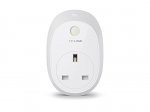
This is the HS110 version which has the power monitoring as well.
1 per customer unfortunately.
Should also work with Google Home
Top comments
howbord
17 Apr 174#17
Just thought of a use, when it gets hot i have a large fan in the corner of the bedroom so with one of these i can switch it on or off without getting out of bed. Sold
howbord
17 Apr 173#3
Just looking around my house and the majority of electrical items i have require you to switch them on once they are plugged in, even phone chargers only draw power when a phone is attached. Therefore on things like the tv i can only see these as being a way of switching from fully off to standby which whilst not being a bad thing seems an expensive way of flicking a switch.
Before i get berated by the usual arguments i do have 2 Alexa dots and Hue lighting so i am not adverse to spending money to avoid flicking a switch but i just cant really justify these, however i would love someone to convince me otherwise - credit card ready and waiting :-)
Latest comments (43)
jonnithomas
19 Apr 17#43
I have a SkyQ router which runs on 2.4 and 5. It also uses the same ID unless you change it. I have several TP-link plugs and do not have this issue.
I have not changed mine to two id.
Apparently, the BT router has smart setup on it which takes you to a screen with adverts for BT.stuff. If your home device doesn't have an internet browser this causes access to fail. according to the link above just switch it off.
terriclarkfan
19 Apr 17#42
Quick heads up about installing these plugs if you're on BT broadband/fibre.
I just got mine and they operate only on 2.4ghz wifi networks. I've got BT fibre and apparently the BT hub uses both 2.4ghz and 5.0ghz bands, but gives them both the same SSID so the plug gets confused.
These instructions show how to split your two networks into two separate SSIDs with distinct names You can then connect the plug to the 2.4 network successfully.
Hope this saves some people tearing their hair out or returning the plug as faulty.
buddn07
18 Apr 171#41
Nope. They don't work with IFTTT. I use the D-Link ones, and they're much better. I have mine set to turn on my lights at sunset.
Aiadi
17 Apr 17#40
That is good but is there a way to get an IFTTT notification when one of these are turned on or off? this is the function that I am looking for and is lacking as far as I can see.
moorey7
17 Apr 172#39
Prime now has £10 off £40 and let's you order 2. I just paid £38.98 for 2 plugs coming tomorrow.
webcmg
17 Apr 17#38
Cheers, went for one power saving and one regular.
germainsophie
17 Apr 17#37
I tend to use the tp link non energy monitoring one for the timer. :stuck_out_tongue: (Geeky enough for me :laughing: )
IFFTT goes whoosh over my head!
terriclarkfan
17 Apr 171#36
Yep, I'm using one of these timer plugs at night at the moment, set for two hours as you say. But it's not techy/geeky enough for me. :wink:
germainsophie
17 Apr 17#35
I tend to put the plug on timer for about 2/3 hours when charging my phone overnight. So it automatically switches off after the phone is >90% charged.
0scar222
17 Apr 17#34
Nothing wrong with been over cautious but TV's are one the lowest causes of electrical fires now
In fact most TV fires are caused by it been set on fire, doesn't need to be plugged in for that
Any electrical item poses a fire risk even this smart plug
terriclarkfan
17 Apr 172#33
This plug doesn't have native IFTTT support, but there's a hack to interface it with IFTTT yourself.
I'm thinking of using this plug with a mobile phone charger, with IFTTT to turn off the plug when the phone's charge reaches 100% or >90%, so as not to over-stress the battery overnight.
germainsophie
17 Apr 17#32
My tv switches on automatically when I turn the plug on. Not sure whether that's a good thing or not!
I wasn't aware that you should switch tv off standby overnight.
Godspeed
17 Apr 17#31
Alexa, turn on my electric blanket....
Goopster
17 Apr 171#30
These look like just the sort of thing I don't really need but cannot be without.
Heat, thanks.
tascheman
17 Apr 17#29
I have one of these which I got for free when I bought some powerline adapters.
Works a treat for switching on my espresso machine to preheat in the morning....
howbord
17 Apr 17#16
Kinda what i thought then, great for turning on individual lights which i do using hue. Still might grab one though as you never know what uses i may find and Christmas isnt that far away
jonnithomas to howbord
17 Apr 17#28
I use mine for sockets which are hard to reach where you want power off overnight for safety. this includes TV which firebrigade says should be switched off standby. yes you need to switch tv on using remote but for me it's better. as for lights I use LIFX so no point for those. yes, xmas lights is an idea :smiley:
jonnithomas
17 Apr 171#27
Thanks this is a good price. I already have two basic (without power usage) for those plugs you turn off at night (TVs etc). I will use this for an electric oil heater. ideal for those plugs you cannot reach.
btw it should be obvious BUT this does not switch on a device with a switch on it. it switches on the power supply to a socket, so it won't switch your kettle on or put a teabag in your cup either. lol
jaddy
17 Apr 17#9
Gutted i got 2 normal ones delivered lastnight at 8pm via prime now. now these are only £2.50 more each, does anyone know how i can swap them,iv not opened them yet cheers.
1616french to jaddy
17 Apr 17#12
Contact Amazon, they might help
sussexdaz to jaddy
17 Apr 17#26
Purchase these, and return the others to Amazon for a refund.
sussexdaz
17 Apr 17#25
These smart plugs are a great bit of kit, far superior to the 'Orvibo b25, smart plug' which i first purchased, and returned for a refund, due to a very poor app'
gsusx
17 Apr 17#24
I dont have the energy ones but as remote power plugs these are the best on the market at the price. Outstanding pieces of kit that work with Alexa as well.
howbord
17 Apr 173#3
Just looking around my house and the majority of electrical items i have require you to switch them on once they are plugged in, even phone chargers only draw power when a phone is attached. Therefore on things like the tv i can only see these as being a way of switching from fully off to standby which whilst not being a bad thing seems an expensive way of flicking a switch.
Before i get berated by the usual arguments i do have 2 Alexa dots and Hue lighting so i am not adverse to spending money to avoid flicking a switch but i just cant really justify these, however i would love someone to convince me otherwise - credit card ready and waiting :-)
1616french to howbord
17 Apr 17#5
me too
g8spur to howbord
17 Apr 172#11
We have them for lamps. Very useful for those sort of things. Also everyone should have one for the Christmas tree lights alone as it saves doing the Christmas tree limbo every year to try and turn the lights on.
jaddy to howbord
17 Apr 17#14
Perfect for turning lamps on, nas drive, decking lights.
plewis00 to howbord
17 Apr 17#23
That's generally true but phone chargers do draw power in standby with nothing attached. It has dropped a lot in recent times (less than 0.1W) and is virtually unnoticeable but they do draw a small current, though as you say, not enough to warrant plugging into a smart plug.
That's the version without the energy monitoring features.
howbord
17 Apr 174#17
Just thought of a use, when it gets hot i have a large fan in the corner of the bedroom so with one of these i can switch it on or off without getting out of bed. Sold
Muir to howbord
17 Apr 17#18
I have one of those big turbo fans in the living room, pointing out of the window to expel hot air. It's strong enough to create a breeze through most of the flat. I could use Alexa to turn it on as soon as I wake up to start cooling the place down (rather than having to walk through a wall of hot air) - thanks for the idea.
Bigken1
17 Apr 17#15
I've got 2 for the table lamps in the lounge/dinner and 1 for the display cabinet in the dining/lounge room, all connected to the echo dot and they work perfect. When I come in to the rooms at night I tell echo to turn on all with 1 command and again when I leave to turn all 3 off again with 1 command. It saves me going to 3 locations to turn these things on and off and I got a spare one for the Christmas tree lights as well. Great cheap bit of kit to make some of your house automatic. It's great to walk into the room and tell echo to turn all these things on with 1 command. Not for everyone but for me it works. Hot Hot Hot.
howbord
17 Apr 17#13
Did think about lamps but i dont actually have any however great shout about the Christmas lights
johnthehuman
17 Apr 171#8
Would this work with Google Home / Assistant?
jaddy to johnthehuman
17 Apr 17#10
Hi, yes they work with Google home perfectly
1616french
17 Apr 17#7
ordered one anyway, shame not to.
This should get really hot today
Swarfega
17 Apr 17#6
Just came to post this. I literally only added these to camelcamelcamel yesterday and here we are with a £10 discount.
Limited to one per customer.
howbord
17 Apr 17#4
Heat for the saving by the way
germainsophie
17 Apr 17#2
Not sure whether to get the energy monitoring one at this price. Currently have the tv plugged into one and phone chargers etc into the other (for the timer function!). :/
dannysmith43
17 Apr 17#1
Bargain, got 3 and love them! paid nearly £35 too. Considering the standard ones are £22-25 it's worth it to keep an eye on your energy usage on that appliance

![Fresh Breakfast Meat Box (Using code) @ Campbells Meat [Haggis / Lorne Sausage / Bacon / Black Pudding & More]](/images/topics/208684_1.jpg)




































![[Xbox One] Q. u. b. e: Director's Cut on Deals with Gold](/images/topics/208716_1.jpg)


















Opening post
Might be worth a look for those who want to add a remote controlled socket to Alexa.
This is the HS110 version which has the power monitoring as well.
1 per customer unfortunately.
Should also work with Google Home
Top comments
Before i get berated by the usual arguments i do have 2 Alexa dots and Hue lighting so i am not adverse to spending money to avoid flicking a switch but i just cant really justify these, however i would love someone to convince me otherwise - credit card ready and waiting :-)
Latest comments (43)
I have not changed mine to two id.
Apparently, the BT router has smart setup on it which takes you to a screen with adverts for BT.stuff. If your home device doesn't have an internet browser this causes access to fail. according to the link above just switch it off.
I just got mine and they operate only on 2.4ghz wifi networks. I've got BT fibre and apparently the BT hub uses both 2.4ghz and 5.0ghz bands, but gives them both the same SSID so the plug gets confused.
These instructions show how to split your two networks into two separate SSIDs with distinct names You can then connect the plug to the 2.4 network successfully.
Hope this saves some people tearing their hair out or returning the plug as faulty.
IFFTT goes whoosh over my head!
In fact most TV fires are caused by it been set on fire, doesn't need to be plugged in for that
Any electrical item poses a fire risk even this smart plug
I'm thinking of using this plug with a mobile phone charger, with IFTTT to turn off the plug when the phone's charge reaches 100% or >90%, so as not to over-stress the battery overnight.
I wasn't aware that you should switch tv off standby overnight.
Heat, thanks.
Works a treat for switching on my espresso machine to preheat in the morning....
btw it should be obvious BUT this does not switch on a device with a switch on it. it switches on the power supply to a socket, so it won't switch your kettle on or put a teabag in your cup either. lol
Before i get berated by the usual arguments i do have 2 Alexa dots and Hue lighting so i am not adverse to spending money to avoid flicking a switch but i just cant really justify these, however i would love someone to convince me otherwise - credit card ready and waiting :-)
http://www.argos.co.uk/product/6254269
This should get really hot today
Limited to one per customer.