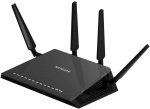
I've been watching this router on camelcamelcamel for a few weeks for it to drop in price again. This is the cheapest it's been for a while according to the charts for Amazon.co.uk.
This is the recommended router by CustomPC magazine for MIMO WIFI.
N.B. It does not have a modem, so you will need to plug into your modem.
Top comments
taras
24 Apr 173#4
If you are needing to restart any router (modem router or router) every week then its faulty
All comments (34)
Pweda
24 Apr 17#1
Got this router when it was last this price in January. Using with BT Infinity 4 and it works a treat and much better than the home hub 6.
Aeschylus
24 Apr 17#2
Lovely router, I have the 'D' version, get that one if you dont want to worry about modem, if they are similar price
Bigspin
24 Apr 171#3
Superb router. new firmware released few weeks ago. super stable and no need to restart every week.
fishmaster to Bigspin
24 Apr 17#21
That's a great feature there. The paying for something and it working properly feature, that's one of the best.
taras
24 Apr 173#4
If you are needing to restart any router (modem router or router) every week then its faulty
VimesUK
24 Apr 17#5
My R7000 has been a pretty solid router and is flashed with a AsusWRT Merlin firmware. This makes running it with a VPN client pretty good when overclocked to 1.2Ghz. Increasing the transmission power of both radios has helped also.
When running the official firmware it was pretty dire and sluggish.
This R7800 with its dual core 1.7Ghz CPU should be pretty useful for a VPN as well, albeit when using DD-WRT, as Netgear do not support a VPN client set up.
Heat added and good price, might still wait to see if the Linksys 3200 ever drops in price.
redbutcher
24 Apr 17#6
I have one of these - very impressed with it.
st8mike
24 Apr 171#7
I have one its a great solid performing router. Don't think you could do much if any better for the money.
oneeyedvic
24 Apr 17#8
Hi all. Is it possible to use this router with sky fibre?
I have a lot of home automation stuff together with the usual mobile phones, tablets etc etc
Also live in an old Victorian House so quite large and roomy - the Sky one is struggling
Finally if possible I would like to be able to remotely dial in from away to access files (though don't have a fixed up address)
Will this do all of the above?
andybarnes to oneeyedvic
24 Apr 17#9
I think Sky lock their routers down. I don't have fibre, but got the Sky Q router which is useless. Sky won't let me use my own, you have to do some sort of behind the scenes configuration to get a non Sky router working. Might be different for fibre.
redbutcher to oneeyedvic
24 Apr 17#12
Yes, you need to use DD-WRT firmware with it (also need a separate modem - I use an old unlocked HG612 Openreach one) and use a command to start the connection, but once done it's rock solid - and yes I have Sky Fibre.
Any idea how to set it up for EE broadband? I always used it with BT, but then we switched to EE and I can't find user details for setting it up for EE.
delboyd to padamowicz93
24 Apr 171#11
Wondered the same, too lazy to investigate. I guess the Brightbox needs to be put into Modem mode and then this daisy chained on? Been meaning to look into it for ages but never bothered.
poison3k
24 Apr 172#14
Tell that to BT, lol
redbutcher
24 Apr 172#15
You don't need to get your username and password for a Sky fibre connection - my connection string is using a made up username and password and it works fine. Only thing I did was clone the mac address of the sky fibre router.
decanay
24 Apr 17#16
Managed to pick this up from Amazon for £134.99 last month. Was awful with stock firmware - stable but very flaky wireless signal. Latest update fixed it and increased range by 20%. Now very good.
If you do get this and aren't planning on custom firmware, do make sure to update to the latest Netgear version as it makes a huge difference to performance.
It was also a bit of a pain to setup and needed to be wired directly before it allowed me into the setup utility.
alexus
24 Apr 17#17
Have this at home it's a big house with lots of home automation chromecast audios etc. wifi has been solid and great since we got it. Found had outgrown our old Asus as it could no longer cope with the speed coming in and once had about 20 devices connected just kept bottle necking the processor and falling over. This has been really good. Do agree software isn't as nice as Asus.
My wifi speed now seems limited by the devices wifi chip, if it has ac etc then it's faster for home network transfers
padamowicz93
24 Apr 17#18
Yeah especially that I didn't notice much difference from using that crap that EE provides. Love it when they advertise it as £150 router but you can pick up for £15 on eBay.
I will look into connecting netgear to EE as soon as this semester ends so will let you know if I come up with a solution.
whiteswan
24 Apr 17#19
I have an ASUS AC68U used with Virgin Superhub in Modem Mode on 300 meg BB.
Is this vastly superior ?
I get 250 meg dload speed wirelessly on the floor above the superhub asus - however..........
For some reason my wireless has started to randomly disconnect for approx. 10 seconds when a large download starts - then its rock solid - had VM out and they have swapped the Superhub - so its not that - so may upgrade if its worthwhile ?
Dave
padamowicz93
24 Apr 17#20
If you go to your router settings page (EE router) and find out what username is then we can go from there. Managed to do mine today and works a treat.
But it's not that simple so let me know once you find out what your username is.
charlie12
25 Apr 17#22
I "upgraded" from the AC68U to the R7800 on a 76Mbps connection. I wouldn't say that it's vastly superior, but the R7800's Wi-Fi range is better, and it's better at handling large amounts of concurrent connections with multiple devices.
I'd recommend that you give it a try, if it's not satisfactory for your use case then you can always return it. But if it is, then you can offset the cost by selling your AC68U.
For added functionality, the ASUS has the option of using the feature-rich Merlin FW, but Voxel's R7800 FW is also excellent.
whiteswan
25 Apr 17#23
Thank You so much for the reply.........
I am not too clever when it comes to networking.
If the Nighthawk is good as a replacement for the AC68 - can I utilise the Asus somehow to extend the wifi range of the Nighthawk ?
Is this easy to do if its possible ?
Dave
charlie12
25 Apr 17#24
It's quite easy to set the ASUS to Access Point mode and use it to "extend" your range, but to achieve seamless device roaming between access points is a bit hit and miss, and you may find that you won't even need to extend your range if you're using the R7800.
dkl_uk
25 Apr 17#25
I had the 'D' variant of this modem/router back in the Black Friday sales in November 2015. It was the most horrendous experience I've ever had with a piece of networking equipment. Regular disconnects, the Smart TVs wouldn't connect to the Smart services, if I enabled QoS, network speed was flaky, and disabling QoS whilst making a file transfer would make the router drop out completely.
I have been mulling over whether to get another as the Amazon returns tend to come in at about £160 for what is essentially a brand new unit with a slightly crumpled box. I just don't want to go through the same issues again that the firmware update around December 2015 still failed to fix.
whiteswan
26 Apr 17#26
Hi - quick update - mine arrived yesterday - all set up - it replaced an ASUS AC68 which was used in conjunction with V Media Superhub 3 in Modem Mode on a 300 meg connection.
Its a WINNER !!
I have a PC which is 3 brick walls away from the router - with the previous ASUS I was getting (on 5ghz ac) a download rate of 100 meg - with the NETGEAR I am getting 220 meg !!
The room above the router hasn't really changed - still getting a good 250 meg wireless on 5ghz ac.
The most important thing is NO DISCONNECTS whilst downloading large files - its rock solid - not disconnected once.
The ONLY thing if I had to find fault is the Graphical Interface resembles THE HOBBIT on the ZX SPECTRUM ;-)
But that's being very very picky - if it continues to this stable and this fast I will be very very pleased.
ThankYou OP.
Dave
VimesUK to whiteswan
26 Apr 17#27
are you using the default Netgear firmware....? I never got on with the UI or sluggishness with my R7000 and Netgear's own.
I have just ordered it and will be using DD-WRT when mine arrives.
Hopefully it should offer good speeds for my VPN client.
whiteswan
26 Apr 17#28
Hi
Yes I am using default firmware - once set up it works ok.
I don't want to start flashing new firmware and then fine my Nest or Ring Doorbell refuses to work ;-)
Can't see me getting any better than 260 meg from a 300 meg dload speed wirelessly so I'll leave well alone ;-)
Dave
VimesUK
26 Apr 17#29
That's good to read and I completely agree with you.
At one time Netgear were really bloating out the R7000 firmwares and they slowed the unit down considerably.
My main reason for using another firmware is the zero support offered by Netgear for a VPN client. If that was built in then I could use it.
VimesUK
28 Apr 17#30
Mine arrived and I didn't bother setting it up with the std firmware but I have instead installed a DD-WRT type. This means the router is using a VPN client and the speeds are much better than they were on my R7000.
So far very impressed.
Mentos to VimesUK
2 May 17#31
What kind of throughput do you get with openvpn?
VimesUK
2 May 171#32
The maximum so far has been a pretty consistent 7.5MB/s. That is the maximum that my line would have been capable of without a VPN. That is using an AES-256 CBC connection. Of course which server you are connected to well be a determining factor but at least the router isn't the restriction.
Overall I'm happy enough with the VPN client on the router.
Mentos
2 May 17#33
Thanks. I'm actually looking to run it as a server for remote acces and uk localisation when abroad.
Plan to get FTTP eventually, so been keeping an eye out for a suitable router. Alternative is running pfSense/openvpn alliance in a VM on my GEN8 NAS and swapping out the CPU for an AES-NI version.
VimesUK
3 May 17#34
I initially went down the pfsense route and my regret was the complete OTT choice for my needs. It took management to a whole other level. The ITX build was nice with a J3355 AES capable celeron but again I just couldn't get my head around what it offered for what I needed. And, obviously, you still need something capable for a wireless AP.
Horses for courses etc but I'm happy enough with the R7800

![Fresh Breakfast Meat Box (Using code) @ Campbells Meat [Haggis / Lorne Sausage / Bacon / Black Pudding & More]](/images/topics/208684_1.jpg)




































![[Xbox One] Q. u. b. e: Director's Cut on Deals with Gold](/images/topics/208716_1.jpg)


















Opening post
I've been watching this router on camelcamelcamel for a few weeks for it to drop in price again. This is the cheapest it's been for a while according to the charts for Amazon.co.uk.
This is the recommended router by CustomPC magazine for MIMO WIFI.
N.B. It does not have a modem, so you will need to plug into your modem.
Top comments
All comments (34)
When running the official firmware it was pretty dire and sluggish.
This R7800 with its dual core 1.7Ghz CPU should be pretty useful for a VPN as well, albeit when using DD-WRT, as Netgear do not support a VPN client set up.
Heat added and good price, might still wait to see if the Linksys 3200 ever drops in price.
I have a lot of home automation stuff together with the usual mobile phones, tablets etc etc
Also live in an old Victorian House so quite large and roomy - the Sky one is struggling
Finally if possible I would like to be able to remotely dial in from away to access files (though don't have a fixed up address)
Will this do all of the above?
If you do get this and aren't planning on custom firmware, do make sure to update to the latest Netgear version as it makes a huge difference to performance.
It was also a bit of a pain to setup and needed to be wired directly before it allowed me into the setup utility.
My wifi speed now seems limited by the devices wifi chip, if it has ac etc then it's faster for home network transfers
I will look into connecting netgear to EE as soon as this semester ends so will let you know if I come up with a solution.
Is this vastly superior ?
I get 250 meg dload speed wirelessly on the floor above the superhub asus - however..........
For some reason my wireless has started to randomly disconnect for approx. 10 seconds when a large download starts - then its rock solid - had VM out and they have swapped the Superhub - so its not that - so may upgrade if its worthwhile ?
Dave
This explain how to find out the settings: http://ee.co.uk/help/phones-and-device/home-broadband/bright-box-wireless-router/bright-box-advanced-user-guides/bright-box-router-change-admin-password
But it's not that simple so let me know once you find out what your username is.
I'd recommend that you give it a try, if it's not satisfactory for your use case then you can always return it. But if it is, then you can offset the cost by selling your AC68U.
For added functionality, the ASUS has the option of using the feature-rich Merlin FW, but Voxel's R7800 FW is also excellent.
I am not too clever when it comes to networking.
If the Nighthawk is good as a replacement for the AC68 - can I utilise the Asus somehow to extend the wifi range of the Nighthawk ?
Is this easy to do if its possible ?
Dave
I have been mulling over whether to get another as the Amazon returns tend to come in at about £160 for what is essentially a brand new unit with a slightly crumpled box. I just don't want to go through the same issues again that the firmware update around December 2015 still failed to fix.
Its a WINNER !!
I have a PC which is 3 brick walls away from the router - with the previous ASUS I was getting (on 5ghz ac) a download rate of 100 meg - with the NETGEAR I am getting 220 meg !!
The room above the router hasn't really changed - still getting a good 250 meg wireless on 5ghz ac.
The most important thing is NO DISCONNECTS whilst downloading large files - its rock solid - not disconnected once.
The ONLY thing if I had to find fault is the Graphical Interface resembles THE HOBBIT on the ZX SPECTRUM ;-)
But that's being very very picky - if it continues to this stable and this fast I will be very very pleased.
ThankYou OP.
Dave
I have just ordered it and will be using DD-WRT when mine arrives.
Hopefully it should offer good speeds for my VPN client.
Yes I am using default firmware - once set up it works ok.
I don't want to start flashing new firmware and then fine my Nest or Ring Doorbell refuses to work ;-)
Can't see me getting any better than 260 meg from a 300 meg dload speed wirelessly so I'll leave well alone ;-)
Dave
At one time Netgear were really bloating out the R7000 firmwares and they slowed the unit down considerably.
My main reason for using another firmware is the zero support offered by Netgear for a VPN client. If that was built in then I could use it.
So far very impressed.
Overall I'm happy enough with the VPN client on the router.
Plan to get FTTP eventually, so been keeping an eye out for a suitable router. Alternative is running pfSense/openvpn alliance in a VM on my GEN8 NAS and swapping out the CPU for an AES-NI version.
Horses for courses etc but I'm happy enough with the R7800