Just buy a separate BT Openreach modem off ebay (got mine for £12 delivered years ago). Used it with Sky and now BT. Then connect that modem to the router of your choice.
dogsballs
20 Mar 17#3
looks good
REAL_DEAL
20 Mar 17#4
was this price a few weeks ago , also, had mine a good 6 months now and rock solid , way better than the SH3
newsagent to REAL_DEAL
20 Mar 171#6
Could you answer the following please.
Do you plug your ethernet cables into this or the SH3 or can you use both at the same time?
Does it work with the V6 tivo or would you just keep the Tivo ethernet cable plugged into the SH3?
gadger100
20 Mar 17#5
I've bought the netgear d7800 and can I heck get the hdd connected to it to be picked up anywhere other than on the home WiFi network. The Asus one I had before was easy, just getting old. :disappointed:
horstachio
20 Mar 17#7
I have a few of these dotted around, superb Routers
REAL_DEAL
20 Mar 171#8
SH3 needs to be turned to Modem Mode only and then connect Ethernet cable to/from ASUS to SH3 , all the other cables for your devices connect to the ASUS, your Tivo will be connected to the ASUS.
newsagent
20 Mar 17#9
Thanks for the reply, much appreciated. Would the Ethernet cable from the SH3 to Asus go in the WAN port or one of the LAN ports?
REAL_DEAL
20 Mar 17#10
goes to the WAN port , have a look at the images on amazon
newsagent to REAL_DEAL
20 Mar 171#11
Thanks :smiley:
Rathore
20 Mar 17#12
SH3 is doing ok for me but signal strength is not good. i will give this a try. beat added :smiley:
matt101101
20 Mar 17#13
I've had one of these since December 2015 and it's been fantastic. Through a set of bizarre circumstances I got it brand new for £106, but I'd still be happy to pay £128 for a fast, reliable router.
Joshimitsu91
20 Mar 171#14
Was cheaper at the in-store deal in Currys iirc but I think that was a one off clearance.
Anyway the router is decent for most things but I mainly bought it for its advertised QoS features back when I had terrible broadband. Quite frankly these features were useless no matter which way they were set up. So if that's important to you I would brace for disappointment. Otherwise it's a decent router.
ventoo
20 Mar 17#15
Does it worth to upgrade to this from Asus AC56 if you have only 76mb fiber broadband?
I'm getting the same wifi speed even with 56 model.
I know it's more powerful and bigger range but what else?
xavierzzz
20 Mar 17#16
I have used a few Asus expensive routers including this ASUS RT-AC87U and a ASUS DSL-AC68U, they all have little but frustrating issues, things like taking ages to reconnect after re-boot, all show as working & connected but no internet, all cable connected devices work but not the wifi...which eventually put me off
I agreed Asus's routers look cool and they are good spec hardware-wise, but I think their software are too complicated and unfinished which makes the devices are so unstable, on top of that, they are more expensive than the others.
I recently switched to TP-LINK Archer, much happier with it.
eatmorefish to xavierzzz
20 Mar 17#18
Couldn't disagree more. I find Asus routers to be rock solid, easy to setup. I don't really care what they look like as long as they work. It's been so long since I had to reboot I can't remember how long it takes to connect.
The ac87u with MU-MIMO is the one to go for in terms of value for money IMHO.
anttony to xavierzzz
21 Mar 17#37
Couldn't agree more. I now have an archer and its much more stable than this ASUS that I owned before
thegamer147 to xavierzzz
24 Mar 17#41
Which tp link did you looking at replacing my d20 for the archer vr400
vpnet
20 Mar 17#17
ASUS makes top notch routers. I use the AC87U myself with Merlin WRT firmware. It handles all my devices and even runs OpenVPN which is nice...
masai
20 Mar 17#19
Have had this for over a year and has been flawless. Regular firmware updates keep this beast happy! The 66U I had before this was also flawless. What you get for your money is incredible.
No, you need a separate ADSL/VDSL modem with bridge mode. If you're on cable I believe the cable can be directly connected to the router.
platinums
20 Mar 17#23
i bought one of these when they were £250. 6 months ago
It has since gone back. There is a wierd 5ghz chipset with this model. Tomato doesnt work. DDWRT is working.
There is an exteneded 3-4 minute boot up process also becuse of teh 5ghz.
It got hot.
lockups were common too.
Also, the one thing I wanted it to do was Universal repeater, merlin didnt support it.)
garym2693
20 Mar 17#24
Looks like the ASUS RT-AC3200 Tri-Band is also heavily discounted. Anyone any thoughts on which is better value?
madridpaid_the_referee
20 Mar 17#25
I'm a noob, what is the benefit of me getting this. I have Virgin Media and am currently using the Super Hub 2ac.
jigsy to madridpaid_the_referee
20 Mar 17#26
For WiFi range yes it's far superior. Superhubs in general are fine when you have a couple of WiFi devices connected to them. Go over that it's WiFi drop outs/reconnection issues and reboots to fix the above. The router can't seem to cope with multiple devices connected simultaneously, well that was my experience at least.
DAZZ2000
20 Mar 17#27
Marty: Doc you built a time machine....out of an Asus broadband router
Doc Brown: Marty, where we're going we don't need roads....it's the information superhighway
homerj1977
20 Mar 17#28
Same set up here. Is it just a case of using this as your WiFi point, disabling WiFi and DHCP on the Virgin hub, and running an Ethernet between the two?
My plan is to make something like this the permanent fixture in my house whilst I chop and change the provider.
matt101101
20 Mar 17#29
Just stick the SH in modem mode, then run an Ethernet cable from the SH to this and you're good to go. It's the same setup I have and it works perfectly. :smiley:
ComminutedOrange
20 Mar 17#30
Somebody enlighten me please:
Say I have this in one room and want my laptop to be able to achieve the speeds this is capable of (1Gb HyperOptic broadband), won't I need a special dongle? Or is the speed largely dictated by the router more so than the receiving wifi chip? (my laptop has 802.11ac)
(I can not believe it, but I'm humbled by how my parents must feel when technology advances and you don't keep up! I used to be all over this sort of stuff, now I'm clueless :stuck_out_tongue:)
matt101101
21 Mar 171#31
I don't have such a high bandwidth connection to test with (220mb/s here), so the best I think I can do is a file transfer from a PC connected via Gigabit Ethernet to the router to my laptop, which has an Intel AC-7260 Wi-Fi adapter. Both computers have fully solid state storage, so there's no slow, mechanical drives holding anything back.
I got transfer speeds of ~58MB/s (~464mb/s). I have no idea if that's good, bad or somewhere in the middle when it comes to both the capabilities of the router and the capabilities of the Intel AC-7260 Wi-Fi adapter. I also have no idea if network file transfer speeds are a reasonably indicator of maximum download speeds from the internet. I don't usually do network file transfers, so generally as long as my 220mb/s connection can be used to its full potential on my laptop via Wi-Fi (which it can), I'm a happy bunny.
If you want any more info I can try and help, but networking isn't really my forte and I'm generally satisfied as long as my router isn't "bottlenecking" my download speeds via Wi-Fi and everything is nice and stable.
I must admit it's not a router for the faint hearted, there are a number of tuning options which will boggle the average user. Unfortunately, you have to know what you're doing to get the most out of it.
Ed2091
21 Mar 17#36
If anyone wants a google onhub for the same price, I'm selling mine... https://on.google.com/hub/ the TP-Link one...
MrSweeney
21 Mar 17#38
Which ISP are you on?
MrSweeney
21 Mar 17#39
Word of warning to anyone on Sky Broadband (ADSL), if you are looking to have a separate dsl modem + Wifi Router like this one as your configuration, most standalone DSL modems will not work in bridge mode with a Wifi Router.
This is because Sky only seem to allow PPPoA connections (unlike BT which allow both PPPoA & PPPoE). I found this out the hard way after reading forums for several hours on end. Therefore you cannot put the modem in bridge mode and end up with double NAT. The closest you can get to bridge mode at that point is to put the Wifi router into the DMZ of the dsl modem to avoid it.
The forum posts were a bit old in date (1 or 2 years) but apparently the only way to achieve this setup with the dsl modem in bridge mode on Sky is to buy either a Draytek Vigor 120 or 130 dsl modem which supports PPPoA to PPPoE bridging. Not sure if they are any *other* dsl modems so far that support this yet...?
Needless to say the draytek modems are more expensive than your average dsl modem. £50ish for the 120 and £80ish for the 130, I think....
jim23k
21 Mar 171#40
They have half a dozen or so "used like new" warehouse deals for 122.87. One of them reads "Item is in original, pristine packaging. Products that have been water tested may contain residual water or water marks. Products that have been factory tested may contain traces of coffee in the mill.". I find that covering my router in coffee and submerging it in water helps boost performance.

![Fresh Breakfast Meat Box (Using code) @ Campbells Meat [Haggis / Lorne Sausage / Bacon / Black Pudding & More]](/images/topics/208684_1.jpg)




































![[Xbox One] Q. u. b. e: Director's Cut on Deals with Gold](/images/topics/208716_1.jpg)


















Opening post
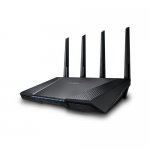
Apparently the cheapest it has ever been...
All comments (42)
https://www.amazon.co.uk/d/Modems/NETGEAR-DM200-100EUS-Broadband-High-Speed-DSL-Modem/B01GL3YPHI/ref=sr_1_1?s=videogames&ie=UTF8&qid=1490013579&sr=1-1&keywords=netgear+adsl
Do you plug your ethernet cables into this or the SH3 or can you use both at the same time?
Does it work with the V6 tivo or would you just keep the Tivo ethernet cable plugged into the SH3?
Anyway the router is decent for most things but I mainly bought it for its advertised QoS features back when I had terrible broadband. Quite frankly these features were useless no matter which way they were set up. So if that's important to you I would brace for disappointment. Otherwise it's a decent router.
I'm getting the same wifi speed even with 56 model.
I know it's more powerful and bigger range but what else?
I agreed Asus's routers look cool and they are good spec hardware-wise, but I think their software are too complicated and unfinished which makes the devices are so unstable, on top of that, they are more expensive than the others.
I recently switched to TP-LINK Archer, much happier with it.
The ac87u with MU-MIMO is the one to go for in terms of value for money IMHO.
It has since gone back. There is a wierd 5ghz chipset with this model. Tomato doesnt work. DDWRT is working.
There is an exteneded 3-4 minute boot up process also becuse of teh 5ghz.
It got hot.
lockups were common too.
Also, the one thing I wanted it to do was Universal repeater, merlin didnt support it.)
Doc Brown: Marty, where we're going we don't need roads....it's the information superhighway
My plan is to make something like this the permanent fixture in my house whilst I chop and change the provider.
Say I have this in one room and want my laptop to be able to achieve the speeds this is capable of (1Gb HyperOptic broadband), won't I need a special dongle? Or is the speed largely dictated by the router more so than the receiving wifi chip? (my laptop has 802.11ac)
(I can not believe it, but I'm humbled by how my parents must feel when technology advances and you don't keep up! I used to be all over this sort of stuff, now I'm clueless :stuck_out_tongue:)
I got transfer speeds of ~58MB/s (~464mb/s). I have no idea if that's good, bad or somewhere in the middle when it comes to both the capabilities of the router and the capabilities of the Intel AC-7260 Wi-Fi adapter. I also have no idea if network file transfer speeds are a reasonably indicator of maximum download speeds from the internet. I don't usually do network file transfers, so generally as long as my 220mb/s connection can be used to its full potential on my laptop via Wi-Fi (which it can), I'm a happy bunny.
If you want any more info I can try and help, but networking isn't really my forte and I'm generally satisfied as long as my router isn't "bottlenecking" my download speeds via Wi-Fi and everything is nice and stable.
http://www.hotukdeals.com/deals/asus-rt-ac87-router-71-97-pc-world-instore-2421149
I must admit it's not a router for the faint hearted, there are a number of tuning options which will boggle the average user. Unfortunately, you have to know what you're doing to get the most out of it.
This is because Sky only seem to allow PPPoA connections (unlike BT which allow both PPPoA & PPPoE). I found this out the hard way after reading forums for several hours on end. Therefore you cannot put the modem in bridge mode and end up with double NAT. The closest you can get to bridge mode at that point is to put the Wifi router into the DMZ of the dsl modem to avoid it.
The forum posts were a bit old in date (1 or 2 years) but apparently the only way to achieve this setup with the dsl modem in bridge mode on Sky is to buy either a Draytek Vigor 120 or 130 dsl modem which supports PPPoA to PPPoE bridging. Not sure if they are any *other* dsl modems so far that support this yet...?
Needless to say the draytek modems are more expensive than your average dsl modem. £50ish for the 120 and £80ish for the 130, I think....