Thanx Jim Bob, been after one for my laptop (which has a 5400 harddrive), ordered & heated
jordy32
15 Jan 171#2
I had one of the samsungs, thanks JimBobJr
Graham1979
15 Jan 171#3
3 year warranty but any used/know the quality of the brand? I am sure I've used their memory cards etc
richstroller to Graham1979
15 Jan 171#4
I have a 1tb portable hdd made by Transcend. No problems in the three years or so I've had it. It's currently hooked up to my router with films/music.
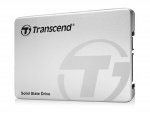
anscend quote 80,000 IOPS for both read and writes for the drive. Our review sample could get nowhere near that figure, producing a read figure of 71,121 IOPS, which is short of the official figure, although not too bad and likely related to different methodologies in testing procedures. The 4K random write IOPS performance however was a major disappointment as the drive could only manage a very disappointing 21,145 IOPS.
It was the same story with the real-life file transfer tests. The read performance of the drive was strong across all the tests, averaging 421MB/s. The only test where it dipped below 400MB/s was when dealing with the 50GB folder of small files. The write performance was a completely different story. All the file transfers started strongly and then the transfer rate dropped dramatically. We saw it happening using both the FastCopy utility and the standard Windows file copy – a peak and then a plunge worthy of any black day on the Footsie.
Transcend drives are never the easiest to find but nether the less we found the 480GB drive for sale for £98.22 inc VAT at Ballicom International HERE which is a pretty competitive price.
02wilben
15 Jan 17#8
Heat
puddles9999
16 Jan 17#9
My mac will be a happy bunny when playing battlefield 1
pawelsandra
16 Jan 171#10
Only a month or two ago I bought Crucial 750GB at around 107 pounds. Very fast one too. What is so good about this deal?
ZainAkib to pawelsandra
16 Jan 171#11
Go Google the prices of 480gb/500gb drives then compare it to this one. And that was a crazy good deal, seriously stop spamming every SSD thread with that sale, it's annoying.
How does this compare to the 850 EVO if anyone has knowledge on it?
Graham1979 to pawelsandra
16 Jan 173#15
We don't have time machines
sailo
16 Jan 171#12
Yes, he is a serious spammer considering only made two comments on all HUKD threads in total. :confused:
PcTechSpecialist
16 Jan 171#13
It sounds to me like (a) A firmware issue or (b) the Controller used (in this case the Silicon Motion SM2256KAB) isnt so great...
After googling some info on this particular controller, Kitguru's review confirmed the performance from an earlier article on Anandtech that previewed the controller and put it up against some of the value performers of 2015.
It is what it is, and you get what you pay for.
bpwa1
16 Jan 17#14
damn my imac
dossdes to bpwa1
18 Jan 17#22
I have a 2014 iMac with a shockingly slow 500gb HDD. I am using an SSD in a USB3 exclosure and have that set as the boot drive for the Mac using the internal HDD as storage. It is night and day different in terms of performance and has made the mac a much better and responsive machine to use.
There are some issues with doing this, MacOS doesn't support the SSD trim function (used to tidy up the drive) over USB, you can get round this by using a Thunderbolt enclosure but these are serious money (£200 ish).
My view is that with regular backups and the cost of a drive like this i am happy to deal with the downsides of no Trim support.
My drive isn't one of these - it's an older Kingston one so i can't comment on the speed of this one but at the price and with a decent quality external USB3 enclosure its a no brainer to me.
randombloke1
16 Jan 17#16
Anyone knows if it is compatible with MacBook Air 11inch?
Cheers, I figured it should, but I looked on Amazon and the one of the questions suggested you needed a Macbook Pro specific drive which was £240 odd. :smiley:
maremalin1 to Lemm
17 Jan 17#21
There are Mac Specific drives like this one: JetDrive But like you said it is around £240
I'd go for deal @ £95 and ensure to do regular backups to external HDD.
boomish to Lemm
26 Jan 17#30
I have a 2011 with SSD you don't need a Mac specific drive..
bigN13
20 Jan 171#23
Dont forget to appy BIGTHANKS on checkout to get tenner out
Mecoconuts to bigN13
20 Jan 171#24
£85.42 makes this the best SSD per Gig for the money just now ! :wink:
alexmurphy01
20 Jan 17#25
Yeah, that's what pushed me over the edge. The slower write speeds don't concern me so much as I'll just be sticking my most used games and leaving them there.
B_T
20 Jan 17#26
What do you use to clone your existing drive onto this?
chelmsfordman to B_T
24 Jan 171#28
EASEus worked for me, but what is often missed is the need to partition the ssd so pc can detect it in windows (in search type 'partitions' ) and you can see the connected drive - assuming you have it connected in an external caddy.
christopherpeters79677
21 Jan 17#27
trying to use the firmware update boot drive that ssd scope download but I don't have an UEFI boot option and in the instructions it says to turn it on how do I use this without it as I don't have any computers with it as when I boot with it all I get is boot menu and then what looks like command prompt
B_T
25 Jan 17#29
The free version should do the job nicely - Thanks
boomish
26 Jan 17#31
Mac OS does support Trim but not automatically on all SSD's (only Apple approved ones) however it's a simple command in Terminal - "sudo trimforce enable" , check it's running via -
(there is also some third party apps that will do it for you)
Here's how to find out if TRIM is running or not.
1. Click on the Apple icon (top-right corner) then choose About This Mac.
2. Click on System Report.
3. On the left pane of the System Information window, under Hardware navigate to SATA/SATA Express.
4. On the right pane, scroll down until you find TRIM Support. If the value is Yes, then TRIM is running -- you're all good! If the value is No, then you need to turn it on.
dossdes
26 Jan 17#32
Agreed, however not over usb, only SATA or Thunderbolt.

![Fresh Breakfast Meat Box (Using code) @ Campbells Meat [Haggis / Lorne Sausage / Bacon / Black Pudding & More]](/images/topics/208684_1.jpg)




































![[Xbox One] Q. u. b. e: Director's Cut on Deals with Gold](/images/topics/208716_1.jpg)


















Opening post
Top comments
All comments (32)
It was the same story with the real-life file transfer tests. The read performance of the drive was strong across all the tests, averaging 421MB/s. The only test where it dipped below 400MB/s was when dealing with the 50GB folder of small files. The write performance was a completely different story. All the file transfers started strongly and then the transfer rate dropped dramatically. We saw it happening using both the FastCopy utility and the standard Windows file copy – a peak and then a plunge worthy of any black day on the Footsie.
Transcend drives are never the easiest to find but nether the less we found the 480GB drive for sale for £98.22 inc VAT at Ballicom International HERE which is a pretty competitive price.
How does this compare to the 850 EVO if anyone has knowledge on it?
After googling some info on this particular controller, Kitguru's review confirmed the performance from an earlier article on Anandtech that previewed the controller and put it up against some of the value performers of 2015.
It is what it is, and you get what you pay for.
There are some issues with doing this, MacOS doesn't support the SSD trim function (used to tidy up the drive) over USB, you can get round this by using a Thunderbolt enclosure but these are serious money (£200 ish).
My view is that with regular backups and the cost of a drive like this i am happy to deal with the downsides of no Trim support.
My drive isn't one of these - it's an older Kingston one so i can't comment on the speed of this one but at the price and with a decent quality external USB3 enclosure its a no brainer to me.
I'd go for deal @ £95 and ensure to do regular backups to external HDD.
(there is also some third party apps that will do it for you)
Here's how to find out if TRIM is running or not.
1. Click on the Apple icon (top-right corner) then choose About This Mac.
2. Click on System Report.
3. On the left pane of the System Information window, under Hardware navigate to SATA/SATA Express.
4. On the right pane, scroll down until you find TRIM Support. If the value is Yes, then TRIM is running -- you're all good! If the value is No, then you need to turn it on.