Which handles all do the drive control as otherwise it would need multiple Sata control card which gets messy (if your motherboard can even handled the multiple cards needed) and even more expensive.
I then have a total of 23 WD Reds and the one 8TB Seagate giving 100TB of unformatted storage and approximately 91TB of formatted storage.
This server then sits in a full height server rack which houses my home theatre PC, Amp and games consoles as everything in the house is wired into that cupboard via network switches and a 4x4 av matrix meaning I can watch/play everything in most rooms around the house.
It's a big system but I've slowly built up to it over the years starting with small NASs then going to small HP home server, then extender boxes and HP micro servers. This was the most cost effective and least power hungry setup in the end and suits my needs perfectly and it will never need replacing as a whole as drives can be swapped out easily and complements replaced in the event of any failures.
Sambat
7 Jan 175#1
I wouldn't trust a Seagate, let alone with 8tb of my data.
Latest comments (37)
jouster
13 Jan 17#37
You know what I meant.
daskapital
11 Jan 17#36
Blurays are compressed. H.264 and H.265 are compression codecs.
jouster
9 Jan 17#35
I was running two micro servers prior to this and they used. Ore power in spin up and weren't as well organised as this setup. Only drives in use spin up so 23 drives spin down. It's of the time when the server is in us. Plus the server is woken when required and sleeps within 5 minutes of the network sensing traffic.
haileris
9 Jan 17#34
I'm not entirely convinced on that one - particularly as you have the granularity to switch some of the smaller units off (suppose you could dabble with MAID). If you optimise it you might have a chance but comparing my supermicro base unit to the equivalent number of microservers its the latter that consumes less power by my calc.
Nice rack !
jouster
9 Jan 17#33
Yes to be honest small NASs are great until you out grow them and then the usual response is to just buy another NAS or enclosure and string them together but to be honest this ends up using more power than a large server.
A large server doesn't suit everyone as they are not exactly small, but if you have space for them they are far more expandable AND they can run on Windows 7 or above or if you want a true server environment, picking up a. Copy of Windows Home Server 2011 is advisable.
This is actually my second server or this style and that now resides in my second property as off site backup which gives ultimate peace of mind. In truth when servers get to this size, unless you want to reply on expensive raid arrays there isn't a simple way to backup or keep safe this amount of data
owdcodger
9 Jan 17#32
Oh, WOW!
Never thought of something like this. Thought it would be way too expensive for home use.
Time to ditch all the Microservers & consolidate.
Just had, an internal, power supply go in an 8-bay Drobo. Dreading how much that's going to cost, if it can be repaired.
JoeSpur
8 Jan 17#31
Let us know when WD REDs come down to this price :smile:
haileris
8 Jan 17#30
I've had 1 fail out of 4. Other 3 still whirring away
Chuggee
8 Jan 17#29
Glad to see all the haters out in storm.
Some of us users need the storage, or want it. It's no different to buying a Ferrari California when you can get a Fiat Punto.
Same haters crawl out of the woodwork on GTX 1080 deals and the sort, and 4K monitor deals. Does make for some interesting reading. :wink:
jouster
8 Jan 17#28
The matrix option works very well and I can easily stream to 10 players at once if required without the matrix over cat5e
gagagaga
8 Jan 17#27
Nice, got a very siliar setup in the same case (use 2x IBM M1015 cards + motherboard sata). Idles ~ 60w in spindown with a couple of VMs running. I'd love a multi-output HDbaseT video card to run Kodi as VMs, but they don't seem to have appeared.
Have about 15 of these Seagate drives - they've all been rock solid.
jouster
8 Jan 171#26
Because Seagate drives used to be unreliable. But it is no longer the case.
Sambat
8 Jan 171#25
Why would that be?
OrribleHarry
8 Jan 173#24
Our department supports 15,000 desktop PC's and 100 servers and Seagate failures are at a similar rate to WD. We replace around 5 a week.
sh20
8 Jan 171#23
And I have used seagate exclusively for almost 15 years without a single failure. What’s your point?
jouster
8 Jan 17#21
Who watches 4k porn. Surely those people are going blind anyway so 720p would be fine
OrribleHarry to jouster
8 Jan 17#22
Wow!, poetry to porn..... You really are mixed up.
omgpleasespamme
8 Jan 17#20
Some people just down have the bandwidth to be streaming 4k.
OrribleHarry
8 Jan 173#19
I wander lonely as a cloud.......poems don't take up hardly any space at all.
jouster
8 Jan 17#18
Who downloads porn anymore.
hukdplan
8 Jan 172#17
Hope you're prepared for about a dozen responses making porn jokes. :confused:
jouster
8 Jan 17#16
Sorry. Forgot to reply directly to you. Have now posted some specs/pics of my media server setup
jouster
8 Jan 17#15
Totally. These drives are a whole new format compared to earlier and smaller capacity drives. People take what they read as gospel. Need to realise that not everything they read on the web isn't always true
Which handles all do the drive control as otherwise it would need multiple Sata control card which gets messy (if your motherboard can even handled the multiple cards needed) and even more expensive.
I then have a total of 23 WD Reds and the one 8TB Seagate giving 100TB of unformatted storage and approximately 91TB of formatted storage.
This server then sits in a full height server rack which houses my home theatre PC, Amp and games consoles as everything in the house is wired into that cupboard via network switches and a 4x4 av matrix meaning I can watch/play everything in most rooms around the house.
It's a big system but I've slowly built up to it over the years starting with small NASs then going to small HP home server, then extender boxes and HP micro servers. This was the most cost effective and least power hungry setup in the end and suits my needs perfectly and it will never need replacing as a whole as drives can be swapped out easily and complements replaced in the event of any failures.
DownHill911
8 Jan 17#13
Got one in my PC, still got some 96GB of free space left. :-)
Sambat
7 Jan 175#1
I wouldn't trust a Seagate, let alone with 8tb of my data.
OrribleHarry to Sambat
8 Jan 173#12
Well you are very much misinformed.
jouster
8 Jan 171#11
Indeed. I store all of my blurays in an uncompressed format because I can. I actually in use this server for video but it works perfectly for me
tcboy
8 Jan 172#8
not cheap at all, I got mine for 166 few months ago from Novatech
The price has been hovering around 179 anyway
200 is definitely not a deal
jouster to tcboy
8 Jan 17#10
Good to know
beastman
8 Jan 171#9
Post up some pics and details of your monster kit!
Chuggee
7 Jan 17#7
Just doing the maths. :smile:
*My NAS is 15TB RAID 5, but different strokes, different folks I guess? :wink:
Shard
7 Jan 178#6
Just when I think, I've got a problem, I meet you. God bless you sir
bally12345
7 Jan 175#5
I have had 3 seagate drives fail within 1 year in my nas swapped them all out with WD Reds and been going strong for almost 3 years now.
Chuggee
7 Jan 17#4
Haha. A standard bluray is 50GB (most are dual layer to fit extra audio tracks and extras on). A 100TB server will fit 2048 of those on it. That's just movies. Take into account FLAC music albums, TV shows and RAW picture albums and you've filled that space up fairly quickly.
Some people just want maximum quality, this drive is a great drive whether in NAS or Desktop.
jouster
7 Jan 174#2
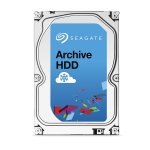
I've been using one of these for 18 months in my 100TB media server and it's been bullet proof. I paid £183 for mine back then so this is the closest it's been again since. I'm still got 28TB capacity so I'm good for now but will definitely take a look at these when the time comes
praevalens to jouster
7 Jan 1710#3
So you're the one the government has employed to retain all of our browsing data.

![Fresh Breakfast Meat Box (Using code) @ Campbells Meat [Haggis / Lorne Sausage / Bacon / Black Pudding & More]](/images/topics/208684_1.jpg)




































![[Xbox One] Q. u. b. e: Director's Cut on Deals with Gold](/images/topics/208716_1.jpg)


















Opening post
3 year warranty.
Other places seem to be £250+
Top comments
https://www.xcase.co.uk/collections/4u-rackmount-cases/products/x-case-extra-value-rm-424-24-hotswap-bays
Running with a decent motherboard with 8GB of ram. To deal with drive connections I have an Areca card similar to this.
https://m.newegg.com/Product/index?itemnumber=N82E16816151027
Which handles all do the drive control as otherwise it would need multiple Sata control card which gets messy (if your motherboard can even handled the multiple cards needed) and even more expensive.
I then have a total of 23 WD Reds and the one 8TB Seagate giving 100TB of unformatted storage and approximately 91TB of formatted storage.
This server then sits in a full height server rack which houses my home theatre PC, Amp and games consoles as everything in the house is wired into that cupboard via network switches and a 4x4 av matrix meaning I can watch/play everything in most rooms around the house.
It's a big system but I've slowly built up to it over the years starting with small NASs then going to small HP home server, then extender boxes and HP micro servers. This was the most cost effective and least power hungry setup in the end and suits my needs perfectly and it will never need replacing as a whole as drives can be swapped out easily and complements replaced in the event of any failures.
Latest comments (37)
Nice rack !
A large server doesn't suit everyone as they are not exactly small, but if you have space for them they are far more expandable AND they can run on Windows 7 or above or if you want a true server environment, picking up a. Copy of Windows Home Server 2011 is advisable.
This is actually my second server or this style and that now resides in my second property as off site backup which gives ultimate peace of mind. In truth when servers get to this size, unless you want to reply on expensive raid arrays there isn't a simple way to backup or keep safe this amount of data
Never thought of something like this. Thought it would be way too expensive for home use.
Time to ditch all the Microservers & consolidate.
Just had, an internal, power supply go in an 8-bay Drobo. Dreading how much that's going to cost, if it can be repaired.
Some of us users need the storage, or want it. It's no different to buying a Ferrari California when you can get a Fiat Punto.
Same haters crawl out of the woodwork on GTX 1080 deals and the sort, and 4K monitor deals. Does make for some interesting reading. :wink:
Have about 15 of these Seagate drives - they've all been rock solid.
https://www.xcase.co.uk/collections/4u-rackmount-cases/products/x-case-extra-value-rm-424-24-hotswap-bays
Running with a decent motherboard with 8GB of ram. To deal with drive connections I have an Areca card similar to this.
https://m.newegg.com/Product/index?itemnumber=N82E16816151027
Which handles all do the drive control as otherwise it would need multiple Sata control card which gets messy (if your motherboard can even handled the multiple cards needed) and even more expensive.
I then have a total of 23 WD Reds and the one 8TB Seagate giving 100TB of unformatted storage and approximately 91TB of formatted storage.
This server then sits in a full height server rack which houses my home theatre PC, Amp and games consoles as everything in the house is wired into that cupboard via network switches and a 4x4 av matrix meaning I can watch/play everything in most rooms around the house.
It's a big system but I've slowly built up to it over the years starting with small NASs then going to small HP home server, then extender boxes and HP micro servers. This was the most cost effective and least power hungry setup in the end and suits my needs perfectly and it will never need replacing as a whole as drives can be swapped out easily and complements replaced in the event of any failures.
The price has been hovering around 179 anyway
200 is definitely not a deal
*My NAS is 15TB RAID 5, but different strokes, different folks I guess? :wink:
Some people just want maximum quality, this drive is a great drive whether in NAS or Desktop.