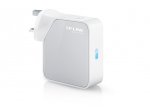
This is a nifty device which can be used in a variety of ways, to share a single network port to provide a local wifi or cabled network, or, to share a wifi link with a local cabled network.
They can also be reflashed with openwrt and gain vpn functionality and other advanced features. Because it's got a USB port, you can then connect a 3G dongle.
Disclaimer: getting that wrong could permanently brick your router! https://wiki.openwrt.org/toh/tp-link/tl-wr810n
Latest comments (32)
great-deals
27 Dec 16#31
quick read of posts but forgive me for asking.... I want a wireless internet extender as router is at one side of house and don't get any/great signal at other end. I need a TP Link just to have the wireless signal spread around house?
Just to answer my own question - in case it help anyone else; I had to unplug the ethernet cable from the Tp-Link and then I can access the Admin pages. Once the ethernet cable is plugged in and connected to the main router you can no longer access the tp-link admin pages.
harry66
23 Dec 16#29
Have to agree with you. Might be a small thing, but when something gets labelled a travel device then is should be able to travel without additional adaptors etc.
I think the overall device is quite clunky sized - I would have preferred if it was flatter and wider rather than sticking out so much. Cant plug it into a socket behind a cupboard without moving the cupboard forward several inches.
Also cant go under the cupboard on an extension socket - even though there is considerable clearance!
hemelskonijn
23 Dec 16#28
I bet most of those 99% of small appliances do not get labelled a "travel" device. There are about a gazillion competing devices out there that are called just what they are without pretending to ve suited for something they are not (or no more then (cheaper) alternatives).
shell820810
20 Dec 16#12
we have Ethernet points throughout the house, can this be plugged in to create a wifi signal to the areas that the main router doesn't reach?
nascent to shell820810
20 Dec 16#14
It will either convert wifi to ethernet, ethernet to wifi, or act in repeater mode yes. If there is poor wifi signal, you'd need to move this closer to the router where the connection is reliable then repeat from there.. Depending on how bad your wifi reliability is, you'd probably be better off with powerline adaptors.
I just hooked one up to an Ethernet cable in my loft. And the TP-LINK wifi is now full strength compared to the very weak Wifi signal I get from my main router located downstairs....
harry66
22 Dec 16#26
Got this and plugged it into my wired switch in the loft to create a more powerful access point in the loft.
Works great.
Only problem is I cannot connect to the TP-links Web admin pages.
Tried the http://tplinkwifi.net/ but that either gives DNS errors or says 'Oops you are not connected to your TP-link network'
I checked my main Asus Wifi router for attached devices and the Tp-Link does not appear in the list.
It does list the laptop I connected wirelessly to the Tp-Link as a wired connection!!
Does anyone know how to access the admin web pages? I also tried the usual 192.168.1.1 etc but that just takes me to my main Wifi router...
hemelskonijn
20 Dec 161#22
only suitable for travel within the UK or for stunters that would like to build wonky power tower adaptor stacks.
Should have been delivered with EU clip on at least and TP-link do not offer the part as a spare.
Straycat1967 to hemelskonijn
20 Dec 161#24
Thought your comment was over the top considering 99% of UK purchased small appliances do not come with EU plug adaptors either.
I was tempted to get one for away-from-home use but the lack of non-3-pin plug attachment put me off too.
plewis00
20 Dec 16#10
Does anyone with one of these know if you can use them in hotels/offices which have a hotspot sign-in type landing page? You know, where you connect to the WiFi and then have to fill in details before your traffic is allowed through. Thanks
hemelskonijn to plewis00
20 Dec 16#23
Yes it just relays the information.
Richief
20 Dec 16#20
Would this make it safer to use the internet in a hotel, can you make a password so people cant connect to your network?
Rushed_89 to Richief
20 Dec 161#21
That depends on your usage really. If you used this to create a local network. ie you want to transfer a picture from your mobile to your laptop then yes, providing you have the security enabled etc. Accessing the net still passes through the hotel's network which other people can intercept there easily but maybe not as easily. Again there are a lot of factors. You would want to think of VPN if you wanted security, that and some encryption etc.
speculatrix
20 Dec 161#18
Mine just arrived. What's in the box?
scunny
20 Dec 16#17
HOT OP. Thanks.
stethorn
20 Dec 16#16
These must be hell for hotels, people creating another wireless network with possible interference for the hotels provided service.
plewis00
20 Dec 16#15
Thanks OP, bought today having just renewed my Prime for £39 (AMEX offer + Amazon CS discount). It was £14.95, seems to be a real bargain and very flexible too. Will just have to try and see if I can use hotspot sign-in (web authentication) but willing to give it a go at this price.
futura
20 Dec 16#6
Technophobe question here, if I have an old desktop pc with no built in WiFi but it is too far away from the home router to be cabled with an ethernet cable but within WiFi range, can I use this to pick up the WiFi signal and then connect from this to the desktop pc via ethernet cable to provide Internet connection? Or would a built in wireless card be a better option?
99rb to futura
20 Dec 162#7
powerline adapters
Slash to futura
20 Dec 16#8
cheapest and easiest way is just buy usb WiFi Adapter on amazon or ebay. just plug it in and not much to set up and you are in.
jasee to futura
20 Dec 16#9
Yes, but as you`re a technophobe :smiley:, you`d need configure it (more than a built in wireless card) so personally I would go for a built in wireless card, or even a usb to wireless connector which should be available for about the same price or less
nascent to futura
20 Dec 16#13
This will accomplish that. A built in wireless card will also work (as will a tiny usb wifi adaptor plugged into the usb port of your desktop). Plus powerline adaptors will also work (depending on which circuits you're connected to). The cheapest option is probably a well rated £5/£10 wifi usb plug that you conenct to your desktop. But yes, this will also work, depending on your wifi configuration and signal quality.
tomj17
20 Dec 161#11
Yes it can, there's a mode setting within the settings to set this up
jasee
20 Dec 16#5
Can this be powered from the usb port? This is sometimes more convenient particularly when travelling abroad
fiendishlyclever
19 Dec 161#3
Same price at John Lewis with three year guarantee
jasee to fiendishlyclever
20 Dec 16#4
16.95 collected (cheapest way)?
CrazyBob
19 Dec 161#2
The 150Mbs version was £7 in Sainsburys earlier in the year but this 300Mbs version is tempting.
speculatrix
19 Dec 16#1
I'd been sitting on the fence thinking about getting one, and even added it to my wishlist for xmas.. and today I noticed the price drop. Mine will be running openwrt fairly soon after getting it!

![Fresh Breakfast Meat Box (Using code) @ Campbells Meat [Haggis / Lorne Sausage / Bacon / Black Pudding & More]](/images/topics/208684_1.jpg)




































![[Xbox One] Q. u. b. e: Director's Cut on Deals with Gold](/images/topics/208716_1.jpg)


















Opening post
Full details here: http://uk.tp-link.com/products/details/cat-9_TL-WR810N.html
I've never seen them below £20 before.
They can also be reflashed with openwrt and gain vpn functionality and other advanced features. Because it's got a USB port, you can then connect a 3G dongle.
Disclaimer: getting that wrong could permanently brick your router!
https://wiki.openwrt.org/toh/tp-link/tl-wr810n
Latest comments (32)
Thanks
http://uk.tp-link.com/products/details/cat-18_TL-WPA8730-KIT.html
I think the overall device is quite clunky sized - I would have preferred if it was flatter and wider rather than sticking out so much. Cant plug it into a socket behind a cupboard without moving the cupboard forward several inches.
Also cant go under the cupboard on an extension socket - even though there is considerable clearance!
https://www.ubnt.com/unifi/unifi-ap-ac-lite/
Works great.
Only problem is I cannot connect to the TP-links Web admin pages.
Tried the http://tplinkwifi.net/ but that either gives DNS errors or says 'Oops you are not connected to your TP-link network'
I checked my main Asus Wifi router for attached devices and the Tp-Link does not appear in the list.
It does list the laptop I connected wirelessly to the Tp-Link as a wired connection!!
Does anyone know how to access the admin web pages? I also tried the usual 192.168.1.1 etc but that just takes me to my main Wifi router...
Should have been delivered with EU clip on at least and TP-link do not offer the part as a spare.
Hardly a big deal to spend a quid and hardly consider it as a wonky tower stacker - http://cpc.farnell.com/pro-elec/1518a-wht/travel-adaptor-uk-to-european/dp/PL15135