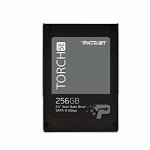
This Patriot Torch SE 256GB SSD is now £54.99 at Amazon.
A more established brand than a lot of cheap SSDs, I'm finding it excellent having just bought one. Impressed!
Top comments
paulobrien1
14 Dec 165#2
Speed, speed and more speed!
All comments (21)
RichieRahh
14 Dec 16#1
sounds stupid but what are the benefits of having an ssd over a generic HDD? I've heard speed is great but what else differs? HEAT either way :P
Trevanator to RichieRahh
14 Dec 161#4
No noise from moving mechanical parts, I believe that they are less prone to failure and speed, speed and more speed!
haritori to RichieRahh
14 Dec 161#9
Its mainly all speed, but less heat, not moving parts, more energy efficient..
once you go SSD you don't go back.
paulobrien1
14 Dec 165#2
Speed, speed and more speed!
stec77
14 Dec 16#3
Great price! Heat
hol666
14 Dec 161#5
heat added but not from an ssd, they run cooler than a normal hdd :smile:
Trevanator
14 Dec 161#6
And they are smaller and lighter. :sunglasses:
RichieRahh
14 Dec 16#7
cheers for the info people, much appreciated :smile:
flukeskywalker
14 Dec 16#8
only 5 left!
RichieRahh
14 Dec 16#10
would it effect game performances too? running a game from the ssd
vulcanproject to RichieRahh
14 Dec 16#13
It depends on the game, but it might be less impactful on actual performance than you might expect. Certainly loading and everything is faster, and on really really demanding games it might reduce the chance of stutter. But it won't make most games massively better to play.
kirkey13
14 Dec 16#11
how easy are they to fit and can I leave my hdd in aswell? does the operating system need to be transfered and is that an easy process? ( not very good with computers but I'd like mine to run faster)
vulcanproject to kirkey13
14 Dec 16#12
What kind of computer do you have, laptop, desktop?
If you have a laptop from the past 10 years, it should just be a couple of screws if that. If you have a desktop and it has 3.5 inch drive bays, then you will need a small adapter to make it fit securely into the machine because these are all 2.5 drives.
The point of an SSD is you have your main operating system installed on it. This becomes the main drive. It really isn't difficult, but you will need the actual OS to install either on disc, or a boot USB and so forth.
kirkey13
14 Dec 16#14
i have a desktop Lenovo H50-55
kirkey13
14 Dec 16#15
I have a desktop Lenovo H50-55 AMD A10
jimborae
14 Dec 16#16
alternatively you could use cloning software like Macrium to just clone the OS to the new SSD drive. However if you only have one partition on your old hard drive I.e. the C: drive, then this will be more problematic as your new SSD is likely to be smaller in Gb size than old hard drive so reinstalling the OS is probably the best way forward in that situation.
vulcanproject
14 Dec 16#17
It's not difficult or expensive, but there are potential obstacles for that machine if you plan to keep the original drive inside as well. For a start you would need to make sure you can power this SSD from the included power supply (any spare power cable will look the same as the one powering the existing drive), and have an extra sata cable for it. You may need an adaptor cable to get another power feed for this SSD. Couple £ for the cables.
Then you would probably need an adapter to screw the SSD into, because it looks like that case has vertical 3.5 drive fittings. So you screw the SSD into the adaptor bay, then screw the bay into the case above the old HDD and plug it all in.
THEN you could clone the old drive onto the new one. But I wouldn't. I would do a fresh install onto the new drive and leave the old one where it is. When you are up and running inside Windows on the new drive you can easily move anything else you want onto the SSD, delete off the old drive, reformat it as storage, whatever.
None of this is very technical beyond screwing, plugging stuff in and hitting a few keys. But if you have zero experience with this sort of thing you'll either have to learn as you go, or let someone else do it.
ktreadwell
14 Dec 16#18
got the last 128gb despite showing 4 left in stock. only the 512gb left at £90 odd.
stevie457
14 Dec 16#19
Hi guys
Really hope you can help me. I've got a Toshiba satellite pro, had it for the last 6 years never let me down. Although, Ive had a complete hard drive failure, the laptop won't even boot up now without it offering to keep restarting but each time in vain as I never get past the black screen.

![Fresh Breakfast Meat Box (Using code) @ Campbells Meat [Haggis / Lorne Sausage / Bacon / Black Pudding & More]](/images/topics/208684_1.jpg)




































![[Xbox One] Q. u. b. e: Director's Cut on Deals with Gold](/images/topics/208716_1.jpg)


















Opening post
A more established brand than a lot of cheap SSDs, I'm finding it excellent having just bought one. Impressed!
Top comments
All comments (21)
once you go SSD you don't go back.
If you have a laptop from the past 10 years, it should just be a couple of screws if that. If you have a desktop and it has 3.5 inch drive bays, then you will need a small adapter to make it fit securely into the machine because these are all 2.5 drives.
The point of an SSD is you have your main operating system installed on it. This becomes the main drive. It really isn't difficult, but you will need the actual OS to install either on disc, or a boot USB and so forth.
Then you would probably need an adapter to screw the SSD into, because it looks like that case has vertical 3.5 drive fittings. So you screw the SSD into the adaptor bay, then screw the bay into the case above the old HDD and plug it all in.
THEN you could clone the old drive onto the new one. But I wouldn't. I would do a fresh install onto the new drive and leave the old one where it is. When you are up and running inside Windows on the new drive you can easily move anything else you want onto the SSD, delete off the old drive, reformat it as storage, whatever.
None of this is very technical beyond screwing, plugging stuff in and hitting a few keys. But if you have zero experience with this sort of thing you'll either have to learn as you go, or let someone else do it.
Really hope you can help me. I've got a Toshiba satellite pro, had it for the last 6 years never let me down. Although, Ive had a complete hard drive failure, the laptop won't even boot up now without it offering to keep restarting but each time in vain as I never get past the black screen.
As above, Im definitely going for a SSD, and one with a large memory. I was thinking of something along the lines of this?
https://www.mymemory.co.uk/SSD-Drives/Integral/Integral-240GB-P-Series-4-SATA-III-2.5INCH-SSD-Drive
Would really appreciate some advice/recommendations. Thanks!