HDR-1800T 320GB (G)
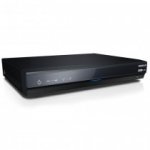
Humax HDR 1800T 320GB Freeview +HD Digital TV Recorder REFURBISHED
Up to 70 Digital Channels
12 in Stunning HD
BBC iPlayer
YouTube
Record 2 Chanels At The Same Time
Stream Photos, Music, Video Files
1 Year Warranty
19 comments
neilc
18 Mar 17#19
You can often pick up brand new BT boxes on gumtree or schpock for less than £25. I have 3 including the last one which is the HD version which was a tenner.
No warranties, but worth the risk in my opinion.
jokinjp
17 Mar 17#17
Never use Humax Direct, every unit they have and replace during the warranty fails!!
chocci to jokinjp
18 Mar 17#18
Wrong
lord_trumpington
10 Dec 161#16
ThanksThanks for the advice. I will take a look at this, much appreciated
tin
9 Dec 16#14
Must admit I was about to post that I'd been deeply unsatisfied with everything Humax I've owned (9200T, 9300T and Foxsat HD), and funny to see how they STILL have the HDMI and remote issues. Then I remembered I have a couple of BT dtr-t2100s which are frankly excellent and remembered they're manufactured by Humax! Are they just crap at software?
wellhellothere
9 Dec 16#12
Been this price for quiet a while, had my eye on it and waiting to see if they do the free postage promo.
Mike73
9 Dec 161#11
Got one of these and although I like it on the whole (very few missed recordings in the years we've had it) there are a couple of issues. As mentioned above, the remote is not great - fine when it works, but I've had to take mine apart to clean the connections under the buttons several times as they stopped responding - some of them I've even had to fix by gluing foil to the buttons as the seemed to lose their conducting properties somehow. The other problem I have is with the sound which occasionally stops working, apparently due to hdmi handshaking issues on certain tv's which means the Humax had to be power cycled before it would work again.
These are both issues that I can work around / fix but could be bigger issues for others. It's still the best pvr I've had though and I'd certainly consider Humax again in the future.
mynameisthehulk
9 Dec 161#9
They generally tend to be the ones that know best in my experience.
brookheather
9 Dec 165#6
Surely better to buy a BT YouView DTR-T2100 500GB box for about £50 on ebay - comes with YouView, Netflix, Now TV and all catchup channels.
bellboys to brookheather
9 Dec 16#7
Does it have a meaningful warranty though?
Geemac to brookheather
9 Dec 16#10
No entertainment package on the BT YouView Now TV app :disappointed: Movies yes with a Movies pass.
chocci to brookheather
10 Dec 162#15
Or better still, from cex for £55 which comes with a years warranty
Fantastic box
This isn't a good deal at all
Neilatrix
9 Dec 162#4
What a lump of junk!
crazyhorse to Neilatrix
9 Dec 161#5
Did you switch it on? Sigh.:stuck_out_tongue:
bellboys to Neilatrix
9 Dec 162#8
Says the poster who has posted precisely 3 deals in 8.5 years on the site....
lord_trumpington
9 Dec 16#2
Have they improved their remotes on their newer units? I've got one of the older Humax Foxsat+ HD recorders and the responsiveness and lag is absolutely shocking.
crazyhorse to lord_trumpington
9 Dec 16#3
Yeah seems fine. I have the exact same model in the title and have only seen a few minor niggles that are not really an issue. Great device.
louiselouise to lord_trumpington
9 Dec 161#13
I've got a Fox T2 (Freeview) - not sure if that's the same. One fix worth trying is this
1. Switch on your TV set and the Humax product that you wish to change the remote code.
2. Make sure that any other Humax product that you do not wish to control is in Standby or powered OFF at the mains.
3. Point the remote control towards the remote control sensor of the target receiver.
4. Press and hold the 0 and OK buttons simultaneously for 5 seconds until the PVR button on the remote stays red.
5. A message will appear on the TV screen:
You can change the remote control mode.
Press a Numeric Key (1 ~ 6) to select the mode
Current mode: Mode 1
6. Press a NUMERIC button (from 1 to 6) to select a different mode.
7. A message confirming the change of Mode will appear on screen.
My remote is still a bit laggy, but it seems to work much better - the erratic remote was driving me mad!

![Fresh Breakfast Meat Box (Using code) @ Campbells Meat [Haggis / Lorne Sausage / Bacon / Black Pudding & More]](/images/topics/208684_1.jpg)




































![[Xbox One] Q. u. b. e: Director's Cut on Deals with Gold](/images/topics/208716_1.jpg)


















Opening post
Humax HDR 1800T 320GB Freeview +HD Digital TV Recorder REFURBISHED
Up to 70 Digital Channels
12 in Stunning HD
BBC iPlayer
YouTube
Record 2 Chanels At The Same Time
Stream Photos, Music, Video Files
1 Year Warranty
19 comments
No warranties, but worth the risk in my opinion.
These are both issues that I can work around / fix but could be bigger issues for others. It's still the best pvr I've had though and I'd certainly consider Humax again in the future.
Fantastic box
This isn't a good deal at all
1. Switch on your TV set and the Humax product that you wish to change the remote code.
2. Make sure that any other Humax product that you do not wish to control is in Standby or powered OFF at the mains.
3. Point the remote control towards the remote control sensor of the target receiver.
4. Press and hold the 0 and OK buttons simultaneously for 5 seconds until the PVR button on the remote stays red.
5. A message will appear on the TV screen:
You can change the remote control mode.
Press a Numeric Key (1 ~ 6) to select the mode
Current mode: Mode 1
6. Press a NUMERIC button (from 1 to 6) to select a different mode.
7. A message confirming the change of Mode will appear on screen.
My remote is still a bit laggy, but it seems to work much better - the erratic remote was driving me mad!