never seen a home wifi speed of faster then 500mbs in the uk so whats the point of this being able to do 1300mbs, i get 40mbs at home so does it matter if it is 300,500,800 or 1300mbs at the 5Ghz signal?
In the end though all i want is something that has a good range so i can get a decent signal in my room on the other side of the house, already have a wifi booster but it doesn't cope well with constantly being unplugged. Also have heard the plusnet router is the cause of random wifi drop out so need to fix that too. So this is a bit expensive for that purpose?
ShroomHeadToad
29 Nov 161#18
That is no longer needed on Sky, simply use:
Username: [email protected]
Password: install
MAC address cloning not needed.
Delio79
29 Nov 16#17
Thanks... Ended up buying this and no regrets.
In case anyone is wondering, I'm on Sky Fibre and got it to work in a way where I could completely ditch the Sky router. There is a bit of messing about first because of how Sky try to prevent you from using 3rd part routers, but after that is out of the way, it works fine.
1) Upgrade to the Latest firmware
2) Obtain your sky connection username and password (if you google around you will find out how to do this using a tool called wireshark)
3) Enter the username and password when setting up the router
4) Change the router's WAN facing MAC address in the advanced settings to match the broadband MAC address of your current sky router (Note you need the Broadband MAC address not the LAN side MAC address from your sky router).
Macdory
26 Nov 16#16
Bought - thank you
Ajibee
25 Nov 161#15
Strangely enough, no. Fortunately very many people know that BT is still a monopoly at heart and that their gear ain't all that, though I suppose not enough that they still promote such obvious cobblers.
gr1340
25 Nov 16#14
Range and speed were fantastic, no lie there.
The issue was that several times a day, no devices could connect via wifi despite still showing a blue light status light (meaning normal status). The only way to fix it was a reboot.
Did the advert mention that at all?
Ajibee
25 Nov 161#13
But, but, but what about all those expensive BT ads claiming Britain's strongest wi-fi connection - don't tell me they're outrageous misleading lies! Say it ain't so!
anthony401
24 Nov 16#12
Cheers!
anthony401
24 Nov 16#8
Does anyone know if this is a simple replacement for a BT Smart Hub. It worked fine for the first week and then my Vodafone SU6 started losing the WiFi signal and now only connects 10% of the time. BT customer support and their Tech team were useless and as my 14 days are up tomorrow I'm tempted to try and cancel the contract. Any help or advice will be gratefully received. Thanks.
gr1340 to anthony401
24 Nov 161#11
That is what I did and yes it is simple to replace.
Works much better (well, it actually works for starters) than that rubbish smart hub.
m.ad
24 Nov 16#10
May have price matched Maplin, same price but also free £5 voucher:
Bought one today for a bt hh 5 user his wifi is useless. I also had a hh5 & wifi always dropped regularly after about 1 months use, replaced the router within 2 months & never looked back.
trott3r
18 Nov 16#7
Does it have qos?
Also can I import a blocklist
adey100
18 Nov 16#6
NO Bt tv mate just the fibre
1905dar
18 Nov 16#5
Ordered and heated thanks. Been keeping an eye on this for a while and this price is low enough for me to bite!
bilbob
18 Nov 16#4
Do you have BT TV? I'm looking to replace my hh5 but my current tp link c9 v1 has issues with bt tv...
Slim Hamster
18 Nov 162#3
In case anyone's interested, I recently got an Archer VR900 AC1900 modem/router to replace my EE Bright Box 2, and it does a good job. Wifi coverage is better and more stable. Set-up was a doddle.
I was looking at a Netgear Nighthawk but they're too big for the space I have. The Archer stands upright and has a smallish footprint. All the best to all.
garrafk
18 Nov 16#1
grr paid 89.99 for this yesterday and yes they are great routers especially paired with re450 extenders if you need more coverage
adey100 to garrafk
18 Nov 16#2
If from amazon mate they will price match for sure
I bought 3 week ago to replace my homehub 6 which was forever dropping out.. This has been rock solid since day one

![Fresh Breakfast Meat Box (Using code) @ Campbells Meat [Haggis / Lorne Sausage / Bacon / Black Pudding & More]](/images/topics/208684_1.jpg)




































![[Xbox One] Q. u. b. e: Director's Cut on Deals with Gold](/images/topics/208716_1.jpg)


















Opening post
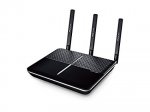
http://uk.tp-link.com/products/details/cat-15_Archer-VR600.html
Firmware Emulator: http://static.tp-link.com/resources/simulator/VR600_Emulator/index.htm
Latest comments (20)
If you are just looking for better wireless than the stock ISP Router try this first, best bang for buck: TP-Link TD-W9970 N300 Wireless VDSL/ADSL Modem Router
Also does this have a better range then the netgear r6220 as i believe that has beamforming technology as well
https://www.amazon.co.uk/gp/product/B01GHPJ7SW/?tag=ho01f-21
In the end though all i want is something that has a good range so i can get a decent signal in my room on the other side of the house, already have a wifi booster but it doesn't cope well with constantly being unplugged. Also have heard the plusnet router is the cause of random wifi drop out so need to fix that too. So this is a bit expensive for that purpose?
Username: [email protected]
Password: install
MAC address cloning not needed.
In case anyone is wondering, I'm on Sky Fibre and got it to work in a way where I could completely ditch the Sky router. There is a bit of messing about first because of how Sky try to prevent you from using 3rd part routers, but after that is out of the way, it works fine.
1) Upgrade to the Latest firmware
2) Obtain your sky connection username and password (if you google around you will find out how to do this using a tool called wireshark)
3) Enter the username and password when setting up the router
4) Change the router's WAN facing MAC address in the advanced settings to match the broadband MAC address of your current sky router (Note you need the Broadband MAC address not the LAN side MAC address from your sky router).
The issue was that several times a day, no devices could connect via wifi despite still showing a blue light status light (meaning normal status). The only way to fix it was a reboot.
Did the advert mention that at all?
Works much better (well, it actually works for starters) than that rubbish smart hub.
http://www.maplin.co.uk/p/tp-link-archer-vr600-ac-1600-wireless-gigabit-vdsladsl-modem-router-a54uw
Also can I import a blocklist
I was looking at a Netgear Nighthawk but they're too big for the space I have. The Archer stands upright and has a smallish footprint. All the best to all.
I bought 3 week ago to replace my homehub 6 which was forever dropping out.. This has been rock solid since day one