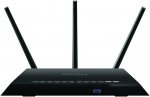
NETGEAR Nighthawk AC1900 Dual Band Wireless Gigabit Cable Router, 1 x USB 2.0, 1 x USB 3.0, Implicit and Explicit Beamforming/Upstream and Downstream QoS.
Nighthawk AC1900 Smart Wi-Fi Router
802.11 ac dual band gigabit
Got game? Well, this is the router for you. Built with gaming, streaming and mobile devices in mind, this gigabit Wi-Fi router has a 1 GHz dual core processor and delivers enhanced speed so you enjoy less lag and less buffering. No matter where you Wi-Fi, Nighthawk has you covered with managing your network remotely with NETGEAR genie. And with Beamforming+ and built in high powered amplifiers and external antennas, get ready for the improved experience.
- AC1900 Wi-Fi - 600+1300 Mbps speeds.
- 1 GHz dual core processor.
- Enhanced features for lag-free gaming.
- Prioritised bandwidth for streaming videos or music.
- NETGEAR genie with remote access.
- Implicit and explict Beamforming improves range and performance for both 2.4 and 5 GHz devices.
- Upstream and downstream QoS for enhanced gaming and video streaming experience.
- Customised free URL to set up personal FTP server.
- On/off LED lights option.
Top comments
Sparks11 to mentriax
14 Nov 163#8
here is a review from a verified purchase on Amazon about replacing a Virgin super hub 2 -
I wish I bit the bullet and got this router earlier! It has given me a strong wifif signal throughout my home, and speeds are significantly improved. I had previously been using repeaters, with limited success (apple products struggled to switch between the multiple access points.)
I have a virgin superhub 2 in a 5 bed house on 3 levels (including loft). With the superhub, the wifi signal would not reach one bedroom at all, and 2 other rooms were very patchy (wifi would be very slow or disconnect from mobile device.)
Setup was reasonably straightforward;
- I followed virgin's online instructions to switch the superhub into modem mode, then turned it off.
- Connected up the nighthawk router, left it turned off
- Turned on the superhub, then the router a couple of minutes later
- Used the netgear router webpage on my PC to complete the setup and rename the SSIDs
- All up and running in approx. 15 min
I tested speeds before and after for comparison purposes, hopefully this is useful if you're considering purchasing. These results are from the ookla speedtest app on a samsung S5 and iphone 6, connecting to the 5G network. Worth noting that on my ipad 2 (which does not have wireless AC), the speeds are not as greatly improved, although it still benefits from better coverage through the house.
- LIVING ROOM (where router is located): Before ~80MB/s, After 102MB/s
- BED 1 Iphone 6 (very bad coverage before): Before ~0.5-3MB/s and connection would drop, after 106MB/s!
- LOFT, before 35-40MB/s, after 86MB/s
All comments (71)
Fr00b
14 Nov 16#1
Anyone got this working with Vodafone Broadband?
Yaradabbadoo to Fr00b
14 Nov 162#2
Unless Vodafone does not give you a modem ( this is not a modem) just plug this into your router/modem and it will work just fine, I have one plugged into my Virgin router/modem via a long Ethernet cable upstairs I can get wi-fi all over house.
mikey0097 to Fr00b
14 Nov 16#42
Does anything work with Vodafone broadband?
Sparks11
14 Nov 16#3
Yes sorry I should have mentioned, this is not a modem.
You will need to put your ISP router into Modem only mode, connect it to this with an ethernet cable and then connect to this router over Wireless.
Plus, I will also be using this with Virgin :smiley:
PointDex
14 Nov 16#4
Any idea how much this is normally ?
malachi to PointDex
14 Nov 16#25
I paid £121.43 back in September 2015.
It works great on my Virgin Media 200meg
quidstretchy to PointDex
14 Nov 16#26
yup
mentriax
14 Nov 16#5
How much better is this than virgins superhub 2ac? I know about modem mode and stuff just looking for better connectivity etc. Cheers
Yaradabbadoo to mentriax
14 Nov 162#7
Typically any ISP provided router wont be very customisable and feature poor, this has much features and setting and can also be flashed with a different OS to be even more feature rich.
In terms of range this is much better as it has 3 aerials if you use it with Virgin you can have it as your main router and the Superhub as just a modem and utilise the netgears capabilities or you can just use it as a super powerful extender, or as I do, set it up as a completely different router upstairs feeding off the Superhubs Ethernet port. Still have the same IP addr but its own feed to the internet on a separate network, you can then use some interesting features on this which the Superhub doesn't have ie Dynamic dns updates to no-ip.com. But still have the Superhub as the main router feeding Wi-fi downstairs and ethernet to TV, Qbox etc. You can also tellnet to it and add your own features not included in the NetGEar OS stuff like adding WOL support.
Depends if you need all the other stuff, might be easier and cheaper just to buy a Netgear extender for 15 UKP if you want extra wi-fi coverage and not all the extra features:-)
If you stream amongst load of units using wi-fi or streaming on ethernet (TV, X-box) this will perform better than the virgin as well but again its depending if you want to spend 100 quid for it:-)
here is a review from a verified purchase on Amazon about replacing a Virgin super hub 2 -
I wish I bit the bullet and got this router earlier! It has given me a strong wifif signal throughout my home, and speeds are significantly improved. I had previously been using repeaters, with limited success (apple products struggled to switch between the multiple access points.)
I have a virgin superhub 2 in a 5 bed house on 3 levels (including loft). With the superhub, the wifi signal would not reach one bedroom at all, and 2 other rooms were very patchy (wifi would be very slow or disconnect from mobile device.)
Setup was reasonably straightforward;
- I followed virgin's online instructions to switch the superhub into modem mode, then turned it off.
- Connected up the nighthawk router, left it turned off
- Turned on the superhub, then the router a couple of minutes later
- Used the netgear router webpage on my PC to complete the setup and rename the SSIDs
- All up and running in approx. 15 min
I tested speeds before and after for comparison purposes, hopefully this is useful if you're considering purchasing. These results are from the ookla speedtest app on a samsung S5 and iphone 6, connecting to the 5G network. Worth noting that on my ipad 2 (which does not have wireless AC), the speeds are not as greatly improved, although it still benefits from better coverage through the house.
- LIVING ROOM (where router is located): Before ~80MB/s, After 102MB/s
- BED 1 Iphone 6 (very bad coverage before): Before ~0.5-3MB/s and connection would drop, after 106MB/s!
- LOFT, before 35-40MB/s, after 86MB/s
DuncanMiller
14 Nov 161#6
Saw this earlier
Been looking for a home hub replacement
Had originally shortlisted asus ac87u or asus ac3200 and have been looking for a good price or reason to by either
Then this pops up which I know is maybe a generation older but could it be worth a £60 a £80 saving
Any thoughts or experiences to share here? Not in a rush and also just want to get the right router for the right money (not just cheapest)
Yaradabbadoo to DuncanMiller
14 Nov 16#11
I like it! its fast and has a great range, I guess the newer ones have 4 aerials and faster processors so depends if you need that for the extra money.
I read that the Asus routers are pretty good and have more settings and features out of the box than this one not sure about the newer NEtgear ones, but some of the Asus routers seem easier to set more unusual features without flashing telnet scripts to them, which is not hard just more fiddly than having the setting on the product as standard.
But this is a great price if you can live with not having the latest and greatest!
This will give much better speeds that your ISP router, have the flexibility to use the advanced settings and have much better WI-FI range.
888eyeball
14 Nov 161#9
Any chance of using this on sky fiber pro and can it support vpn client? l have an old BTOR modem that plan to use this with, if that works. Currently have a sky q hub which is crap.
Yaradabbadoo to 888eyeball
14 Nov 161#10
If you have a suitable modem you can use on it on SKY fibre but looking on the internet it looks like quite a science project as SKY dont want you using anything other than there on router/modem.
I had Sky Fibre max for a while but went back to Virgin as BT internet service sucks big balls, Virgin is much more stable I need that for my work. And Virgin allow you to pass through their Router/modem which make life much easier if you want to play with other routers features.
Lahn
14 Nov 162#12
It might not be the latest, but I think it's still considered one of the greatest anyway :smiley:
888eyeball
14 Nov 16#13
Thanks Yaradabbadoo, anyone comment on the Clint vpn?
Yaradabbadoo to 888eyeball
14 Nov 161#16
If you wanted to do it on the router you would need to flash Tomato or DD-WRT onto it. I have not done that but there are shed loads of docs and videos doing it with this model. So I guess - Yes you can!
Sparks11 to 888eyeball
14 Nov 16#17
Yes you can, but you will need to flash it.
I will be having a go at doing it :smiley:
hardnrg to 888eyeball
14 Nov 161#46
The stock firmware provides extremely easy to use VPN... just enable it and then download the client files to load into OpenVPN
I run DD-WRT on mine for more control. There are more VPN options, but the set up is a lot more manual (but inherently more flexible). DD-WRT is supposed to be slightly lower performance in terms of ultimate throughput (because some of the hardware acceleration is not available when using DD-WRT), but it only really matters if you have a really fast connection, like probably > 200Mbps.
It's a solid router in terms of holding transit connection, providing thousands of connections, and the WiFi never drops and I get near GbE speeds on the ac.
I've had mine since February 2015 and thoroughly recommend it to anyone. I have 80/20 fibre from PlusNet with a BT fibre modem.
pr2thej
14 Nov 16#14
insane price. had this a year, it's been excellent
tasker
14 Nov 16#15
ive had one of these for a year thought id got a bargain at £139
best router ive ever had, my wifi speed on my tablet is 55mb.
best i had with the previous netgear was 30-40.
the range is way better too.
888eyeball
14 Nov 16#18
thanks for your help guys.
sa_sheffwed
14 Nov 16#19
Fantastic router. It's one of the best supported with regards to firmware. I bought a 'very good' warehouse one for 90 quid 2 months ago, a new one was around 120 quid at the time so this seems a good deal.
The web interface is a bit slow but has all the features I need. Asus firmware is much better and there is an actively developed port of it called XWRT that works flawlessly on the R7000.
The_Hoff
14 Nov 16#20
I've had one for around 2 years now, it replaced my piece of poop 'Super'hub2 which decided to drop connections whenever it felt like it and wanted a reboot every week.
Since I've had this, signal is vastly improved across my 4 bedroom period house (solid brick, chimney stacks etc) to the point there's no other AP's needed, unlike the Virgin POS.
I've left the default firmware in place as a key benefit for me is native support with the Netgear Arlo wireless camera's which I have dotted around my property - there's no need for the expensive base station if you have this router.
Recommended, I paid £130 2 years ago.
Gollywood
14 Nov 16#21
Whats the warranty period? I like 3 years!!!!
Vorm
14 Nov 161#22
Don't suppose you now off the top of your head if the Tomato firmware enables client to client IPSEC vpn capability?
Yaradabbadoo
14 Nov 16#23
Sorry, I have no idea!
itsmesean
14 Nov 16#24
Great piece of kit
madman9
14 Nov 16#27
Do you think this will be better than the super hub 3,
Of course I will have to put superhub 3 into monitor mode.
The_Hoff to madman9
14 Nov 16#28
There is little comparison, this will destroy anything a provider offers you.
Sparks11 to madman9
14 Nov 16#29
I will be replacing a super hub 3 with this... or should I say using this with a Super hub 3 in modem mode
Yaradabbadoo to madman9
14 Nov 161#30
I have the Superhub 3 and this is so much better!
But you can use both, you don't need to turn the Superhub into modem mode, if you dont want to.
When you first connect it the Netgear Genie will tell you are connected to another router and ask you if you want to set it up as a client/extender, Say no and then it will connect it as if it has its own connection to the internet. You will not just be a client of the Superhub but will have a different network with DCHP local domains for clients connected to it. Like having a totally separate network running through the Superhub, which is still serving out its own Wifi and Ethernet.
But now you have all extra features you can use on this beast!
Note they need a router so these are just for the wifi part - I have mine connected to a BT Homehub with the wifi disabled. In theory each AP can connect to a wired backhaul but in my case I have 2 with the second one connecting to the first one over wireless to give whole house coverage.
What you get is a reliable, strong wifi network. The support is excellent as well, the control panel which runs in a browser has a live chat facility, 5 mins later question answered and sorted.
a6unx
14 Nov 16#32
Finally a replacement to get rid of the awful router they supply with Hyperoptic.
3scoops
14 Nov 16#33
Can I just connect this to my existing Linksys router?
Yaradabbadoo to 3scoops
14 Nov 16#37
Yes totally, connect it to any other routers ethernet port and it will automatically set up.
smckirdy
14 Nov 16#34
Not too hard, all you need to do is put the new router in the DMZ and reserve it's IP on the sky router, then on the new router set up the IP addresses and turn off DHCP. Fairly simple to do it and it really does give you a boost, it also allows you to have your sky network free so if you get Q it means you aren't slowing down your own internal network streaming HD video across the wifi.
Just bought one of these to replace Virgin's terrible SuperHub - thanks OP!
Note that there is currently stock available from Amazon Warehouse (very good condition) for £92.99
brum
14 Nov 16#38
got this directly plugged into sky fibre POS modem. full house coverage now. what's better is the phone app which let's you turn individual connections off. ideal when you have 4 kids in a large house and they should be asleep.
paid 130 quid at the time. bargain at this price.
djwilliams100
14 Nov 16#39
Gaming and WiFi should not be put in the same sentence! If you want a gaming router check out Netduma router.
malachi to djwilliams100
14 Nov 16#41
or just hard wire into the router
sleepymike29 to djwilliams100
15 Nov 16#55
All that router seems to do is provide some fancy graphs with IP blocking and make QOS easily managed. Most high end routers do QOS, you just need to set it up.
The_Hoff to djwilliams100
16 Nov 16#61
Works fine for me, especially with the QOS Gaming settings on this router. Versus Powerline there's zero difference to my ping on CSGO (40-45 ping on EU servers) whether I play wired or wireless.
disfordrum
14 Nov 16#40
Ordered as my 4 year old talktalk wireless router is pants and I've been looking for something better.
Thanks OP
madman9
14 Nov 161#43
Just ordered one guys!!!
benjaminbristow
14 Nov 161#44
Purchased. I'm fed up of the latest Virgin Superhub's awful web UI that locks up my gaming desktop and the bad reception I get in my 1 bedroom flat in my bedroom.
Broathboy
14 Nov 16#45
Sorry to hijack this thread but can anybody recommend a router to work with SSE fibre broadband to run a Zgemma h2s box amongst other things. Got the Technicolor TG589VAC router from SSE but won't let the Zgemma box boot up, seems to be some block on the router. The Zgemma box works fine as has been sent back twice and they say it works perfect. This is doing my nut in, any help appreciated, thanks.
Here is the manual for the Technicolor TG589VAC router. Thanks to "Kwick1" on Oveclockers.
white91
14 Nov 16#47
For Xbox in the loft would powerlines be a better option than this?
Gollywood to white91
14 Nov 16#50
I would if you have Plug sockets up there
Haak
14 Nov 16#48
Anyone know how well this would work connected to a SSE modem?
revster
15 Nov 16#51
no mu-mimo
COLD
Martini
15 Nov 162#53
Not expired!
Still available for £99.99.
Sparks11
15 Nov 16#54
Could a mod please remove expired on this? as Martini says, this is not expired. I originally set the end date to next month some time.
Sorry don't know how to do it myself.
jjBlinky
15 Nov 16#56
Does this work ok with BT/Plusnet TV? Does it support multicast? Thanks
888eyeball
15 Nov 16#57
anyone have any guide to setting this up with sky fiber, Google search seems to only bring up bits and pieces but not a true guide from start to finish.
knockout60
15 Nov 16#58
Why not buy ASUS RT-AC66U for 5 pounds more? Its much easier to use and has got similar features.
peacock70
15 Nov 16#59
The AC66U has a single core 600 mhz processor where as the R7000 is 1Ghz dual core. A more comparable model would be the AC68U (dual core 1Ghz) at approx £150, which is why this is such a bargain. Dual cores are better on high connection speeds, VPN clients & servers etc.
CampGareth
16 Nov 16#60
Can the stock firmware be configured as a wifi bridge client? I've got a Linksys WRT1900ACS as my main access point with an Asus RT-N66U connected to it over wifi and sharing that connection with a few PCs over ethernet. Thing is the N66U tops out at maybe 30MB/s and I want to go faster.
Sparks11 to CampGareth
17 Nov 16#63
Yes it can
Sparks11
16 Nov 161#62
I now have this setup, managed to flash it with DD-WRT. It's an awesome router!
gwapenut
18 Nov 16#64
How did you find the signal strength of a single ubiquiti access point compared with that of your homehub? On paper it looks like their range is excellent, but I'm surprised you'd need two for a house if that were the case.
amuseboy
18 Nov 16#65
I have this router - it's awesome!!!!! Especially with the Vermin media!!!:stuck_out_tongue:
markbarton
18 Nov 161#66
It was more about the router dropping / refusing wifi connects - seems to be a known problem with Apple devices especially. The signal wasn't actually that bad from the BT box it was more the frustration about not always working.
I work from home and its a new build town house so I wanted to blanket the house with maximum coverage. I suspect 1 would be fine for most people.
Just checked and the second AP is reporting a signal strength to the other AP of 59% with a Rx / Tx rate of 243 Mpbs - they are on opposite sides of the house and 1 floor apart.
I did a speed test on the second floor which doesnt have an AP and I got 55.69 Mbps down 17.69 Mbps up - I get about 64 down hard wired to the router.
I did check with a powerline adaptor and they were slower than wireless - which is a first for me.
Hope this helps.
a6unx
21 Nov 16#67
Got it to work with Hyperoptic. You need call up CS to get your IP address. The dynamic DNS setting did not work for me.
ken218 to a6unx
23 Nov 16#69
Hi there, what speed is your connection? I thought they going to switch to dynamic IP address? I wonder how that is going to affect things.

![Fresh Breakfast Meat Box (Using code) @ Campbells Meat [Haggis / Lorne Sausage / Bacon / Black Pudding & More]](/images/topics/208684_1.jpg)




































![[Xbox One] Q. u. b. e: Director's Cut on Deals with Gold](/images/topics/208716_1.jpg)


















Opening post
Nighthawk AC1900 Smart Wi-Fi Router
802.11 ac dual band gigabit
Got game? Well, this is the router for you. Built with gaming, streaming and mobile devices in mind, this gigabit Wi-Fi router has a 1 GHz dual core processor and delivers enhanced speed so you enjoy less lag and less buffering. No matter where you Wi-Fi, Nighthawk has you covered with managing your network remotely with NETGEAR genie. And with Beamforming+ and built in high powered amplifiers and external antennas, get ready for the improved experience.
- AC1900 Wi-Fi - 600+1300 Mbps speeds.
- 1 GHz dual core processor.
- Enhanced features for lag-free gaming.
- Prioritised bandwidth for streaming videos or music.
- NETGEAR genie with remote access.
- Implicit and explict Beamforming improves range and performance for both 2.4 and 5 GHz devices.
- Upstream and downstream QoS for enhanced gaming and video streaming experience.
- Customised free URL to set up personal FTP server.
- On/off LED lights option.
Top comments
I wish I bit the bullet and got this router earlier! It has given me a strong wifif signal throughout my home, and speeds are significantly improved. I had previously been using repeaters, with limited success (apple products struggled to switch between the multiple access points.)
I have a virgin superhub 2 in a 5 bed house on 3 levels (including loft). With the superhub, the wifi signal would not reach one bedroom at all, and 2 other rooms were very patchy (wifi would be very slow or disconnect from mobile device.)
Setup was reasonably straightforward;
- I followed virgin's online instructions to switch the superhub into modem mode, then turned it off.
- Connected up the nighthawk router, left it turned off
- Turned on the superhub, then the router a couple of minutes later
- Used the netgear router webpage on my PC to complete the setup and rename the SSIDs
- All up and running in approx. 15 min
I tested speeds before and after for comparison purposes, hopefully this is useful if you're considering purchasing. These results are from the ookla speedtest app on a samsung S5 and iphone 6, connecting to the 5G network. Worth noting that on my ipad 2 (which does not have wireless AC), the speeds are not as greatly improved, although it still benefits from better coverage through the house.
- LIVING ROOM (where router is located): Before ~80MB/s, After 102MB/s
- BED 1 Iphone 6 (very bad coverage before): Before ~0.5-3MB/s and connection would drop, after 106MB/s!
- LOFT, before 35-40MB/s, after 86MB/s
All comments (71)
You will need to put your ISP router into Modem only mode, connect it to this with an ethernet cable and then connect to this router over Wireless.
Plus, I will also be using this with Virgin :smiley:
It works great on my Virgin Media 200meg
In terms of range this is much better as it has 3 aerials if you use it with Virgin you can have it as your main router and the Superhub as just a modem and utilise the netgears capabilities or you can just use it as a super powerful extender, or as I do, set it up as a completely different router upstairs feeding off the Superhubs Ethernet port. Still have the same IP addr but its own feed to the internet on a separate network, you can then use some interesting features on this which the Superhub doesn't have ie Dynamic dns updates to no-ip.com. But still have the Superhub as the main router feeding Wi-fi downstairs and ethernet to TV, Qbox etc. You can also tellnet to it and add your own features not included in the NetGEar OS stuff like adding WOL support.
Depends if you need all the other stuff, might be easier and cheaper just to buy a Netgear extender for 15 UKP if you want extra wi-fi coverage and not all the extra features:-)
If you stream amongst load of units using wi-fi or streaming on ethernet (TV, X-box) this will perform better than the virgin as well but again its depending if you want to spend 100 quid for it:-)
If you have a old PC hanging around you could do this : https://www.youtube.com/watch?v=ledv33t6SNE
I wish I bit the bullet and got this router earlier! It has given me a strong wifif signal throughout my home, and speeds are significantly improved. I had previously been using repeaters, with limited success (apple products struggled to switch between the multiple access points.)
I have a virgin superhub 2 in a 5 bed house on 3 levels (including loft). With the superhub, the wifi signal would not reach one bedroom at all, and 2 other rooms were very patchy (wifi would be very slow or disconnect from mobile device.)
Setup was reasonably straightforward;
- I followed virgin's online instructions to switch the superhub into modem mode, then turned it off.
- Connected up the nighthawk router, left it turned off
- Turned on the superhub, then the router a couple of minutes later
- Used the netgear router webpage on my PC to complete the setup and rename the SSIDs
- All up and running in approx. 15 min
I tested speeds before and after for comparison purposes, hopefully this is useful if you're considering purchasing. These results are from the ookla speedtest app on a samsung S5 and iphone 6, connecting to the 5G network. Worth noting that on my ipad 2 (which does not have wireless AC), the speeds are not as greatly improved, although it still benefits from better coverage through the house.
- LIVING ROOM (where router is located): Before ~80MB/s, After 102MB/s
- BED 1 Iphone 6 (very bad coverage before): Before ~0.5-3MB/s and connection would drop, after 106MB/s!
- LOFT, before 35-40MB/s, after 86MB/s
Been looking for a home hub replacement
Had originally shortlisted asus ac87u or asus ac3200 and have been looking for a good price or reason to by either
Then this pops up which I know is maybe a generation older but could it be worth a £60 a £80 saving
Any thoughts or experiences to share here? Not in a rush and also just want to get the right router for the right money (not just cheapest)
I read that the Asus routers are pretty good and have more settings and features out of the box than this one not sure about the newer NEtgear ones, but some of the Asus routers seem easier to set more unusual features without flashing telnet scripts to them, which is not hard just more fiddly than having the setting on the product as standard.
But this is a great price if you can live with not having the latest and greatest!
This will give much better speeds that your ISP router, have the flexibility to use the advanced settings and have much better WI-FI range.
I had Sky Fibre max for a while but went back to Virgin as BT internet service sucks big balls, Virgin is much more stable I need that for my work. And Virgin allow you to pass through their Router/modem which make life much easier if you want to play with other routers features.
I will be having a go at doing it :smiley:
I run DD-WRT on mine for more control. There are more VPN options, but the set up is a lot more manual (but inherently more flexible). DD-WRT is supposed to be slightly lower performance in terms of ultimate throughput (because some of the hardware acceleration is not available when using DD-WRT), but it only really matters if you have a really fast connection, like probably > 200Mbps.
It's a solid router in terms of holding transit connection, providing thousands of connections, and the WiFi never drops and I get near GbE speeds on the ac.
I've had mine since February 2015 and thoroughly recommend it to anyone. I have 80/20 fibre from PlusNet with a BT fibre modem.
best router ive ever had, my wifi speed on my tablet is 55mb.
best i had with the previous netgear was 30-40.
the range is way better too.
The web interface is a bit slow but has all the features I need. Asus firmware is much better and there is an actively developed port of it called XWRT that works flawlessly on the R7000.
Since I've had this, signal is vastly improved across my 4 bedroom period house (solid brick, chimney stacks etc) to the point there's no other AP's needed, unlike the Virgin POS.
I've left the default firmware in place as a key benefit for me is native support with the Netgear Arlo wireless camera's which I have dotted around my property - there's no need for the expensive base station if you have this router.
Recommended, I paid £130 2 years ago.
Of course I will have to put superhub 3 into monitor mode.
But you can use both, you don't need to turn the Superhub into modem mode, if you dont want to.
When you first connect it the Netgear Genie will tell you are connected to another router and ask you if you want to set it up as a client/extender, Say no and then it will connect it as if it has its own connection to the internet. You will not just be a client of the Superhub but will have a different network with DCHP local domains for clients connected to it. Like having a totally separate network running through the Superhub, which is still serving out its own Wifi and Ethernet.
But now you have all extra features you can use on this beast!
Also, you mean Modem not Monitor mode?
Note they need a router so these are just for the wifi part - I have mine connected to a BT Homehub with the wifi disabled. In theory each AP can connect to a wired backhaul but in my case I have 2 with the second one connecting to the first one over wireless to give whole house coverage.
What you get is a reliable, strong wifi network. The support is excellent as well, the control panel which runs in a browser has a live chat facility, 5 mins later question answered and sorted.
Note that there is currently stock available from Amazon Warehouse (very good condition) for £92.99
paid 130 quid at the time. bargain at this price.
Thanks OP
Here is the manual for the Technicolor TG589VAC router. Thanks to "Kwick1" on Oveclockers.
COLD
Still available for £99.99.
Sorry don't know how to do it myself.
I work from home and its a new build town house so I wanted to blanket the house with maximum coverage. I suspect 1 would be fine for most people.
Just checked and the second AP is reporting a signal strength to the other AP of 59% with a Rx / Tx rate of 243 Mpbs - they are on opposite sides of the house and 1 floor apart.
I did a speed test on the second floor which doesnt have an AP and I got 55.69 Mbps down 17.69 Mbps up - I get about 64 down hard wired to the router.
I did check with a powerline adaptor and they were slower than wireless - which is a first for me.
Hope this helps.