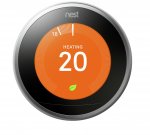
Nest Thermostat, 3rd Gen, from Argos. No installation option available, but a cracking price!
Amazon have price matched for those that prefer to buy from Amazon.
- jazlabs
Top comments
furiousjammin
23 Nov 166#11
I purchased one last week using the nPower deal listed on here previously. I installed it myself without any issues. Im an accountant, with no background in plumbing or electrical work. My experience goes as far as motorbike electrics and wiring a plug. I managed to do it pretty easily using the supplied installation instructions, and videos on youtube. Took about 90 minutes from opening the box, to switching it on.
I really wouldn't believe a word that man said he sounds like he just didn't want to be doing his job - the word 'unprofessional' comes to mind.
I can't recommend Nest thermostats enough, it is truely a fantastic product.
Myself I would give it another chance and explain the unpleasant experience you have had to the Nest Irish call centre (not USA).
I'm sure they will find a satisfactory solution - different Nest Approved installer.
They will gain a happy Nest customer so its a win win in the end.
bally12345
28 Dec 16#129
Well he told me I would need to get an electrician out and he is only authorised to do basic install ie plug it in socket or used existing hard wired stat. But because my salus stat apparently doesn't have the extra cable needed he can't do anything.
The fact he admitted it was his last job of the day suggested he just want to do a quick and easy job.
deany76
28 Dec 16#128
Shame, its exactly why I dont like unknown workman in the house some dont show any respect but if he had a really bad attitude 'kinda of aggressive' thats appalling.
Nest gave me a 100% gaurantee that it would work or money back.
I got £30 x 2 off Scottish power for being let down twice on a Smart Meter install.
Because of his attitude I wouldn't be convinced he's telling the truth as long as the heat link and display can 'talk' and a good wi-fi signal is available the display can be plugged in anywhere - hence the stand.
ps
My system had no thermostat before the Nest instal, just a broken timer by the boiler. Most area seem to have more than one registed installer mine was installed by Barlows Electrical Ltd - pleasant chap.
bally12345
28 Dec 16#127
I rang nest and just asked for a refund. Didn't bother to complain. The engineer is more than likely right as I have salus wireless stat coming from the boiler in the loft. Programmer is under the stairs and said there's no 12v feed but his attitude was just poor and kinda of aggressive. He basically said I can have it on a plug or look at other brands. That made my mind up. Decided didn't want it at all.
deany76
28 Dec 16#126
Really sorry you had a bad experience.
I did read about intaller proplems with Nest authorised installers a few years back - letting customers down etc.
I would phone Nest, complain, they may discount for inconvinience and offer another installer in the area.
Nest: 0808 169 2307
Nest works on 99% of UK central heating systems even my 25 year old gravity fed oil fire systems (Nest 3rd gen only - not 1st or 2nd gen).
I would really miss my Nest now.
bally12345
28 Dec 16#125
Ended up returning mine, bought with installation from nest. First engineers dates was 10 days later than the days I selected.
When the engineer finally turned up it was his last job and all he was interested in doing was putting it on a stand. Told me I cannot hard wire it but didn't even bother to check any cabling or even look at the boiler.
Not a good experience, going to stick with my standard stat for now.
t8m
28 Dec 16#124
does anyone have the amazon link. it's still coming up as £196.
ashtad
29 Nov 161#123
Thanks will give it a go. Have come home and the skylark app activated the heating and sent a notification thats its come on which is pretty good. Have a 14 day trial on that just hope i can get the nest home/away assist to work before the trial ends.
TANDY
29 Nov 16#122
Ordered mine from the main NEST site....bargain!
Eclairs
29 Nov 16#121
price has gone up on Argos this morning... I managed to order one last night... Thanks OP
Exactly the same as I have. So later when you get home the heating will click on.
ashtad
29 Nov 16#118
I have the home setting set at 20 degrees and the away setting set to 10 degrees eco
deany76
29 Nov 16#117
What I would recommend doing also is set Nest to say 20 C or 70 F degrees-
Click on 'Heat' next to Schedule and History
Then change to Eco
When you or your wife gets home the heating should/will click on automatically.
You shouldn't need to do this again its just to make sure everything is working.
deany76
29 Nov 16#116
Hi
iPhone perfect I use iPhone and Nest app have the settings as above and works fine.
I found it takes a few days to settle with the Learning aspect OFF.
Then all should be perfect. I personally wouldn't bother with Skylark as it may confuse Nest app IMHO, and I really think all will be fine.
Cheers
ashtad
29 Nov 16#115
Yes i have iphone, I have just downloaded the skylark app to try and this also doesnt seem to be switching to away even with the learning mode auto schedule off, Very strange maybe need to reset the router or something.
deany76
29 Nov 16#114
Glad I could help, all the settings can be done from the app so - anywhere and the Nest will pick up on the changes.
I guess you have an iPhone or android smartphone.
ashtad
29 Nov 161#113
Ok great will try this when i get home later
deany76
29 Nov 16#112
Hi
Hallway with traffic is perfect.
I'm certain if you switch off the learning aspect (which is a bit gimmicky and gets confused) you will be happy, and the Nest will pick up on when there is no movement and go into Home Away - now known as Eco mode
ps
Have home/away setting ON
and 'what decides if you're home' to relevant setting for geo location.
wouldn't bother with Skylark you wont need it.
ashtad
29 Nov 16#111
Hi the nest is located in the hall hard wired on the wall so detects when people come and go. Maybe it's the learning mode that's causing this problem. I thought about downloading the skylark app but don't see why shoukd have to pay for something when the the nest settings should be doing this already.
deany76
29 Nov 16#110
Hi
Both my mums and mine has 'learning mode' OFF. We found that this works much better and does not take away the benefits of Nest.
Our home away works perfectly.
Nest must be in an area where there is 'traffic'.
So I would try switching learning mode off -
In Nest App
Setting (cog top right)
Thermostats (Name of Thermostat)
Nest Sense
Auto-schedule toggle OFF
It is important the Nest is located where there is traffic, not near a radiator or Kitchen.
Do you have the stand so you can move the Nest if necessary (you dont have to move it if the above applies).
ashtad
29 Nov 16#109
Wonder if anyone can help. Had this set up on saturday and for the life of me i cant get the home/away assist working. Set up on both mine and my wifes phone but simply will not switch the system to away when we leave the house for work. I have been through all the settings making sure everything should be on the phones like location settings etc, even deleted the apps and reinstalled them. Anyone else found this problem and is it because the thermostat is still in learning mode ?
lidds
27 Nov 161#108
I do already have the nest protect, think its a small price for what it offers. Think i might be convinced :smiley:
deany76
27 Nov 16#107
Hi
Pure luxury just before leaving the restaurant to turn heating on to get home to a warm house.
I also think this is a worthwhile investment for elderly relatives as you can have two accounts on your app-
• yours
• an elderly relative
Nest thermostat and Protect is in my top ten best ever puchases.
The Amazon Dot is also great:
"Alexa turn* Nest to x degrees"
"Alexa turn* Nest UP x degrees"
* or change word to 'set' also works
My top five in no order:
• House
• Car (from new 11 years old)
• SONOS
• Nest thermostat
• iPhone (alhough I'm not liking their price increases and have a spare phone which cost £29.00 and is
android).
lidds
27 Nov 161#106
Hi thanks for the reply :smiley: shame it doensn't show the current temp, however not a deal breaker.
My current set up is fine and i can set up schedules, i just like the idea that if im going to be home early i can change things remotely. just trying to persuade the wife its worth the investment haha
deany76
27 Nov 16#105
Hi
Unfortuantly it doesn't show temperature (although it does have a sensor to combat Legionnaires disease)
I had my Hot Water Only on for 1 hour at 6.30 am to 7.30am but this wasn't enough for all day hot water and or a bath.
So now my Hot Water Only is on from 6.30am to 8.30am scheduled everyday.
The dial on the boiler is set low as I'm thrifty but someone may say its 'false economy'.
It does not use that much fuel.
This gives hot water and or a bath all day.
Oil fired gravity fed 25 year old system, service every Summer - £65.00, very noisy as it always has been but working like a dream. touch wood.
So in summary its getting the setting on the boiler and time boiler is on for to the most efficient setting.
Hope this helps
lidds
27 Nov 16#104
Does anyone know if you can look in real time how hot you hot water tanks is (So you know if ther is enough hot water for a shower / bath ?) thanks
deany76
27 Nov 16#103
Hi
Great you have fibre.
The install should not be a problem you could get a Nest installer.
I have a Cat 6 cable hanging out of window (tacked to wall) tidy job, and window closes.
To be fair its a woodern frame and 15+ years old.
Some folk in the States are drilling a hole for cable to go through.
I do worry about climbing a ladder, maybe best to get an installer in.
But with Fibre it sounds ideal (I'm envious!), the infra red at night is excellent even with no moon - integrates with Nest theromostat app too so all good for you.
Cheers
ashtad
27 Nov 16#102
Hi
I have unlimited Fibre broadband so that side shouldn't be a problem. I think the biggest problem I would have if getting one would be locating a power source
deany76
27 Nov 16#101
Hi
Very sorry to hear about burglaries - appalling.
I was really excited by the Nest Outdoor cam but its a 'data hog'
I live in a very rural area of North Wales and rely on 100GB of EE 4G data per month.
I worked out that the MINIMUM data useage of ONE camera is 48GB a month.
Clearly if you get a Nest Outdoor cam you need
• Unlimited broadband
• Depending on the speed and number in family using internet at any one time the Nest out door cam MAY impact on user speed, due to Nest Out door cam using bandwidth 24-7
Do you have unlimited data with your ISP, what speeds do you get, how many in household that use internet at any given time.?
Also worth mentioning the Nest Aware that gives 30 day video storage and more accurate 'notifications' is £80.00 per year.
I REALLY wanted to like the Nest Outdoor cam but UPS will be collecting it next week for a full refund, shame.
ashtad
27 Nov 16#100
Anyone tried the cameras out..... Got a lot of burglaries happening in my area at the moment so thinking of getting one
deany76
27 Nov 16#99
glad to help!
The Nest Protect are great too.
Cheers
essexgangsta
26 Nov 16#98
thanks for answering my questions. just need to get a couple of the fire alarms now cheapest ive seen those are gbp89.00
deany76
26 Nov 161#97
Excellent made up for you both, happy days, fantastic product.
Cheers
essexgangsta
26 Nov 161#96
had mine fitted this mornign by the approved fitter. said hes fitted about 500 in the last 6 months.
really impressed with it, and the missus was saying it was gimicky but shes impressed with the app. got to say i havent seen many of them but nest have a very clean interface and device. installer removed my old programmer and then installed the nest thermostat in place of the old one but my heatlink is housed next to the hot water cyclinder. tried all the heating and water and its very clever.
InkZ
26 Nov 16#95
My Quidco tracked straight away and the £10 cashback was payable the same day. Installed mine last night, it was pretty simple.
I've got a Gloworm combi boiler. I took the existing thermostat off the wall, and there were only two wires. I put a multimeter across them and measured 24v, so that told me I had a low voltage system. I mounted the heatlink by the boiler. I took power from the fused spur that powers the boiler, and disconnected the wires that ran in to the wall to the existing thermostat which were in a junction box and put those in the heatlink, I then used the old thermostat wires to power the nest which I mounted where the old thermostat was.
It was only 6 wires in the end. Took me a couple of hours but that's because I'm generally useless at DIY. It probably would have taken someone half competent about 30 mins.
essexgangsta
26 Nov 161#94
yeah got a samsung s7 edge so ive installed the app and set up my account so should be a case of just connecting to it after hes set it up.
deany76
26 Nov 16#93
Hi
Hope all goes well, I'm sure it will.
I guess you have a smartphone?
android or iPhone?
The Nest and a smartphone really do go well together - turning heating on at home before leaving a restaurant etc to get home to a warm house.
essexgangsta
25 Nov 161#92
ok thanks, yeah i understand the 3rd gen has lights on it to show when each is on, i have heard of several installers now that have not installed the hot water correctly.
deany76
25 Nov 16#91
Hi
I would before he leaves
• ensure the heating goes ON and OFF via app
• Hot water can be controlled separately from heating with boost and schedule all working fine.
Hope all is okay
essexgangsta
25 Nov 161#90
yeah i'll have to see what he says tomorrow, just strange he mentioned the heatlink in the airing cupboard where everything i read says it goes near the boiler. thanks for the diagram ill save it just in case
deany76
25 Nov 16#89
Hi
If he is Nest approved I'm sure it will be okay.
My Nest approved installer however did have to come back as the Heat Link for the hot water side wasn't wired correctly, once I got the diagram for a "gravity fed system" from amazon he rewired the Heat Link and the hot water can be controlled separately.
Basically the diagram saved the day.
essexgangsta
25 Nov 16#88
yeah i got his contact from the Nest website , and he said heatsink will go in the cylinder cupbaord near the motorised valves.
ps
If you have a gravity fed system you need this diagram:
essexgangsta
25 Nov 16#86
got mine being fitted tomorrow, i have a conventional boiler with hot water tank upstairs and a thermostat on the wall. Chatting to the installing today he said the heat link will be fitted next to the hot water tank and he doesnt need to really go near the boiler. im assuming then the heat link controls the water and the thromstat controls the heating?
May have to set to a higher temp to allow for the 1 degree F
Other variiable too numerous to mention come into play but outside temperature at night in the winter has to come into play.
Cheers
dunker
24 Nov 16#83
. Box Contains
deany76
24 Nov 16#82
The Heat Link is in the box with the Display, the stand is worth getting.
Hope this helps. (Nests website have £30 off)
tom6195
24 Nov 16#81
you need the heatlink as well right?
Eclairs
24 Nov 161#80
Thanks for the details.. Spoke to them about my two zoned system. Apparently I would need to have two thermostats and two heatlinks installed individually according to the existing zones.
I did ask about any combined deals to avoid one installation cost, but they said that I would need to pay for two installations :disappointed:
This is one for Nest excellent support in Ireland 0808 169 2307
It looks like you would have two options:
• One Heat Link and two Nest thermostats
• On amazon someone says "lose one zone and do the whole house off one (Nest) like I am" (not entirely sure how this would work)
I would have thought 1st option is best, would Nest do a deal for you, with you only needing on Heat Link, please post back as am interested what they say
Cheers
dunker
24 Nov 16#78
I have also two zones. It seems to me that we have to buy two thermostat in each probably already is link for free.
Check out this link very well explains this mate link......
Eclairs
24 Nov 16#77
My house has got two zones(living room is isolated with its own thermostat and the rest of the house is on another one), does that mean I need to buy two nests or just two thermostats with one heat link will do?
I can't seem to find only thermostat being sold separately...
deany76
24 Nov 16#76
No, my 25 year old system didn't have a thermostat just a timer that was broken.
If its "gravity fed" you need a special diagram
deany76
24 Nov 16#75
Yes its in the box
deany76
24 Nov 161#74
The display is 3 pin plug - worth getting stand.
The Heat Link attaches to the boiler and needs power.
The display does have a rechargeable battery for BACKUP ONLY "Nest has a built-in rechargeable lithium battery, so it will remember your settings if the power goes out - and there’s no need to replace the batteries every year."
deany76
24 Nov 16#73
Nest: 0808 169 2307 now guarantee the thermostat will work with 99% of boilers and the 1% are in the states. If Nest install https://store.nest.com/uk/product/thermostat?selectedVariantId=T3010GBBI then they offer a money back guarantee, give them a ring they are very helpful in Ireland.
Sharpharp
24 Nov 16#72
Does it come with the Heatlink which connects to the boiler?
keno2000_uk
24 Nov 16#71
our system doesn't currently have a thermostat assuming this makes installation harder?
illusionuk
24 Nov 16#70
Are the thermostats battery operated or need a mains source?
bigcheese
24 Nov 16#69
I have a 20 year old Worcester combi boiler do these work with older boilers or just new condensing type boilers ? Been considering for a while
JustExtreme
24 Nov 16#68
tempted to get one of these, house I moved into last year (bought) just has an old school wireless thermostat with timer set periods
deany76
24 Nov 16#67
Hi
If Siemens are saying "it only checks the temperature at certain time intervals, not every minute" once you have found the best location, I'm sure the Nest would be more accurate.
If you spend a lot of time at home we found its best to switch the "learning" aspect of the Nest OFF as is gets confused.
When the Nest picks up on no motion ie if you are out the ECO clicks in and the heating goes off.
It does have a Legionnaire's disease feature (assuming non combi) which I think is a good idea where the hot water is heated when needed for safely and also the heating comes on is temperature is very low (can be adjusted).
An iPhone or android smartphone is best so if you are in a restaurant you can get home to a lovely warn house - pure luxury!
retiredgeek
24 Nov 16#66
I should have said house not room. Our bungalow has the radiators well balanced, but just find the Siemens thermostat just too slow. It is in the living room set @ 21C, but we notice the room feel cool before the boiler kicks in again, despite the themostat saying it is 20C. Once it kicks in the room reaches 22C before it stwiches off. I am not expecting the Nest to switch on/off every few minutes but hoping it might "sample" the temperature more often than the Siemens.
Hi
The Nest appears to sense change in real time. Is your thermostat located in say the kichen? and the rest of the house appears cold?
With the Nest if you get the stand the idea is to find the best location and leave it there.
In a perfect world this would be the coldest room in the house away from radiators but where there is "traffic" to sence motion.
The coldest room isn't always the best for convenience / traffic I've moved my mums display three times and mine twice- hence the need for the stand.
Tinker12
24 Nov 16#62
Looking at this and the netatmo offer with the echo dot. The only difference I can see is that the nest will turn on or off when it senses if you're in the house. Am I missing anything else as the netatmo says it can be self installed?
retiredgeek
24 Nov 16#61
How quickly does this thermostat react to temperature changes?
We have a Seimens type at the moment, and although it reacts within 1 degree C above or below the set temperature we find the room feels cold before it kicks in and too hot when it switches off again. Seimens tells me that it only checks the temperature at certain time intervals, not every minute!
deany76
24 Nov 161#60
Hi
This replaces your old thermostat. I recommend the stand to find the perfect location / room for the display.
The heat sink attaches to the boiler, this is perfect if you are having a new boiler / rads and have a smartphone, fantastic product.
The central heating engineer will be able to install it for you.
I recommend checking the engineer is listed here: https://www.gassaferegister.co.uk
The Nest Protect is also an excellent product for maybe the future.
NiggyG
24 Nov 16#59
Does this piggy back onto an existing thermostat?
We are about to get a new boiler, our current setup doesn't have a thermostat. So would we still need still need another thermostat if installing a new setup?
bargainnicka
24 Nov 161#58
3rd gen is for hot water also. This means homes with hot water tanks and not combi boilers. Sure, it will work with a combi boiler but the 'hot water' part will not be active.
This automatically makes the wiring more complicated as you no doubt have to figure out what goes where with zone valves and wiring centres etc for independent operation of heating & hot water or both.
Im a competent DIYer and know a thing or two about home electrics but it still took a long time to plan out the wiring and crawling around in the attic where the tank and wiring centre is. If you are in any doubt, go with a proper installer.
Choice of 4 colours this does not appear to be a available on Argos website.
TANDY
24 Nov 161#56
Get it from the official site...it's £219...So if you buy it at £150, you still have to pay and arrange an installer - About £100.
T
John M
24 Nov 16#55
£100 in Lancashire.
deany76
24 Nov 161#54
I wholeheartedly recommend the Nest 3rd gen, one of the best things I have bought.
If you have some spare cash and have an elderly relative these are fantastic - they have a motion sensor, but as important you can check on say the temperature of your mums house and put the heating up.
The Nest app allows two houses so I can set temp for my house and my mothers from the same app - very handy 40,000 elderly deaths annually from hypothermia http://www.telegraph.co.uk/news/weather/11382808/Winter-death-toll-to-exceed-40000.html
20°C to 22°C I find ideal for elderly.
Keep warm and keep an eye on your elderly relatives this winter.
VAMOS DAN
24 Nov 16#53
the £10 quidco cashback doesnt mention Argos. just AO , Very, Currys, Dell or Microsoft
edwardw121
24 Nov 16#52
Doesn't matter. You would just loose the ability to control the units. So long as the unit is connected to the heat link your fine
edwardw121
24 Nov 16#51
I installed both of mine myself. Doddle
mooneyme
24 Nov 16#50
It's Argos that has the cashback
mooneyme
24 Nov 16#49
Mines tracked regular cashback but no mention of the £10 yet. You have to "activate" the £10 on the quidco homepage first
VAMOS DAN
24 Nov 16#48
I can't see any mention of nest on quidco ????
TwotoYou
24 Nov 16#47
Tempted by this. What happens if it loses the wifi signal? Does it still stick to the schedule (like an old skool thermostat) or does it shut down?
andreasuk
24 Nov 161#46
rip off
andreasuk
24 Nov 16#45
rip off!
allyathletic78
24 Nov 16#44
No its not. it can be done but takes time for lay people.
jaydeeuk1
23 Nov 16#43
I went for the hive Costco deal yesterday. Would have gone for this instead though. Seems a pretty decent price! Only bought it cos it works with the echo.
gleechy
23 Nov 16#42
Well you might say there is no requirement and that is a mistake, the thermostat is placed in a room with no radiator stats, all these people cutting corners and doing it themselves could be taking big risks
gleechy
23 Nov 161#41
ruheluddin86
23 Nov 16#40
When's 4th gen coming out??? I only want to pay £100 for this as I don't really need 1...
Eclairs
23 Nov 16#39
I did the same...Quidco not tracked yet and its been more than 8 hours... have you had your purchase tracked?
MJ10
23 Nov 162#34
Sorry, and thanks for your post, but how has this got so much heat and comments when I posted the same deal at 4am this morning?!!!
I think because yours started at the higher price and has been updated, this deal came straight in at the lower price and must have got higher up the hukd visibility ladder. I've just bought one from argos purely because of the £10 quidco
wilf1234
23 Nov 16#2
better than Hive, or samo samo?
boyband to wilf1234
23 Nov 16#37
I think it is much better, and ours has been fantastic. Your milage may vary, but it has definately cut our heating bills, but most importantly made the house much much nicer by having a predictable temperature (no boiling then freezing)
furiousjammin
23 Nov 161#36
Agree 100%. I was replacing a REALLY old British Gas thermostat. I just took the 4 wires at the boiler that went off to the old thermostat, and cut the wire and connected to the Nest hub. (isolate the power before obviously) The nest hub only needs 3 of the wires, as it doesnt need the Earth. So just live, neutral, and call for heat. If you want your hot water to be available on call (whenever your tap is switched on) just loop another small pieve of wire from the live terminal, over to the hot water terminal. Job done. im a complete novice and it did it ok, so most people in this thread will be fine.
furiousjammin
23 Nov 16#35
Its really simple to use. Takes around 10 minutes to connect to the WiFi and setup an account. Once thats done its really simple. You just turn the outer bezel of the Nest to adjust the temperature up or down as you want it. Or you can download and use the nest app. Just press up arrow, or down arrow to adjust temperature (or drage the virtual nest screen on the phone app) and it adjusts the temperature. Im a week in now, so it has learnt how we like the temperature based on our adjustments last week. Seems to be working well so far. I logged into the online Nest website using my Nest account (create one when you have installed the Nest and log in to the Nest thermostat using your account details) and created a heating schedule so it comes on just before my alarm clock goes off. Then the auto heating part kicks in. I would recommend and i would definitely buy again.
ashtad
23 Nov 16#30
Is it best to install these on the wall in the hallway where the existing thermostat is ?
pjazzy to ashtad
23 Nov 161#31
Depends on your needs. I have mine mounted on a stand in the bedroom. There is no requirement to have it in the hallway but it's usually chosen as its the most neutral place.
OrribleHarry to ashtad
23 Nov 16#33
Best to install where there is no TRV on the radiator as that is the only radiator the boiler has direct control over, incidentally this should be the hallway normally.
OrribleHarry
23 Nov 16#32
If it's replacing an existing stat it is ridiculously simple and is no more than a 10 min job!
Donna F
23 Nov 16#29
Just had one installed and paid £80
trilock
23 Nov 161#18
is the only difference between hive and nest the auto away function? I like the look of hive
Bargain Hunters to trilock
23 Nov 161#22
Basically yes, but it has a lot more add on things camera, hue light bulbs etc and if you have an Alexa you can control things through it. I am still figuring it all out. I have it all - just awaiting 5 mins to work it all out, its apparently abit flasher because you can add more - but its ever changing. The Npower deal is amazing.
pjazzy to trilock
23 Nov 16#28
Nest also learns your habits and heats accordingly. Hive needs to be manually scheduled. You can also manually schedule the nest if you don't need the learning part.
Finally the thermostat on the nest can be mounted on a desk stand and placed somewhere other than the old thermostat location which I have found to be useful.
matty8888
23 Nov 16#27
Just had one of these installed, great piece of kit. Local installer we used cost £90 for comparison (Sheffield)
Dragon32
23 Nov 16#26
Tempting, but going to hold out until our boiler gives up the ghost and get it all done in one go. :smile:
essexgangsta
23 Nov 16#25
ive got mine booked for this saturday at the price of £249.00, probably should call the installer and ask if he will honour the price, shame they havent discounted the fire alarms aswell.
ravi811
23 Nov 16#24
Thanks for your reply bud
Sharpharp
23 Nov 16#23
Nope, just be either Home Delivery or Fast-track (same as reserve and collect but you pay upfront and its quicker than waiting in the queue with plebs who hog the tills undecided on what to buy)
Sharpharp
23 Nov 163#1
£10 cashback via Quidco for online purchase
ravi811 to Sharpharp
23 Nov 16#21
New to Quidco, do you still get the cashback if you reserve online and collect in store ?
cykb
23 Nov 161#20
Anyone know if the black and white version is just plastic or is it coloured metal? thanks
I keep asking myself if I need one of these? My current thermostat seems fine, but I still keep seeing this & being tempted. If you own one, do you recommend? Is it that much better? I do like the idea of controlling it via your phone or the amazon echo...
Thanks
darthvader666uk to Lw.jarvis
23 Nov 161#17
Exact same boat. I got one that works absolutely fine but I really like the idea of Nest. Im even on the checkout page on Next with installation for £219.....argh! this is gonna be along black friday deal week!
Now that is good. Installation not that easy.....both Nest Pro took on average 90 minutes with my two installs. One with an old oil boiler and one with a difficult to get at new combi.
If you are a competent DIYer and comfortable around electrics, I agree, do it yourself.
bally12345
23 Nov 16#9
Installation would cost around £60 if anyone wanted to get an installer.
n64play to bally12345
23 Nov 16#14
i checked and so far i have been quoted £100 for installation in the Glasgow area.
ashtad
23 Nov 16#13
Same price now at amazon
furiousjammin
23 Nov 166#11
I purchased one last week using the nPower deal listed on here previously. I installed it myself without any issues. Im an accountant, with no background in plumbing or electrical work. My experience goes as far as motorbike electrics and wiring a plug. I managed to do it pretty easily using the supplied installation instructions, and videos on youtube. Took about 90 minutes from opening the box, to switching it on.
ashtad to furiousjammin
23 Nov 16#12
Thanks for that i was just about to ask how hard to fit. How do you find the unit easy to use ?
alecb
23 Nov 162#10
I don't know if HIVE is similar but Costco (Watford) are doing Hive V2 incl installation for £209.98
redduck
23 Nov 161#7
Surprisingly, no one else seems to have disc it yet so I will...
.. if you're an npower customer, you can have this for £129.99.

![Fresh Breakfast Meat Box (Using code) @ Campbells Meat [Haggis / Lorne Sausage / Bacon / Black Pudding & More]](/images/topics/208684_1.jpg)




































![[Xbox One] Q. u. b. e: Director's Cut on Deals with Gold](/images/topics/208716_1.jpg)


















Opening post
Amazon have price matched for those that prefer to buy from Amazon.
- jazlabs
Top comments
https://store.nest.com/uk/product/thermostat?selectedVariantId=T3010GBBI
Latest comments (130)
I can't recommend Nest thermostats enough, it is truely a fantastic product.
Myself I would give it another chance and explain the unpleasant experience you have had to the Nest Irish call centre (not USA).
I'm sure they will find a satisfactory solution - different Nest Approved installer.
They will gain a happy Nest customer so its a win win in the end.
The fact he admitted it was his last job of the day suggested he just want to do a quick and easy job.
Nest gave me a 100% gaurantee that it would work or money back.
I got £30 x 2 off Scottish power for being let down twice on a Smart Meter install.
Because of his attitude I wouldn't be convinced he's telling the truth as long as the heat link and display can 'talk' and a good wi-fi signal is available the display can be plugged in anywhere - hence the stand.
ps
My system had no thermostat before the Nest instal, just a broken timer by the boiler. Most area seem to have more than one registed installer mine was installed by Barlows Electrical Ltd - pleasant chap.
I did read about intaller proplems with Nest authorised installers a few years back - letting customers down etc.
I would phone Nest, complain, they may discount for inconvinience and offer another installer in the area.
Nest: 0808 169 2307
Nest works on 99% of UK central heating systems even my 25 year old gravity fed oil fire systems (Nest 3rd gen only - not 1st or 2nd gen).
I would really miss my Nest now.
When the engineer finally turned up it was his last job and all he was interested in doing was putting it on a stand. Told me I cannot hard wire it but didn't even bother to check any cabling or even look at the boiler.
Not a good experience, going to stick with my standard stat for now.
I am sorry the manual setting of Eco mode is not what I thought it was for- so heating wont come on later
https://nest.com/uk/support/article/Learn-how-Eco-Temperatures-work-on-the-Nest-Thermostat?locale=en_GB&version=5.9.0.65&app=jasper&country=GB&app=true
I would change back to Heat > Heat
Lower to say 14 degrees and it will start to learn when your home away.
Many appologies for mis information I hadn't used manual Eco myself.
But I still think Nest Sence OFF will solve the issue as previously mentioned.
Also found getting pin on map -
https://nest.com/support/article/Troubleshooting-Home-Away-Assist
"Check that your home’s location is correct in the Nest app"
for accuracy of iPhone geofencing.
But that has to be set at home.
Click on 'Heat' next to Schedule and History
Then change to Eco
When you or your wife gets home the heating should/will click on automatically.
You shouldn't need to do this again its just to make sure everything is working.
iPhone perfect I use iPhone and Nest app have the settings as above and works fine.
I found it takes a few days to settle with the Learning aspect OFF.
Then all should be perfect. I personally wouldn't bother with Skylark as it may confuse Nest app IMHO, and I really think all will be fine.
Cheers
I guess you have an iPhone or android smartphone.
Hallway with traffic is perfect.
I'm certain if you switch off the learning aspect (which is a bit gimmicky and gets confused) you will be happy, and the Nest will pick up on when there is no movement and go into Home Away - now known as Eco mode
ps
Have home/away setting ON
and 'what decides if you're home' to relevant setting for geo location.
wouldn't bother with Skylark you wont need it.
Both my mums and mine has 'learning mode' OFF. We found that this works much better and does not take away the benefits of Nest.
Our home away works perfectly.
Nest must be in an area where there is 'traffic'.
So I would try switching learning mode off -
In Nest App
Setting (cog top right)
Thermostats (Name of Thermostat)
Nest Sense
Auto-schedule toggle OFF
It is important the Nest is located where there is traffic, not near a radiator or Kitchen.
Do you have the stand so you can move the Nest if necessary (you dont have to move it if the above applies).
Pure luxury just before leaving the restaurant to turn heating on to get home to a warm house.
I also think this is a worthwhile investment for elderly relatives as you can have two accounts on your app-
• yours
• an elderly relative
Nest thermostat and Protect is in my top ten best ever puchases.
The Amazon Dot is also great:
"Alexa turn* Nest to x degrees"
"Alexa turn* Nest UP x degrees"
* or change word to 'set' also works
My top five in no order:
• House
• Car (from new 11 years old)
• SONOS
• Nest thermostat
• iPhone (alhough I'm not liking their price increases and have a spare phone which cost £29.00 and is
android).
My current set up is fine and i can set up schedules, i just like the idea that if im going to be home early i can change things remotely. just trying to persuade the wife its worth the investment haha
Unfortuantly it doesn't show temperature (although it does have a sensor to combat Legionnaires disease)
I had my Hot Water Only on for 1 hour at 6.30 am to 7.30am but this wasn't enough for all day hot water and or a bath.
So now my Hot Water Only is on from 6.30am to 8.30am scheduled everyday.
The dial on the boiler is set low as I'm thrifty but someone may say its 'false economy'.
It does not use that much fuel.
This gives hot water and or a bath all day.
Oil fired gravity fed 25 year old system, service every Summer - £65.00, very noisy as it always has been but working like a dream. touch wood.
So in summary its getting the setting on the boiler and time boiler is on for to the most efficient setting.
Hope this helps
Great you have fibre.
The install should not be a problem you could get a Nest installer.
I have a Cat 6 cable hanging out of window (tacked to wall) tidy job, and window closes.
To be fair its a woodern frame and 15+ years old.
Some folk in the States are drilling a hole for cable to go through.
I do worry about climbing a ladder, maybe best to get an installer in.
But with Fibre it sounds ideal (I'm envious!), the infra red at night is excellent even with no moon - integrates with Nest theromostat app too so all good for you.
Cheers
I have unlimited Fibre broadband so that side shouldn't be a problem. I think the biggest problem I would have if getting one would be locating a power source
Very sorry to hear about burglaries - appalling.
I was really excited by the Nest Outdoor cam but its a 'data hog'
I live in a very rural area of North Wales and rely on 100GB of EE 4G data per month.
I worked out that the MINIMUM data useage of ONE camera is 48GB a month.
Clearly if you get a Nest Outdoor cam you need
• Unlimited broadband
• Depending on the speed and number in family using internet at any one time the Nest out door cam MAY impact on user speed, due to Nest Out door cam using bandwidth 24-7
Do you have unlimited data with your ISP, what speeds do you get, how many in household that use internet at any given time.?
Also worth mentioning the Nest Aware that gives 30 day video storage and more accurate 'notifications' is £80.00 per year.
I REALLY wanted to like the Nest Outdoor cam but UPS will be collecting it next week for a full refund, shame.
The Nest Protect are great too.
Cheers
Cheers
really impressed with it, and the missus was saying it was gimicky but shes impressed with the app. got to say i havent seen many of them but nest have a very clean interface and device. installer removed my old programmer and then installed the nest thermostat in place of the old one but my heatlink is housed next to the hot water cyclinder. tried all the heating and water and its very clever.
I've got a Gloworm combi boiler. I took the existing thermostat off the wall, and there were only two wires. I put a multimeter across them and measured 24v, so that told me I had a low voltage system. I mounted the heatlink by the boiler. I took power from the fused spur that powers the boiler, and disconnected the wires that ran in to the wall to the existing thermostat which were in a junction box and put those in the heatlink, I then used the old thermostat wires to power the nest which I mounted where the old thermostat was.
It was only 6 wires in the end. Took me a couple of hours but that's because I'm generally useless at DIY. It probably would have taken someone half competent about 30 mins.
Hope all goes well, I'm sure it will.
I guess you have a smartphone?
android or iPhone?
The Nest and a smartphone really do go well together - turning heating on at home before leaving a restaurant etc to get home to a warm house.
I would before he leaves
• ensure the heating goes ON and OFF via app
• Hot water can be controlled separately from heating with boost and schedule all working fine.
Hope all is okay
If he is Nest approved I'm sure it will be okay.
My Nest approved installer however did have to come back as the Heat Link for the hot water side wasn't wired correctly, once I got the diagram for a "gravity fed system" from amazon he rewired the Heat Link and the hot water can be controlled separately.
Basically the diagram saved the day.
My Heat Link is by the boiler where the old "timer" was, I assume its wired to the boiler as the "display" sends a signal to the Heat Link to switch the boiler ON or OFF.
as per: https://nest.com/uk/support/article/What-is-Heat-Link
Is the installer Nest approved?
I also recommend the stand https://www.amazon.co.uk/Nest-Stand-Learning-Thermostat-Generation/dp/B016PW3I6E/ref=sr_1_1?ie=UTF8&qid=1480092877&sr=8-1&keywords=nest+stand as best not to put display on wall as you need to find the best room / location for the display.
ps
If you have a gravity fed system you need this diagram:
is that correct
Apparantly ALL thermostats inc Nest have a "Maintaince Band" of + or - 1 degreee F
So the temp may be set at 70 degrees but show as 71 and heating will still be on.
This is to prevent the boiler switching ON and OFF all the time which could damage components.
I guess the same is in reverse for the issue with your Siemens.
https://nest.com/support/article/Why-doesn-t-Nest-start-my-system-immediately-when-the-temperature-is-above-or-below-the-target-temperature
May have to set to a higher temp to allow for the 1 degree F
Other variiable too numerous to mention come into play but outside temperature at night in the winter has to come into play.
Cheers
Hope this helps. (Nests website have £30 off)
I did ask about any combined deals to avoid one installation cost, but they said that I would need to pay for two installations :disappointed:
Have a look here... shows two heatlinks connected to the boiler...
https://nest.com/ie/support/article/Does-Nest-work-with-zoned-systems
This is one for Nest excellent support in Ireland 0808 169 2307
It looks like you would have two options:
• One Heat Link and two Nest thermostats
• On amazon someone says "lose one zone and do the whole house off one (Nest) like I am" (not entirely sure how this would work)
I would have thought 1st option is best, would Nest do a deal for you, with you only needing on Heat Link, please post back as am interested what they say
Cheers
Check out this link very well explains this mate link......
I can't seem to find only thermostat being sold separately...
If its "gravity fed" you need a special diagram
The Heat Link attaches to the boiler and needs power.
The display does have a rechargeable battery for BACKUP ONLY "Nest has a built-in rechargeable lithium battery, so it will remember your settings if the power goes out - and there’s no need to replace the batteries every year."
If Siemens are saying "it only checks the temperature at certain time intervals, not every minute" once you have found the best location, I'm sure the Nest would be more accurate.
If you spend a lot of time at home we found its best to switch the "learning" aspect of the Nest OFF as is gets confused.
When the Nest picks up on no motion ie if you are out the ECO clicks in and the heating goes off.
It does have a Legionnaire's disease feature (assuming non combi) which I think is a good idea where the hot water is heated when needed for safely and also the heating comes on is temperature is very low (can be adjusted).
An iPhone or android smartphone is best so if you are in a restaurant you can get home to a lovely warn house - pure luxury!
Nest works with Dot.
If you are handy enough to install the https://www.amazon.co.uk/Netatmo-NTH01-EN-EU-Thermostat-for-Smartphone/dp/B00GWKW8SY/ref=sr_1_2?ie=UTF8&qid=1479980819&sr=8-2&keywords=netatmo then you could install the Nest I'm sure.
I'm bias towards the Nest but Alphabet are the 2nd largest company in the world now (although google do drop projects) they are financially secure so I cant see the app being 'switched off'
I have never really heard of Netatmo so find that slightly worrisome.
The Nest appears to sense change in real time. Is your thermostat located in say the kichen? and the rest of the house appears cold?
With the Nest if you get the stand the idea is to find the best location and leave it there.
In a perfect world this would be the coldest room in the house away from radiators but where there is "traffic" to sence motion.
The coldest room isn't always the best for convenience / traffic I've moved my mums display three times and mine twice- hence the need for the stand.
We have a Seimens type at the moment, and although it reacts within 1 degree C above or below the set temperature we find the room feels cold before it kicks in and too hot when it switches off again. Seimens tells me that it only checks the temperature at certain time intervals, not every minute!
This replaces your old thermostat. I recommend the stand to find the perfect location / room for the display.
The heat sink attaches to the boiler, this is perfect if you are having a new boiler / rads and have a smartphone, fantastic product.
The central heating engineer will be able to install it for you.
I recommend checking the engineer is listed here: https://www.gassaferegister.co.uk
The Nest Protect is also an excellent product for maybe the future.
We are about to get a new boiler, our current setup doesn't have a thermostat. So would we still need still need another thermostat if installing a new setup?
This automatically makes the wiring more complicated as you no doubt have to figure out what goes where with zone valves and wiring centres etc for independent operation of heating & hot water or both.
Im a competent DIYer and know a thing or two about home electrics but it still took a long time to plan out the wiring and crawling around in the attic where the tank and wiring centre is. If you are in any doubt, go with a proper installer.
100% money back guarantee - perfect install, worth getting the stand rather than fixing to wall, to find best location for the display
Choice of 4 colours this does not appear to be a available on Argos website.
T
If you have some spare cash and have an elderly relative these are fantastic - they have a motion sensor, but as important you can check on say the temperature of your mums house and put the heating up.
The Nest app allows two houses so I can set temp for my house and my mothers from the same app - very handy
40,000 elderly deaths annually from hypothermia
http://www.telegraph.co.uk/news/weather/11382808/Winter-death-toll-to-exceed-40000.html
20°C to 22°C I find ideal for elderly.
Keep warm and keep an eye on your elderly relatives this winter.
http://www.hotukdeals.com/deals/nest-3rd-gen-thermostat-158-99-save-40-amazon-2553662
Finally the thermostat on the nest can be mounted on a desk stand and placed somewhere other than the old thermostat location which I have found to be useful.
http://www.wareable.com/smart-home/nest-vs-hive-786
Thanks
https://store.nest.com/uk/product/thermostat?selectedVariantId=T3010GBBI
If you are a competent DIYer and comfortable around electrics, I agree, do it yourself.
.. if you're an npower customer, you can have this for £129.99.
Heat added for everyone else though.