I bought these to see if they would be an improvement on my Netgear 500Mbps (my study only gets ~40Mbps, where my router pumps out 78 Mbps) and I never saw any improvement.
Having said that, this is a good price for plugs that have worked flawlessly.
Gee_Money
30 Oct 16#7
Heat. Have been looking for a cost effective gigabit set for a while - want to put my 'super'hub into modem mode, run the connection through these plugs to my nighthawk router (which is placed for best overall wireless signal coverage in the house), then use a set of TP link adapters to go from the router to various rooms (office & game room)....it's that or I take tools to the walls and start laying cables all over the place
scotia2 to Gee_Money
30 Oct 16#9
you'd better take tools to the walls if you want 'gigabit' speeds
AMC89
30 Oct 16#8
Can anyone advise me here please. I need something like this to distribute wifi from the router downstairs to upstairs and the far end of the house. Am I right that I would need another device to send out a wifi signal at the other end if I used this product?
scotia2 to AMC89
30 Oct 161#10
what do you think? you know the answer from your post, but it seems you need some reassurance that these don't magically beam Wi-Fi at the other end.
m.ad to AMC89
30 Oct 16#13
In a word, yes. You plug in one next to your router and connect an Ethernet cable, then the other at the other end, giving you an Ethernet port. I have a separate 5ghz access point plugged in at other end which emits a second wifi signal and acts as a 4 port hub
Delio79
30 Oct 165#11
@scotia2 not liking your tone there... sounding a bit nasty. Not everyone is tech smart so there will inevitably be silly sounding questions.
bluenosebignelly
30 Oct 162#12
aye, no need. took more energy being snide than helpful.
royals
30 Oct 161#14
your setup is wrong. I have the same setup. put your nighthawk router next to your virginmedia modem router. if you can't then run an cat 5e or above Ethernet cable directly between the two. then run a separate cable from your nighthawk to you powerline plug.
my setup us as follows. The issue have is my office is in an extended part of the house so 3 sides are 12 inch solid bricks walls. not ideal for WiFi. I have tried every combination except hardwiring the who house with Ethernet which is in the short medium term the best solution.
I set my v media not so super hub 2, made by netgear, to modem mode. I connected my netgear nighthawk to the superhub via Ethernet cat 6 cable.
I connected my powerline network to the nighthawk, linked to this network is a long list of kit around the house.
I have also connected a netgear metal network switch, linked to this are a qnap nas, printers, etc
linked to the powerline network I have a netgear WiFi extender for upstairs. works well
with the office door shut I get up to 700mpbs, though 200mpbs is the norm on WiFi downstairs. i get 60mpbs upstairs which is good as the limitations are powerline and the extender. powerline is up to 190mpbs, though 100mps is the norm,though depends on the room
my setup isn't perfect but it's fine. you've bought one of the best routers, I tried the linksys1900 and Asus 3200, both of which were terrible
issue us with your setup is that you are sending your signal from a gigabit router to a gigabit router via a restrictive powerline. you are not utilising your nighthawk to its fullest potential, you may as well bought any cheap router
AjunNg
30 Oct 16#15
Are these actual gigabit ports?
GwanGy
30 Oct 16#16
I m just wondering if these might give an improvement over my existing bthh4 to devolo 600?? or maybe the hh5 would be a better first improvement.
General Hint .. jYou dont have to power your kit from the same plug as the powerline
unclecuddles
30 Oct 16#17
You can get these for about £32 "used like new" from Amazon Warehouse with 20% off if you are a student prime member.
Gee_Money
30 Oct 16#18
Thanks buddy, this is good info. My challenge is the VM hub is right next to an external wall/front room but the router is best in the kitchen for full WiFi.
I'm not a gamer or big on streaming but do work a lot from home, so VoIP and web/video confs.
sounds like I'd still be best trying to hardwire the VM box to the router though....
*picks up crowbar and looks at floorboards with manic glint in eye

![Fresh Breakfast Meat Box (Using code) @ Campbells Meat [Haggis / Lorne Sausage / Bacon / Black Pudding & More]](/images/topics/208684_1.jpg)




































![[Xbox One] Q. u. b. e: Director's Cut on Deals with Gold](/images/topics/208716_1.jpg)


















Opening post
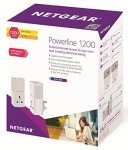
- I own a pair of these and they are fantastic after a few months still.
- They also come with 2 Ethernet cables in the box.
Top comments
All comments (19)
Having said that, this is a good price for plugs that have worked flawlessly.
my setup us as follows. The issue have is my office is in an extended part of the house so 3 sides are 12 inch solid bricks walls. not ideal for WiFi. I have tried every combination except hardwiring the who house with Ethernet which is in the short medium term the best solution.
I set my v media not so super hub 2, made by netgear, to modem mode. I connected my netgear nighthawk to the superhub via Ethernet cat 6 cable.
I connected my powerline network to the nighthawk, linked to this network is a long list of kit around the house.
I have also connected a netgear metal network switch, linked to this are a qnap nas, printers, etc
linked to the powerline network I have a netgear WiFi extender for upstairs. works well
with the office door shut I get up to 700mpbs, though 200mpbs is the norm on WiFi downstairs. i get 60mpbs upstairs which is good as the limitations are powerline and the extender. powerline is up to 190mpbs, though 100mps is the norm,though depends on the room
my setup isn't perfect but it's fine. you've bought one of the best routers, I tried the linksys1900 and Asus 3200, both of which were terrible
issue us with your setup is that you are sending your signal from a gigabit router to a gigabit router via a restrictive powerline. you are not utilising your nighthawk to its fullest potential, you may as well bought any cheap router
General Hint .. jYou dont have to power your kit from the same plug as the powerline
I'm not a gamer or big on streaming but do work a lot from home, so VoIP and web/video confs.
sounds like I'd still be best trying to hardwire the VM box to the router though....
*picks up crowbar and looks at floorboards with manic glint in eye