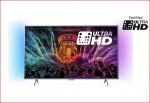
It's been posted here before and got a little heat, now its been reduced again and they seem to of sorted any previous issues with an update. I got this TV in my Bedroom and it blows my 50" 6 Series Samsung out of the water with Picture Quality.
Ambient light is great :smiley:
Also you can Sideload Kodi which is a bonus!
Discount Code is tvs10
Top comments
seabee05 to Fila79
23 Oct 1640#3
I did mention this in the first line... "It's been posted here before and got a little heat, now its been reduced again " Its now actually £17.01 cheaper than a few days ago :smiley:
tkny200765
23 Oct 1611#31
Just would like to add my review for this. I originally posted for the 49" version, but my review makes more sense for this size model.
Bought the 43PUS6401 for £399 in August and have found it a very good set (granted I am a student and know very little about TVs). The HDR settings aren't obvious, they only activate when a HDR source is run on it, then all the settings are available and in the top right a HDR symbol will show. I tested it with a Life of Pi 4K trailer, and I was blown away by the difference between HDR and non-HDR, the colours are very vivid and pop and the lighting wasn't dark at all. It reminded me of those UHD TVs they demonstrate in shops.
The Android system it runs on can be a bit hit and miss, but on the whole works fine, not laggy but not ultra smooth like a Playstation 4's interface (more like an Xbox one as a comparison - I have both). I have to turn the TV off to restart the android OS once or twice a week when certain programs like youtube or iplayer don't work. I have Kodi installed on it, and it works like a charm.
Annoying thing is all the resolutions between 1080p and 2160p support/run only at 30Hz, so are pretty much made redundant, so difficult to scale for PC gaming - I have it hooked up by HDMI. So you're either at 1080p or 4K, nothing inbetween if your GFX card can't handle it.
Philips do regular OTA/Internet updates to the software and the firmware which have made it a better set since I got it, so I'm reassured that they are continuing supporting the set.
Overall, I have a Wii U, PS4 and Xbox One hooked up and they are all excellent at 1080p. 4K HDR with Forza Horzion 3 looks just like the Life of Pi Trailer, absolutely stunning and makes you a bit annoyed to go back to anything non-HDR really. My BT YouView Box showing SD tv on it looks pretty rubbish though tbh, pixellation, motion blur and all that, but I'm not surprised to be honest, all SD content tends to look crappy on modern HD TVs for some reason.
With regard to the comment about the HDR being downscaled to SDR, that doesn't appear to be the case on my set, as both the trailer and games (well only one atm) are shown to be running at 4K (the info button), and looking like they're running at 4K as well.
Just wanted to give a positive opinion to balance out some of the more negative ones (not that there's anything wrong with them), as I'm very glad I got mine.
And check the sister thread for info about this range: Your text here
AndyRoyd
23 Oct 169#2
Probably no benefit in having 4k compared to 1080p at a distance beyond end of bed unless you have eyesight of an owl, but the price is good regardless.
seanandleah to Fila79
23 Oct 168#16
read the description before jumping on poster. moron
All comments (203)
Fila79
23 Oct 16#1
Already posted .... A few days ago
seabee05 to Fila79
23 Oct 1640#3
I did mention this in the first line... "It's been posted here before and got a little heat, now its been reduced again " Its now actually £17.01 cheaper than a few days ago :smiley:
seanandleah to Fila79
23 Oct 168#16
read the description before jumping on poster. moron
jamgin to Fila79
23 Oct 161#51
Should have gone to Specsavers...
AndyRoyd
23 Oct 169#2
Probably no benefit in having 4k compared to 1080p at a distance beyond end of bed unless you have eyesight of an owl, but the price is good regardless.
russdeebrown1
23 Oct 161#4
no need to sideload kodi. it can just be downloaded from the play store.
seabee05 to russdeebrown1
23 Oct 163#5
Apologies I prefer Kodi 17 which is still in Beta :smiley:
stamfordblue
23 Oct 161#6
Being able to load Kodi will be very useful.Very few tvs able to do that.Pity only 2 year guarantee.
Heat for price.
russdeebrown1
23 Oct 162#7
where abouts do you enter the tvs10 code. can't see on website
Squelds
23 Oct 162#8
I can input the code for delivery, but cant see it for collection.
Edit: Can now do it for collection, but only if you pay first... not pay when collecting.
PS dont forget quidco... which if the 3% fasttrack works brings it down to £330.77 ??
Dubsy1984
23 Oct 16#9
Amazing deal, we have just bought the 49" one with the same code for £441.99!! Delivers next day. As soon as living room is finished we will be hooking up the lovely ready for Christmas TV!! Hot deal!!
dazzyp
23 Oct 16#10
What is input lag like for gaming?
ollie87 to dazzyp
23 Oct 16#17
It'll be massive, 4K is pointless on TVs for gaming.
bear91 to dazzyp
23 Oct 16#18
Terrible is the answer un playable even... I had a phillips uhd 50' it was shocking cheap for a reason .. Invest in a sony best thing i ever did
mankymanning
23 Oct 161#11
No mention of Netflix or Amazon on the Argos page? or do you just download through the Android store? Would they be 4K versions though? Does the Android store know it is a TV doing the downloading?
irishguymcr
23 Oct 16#12
The pictures on the argos site show a satellite input is this for freesat, no mention on argos page.
littel helper to irishguymcr
23 Oct 16#15
someone asked same Q. on Argos website. answer was
'Thank you for your question, this model has a satellite tuner and will work in the same way but is not specifically Freesat.
Hope this Helps
Philips TV.''
mankymanning
23 Oct 161#13
I suspect they don't have the official licensed Freesat stuff. I am guessing but I think it means you can tune in but don't get the guide?! not entirely sure though.
Only 2hdmi, no Netflix 4K, no Amazon 4K either in smart apps.
bear91
23 Oct 16#19
You get what you pay for and no matter how good the price seems its an appalling tv, you spend a lot of time with tvs especially if its going to be in the lounge
mankymanning to bear91
23 Oct 161#29
Have you seen one in person then? what specifically was bad about it?
krizw
23 Oct 161#20
Shame you cannot "root" it at the moment or install thirdparty aps.
chrisbenwalker
23 Oct 161#21
Why would this be? Serious question.
I have xb1 and ps4 that I'd be wanting to hook up to my next TV and interested in this, so who would there be any lag?
Disco Dave
23 Oct 16#22
When are they launching Kodi 17
danlers
23 Oct 16#23
brilliant tv
seabee05
23 Oct 165#24
some questions and answers I can give.
this does have a satellite tuner and will work just as freesat does with epg ect.
in game modes the responce time is amazing I see less than 《2ms.
this is hdr ready for xbox one (4k at 60fps)
it has an 8 bit panel
quad core processor
qwerty keyboard for browsing
will play 4k netflix and Amazon but make sure hdr in enabled to enhance even further.
Jonnyblock to seabee05
23 Oct 161#25
So this TV or the larger Hisense one at the same price?
REDBULL2K7 to seabee05
23 Oct 161#27
Where did you get the info from ? ive just read this about the input lag
I measured lag at 46ms on the TV’s standard mode, which dropped to 29ms when the TV is set to its dedicated Game mode. This is reasonable for most console gaming. Also states freeview hd tuner and no mention of having a freesat tuner ?
Spence1115
23 Oct 16#26
They now have a Play Store Beta, so if you opt into that then you'll get the latest Kodi 17 Beta through the Play Store, which is obviously easier for updating :smiley:
Walgeon
23 Oct 162#28
i want... I just want to save for Black Friday. Grr
Stop posting these amazing deals
mankymanning
23 Oct 161#30
I am tempted by the 49 inch one but then I keep doing the buy cheap buy twice thing...also tempted by a Panasonic DX 802 :smiley: not exactly the same price range...
tkny200765
23 Oct 1611#31
Just would like to add my review for this. I originally posted for the 49" version, but my review makes more sense for this size model.
Bought the 43PUS6401 for £399 in August and have found it a very good set (granted I am a student and know very little about TVs). The HDR settings aren't obvious, they only activate when a HDR source is run on it, then all the settings are available and in the top right a HDR symbol will show. I tested it with a Life of Pi 4K trailer, and I was blown away by the difference between HDR and non-HDR, the colours are very vivid and pop and the lighting wasn't dark at all. It reminded me of those UHD TVs they demonstrate in shops.
The Android system it runs on can be a bit hit and miss, but on the whole works fine, not laggy but not ultra smooth like a Playstation 4's interface (more like an Xbox one as a comparison - I have both). I have to turn the TV off to restart the android OS once or twice a week when certain programs like youtube or iplayer don't work. I have Kodi installed on it, and it works like a charm.
Annoying thing is all the resolutions between 1080p and 2160p support/run only at 30Hz, so are pretty much made redundant, so difficult to scale for PC gaming - I have it hooked up by HDMI. So you're either at 1080p or 4K, nothing inbetween if your GFX card can't handle it.
Philips do regular OTA/Internet updates to the software and the firmware which have made it a better set since I got it, so I'm reassured that they are continuing supporting the set.
Overall, I have a Wii U, PS4 and Xbox One hooked up and they are all excellent at 1080p. 4K HDR with Forza Horzion 3 looks just like the Life of Pi Trailer, absolutely stunning and makes you a bit annoyed to go back to anything non-HDR really. My BT YouView Box showing SD tv on it looks pretty rubbish though tbh, pixellation, motion blur and all that, but I'm not surprised to be honest, all SD content tends to look crappy on modern HD TVs for some reason.
With regard to the comment about the HDR being downscaled to SDR, that doesn't appear to be the case on my set, as both the trailer and games (well only one atm) are shown to be running at 4K (the info button), and looking like they're running at 4K as well.
Just wanted to give a positive opinion to balance out some of the more negative ones (not that there's anything wrong with them), as I'm very glad I got mine.
And check the sister thread for info about this range: Your text here
LiamSmith78 to tkny200765
24 Oct 16#120
Just to confirm, you are saying that I wont be able to run my ps4 @ 60hz? I cant find any information on this and this is a bit of a deal breaker as I am looking for something that can run the ps4 pro in either [email protected] or [email protected] .
any help would be appreciated.
cheers
NUMBER8GAMESTER
23 Oct 16#32
Nice TV
bear91
23 Oct 16#33
The lag was so noticeable as in look at controller move the thumb stick let go then look up and see it move on screen .. Its obvious tho the price of the tv isnt goin to be great
dylansdoor11
23 Oct 16#34
So what's the better choice this one or the Hisense 43"? I can't decide! Apparently the Hisense has a 10 bit panel compared to this which is a 8 bit panel?
seabee05 to dylansdoor11
23 Oct 16#36
Wow really if its 10-bit then i'd go for the Hisense, However be careful as it might be 10 Bit Compatible not a 10-bit Panel. Can you send the link?
dman7866
23 Oct 16#35
bought one cheers op! to all the haters show me a better 43 inch android tv for this price ?
I read on a forum it said it was 10 bit unsure it's 10 bit compatible or 10 but panel though
seabee05
23 Oct 16#39
I know the model well as I was comparing the same when I was looking to purchase. I can confirm its 10-bit compatible but not a 10-bit Panel. So same as this philips really :smiley:.
FYI 10-bit Panel TV's in this size cheapest are aroun £700+
mankymanning
23 Oct 161#40
Even then I'm not sure which are. I thought he Samsung K7000 and Penny DX 802 were and that site says they are 8 bit too!
Think I'll leave it for a bit. I would have to upgrade my Netflix to see 4K there and I'm not as keen on Amazon's streaming offerings to make it worth it.
I'll put up with my slightly dodgy plasma for a while longer I think.
kingsofadam
23 Oct 16#41
Can get the 49" for £431 as well.
spiceychicken691
23 Oct 162#42
kodi 17 is not stable. so developers like myself are not even looking at it. check out genietv on facebook
dylansdoor11
23 Oct 16#43
Ah I thought so! I'm still undecided between the two :neutral_face:
colinha2
23 Oct 16#44
Does anyone know which android version and whether it will be updated?
tkny200765 to colinha2
23 Oct 16#45
Mine is currently at android 5.1 after all the updates.
krakpot
23 Oct 161#46
Can you Install 3rd party apps like showbox on this? Does it have the full Play store? I currently have a a Sony android TV and can do the above so would want the same with the Phillips.
seabee05 to krakpot
23 Oct 16#52
yes u can :smiley:
bro631 to krakpot
23 Oct 16#53
Yes you can all apk files can be install on android
zeesh777
23 Oct 16#47
Does anyone know if you can download showbox, popcorn time and Mobrdo on this?
jasper255
23 Oct 16#48
Can the smart IPTV app be downloaded on this ?
oscarkeri
23 Oct 161#49
Sony us definitely the way to go for tv gaming.
whelan189
23 Oct 161#50
Would reccomend spending same money on a 1080p panel
gn1us
23 Oct 161#54
I got a lower spec one it works fine
finsburyjames
23 Oct 162#55
I see this runs android. Can i use it as a phone? My current phablet had to go back to samsung due to incendary issues.
jamgin to finsburyjames
24 Oct 161#109
Bit big to carry in your pocket.......
tomlewis007
23 Oct 16#56
anybody tried to load the sky go app on this?
mohmmad786
23 Oct 161#57
I am someone who bought 4k 55inch phillips Tv from argos when they were doing a deal on ebay that if you spent above certain amount than ebay will pay £50 towards it. I had to return the tv after 4 months as the usb wasnt recognised all the times. I was never blown away by the picture as well. I kept on looking on argos website and as soon as there was lg tv on a deal i took the tv to argos and paid £100 more and since than i have been really happy. Not the best of tv but still hot for the price.
usetheforceluke
23 Oct 161#58
then just add it to the ORIGINAL post.............
HOTPOT
23 Oct 16#59
philips, definitely no thanks.
moonfruit
23 Oct 162#60
You know how big their bedroom is?
mattsmith3
23 Oct 161#61
Just been and picked his up. Let one at middelbrook. Had £50 in vouchers too so only cost £281. I was looking at a cheap Tesco brand for my conservatory at £300. To get this at that price and don't have to buy a fire stick for kodi on top. Absolute bargain
danib
23 Oct 16#62
taken the plunge also.
Stokey90
23 Oct 161#63
Struggling to decide whether the Hisense or this.
dylansdoor11 to Stokey90
23 Oct 16#64
Me too!
commenter14
23 Oct 16#65
Pointless gimmick.
zeesh777
23 Oct 16#66
Are these downloaded via chome browser?
zeesh777
23 Oct 16#67
Are these downloaded via chrome browser?
seabee05
23 Oct 16#68
yep
uid
23 Oct 16#69
good to know. thanks.
op: heat added! pretty temptating :smile:
bro631
23 Oct 16#70
Another way download all the apps to a usb stick then hook it up on the tv install a file manger from playstore then turn off security
HeadphoneGeeza
23 Oct 163#71
OH MY DAYS!!!!!!!!!
Most people don't even own a bloody Blu Ray player and they want a 4k TV. 4k does not make BBC1 SD look any better. Netflix 4k looks no better than a good 1080p bluray. Waste of time and a load of salesman crap. Get the basics right before "upgrading".
satchef1 to HeadphoneGeeza
23 Oct 164#76
Hello to another HUKD armchair expert, an 'enlightened one' who knows what people need without knowing the first thing about them or their requirements. Naturally, everyone else is stupid and you're the only one capable of making good decisions. Good on you.
:smirk:
1080p Blu Ray vs 4K Netflix is a pointless debate. You can't stream Blu Ray on demand. A 1080p TV isn't much use for 4K gaming, or 4K Blu Ray either. And ultimately, it's a sub-£350 TV. Even if it was 1080p it'd be a good deal.
zeesh777
23 Oct 16#72
Would chrome not be easier and faster?
ANDYGUY
23 Oct 16#73
Thank you for reposting this would have missed it otherwise..Nice find.
HeadphoneGeeza
23 Oct 16#74
n0chex
23 Oct 16#75
Would PC text look any better being smaller pixels as currently have a Philips 1080p tv and wondering if it's worth while upgrading.
Stokey90
23 Oct 161#77
I've been sat looking for weeks. No larger than a 55inch too.
I'm struggling to see which is the better option. So hard.
zeesh777
23 Oct 16#78
Do these have chrome preinstalled btw?
discoman2016
23 Oct 16#79
this argos code been going for weeks i.e. it works on all tvs on argos all the others deals and philips only good for light bulbs now hence ambilight lol
blk26
23 Oct 16#80
has any body tried that with 4k xbox one? what's The input lag then?
thanks
hero9989
23 Oct 161#81
Bit of a contradiction. HDR Requires a 10bit panel. HDR has nothing to do with fps at all. You can have HDR at 2fps if you really want. It's all about colour, brightness and contrast.
This TV won't refuse to play HDR content like older TVs may do. It will just ignore all the extra data that a HDR TV makes use of for the extra quality. This is a standard 4K TV set.
That said, great price for a decent TV. If you're on a budget, doubt you could do much better for the price!
Having trouble paying. it doesn't link to paypal website and 2 credit cards don't verify
HeadphoneGeeza
23 Oct 162#86
Not a good deal as this has poor picture quality. Anyone who actually thinks they need 4k should go for a better set otherwise this is not an improvement. Stick with a decent 1080p setup and get better results for the same or less money than this fad filled gimmicky pile of TV trash that tries to convince you it will save your TV sorrows by being 4K. Netflix might aswell have just improved their bitrate with their HD offering instead of just upping the resolution and removing the fine details to save bandwidth on 4K in an attempt to make more money for themselves and the TV manufactures who want something new to sell now 3D has lost its shine.
Bye bye
kaiser051
23 Oct 162#87
Totally agree
midlandscomics
23 Oct 16#88
Picked on of these up earlier for the bedroom. I already had a Sony Android TV in the living room (which I think is great), so have been able to compare the two like for like.
The blacks aren't as rich on this, and the menus are slightly slower when navigating than the Sony, other than that though it so far seems a great buy for the price.
djh1975
23 Oct 16#89
Still think my Hisense 49" 4K Smart TV for £333 was a bargain.
crazylegs to djh1975
23 Oct 162#93
What do you want an Oscar!!!
matthangzhou to djh1975
23 Oct 161#98
So you keep saying on all tv posts.
Raekw0n1
23 Oct 16#90
Where do you enter the discount code? I can't find it
mattbat
23 Oct 16#91
Yeah same question here. Where do you put code? I've gone through to the payment and no box to put a code in?
Squelds to mattbat
23 Oct 161#95
See post #8 ;-)
PS Quidco did indeed track at 10 odd quid... so all in all £330.77 for this TV i think is pretty damn good, especially as its for my sons new room once we move house in four days and his birthday in two!
maniac618
23 Oct 16#92
I don't understand the heat for this?!
MaxSherbz
23 Oct 16#94
Anyone also know if you can overclock the refresh rate to 120hz on this using a PC?
McHotpoon to MaxSherbz
24 Oct 16#101
Would guess not, actual 120hz 4k panals not normally seen at this price point, the response time should not be good enough on these cheap panels - components to actually do it either.
shaungrainger1
23 Oct 16#96
How do you use discount code ?
senthilmp85
23 Oct 16#97
during payment entet tvs10
yeni1210
24 Oct 16#99
Thanks OP
Mali21
24 Oct 16#100
Hi could anyone help please? I bought this tv last weekend for £399. Is there any way I could get a refund to price match this deal from argos just like John Lewis does?
furiousjammin to Mali21
24 Oct 163#103
Buy it again at the offer price. Then take the new unopened one back with the receipt for 399
RebTheRebel
24 Oct 16#102
I am tempted by this. But the sets in John Lewis for about £100 more are still tempting me just for the 5 year warranty alone. Decisions, decisions...
rhysccfc31 to RebTheRebel
24 Oct 163#105
£10-30 yes, £100 absolutely not
anglo to RebTheRebel
24 Oct 161#106
Personally, I would take the risk on that ratio of about 3.5 to 1. (£342 + another £100)
soggybiscuit
24 Oct 16#104
Not so much the size of the bedroom. More the length of the bed. In theory, optimal viewing distance for a 1080p 43 inch is about 6 feet. a double bed is 6.3 feet long. So it's unlikely that buying 4k 43 inch will be beneficial, unless the viewer is sitting less than 6 feet away from the tv.
Guess some people do sit closer than 6 feet to the tv. But not many.
i Can confirm this has 3 HDMI ports (2 are 4k inputs) and yes Amazon & Netflix DO play in 4k.
Rob2404
24 Oct 16#110
Just bought the 49inch version for 100quid more. Thanks for posting
titchmiester
24 Oct 16#111
Can anyone confirm if this has all catchup services. I would assume it does being as its android but states in product spec:
"ITV, All 4 and 50D catch-up apps are not available."
matlock67
24 Oct 16#112
This looks like a hot deal, I personally will not buy Philips as they usually don't last very long.
I'm just amazed at the trolls who seem to think you can get the highest spec Panel for this price.
It's a 4K TV with android built in, a basic sat tuner and free view, its a very good deal, HOT.
Just checked and stock around bury
Rob2404
24 Oct 16#113
Ok kodi on this, how do you get it working fully? :wink: lol. Any good links or advice please.
Wazzuck
24 Oct 16#114
There doesn't seem to be anywhere to put in the discount code??
dylansdoor11
24 Oct 16#115
Is sitting around 6 feet optimal viewing for a 43 inch 4K tv or does it need to be less than 6 feet?
RebTheRebel
24 Oct 16#116
See, normally I'd be totally with you. But I've had 3 Philips items over the last 10 years or so and each thing has conked out after the 3 year mark, or before. 1 TV , 2 blu-ray players. Hence my hesitations.
The one at £100 more is an LG, which I've never had issues with. Can't deny I'm tempted with this though.
dlester91
24 Oct 16#117
Picked one of these up yesterday - cracking deal. As other have said, out of the box picture quality is utter trash. I don't know if this is standard procedure for TVs these days, but to get a decent picture from it off a PS4 you need to deep dive into the options and turn on 'computer mode', else everything looks terrible, particularly aliasing on the text. Same, obviously, with a computer input. The default eco mode also makes things look rather washed out. Great TV now that I have everything properly set up. Cheers hotukdeals!
dlester91
24 Oct 16#118
toward the end of checkout you'll get the option - only works if you pay online.
Ben2402
24 Oct 161#119
Anybody worked out a way to get All 4 or ITV (catch-up) on this?
LiamSmith78
24 Oct 16#121
just to add that the manual states that it works up to 60Hz and up to 4K
"Supported Display Resolution
• Computer inputs on all HDMI: @60Hz, up to 4K
Ultra HD 3840x2160
• Video inputs on all HDMI: @ 24, 25, 30, 50, 60Hz,
up to 4K Ultra HD 3840x2160p"
would be disappointing if it doesn't :disappointed:
LiamSmith78
24 Oct 16#122
just to add that the manual states that it works up to 60Hz and up to 4K
"Supported Display Resolution
• Computer inputs on all HDMI: @60Hz, up to 4K
Ultra HD 3840x2160
• Video inputs on all HDMI: @ 24, 25, 30, 50, 60Hz,
up to 4K Ultra HD 3840x2160p"
would be disappointing if it doesn't :disappointed:
Rob2404
24 Oct 16#123
Anyone got deezer working on it? I have premium account, let's me log in but won't play anything....
tkny200765
24 Oct 161#124
HDMI 1 & 2 support 4K HDR upto @60Hz, HDMI 3 & 4 supports 4K upto @30Hz. Both support 1080p @60Hz.
richchelt
24 Oct 161#125
I just wanted to add my review on this tv. For the money i think this is a good deal. First you need to do an update which can be done via over the air or via usb to enable the HDR. You can also add the Kodi app so you can get free movies and tv shows and watch lives sports and every channel in the world. The ambi lighting is great and you can also add a philips hue kit to the tv so you have more lighting bulbs around your room which sync with the tv lighting. Plenty of connectivity ports on the tv which is a good thing. I got my 55" tv with 10% code and had a £10 voucher so it cost just £575. You will have to play about with colour settings etc as the presets are not that great., and each hdmi input will have their own colour setting. I just went on youtube and copied the calibration for the pus6501 and slightly adjusted it. You may get the occasional snob on here going on about the picture not being the best blacks etc but I think for the price you cant go wrong with what you are getting here. Im pretty happy with the purchase myself.
P.S. 10% code finishes October 25th
scerstt
25 Oct 16#126
My experience with this TV.
Bought it and got it home, thought I'd open it to check it was working fine (thankfully I did this) to find out it was slightly broken. There was what seemed to be a bleed down the middle which was very apparent on bright colours. It then crashed completely after 5 minutes of use. It was very laggy, buttons required a few presses to input etc, so I took it back and got it replaced.
AFTER BEING REPLACED: This TV looks absolutely incredible. The remove is incredibly responsive, Android TV runs without a hitch, and ambilight adds a whole new dimension to viewing. I cannot wait to get this setup in my house against a wall to experience the full potential.
I've been keeping an eye on the TV section for a good few weeks, and Chris sent me a link to this and said it was a good buy. Apart from the obvious hitch to start with, it's great :smiley:
scerstt
25 Oct 16#127
What is this update you speak of? First thing I checked was to see if it required updating but I saw nothing.
How do I access the HDR?
richchelt
25 Oct 16#128
To update the tv just go to settings and scroll all the way down until you see update software. You will need to be connected either via wireless or ethernet to do this, otherwise you will have to go to philips support and download the update to a usb flash drive and then put it in the tvs usb and update that way. HDR will only show if you have an HDR input like netflix has some boxsets etc in HDR.
arpitthakor
25 Oct 16#129
thanks for sharing the deal. bought 49inch one instead. :sunglasses:
gmurdock80
25 Oct 16#130
Hi has anyone got a guide to setup the TV for the best picture quality?
I am a gamer that very seldom plays online will this TV be OK for gaming as a stand alone setup is concerned? Thanks in adv
tylerpauldunne
25 Oct 16#131
hmmm wondering if I should bite the bullet or wait until Black Friday? still heat from me.
pachallis
25 Oct 16#132
Netflix is included and it is the 4k version, though you have to pay extra for the UHD service.
Amazon Video 4K is also included - unfortunately the app didn't seem to handle speed problems well (I'm on 70mbit Virgin) resulting in in stuttering. Have reverted to external HD box that just reverts to SD when bit stream slows. I think Amazon need to add buffering into their Android TV app.
Youtube videos in 4k look amazing
tylerpauldunne
25 Oct 16#133
can any tech savvy people suggest which is the better option, the 49 inch version of this one or....LG 49UH610V 49 Inch Ultra HD 4K Web OS Smart LED TV at the same price from Argos?
ministig
25 Oct 16#134
£10 quidco cashback on this too if it hasnt already been mentioned
bobbler
25 Oct 16#135
Don't see why not, in "game" mode setting I have seen reviews talking around 30ms input lag @1080p which is decent enough: https://hdtvpolska.com/forum/topic/37310-philips-pus6401-test-android-tv-ultra-hd-4k/ (albeit in foreign language but they still did the tests)
Samsung KS8000 21 ms / Ultra HD 39 ms
Samsung KS9000 21 ms / Ultra HD 40 ms
Philips PFS5501/PFH5501 24 ms / Ultra HD 36 ms
Philips PUS6401 29 ms / Ultra HD 56 ms
Philips PUS6561 35 ms / Ultra HD 56 ms
Philips PUS6501 35 ms / Ultra HD 67 ms
Panasonic DX900 35 ms / Ultra HD 52 ms
Sony XD93 35 ms / Ultra HD 59 ms
Panasonic DX800 42 ms / Ultra HD 54 ms
Panasonic DX750 44 ms / Ultra HD 56 ms
LG UH8507/850V 45 ms / Ultra HD 50 ms
Panasonic DX700 52 ms / Ultra HD 64 ms
LG UH7707 57 ms / Ultra HD 54 ms
bargainpunter
25 Oct 16#136
First thing I did was check for an update and it didn't find any, so I assume some have shipped with the updates? I checked twice, so I assume mine is up to date, although if there is a way to find out what version we're on it might be better.
Also extremely happy with my purchase. Sideloaded some decent apps all very easy to do and it's running really well. I expected the Ambilight to be really gimmicky, but actually it really enhances the viewing experience.
gmurdock80
25 Oct 16#137
I have purchased & will bring home & try it out. Thankyou I really appreciate the advice.
Will let you know too - mine just arrived at home :wink: Ordered the 49" as we currently have a 46" Panasonic plasma that has had a few issues this year. I am just hoping it won't be too bad in comparison, I expect to be disappointed with blacks in comparison. On the plus side it will be considerable saving on the electric bill along with not having to have the Xbox on and a sat receiver too to watch my Plex or sat tv.
We will see, I am not going to be rushing the plasma to the tip or anything that's for sure.
RebTheRebel
25 Oct 16#140
If anyone has played their PS4 or Xbox1 on this and can give a mini feedback review of quality of gameplay or any issues with lag, if they exist, that would be much appreciated. Thanks.
dlester91
25 Oct 161#141
Played my PS4 on it having picked one up on sunday - looks fantastic to my eyes. You've got to manually set it to 'computer mode' otherwise you get some terrible anti aliasing and awful colours (maybe this is standard for all tvs these days?). I've heard putting it on game mode will sort out any lag, but I've not noticed any anyway from the few hours I've played. Looks great, basically
I found doing the update, then resetting TV to factory by going to the "Reinstall TV" option was best.
bobbler
25 Oct 16#143
reading the manual earlier, it seemed to suggest that it will automatically detect a games console and set the mode on it's own?
From page 49 - it looks like you need to select a device type assigned to the HDMI port if it didn't pick it up automatically:
When you connect a new device to the TV and the TV
detects the device, you can assign an icon that fits the
device type. If you connect a device with an HDMI
cable and HDMI CEC, the TV detects the device type
automatically and the device gets an appropriate
icon.
The device type determines picture and sound styles,
resolution values, specific settings or the position
within the Sources menu. You don't have to worry
about the ideal settings.
Page 55:
If you start a game from a connected
game console with the device type set to 'Game
Console', also then the TV switches to the ideal game
settings automatically. You can always switch the TV
to the ideal game settings manually.
bargainpunter
25 Oct 16#144
Settings>Update Software>Current Software - latest version is 1.15.15 released in August 2016. Mine came with this version already installed, sounds like some people might need to update theirs manually and others not.
leighroybrown
25 Oct 16#145
"in game modes the responce time is amazing I see less than 《2ms."
Ive done some research normal mode is 49ms
game mode 30ms
Where did you see response time 2ms?!?
Rob2404
25 Oct 16#146
Love my TV, found a YouTube video of some guy playing around with setting of a 50 inch version I copied them and picture is way better. Sorry don't have the link, I Googled Philips 49 picture settings. Also I got the apps working on it that were already installed, it was actually the bt router blocking them, turn smart setup off on the router settings and it works great. Especially deezer and Kodi :smiley:
hukdplan
25 Oct 16#147
I after working out I could sell my old set(plus a few other bits and pieces) and effectively get the 49" for £200 I bit the bullet and ordered from Argos(via Quidco) this morning. Had a bad experience with Philips 4K monitors in the past and was a bit worried about quality control but I'm playing with it now and everything seems fine.
Can't believe how far things have come on since my old Panasonic plasma, Internet/Android interface very slick. Was never really impressed by HD but watching Bosnian Landscapes from my Kodi box in UHD is what picture quality should be about - in my opinion 4K is actually worth having, HD I can take or leave.
If you're wondering whether to go for this I'd say take the chance(probably best to go for 49" minimum for a reasonable 4K experience), I'm really happy with this.
As a last comment let me add how fantastic it is for Argos to offer same day delivery for 4 quid - the driver said they were really busy and getting busier as time goes on. Good luck to them, it's one thing Amazon can't match.
cRuNcHiE
25 Oct 16#148
Has no one had issues with a black spot in the centre of the screen about 20cm up from the bottom then?
Thought it was on all of them. (43")
Most noticeable on lighter coloured images, or the grey settings background.
Tempted to try another one but annoyed my issue was not answered on the Phillips official forums.
I see more people reporting the sound problem now though!
swanneye
25 Oct 16#149
couldn't agree more, went out to but Samsung and was swayed by a clued up sales assistant, Sony tvs really are very good
Gumpy Joe
25 Oct 16#150
To be honest, that is mostly a characteristic on most LCD panels. You either forget about it and watch TV normally, or sit there and put different coloured backgrounds and swap loads of TV's like they do on AVForums.
If it was an all singing all dancing DX902B Panasonic, or something top of the line, it'd be going back, but a £341 TV, no. Just live with it, or get your money back and start playing the panel lottery.
Mr_Tod
25 Oct 16#151
Not sure whether to go for this deal or wait a month for black Friday, what do you guys reckon
Justme2312
25 Oct 16#152
How do you turn HDR on? I can't find any settings regarding HDR.
Nothing on Netflix comes up as HDR, only 4k...so I'm a bit confused...
markw96
25 Oct 16#153
The Argos website is now down, shame as i was just about to order the 49"
limpduck
26 Oct 16#154
purchased yesterday for a family member, i was really impressed with it for the price. And the fact you can link it to your hue system has made me seriously think about picking up the 65" model in the new year.
flamingmoplease
26 Oct 16#155
Picked up a 55 yesterday and all looks good, sideloaded Kodi with ease, all seems to work well. Would be greatful if anyone could point me in the direction of the optimum settings?
bargainpunter
26 Oct 16#156
I used https://www.youtube.com/watch?v=-hVebnnlAUw although slightly worryingly a while after configuring these settings the picture started flickering every 30 seconds. I restored the display settings and then it went away. I haven't tried reconfiguring them again to see if the issue comes back yet though.
xinam
26 Oct 16#157
What are the instructions for side loading Kodi please?
Tried the Argos Discount code (tvs10) today for the TV purchase.... but comes up as expired.... anyone got any new codes for discount ???
robo989
26 Oct 16#162
tvs10 code expired....ffs...was just about to order the 55 inch last night, decided to order in the morning....marvelous.
edit (thanks op...above not directed in disrespectful manner :smiley:)
edit2...Argos has also hiked the prices up as well as expiring the code.
...One of "those" days.
RebTheRebel
26 Oct 161#163
I feel your pain.
Fingers crossed Black Friday may bring a better offer.
robo989
26 Oct 161#164
lol cheers....I may have thinner skin than donald trump. :stuck_out_tongue:
tim_harmer
26 Oct 161#165
Bought it. Installed it this morning. 4K youtube content looks amazing. Came from a 10 year old 32inch HD tv so anything would be better. But really chuffed with the TV so far. Ticked all my boxes: 4k, Hdr (though working out how to get more content) and Android TV. Only strange thing at the moment is you can't use the voice control on android TV search as I don't think the TV has microphone and typing with the remote is painfully slow.
Unless anyone can help me with that?
matengawhat
26 Oct 16#166
Picked one up today, bought online last night for collection this morning, paid last night so wouldn't honour the £10 voucher for over £100 spend on collection. Made me laugh that the tv came with a 1 page document saying to get best picture alter the settings! With a little tweaking seem pretty decent for the money, SD stuff looks a little soft but HD stuff looks great. Speakers are a little poor but had an old soundbar that I'm using.
No microphone in remote or tv for voice recognition, how you finding the apps like amazon and you tube, tv seems really slow to load images/tabs to select, using wifi but once playing seems ok but suffers from a little stuttering so could just be that the tvs slow to process over wifi, going to hard wire tomorrow to see if helps but overall for the money very pleased.
markw96
26 Oct 162#167
I tried to purchase the 49" version last night but before I could the argos website went down for maintenance. Spoke to an argos colleague this afternoon on live chat and they agreed to honour yesterday's price and add the 10% discount. On top of this I also got free express delivery with it being delivered this evening.
So might be worth a try for other people still wanting this deal.
bargainpunter
26 Oct 16#168
Yep no microphone so the voice recognition won't work - I found out the hard way (the other half wondered who I was talking to in the living room) when the tv refused to engage in conversation with me.
I've plugged in a bluetooth keyboard and mouse which I have for working from home - works an absolute treat for using things like showbox and kodi, especially typing out film/tv show titles.
LiamSmith78
26 Oct 16#169
tried this and they said they could do it for £379 otherwise its a no
nextdaydelivery
26 Oct 16#170
Ordered last night and picked up today. Code worked for me ,quidco tracked and managed to get £10 voucher after a little smooth talking. Very pleased. Looks great in bedroom
jdave76
26 Oct 16#171
Sorry for the daft question but how do you enable hdr. Playing devil on netflix witch I belive is hdr but I see no option for hdr.
Cheers
robo989
26 Oct 16#172
I sucked up like a leech....and they politely said "prices are subject to change etc"...
matengawhat
26 Oct 16#173
Anyone know where to find the micro dimming pro settings in the menu?
hukdplan
27 Oct 16#174
Just in case anybody is wondering, when the search box comes up with the voice prompt just hit "right" on your remote a couple of times and the keyboard appears. You can use the Philips remote app on Android, I tried it on my phone, and that'll link to the TV and allow you to use voice - but I hate the idea of smartphones and tablets used for TV remotes so I'll be sticking with the remote that came with the TV.
Godspeed
27 Oct 16#175
I see what you did there... :smile:
Justme2312
27 Oct 16#176
Ok just been on chat with Panasonic and apparently the tv only supports HDR for HDMI or USB inputs not for built in apps such as Netflix or Amazon Prime
Jonnoy
27 Oct 16#177
In case anybody else had the same, mine didn't find the HDR update over wifi, so downloaded off the Philips site and installed via USB to get the new UI, HDR, etc.
Jonnoy
27 Oct 16#178
I think HDR is only enabled for HDMI sources at this moment
coventryuser123
28 Oct 16#179
just dont know if 4K is all that, theres only so much colour the human eye can pick up...is it tons better than HD or just a gimmick to get you to upgrade?
markw96
28 Oct 16#180
I've just been watching a ultra HD 4k film on Netflix on the TV and tbh I m impressed
Siilver
29 Oct 16#181
i didnt go for this rv in the end i went for a different
there isnt loads of free 4k, youtube is the height of it and its like short edge 1440 something like that
looks great and even some 1080p is hard to tell if its not 4k
jcookie
30 Oct 16#182
Went for the 55". Has anybody got calibrated screen settings they can share? Haven't been able to find any via google.
A quick review after using for a few days. These are my own views. Its a decent TV for the cash (just over £400 for the 49") but still feels a bit unfinished.
Panel is a bit temperamental - in particular the location the feet fit appears to put undue stress on the screen and is causing white backlight bleed, it's like the weight of the screen or the pinching of the feet screws is causing it to happen. Adjusting the screen to take the weight off the feet resolves it, as it happens I am switching out the stand for something with a central foot as it is only just fitting on our TV unit so will see if it goes away.
Media playback apps are pretty hopeless. In Plex I either get stuttering video (not bandwidth issue, happens on AV1200 with a sync of 220meg power plugs or wifi - we have three routers in the house one of which is about a foot away from the TV. The Xbox playing the same video using Plex and same connection is flawless all the way up to high bitrate blu-ray quality stuff) or in some cases it just freezes on the first frame while the sound carries on - appears to be AAC encoded audio causes it from investigation so far or the most extreme is the TV has fully crashed and rebooted halfway through watching some episodes which is disappointing
XBMC/Kodi - fairs better but building the (admittedly huge) libraries of TV and film from my server it filled up the internal storage for the cache at 1.2GB of data ...and then promptly crashed and rebooted the TV again. Need to investigate external storage, although I have a 64GB USB 3 key in there for pausing live TV it doesn't seem to have picked it up automatically for storage use elsewhere.
Youtube - ok, but 4K just either plays for 2 seconds at a time then spends 30 seconds buffering - or again crashed out to the home screen.
There doesn't seem to be direct HDMI switching, which sometimes messes up when using a Harmony remote to switch from built in tuner to HDMI for the Xbox. It scrolls though the sources menu a couple of times effectively pressing the up and down buttons to get there. It's a bit odd to me not to have a direct switch to the right input without doing this.
I am still yet to find picture settings that I can stop fiddling with, I guess coming from a decent plasma I am used to less grey blacks LOL. Even using calibrated settings it all looks a bit soft and washed out in comparison. I will just have to live with that I guess or carry on tweaking at it.
The sound is woeful, but solved by buying a soundbar setup.
The default search being voice driven makes no sense whatsoever - it has no mic either onboard or on remote so why make that the default and you have to keep pressing right a couple of times to get off it into the typing area. Its a shame as the searching across all your media including Plex and other apps is excellent.
Why does Android insist on filling up the RAM (not storage) with applications like Phone, Contacts, Camera (?!?!?) and Facebook services when I have no need of them on a TV? Several times I have gone into the Android running applications menu to find and shut them down - which actually appears to have a postiive effect on the system performance.
Catchup services for 4OD and ITV player for example seem to be absent - will investigate side loading them I think.
Positive notes:
Gaming after switching the profile of the HDMI to game mode I am not noticing any lag differences over my old plasma
Oddly the inbuilt media browser using the same Plex server over UPNP works perfectly with the same videos, again highlighting that it doesn't appear to be network related at all.
As does Amazon, including 4K content which looks great, but I doubt I would be buying anything at the prices they want LOL
Ambilight is very decent, though my TV is not best placed to take advantage of it due to being in a corner, but it adds something that I haven't had before.
Despite not being "Freesat" accredited I have no issues with the built in planner or channels, feels the same as our old Humax HDR really.
Overall, it needs some tweaking and still feels a little compromised to me. I will carry on playing with it though, hopefully through research and settings it can get there - it's currently not family friendly enough IMO.
robo989
2 Nov 161#188
Managed to get the 55 inch model in the end for £550-ish...
Observations after adjusting settings to those of the ISF AVForums settings for the PUS6501
Image quality - fantastic, up there with the top tier tvs costing £2000-£2500 for this size of 55 inches *most* of the time. It looks fantastic but every now an again you can see that it's not a top end tv.
Processing - diabolical
Sound - diabolical
Remote response - diabolical
Response/input lag - diabolical
Happy customer, it doesn't disappoint in the image department and is well worth the price paid.
I use it as a Kodi/XBMC display with a Sonos Playbar/Sub/Play1s setup.
The TV can passthrough dolby 5.1/dts 5.1 from a HDMI source and output it over optical, which is good since kodi can encode all audio output to dolby 5.1 640k on the fly.
If you are buying thinking you are getting a decent Smart TV then you will be upset.
If you basically want a monitor and already have a decent tuner, sound setup and video decoding box...then you will be happy as I am.
bobbler
5 Nov 16#189
Sigh, it's starting to look like this TV will be going back.
For some reason the Ambilight feature just locks up after turning the TV on for about 5 seconds. Only way to recover it is a full power cycle at the mains, after which it will work for a few seconds again on switch on.
Tried a full reset of the TV but no luck at all in getting it working any longer. Seems very odd as it was working perfectly for a few days and haven't changed anything settings wise at all after I got it dialed in :disappointed:
Will give Philips support a call later today and see if they have any solutions, but there doesn't seem to be any obvious way to reset it or control it - it's like the application that controls it is simply crashing and leaving it stuck on whatever colour was displayed at the time.
bobbler
5 Nov 16#190
Philips support have somehow managed to make it even worse than it was.
I have now NO Ambilight at all, the entire thing just never turns on and the menus don't change it. They provided an update file via email which appears to have completely disabled it as a "fix".
Not exactly winning me over as a customer LOL
mattbat
7 Nov 161#191
Have you downloaded the latest firmware available from the Philips website?
Reinstall should reset the android software back to defaults.
Yours does sound slightly dodgy though. I've had no problems with mine apart from it freezing up once which was fixed by powering off on the mains.
bobbler
7 Nov 16#192
Yes tried the one from the website, it says it's older (technically speaking, it's the same version I have on it already which it installed when I first booted it up)
Tried a couple of resets before I rang them Saturday with no luck at all.
Weirdly on both times I did it I got a different setup procedure which was bizarre, the first one it came up with no setup menu and jump straight to setting the satellite up (wrongly - all the channels started at 1 instead of 101 and in completely the wrong order - it seemed to have just setup as a Sky box with most of them being protected) Reset again and it came back to the freesat tuning mode as it did when I took it out the box originally. It all feels a little rough software wise. Would happily take one without the smart features to be honest.
Feels like a software issue to me, like the program that drives the Ambilight is crashing and then restarting now and then. Tonight I had lights on when I turned it on, but they went as soon as I changed channel over.
Spoken to Philips this evening and they are sending an engineer to visit with a new LED driver for the the Ambilight stuff - hopefully that will sort it out.
mattbat
8 Nov 16#193
Sounds like you been getting pretty good support from Philips. Trying to sort it out quickly at least!!
Let us know if the engineer sorts the issue.
bobbler
10 Nov 16#194
Yes, the support has actually been quite good on the phone, despite not getting the problem fixed was straight through to them on both occasions I called - no lengthy hold, seemed to know what they are talking about. Engineer visit is arranged for some time today (just waiting on a text to confirm time slot).
bobbler
10 Nov 16#195
Very nice engineer from Equinox (who Philips use in the UK for support) visited just a moment ago.
He has replaced the entire mainboard of the TV with a new one.
It sort of cured the issue, we had Ambilight for the entire time he was here but noticed just as we started packing up that the left hand side of the lighting wasn't responding correctly - while the right was working perfectly we could see nothing but varying shades of white light on the left.
He found that there was an error code kept coming up with regards to the IR sensor so he is going to replace that on a return visit - his engineering team suggested it could be related to the issue as it controls the brightness setting when using the light sensor (it's in the same unit)
matengawhat
11 Nov 16#196
I would just ask for a new set from argos
mattbat
14 Nov 16#197
Only issue I've found with mine is trying to play 4K videos through the Youtube app on the TV.
It really slows the whole TV down and the video will stutter quite regularly. Remote control response gets very slow.
Not that i'm gonna be doing that often, it was just to see the quality which I've got to say was impressive.
xinam
21 Nov 16#198
The wife reports the set is unresponsive this morning. Won't come out of standby. Looking at the Philips support page, it appears a new software update is available, so I'm hoping its busy installing that which is why it won't turn on.
Anyone confirm this shows as an update when manually checking for updates in the menu?
bargainpunter
21 Nov 16#199
I'll have a look when I get in - any luck on the update with your issues?
One of my ambilight LEDs went on the blink (no pun intended) at the weekend. Considering I've had the TV for less than a month this is not a good sign - it's stuck in a pink/purple hue and occasionally flickers, which is very distracting. I've had to turn off ambilight for the time being but think I'll see if this update is responsible or maybe able to remedy it.
xinam
21 Nov 16#200
TV was unresponsive all day. Had to power cycle it to get it back to life. It was still running the old software, but the manual check reveals the new update is available. Didn't have time to install it before I had to go out. Will get it going when I get in.
Can't say I pay much attention to the ambilight to be honest, it just sort of fades into the background for me, which I guess is the point.
dman7866
21 Nov 16#201
just unboxed mine. has anyone had juddering problems when watching just digital tv?
bargainpunter
21 Nov 16#202
No juddering watching digital tv here. Still have a stuck ambilight led following the update though.
dman7866
22 Nov 16#203
:disappointed: im pretty disappointed with the picture to be honest and i have come from a 10 year old 32 inch tv. the standard def channels are nearly unwatchable, the hd channels seem to judder like its streaming online. ill have to play around with the setting to see if i can sort it. the amblight is awesome tho!

![Fresh Breakfast Meat Box (Using code) @ Campbells Meat [Haggis / Lorne Sausage / Bacon / Black Pudding & More]](/images/topics/208684_1.jpg)




































![[Xbox One] Q. u. b. e: Director's Cut on Deals with Gold](/images/topics/208716_1.jpg)


















Opening post
Ambient light is great :smiley:
Also you can Sideload Kodi which is a bonus!
Discount Code is tvs10
Top comments
Bought the 43PUS6401 for £399 in August and have found it a very good set (granted I am a student and know very little about TVs). The HDR settings aren't obvious, they only activate when a HDR source is run on it, then all the settings are available and in the top right a HDR symbol will show. I tested it with a Life of Pi 4K trailer, and I was blown away by the difference between HDR and non-HDR, the colours are very vivid and pop and the lighting wasn't dark at all. It reminded me of those UHD TVs they demonstrate in shops.
The Android system it runs on can be a bit hit and miss, but on the whole works fine, not laggy but not ultra smooth like a Playstation 4's interface (more like an Xbox one as a comparison - I have both). I have to turn the TV off to restart the android OS once or twice a week when certain programs like youtube or iplayer don't work. I have Kodi installed on it, and it works like a charm.
Annoying thing is all the resolutions between 1080p and 2160p support/run only at 30Hz, so are pretty much made redundant, so difficult to scale for PC gaming - I have it hooked up by HDMI. So you're either at 1080p or 4K, nothing inbetween if your GFX card can't handle it.
Philips do regular OTA/Internet updates to the software and the firmware which have made it a better set since I got it, so I'm reassured that they are continuing supporting the set.
Overall, I have a Wii U, PS4 and Xbox One hooked up and they are all excellent at 1080p. 4K HDR with Forza Horzion 3 looks just like the Life of Pi Trailer, absolutely stunning and makes you a bit annoyed to go back to anything non-HDR really. My BT YouView Box showing SD tv on it looks pretty rubbish though tbh, pixellation, motion blur and all that, but I'm not surprised to be honest, all SD content tends to look crappy on modern HD TVs for some reason.
With regard to the comment about the HDR being downscaled to SDR, that doesn't appear to be the case on my set, as both the trailer and games (well only one atm) are shown to be running at 4K (the info button), and looking like they're running at 4K as well.
Just wanted to give a positive opinion to balance out some of the more negative ones (not that there's anything wrong with them), as I'm very glad I got mine.
And check the sister thread for info about this range:
Your text here
All comments (203)
Heat for price.
Edit: Can now do it for collection, but only if you pay first... not pay when collecting.
PS dont forget quidco... which if the 3% fasttrack works brings it down to £330.77 ??
'Thank you for your question, this model has a satellite tuner and will work in the same way but is not specifically Freesat.
Hope this Helps
Philips TV.''
I have xb1 and ps4 that I'd be wanting to hook up to my next TV and interested in this, so who would there be any lag?
this does have a satellite tuner and will work just as freesat does with epg ect.
in game modes the responce time is amazing I see less than 《2ms.
this is hdr ready for xbox one (4k at 60fps)
it has an 8 bit panel
quad core processor
qwerty keyboard for browsing
will play 4k netflix and Amazon but make sure hdr in enabled to enhance even further.
I measured lag at 46ms on the TV’s standard mode, which dropped to 29ms when the TV is set to its dedicated Game mode. This is reasonable for most console gaming. Also states freeview hd tuner and no mention of having a freesat tuner ?
Stop posting these amazing deals
Bought the 43PUS6401 for £399 in August and have found it a very good set (granted I am a student and know very little about TVs). The HDR settings aren't obvious, they only activate when a HDR source is run on it, then all the settings are available and in the top right a HDR symbol will show. I tested it with a Life of Pi 4K trailer, and I was blown away by the difference between HDR and non-HDR, the colours are very vivid and pop and the lighting wasn't dark at all. It reminded me of those UHD TVs they demonstrate in shops.
The Android system it runs on can be a bit hit and miss, but on the whole works fine, not laggy but not ultra smooth like a Playstation 4's interface (more like an Xbox one as a comparison - I have both). I have to turn the TV off to restart the android OS once or twice a week when certain programs like youtube or iplayer don't work. I have Kodi installed on it, and it works like a charm.
Annoying thing is all the resolutions between 1080p and 2160p support/run only at 30Hz, so are pretty much made redundant, so difficult to scale for PC gaming - I have it hooked up by HDMI. So you're either at 1080p or 4K, nothing inbetween if your GFX card can't handle it.
Philips do regular OTA/Internet updates to the software and the firmware which have made it a better set since I got it, so I'm reassured that they are continuing supporting the set.
Overall, I have a Wii U, PS4 and Xbox One hooked up and they are all excellent at 1080p. 4K HDR with Forza Horzion 3 looks just like the Life of Pi Trailer, absolutely stunning and makes you a bit annoyed to go back to anything non-HDR really. My BT YouView Box showing SD tv on it looks pretty rubbish though tbh, pixellation, motion blur and all that, but I'm not surprised to be honest, all SD content tends to look crappy on modern HD TVs for some reason.
With regard to the comment about the HDR being downscaled to SDR, that doesn't appear to be the case on my set, as both the trailer and games (well only one atm) are shown to be running at 4K (the info button), and looking like they're running at 4K as well.
Just wanted to give a positive opinion to balance out some of the more negative ones (not that there's anything wrong with them), as I'm very glad I got mine.
And check the sister thread for info about this range:
Your text here
any help would be appreciated.
cheers
I read on a forum it said it was 10 bit unsure it's 10 bit compatible or 10 but panel though
FYI 10-bit Panel TV's in this size cheapest are aroun £700+
Think I'll leave it for a bit. I would have to upgrade my Netflix to see 4K there and I'm not as keen on Amazon's streaming offerings to make it worth it.
I'll put up with my slightly dodgy plasma for a while longer I think.
op: heat added! pretty temptating :smile:
Most people don't even own a bloody Blu Ray player and they want a 4k TV. 4k does not make BBC1 SD look any better. Netflix 4k looks no better than a good 1080p bluray. Waste of time and a load of salesman crap. Get the basics right before "upgrading".
:smirk:
1080p Blu Ray vs 4K Netflix is a pointless debate. You can't stream Blu Ray on demand. A 1080p TV isn't much use for 4K gaming, or 4K Blu Ray either. And ultimately, it's a sub-£350 TV. Even if it was 1080p it'd be a good deal.
I'm struggling to see which is the better option. So hard.
thanks
This TV won't refuse to play HDR content like older TVs may do. It will just ignore all the extra data that a HDR TV makes use of for the extra quality. This is a standard 4K TV set.
That said, great price for a decent TV. If you're on a budget, doubt you could do much better for the price!
Bye bye
The blacks aren't as rich on this, and the menus are slightly slower when navigating than the Sony, other than that though it so far seems a great buy for the price.
PS Quidco did indeed track at 10 odd quid... so all in all £330.77 for this TV i think is pretty damn good, especially as its for my sons new room once we move house in four days and his birthday in two!
Guess some people do sit closer than 6 feet to the tv. But not many.
http://uk.rtings.com/tv/reviews/by-size/size-to-distance-relationship
"ITV, All 4 and 50D catch-up apps are not available."
I'm just amazed at the trolls who seem to think you can get the highest spec Panel for this price.
It's a 4K TV with android built in, a basic sat tuner and free view, its a very good deal, HOT.
Just checked and stock around bury
The one at £100 more is an LG, which I've never had issues with. Can't deny I'm tempted with this though.
"Supported Display Resolution
• Computer inputs on all HDMI: @60Hz, up to 4K
Ultra HD 3840x2160
• Video inputs on all HDMI: @ 24, 25, 30, 50, 60Hz,
up to 4K Ultra HD 3840x2160p"
would be disappointing if it doesn't :disappointed:
"Supported Display Resolution
• Computer inputs on all HDMI: @60Hz, up to 4K
Ultra HD 3840x2160
• Video inputs on all HDMI: @ 24, 25, 30, 50, 60Hz,
up to 4K Ultra HD 3840x2160p"
would be disappointing if it doesn't :disappointed:
P.S. 10% code finishes October 25th
Bought it and got it home, thought I'd open it to check it was working fine (thankfully I did this) to find out it was slightly broken. There was what seemed to be a bleed down the middle which was very apparent on bright colours. It then crashed completely after 5 minutes of use. It was very laggy, buttons required a few presses to input etc, so I took it back and got it replaced.
AFTER BEING REPLACED: This TV looks absolutely incredible. The remove is incredibly responsive, Android TV runs without a hitch, and ambilight adds a whole new dimension to viewing. I cannot wait to get this setup in my house against a wall to experience the full potential.
I've been keeping an eye on the TV section for a good few weeks, and Chris sent me a link to this and said it was a good buy. Apart from the obvious hitch to start with, it's great :smiley:
How do I access the HDR?
I am a gamer that very seldom plays online will this TV be OK for gaming as a stand alone setup is concerned? Thanks in adv
Amazon Video 4K is also included - unfortunately the app didn't seem to handle speed problems well (I'm on 70mbit Virgin) resulting in in stuttering. Have reverted to external HD box that just reverts to SD when bit stream slows. I think Amazon need to add buffering into their Android TV app.
Youtube videos in 4k look amazing
https://hdtvpolska.com/forum/topic/37310-philips-pus6401-test-android-tv-ultra-hd-4k/ (albeit in foreign language but they still did the tests)
Samsung KS8000 21 ms / Ultra HD 39 ms
Samsung KS9000 21 ms / Ultra HD 40 ms
Philips PFS5501/PFH5501 24 ms / Ultra HD 36 ms
Philips PUS6401 29 ms / Ultra HD 56 ms
Philips PUS6561 35 ms / Ultra HD 56 ms
Philips PUS6501 35 ms / Ultra HD 67 ms
Panasonic DX900 35 ms / Ultra HD 52 ms
Sony XD93 35 ms / Ultra HD 59 ms
Panasonic DX800 42 ms / Ultra HD 54 ms
Panasonic DX750 44 ms / Ultra HD 56 ms
LG UH8507/850V 45 ms / Ultra HD 50 ms
Panasonic DX700 52 ms / Ultra HD 64 ms
LG UH7707 57 ms / Ultra HD 54 ms
Also extremely happy with my purchase. Sideloaded some decent apps all very easy to do and it's running really well. I expected the Ambilight to be really gimmicky, but actually it really enhances the viewing experience.
In English :smiley:
We will see, I am not going to be rushing the plasma to the tip or anything that's for sure.
http://www.philips.co.uk/c-p/49PUS6401_12/6000-series-4k-ultra-slim-tv-powered-by-android-tvtm-with-ambilight-2-sided-and-pixel-plus-ultra-hd/support
I found doing the update, then resetting TV to factory by going to the "Reinstall TV" option was best.
From page 49 - it looks like you need to select a device type assigned to the HDMI port if it didn't pick it up automatically:
When you connect a new device to the TV and the TV
detects the device, you can assign an icon that fits the
device type. If you connect a device with an HDMI
cable and HDMI CEC, the TV detects the device type
automatically and the device gets an appropriate
icon.
The device type determines picture and sound styles,
resolution values, specific settings or the position
within the Sources menu. You don't have to worry
about the ideal settings.
Page 55:
If you start a game from a connected
game console with the device type set to 'Game
Console', also then the TV switches to the ideal game
settings automatically. You can always switch the TV
to the ideal game settings manually.
Ive done some research normal mode is 49ms
game mode 30ms
Where did you see response time 2ms?!?
Can't believe how far things have come on since my old Panasonic plasma, Internet/Android interface very slick. Was never really impressed by HD but watching Bosnian Landscapes from my Kodi box in UHD is what picture quality should be about - in my opinion 4K is actually worth having, HD I can take or leave.
If you're wondering whether to go for this I'd say take the chance(probably best to go for 49" minimum for a reasonable 4K experience), I'm really happy with this.
As a last comment let me add how fantastic it is for Argos to offer same day delivery for 4 quid - the driver said they were really busy and getting busier as time goes on. Good luck to them, it's one thing Amazon can't match.
Thought it was on all of them. (43")
Most noticeable on lighter coloured images, or the grey settings background.
Tempted to try another one but annoyed my issue was not answered on the Phillips official forums.
I see more people reporting the sound problem now though!
If it was an all singing all dancing DX902B Panasonic, or something top of the line, it'd be going back, but a £341 TV, no. Just live with it, or get your money back and start playing the panel lottery.
Nothing on Netflix comes up as HDR, only 4k...so I'm a bit confused...
https://www.youtube.com/watch?v=_LSg4ji6fiU
edit (thanks op...above not directed in disrespectful manner :smiley:)
edit2...Argos has also hiked the prices up as well as expiring the code.
...One of "those" days.
Fingers crossed Black Friday may bring a better offer.
Unless anyone can help me with that?
No microphone in remote or tv for voice recognition, how you finding the apps like amazon and you tube, tv seems really slow to load images/tabs to select, using wifi but once playing seems ok but suffers from a little stuttering so could just be that the tvs slow to process over wifi, going to hard wire tomorrow to see if helps but overall for the money very pleased.
So might be worth a try for other people still wanting this deal.
I've plugged in a bluetooth keyboard and mouse which I have for working from home - works an absolute treat for using things like showbox and kodi, especially typing out film/tv show titles.
Cheers
there isnt loads of free 4k, youtube is the height of it and its like short edge 1440 something like that
looks great and even some 1080p is hard to tell if its not 4k
They are for the 6501 rather than the 6401 https://www.youtube.com/watch?v=qANS2QgxkDo&list=WL&index=3
Panel is a bit temperamental - in particular the location the feet fit appears to put undue stress on the screen and is causing white backlight bleed, it's like the weight of the screen or the pinching of the feet screws is causing it to happen. Adjusting the screen to take the weight off the feet resolves it, as it happens I am switching out the stand for something with a central foot as it is only just fitting on our TV unit so will see if it goes away.
Media playback apps are pretty hopeless. In Plex I either get stuttering video (not bandwidth issue, happens on AV1200 with a sync of 220meg power plugs or wifi - we have three routers in the house one of which is about a foot away from the TV. The Xbox playing the same video using Plex and same connection is flawless all the way up to high bitrate blu-ray quality stuff) or in some cases it just freezes on the first frame while the sound carries on - appears to be AAC encoded audio causes it from investigation so far or the most extreme is the TV has fully crashed and rebooted halfway through watching some episodes which is disappointing
XBMC/Kodi - fairs better but building the (admittedly huge) libraries of TV and film from my server it filled up the internal storage for the cache at 1.2GB of data ...and then promptly crashed and rebooted the TV again. Need to investigate external storage, although I have a 64GB USB 3 key in there for pausing live TV it doesn't seem to have picked it up automatically for storage use elsewhere.
Youtube - ok, but 4K just either plays for 2 seconds at a time then spends 30 seconds buffering - or again crashed out to the home screen.
There doesn't seem to be direct HDMI switching, which sometimes messes up when using a Harmony remote to switch from built in tuner to HDMI for the Xbox. It scrolls though the sources menu a couple of times effectively pressing the up and down buttons to get there. It's a bit odd to me not to have a direct switch to the right input without doing this.
I am still yet to find picture settings that I can stop fiddling with, I guess coming from a decent plasma I am used to less grey blacks LOL. Even using calibrated settings it all looks a bit soft and washed out in comparison. I will just have to live with that I guess or carry on tweaking at it.
The sound is woeful, but solved by buying a soundbar setup.
The default search being voice driven makes no sense whatsoever - it has no mic either onboard or on remote so why make that the default and you have to keep pressing right a couple of times to get off it into the typing area. Its a shame as the searching across all your media including Plex and other apps is excellent.
Why does Android insist on filling up the RAM (not storage) with applications like Phone, Contacts, Camera (?!?!?) and Facebook services when I have no need of them on a TV? Several times I have gone into the Android running applications menu to find and shut them down - which actually appears to have a postiive effect on the system performance.
Catchup services for 4OD and ITV player for example seem to be absent - will investigate side loading them I think.
Positive notes:
Gaming after switching the profile of the HDMI to game mode I am not noticing any lag differences over my old plasma
Oddly the inbuilt media browser using the same Plex server over UPNP works perfectly with the same videos, again highlighting that it doesn't appear to be network related at all.
As does Amazon, including 4K content which looks great, but I doubt I would be buying anything at the prices they want LOL
Ambilight is very decent, though my TV is not best placed to take advantage of it due to being in a corner, but it adds something that I haven't had before.
Despite not being "Freesat" accredited I have no issues with the built in planner or channels, feels the same as our old Humax HDR really.
Overall, it needs some tweaking and still feels a little compromised to me. I will carry on playing with it though, hopefully through research and settings it can get there - it's currently not family friendly enough IMO.
Observations after adjusting settings to those of the ISF AVForums settings for the PUS6501
Image quality - fantastic, up there with the top tier tvs costing £2000-£2500 for this size of 55 inches *most* of the time. It looks fantastic but every now an again you can see that it's not a top end tv.
Processing - diabolical
Sound - diabolical
Remote response - diabolical
Response/input lag - diabolical
Happy customer, it doesn't disappoint in the image department and is well worth the price paid.
I use it as a Kodi/XBMC display with a Sonos Playbar/Sub/Play1s setup.
The TV can passthrough dolby 5.1/dts 5.1 from a HDMI source and output it over optical, which is good since kodi can encode all audio output to dolby 5.1 640k on the fly.
If you are buying thinking you are getting a decent Smart TV then you will be upset.
If you basically want a monitor and already have a decent tuner, sound setup and video decoding box...then you will be happy as I am.
For some reason the Ambilight feature just locks up after turning the TV on for about 5 seconds. Only way to recover it is a full power cycle at the mains, after which it will work for a few seconds again on switch on.
Tried a full reset of the TV but no luck at all in getting it working any longer. Seems very odd as it was working perfectly for a few days and haven't changed anything settings wise at all after I got it dialed in :disappointed:
Will give Philips support a call later today and see if they have any solutions, but there doesn't seem to be any obvious way to reset it or control it - it's like the application that controls it is simply crashing and leaving it stuck on whatever colour was displayed at the time.
I have now NO Ambilight at all, the entire thing just never turns on and the menus don't change it. They provided an update file via email which appears to have completely disabled it as a "fix".
Not exactly winning me over as a customer LOL
Reinstall should reset the android software back to defaults.
Yours does sound slightly dodgy though. I've had no problems with mine apart from it freezing up once which was fixed by powering off on the mains.
Tried a couple of resets before I rang them Saturday with no luck at all.
Weirdly on both times I did it I got a different setup procedure which was bizarre, the first one it came up with no setup menu and jump straight to setting the satellite up (wrongly - all the channels started at 1 instead of 101 and in completely the wrong order - it seemed to have just setup as a Sky box with most of them being protected) Reset again and it came back to the freesat tuning mode as it did when I took it out the box originally. It all feels a little rough software wise. Would happily take one without the smart features to be honest.
Feels like a software issue to me, like the program that drives the Ambilight is crashing and then restarting now and then. Tonight I had lights on when I turned it on, but they went as soon as I changed channel over.
Spoken to Philips this evening and they are sending an engineer to visit with a new LED driver for the the Ambilight stuff - hopefully that will sort it out.
Let us know if the engineer sorts the issue.
He has replaced the entire mainboard of the TV with a new one.
It sort of cured the issue, we had Ambilight for the entire time he was here but noticed just as we started packing up that the left hand side of the lighting wasn't responding correctly - while the right was working perfectly we could see nothing but varying shades of white light on the left.
He found that there was an error code kept coming up with regards to the IR sensor so he is going to replace that on a return visit - his engineering team suggested it could be related to the issue as it controls the brightness setting when using the light sensor (it's in the same unit)
It really slows the whole TV down and the video will stutter quite regularly. Remote control response gets very slow.
Not that i'm gonna be doing that often, it was just to see the quality which I've got to say was impressive.
New version: 1.15.64 released November 11th. Release notes: https://www.download.p4c.philips.com/files/4/43pus6401_12/43pus6401_12_fhi_eng.pdf
Mainly fixes for Ambilight and a new Netflix app.
Anyone confirm this shows as an update when manually checking for updates in the menu?
One of my ambilight LEDs went on the blink (no pun intended) at the weekend. Considering I've had the TV for less than a month this is not a good sign - it's stuck in a pink/purple hue and occasionally flickers, which is very distracting. I've had to turn off ambilight for the time being but think I'll see if this update is responsible or maybe able to remedy it.
Can't say I pay much attention to the ambilight to be honest, it just sort of fades into the background for me, which I guess is the point.