Product Description/Spec
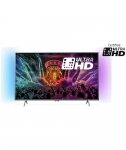
Philips 49PUS6401 49 Inch 4K Ultra HD Ambilight Smart TV.
Ultra HD TV with Ambilight gives up to 4x the resolution of Full HD. Enjoy movies, shows, and games from Google Play, YouTube and other Apps. Ambilight makes your viewing experience more immersive—by emitting a glow from two-sides of your TV. Comes with a 2 year guarantee. ITV, All 4 and 50D catch-up apps are not available.
Ultra HD, Ambilight, Android Smart TV, 2 year warranty. (This TV receives Irish channels through MPEG4 feature).
Google Play movies, Google Play games, Google Play music, Netflix, BBC iplayer, BBC news, BBC sport, Youtube, Google Cast.
Television picture quality:
LED TV Screen.
4K Ultra HD display resolution.
Screen size: 49 inches.
Motion rate 1000.
Viewing angle 176/176 degrees.
Resolution 3840 x 2160 pixels.
Connectivity:
1 SCART socket, 3 USB ports and 4 HDMI sockets.
Smart TV.
1 DVI socket.
Component video socket.
Optical connection.
Headphone socket.
Wi-Fi enabled.
Ethernet connection.
DLNA compatibility.
Open browser.
Suitable for wall mounting 400 x 200 bracket.
Sound quality:
2 channel sound system.
20 watt RMS power output.
Digital features:
Features USB recording and video playback.
Micro dimming technology improves the contrast by dimming individual sections of the TV screen.
Freeview HD digital tuner.
Quad core processor.
CI plus slot.
Additional features:
Sleep timer.
Size of TV H64.5, W110, D8cm.
Weight of TV 11kg (unpackaged).
Size of TV with stand: H67, W110, D21.3cm.
Footprint of TV 83cm.
Weight of TV with stand: 11.3kg.
Manufacturer's 2 year guarantee.
Energy efficiency information:
Energy efficiency rating: a.
On mode power consumption 87 watts.
Off mode power consumption 0.3 watt.
Annual power consumption 127kWh.
Standby power consumption 0.3 watt.
This product contains lead.
Top comments
my_pet_fish
27 Sep 164#24
I had one of these and sent it back the same day. The input lag on this is horrendous, especially when gaming.
phiras
26 Sep 163#18
If it's the Ambilight that you're after, there's a way to reproduce the effect on any TV. Just read this, or google 'make Abilight'.
All comments (78)
pennyfarthing88
26 Sep 16#1
Looks good for the money' heat :sunglasses:
theo00
26 Sep 16#2
looks decent enough, heat
Coolio103
26 Sep 16#3
43" for 399, think the 49" maybe better value though.
That's this TV, they're the US but this is their model number.
daviebroon
26 Sep 16#5
Shame it's not compatible with More4, ITV hub, 5OD etc... and only HDR+ via HDMI/USB, not on the built-in netflix/amazon apps it seems (not sure if this is common or not?)
N1Andy to daviebroon
26 Sep 16#6
Surely it would use the Android apps for More4, ITVhub & 5OD???
Decharvinator
26 Sep 16#7
Looks good. Does anybody know if kodi can be installed on this direct from the app store?
RossP_CY to Decharvinator
26 Sep 16#8
Yes running kodi on mine
Decharvinator
26 Sep 16#9
Can't find many reviews on review websites. Would you recommend it personally?
blanka
26 Sep 16#10
Love the amber light TVs. I use to own a Philips aurea which has lighting all around and it was simply stunning. If they made the same one with a top 4K screen, I'd jump at it.
haritori to blanka
27 Sep 16#23
Ambilight :smiley:
hcc27 to blanka
27 Sep 16#29
''Ambilight'' (for ambient light)
mcderment to blanka
4 Oct 16#50
Wait for their new Oled tv, coming soon.
slannmage
26 Sep 161#11
You cannot just blindly buy a TV, there are many factors and it basically comes down to what you want.
I want one of those Vizio P Series TVs though, they're amazing for the money, shame they aren't sold here.
Tequila to slannmage
10 Oct 16#73
This.
Sadly some people think "specs" is allmatters and is what makes a tv good or bad,There could be 2 tvs with identical specs yet worlds of differences in terms of picture quality.
Tequila to slannmage
10 Oct 16#74
This.
Sadly some people think "specs" is allmatters and is what makes a tv good or bad,There could be 2 tvs with identical specs yet worlds of differences in terms of picture quality.
Must be very disappointing downgrading from OLED to LCD.no matter what.
RossP_CY
26 Sep 16#12
Yes, had a few issues with Android on it, but the latest update seems to have sorted it
Decharvinator
26 Sep 161#13
Hows the picture quality?
AXV
26 Sep 16#15
6501 is a better TV for only £100 more HDR
SkyeVincent
26 Sep 161#16
Must say, wholeheartedly, Philips TVs are not worth a single penny of their RRP. We had the 55" version of this 4K model (or a very similar looking one) and it was atrocious. We returned it to Argos and bought a Hisense instead, best decision we could've made, for just £50 more than the original Philips and 1000% better!
Decharvinator to SkyeVincent
26 Sep 16#17
What's so bad with the tv's?
mrew42 to SkyeVincent
27 Sep 162#26
+1
I got the 6400 and it was shocking and full of software bugs
took it back and got a Samsung
gunark to SkyeVincent
4 Oct 16#52
Yeah I had the same earlier this year. Got the Hisense but it had issues with the apps so swapped for the Philips - terrible washed out picture with poor contrast, and the combination of Philips OS and Android OS was confusing and sluggish. The Hisense smashed it in terms of picture quality. In the end I got a Panasonic CX700, which cost more but is excellent. Hisense I would buy again (fancy an M7000) but Phillips, sadly not.
phiras
26 Sep 163#18
If it's the Ambilight that you're after, there's a way to reproduce the effect on any TV. Just read this, or google 'make Abilight'.
RossP_CY
26 Sep 16#19
I'm very happy with the quality. Yo be fair though, we upgraded from a 32" 720p, so the difference is like day and night. Would have loved a more expensive TV, but this does everything we need and more. Just a general opinion though, I'm by no means a TV expert!
SkyeVincent
26 Sep 161#20
Black is very grey, white is the other end of the grey-scale Ina sort of smoke colour, the frame rate isn't quite there and the picture doesn't load fully immediately, in general (IMHO) Philips TVs are a terrible purchase.
Decharvinator
26 Sep 16#21
Thanks for the advice. Seeing as my 3 years old has just smashed our 48" 4K curved Samsung tv this will do nicely. We had only had it for 6 months
sihaworth
27 Sep 161#22
The model above (6501) recently just got an excellent review on AVforums.
Agree I'm looking at this one after being very interested in the Samsung ks7000 series and the then looked at the owners thread on avforum, problems like backs peeling off-seriously-don't see much point in spending out on premium tv's at the moment!
my_pet_fish
27 Sep 164#24
I had one of these and sent it back the same day. The input lag on this is horrendous, especially when gaming.
ForestGrump
27 Sep 16#27
This one or the 49" LG posted the other day?
mrew42 to ForestGrump
27 Sep 162#28
Personally, LG.
DemonIT
27 Sep 161#30
Contents insurance?
bluejmc2005
27 Sep 162#31
OK we bought the 55" version of this on saturday from argos for £650 - we are VERY pleased. Picture is great, uniformity is great (backlit LED helps over edge I think) and the HDR is a nice extra. on XBOX One S i see no discernible lag, and ALL of the 4K picture options are ticked which is a huge bonus.
We bought this TV to replace a faulty 1080p OLED - we also looked at the hisense M3300 which was a little cheaper but opted for this and we could not be happier.
Bully
27 Sep 16#33
Might have took a punt on this but no HDR listed, on the plus side it has 4 x hdmi :smiley:
bluejmc2005 to Bully
27 Sep 16#34
It has HDR, four modes in fact which become available when an HDR source is attached. It's very nice, but not as revolutionary as a far more expensive set would be, but nice to have nonetheles
Bully
27 Sep 16#35
Ok thanks for the update, looks like Argos left out that important detail.Can you confirm if this is only via hdmi as a previous post mentioned not applicable to Netflix / Amazon app streaming.I had last years model briefly 6400 model but lag and random crashes made me sell it on, hoping things are improved on this model.I can see the 6501 model for sale at Currys but only difference i can see is lower power output and slightly better brightness, hard to justify the extra £100.
bluejmc2005
27 Sep 16#36
It was added with a recent update :-)
4K Netflix works on native app, not tried Amazon
HDR and 4K works via HDMI and USB tried both
Bully
27 Sep 16#37
Thanks again and you are happy with xbox online gaming on this model? My tesco xbox one S just arrived today :smiley:
bluejmc2005
27 Sep 161#38
Very happy and I am fussy. Thee is an excellent review of the 6501 on avforums and after reading that I am sure this 6401 is essentially the same TV! We are very pleased, we had a £1000 budget for a TV and have just bought a new home cinema system with the change after buying this as we simply don't think we need anything else. And android on tap is cool too, plus the ace ambi light too! £650 for 55 inch with 2 year warranty - bargain.
rarelyamson
27 Sep 16#39
Apparently the 6501 has 16GB of memory compared with 8GB for the 6401.
Does this matter?
bluejmc2005 to rarelyamson
28 Sep 16#40
not for me - do you need 16gb for apps? not needed for usual apps etc
Decharvinator
28 Sep 16#41
Well I have to say. Purchased this tv and I'm disappointed. Watching tv is fine. Pretty impressive picture really. I also like the ambilight feature. Even installed Kodi straight from the App Store! Gaming is the issue. The input lag is making games unplayable for me. Titanfall on the Xbox One is normally very snappy and fluid. I played with the settings for hours and I can't get it down (input lag)
Also after updating to the latest software I still have no HDR options in the picture menu. Oh well. Gutted.
bluejmc2005 to Decharvinator
29 Sep 161#42
I can't notice any lag at all? HDR options only appear when you have an HDR source playing
Decharvinator
29 Sep 16#43
I have an Xbox One S connected and there are still no HDR options. There is lag. If your not used to it then its difficult to tell. The game/computer mode doesn't seem to do anything. It's a shame because the picture is decent. If people aren't playing quick/twitchy games that require fast reactions then it would probably be ok. If you going to play FPS's online then I wouldn't recommend it.
bluejmc2005 to Decharvinator
29 Sep 16#44
if you play an HDR source like netflix (cetrtain programs) mine pins up with HDR mode at the bottom left -also if you go into advanced display options see what parts are ticked on the xbox
Decharvinator
29 Sep 16#45
It's all ticked on the Xbox one S. Saying it's compatible with HDR, 4K etc etc. I don't see HDR options anywhere
bluejmc2005
29 Sep 16#46
when you feed it an HDR source they appear but are invisible until then. For example, play a netflix files which is HDR and it will come up, then you have HDR options in picture settings. Have you tried game mode for lag etc? genui9nely see none on mine, i press a button its instant on screen
Decharvinator
29 Sep 16#47
It's called computer mode it the settings on mine and there is also a picture setting called game. Even with both turned on its noticible.
bluejmc2005
29 Sep 16#48
Hmm not the set for you then I guess, try the hisense M3300 it gets ace reviews and is cheaper
The_Hypnotoad
30 Sep 16#49
Is it noticable in gaming mode?
Phillips say the lag is 36ms in gaming mode, the naked eye cant pick up on anything in that range.
imagineS
4 Oct 16#51
Sony TV's for 4K/HDR gaming are awful with very high input lag.
ronaldmacdonald
4 Oct 16#53
But.....it's........a Phillips TV. Colder than an eskimos ******** in the middle of winter. Probably colder than that actually
slannmage
4 Oct 16#54
That one is very good for gaming.
wanderer
5 Oct 16#55
picture was great on the non smart version but the sound was awful i returned mine
djh1975
5 Oct 16#56
You can't beat my 49" 4K Hisense for just £333.
ldm
5 Oct 16#57
So thought I'd give it a quick review. I have the smaller 43" version of this TV. The standard picture setting is terrible to begin with, as it has ECO settings applied, but once you play around with it you can make the picture look excellent. Apparently this TV has HDR but I have not seen the option in the menus. Anyway, it has lots of features, 4 HDMI, Dolby surround sound, both Freeview and Freesat capability, USB for pausing/rewinding/recording live TV and also for plugging a hard drive in with your own media on it. Now the problem is with the Android TV system, which I find slow and buggy. Also, we have been promised an Android 6.0 Marshmallow update but it has not been released yet. For those who care, Lollipop does not have support for Dolby Digital/DTS so when running Kodi or some other kind of media centre on the TV, you cannot listen in surround sound. This will be rectified in the update. Also, I can access iPlayer but cannot recall seeing any other kind of TV catch up service in the app store. That's all I can think of at the moment! Hope this helps
kaiser051
5 Oct 16#58
Took the plunge and bought this as i had £160 capital bond vouchers from work to use ,bought as a replacement for my 7 year old sony bravia
As i managed to get it for £339 im not as miffed as i would be if i had paid the full £499 but still regret buying it,
Picture after playing with settings is fine watching dvds blu ray etc but awful on standard tv
Sound is really poor
Mane issue for me is gaming
Loaded up ps4 deus ex picture crisp and ambilight effect was awesome
Fifa 17 offline great ;tried fifa 17 online really noticeable lag
Tried black ops 3 and battlefield online same bad lag
Went back on sony bravia and tried all 3 games to see the difference and it was very noticeable
Tried all settings game mode and speed over picture settings never really made a difference
Gonna try my best to return it if not i will use it in living room for films etc
And set ps4 up on my 7 year old bravia as its much better for online gaming
bluejmc2005 to kaiser051
5 Oct 16#65
Lag is 29ms on game mode which is very good!
cowsindahouse to kaiser051
7 Oct 16#71
if it's fine offline, then it's not the tv causing lag.. the only possibility is the tv's online features are hogging your bandwidth
PhilK
5 Oct 16#59
Think I'd prefer a Hisense or Sony for that price
s24adm
5 Oct 16#60
"ITV, All 4 and 50D catch-up apps are not available."
couldn't you just download from google play store? Is PLEX app available on this anyone know?
Siilver
5 Oct 16#61
I was wondering if you could download the apps and side load them on your self with some installer manger type app.
As I know you can ftp in to the tv
s24adm to Siilver
5 Oct 16#63
I'm sure I read somewhere else about androidTV in general that you could sideload but you need to run ES File Explorer to launch the app as it won't add onto the main menu.
tommyarran
5 Oct 16#62
I have the 55" version of this and it is "meh". The screen is good, and linking the TV with other Hue bulbs in the living room is a nifty feature. The turn on time and the responsiveness from the remote is the bad bit and it constantly updates the EPG.
Is there anyway to get youview on it?
Siilver
5 Oct 16#64
You could live with that. I'm sure it would just be the phone or tablet layout not a to layout. Worth looking in too
cRuNcHiE
6 Oct 16#66
I wonder how many people complaining of lag have their Xbox or PS plugged in via an AV receiver
cRuNcHiE
6 Oct 16#67
I just bought the 43 inch version of this. It is stunning!
My previous tv was a panasonic TX-P42ST31B. I'm pretty sensitive to lag.
The panasonic when set to 60hz gets 20ms lag.
This tv in standard mode I get 17-22ms lag.
When i turn on game mode, the time in the lag test app is identical on my macbook pro and on the Philips TV!?
DweebDude to cRuNcHiE
7 Oct 16#68
You could do with a faster camera. You gotta take into account your laptop screen already has input lag itself
UnhappyGamer
7 Oct 16#69
I brought one, pulled the 42 off the wall and put this in the huge hole I made.. fantastic
cRuNcHiE
7 Oct 16#70
I used my s7 edge on burst mode. I also filmed at 60fps with the same results.
Either way, with the same setup it is quicker than my panasonic tx-42pst31b plasma.
I tested plugged directly into tv.
Going through my onkyo receiver added around 12ms latency.
You cannot go off one figure, you have to go off your use case and pick the type of latency that affects what you do.
bluejmc2005
10 Oct 16#75
SD yes, but it was a very early OLED so had its own problems. They are not perfect! Very pleased with this phillips
wurz72
4 Dec 16#76
I can't get mine to show the HDR options. I have updated to latest firmware from Philips support site. Tried playing HDR content in Netflix and YouTube but it doesn't go into HDR mode. I don't have a PS4 or other console to test HDR via HDMI. Not sure what else I can try!
bluejmc2005
4 Dec 16#77
Through the TV or Xbox one s? As I'm not sure the TV apps are HDR versions at mo
wurz72
4 Dec 16#78
With the native Netflix or YouTube apps. Few posts back seemed to suggest HDR should work with the latest update.

![Fresh Breakfast Meat Box (Using code) @ Campbells Meat [Haggis / Lorne Sausage / Bacon / Black Pudding & More]](/images/topics/208684_1.jpg)




































![[Xbox One] Q. u. b. e: Director's Cut on Deals with Gold](/images/topics/208716_1.jpg)


















Opening post
Philips 49PUS6401 49 Inch 4K Ultra HD Ambilight Smart TV.
Ultra HD TV with Ambilight gives up to 4x the resolution of Full HD. Enjoy movies, shows, and games from Google Play, YouTube and other Apps. Ambilight makes your viewing experience more immersive—by emitting a glow from two-sides of your TV. Comes with a 2 year guarantee. ITV, All 4 and 50D catch-up apps are not available.
Ultra HD, Ambilight, Android Smart TV, 2 year warranty. (This TV receives Irish channels through MPEG4 feature).
Google Play movies, Google Play games, Google Play music, Netflix, BBC iplayer, BBC news, BBC sport, Youtube, Google Cast.
Television picture quality:
LED TV Screen.
4K Ultra HD display resolution.
Screen size: 49 inches.
Motion rate 1000.
Viewing angle 176/176 degrees.
Resolution 3840 x 2160 pixels.
Connectivity:
1 SCART socket, 3 USB ports and 4 HDMI sockets.
Smart TV.
1 DVI socket.
Component video socket.
Optical connection.
Headphone socket.
Wi-Fi enabled.
Ethernet connection.
DLNA compatibility.
Open browser.
Suitable for wall mounting 400 x 200 bracket.
Sound quality:
2 channel sound system.
20 watt RMS power output.
Digital features:
Features USB recording and video playback.
Micro dimming technology improves the contrast by dimming individual sections of the TV screen.
Freeview HD digital tuner.
Quad core processor.
CI plus slot.
Additional features:
Sleep timer.
Size of TV H64.5, W110, D8cm.
Weight of TV 11kg (unpackaged).
Size of TV with stand: H67, W110, D21.3cm.
Footprint of TV 83cm.
Weight of TV with stand: 11.3kg.
Manufacturer's 2 year guarantee.
Energy efficiency information:
Energy efficiency rating: a.
On mode power consumption 87 watts.
Off mode power consumption 0.3 watt.
Annual power consumption 127kWh.
Standby power consumption 0.3 watt.
This product contains lead.
Top comments
All comments (78)
http://www.argos.co.uk/static/Product/partNumber/5389465.htm
https://www.amazon.co.uk/dp/B01HM7JNLU/ref=wl_it_dp_o_pC_nS_ttl?_encoding=UTF8&colid=2C7BFYPK6691Y&coliid=I191F5SQY03LPK&psc=1
These are the best budget TVs for HDR gaming and movies right now.
Only downside is the backlight, but that's all LED TVs really, you'll find some with great blacks, but they suffer on so much more.
http://uk.rtings.com/tv/reviews/sony/x800d
That's this TV, they're the US but this is their model number.
I want one of those Vizio P Series TVs though, they're amazing for the money, shame they aren't sold here.
Sadly some people think "specs" is allmatters and is what makes a tv good or bad,There could be 2 tvs with identical specs yet worlds of differences in terms of picture quality.
Sadly some people think "specs" is allmatters and is what makes a tv good or bad,There could be 2 tvs with identical specs yet worlds of differences in terms of picture quality.
Must be very disappointing downgrading from OLED to LCD.no matter what.
I got the 6400 and it was shocking and full of software bugs
took it back and got a Samsung
https://www.avforums.com/review/philips-6501-49pus6501-uhd-4k-hdr-tv-review.12949
We bought this TV to replace a faulty 1080p OLED - we also looked at the hisense M3300 which was a little cheaper but opted for this and we could not be happier.
4K Netflix works on native app, not tried Amazon
HDR and 4K works via HDMI and USB tried both
Does this matter?
Also after updating to the latest software I still have no HDR options in the picture menu. Oh well. Gutted.
Phillips say the lag is 36ms in gaming mode, the naked eye cant pick up on anything in that range.
As i managed to get it for £339 im not as miffed as i would be if i had paid the full £499 but still regret buying it,
Picture after playing with settings is fine watching dvds blu ray etc but awful on standard tv
Sound is really poor
Mane issue for me is gaming
Loaded up ps4 deus ex picture crisp and ambilight effect was awesome
Fifa 17 offline great ;tried fifa 17 online really noticeable lag
Tried black ops 3 and battlefield online same bad lag
Went back on sony bravia and tried all 3 games to see the difference and it was very noticeable
Tried all settings game mode and speed over picture settings never really made a difference
Gonna try my best to return it if not i will use it in living room for films etc
And set ps4 up on my 7 year old bravia as its much better for online gaming
couldn't you just download from google play store? Is PLEX app available on this anyone know?
As I know you can ftp in to the tv
Is there anyway to get youview on it?
My previous tv was a panasonic TX-P42ST31B. I'm pretty sensitive to lag.
The panasonic when set to 60hz gets 20ms lag.
This tv in standard mode I get 17-22ms lag.
When i turn on game mode, the time in the lag test app is identical on my macbook pro and on the Philips TV!?
Either way, with the same setup it is quicker than my panasonic tx-42pst31b plasma.
I tested plugged directly into tv.
Going through my onkyo receiver added around 12ms latency.
You cannot go off one figure, you have to go off your use case and pick the type of latency that affects what you do.
I don't have any consoles to test it via HDMI.