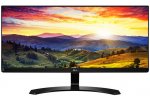
The LG IPS Monitor Panel ensures an awesome picture quality that provides clear images and vivid colours from any angle for your viewing pleasure.
29" IPS Panel
21:9 Ultrawide Full HD
2560 x 1080
2x HDMI & Displayport
5ms Response Time
Built in Speaker
Top comments
spannerzone to sam_of_london
26 Sep 167#6
You're really buying into the 4K hype, TV manufacturers absolutely love you. You really need to understand that 4K alone is no measure of quality let alone the fact this is an aspect ratio that may not translate into 4K as you k ow it.
zetecrob to RUGAAL
27 Sep 164#14
What planet are you on? Decent spec tv's have input lag of over 25ms, and that's considered good, so 20% of that figure would be more than adequate
All comments (37)
tighty
26 Sep 16#1
got one of these and it's great. the speakers are good enough for general gaming and background music. I paid 140 used so I suppose 240 for new is pretty good
sam_of_london
26 Sep 161#2
Quite expensive, no 4k
mattlong37051 to sam_of_london
26 Sep 161#4
After reading into 21:9 id prefer this over 4k, well until you can get 21:9 monitors at 4k or above
spannerzone to sam_of_london
26 Sep 167#6
You're really buying into the 4K hype, TV manufacturers absolutely love you. You really need to understand that 4K alone is no measure of quality let alone the fact this is an aspect ratio that may not translate into 4K as you k ow it.
TheKaledan to sam_of_london
27 Sep 162#11
1440p ultrawide > 4k 16:9
4k is better for some productivity tasks, but for gaming and movies it is very one sided.
plus 1440p ultra wide is far easier to drive.
konraz to sam_of_london
27 Sep 16#24
No need 4k. Super black. Free sinc. Good price.
pabulous
26 Sep 16#3
The thought of ultra-wide gaming really appeals to me. Such a shame the 25" version doesn't have speakers, though. Yes, I know they're probably sub-par compared to dedicated speakers, but my ears aren't the best anyway, and I like a clutter-free desk. 29" seems far too big for most scenarios.
TheKaledan to pabulous
27 Sep 161#10
Its only the same as a 24" 16:9 in height. I have a Samsung S34E790c (34") and coming from a 23" screen it was fine.
Yeh i agree. The biggest appeal for 21:9 is immersion. If you want something for productivity a higher res and so a larger workspace is preferred.
JsFrk
26 Sep 16#5
Been same price at Currys for a while now, and actually in stock. got mine from there a few days ago. Really nice monitor.
stel
26 Sep 16#7
I have the 25" version of this monitor and it is pretty nice. I find a surprising amount of games support the aspect ratio and I cant see myself going back to 16:9/10 again after using an ultra wide. Be warned that the pictures are misleading for these LG panels though, the bezel is far thicker on the sides and top compared to the photos. You are buying a budget panel though and for the price you cant really complain.
Sandy1012
26 Sep 16#8
Is it worth gettting an ultrawide for day to day stuff, for a home office
or is only really good for the gamers and movies etc.?
Ulti to Sandy1012
26 Sep 161#9
It's a bit like having two 17" 1280x1080 square monitors put together. For home office I think I'd prefer to have 2x 23" 1080p monitors or 3x if you do a lot of spreadsheet work.
prosnookerblog
27 Sep 16#12
I got the LG 29UM55 after seeing it on here last year and I'm very happy with it. Not sure how it is for gaming especially but for everyday use and work it's extremely handy to have say a browser and word/excel doc up together without feeling restricted in any way.
RUGAAL
27 Sep 16#13
Thanks for deal but 5ms is like playing on tv with awful imput lag
zetecrob to RUGAAL
27 Sep 164#14
What planet are you on? Decent spec tv's have input lag of over 25ms, and that's considered good, so 20% of that figure would be more than adequate
mamboboy to RUGAAL
27 Sep 16#17
You do realise input line and response times are different things, right? Response times is what causes ghosting... Input lag is the time it takes for the data to travel from the gpu and be displayed by the monitor....
Nate1492
27 Sep 161#15
It depends on your games.
5ms in FPS can feel like sludge when you've tried a sub 1ms monitor.
There is more than one form of lag when talking about monitors as well.
imdurc
27 Sep 16#16
As someone who has both types (1ms and 5ms), it's not as big a deal as you'd think. Especially when you examine input lag, input devices and best of all, human reaction times.
Just get the best monitor for what you need. Funnily enough, I've been looking at this IPS screen because it would be fantastic for my video/image editing. But, it's almost good enough for my gaming, too. Just needs 120Hz for me to drop my money on it. Shame it only hits 60-75Hz. Still, it'll be good for most, I'm sure.
thecleaner
27 Sep 161#18
I bought one of these at this price a month ago for home use. We also use them at work
I tried two 28 screens before but
- they take up more space on the desk
- it's not quite as immersive
I don't use it for games but for other use, it's great. Two or even three MSOffice apps/visual studio side by side/four if you use a laptop too.
Tip: use the Windows key and arrows to dock the apps
adv
27 Sep 16#19
I think atm 4k is a bit stupid for a TV unless you're going for high end ~£1000 anyway, but for productivity sake on a computer it's great... At the right size (imo 27in), although I'd rather have an ultra wide and an additional 1080p screen, the physical separation is way more useful than having everything on one screen regardless of size
ollie87
27 Sep 16#20
To be fair both of you are a little confused.
Input lag != GTG response time.
johnw84
27 Sep 16#21
I use a 49 inch 4k tv as a monitor, having come from an LG ultrawide 1440p. The real estate of the screen is amazing, and with an Nvidia card, it runs at 60hz 4k no problem.
Some might say that 49 inch is too much for a monitor, but I mainly use the centre portion of the screen for PC use and when I'm gaming I can sit back and use the whole monitor which gives me the best of both worlds.
EdwinaMorse
27 Sep 16#22
Gor for it these are superb for the price
Nate1492
27 Sep 161#23
This isn't me "thinking" anything. I have both an IPS 5ms monitor next to a 144hz 1 ms monitor.
Not only is the response time on 1 ms monitor, I have backlight strobing to reduce ghosting even further, it acts like a CRT.
When I hear someone say "It's not as big of deal as you'd think" I can immediately spot someone who doesn't care too much about high input speed games, or who hasn't done them at all competitively. No offense, the difference is very noticeable.
That's one of the best 144hz panels for response times. And it's *still* around 20 ms.
Although most can't react at sub 100 ms response times, you surely can feel it while playing a game.
80ms extra delay from your monitor input is crazy long.
imdurc
27 Sep 16#25
You make a lot of assumptions. I play a fair amount of games - a wide variety which does include "high input speed games." I may not have played competitively in a professional sense (tournaments, etc.), but I think that's besides the point. If you look at reviews related to gaming, you'll find that this monitor does fairly well.
Btw, why did you mention 20ms and 40ms? That's nothing to do with this monitor or what was mentioned. Anyway, being a musician, I'm well versed in millisecond delays. At 5ms, the delay becomes almost impercetible when playing music. So, I'd say 5ms is fine for the general public when it comes to monitors, too. At least, that's my experience.
Listen Nate, If you get on better with the additional extras (backlight strobing, faster gtg response), good for you. Others either don't require such things and/or count them as a luxury. My original point about 1ms or 5ms is through my own experience. If you think differently, fine. I'm not about to say you're wrong. But I'd ask that you don't make assumptions about people or say things like, "I can immediately spot someone who doesn't care." Make your point, but don't try to ridicule others for having a different viewpoint to your own.
Nate1492
27 Sep 161#26
You are completely ignoring the link I had for you.
This isn't about 5 ms response times, that's some fake number that is bandied about, it's way more than just the resposne time.
You mention generic "reviews" of this monitor. Got links?
Here's another link, showing the slightly larger version of this monitor.
As I was saying, you can notice the difference between 20 and 40 ms, you can certainly notice the difference between 0 and 80 ms.
They say "5ms response time" but they don't mention there is also input delay and 5ms is only best case, not average.
Here's another assumption. You haven't tried a truly good absolute input time monitor. Mind letting us know what your 1ms monitor is?
imdurc
27 Sep 16#27
I'll let everyone else in the thread decide - does anyone wish for this to continue? If so, I'll post again. If not, no worries as this probably isn't helping anyone. Back to the deal at hand :smiley:
Nate1492
27 Sep 16#28
So, no link to that review?
imdurc
27 Sep 162#29
As I said in my last post, if people want to see us take over this thread, so be it. But, I will not do that. If you wish to PM me, please be my guest.
mmattys30
27 Sep 16#30
code finished
Meathotukdeals
1 Oct 16#31
Yeah. Leave it. Its a bit boring.
imdurc
1 Oct 161#32
Exactly! lol
deusexmachina
1 Oct 16#33
Novice question. Could I hook up a PS4 to this. Literally that's all I want to use it for??
imdurc to deusexmachina
1 Oct 16#34
Short answer, probably. But, I'd be thinking about a couple of things:
1. Would it stretch the picture sideways as, the PS4 won't output to a 21:9 ratio.
And 2. Does this monitor have a 1:1 ratio setting for video inputs like a console?
At least, that's what I'd be thinking before buying this monitor. So, you may need to check that before buying. Otherwise, why not just buy a normal 16:9 ratio monitor?
deusexmachina
1 Oct 16#35
Don't suppose you can point to a good deal on a 16:9 ratio monitor? Thanks bud
imdurc
1 Oct 16#36
Sorry, no. It's not hard to find a decent monitor for a PS4, though. Check some computer stores, i.e. Scan.co.uk, Aria, Overclockers, etc. etc.

![Fresh Breakfast Meat Box (Using code) @ Campbells Meat [Haggis / Lorne Sausage / Bacon / Black Pudding & More]](/images/topics/208684_1.jpg)




































![[Xbox One] Q. u. b. e: Director's Cut on Deals with Gold](/images/topics/208716_1.jpg)


















Opening post
The LG IPS Monitor Panel ensures an awesome picture quality that provides clear images and vivid colours from any angle for your viewing pleasure.
29" IPS Panel
21:9 Ultrawide Full HD
2560 x 1080
2x HDMI & Displayport
5ms Response Time
Built in Speaker
Top comments
All comments (37)
4k is better for some productivity tasks, but for gaming and movies it is very one sided.
plus 1440p ultra wide is far easier to drive.
Yeh i agree. The biggest appeal for 21:9 is immersion. If you want something for productivity a higher res and so a larger workspace is preferred.
or is only really good for the gamers and movies etc.?
5ms in FPS can feel like sludge when you've tried a sub 1ms monitor.
There is more than one form of lag when talking about monitors as well.
Just get the best monitor for what you need. Funnily enough, I've been looking at this IPS screen because it would be fantastic for my video/image editing. But, it's almost good enough for my gaming, too. Just needs 120Hz for me to drop my money on it. Shame it only hits 60-75Hz. Still, it'll be good for most, I'm sure.
I tried two 28 screens before but
- they take up more space on the desk
- it's not quite as immersive
I don't use it for games but for other use, it's great. Two or even three MSOffice apps/visual studio side by side/four if you use a laptop too.
Tip: use the Windows key and arrows to dock the apps
Input lag != GTG response time.
Some might say that 49 inch is too much for a monitor, but I mainly use the centre portion of the screen for PC use and when I'm gaming I can sit back and use the whole monitor which gives me the best of both worlds.
Not only is the response time on 1 ms monitor, I have backlight strobing to reduce ghosting even further, it acts like a CRT.
When I hear someone say "It's not as big of deal as you'd think" I can immediately spot someone who doesn't care too much about high input speed games, or who hasn't done them at all competitively. No offense, the difference is very noticeable.
Try going from 20 ms delay to 40 ms delay.
http://www.tomshardware.co.uk/vg248qe-144hz-gaming-monitor,review-32794-9.html
That's one of the best 144hz panels for response times. And it's *still* around 20 ms.
Although most can't react at sub 100 ms response times, you surely can feel it while playing a game.
80ms extra delay from your monitor input is crazy long.
Btw, why did you mention 20ms and 40ms? That's nothing to do with this monitor or what was mentioned. Anyway, being a musician, I'm well versed in millisecond delays. At 5ms, the delay becomes almost impercetible when playing music. So, I'd say 5ms is fine for the general public when it comes to monitors, too. At least, that's my experience.
Listen Nate, If you get on better with the additional extras (backlight strobing, faster gtg response), good for you. Others either don't require such things and/or count them as a luxury. My original point about 1ms or 5ms is through my own experience. If you think differently, fine. I'm not about to say you're wrong. But I'd ask that you don't make assumptions about people or say things like, "I can immediately spot someone who doesn't care." Make your point, but don't try to ridicule others for having a different viewpoint to your own.
This isn't about 5 ms response times, that's some fake number that is bandied about, it's way more than just the resposne time.
You mention generic "reviews" of this monitor. Got links?
Here's another link, showing the slightly larger version of this monitor.
http://www.tomshardware.com/reviews/lg-34um95-ultra-wide-monitor,3835-9.html
78 ms absolute input lag.
As I was saying, you can notice the difference between 20 and 40 ms, you can certainly notice the difference between 0 and 80 ms.
They say "5ms response time" but they don't mention there is also input delay and 5ms is only best case, not average.
Here's another assumption. You haven't tried a truly good absolute input time monitor. Mind letting us know what your 1ms monitor is?
1. Would it stretch the picture sideways as, the PS4 won't output to a 21:9 ratio.
And 2. Does this monitor have a 1:1 ratio setting for video inputs like a console?
At least, that's what I'd be thinking before buying this monitor. So, you may need to check that before buying. Otherwise, why not just buy a normal 16:9 ratio monitor?