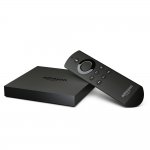
Not as cheap as it was on the Prime Day but still cheaper than it normally is.
Also, the Fire TV Stick is down to £29.99 too.
Top comments
ackblom to robertr
23 Aug 163#3
Checked HUKD prior to posting and the only deal I could find was the Argos one.
All comments (29)
Deal7372
23 Aug 16#1
Any Amazon codes?
robertr
23 Aug 16#2
Already posted.
ackblom to robertr
23 Aug 163#3
Checked HUKD prior to posting and the only deal I could find was the Argos one.
robertr
23 Aug 161#4
Apologies my mistake, in my defence they both start with A !
ricaird
23 Aug 16#5
Anyone else having problems with the All4 (or 4OD or whatever it's called) app on the Kindle Fire TVs? Have been using it for a while but it's been awful for the last week or two - sometimes no sound; freezing; playback not working; etc.
fishmaster to ricaird
23 Aug 16#20
My4 you mean, it worked fine for me a couple days ago when I was watching The IT Crowd.
angelking
23 Aug 16#6
How does this compare to the MiniM8s and M8 and the other versions form China??
haleluohao to angelking
23 Aug 16#7
Really depends if you are using Amazon service or not
jonnithomas to angelking
23 Aug 16#12
there's a system called google. do a search for reviews.
chocci to angelking
24 Aug 16#27
3 times the price and no proper play store. Apart from that, not a lot :wink:
aravind_svu
23 Aug 162#8
the other deal now says Argos and Amazon... Cheeky Cheeky!
stuysmith
23 Aug 16#9
Anybody got a link for installing Kodi on to the device? Do you do it direct or via a pc?
zeromx to stuysmith
23 Aug 161#10
You can do it on the device, but it's a bit long.
Your fastest option is via any computer.
Plenty of videos on YouTube showing how to do it, just search "Fire TV Kodi"
You'll more than likely come across my channel, I'll not mention the name or I'll get wrong for advertising lol but I've got plenty videos to show you how to install it on the stick or box. I had one woman who was 70 even follow instructions
audin to stuysmith
23 Aug 16#18
Personally I have the Kodi APK, my Kodi data backup and all my other side loading APKs stored in my Google Drive, then whenever I need to set up a Fire TV I just install ES File Explorer, add my Google Drive account to it and grab everything from there. Takes 5-10 minutes tops, although it does help that I have a 200mbps internet connection.
jonnithomas
23 Aug 16#11
no it doesn't. you can sideload whatever you want onto it.
ra11
23 Aug 16#14
I have both: m8s used all the time as its native 4K where Amazon is ONLY 4K from Amazon streams. So if kodi is planned suggest £18 m8s is fine
haleluohao
23 Aug 16#15
Can you side load amazon launcher to chinese tv box?
jonnithomas
23 Aug 16#17
no, you cannot loads windows either.
lidds
23 Aug 16#19
Very clever I too use es but never though of linking my Google drive account ,:smiley: thanks
fishmaster
23 Aug 16#21
It's been a standard way of installing .apks for some time now, it can be quite fiddly to use due to the absolutely dire user interface in ES File Explorer.
paulandpam1
23 Aug 16#22
Another way to load non amazon apps is to put the apk file on a micro sd card or a flash drive with your pc or android tablet and put it into the fire tv box and install it from there.
I find this way is convenient because you always have the files to hand if you ever need to install them on another device.
haleluohao
24 Aug 16#23
what do you mean by windows? What i want to say is using amazon service or not does matter as you cant side load it in chinese box.
PiiWii
24 Aug 16#24
apps2fire ftw !
stuffies
24 Aug 16#25
Another way with es explorer is to add the url for fire tv guru via favourites add
..then enter the details
From here you can grab kodi plus other goodies
Bushes
24 Aug 161#26
Wouldn't touch any Amazon device again after the ruination of the firebox. They want to ban Kodi, and they will. Not a box for the future.
Pearman
26 Aug 16#28
Where's the best place to buy the m8s and these other Chinese versions? eBay ones look to be about ,£36 each.

![Fresh Breakfast Meat Box (Using code) @ Campbells Meat [Haggis / Lorne Sausage / Bacon / Black Pudding & More]](/images/topics/208684_1.jpg)




































![[Xbox One] Q. u. b. e: Director's Cut on Deals with Gold](/images/topics/208716_1.jpg)


















Opening post
Also, the Fire TV Stick is down to £29.99 too.
Top comments
All comments (29)
Your fastest option is via any computer.
Plenty of videos on YouTube showing how to do it, just search "Fire TV Kodi"
I find this way is convenient because you always have the files to hand if you ever need to install them on another device.
..then enter the details
From here you can grab kodi plus other goodies