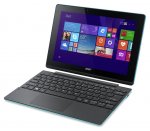
Just spotted this cheap refurbished 2 in 1 Windows device. With 2gb of ram and an Atom cpu you aren't going to be playing the latest and greatest games but for some web browsing and media consumption I can attest these specs will serve you just fine. It has a micro HDMI out so can be hooked up to a monitor or TV for media use (my parents do this with a 7" Linx unit with the tablet display disabled)
Comes with Windows 8.1 stock but may be upgraded to 10 already as part of the refurbishment. If it's not and you still want a free upgrade you need to enable assistive technologies:
Intel Atom z3735f quad core processor.
2GB RAM.
32GB eMMC hard drive.
Microsoft Windows 8.1 (possibly 10)
10.1 inch screen.
High definition display.
Resolution 1280 x 800 pixels.
Micro-HDMI.
To Install Windows 10 (links in comment below)
downloaded the windows 10 creation tool from MS site, selected windows 10 32bit, install to a usb pen drive as the local drive does not have the space available for the install.
1. Do not select to do updates on the first screen just skip this part as the comment that mentions about updates stuck for ever is what will happen.
2. Select what to backup and select None wipe all data and apps during the process, this gets rid of all the Acer Bloatware for a fresh windows 10 install.
3. Delete windows.old from c drive to free up 3GB of space.
- shopofhorrors123
Top comments
shopofhorrors123 to reddit
14 Aug 163#21
Ordered the pink as Blue was out of stock, thanks Reddit
Pink is now out of stock but the Blue is back in stock, needs to be unexpired
Arrived yesterday, not a mark on it so all good, came with windows 8.1, downloaded the windows 10 creation tool from MS site, selected windows 10 32bit, install to a usb pen drive as the local drive does not have the space available for the install.
1. Do not select to do updates on the first screen just skip this part as the comment that mentions about updates stuck for ever is what will happen.
2. Select what to backup and select None wipe all data and apps during the process, this gets rid of all the Acer Bloatware for a fresh windows 10 install.
3. Delete windows.old from c drive to free up 3GB of space guide here
The process took about 1hour downloading and installing and all complete, speed wise this is very good for browsing, netflix, streaming music, not going to be a gaming machine, screen is bright and the Wifi no issues being at the other side of the house with the signal down to 1 to 2 bars.
Im not sure if this Laptop fits my needs exactly. Wondering if anyone has inspirations!. Need small windows laptop thats around 10.1" screen and only need to run excel on it. The excel has to be a 2003 format so it can also run on some office Macs (yuck). So I suppose it doesnt need Windows 10 really?. I also heard mention Microsoft Office is free on 10.1" or smaller screens but seemingly that it when its running Windows Mobile Free Excel app but thats cant save in earelier versions; neither can free online office so im a bit muddled right now!. Thoughts?
feckineejit
12 Sep 16#33
I was loving the one i had but after a few days while i was browsing it would go to a black screen, so id have to keep pushing the start button to wake it up again, after a while it started getting worse, kept happening, it would happen when i was browsing and listening to music on it at the same time, id have to switch the music off so i could keep using it, then i upgraded it to windows 10, was ok for a while then started doing the same thing, had to post it back yesterday for a refund, i did like it tho, disappointed that i needed to send back :disappointed:
StockportGerbil
22 Aug 16#32
FWIW I bought one of these and it's SLOW! Whilst I wasn't expecting Surface type speeds I was expecting it would be at least comparable with a 7 year old netbook and it's not in the same league, so it's going back.
shopofhorrors123
16 Aug 16#31
Blue out of stock but Pink back in stock on the link post #14
Zellith
15 Aug 16#29
OS Seems like 32 bit.. meh
BigYoSpeck to Zellith
15 Aug 16#30
And you need 64 bit because...
BigYoSpeck
15 Aug 161#28
Yeah all my Windows devices are already on it but I still have an old Windows 8.1 license sat waiting for a future PC build, I knew I could still activate Windows 10 via the assistive technologies method I just thought I would have to be actively using them to qualify and then disable them afterwards. Good to know that's not needed.
The new update has a few handy features. A bit disappointing that the sticky notes app doesn't have the insight feature outside the US and that the Cortana app for Android isn't available outside the US either as I'd quite fancy getting notifications pushed through without a 3rd party Windows app.
My favourite feature though is the Project to this PC feature. If your device supports wireless miracast displays then you can use a cheap tablet like this as a second portable wireless display to go full tech douche bag dual display in the coffee shop.
shopofhorrors123
15 Aug 16#27
Yep thats it no need to switch on its the same version so no difference from what you would have got as the general upgrade, MS making it available for for the assistive section as they have made big improvements on the 1 year anniversary update to this section and lots of others.
BigYoSpeck
15 Aug 16#26
Ah right the link just runs an upgrade. And then you don't need to actually have assistive technologies actually switched on?
shopofhorrors123
15 Aug 161#25
Yes fully activated using the guide I posted
BigYoSpeck
14 Aug 16#24
Is it still fully activated even without you using assistive technologies?
shopofhorrors123
14 Aug 16#23
No I could not use the upgrade assistant as not enough space on the c drive, so used the windows 10 creation tool and this worked fine, really easy to use, it says it will wipe the data from the pen drive, but it left all my data on and it just added the install for windows 10, just double click the setup.exe on your pen drive and off it goes.
I would say no to having to turn on assistive as they do not do any checks and if it had enough space would have continued with the upgrade
BigYoSpeck
14 Aug 16#22
Out of curiosity did you have to turn assistive technologies on before performing the update?
Ordered the pink as Blue was out of stock, thanks Reddit
Pink is now out of stock but the Blue is back in stock, needs to be unexpired
Arrived yesterday, not a mark on it so all good, came with windows 8.1, downloaded the windows 10 creation tool from MS site, selected windows 10 32bit, install to a usb pen drive as the local drive does not have the space available for the install.
1. Do not select to do updates on the first screen just skip this part as the comment that mentions about updates stuck for ever is what will happen.
2. Select what to backup and select None wipe all data and apps during the process, this gets rid of all the Acer Bloatware for a fresh windows 10 install.
3. Delete windows.old from c drive to free up 3GB of space guide here
The process took about 1hour downloading and installing and all complete, speed wise this is very good for browsing, netflix, streaming music, not going to be a gaming machine, screen is bright and the Wifi no issues being at the other side of the house with the signal down to 1 to 2 bars.
Well ours arrived and it won't update, it just checks for updates indefinitely. Google says it's a common problem which does not have an easy fix. I really can't be bothered typing huge strings of commands into the thing just to get it working so I'm probably going to send it back. Disappointing purchase.
murraysinclair3
12 Aug 16#19
as jen101 said. I would avoid, even at that price. had one for almost a year and ended up unused due to constant problem s. WiFi always cutting out being one of the worst. windows 10 upgrade made it unusable. this may have improved. i did a clean install recently with windows 8.1 and updated drivers from Acer and still same problems. avoid if you ask me. which is disappointing but not as good as it looks.
Gestr
12 Aug 16#18
As reddit says, the pink one is still available so I'm not sure why this has been expired.
mohislam
11 Aug 16#17
Ordered pink one. Thanks
JohnnyUtah
11 Aug 16#6
Would this run Itunes ok?
Currently using a Chromebook which cannot.
BigYoSpeck to JohnnyUtah
11 Aug 161#8
Yes should run the Windows app just fine. Limited onboard storage though so I'd add an SD card but I''ve no experience on how itunes works with removable storage.
amour3k to JohnnyUtah
11 Aug 16#16
It's a Windows based system, and there's a Windows based version of iTunes right?.
So I don't see why not ..... :-)
Rickardo
11 Aug 16#12
Heat, OP. Anyone spotted anything else like this, willing to pay a bit more for improved specs?
Also, I wonder if you can check beforehand if it has Windows 10?
MrPuddington to Rickardo
11 Aug 16#15
There are a number of chinese Windows 10 tablets with 4GB, iPad resolution, and a Cherry Trail CPU just above 100 pounds. But they usually come without a keyboard, and if you can get one, it has neither track pad nor hinge. A proper 2-in-1 is a bit more expensive.
iwo
11 Aug 16#13
Out of stock.
Jenn101
11 Aug 16#11
meh, bought one of these from this Argos ebay seller... had non-stop problems with it, constantly resetting in a loop... seller wants to to call them and wait for at least 30 mins to speak to someone..... after several attempts I ended up filing a claim.... and I'm still awaiting a return label... If these things worked it wouldn't be a bad deal... but if they don't it's a nightmare.
k_a_welsh_ebay
11 Aug 16#10
refurb with 12 month warranty for half the price of a 'new' product seems decent. the link takes you to the blue but ive had a look and they have the pink available aswell for the same price
BigYoSpeck
11 Aug 161#9
I'd imagine they will:
Edit: Yeah they do:
feckineejit
11 Aug 16#7
ordered cheers op
JohnnyUtah
11 Aug 16#5
Do Paypal run a credit check on that?
emodan
11 Aug 16#2
If this is still in stock on Monday I'm getting one. Stupid payday being halfway through month
BigYoSpeck to emodan
11 Aug 16#3
Doesn't pay pal have a credit feature? I know ony my paypal they're always offering me interest free on purchases:
"Better than a 0% introductory offer.
Every time you spend £150 or more in one go with PayPal Credit, you get 0% interest for 4 months on that purchase.*"
BigYoSpeck to emodan
11 Aug 16#4
polarbaba
11 Aug 16#1
great deal... you.really do need 2gb.. great catch

![Fresh Breakfast Meat Box (Using code) @ Campbells Meat [Haggis / Lorne Sausage / Bacon / Black Pudding & More]](/images/topics/208684_1.jpg)




































![[Xbox One] Q. u. b. e: Director's Cut on Deals with Gold](/images/topics/208716_1.jpg)


















Opening post
Just spotted this cheap refurbished 2 in 1 Windows device. With 2gb of ram and an Atom cpu you aren't going to be playing the latest and greatest games but for some web browsing and media consumption I can attest these specs will serve you just fine. It has a micro HDMI out so can be hooked up to a monitor or TV for media use (my parents do this with a 7" Linx unit with the tablet display disabled)
Comes with Windows 8.1 stock but may be upgraded to 10 already as part of the refurbishment. If it's not and you still want a free upgrade you need to enable assistive technologies:
http://www.howtogeek.com/265409/you-can-still-get-windows-10-for-free-from-microsofts-accessibility-site/
Intel Atom z3735f quad core processor.
2GB RAM.
32GB eMMC hard drive.
Microsoft Windows 8.1 (possibly 10)
10.1 inch screen.
High definition display.
Resolution 1280 x 800 pixels.
Micro-HDMI.
To Install Windows 10 (links in comment below)
downloaded the windows 10 creation tool from MS site, selected windows 10 32bit, install to a usb pen drive as the local drive does not have the space available for the install.
1. Do not select to do updates on the first screen just skip this part as the comment that mentions about updates stuck for ever is what will happen.
2. Select what to backup and select None wipe all data and apps during the process, this gets rid of all the Acer Bloatware for a fresh windows 10 install.
3. Delete windows.old from c drive to free up 3GB of space.
- shopofhorrors123
Top comments
Pink is now out of stock but the Blue is back in stock, needs to be unexpired
Arrived yesterday, not a mark on it so all good, came with windows 8.1, downloaded the windows 10 creation tool from MS site, selected windows 10 32bit, install to a usb pen drive as the local drive does not have the space available for the install.
1. Do not select to do updates on the first screen just skip this part as the comment that mentions about updates stuck for ever is what will happen.
2. Select what to backup and select None wipe all data and apps during the process, this gets rid of all the Acer Bloatware for a fresh windows 10 install.
3. Delete windows.old from c drive to free up 3GB of space guide here
The process took about 1hour downloading and installing and all complete, speed wise this is very good for browsing, netflix, streaming music, not going to be a gaming machine, screen is bright and the Wifi no issues being at the other side of the house with the signal down to 1 to 2 bars.
if you have the space use the below for the upgrade assistant
Windows 10 still free from MS Site using this link
Latest comments (34)
The new update has a few handy features. A bit disappointing that the sticky notes app doesn't have the insight feature outside the US and that the Cortana app for Android isn't available outside the US either as I'd quite fancy getting notifications pushed through without a 3rd party Windows app.
My favourite feature though is the Project to this PC feature. If your device supports wireless miracast displays then you can use a cheap tablet like this as a second portable wireless display to go full tech douche bag dual display in the coffee shop.
I would say no to having to turn on assistive as they do not do any checks and if it had enough space would have continued with the upgrade
http://www.ebay.co.uk/itm/Acer-Aspire-Switch-10-1-Inch-1-33GHz-2GB-32GB-2-in-1-Windows-8-1-Laptop-Pink-/361417522015
Pink is now out of stock but the Blue is back in stock, needs to be unexpired
Arrived yesterday, not a mark on it so all good, came with windows 8.1, downloaded the windows 10 creation tool from MS site, selected windows 10 32bit, install to a usb pen drive as the local drive does not have the space available for the install.
1. Do not select to do updates on the first screen just skip this part as the comment that mentions about updates stuck for ever is what will happen.
2. Select what to backup and select None wipe all data and apps during the process, this gets rid of all the Acer Bloatware for a fresh windows 10 install.
3. Delete windows.old from c drive to free up 3GB of space guide here
The process took about 1hour downloading and installing and all complete, speed wise this is very good for browsing, netflix, streaming music, not going to be a gaming machine, screen is bright and the Wifi no issues being at the other side of the house with the signal down to 1 to 2 bars.
if you have the space use the below for the upgrade assistant
Windows 10 still free from MS Site using this link
Currently using a Chromebook which cannot.
So I don't see why not ..... :-)
Also, I wonder if you can check beforehand if it has Windows 10?
Edit: Yeah they do:
"Better than a 0% introductory offer.
Every time you spend £150 or more in one go with PayPal Credit, you get 0% interest for 4 months on that purchase.*"