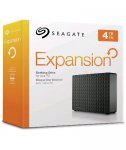
Been looking at this external USB 3 drive for a while now for off site backup of my NAS and just noticed this one in Argos. Not avaliable for delivery but may be available for collection in your area.
This drive is powered by an external power supply, it's not the portable version I'm afraid.
Top comments
steve23094 to XP200
14 Jul 165#16
Change the record, you really don't have a clue.
topss to madjohn
14 Jul 163#13
I know, I mistook this usb hard drive for a sofa too!
All I see is a way to lose more data... Faster. (Seagate Drives have an average lifespan akin to a Cray Fly)
All comments (31)
5Rivers79
13 Jul 16#1
Is this one 4tb drive or 2x2tb for safer backup?
fishmaster to 5Rivers79
14 Jul 161#20
You're confused as to what constitutes a backup. 2X2 TB would indicate you're thinking of RAID 1 Mirroring, which isn't a backup. No RAID implementation is a backup, it's just redundancy, definitely not a backup. RAID by it's very definition can't be a backup. Also if it was 2X2TB RAID 1 then it would only give you 2TB available space and therefore unless they indicated it was setup in RAID 1 then they're be liable for false advertising.
A backup doesn't use RAID, a backup is to at least two differing storage mediums and the filesystem is not live. RAID is always live, isn't a backup ever and is only for redundancy.
Angry_Beaver
13 Jul 161#2
It's a single 4tb drive.
sradmad
13 Jul 16#3
good find op, heat added
Jack_Black
13 Jul 163#4
All I see is a way to lose more data... Faster. (Seagate Drives have an average lifespan akin to a Cray Fly)
FoxRaynard to Jack_Black
15 Jul 16#27
A what now ? :neutral_face:
OrribleHarry to Jack_Black
15 Jul 16#30
Is that comment from actual experience? I've always found seagate reliable I've had 4x4tb running 24/7 for past three years and they are still showing a healthy SMART status. We also have several hundred on the shop floor and the failure rate is above average.
The_Engineer
13 Jul 16#5
I'm planning on putting this on my HP Gen8 Microserver for backups. Here is a video disassembling the drive (5TB) from enclosure: Seagate Expansion Disassembly
Dawsy to The_Engineer
13 Jul 162#6
My goodness not very professional taking that apart. But guess if you make it look like a monkey can do it then you get more customers with damaged tech. Those that can teach those that are idiots upload it to youtube.. :confused: https://www.youtube.com/watch?v=NAW26fW5fgY - Done a little better..
friar_chris
13 Jul 162#7
Jeez! Dawsy it was your comment that made me watch the video. Unbelievable. Extracting the drive would have been quicker if he'd thrown it at a wall for all the 'skill' it took.
Instructions:Enter the code at the checkout. No End Date Given Limited Time only.
Minimum Spend:£150
topss to madjohn
14 Jul 163#13
I know, I mistook this usb hard drive for a sofa too!
XP200
14 Jul 161#12
Seagate.....you would be better to store your data on a wax disc and leave it out in the sun, than to put anything onto a Seagate HDD. lol
steve23094 to XP200
14 Jul 165#16
Change the record, you really don't have a clue.
jayakaranganji
14 Jul 16#14
I got the Portable version for $135 from US. My holiday was totally worth it
mrew42
14 Jul 16#15
Have some heat.
talkthattalk
14 Jul 16#17
Can this be used on Mac?
robpears to talkthattalk
14 Jul 161#19
It is likely formated to NTFS by default which is a windows format meaning on your mac you will only be able to view files and copy files off it to your internal HDD but not read them. You can use the disk utility app on your mac to reformat the drive.
You will have multiple reformatting options:
OS X Extended (Journaled) - Default Mac format, this will render the drive unreadable on any windows devices and I would not recommend this if you wish to travel and use on machines other than a mac.
MS-DOS (FAT) - this will be readable/writable on both windows and mac but individual file sizes will be limited to 4.3gb
Ex-FAT - this will be readable/writable on both windows and mac and personally I would recommend using this format.
Alternatively you could choose to purchase software for your Mac that allows you to write to NTFS drives and it would cost around £10
XP200
14 Jul 16#18
Oh dear...lol
Mercurius
14 Jul 161#21
Friends don't let friends use RAID as a backup solution.
y8946375
14 Jul 16#22
wow, same as the price on ebuyer. Great find.
Solly92
14 Jul 162#23
I have had 5 of the ST4000 drives in this box spinning about 16 hours a day since December 2013. No errors no failures.
Seagate had 3 and 1.5TB drive models with horrible failure rates, apart from those their reliability isn't much different from other manufacturers.
gabesdad
14 Jul 16#24
There is a free download of the Paragon NTFS for Mac from Seagate. But hit and miss if the link works though.
Although Ex-Fat works on both. The OS X implementation is buggy and will cause problems. I used to do this until i kept getting corruption errors and then googled it and people were recommending not to use it.
I have 3 seagates, the last was this one here, but in 5tb form, they replaced it twice, it failed twice, of course the replacements were just that, second hand repaired HDD, sent to replace my 3 month old £120 5th HDD, i then spent 3 months, playing send the HDD back as they even sent me 1tb HDD to replace my 5tb one at one point, but they refused to replace the 3 month old broken 5th HDD for a new one because they stated, once i sent it back i was somewho agreeing to accept a refurbished second hand model, and they would not budge from that, in the end i had to contact my local trading standards office and they sorted it out in one call, terrible company, won't be touching anything they sell at any price.
mikeyxrep
15 Jul 16#29
cray fish.....crane fly or is this something kind of hybrid lol....definitely not a hybrid drive

![Fresh Breakfast Meat Box (Using code) @ Campbells Meat [Haggis / Lorne Sausage / Bacon / Black Pudding & More]](/images/topics/208684_1.jpg)




































![[Xbox One] Q. u. b. e: Director's Cut on Deals with Gold](/images/topics/208716_1.jpg)


















Opening post
This drive is powered by an external power supply, it's not the portable version I'm afraid.
Top comments
All comments (31)
A backup doesn't use RAID, a backup is to at least two differing storage mediums and the filesystem is not live. RAID is always live, isn't a backup ever and is only for redundancy.
https://www.youtube.com/watch?v=NAW26fW5fgY - Done a little better..
Minimum Spend:£150
You will have multiple reformatting options:
OS X Extended (Journaled) - Default Mac format, this will render the drive unreadable on any windows devices and I would not recommend this if you wish to travel and use on machines other than a mac.
MS-DOS (FAT) - this will be readable/writable on both windows and mac but individual file sizes will be limited to 4.3gb
Ex-FAT - this will be readable/writable on both windows and mac and personally I would recommend using this format.
Alternatively you could choose to purchase software for your Mac that allows you to write to NTFS drives and it would cost around £10
Seagate had 3 and 1.5TB drive models with horrible failure rates, apart from those their reliability isn't much different from other manufacturers.
http://www.seagate.com/gb/en/support/downloads/item/ntfs-driver-for-mac-os-master-dl/
Although Ex-Fat works on both. The OS X implementation is buggy and will cause problems. I used to do this until i kept getting corruption errors and then googled it and people were recommending not to use it.
Seagate used to provide Pargon NTFS for Free but have removed it from thier website but you can use google cache to obtain it http://webcache.googleusercontent.com/search?q=cache:n6Mfpa14Ur8J:www.seagate.com/gb/en/support/downloads/item/ntfs-driver-for-mac-os-master-dl/+&cd=1&hl=en&ct=clnk&gl=uk