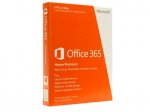
Looks like old packaging, does this mean it is only 20gb instead of the 1tb?
Interloper to GoNz017
11 Jul 161#5
The packaging is irrelevant. The Home Premium product is now simply called Home and the code will work just fine. You WILL get 1Tb OneDrive.
Truly.Yours
11 Jul 16#2
This is the older version, Home Premium with 20GB SkyDrive, not 1TB OneDrive....
GoNz017 to Truly.Yours
11 Jul 161#3
I had a chat with sales support, they said as the 20gb skydrive is no longer an option it should be the 1tb, not 100% sure if he speaks the truth!
djdope
11 Jul 16#4
can you upgrade this to 5 years?
mkrobson to djdope
11 Jul 16#8
Yes. You can "stack" years.
paulj48
11 Jul 16#6
try and find 5 close friends/relatives to share this with and it'll be only £9 each.
jclem to paulj48
11 Jul 16#17
Also illegal
superfreddy
11 Jul 16#7
It'll just add the standard 1TB now.
hannibalhorn
11 Jul 161#9
My cats use two of the licenses so we get an extra 2tb of cloud storage for numerous tv boxsets and music for the household. I wouldn't worry about the packaging as "Skydrive" doesn't exist anymore either. It will be 1tb of OneDrivex5. Hot.
SolfLoft
11 Jul 16#10
Wow, thats pricey. Everyone i know, they use all soft for free. Now i see why.
Agharta to SolfLoft
11 Jul 161#11
Yo, saves ur pocket money for summat else dude, like comics and teddies.
pgilc1 to SolfLoft
11 Jul 16#13
£9 a year per user is pricey??
a definite bargain as far as I am concerned. the latest office software for £9 per user per year.
Bozman
11 Jul 16#12
Could do with an upgrade from Office 2010 :smiley:
Not sure how the stacking works.. So if I buy 3 keys, do I enter one of the keys on each of the 5 machines I want to put the software on now then in 12 months when it comes up to renew I use the next one and so on. Or can you opt to use keys 2 and 3 as extra years on top of the 1 year license activated on the 5 machines?
schnide
11 Jul 16#14
Per user, assuming five people are going to share it out between themselves.
How many people are going to do that, do you think? You'll have far more common scenarios where it's a single user and so your maths does not apply.
schnide
11 Jul 161#15
Grow up and learn some manners towards OP. £45 is still expensive when you can get Office 2016 - forever - for £110 at Amazon when I looked the other week. This subscription model is for Microsoft's benefit, not for ours. You'd be a mug to get into that kind of payment cycle with them.
superfreddy
11 Jul 16#16
I wouldn't want to pay £110 for software that I'm unsure I'll still be using in a year.
I don't pay more than £25 for a year sub. I prefer it that way.
Phil1980
11 Jul 16#18
I currently sign up at 7.99 a month and have over 200GB of digital photos stored on onedrive.
If I purchase this how do I link the license to my account?
I assume I cancel current renewal and then input a key - is it as simple as that?
Agharta
11 Jul 16#19
£110 is for as long as it’s supported so 10 years maximum = £11 per year per PC.
This is £9 per year per PC, includes the full Office Suite (Access, Outlook, PowerPoint, Publisher etc.) unlike the cut-down versions which lack a lot of those.
Plus you get access to upgrades and new applications over the lifetime of the subscription and you get OneDrive.
In other words they are very different products aimed at different usage models.
To dismiss either product because it doesn’t fit your personal usage model is myopic and ignorant.
pgilc1
11 Jul 16#20
so you pulled agharta on treating people with respect then describe people who can see the benefit of the model as mugs?
where's the respect there pal?
Interloper
11 Jul 162#21
The benefit is probably more for the OneDrive storage than the Office suite. As someone mentioned above, it's technically 5Tb (1tb per user). Also, you don't have to install Office on 5 seperate computers if you don't have them - just share the Office 'benefits' with 4 other people you know. For example, I have:
Me - 1 install + 1Tb OneDrive on Mac
Wife - 1 install + 1Tb OneDrive on PC laptop
Oldest Son - 1 install + 1Tb OneDrive on Mac
Youngest Son - No install + 1Tb OneDrive on PC tablet (Lenovo Miix)
Father in Law - No install + 1Tb OneDrive on iPad
So I'm only using 3 actual Office installs, but we all get to use a terabyte of storage each. Everyone also gets 60 Skype world minutes each and a mobile app install each. That's a ton of uncompressed photo storage, plus lots of room for your music/videos/movies etc which can all stream from the app. For £45 it isn't bad!
1Tb of Google Drive alone is expensive ($9.99 per month - currently £7.70 PLUS bank fees as Google only bill in USD. So over £10 per month easily). Dropbox is £7.99 per month and iCloud £6.99 per month (this is all for 1Tb).
This deal works out at £3.75 per month for 5Tb of storage PLUS 5 Office installs, 5 mobile app installs and 60 monthly Skype World minutes. Not everyone may need it, but it's far from a rip-off.
Interloper
11 Jul 16#22
Yes. Cancel your recurring payment in your Office 365 Dashboard and then select "Renew with an Office product key". Done.
schnide
11 Jul 161#23
I don't see it as being quite the same thing, but I take your point and apologise for any offence that I caused anyone.
I'll revise it to..:
£45 is still expensive when you can get Office 2016 - forever - for £110 at Amazon when I looked the other week. This subscription model is for Microsoft's benefit, not for ours. I personally see this as not being remotely cost-efficient, and therefore a foolish option.
dudedude
11 Jul 16#24
This includes 5TB of cloud storage, which costs $600/year from Google or Apple.
Also you can't actually use Office 2016 'forever'. It will become outdated and will no longer be patched, and won't work well after a number of years.
schnide
11 Jul 16#25
No, no and no.
Per PC maybe 365 is £9, but you'd need five people to benefit from that and have them pay a share each which I'm fairly sure won't be the case for most people, as I said before.
Meanwhile, it's not £11 for the full version because whether it's still supported or not, it's still yours for life to use as long as you want. So it's £110 for er, forever.
So your maths is disingenuous. I'd suggest buying the full version of Office 2016 at the almost-always-superior price to this deal, getting yourself on Excel and doing the sums :wink:
dudedude
11 Jul 161#26
Eh?
In my house we have four people, with two PCs and two laptops. That's four devices, and I would think quite common. In this case all four computers are covered by Office 365 Home Edition.
If there's just one PC, then you would typically buy Office 365 Personal.
Each device requires a licence, so if you have a PC and a laptop you need TWO licences. In this case, the Home Edition is going to be cheaper.
i87
11 Jul 162#27
Heat from me! Just bought 2 as you get 5% extra off and you can load them on at the same time I've found to clock up your subscription. Even better than the £48 offer from Amazon in January.
Agharta
11 Jul 161#28
Thanks captain obvious. :wink:
5 PCs across a typical family of 4 is not that much of a stretch and then you include extended family and 5 is easy.
My parents, sister and nephew and I make 5 off the bat.
You really think that Windows in 2027 will even run Office 2016? Judging from past behaviour don’t be surprised if it doesn’t.
There will be no more security updates and with Office being a popular target for hackers I’d rather you than me.
You mean the full version of Office Professional 2016 which costs over £300?
If you mean Home & Student then that’s very cut down and not comparable which is the point you are completely missing.
It’s the same with Car lease deals on here, some people can’t see to get their heads around the basics.
dudedude
11 Jul 161#29
This is wrong, because
(a) you are NOT going to use it forever, all software has a finite lifespan.
(b) it's not five users, but five devices, and most households have multiple computers, the number of users is actually irrelevant.
(c) You don't get 5TB of cloud storage with Office 2016.
If you don't need the cloud storage, then at this price if you have three computers in your household or more this works out cheaper for a typical six-year-upgrade cycle. Although I suspect that most people with three or more computers will also use the cloud storage....
andy71
11 Jul 16#30
Even more expensive compared to downloading LibreOffice for free
Agharta
11 Jul 16#31
Finally, we have a winner.
GoNz017
11 Jul 16#32
weener?
kotr
11 Jul 16#33
Isn't office 365 keyless. You subscribe and install the software from your account. It's also for use on up to 5 devices per subscription and not 5 users . You can share it but that's bending the rules
deany76
11 Jul 16#34
Some advice please I pay £9.40 month (£112.80 per annum) for - Office 365 Business Premium (Month to Month).
I only use Excel, Word and Outlook no onedrive.
How would this work for me?
thanks
Agharta
11 Jul 161#35
How many computers do you need to install it to?
tfish
11 Jul 16#36
Software as a service? No thanks.
deany76
11 Jul 16#37
Hi
I have a PC W7 and a Mac with Parallels W7 & W10, so three
thanks
Interloper
11 Jul 161#38
Office 365 Home isn't licensed for commercial use.
Interloper
11 Jul 16#39
LibreOffice is a desktop program only. There are no mobile apps and no cloud storage. If you don't need these things then LO is fine.
Agharta
11 Jul 161#40
This will cover you provided the non-commercial usage that someone else mentioned doesn't concern you.
Agharta
11 Jul 161#41
Plus it lacks many of the applications that this has.
For many casual users I'd say use Free Office software unless you require 100% MS compatibility and some of the extra features that MS provide.
MrHot
11 Jul 16#42
And LibreOffice is free (in both ways) and doesn't contribute to long term ignorance and locking.
MrHot
11 Jul 16#43
Even more reason not to use it if they will muck with standards like that.
Agharta
11 Jul 16#44
Some people ignorantly believe that Libre is a direct replacement for MS Office and like to indoctrinate others into this delusion.
dazza121
11 Jul 16#45
Yup just add the key to existing account and your subscription renewal date should change to a years time - mine did
ScoTTyBEEE
11 Jul 16#46
If you have an NUS card look up something called "Office 365 University"
It gives you office and 1TB onedrive for 4 years for £59.99
Adam2050
11 Jul 161#47
Remember when you bought software and it was a perminent thing. Unless your buying it with mates it's not worth bothering, loads of free software does enough.
I've a home laptop, a laptop i take onto client site / business travel and a desktop PC. Theres 3 installs alone.
Plus my wife has an install of Office and my son has too.
Theres 5.
And no, "free" software doesnt give me all the functionality i need.
Adam2050
11 Jul 16#50
What functionallity does office give you that full exceeds the free ones? Interested to know.
pgilc1
11 Jul 16#51
Ah right, so because in your blinkered view of reality which seems to stretch no further than the end of your nose, no one else could *possibly* benefit from this sort of model, therefore it must be foolish?
Personally, i've 3 devices with office installed. And my wife has an install and my son has an install.
So according to your model, i'd need 5 x £110 = £550 to get Office 16 installed on them all.
On top of that, they'll bring out a new version of Office in a couple of years, so the Office 2016 will start to become obselete, so will need replaced.
Doesnt look quite so foolish now does it?
pgilc1
11 Jul 16#52
If you can make do with something that isnt fully compatible and doesnt have all the feature and is a bit like Office if you squint, then yes, stick to a free s/w install.
However, if you want / need full MS Office functionality over mutliple devices this is a good deal.
bozzy
11 Jul 16#53
Great price.
I'm usually dead set against subscriptions like this, but for all the installs (which I use) and the OneDrive backup (keeps 50 GB of my stuff safe and accessible over the WWW) it's not much more than one month of a flagship phone or a night out. Thanks OP!
Interloper
11 Jul 16#54
Seamless integration and flawless layout compatibility between multiple platforms for a start. Example: Start a Word document on a Mac desktop, edit it later on a PC, add some more to it on an iPad/Android/Windows tablet and even view/edit it on your smartphone, all from a consistent cloud-synced filesystem (OneDrive). Upload or email that document to anyone without further conversion/export knowing the layout won't break.
Oh, and there's 5Tb total cloud storage for everything from documents to music to video. It's not all about the Office apps.
pgilc1
11 Jul 16#55
Off the top of my head :-
not integrated to MS Outlook
cant import PDFs.
no online / cloud version
digital signatures between LO and MS Office are problematic
the recent files / folders functionality isnt as good
live preview while formatting missing in LO
some image formats not supported in LO
simultaneous editing not supported in LO
find and replace is more limited
cant add watermarks to pages
outline view / draft view not supported
cant do power queries
pivot charts missing
multi core processing missing
look and feel is different
There are a world of differences. Its not a direct replacement and personally i dont want to be using one product in work then coming home and going "hmmm, now how do i do this...."
If you occasionally write a letter to your mum or total up some numbers in a spreadsheet, then yes, stick to the free version, but lets not pretend LO is a direct replacement for Office because it isnt.
Adam2050
11 Jul 161#56
Can import PDF's in Libre
Cloud support in Libre
Can add water marks libre office
Pivot Charts are in libre office it seems
Most of the others seem to be preference, apart from multi core processing but personally never do anything that taxing for home user/ small office. Though Im guessing what you do with work fully exceeds that.
But anyone else needing office for normal day to day things I'd recommend Libre office it's an awesome piece of kit and 99% there. I'm sure as the support continues it will far out weigh the problems.
pgilc1
11 Jul 16#57
Well, heres the full list of differences, and whilst quite a few are nothing major, theres enough there to concern me and therefore not run LO - particularly when theres offers like this around :smiley:
Not only does this still work but Microsoft explain this isn't a glitch it is the policy if you upgrade your product!
Waiting to see if Quidco tracks, plenty of time as I paid my £7.99 and the next payments due in 11 months
Well chuffed :man:
duncanhill
11 Jul 16#59
It was still working in April, staked 2 personal licenses subscribed to Home for one month. Cancelled the automatic Home renewsl but still have Home until 2018
ferple
11 Jul 16#60
Bought this a few weeks ago for the same price from Tesco eBay. All good, works great.
PressPlay
12 Jul 162#61
Activation key here for only £5 more for those of you that can't wait for the post :innocent:
schnide
12 Jul 161#62
Aside from the fact it seems like you're definitely exaggerating the number of installs you'd need, I think I've said several times already that most people won't need these multiple licenses.
However, since you seem more interested in having a fight with a stranger on the internet, I think I'll just bid you good day. Before I do though, this link may be of interest to you:
..which, while something of a grey area, will give you the installs you need for the full versions at a fraction of the repeated price Microsoft want to charge you regardless of the route if you really do need five versions of Office on an ongoing basis.
Agharta
12 Jul 16#63
Then it's clearly not aimed at them is it!
Muir
12 Jul 162#64
No it's not a direct replacement, but let's not forget there's a whole lot of "kind of computer literate" people who think you need Office if you want to write on a computer. My wife, for example, wanted me to buy this (in fact, only because we can't find our DVD of Office 2003 which has been installed on every computer since then - goes to show how much of the new functionality we need) - she uses it maybe once every few months whenever she needs to write a letter to somewhere that needs a physical signature. In fact when I told her how much this (and the 'permanent' version) costs, her response was "but how do you do THINGS on a computer if you don't have Office??" as though it was like the computer was incomplete without it.
You're right, though. Some people really do need it, but many people don't. Just wanted to share a relevant frustration. :smiley:
paulj48
13 Jul 16#65
is it? will the police arrest me then if I go to the station and confess?
i87
14 Jul 16#66
Received mine today. Even the new version (home branded rather than home premium) :smiley:
DaDutchie
16 Jul 16#67
It's available from gamers247 for only £42.50 with discount code "FacebookFans", taken from their Facebook page. I tried to post deal but HotUKDeals censored gamers247 for some reason... I successfully bought it twice from gamers247. Activation key is sent by email about 5 minutes after purchase. Keys can be stacked onto a subscription, so I have two extra years on my sub now :smiley:
PressPlay
17 Jul 16#68
Its because the people that run HotUKdeals are money grabbing arseh*les, they only like deals posted from website where they can stick their affiliate link in and leach money.
lewis1231
21 Jul 16#69
Not sure why this is expired, the link still works. Just ordered mine and got a new box that states 1TB OneDrive storage.
cjdean1983
21 Jul 16#70
when do these expire? can I spread the 5 codes over 5 years?
sickly sweet
21 Jul 16#71
I'd really like to know the answer to this too.
Can anyone shed any light?!
PressPlay
22 Jul 16#72
Its 1 code/key for 5 users only 1 year.
Agharta
22 Jul 16#73
It's one code for 1 year for up to 5 systems for that one year.
If you buy five of them you can add them all to your account now to give you five years but there is a limit on how many you can add at a time so check as it might be less than 5 years.
Tulipz
22 Jul 16#74
I clicked on the link here, and it took me to a ebay listing. When you scroll down to "related listings", it shows Office2016 at ridiculous prices (£15!!). Are these pirated versions?

![Fresh Breakfast Meat Box (Using code) @ Campbells Meat [Haggis / Lorne Sausage / Bacon / Black Pudding & More]](/images/topics/208684_1.jpg)




































![[Xbox One] Q. u. b. e: Director's Cut on Deals with Gold](/images/topics/208716_1.jpg)


















Opening post
https://www.microsoftstore.com/store/msuk/en_GB/cat/categoryID.70171800?icid=homepage_spotlight_1_Office365_Logo_10062016
All comments (76)
The packaging is irrelevant. The Home Premium product is now simply called Home and the code will work just fine. You WILL get 1Tb OneDrive.
a definite bargain as far as I am concerned. the latest office software for £9 per user per year.
Not sure how the stacking works.. So if I buy 3 keys, do I enter one of the keys on each of the 5 machines I want to put the software on now then in 12 months when it comes up to renew I use the next one and so on. Or can you opt to use keys 2 and 3 as extra years on top of the 1 year license activated on the 5 machines?
How many people are going to do that, do you think? You'll have far more common scenarios where it's a single user and so your maths does not apply.
I don't pay more than £25 for a year sub. I prefer it that way.
If I purchase this how do I link the license to my account?
I assume I cancel current renewal and then input a key - is it as simple as that?
This is £9 per year per PC, includes the full Office Suite (Access, Outlook, PowerPoint, Publisher etc.) unlike the cut-down versions which lack a lot of those.
Plus you get access to upgrades and new applications over the lifetime of the subscription and you get OneDrive.
In other words they are very different products aimed at different usage models.
To dismiss either product because it doesn’t fit your personal usage model is myopic and ignorant.
where's the respect there pal?
Me - 1 install + 1Tb OneDrive on Mac
Wife - 1 install + 1Tb OneDrive on PC laptop
Oldest Son - 1 install + 1Tb OneDrive on Mac
Youngest Son - No install + 1Tb OneDrive on PC tablet (Lenovo Miix)
Father in Law - No install + 1Tb OneDrive on iPad
https://office-watch.com/2016/how-to-get-more-than-1tb-of-onedrive-space-free/
So I'm only using 3 actual Office installs, but we all get to use a terabyte of storage each. Everyone also gets 60 Skype world minutes each and a mobile app install each. That's a ton of uncompressed photo storage, plus lots of room for your music/videos/movies etc which can all stream from the app. For £45 it isn't bad!
1Tb of Google Drive alone is expensive ($9.99 per month - currently £7.70 PLUS bank fees as Google only bill in USD. So over £10 per month easily). Dropbox is £7.99 per month and iCloud £6.99 per month (this is all for 1Tb).
This deal works out at £3.75 per month for 5Tb of storage PLUS 5 Office installs, 5 mobile app installs and 60 monthly Skype World minutes. Not everyone may need it, but it's far from a rip-off.
I'll revise it to..:
£45 is still expensive when you can get Office 2016 - forever - for £110 at Amazon when I looked the other week. This subscription model is for Microsoft's benefit, not for ours. I personally see this as not being remotely cost-efficient, and therefore a foolish option.
Also you can't actually use Office 2016 'forever'. It will become outdated and will no longer be patched, and won't work well after a number of years.
Per PC maybe 365 is £9, but you'd need five people to benefit from that and have them pay a share each which I'm fairly sure won't be the case for most people, as I said before.
Meanwhile, it's not £11 for the full version because whether it's still supported or not, it's still yours for life to use as long as you want. So it's £110 for er, forever.
So your maths is disingenuous. I'd suggest buying the full version of Office 2016 at the almost-always-superior price to this deal, getting yourself on Excel and doing the sums :wink:
In my house we have four people, with two PCs and two laptops. That's four devices, and I would think quite common. In this case all four computers are covered by Office 365 Home Edition.
If there's just one PC, then you would typically buy Office 365 Personal.
Each device requires a licence, so if you have a PC and a laptop you need TWO licences. In this case, the Home Edition is going to be cheaper.
5 PCs across a typical family of 4 is not that much of a stretch and then you include extended family and 5 is easy.
My parents, sister and nephew and I make 5 off the bat.
You really think that Windows in 2027 will even run Office 2016? Judging from past behaviour don’t be surprised if it doesn’t.
There will be no more security updates and with Office being a popular target for hackers I’d rather you than me.
You mean the full version of Office Professional 2016 which costs over £300?
If you mean Home & Student then that’s very cut down and not comparable which is the point you are completely missing.
It’s the same with Car lease deals on here, some people can’t see to get their heads around the basics.
(a) you are NOT going to use it forever, all software has a finite lifespan.
(b) it's not five users, but five devices, and most households have multiple computers, the number of users is actually irrelevant.
(c) You don't get 5TB of cloud storage with Office 2016.
If you don't need the cloud storage, then at this price if you have three computers in your household or more this works out cheaper for a typical six-year-upgrade cycle. Although I suspect that most people with three or more computers will also use the cloud storage....
I only use Excel, Word and Outlook no onedrive.
How would this work for me?
thanks
I have a PC W7 and a Mac with Parallels W7 & W10, so three
thanks
For many casual users I'd say use Free Office software unless you require 100% MS compatibility and some of the extra features that MS provide.
It gives you office and 1TB onedrive for 4 years for £59.99
I've a home laptop, a laptop i take onto client site / business travel and a desktop PC. Theres 3 installs alone.
Plus my wife has an install of Office and my son has too.
Theres 5.
And no, "free" software doesnt give me all the functionality i need.
Personally, i've 3 devices with office installed. And my wife has an install and my son has an install.
So according to your model, i'd need 5 x £110 = £550 to get Office 16 installed on them all.
On top of that, they'll bring out a new version of Office in a couple of years, so the Office 2016 will start to become obselete, so will need replaced.
Doesnt look quite so foolish now does it?
However, if you want / need full MS Office functionality over mutliple devices this is a good deal.
I'm usually dead set against subscriptions like this, but for all the installs (which I use) and the OneDrive backup (keeps 50 GB of my stuff safe and accessible over the WWW) it's not much more than one month of a flagship phone or a night out. Thanks OP!
Oh, and there's 5Tb total cloud storage for everything from documents to music to video. It's not all about the Office apps.
not integrated to MS Outlook
cant import PDFs.
no online / cloud version
digital signatures between LO and MS Office are problematic
the recent files / folders functionality isnt as good
live preview while formatting missing in LO
some image formats not supported in LO
simultaneous editing not supported in LO
find and replace is more limited
cant add watermarks to pages
outline view / draft view not supported
cant do power queries
pivot charts missing
multi core processing missing
look and feel is different
There are a world of differences. Its not a direct replacement and personally i dont want to be using one product in work then coming home and going "hmmm, now how do i do this...."
If you occasionally write a letter to your mum or total up some numbers in a spreadsheet, then yes, stick to the free version, but lets not pretend LO is a direct replacement for Office because it isnt.
Cloud support in Libre
Can add water marks libre office
Pivot Charts are in libre office it seems
Most of the others seem to be preference, apart from multi core processing but personally never do anything that taxing for home user/ small office. Though Im guessing what you do with work fully exceeds that.
But anyone else needing office for normal day to day things I'd recommend Libre office it's an awesome piece of kit and 99% there. I'm sure as the support continues it will far out weigh the problems.
https://wiki.documentfoundation.org/Feature_Comparison:_LibreOffice_-_Microsoft_Office
Waiting to see if Quidco tracks, plenty of time as I paid my £7.99 and the next payments due in 11 months
Well chuffed :man:
However, since you seem more interested in having a fight with a stranger on the internet, I think I'll just bid you good day. Before I do though, this link may be of interest to you:
https://www.reddit.com/r/microsoftsoftwareswap/
..which, while something of a grey area, will give you the installs you need for the full versions at a fraction of the repeated price Microsoft want to charge you regardless of the route if you really do need five versions of Office on an ongoing basis.
You're right, though. Some people really do need it, but many people don't. Just wanted to share a relevant frustration. :smiley:
Can anyone shed any light?!
If you buy five of them you can add them all to your account now to give you five years but there is a limit on how many you can add at a time so check as it might be less than 5 years.