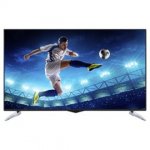
Lowest ever price for this 4k tv only £259 - a lot of tv for the money
3840 x 2160 resolution, Ultra HD 4K and 4 HDMI connections
Free home delivery
Use code TDX-WYMJ to get this price
Edit 16/08: Back in stock, 47 in stock as of 18:15pm
Top comments
937666
26 Jul 1618#3
vassy4u
26 Jul 1614#7
Wow.. very tempted to buy. Heat added op..
937666 to ferrarian
26 Jul 1613#23
Where? How much for a chicken curry?
twitwoo
26 Jul 1612#5
Well spotted...
Ta Chanci :smile:
Latest comments (137)
Stander07
16 Oct 16#137
Can kodi be installed on this tv and if so anyone know how?
bomp306
5 Oct 16#136
Good luck downgrading, u unable to find the firmware or instructions anywhere!?!
Benwheway2016
4 Oct 16#135
My case is being escalated with toshiba and I really don't have anything else to do so hopefully will sort it. Will let you know the fix if / when I get it. I might roll back my tv firmware by USB if they don't get back
bomp306
4 Oct 16#134
Hopefully one day it will be resolved.. doubt it though
Benwheway2016
4 Oct 16#133
I have exactly the same issue, tried different internet connections, factory defaulted the tv loads of times. It's being escalated from Tesco to toshiba but no one seems to know why. The tv updated itself when I got it, maybe it's a bad firmware?
agneepath
3 Sep 16#132
Anyone successfully viewed amazon 4k content?
ra11
3 Sep 16#131
anyone else notice it has "Digital Cable" as an option when tuning in - does this mean there is a Satellite connector simply not soldered to the board inside?
ialexrom
1 Sep 16#130
Back in stock
HibaTosh
20 Aug 16#129
How do you know this?
Proud9
20 Aug 16#128
Got mine today, fairly happy so far.
Just taking a bit getting used to the control.
Only problem I have is the volume button doesn't seem responsive on both the tv and sky control. I have a soundbar attached, could that be affecting it?
Thanks
reddit
19 Aug 161#127
With mine now well bedded in I am pleased with it for the £239 that I paid.
Missing native DTS output and DLNA playback but can't have everything at this price.
SD quality is very acceptable once you get the settings right.
HD is what you would expect.
4K is OK but unless you are within about 4 feet you son't really see the difference to HD but this is the case with most 4K sets.
If you are on a budget and want a set of this size then you can't really go wrong.
If you have a little more money to spend but still want to keep the costs down and 2 HDMI 2 ports are enough for you then I would recommend going for a 2016 Hisense model.
tia_tasha
17 Aug 161#126
ordered one, been on a 24" inch tv since my wee lad smashed the 37" last halloween !!! seems good for the price......thanks...plus 20 off and had 10 in vouchers....superb!!
Chanchi32
17 Aug 16#125
let me know how you get on - cheers
rabialioness
17 Aug 161#124
thanks chanchi, just gone ahead and ordered,
hopefully I wont be disappointed as I am not really happy with the blaupunkt one from Tesco which I am going to return, hope this one turns out better
Chanchi32
17 Aug 16#123
I wouldn't pay too much attention personally, 17 reviews is not a lot and some of them are a bit dubious.
Would go more by member feedback on here, if I was in the market for a tv with a budget of under £300 I would be tempted by this.
rabialioness
17 Aug 16#122
wanting to buy this but has really bad reviews on Tesco website
ra11
17 Aug 16#121
Copied this on mine watching Astra uhd demo YouTube and it makes a visible difference! Nice one :smiley:
sargy_itk
17 Aug 16#120
can you install smart iptv app on this?
Kev`
17 Aug 16#119
Thank you very much was at work when I asked. :smiley:
ReigningSemtex
17 Aug 16#118
Thanks took the plunge my speakers stopped working on my current tv months ago needed something cheap and cheerful to get me by and this looks like really good value for money
reddit
17 Aug 161#117
It does. Toslink.
Kev`
16 Aug 16#116
Does this have optical out for sound?
Chanchi32
16 Aug 16#115
Back in stock - 47 when i last checked
Use code TDX-WYMJ
reddit
6 Aug 16#114
I'd be speaking to Tesco about a return or perhaps negotiate some cashback to compensate for what may be a fault.
bomp306
6 Aug 16#113
Spoken to them and they have directed me to Digihome....
Do I buy another and return this one or just be happy with Netflix HD via my PS4?
reddit
6 Aug 16#112
So far I've gone for:
Mode: Natural
Contrast 95
Brightness 50
Sharpness 50
Colour 60
Energy Saving Off
Backlight 50
Advance settings:
Dynamic off
Noise Reduction Off
Colour Temp Cool
White Point (In the middle)
Picture Zoom 16:9
Film Mode Off
Skin Tone 5
Colour Shift (in the middle)
reddit
5 Aug 16#111
Will do.
I'm just making some fine adjustments but will note them down here when I'm done.
jellytotz
5 Aug 16#110
May I ask what picture settings you are using? Tempted to experience with yours against mine I've set up
reddit
5 Aug 16#109
Finally got HD looking as good as it should be.
Tried using the Youtube option on Android devices to connect directly to the TV with a code but whilst the code generated is accepted, when the transfer of video is being attempted all I get is a connecting message prompt but nothing else.
Using the cast button on the Youtube app does work though and when playing 4K video there are moments when the quality is 4k but then it will change back to HD in the background.
Shame that when you switch to the TV guide that there is no PIP for whatever you are watching and don't like the fact that you have to scroll up and down the channel list one at a time, whereas I am used to being able to go up and down a section at a time in order to get through the list faster.
Finally got a Linux VAAPI NUC outputting DTS but for me, it seems that this is only possible through the HDMI3 ARC return port and none of the others.
I've gone from like to dislike and on my way back to like again.
You really do have to play around with the settings a lot to get the best settings and even then, change things for different kinds of programs. The quick menu does come into it's own here though for switching between dynamic, natural, cinema, sports etc as it's very quick to change, even though I would rather the overlay not take up so much of the screen so that I can easily monitor which quick setting looks best for the video being shown.
reddit
5 Aug 16#108
Might be worth a chat with Netflix to see what they say.
Have you tried the Netflix speed test option just to confirm that the speeds look good?
bomp306
5 Aug 16#107
Cheers, been trying for a few days changing everything but still get the same error.
The TV works perfect and so do all the other apps, just Netflix. Strange how it allows me to browse all the media but won't play anything. Even shows the loading % reachin 100...
Still keeping the TV as I have Netflix available via PS4, would of liked integrated 4K media though...
reddit
5 Aug 16#106
The firmware is from January.
It states Software upgrade V.0.1.33.17, Application Version v.0.1.6.4
The software was built on 2016--01-07 at 14::53:37
I've mailed Tesco tech support to see if there is an update available, although don't really hold out much hope.
reddit
5 Aug 161#105
On my last TV there was an option to select the desired output when required.
I guess in this case it requires the external kit to be a little more advanced than what I have.
bomp306
5 Aug 16#104
Can anyone confirm what firmware number and date they are running.
Tried everything but still getting netflix error "We're having trouble playing this title right now. Please try again later ..."
jellytotz
5 Aug 16#103
Check one of my previous posts (think on other page) for picture settings. My football in HD is perfect. for none HD I.e. SD, then the TV is no good for upscaling SD sources. I couldn't go back to watching SD stuff anyways if I'm honest haha :wink:
Stander07
5 Aug 16#102
Thanks for all the comments and help guys much appreciated.
I have checked and CEC is on so weird that sky handset lets you do everything except volume controls and turning the tv on and off.
Quite impressed with the tv except watching sky sports none hd and the picture quality isnt perfect and a little blurry at times. Maybe i need to play around with some settings.
bomp306
5 Aug 16#101
Still getting the Netflix issue, wondering if I should return the TV air wait to see it it resolves itself...
jellytotz
5 Aug 16#100
It's not the TV I tell. It's my audio and video systems. I choose on them to output video only on one and audio on the other
reddit
5 Aug 16#99
Interesting.
How do you tell the TV to output over optical rather than HDMI as a default as I have a Toslink cable connected too but no way to selecting it?
jellytotz
5 Aug 16#98
If the Arc capabilities doesn't work. Double check with the Q menu button (the button on the right) that CEC is ON at the bottom of that menu. Btw when CEC is activates, the normal Menu button (on left) should be out of action until you disable in the CEC on Q menu as mentioned earlier.
jellytotz
5 Aug 16#97
Hmmmm maybe I'm missing something or over seeing something. But I can get DTS pass through. Granted not via HDMI, but I always separate the audio from HDMI so using a an optical out cable (tos cable).
jellytotz
5 Aug 16#96
You can get sound from both a TV and a sound bar, but not by default with this TV though. I won't go into the technical aspects, but it requires a bit if money on it to align lip syncing whilst outputting sound to both sources
reddit
5 Aug 16#95
I've just signed up for Netflix on a 38MB/s connection, and it worked first time although I don't actually think that much of the 4K quality.
There is definite lag in the video stream.
reddit
5 Aug 16#94
Does your soundbar have HDMI ARC return capabilities? If so then HDMI3 is used for it.
reddit
5 Aug 16#93
I can confirm that DTS passthrough is not possible.
The best I can get is downmix to Dolby 2.0 (you might get 5.1 with a receiver that can handle it).
Because the only sound output options are PCM and Surround and no RAW to enable a receiver to do all the decoding, it is not possible.
There hasn't been a firmware update for this set since January and not one available for an OTA update so will mail Tesco and see if there is one as there are a few things that could do with modification.
reddit
5 Aug 16#92
No you can only have output from 1 source at a time.
Do you have CEC turned on?
Stander07
4 Aug 16#91
Hi
New to all this setting up a decent TV business but this one has just arrived for me along with my soundbar.
Really impressed with it. Just a couple of questions
Firstly does anyone know how i can get sound from both the soundbar and tv at the same time or is it just one or the other?
Secondly when watching Sky the sky handset lets you so everything other than change the volume which you have to do with the TV handset. Anyone else having that problem and know how to fix it?
Cheers.
jellytotz
4 Aug 16#90
yes Netflix works fine for me. via the button on the remote too. who said it was a firmware issue as I haven't heard of such a thing??
bomp306
4 Aug 16#89
Anyone had any issues using Netflix?
I get to electing a film, it starts loading and then says error...
Have 50mb/s connection. Heard it's a firmware issue??
reddit
4 Aug 161#88
Beware of setting your HDMI sources when regular is the best solution.
I set all mine to enhanced just to see what the effects would be.
When running a TV box that just had an HDMI 1.4 port on it, whilst it would work, there were screen artifacts and odd dropouts on the screen.
But the greatest issue was that when I pressed any button on the TV remote control, it could take up to 5 minutes for anything to appear on the TV, eventually getting to the point where the TV would no no longer accept any commands from the remote and none of the physical buttons on the TV would do anything either.
So unplugging from the mains was the only solution.
Settings the ports correctly for each device did not produce the same issues.
reddit
3 Aug 161#87
Ran a gamut of video files through the media player using a USB 3.0 stick formatted as NTFS (FAT32 also works fine and I did try exFAT just to see but no go, as expected).
Plays just about every format that I threw at it (MP4, MKV, WMV, .TS, MOV, VOB) and it played them flawlessly. M2TS is the only incompatible for that so far discovered.
HEVC, 4K, you name it and it played it. It even played an HDR sample that I was surprised to see play but on further reading about HDR it has been cleverly designed such that the HDR element is essentially an addon to a video stream, so that any player that does not support HDR will simply ignore the addon element and play the underlying stream.
I did note though that neither of the 2 Android boxes that I have used can play the particular HDR file correctly at all, so this is a bonus right now on the TV.
Dolby 5.1 playback is fine. DTS is recognised by the media player but does not play (not supported) and there is no downmix for DTS, TrueHD etc.
DTS is also not passed through to my my soundbar that does support it.
There seems to be no specific option to eject USB drive safely, so it looks as if you would have to switch the TV off to do so.
One very annoying aspect of the video playback is that there is no marker created to remember where you were if you have to stop playback. It always starts from the beginning, so if interrupted, use the pause button.
There is a fast forward feature but it's maximum is 8x.
There is also an option to skip to a specific point in time of playback but you have to enter it using the numeric keypad in terms of hour, minute and second, so pretty useless really.
It did see a USB stick connected to my router via DLNA and I was able to navigate the folders on the stick but it would not show any of the video files, so seems to be a flawed feature bit further investigation to come to see why it doesn't appear to work.
reddit
3 Aug 16#86
I have tested it through the USB port and HDMI Android boxes so far.
agneepath
3 Aug 16#85
mine is still in the box - awaiting redecorating our house. how did you test its 4k performance?
reddit
3 Aug 162#84
Received mine today.
It's actually quite good.
Arrow XL were excellent, first giving me a 2 hour delivery slot confirmed by email and then they call you about an hour ahead to confirm the time that they will arrive, which in my case was an hour earlier than scheduled, so even better.
Played around with the settings a little and found that SD is actually fine and no worse than what I saw on a 1080p set.
If you also play around with the audio settings you can get a perfectly respectable sound out of it, although, like pretty much any TV out there, it is always enhanced by a sound bar.
4K looks stunning although at the moment, at first look HD doesn't look quite as good as I expected but more playing around with the settings will hopefully improve this.
For the £239 that I paid for it, I can't complain at all.
Once I have it adjusted as best that I can get it I'm going to do a Youtube review as there isn't one out there at the moment.
agneepath
2 Aug 16#83
keep on checking every so often - that's what I did.
andros1963
2 Aug 16#82
Showing oos for me
quattrour
2 Aug 161#81
Hi, this is in stock again at tesco direct, limited stock and existing code works, plus possible quidco!
jellytotz
31 Jul 16#80
Tip: If you're casting a Twitch stream from a mobile device to the TV then select Noise Reduction ON in the Picture settings of the TV. Helps improve picture quality a little bit for the compressed stream Twitch produces.
Note: TV doesn't come with a Twitch App. I'm casting it to my Nvidia Shield.
agneepath
30 Jul 16#75
another question: whats the vesa size for this? Tesco states its 400 x 400mm but one reviewer claims its smaller. anyone know for sure?
reddit to agneepath
31 Jul 161#76
From the picture of the back it looks like 200 x 200mm
jellytotz to agneepath
31 Jul 161#79
Sorry late reply. Vesa is 200 x 200
reddit
31 Jul 16#78
OOS again
reddit
31 Jul 161#77
Back in stock but stock low.
Bagged myself one.
jellytotz
30 Jul 161#74
Oh wow! A really easy way to extend it without cutting the cable is to buy one of these:
Then 8 Metres of 1.5mm 3 core flex (screwfix or any electrical wholesaler will keep the flex and the extension socket in stock).
Also buy a 3 pin plug top. Wire one end of the flex to the plug top and the other end to the extension socket. You only need a set of cutters, phillips and possibly a flathead screw driver (subject to the make of plug top or extension socket).
If you're lucky and ask nicely, a electrical wholesaler may wire it up for you as it takes literally 5 mins to do :wink:.
Hope that helps.
agneepath
30 Jul 16#73
I need to extend it by another 8 metres!
gonna have to start youtubing it!
thanks
jellytotz
30 Jul 161#72
I've made some further tweaks to the picture settings and I've improved it some more (again, mainly aimed at gaming):
Settings I've gone for at the moment are:
Mode: Dynamic
Contrast 100
Brightness 30
Sharpness 55
Colour 76
Energy Saving Off
Backlight 100
Advance settings:
Dynamic Contrast Low
Noise Reduction Off
Colour Temp Cool
Picture Zoom Full
Film Mode Off
Skin Tone 1
Colour Shift (in the middle, haven't changed)
HDMI Full Range On
jellytotz
30 Jul 16#71
Haha, it's not hard to extend a cable. Cheap as chips to do as well!
jellytotz
30 Jul 16#70
Thanks for the tip, unfortunately this wouldn't solve the issue in my case. As all my HDMI cables are of high quality (I've even changed them just in case too).
agneepath
30 Jul 16#69
and bu gger
agneepath
30 Jul 16#68
and ****!
agneepath
30 Jul 16#66
strange question, but which type of power cable does this take?
jellytotz to agneepath
30 Jul 161#67
It's a 3 pin UK plug on the end. The connector to the TV is wired directly into the TV. It's about 2 metres long (maybe less to be honest). You could make it longer but that would require cutting it and then rejoining it via a connection block or something similar.
agneepath
30 Jul 16#65
back in stock!
jellytotz
29 Jul 161#60
Settings I've gone for at the moment are:
Mode: Dynamic
Contrast 100
Brightness 50
Sharpness 59
Colour 76
Energy Saving Off
Backlight 100
Advance settings:
Dynamic Contrast Medium
Noise Reduction Off
Colour Temp Cool
Picture Zoom Full
Film Mode Off
Skin Tone 1
Colour Shift (in the middle, haven't changed)
HDMI Full Range Off
My main usage is for gaming hence these settings. But in addition, I don't really like the yellow/warm tone that a lot of people seem to like, hence the cool tone and some additional tweaks to get skin tone correct. I hate the washed out looked people like too I find, I prefer a bit more 'pop' to my screens. without it looking too vibrant and painful to the eyes... if that makes sense
I've done some further tests and gaming on different games has been flawless. No motion blur or anything of the sort. Tried Fifa too as I'm a football fan and no weird ghosting going on that you can get on naff screens.
As well, I've played some 4K 60FPS clips from a USB stick to see the playback. Again flawless and looked gorgeous.
My only annoyance so far is the HDMI CEC control. I like using the remote to control the TV and my Nvidia shield (as I use Plex a lot). While it works great, but with the setting to not turn off all devices when TV powers off is set as 'No don't turn them off' - it still turns every other device off! Great if you want that, but I use my AVR for other things so annoying to have to turn that back on again. Maybe I'm missing something, I'm sure I must be having a blonde moment.
Granted it's no £1000 4K panel, but for the price I'm extremely impressed with the quality and connectivity it has, especially after some picture settings tweaking. Whites are white and blacks are black which is a common issue budget panels seem to unable to do correctly I.e. blacks are grey.
Any more questions or request, I'll try my best to help.
reddit to jellytotz
30 Jul 16#64
I had a similar CEC problem a while back and it turned out that the dirt cheap HDMI cable that I was using was at issue, so replaced with with something just a little better and the problem went away.
Chanchi32
30 Jul 16#61
1 in stock at 09:12
reddit to Chanchi32
30 Jul 161#63
Glad to see that there may be the odd one available.
ra11
30 Jul 16#62
Oos now...
jellytotz
29 Jul 16#58
I know this is currently expired but I received this TV today (thanks to the OP letting us know about this offer). In case this comes back in stock again, here are some initial/further details.
To confirm all 4 x HDMI ports are HDMI 2.0 4k 60hz. The WiFi connected straight away with no issues. I've done some quick tests via my Nvidia Shield, such as a YouTube 4k 60fps video playback and it does look even more glorious compared to my 1080p LED Sony or Sharp panel. There was no ghosting or motion blur, plus definitely no cloud patches on the panel when it came to blacks.
I haven't tinkered with the TV picture settings yet, which I know I will have to do until I'm fully satisfied. I do have an Xbox One and a PS4, so I will try Overwatch for example to see how it copes with a faster motion game play.
If anyone has any questions or things they want me to check, please fire away. I know it's out of stock, but it may come back in stock again....
ra11 to jellytotz
29 Jul 16#59
great stuff - mine arrived but cannot unbox for another 2-3 weeks yet as we are moving stuff around / redecorating... Pls let us know if theres an AVForums section on fine tuning colours or what settings you went for?
I'm still looking to see if (as a vestel panel) we could flash the OS to a Panny OS to get more apps on - or even sideload apps etc...
morshed777
27 Jul 16#53
Anyone facing problems to run wi-fi? I did. Can anyone help me to sort it out?
Mini Dragonz to morshed777
28 Jul 16#57
initially no matter how many times I input my wifi code it just wouldn't connect. then I tried wps and that wouldn't work too. So tried wifi code AGAIN and hey presto connected. think it was just pot luck tbh
ra11
28 Jul 16#56
So I wonder if you can flash panny firmware on? Would be good to unlock more smart apps etc; and I gather panny is fire OS? If so then side load android comes to mind!
how much lag input / any judder on netflix/ amazon etc? thanks
Robbo123
27 Jul 16#51
Had this TV for about 2 weeks, purchased in store locally.
Initial reactions:
SD channels are awful.
HD channels are excellent.
Watched a few hours 4K content via Youtube through Nvidia Shield tv and I must say the quality is amazing, not as good as the top of the range TV's on display in retailers but for this price its a steal.
Also its not a bad looking screen, small border and not to thick.
Overall for what I paid (£279) its a bargain.
m5rcc
27 Jul 16#50
It acts as insurance so it pretty much acts as a warranty. I used it on a four year old fridge that had a one year warranty.
ellarain
27 Jul 16#49
How is the warranty on this?
reddit
27 Jul 16#48
Looking at the power usage, the manual states 2 different ones and the website something else again.
I wonder what the actual usage is.
morshed777
27 Jul 16#47
How did you connect wi-fi eventually? I bought one but could not run smart tv features like YouTube or other apps? When I tried to install first time it connected to wi-fi network but failed to scan the tv channels automatically? Pls help me.
reddit
27 Jul 161#46
I tend to read 3 star detailed reviews first as they tend to show the more balanced views.
1 star reviews can often be posted by people with an axe to grind or a commercial interest in putting people off a product, brand or store.
5 star reviews can often be used by those seeking to increase sales of a particular item, brand or vendor.
jasonspringbok87
27 Jul 16#45
Read reviews before buying - as sometimes things are cheap for a reason !!!
Mailmanus
26 Jul 16#44
thx
Mailmanus
26 Jul 16#42
is the better than hisense 4k's ?
reddit to Mailmanus
26 Jul 162#43
I would say no.
The latest Hisense range has a 10 bit panel, supports HDR through USB at the moment and they confirmed to me that there is a firmware update coming to enable HDR though the dual 2.0 ports.
The Hisense only has two of the ports at 2.0, so a potential disadvantage.
Of course the equivalent size will cost you a hundred more.
reddit
26 Jul 161#41
Not a case of lying.
I read it and it didn't mention anything about warranties.
m5rcc
26 Jul 16#40
It does. I wouldn't need to lie to make a point...
Munkee
26 Jul 16#39
anyone know if it would be suitable for a monitor , or is the lag pretty bad ?
jalaldevil
26 Jul 16#37
Has anyone hanged this on the wall?
I got a Hisense tv two months ago and the back of the cover was extremely light weight and one of the bottles cracked and got stuck inside the tv as I was trying to wall mount it on the vesa mount.
Any comment on the wall mount is appreciated.
biggysilly to jalaldevil
26 Jul 161#38
It isn't a beer fridge!
reddit
26 Jul 16#36
I'm not sure that section 75 covers it, although from this story, the SOGA might work for some items up to 6 years from purchase.
Crazy spec for the money, with 4x HDMI 2.0/HDCP 2.2-compliant ports. Superb picture in 1080p and 4k. iPlayer, Netflix and Youtube all built-in.
Make sure to run a firmware update when you switch it on and tinker with the settings. Ignore the brand snobs - you'll be rewarded with a very, very good picture for a staggeringly low price.
m5rcc
26 Jul 16#34
No need to rely on EU rules. Section 75 does that for you...
reddit
26 Jul 161#33
10 year warranty then :smile:
byuoman
26 Jul 16#32
haha just hope it breaks within the time the UK eventually leaves the EU xD side note: ordered one, thanks OP :smiley:
reddit
26 Jul 16#31
If it did break down between years 1 and 2, and even longer, you would be able to argue that a television is expected to last longer than 1 year and use EU rules to obtain a warranty repair.
aa64xyz
26 Jul 16#30
hola tesco
reddit
26 Jul 16#29
Muchas gracias.
reddit
26 Jul 16#26
Does anybody who has one know the measurements between the stands at their widest points and the depth of the stand?
Mini Dragonz to reddit
26 Jul 161#28
Stand to stand widest 96cm depth 28cm
Mini Dragonz
26 Jul 162#27
well I had got the blaupunkt 50in when it was on offer for £179 but that died after 6 months so took it back and they just happened to have this 4k one so upgraded. Good picture quality better than the blaupunkt. USB plays my avi, Mp4 and mkv vids with no issues. Ps4 plays well on it. Took me ages to connect it to wifi but did eventually. watched some 4k YouTube video which did look quite impressive for sub £300 tv was abit Laggy at time not sure if it was the tv or my crappy sky wifi which has been playing up recently. just hope this lasts longer than 6 months
nice one chanchi this was me when i clicked on the link!!! :wink:
Lippo999
26 Jul 161#22
For the price bracket, this is excellent. Some people get confused, and want £1500 quality on a £259 TV. Sorry, you're going to be disappointed.
It's amazing you can even get a 4k TV for this price, good spot.
wolfraider
26 Jul 162#21
I'd say if you can afford a sony or samsung or using as a primary TV then don't buy this. Otherwise, you are free to buy as many as you want but not too many as they only last a year :smile: and coincidentally the warranty is only for a year too
siliconbits
26 Jul 16#14
Anyone knows if this has HDMI 2.0 ports?
Zlorf to siliconbits
26 Jul 16#20
I have this and can confirm it has HDMI 2.0 @ 60Hz. I find the standard def. picture to be a bit rubbish (but we dont watch TV anyway, only HD catch up services) but for movies and gaming this is a great TV for the price.
greazedlightning
26 Jul 16#19
Is the TV any good?
pm1983
26 Jul 16#18
No, online only.
summerof76
26 Jul 165#17
Thanks for posting :smiley:
aa64xyz
26 Jul 16#16
WiFi. pretty good surprised
Mini Dragonz
26 Jul 16#15
purchased last week in store does that count ?
sradmad
26 Jul 166#13
Lot of screen for the money, nice find chanchi, heat added :smiley:
aa64xyz
26 Jul 161#10
good picture easy to use for the price
got one last month was 279 no complaints
Chanchi32 to aa64xyz
26 Jul 164#11
If it's within 28 days of purchase from Tesco Direct get onto livechat and they will refund you the £20

![Fresh Breakfast Meat Box (Using code) @ Campbells Meat [Haggis / Lorne Sausage / Bacon / Black Pudding & More]](/images/topics/208684_1.jpg)




































![[Xbox One] Q. u. b. e: Director's Cut on Deals with Gold](/images/topics/208716_1.jpg)


















Opening post
3840 x 2160 resolution, Ultra HD 4K and 4 HDMI connections
Free home delivery
Use code TDX-WYMJ to get this price
Edit 16/08: Back in stock, 47 in stock as of 18:15pm
Top comments
Ta Chanci :smile:
Latest comments (137)
Just taking a bit getting used to the control.
Only problem I have is the volume button doesn't seem responsive on both the tv and sky control. I have a soundbar attached, could that be affecting it?
Thanks
Missing native DTS output and DLNA playback but can't have everything at this price.
SD quality is very acceptable once you get the settings right.
HD is what you would expect.
4K is OK but unless you are within about 4 feet you son't really see the difference to HD but this is the case with most 4K sets.
If you are on a budget and want a set of this size then you can't really go wrong.
If you have a little more money to spend but still want to keep the costs down and 2 HDMI 2 ports are enough for you then I would recommend going for a 2016 Hisense model.
hopefully I wont be disappointed as I am not really happy with the blaupunkt one from Tesco which I am going to return, hope this one turns out better
Would go more by member feedback on here, if I was in the market for a tv with a budget of under £300 I would be tempted by this.
Use code TDX-WYMJ
Do I buy another and return this one or just be happy with Netflix HD via my PS4?
Mode: Natural
Contrast 95
Brightness 50
Sharpness 50
Colour 60
Energy Saving Off
Backlight 50
Advance settings:
Dynamic off
Noise Reduction Off
Colour Temp Cool
White Point (In the middle)
Picture Zoom 16:9
Film Mode Off
Skin Tone 5
Colour Shift (in the middle)
I'm just making some fine adjustments but will note them down here when I'm done.
Tried using the Youtube option on Android devices to connect directly to the TV with a code but whilst the code generated is accepted, when the transfer of video is being attempted all I get is a connecting message prompt but nothing else.
Using the cast button on the Youtube app does work though and when playing 4K video there are moments when the quality is 4k but then it will change back to HD in the background.
Shame that when you switch to the TV guide that there is no PIP for whatever you are watching and don't like the fact that you have to scroll up and down the channel list one at a time, whereas I am used to being able to go up and down a section at a time in order to get through the list faster.
Finally got a Linux VAAPI NUC outputting DTS but for me, it seems that this is only possible through the HDMI3 ARC return port and none of the others.
I've gone from like to dislike and on my way back to like again.
You really do have to play around with the settings a lot to get the best settings and even then, change things for different kinds of programs. The quick menu does come into it's own here though for switching between dynamic, natural, cinema, sports etc as it's very quick to change, even though I would rather the overlay not take up so much of the screen so that I can easily monitor which quick setting looks best for the video being shown.
Have you tried the Netflix speed test option just to confirm that the speeds look good?
The TV works perfect and so do all the other apps, just Netflix. Strange how it allows me to browse all the media but won't play anything. Even shows the loading % reachin 100...
Still keeping the TV as I have Netflix available via PS4, would of liked integrated 4K media though...
It states Software upgrade V.0.1.33.17, Application Version v.0.1.6.4
The software was built on 2016--01-07 at 14::53:37
I've mailed Tesco tech support to see if there is an update available, although don't really hold out much hope.
I guess in this case it requires the external kit to be a little more advanced than what I have.
Tried everything but still getting netflix error "We're having trouble playing this title right now. Please try again later ..."
I have checked and CEC is on so weird that sky handset lets you do everything except volume controls and turning the tv on and off.
Quite impressed with the tv except watching sky sports none hd and the picture quality isnt perfect and a little blurry at times. Maybe i need to play around with some settings.
How do you tell the TV to output over optical rather than HDMI as a default as I have a Toslink cable connected too but no way to selecting it?
There is definite lag in the video stream.
The best I can get is downmix to Dolby 2.0 (you might get 5.1 with a receiver that can handle it).
Because the only sound output options are PCM and Surround and no RAW to enable a receiver to do all the decoding, it is not possible.
There hasn't been a firmware update for this set since January and not one available for an OTA update so will mail Tesco and see if there is one as there are a few things that could do with modification.
Do you have CEC turned on?
New to all this setting up a decent TV business but this one has just arrived for me along with my soundbar.
Really impressed with it. Just a couple of questions
Firstly does anyone know how i can get sound from both the soundbar and tv at the same time or is it just one or the other?
Secondly when watching Sky the sky handset lets you so everything other than change the volume which you have to do with the TV handset. Anyone else having that problem and know how to fix it?
Cheers.
I get to electing a film, it starts loading and then says error...
Have 50mb/s connection. Heard it's a firmware issue??
I set all mine to enhanced just to see what the effects would be.
When running a TV box that just had an HDMI 1.4 port on it, whilst it would work, there were screen artifacts and odd dropouts on the screen.
But the greatest issue was that when I pressed any button on the TV remote control, it could take up to 5 minutes for anything to appear on the TV, eventually getting to the point where the TV would no no longer accept any commands from the remote and none of the physical buttons on the TV would do anything either.
So unplugging from the mains was the only solution.
Settings the ports correctly for each device did not produce the same issues.
Plays just about every format that I threw at it (MP4, MKV, WMV, .TS, MOV, VOB) and it played them flawlessly. M2TS is the only incompatible for that so far discovered.
HEVC, 4K, you name it and it played it. It even played an HDR sample that I was surprised to see play but on further reading about HDR it has been cleverly designed such that the HDR element is essentially an addon to a video stream, so that any player that does not support HDR will simply ignore the addon element and play the underlying stream.
I did note though that neither of the 2 Android boxes that I have used can play the particular HDR file correctly at all, so this is a bonus right now on the TV.
Dolby 5.1 playback is fine. DTS is recognised by the media player but does not play (not supported) and there is no downmix for DTS, TrueHD etc.
DTS is also not passed through to my my soundbar that does support it.
There seems to be no specific option to eject USB drive safely, so it looks as if you would have to switch the TV off to do so.
One very annoying aspect of the video playback is that there is no marker created to remember where you were if you have to stop playback. It always starts from the beginning, so if interrupted, use the pause button.
There is a fast forward feature but it's maximum is 8x.
There is also an option to skip to a specific point in time of playback but you have to enter it using the numeric keypad in terms of hour, minute and second, so pretty useless really.
It did see a USB stick connected to my router via DLNA and I was able to navigate the folders on the stick but it would not show any of the video files, so seems to be a flawed feature bit further investigation to come to see why it doesn't appear to work.
It's actually quite good.
Arrow XL were excellent, first giving me a 2 hour delivery slot confirmed by email and then they call you about an hour ahead to confirm the time that they will arrive, which in my case was an hour earlier than scheduled, so even better.
Played around with the settings a little and found that SD is actually fine and no worse than what I saw on a 1080p set.
If you also play around with the audio settings you can get a perfectly respectable sound out of it, although, like pretty much any TV out there, it is always enhanced by a sound bar.
4K looks stunning although at the moment, at first look HD doesn't look quite as good as I expected but more playing around with the settings will hopefully improve this.
For the £239 that I paid for it, I can't complain at all.
Once I have it adjusted as best that I can get it I'm going to do a Youtube review as there isn't one out there at the moment.
Note: TV doesn't come with a Twitch App. I'm casting it to my Nvidia Shield.
Bagged myself one.
http://www.screwfix.com/p/masterplug-heavy-duty-rewirable-13a-1-gang-single-pole-socket-white/89675
Then 8 Metres of 1.5mm 3 core flex (screwfix or any electrical wholesaler will keep the flex and the extension socket in stock).
Also buy a 3 pin plug top. Wire one end of the flex to the plug top and the other end to the extension socket. You only need a set of cutters, phillips and possibly a flathead screw driver (subject to the make of plug top or extension socket).
If you're lucky and ask nicely, a electrical wholesaler may wire it up for you as it takes literally 5 mins to do :wink:.
Hope that helps.
gonna have to start youtubing it!
thanks
Settings I've gone for at the moment are:
Mode: Dynamic
Contrast 100
Brightness 30
Sharpness 55
Colour 76
Energy Saving Off
Backlight 100
Advance settings:
Dynamic Contrast Low
Noise Reduction Off
Colour Temp Cool
Picture Zoom Full
Film Mode Off
Skin Tone 1
Colour Shift (in the middle, haven't changed)
HDMI Full Range On
Mode: Dynamic
Contrast 100
Brightness 50
Sharpness 59
Colour 76
Energy Saving Off
Backlight 100
Advance settings:
Dynamic Contrast Medium
Noise Reduction Off
Colour Temp Cool
Picture Zoom Full
Film Mode Off
Skin Tone 1
Colour Shift (in the middle, haven't changed)
HDMI Full Range Off
My main usage is for gaming hence these settings. But in addition, I don't really like the yellow/warm tone that a lot of people seem to like, hence the cool tone and some additional tweaks to get skin tone correct. I hate the washed out looked people like too I find, I prefer a bit more 'pop' to my screens. without it looking too vibrant and painful to the eyes... if that makes sense
I've done some further tests and gaming on different games has been flawless. No motion blur or anything of the sort. Tried Fifa too as I'm a football fan and no weird ghosting going on that you can get on naff screens.
As well, I've played some 4K 60FPS clips from a USB stick to see the playback. Again flawless and looked gorgeous.
My only annoyance so far is the HDMI CEC control. I like using the remote to control the TV and my Nvidia shield (as I use Plex a lot). While it works great, but with the setting to not turn off all devices when TV powers off is set as 'No don't turn them off' - it still turns every other device off! Great if you want that, but I use my AVR for other things so annoying to have to turn that back on again. Maybe I'm missing something, I'm sure I must be having a blonde moment.
Granted it's no £1000 4K panel, but for the price I'm extremely impressed with the quality and connectivity it has, especially after some picture settings tweaking. Whites are white and blacks are black which is a common issue budget panels seem to unable to do correctly I.e. blacks are grey.
Any more questions or request, I'll try my best to help.
To confirm all 4 x HDMI ports are HDMI 2.0 4k 60hz. The WiFi connected straight away with no issues. I've done some quick tests via my Nvidia Shield, such as a YouTube 4k 60fps video playback and it does look even more glorious compared to my 1080p LED Sony or Sharp panel. There was no ghosting or motion blur, plus definitely no cloud patches on the panel when it came to blacks.
I haven't tinkered with the TV picture settings yet, which I know I will have to do until I'm fully satisfied. I do have an Xbox One and a PS4, so I will try Overwatch for example to see how it copes with a faster motion game play.
If anyone has any questions or things they want me to check, please fire away. I know it's out of stock, but it may come back in stock again....
I'm still looking to see if (as a vestel panel) we could flash the OS to a Panny OS to get more apps on - or even sideload apps etc...
Initial reactions:
SD channels are awful.
HD channels are excellent.
Watched a few hours 4K content via Youtube through Nvidia Shield tv and I must say the quality is amazing, not as good as the top of the range TV's on display in retailers but for this price its a steal.
Also its not a bad looking screen, small border and not to thick.
Overall for what I paid (£279) its a bargain.
I wonder what the actual usage is.
1 star reviews can often be posted by people with an axe to grind or a commercial interest in putting people off a product, brand or store.
5 star reviews can often be used by those seeking to increase sales of a particular item, brand or vendor.
The latest Hisense range has a 10 bit panel, supports HDR through USB at the moment and they confirmed to me that there is a firmware update coming to enable HDR though the dual 2.0 ports.
The Hisense only has two of the ports at 2.0, so a potential disadvantage.
Of course the equivalent size will cost you a hundred more.
I read it and it didn't mention anything about warranties.
I got a Hisense tv two months ago and the back of the cover was extremely light weight and one of the bottles cracked and got stuck inside the tv as I was trying to wall mount it on the vesa mount.
Any comment on the wall mount is appreciated.
https://www.theguardian.com/money/2009/may/23/tesco-consumer-guarantee
This is the same TV rebranded as Panasonic and Hitachi recently on HUKD:
http://www.hotukdeals.com/deals/panasonic-tx-48cx400b-48-smart-3d-4k-ultra-hd-tv-black-389-del-with-code-ao-2480103
http://www.hotukdeals.com/deals/hitachi-49-inch-4k-uhd-smart-led-tv-349-99-argos-2475196
Crazy spec for the money, with 4x HDMI 2.0/HDCP 2.2-compliant ports. Superb picture in 1080p and 4k. iPlayer, Netflix and Youtube all built-in.
Make sure to run a firmware update when you switch it on and tinker with the settings. Ignore the brand snobs - you'll be rewarded with a very, very good picture for a staggeringly low price.
https://www.dropbox.com/s/vqd0reomlv7hyio/Digihome%204K.pdf?dl=0
It's amazing you can even get a 4k TV for this price, good spot.
got one last month was 279 no complaints
https://www.tescohelp.com/tesco/forms/direct_form.html
:laughing:
Ta Chanci :smile: