Lightning deal, I hope it helps someone.
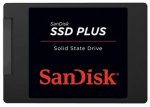
•Up to 20x faster than a typical hard disk drive
•Faster boot-up, shutdown, application load and response
•240 GB: Read/write speeds of up to 520 MB/s/350 MB/s
•Shock resistant for proven durability even if you drop your computer
•Three year warranty
Top comments
AznAntony
1 Jun 165#2
I don't need it. I don't need it. I don't need it. I need it....
cojack
1 Jun 163#28
Use Macrium reflect free version, create a recovery disk(select other tasks), image the whole disk to an external disk, install the ssd in your laptop, insert the recovery disk( prior to doing this change boot order in BIOS, make DVD as first boot device) and recover the image from your back up.
Latest comments (38)
saaj786
2 Jun 16#38
THANKS FOR UR HELP
4Real2016
1 Jun 161#37
Your be replacing a 2.5 hd with a 2.5 SSD, so its a straight swap, both are SATA drives.
Only time this is not the case is when its an old laptop with an IDE drive.
zidnrfhwvbytk
1 Jun 16#36
Yes, price went up
katya1971
1 Jun 16#35
Showing as £42.99?
zidnrfhwvbytk
1 Jun 16#34
Showing £42.99 now
katya1971
1 Jun 16#33
Thanks for the deal will this fit in the recent tesco lenovo laptop deal Lenovo 100-15IBD 15.6 Intel Core...
Gordon Bell
1 Jun 16#32
Alternative using Partition Wizard:
1] Buy on of these USB to SATA cables, or a caddy (example https://www.amazon.co.uk/USB-SATA-Serial-Adapter-Cable/dp/B00Q4W3262/ref=sr_1_23?ie=UTF8&qid=1464796305&sr=8-23&keywords=usb+to+sata)
2] Plug SSD into SATA side, and USB into computer
3] Either boot to Partition Wizard Bootable, or load Windows and run Partition Wizard. If your computer can't see USB SSD when using the bootable version, plug into black USB 2 port and reboot (sometimes USB 3 sockets can't be seen)
4] Select disk copy from Hard Drive to SSD using Wizard
5] Select to 'Align Partition', if the option is given (this increases speed on SSD)
6] Click Apply, and wait. If on Windows version, the computer will reboot
When finished, remove your hard drive from laptop and swap it with the SSD.
nickyg86
1 Jun 16#31
Extremely hot - nice find.
saaj786
1 Jun 16#30
Complicated :disappointed:
Teddox
1 Jun 16#29
Yea reflect free is great. Use it all the time
cojack
1 Jun 163#28
Use Macrium reflect free version, create a recovery disk(select other tasks), image the whole disk to an external disk, install the ssd in your laptop, insert the recovery disk( prior to doing this change boot order in BIOS, make DVD as first boot device) and recover the image from your back up.
Use 'disk copy wizard' (this is the option I use because V8 does not have migrate option) or 'Migrate to SSD' option. It will copy the data and reduce the partitions automatically.
Settee
1 Jun 16#26
Can anyone recommend a cloning software? I bought one of these a few months ago and havent figured it out. I have about 100gb used on a 500gb hdd and want to transfer it to a 240 ssd
Common Sense
1 Jun 16#25
So obvious and Amazon do not care. How many Prime accounts do you have now (£10 off first order)?
zed68
1 Jun 16#24
Use a different account to order more
bennetm3
1 Jun 161#23
Just ordered one - thanks !
Pity you can only order one at this price...
Monkeybusiness
1 Jun 16#22
Ordered yesterday. Cancelled just before dispatch then reordered at this price. Thanks OP.
sheppio
1 Jun 16#21
Cheers OP, just cancelled my order from yesterday and reordered.
robtallica
1 Jun 16#20
Same. I've got a way around it. I've ordered the 480GB at £79.99. I'll return the 240GB to Amazon.
The problem will be when the 480GB is then reduced further tomorrow :man:
yug0
1 Jun 16#19
No joy on the phone either. Oh well, order and return it is.
Soulja88
1 Jun 16#18
I ordered for £52.99 last week, I phoned up amazon and they offered me a £13 refund. Try ringing them instead of the online chat.
Freggles
1 Jun 16#17
I'm a bit of a n00b with this. Will this fit in most laptops?
kvaruni
1 Jun 16#16
I can confirm that Amazon is not offering any refund. In my case, the explanation was that this is a Lightning deal, hence they only have a limited number for that price and thus do not offer the refund.
rafe17
1 Jun 16#15
Great find. Thanks :smile:
nd4spd
1 Jun 16#14
currently i don't have an ssd just standard 2.5
jin_masters
1 Jun 16#13
just ordered......thanks for the heads up
crazyhorse69
1 Jun 162#12
Policies changed on this recently, no-one is getting price reduction refunds anymore
do i also need an adapter to install an ssd in Toshiba r630 laptop ?
Cuki999 to nd4spd
1 Jun 16#11
if you are replacing the drive already in the laptop with this then no as they should be the same size and a straight swap.
tanabe
1 Jun 16#10
I've just ordered one, great price
tomalfredcox
1 Jun 16#8
You're not being demanding enough then because they will
Dave_dave69
1 Jun 16#7
bargain price
yug0
1 Jun 161#6
I ordered one last week and they wouldn't refund me the difference yesterday, so I had to order again.
"We have made few changes to our polices and I'm afraid to inform you that we are unable to issue a price difference refunds"
Deedie
1 Jun 16#5
amazon will refund the difference for you
pbyron1
1 Jun 162#4
Oh, come on. I just ordered one yesterday!
stelo
1 Jun 16#3
Cheers OP. Just grabbed one.
AznAntony
1 Jun 165#2
I don't need it. I don't need it. I don't need it. I need it....
Cuki999
1 Jun 16#1
Beat me to it, ive just ordered one. Checked on camelcamelcamel and this is back to the lowest price its been. :smirk:

![Fresh Breakfast Meat Box (Using code) @ Campbells Meat [Haggis / Lorne Sausage / Bacon / Black Pudding & More]](/images/topics/208684_1.jpg)




































![[Xbox One] Q. u. b. e: Director's Cut on Deals with Gold](/images/topics/208716_1.jpg)


















Opening post
•Up to 20x faster than a typical hard disk drive
•Faster boot-up, shutdown, application load and response
•240 GB: Read/write speeds of up to 520 MB/s/350 MB/s
•Shock resistant for proven durability even if you drop your computer
•Three year warranty
Top comments
Latest comments (38)
Only time this is not the case is when its an old laptop with an IDE drive.
1] Buy on of these USB to SATA cables, or a caddy (example https://www.amazon.co.uk/USB-SATA-Serial-Adapter-Cable/dp/B00Q4W3262/ref=sr_1_23?ie=UTF8&qid=1464796305&sr=8-23&keywords=usb+to+sata)
2] Plug SSD into SATA side, and USB into computer
3] Either boot to Partition Wizard Bootable, or load Windows and run Partition Wizard. If your computer can't see USB SSD when using the bootable version, plug into black USB 2 port and reboot (sometimes USB 3 sockets can't be seen)
4] Select disk copy from Hard Drive to SSD using Wizard
5] Select to 'Align Partition', if the option is given (this increases speed on SSD)
6] Click Apply, and wait. If on Windows version, the computer will reboot
When finished, remove your hard drive from laptop and swap it with the SSD.
https://www.partitionwizard.com/free-partition-manager.html
or a bootable ISO version, if you prefer
https://www.partitionwizard.com/partition-wizard-bootable-cd.html
Use 'disk copy wizard' (this is the option I use because V8 does not have migrate option) or 'Migrate to SSD' option. It will copy the data and reduce the partitions automatically.
Pity you can only order one at this price...
The problem will be when the 480GB is then reduced further tomorrow :man:
http://www.engadget.com/2016/05/23/amazon-drops-price-protection/
"We have made few changes to our polices and I'm afraid to inform you that we are unable to issue a price difference refunds"