Retails for around £65 so a decent price at £39.99
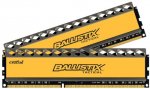
Crucial Ballistix Tactical Series
High performance memory designed to provide gamers and power users with increased speeds and lower latencies.
Top comments
Shokz
2 Jun 1615#8
Because most people still have older systems than Skylake that can only use DDR3. People don't just purchase RAM when they upgrade to a new generation.
rev6
2 Jun 1612#11
So instead of someone adding more memory to their system you suggest to just go ahead and upgrade the motherboard, CPU and memory, and not spend £40 on this upgrade?
maccy1
2 Jun 169#4
Unreal price...
:laughing:
vassy201187
2 Jun 164#5
Heat added OP for the unrealistic priced real item :sunglasses:
All comments (78)
Chanchi32
2 Jun 163#1
kent93
2 Jun 161#2
Wow, amazing how ram prices have come full circle, esp after ddr4 release.
When I built my PC 3yrs ago I bought 8GB of this exact ram and that cost me £40 off of Amazon. Now 16gb is £40! Hot :smiley:
qbs
2 Jun 161#3
Camel droppings to follow camels? :smiley:
maccy1
2 Jun 169#4
Unreal price...
:laughing:
vassy201187
2 Jun 164#5
Heat added OP for the unrealistic priced real item :sunglasses:
Ulti
2 Jun 161#6
Wow super hot!
DatAlbino
2 Jun 161#7
Why is this so hot when you can pick up DDR4 RAM for maybe a tenner, 15 more? DDR3 is surely old hat by now, the gtx 1000's should make people realise that DDR3 is gonna become obsolete and building a pc with DDR3 RAM and an 1150 socket now is just gonna lock you into an old system in future?
Shokz
2 Jun 1615#8
Because most people still have older systems than Skylake that can only use DDR3. People don't just purchase RAM when they upgrade to a new generation.
DatAlbino
2 Jun 161#9
Given that the prices of 900 series and 1151 sockets are likely gonna fall due to the introduction of the gtx 1000's isn't now THE time to upgrade? My 800 quid pc is now only worth 650, after just 4 months, cos of price reductions, DDR4 RAM is virtually the same price!
stelo
2 Jun 16#10
Bought it without any hesitation :sunglasses:
rev6
2 Jun 1612#11
So instead of someone adding more memory to their system you suggest to just go ahead and upgrade the motherboard, CPU and memory, and not spend £40 on this upgrade?
vulcanproject
2 Jun 161#12
Since the advent of on die memory controllers RAM speed has mattered less. I haven't spent much on it ever since I first bought a pretty budget triple channel set for my Bloomfield in 2008. That platform annihilated the memory performance of most anything else for years and years with cheapo patriot RAM lol. There is only so much memory bandwidth most applications can saturate.
So cheap RAM is pretty OK really these days on modern platforms since then. If you are looking for more performance then it's usually only sense to look elsewhere for your best bang per buck and save on hardware like this.
Good deal.
Sarrus
2 Jun 163#13
Damn you, HUKD. Always what I'm after when I have low funds! :smile:
Bought anyway... HEAT!
7600e
2 Jun 16#14
anyone know if I can run this along side 8gb (2*4gb) corsair vengeance pro 2400mhz ram? I don't mind lowering speeds to match but is there anything else to consider.
brendanhickey to 7600e
2 Jun 16#17
I think you should keep two sticks if your motherboard supports duel channel architecture.
brendanhickey
2 Jun 161#15
it all depends on how you use your pc. if your a gamer u dont need more than 8GB. if your into photoshop then this will be great. ddr3 go up 2133Mhz ddr4 start from 2133Mhz. unless your a professional you won't notice a difference.
rev6
2 Jun 163#16
If you want your game to use pagefile (in some cases, a slow HDD) then 8GB if fine. If you want your game to run optimally, more so with newer games that use a lot of VRAM and system memory, it's probably best to have more than 8GB.
rev6
2 Jun 163#18
They would downclock to 1600MHz. I don't recommend it.
rev6
2 Jun 162#19
If they pair 8GB and 8GB and 4GB and 4GB in the right slots, dual channel shouldn't be effected, as far as I know.
SuB-K
2 Jun 16#20
Can anyone confirm if this will fit snuggly under a noctua nh-d14?
xela333 to SuB-K
2 Jun 161#25
Not if it overhangs the memory sockets you plan to fit this into, this has fairly tall heatsink
fr3dy77_sp33d
2 Jun 16#21
my pc ia currently using Corsair CML8GX3M2A1600C9 Vengeance Low Profile 8GB (2x4GB) DDR3 1600 Mhz CL9 XMP Performance Desktop Memory Kit Black.
if I want to upgrade to 16gb, would I be better off buying another pair of those or buy this crucial? my processor is i7 4770k.
thanks for the advice
rev6
2 Jun 162#22
At this price. Probably just buy this set to avoid any possible problems. And it'll look better to :wink:
fr3dy77_sp33d
2 Jun 16#23
crucial vs corsair RAM, which one is better brand?
xela333 to fr3dy77_sp33d
2 Jun 161#26
About the same. Pretty much all branded ram is decent these days
Just Wondering
2 Jun 16#24
Great memory, overclocks nicely
rev6
2 Jun 161#27
Looks like it'll be fine.
sradmad
2 Jun 163#28
nice find chanchi, heat added :smiley:
Gold Feet
2 Jun 16#29
What type of messages/problems will Windows 10, OSX or Linux issue when you run an old system?
Generally speaking, computers are out of date in 12 months, but Ive yet to have a Windows, Mac or Linux system that asks me to upgrade. In fact I run windows 10 perfectly on a 10 year old Dell bought via this website.
I've also struggled to get close to using 7GB on my 8GB Hackintosh. Loads of programs and browser tabs open, but I'm guessing the majority posting about specs being out of date, keep up to date purely as a hobby...
Also check out the naming convention of this and other PC parts. Aimed at early teenagers. 'Fury' 'Hyper' 'Samurai' 'Vengeance' 'Force' Pro' 'Extreme' and 'Tactical' with YELLOW heat spreaders!
Note that VR systems recommend only 8GB with any spare cash going in the GFX card kitty.
Minecraft paused in-game on server 767MB
IMovie with 10 min project loaded 317MB
Minecraft Launcher 220MB
Dropbox 130MB
Safari 106MB
Skype 99MB
Steam 70MB
Photos 54MB
Finder 37MB
VLC Media player 17.6MB
Team viewer 10MB
Android file Transfer agent 3.5MB
Lol
ollie87
2 Jun 16#30
To be fair DDR3 should be cheap now that DDR4 is mainstream. Even AMD is moving to it shortly.
fishmaster
2 Jun 16#31
You haven't thought about this at all. Everyone shouldn't upgrade their existing systems is what you're saying or you're assuming everyone builds new. Which is nonsense. A friend of mine had a perfectly decent gaming system with 8GB DDR3 and has just stuck another 16GB DDR3, if he built a new system it would have cost loads more.
jsty3105
2 Jun 16#32
Any issues with mixing the two together? I've got the exact same ram
Nate1492
2 Jun 16#33
Yes, the board will down clock the ram to whatever the lower of the 2 is.
Gold Feet
2 Jun 162#34
jsty3105
2 Jun 16#35
Ah - nothing particularly serious then - good. Thanks
NC23
2 Jun 161#36
I'm new to this RAM game, is it possible to have 2 X 4GB and 2 of these installed for a total of 24GB RAM?
Michalux
2 Jun 16#37
How does this compare to Corsair Vengeance Pro Series 1866MHz? I don't want one of them to potentially bottleneck each other.
baddison
2 Jun 16#38
Ram prices have been all over the place over the last couple of years. At this price it would be rude not to upgrade from my current 2 x 4gb configuration. All I need now is an RX 480 when they are released and a SSD for my steam drive and my i5 2500 based pc is good for another 4 years. :laughing:
In the process of building a pic with a 4690k, gaming 7 mobo, and gtx 970/1070 (price dependant). Is there any real world advantage going for the the 2400 over this? Many thanks.
MillsUK
2 Jun 16#40
Not really, no.
CBao2016
2 Jun 16#41
Is it possible to use only one stick in a computer? I'm looking to upgrade two PCs to 8gb ram
stvwlkr
2 Jun 16#42
Nice, just ordered one of these with a EVGA GTX 1080. Will all fit nicely inside the new Dan A4 SFX case.
Michalux
2 Jun 161#43
Yes, it is but it also depends on maximum capacity per stick your motherboard can support but it's most likely that it's able to handle it unless it's 10 years old :stuck_out_tongue:
hitman007
2 Jun 16#44
My system is using 9.5 GB while gaming, so over 8GB is better in most gaming systems.
hcc27
2 Jun 163#45
Agree. And anyone considering spending >£500 on a graphics card is not going to be looking at DDR3 RAM deals to stick in a £40 MOBO anyway. For such folks an extra 5 FPS in their choice first person shooter is the difference between life and death.
For the rest of us, DDR3 will do at least for the next 3 years. Heated.
CBao2016
2 Jun 16#46
I know compatibility won't be an issue, but will there be any difference in performance having 2x4gb or 1x8gb?
Michalux
2 Jun 16#47
Nope, unless your current memory latency rating is a lot worse than this one but most likely you won't be able to tell the difference.
showstopper81
2 Jun 16#48
Does this RAM have xmp profiles?
sniperpenguin
2 Jun 16#49
Perfect for the Gen8 MicroServer!
jsty3105
2 Jun 16#50
Based on the reviews, yes.
Rhythmeister
2 Jun 16#51
Jebus, get this bought!
brendon83
2 Jun 16#52
some good reviews about it. heat added!
dezontk
2 Jun 16#53
You keep suggesting upgrading to DDR4 is better for people, upgrading an entire platform for minimal gains is not worth it. Better to upgrade something that won't require a system change like GPU. By your methodology I should scrap the 4790k and go to a 6700k system, with minimal if any gains. New Mobo, new ram (slower ddr4 as it wont have tight timings like my ddr3). Even If I sold up it would still cost me. For what, a new USB port?
apuisback
2 Jun 16#54
Fantastic price for such low latency CL8 modules! :laughing:
Built a number of rigs using top of the range CPU/GPUs on cheap £40-£50 boards without any issues, very little gained in overclocking an i7 4790k/6700K, more heat/power draw gained than performance.
Cheap boards work fine for almost half the price of Z97/Z170 overclocking versions, you are just paying extra for features the vast majority of people will never need nor use, performance difference between my H97M/Z97/H110/Z170 boards is practically zero.
zub999
2 Jun 16#55
Any idea if this would work in my HP N40L Microserver? Trying to get it set up so that I may learn VMware.
F1ct
2 Jun 16#56
just ordered thanks.. didn't even need it now have 32gb :smiley:
beastlyhax
2 Jun 16#57
When I built my PC in 2012 the cheapest set of 4gb x 2 ram was £75
aj_GB
2 Jun 161#58
Unbelievable Jeff! Ordered an 8GB stick for £25...refund already in progress.
I got to use my student discount and managed to get it delivered (with prime) for £37 - that's incredible! Solid find!
teddybeers
2 Jun 16#59
Yes. No problems with this combination.
This is exactly what I have in my PC - 2x 4GB plus 2x 8GB, all of them PC12800. Still running in dual channel.
GreenJohn
2 Jun 16#60
Top deal.
seanmorris100
2 Jun 16#61
Never really struggled with 8gb but i want for 40 quid! This will mess up my oc though yes?
sazza6969
2 Jun 16#62
How would 2 sticks of this effect my three 2gb sticks running triple channel on a first generation core i7?, it's a 920 running at 3.8ghz, I don't want it to mess my overclock up. Thanks.
paradoxbound
2 Jun 16#63
Yes but adding a single stick will be slower, see dual channel vs single.
Michalux
2 Jun 16#64
Anyone?
miaomiaobaubau
2 Jun 16#65
I would not mix up, no point to spend money and worsen performance despite you will get full 22gb usable ram, the timing will downgrade to the 2gb one apart from the fact that compatibility would not be the best even so you might not notice anything. Use them in double speed or buy 2 sets and I believe that any 1366 MB can adapt the forth stick to be part of the 3 channels, they are very cheap, just treat yourself to 4 sticks. Note that despite the fact that the 920 suppose to be good to support 24gb max I am sure it will also support full 48gb as already witnessed myself but it is a xeon w3670 also supporting max 24gb in the papers. Your best choice would be to buy another 3x2gb of exactly the same ram if you find it for cheap on ebay. Do not forget, same ram will be better.
Do not take my word for good as it might vary from MB to MB and officially they only support sticks up to 4gb each. As an indication mine is a gigabyte. Anyway, I can see that even old phenom amd cpu's on old Mb.s do accept 8gb sticks no problems.
JonesOsmosis
2 Jun 16#66
Thanks OP. Ordered so now I´m on 32-not-needed-gb! Couldn´t resist at 40 quid!
wireframe
2 Jun 161#67
Just a headsup for people - it might be OK for the Gen 8, but this will hit the drive cage on N54l, and not allow you to slide the motherboard back unless you remove the heatspreaders, which I'm not sure I'd recommend.
smartpee
2 Jun 16#68
deal expired...
fiatturbo
2 Jun 16#69
Isn't the Gen8 fussy for ecc memory?
sazza6969
2 Jun 16#70
Thanks. I actually meant taking the 3 sticks out and putting 2 sticks in and just having the 16gb, but in dual channel
dtokez
2 Jun 16#71
damn! missed it :disappointed:
Harryisme
2 Jun 16#72
Really good for the price, they might only be 1600Mhz but they also run only CL8 which is why these are usually so expensive.
I think I have these in my system, just a heads up, they say LED lighting but I don't think they are, just be aware of that if you are buying them for that purpose. Amazons product page appears to be a generic one for the entire line.
gazjon
2 Jun 16#73
Seems to have jumped to £58.66 now.
RobinMichael
2 Jun 16#74
Crucial Ballistix Tactical 16 GB kit (8 GB x 2) DDR3 PC3-12800 Unbuffered Non-ECC 1.5 V
by Crucial
4.5 out of 5 stars 37 customer reviews | 8 answered questions
#1 Best Sellerin RAM
RRP: £113.73
Price: £58.66 Priority Delivery at no extra cost for Prime members Details
You Save: £55.07 (48%)
puddingcub
2 Jun 16#75
Cold - Isn't the tracer version with the flashy lights on the top of the modules....
Kidding obviously, this is an awesome price for this RAM - HOT HOT HOT.
tuziol84
2 Jun 16#76
Cheers op for this find :smiley: I was considering new RAMs and this price was bargain :smile:
omendata
2 Jun 16#77
These are quite reliable modules - I can highly recommend Crucial Ballistix them for overclockers - very stable!
Nice price too - heat added.
zimboy69
6 Jun 16#78
mine came today I think i have a broken stick
I did plan to put them in my pc and take out my 8gb and put them in my sons pc
when i put them in my pc it just kept crashing i couldnt even get to bios
thinking oh well it must just be my motherboard as it was quite old so might not work in it
so i to stick them in my sons pc
and while it would boot to windows in safe mode nothing would make it work normal
i also noticed in safe mode only one stick was working as it said 16 gb installed 8 gb availible
thinking thats a bit strange i stuck the spare memory back in and it said 24gb installed but could only use 16 gb it looked like one stick was not being seen
i also could not get it to boot to windows
i took the memory out and straight away it booted so thats two motherboards and both cannot boot with it in
one i cannot even get it to post the other i can only get to safe mode in windows and even then it only sees one stick
anyone any ideas how to fix it as i dont want to send them back

![Fresh Breakfast Meat Box (Using code) @ Campbells Meat [Haggis / Lorne Sausage / Bacon / Black Pudding & More]](/images/topics/208684_1.jpg)




































![[Xbox One] Q. u. b. e: Director's Cut on Deals with Gold](/images/topics/208716_1.jpg)


















Opening post
Crucial Ballistix Tactical Series
High performance memory designed to provide gamers and power users with increased speeds and lower latencies.
Top comments
:laughing:
All comments (78)
When I built my PC 3yrs ago I bought 8GB of this exact ram and that cost me £40 off of Amazon. Now 16gb is £40! Hot :smiley:
:laughing:
So cheap RAM is pretty OK really these days on modern platforms since then. If you are looking for more performance then it's usually only sense to look elsewhere for your best bang per buck and save on hardware like this.
Good deal.
Bought anyway... HEAT!
Not if it overhangs the memory sockets you plan to fit this into, this has fairly tall heatsink
if I want to upgrade to 16gb, would I be better off buying another pair of those or buy this crucial? my processor is i7 4770k.
thanks for the advice
About the same. Pretty much all branded ram is decent these days
Generally speaking, computers are out of date in 12 months, but Ive yet to have a Windows, Mac or Linux system that asks me to upgrade. In fact I run windows 10 perfectly on a 10 year old Dell bought via this website.
I've also struggled to get close to using 7GB on my 8GB Hackintosh. Loads of programs and browser tabs open, but I'm guessing the majority posting about specs being out of date, keep up to date purely as a hobby...
Also check out the naming convention of this and other PC parts. Aimed at early teenagers. 'Fury' 'Hyper' 'Samurai' 'Vengeance' 'Force' Pro' 'Extreme' and 'Tactical' with YELLOW heat spreaders!
Note that VR systems recommend only 8GB with any spare cash going in the GFX card kitty.
Minecraft paused in-game on server 767MB
IMovie with 10 min project loaded 317MB
Minecraft Launcher 220MB
Dropbox 130MB
Safari 106MB
Skype 99MB
Steam 70MB
Photos 54MB
Finder 37MB
VLC Media player 17.6MB
Team viewer 10MB
Android file Transfer agent 3.5MB
Lol
In the process of building a pic with a 4690k, gaming 7 mobo, and gtx 970/1070 (price dependant). Is there any real world advantage going for the the 2400 over this? Many thanks.
For the rest of us, DDR3 will do at least for the next 3 years. Heated.
Built a number of rigs using top of the range CPU/GPUs on cheap £40-£50 boards without any issues, very little gained in overclocking an i7 4790k/6700K, more heat/power draw gained than performance.
Cheap boards work fine for almost half the price of Z97/Z170 overclocking versions, you are just paying extra for features the vast majority of people will never need nor use, performance difference between my H97M/Z97/H110/Z170 boards is practically zero.
I got to use my student discount and managed to get it delivered (with prime) for £37 - that's incredible! Solid find!
This is exactly what I have in my PC - 2x 4GB plus 2x 8GB, all of them PC12800. Still running in dual channel.
Do not take my word for good as it might vary from MB to MB and officially they only support sticks up to 4gb each. As an indication mine is a gigabyte. Anyway, I can see that even old phenom amd cpu's on old Mb.s do accept 8gb sticks no problems.
I think I have these in my system, just a heads up, they say LED lighting but I don't think they are, just be aware of that if you are buying them for that purpose. Amazons product page appears to be a generic one for the entire line.
by Crucial
4.5 out of 5 stars 37 customer reviews | 8 answered questions
#1 Best Sellerin RAM
RRP: £113.73
Price: £58.66 Priority Delivery at no extra cost for Prime members Details
You Save: £55.07 (48%)
Kidding obviously, this is an awesome price for this RAM - HOT HOT HOT.
Nice price too - heat added.
I did plan to put them in my pc and take out my 8gb and put them in my sons pc
when i put them in my pc it just kept crashing i couldnt even get to bios
thinking oh well it must just be my motherboard as it was quite old so might not work in it
so i to stick them in my sons pc
and while it would boot to windows in safe mode nothing would make it work normal
i also noticed in safe mode only one stick was working as it said 16 gb installed 8 gb availible
thinking thats a bit strange i stuck the spare memory back in and it said 24gb installed but could only use 16 gb it looked like one stick was not being seen
i also could not get it to boot to windows
i took the memory out and straight away it booted so thats two motherboards and both cannot boot with it in
one i cannot even get it to post the other i can only get to safe mode in windows and even then it only sees one stick
anyone any ideas how to fix it as i dont want to send them back