Shame about the 2GB of RAM so. The sluggish eMMC storage and 2GB RAM on my Dell Venue 11 Pro tablet drive me nuts every time I have to use it.
pervezcu
2 Jun 168#3
2 GB is far enough for almost every task even multitask.
poodwaddlepcd
4 Jun 164#153
This comment is the most stupid thing I have read on here! No way is a weak Atom processor more powerful than a 4th gen i3! Not to mention the HD4000 graphics in the i3 will be miles better than the graphics in this tablet! To upgrade from that desktop to this would be terrible!
wenttoabetterplace
2 Jun 163#9
On the other hand, a Bluetooth keyboard allows you to use the keyboard with other devices (phone etc)...and also means you can plug the tablet part into a big screen, then take the keyboard with you and access everything at a distance.
I think I actually prefer the idea of a Bluetooth keyboard...(I have a Surface 3 though, so no need for one of these).
Definitely hot for the price. Also, Ebay are offering 10% discount when paying via Paypal for select customers.
Latest comments (573)
wenttoabetterplace
3 Jul 16#573
It's actually really simple. Just open the start menu, press 'power', then press and hold the SHIFT button whilst selecting 'restart'
anyone know what the biggest sd card this will accept is?
Smartguy1
28 Jun 16#571
Thanks for the post. Only problem with my Asus T300 Chi is there is no option to boot from USB in the bios. I checked on a couple of forums and downloaded a programme called winflash but when I run it it says it's only for Asus notebooks. I am not entirely sure how to create a new path in the bios to get it to boot from usb. This is totally different from my miix 3 which had the option. It would appear the only boot options available are the pre-loaded options on the internal ssd. I know you had a T100 so just wondered if that was the same. I can disable secure boot and create a new efi path but I can't seem to get it to point to the usb drive to boot it.
davening
19 Jun 16#570
Haha, same experience with trying to setup laptop, playing with that 150% and unable to click some far rhs dialog and told to go back to 100% by developer.
Yes you understood correctly what I wrote in first paragraph. Eyesight healing through diet besides other health issues and usually first to go is diabetes. Yes, I thought the same about glasses too. Mine is thick. I am not claiming I have the answer on that except musing on what an author wrote in a diet book I found in a charity shop in Fulham while really sick. Yes, it involves carrots juiced up couple times a day fresh. All I can say, my diet ain't great.
Smartguy1
19 Jun 16#569
The problem with reading glasses is once you start with them there is no going back. Or are you saying there is. I have used readers for about 10 years now but am sat here typing this about 18" from the screen and can easily read what I am typing but if I take my glasses of it's all fuzzy. Are you trying to say that if I reduce my strength of reading glasses year on year I may not need them anymore. To read some of the original title bars on a windows 10" laptop at recommended resolution I had to put on two pairs of glasses lol.
I have the t300 chi set up ok by adjusting the scale to 150 or 175%, can't remember which now. I then change all the icons to large and changed all of the title menu fonts to 11 or 12 from default but it still leaves some you can't change and you have to change each one individually and then click apply. Very frustrating which leads me to believe that all the R & D people at Microsoft either eat a lot of carrots or are all under mid 40's. No doubt there would be at least 100 security changes to make to do this as one action. That's what pi55es me off with windows, it's so over complicated when you want to do some of the simplest of changes.
I can watch the t300 from a bit further back which is nice but seeing as it's a lot more expensive laptop than my miix 3, I wouldn't say watching a video on it is any better. My Lenovo android tablet has the same screen resolution as the miix 3. Same manufacturer but the quality of the screen on the windows miix 3 is superior to the android one.
davening
19 Jun 16#568
I reread your previous email to mine commenting about 17inch and looks I asked what has already been said. Ta for rereply.
I returned the recent Lenovo 128gb ssd Very deal reluctantly as I encountered hassles squinting at screen and thought is it me or what or do I have to get close up?
Gave up and read about a diet that resulted in weakening glasses each year to amazement of opticians. He is glassless but his wife is not there yet but surprising optician yearly too.
Smartguy1
19 Jun 161#567
17" is nice but I am quite happy using my wife's 15.6 laptop and my android 10.1" tab. Just bought a t300 chi at 12.5" which is also nice and have spent a while adjusting it so I don't have squint at the icons but like I said in my previous post the standard apps or programs are still to small to use in tablet form as its just too easy to touch something you don't want. It's a very nice laptop but it will still stay second best until the mac breaks but if my car diagnostic software would run on android then I wouldn't bother with a windows laptop at all.
Smartguy1
19 Jun 16#566
Oh and forgot with windows you get a proper chrome browser and full version of facebook. I bought the miix 3 to lengthen the life of my ageing macbook pro (2009 model) as it gets a bit heated. Also to take away for weekends due to its size but I found I just didn't use it much as nice as it was. I also wanted it to load diagnostic software for the car which works perfectly but the only issue was with my son's Vauxhall as I couldn't get the software to load on windows 10 so I have windows 7 under VMware. Problem then is I have like 4gb space left.
Sometimes you have to buy these things to try and I didn't think for one minute the font size on some of the title bars would be so small. After buying an android tab the default fonts are similar to my 17" mac so it's great for browsing emails, typing comments on hotdeals etc and use the android tab every day as I do the mac. Some thing are just easier to look at on a bigger screen. Unfortunately windows just does not work for me at 10". I cannot do without windows though so I went and did something that I think ticks all my boxes. I bought the t300 chi. Great laptop, lovely screen, portable and I can actually see the title bars lol and added storage at 128gb means I can have all my car software on it.
davening
19 Jun 16#565
Hi, did any of you 'oldies' prefer a 17inch as opposed to a 15.6inch. I also fiddle those scaling settings and some apps look wierd on Windows.
What about getting an ext monitor or TV to connect to laptop?
arfster
19 Jun 16#564
Yep, as others have said, the scaling is an issue - windows has always struggled on that front (it's a prolem also with desktops using 4k screens).
For me the resolution is fine, but certainly if you wear glasses I can imagine it's an issue. 1920x1200 on a 10" is kinda pushing it.
Ultimately the point of this is to be a tablet, with the keyboard for occasional use. If you don't need windows for desktop apps you'd be better off with Android.
submerged
19 Jun 16#563
I just found a windows tablet this size is too small. My laptop does everything just better and easier. I don't use much stuff to be honest. Mainly browsing, the odd word doc, filezilla, teamviewer etc. All of which was a chore on this tablet either in tablet mode or using keyboard.
It run everything fast enough so no performance issues for me just more a size and windows 10 tablet issues really and the fact windows is still much easier to use with a mouse and keyboard. Even my son has a 14 inch Lenovo touchscreen laptop and he rarely touches the screen and uses the mouse as its just easier.
No point using tablet as selling point as nothing in app store worth having imo.
Luckily it was easy to sell without loss so fine for me. I will stick to my phone and laptop.
chrisredmayne
19 Jun 16#562
Although the windows system is not ideal for tablets it surely depends what your after? I think Microsoft Office like programs would be difficult as Outlook looks difficult to use compared to the mail app. But once you get over the set up part and pin items where you want its not too bad? Firefox goes into fullscreen mode well (but doesnt bring up the keyboard in tablet mode). The facebook and Twitter app are pretty decent too, stuff like kodi and steam are really easy to navigate on it as well! So I guess it just depends what you are using it for...
On another note... Is there anyway to configure the stylus? It seems really strange, when you hover sometimes it actually selects things, then sometimes when you press it down nothing happens? Trying to just do a doodle on paint and it was worse than my £4 amazon basics stylus! Which is strange as this one is about £30 isnt it? I cant find any support programs iinstalled to assist?
They are nice for the money but no damn good for us who are later in years. I'm a few years older than you and need reading glasses for computer work. The problem with windows is that the scaling isn't uniform throughout al of the menu screens. Only way to adjust it uniformly is to reduce the resolution but what's the point in having 1920 x 1200 res and reducing it down but it does work. Mac is the same. It's fine for younger eyes and never thought it would be an issue but it is for me. The font is actually larger on my 10" android tab for the header bar / title bar on google chrome than it is on my 17" mac.
submerged
18 Jun 16#560
I am 46 and Wear glasses and it made me feel old lol. Will stick to my 15 inch lippy I think.
At least I did not loose any money on it and the buyer has the benefit of a clean install on it. I need to avoid all these impulse buys ha.
Smartguy1
18 Jun 16#559
Microsoft had a chance to make a tablet work but they failed. I have the Lenovo Miix 3 and although I do like it I agree with you on both counts. If you are older and need reading glass a 10.1" windows tablet will not work for you. It took me quite a while to set mine up changing the icons and then all of the different menu title bars to a size 11 font from the default 9. You have to do each one of these individually. The default app icons are too small and trying to scroll through the apps without a stylus without catching one is nearly impossible. Yes, I know you can shortcut these but in comparison with my 10.1" Lenovo android tablet, which works straight out of the box without the need to adjust icon sizes and menu title bars, the windows option is just not user friendly. Surely when the guys at MS are designing a new OS they look at the competition. Windows is just too rigid for a tablet at this size. Must be awful on a 7" and 8" version. My Miix 3 spent all of its life as a laptop with the keyboard attached. For me there is no point in it being a tablet. To add also you cannot adjust some of the font sizes on some of the menu screens and as for the magnifier option, they are having a laugh are they not. Why didn't they just have a pinch zoom facility instead. My android tablet at the same screen size just works. Nice big icons, fonts I can read without squinting. MS need to employ some older people when developing their OS for smaller screens. I suppose 2 in 1's for windows will eventually fizzle out. There are very little apps which is disappointing and they had the chance to take on Google. I couldn't believe there isn't even a Youtube app. However, the Miix 3 has a beautiful screen and is a pleasure to watch videos with its 1920 x 1200 screen resolution. It has a nice keyboard and was good value for money. The fact that is a 2 in 1 has no real relevance to me and use the android tablet for surfing, emails etc. It's too small for a laptop and I bought a 12.5" one to replace it which works perfectly for me.
submerged
18 Jun 16#558
Sold mine already. Found it too small as a laptop and annoying as a tablet. I just cant get on with windows on anything less than a 15 inch laptop.
chrisredmayne
18 Jun 161#557
this tablet computer to impress me! plays rocksmith 2014 perfectly, chilling on in bed with the guitar hooked up to it not having to turn on my PlayStation and wake up everyone!!! can't believe how well it performs... think people get caught up saying how it won't play games but presume people are talking about gta5! this has handled everything I've tried perfectly so far!!!
arfster
17 Jun 16#556
It was on ebay. There are lots for sale there, it's a fairly common thing.
The method: I was on a local account and also made sure I wasn't logged onto anything Microsoft on the web (Hotmail, office, onedrive etc). Can't remember whether that or the Windows account is what it gets tied to, but better to make sure.
ziggaman
16 Jun 161#555
Good job that'll do nicely for you. Where did you sell it?.
So log into a local account then copy the key?
arfster
16 Jun 16#554
What I mean is that the charger must have two voltage options, and somehow it chooses one or the other. If it's choosing 5V when it needs 9v to kickstart a 0.000% battery, that would explain the problems.
arfster
16 Jun 16#553
With Office: be careful you're on a local account, not logged into a MS account, or it'll get applied to your account.
Sold mine for £25 :-)
ziggaman
16 Jun 16#552
Just saw that thanks for the explanation already copied it.
Will sell it on, just need this for a bit of browsing.
submerged
16 Jun 161#551
Go to office and it says you have 12 months and activate by December etc. Click activate and it opens up in a browser. In the address bar on that page copy the address and paste it into notepad etc and within it there is a key made up of 5 sets of 5 alpha numeric digits. That's your key so keep it to activate on a different machine or sell it. Just dont activate it first.
ziggaman
16 Jun 16#550
How can you sell Office? isn't it embedded in the tablet.
ziggaman
16 Jun 16#549
5v-9v doesn't matter left it for 10 hours on charge and nothing happened.
I ended up doing a full clean install and although it takes a bit longer due to having to install all the drivers downloaded prior to install it runs even better. It is deffo snappier and smoother when scrolling on websites etc plus has more storage available.
That aside is it just me and my issues with tablets but I just can't get on with it. When I need to do anything that needs copy and paste and using word etc I just can't do it lol. I have to reach for my laptop.
As a tablet its ok for just browsing but not much else as the app store has nothing worth having. I know you can do most things via a browser but find it lacking.
Should have probably had a refund rather than replacement as can see it just sat to one side most of the time unless I sell it.
arfster
16 Jun 16#546
That's curious, my Asus charger says "5V==2A or 9V==2A". I wonder if it's supplying only the former with dead batteries.
Havik
16 Jun 16#545
I dont know, if You used supplied Asus charger for initial charging, but it is 9V, not 5V..
ziggaman
16 Jun 161#544
I used my MACBOOK PRO Magsafe which outputs 20 V DC for 85 W units and the charge light came on after about 10 seconds. I modified it with the IPAD plug to give me a USB output.
I appreciate not everyone has this but try something with a much higher output than the supplied 5v charger gives out.
This is the second laptop I rescued that Ive received from them, maybe they should give me discount!
edit- Regular charger now charges laptop normally after the battery wake-up.
ziggaman
16 Jun 16#543
Im going to overcharge it tomorrow with a higher rating than the charger. I waited and nothing came up.
Thats good to hear, won't have to charge both often If i get it to work.
ziggaman
16 Jun 16#542
Strong username to post content ratio.
Smartguy1
15 Jun 16#541
It's something like 80 hours or so for the keyboard on my T300. I have only charged it once since I bought it.
submerged
15 Jun 16#540
Leave it charging a few hours to see if it eventually gets a charge light. I left mine an hour but got no light and returned it for the one I have now. This ones charge light came on orange immediately luckily.
ziggaman
15 Jun 16#539
The keyboard charges and is now white led light.
Charger doesn't charge tablet (no orange light) Over current attempt may kick start it. Lets see.
DatAlbino
15 Jun 16#538
But the keyboard lasts for ages, my Hudl 2 blueooth kboard has lasted for 3 weeks on 1 charge
submerged
15 Jun 162#537
No it is just a bluetooth keyboard with no connections other that bluetooth and both need charging separately.
ziggaman
15 Jun 16#536
When docked the tablet should be charged by the dock/keyboard right? When the USB is plugged into the dock power port.
submerged
15 Jun 16#535
My second one arrived this morning. Was flat but charge light came on immediately and it powered on after 10 mins or so.
Done the windows 10 upgrade and deleted the win 8 files so have 39 gig free. Not done the clean install as yet as it seems pretty nippy and fine currently. May do it another day when I can be bothered.
ziggaman
15 Jun 16#534
Won't leave a neg just a neutral to be honest.
Some people have left a neg for something like this
"arrived late, terrible customer service when asked and no tracking info"
Im going to attempt a battery kick start by over current and see what comes about.
wenttoabetterplace
15 Jun 16#533
Fair play
ziggaman
15 Jun 16#532
I've ordered from them last year and it was DOA, I rescued the laptop because it was a good deal and left them a positive before I never leave any bad feedback but its 2/2 now.
wenttoabetterplace
15 Jun 16#531
Why don't you speak to them first and discuss your issue with them. For all we know, we could be hearing about 4 battery failures out of 300 orders...
In which case, the failure rate wouldn't be high enough to justify them opening every box prior to despatch.
ziggaman
15 Jun 16#530
I ordered it yesterday and came today. So they did have sufficient time. Ill get a refund, as need one urgently so ordered another.
May need to leave my first neg in 12 years on ebay as they seem to have not learned their lesson with wasting peoples time.
wenttoabetterplace
15 Jun 16#529
In fairness, the orders had all probably shipped by the time the first reports of battery issues surfaced...
(& no, it doesn't sound like dead devices come back to life - you just have to get it exchanged)
ziggaman
15 Jun 16#528
You would think after a week of complaints they would perform quality control and test/issue an email on new orders to advise of charge issues.
Anyone struggled to power on and fixed it somehow? Seen some people suggest stuff but no reports back of it actually working.
tabbycat1961
14 Jun 16#527
Same here. There's the usual time limit to activate Office by. For mine the deadline is 5th December 2016, appearing to be 6 months from when I first set up Windows 10.
wenttoabetterplace
14 Jun 16#526
(FYI, the system does that automatically after 30 days)
Havik
14 Jun 16#525
Another tip to get more space: if You installed win10, try to run ''disc clean up''. You have there to click button ''Clean up system files'' and then tick what You want to remove. For example old win8 instalation. After disc clean up my free space on hdd moved from 19,7gb to 38,9gb , 20gb extra :smiley:
wenttoabetterplace
14 Jun 16#524
A quality neoprene case has always served me better than dedicated covers. Lighter, better impact protection, and none of the ugliness of having an elegant/sleek device shrouded in some chunky ill fitting cover!
I am happy with trust primo folio from b&m , I paid £6 there. This one: https://www.amazon.co.uk/Trust-Primo-Folio-10-inch-Tablets/dp/B00LHLBM5I/
But I fitted this case in my own way, keyboard hinges are not in the middle of the case, but on the right side, when I open the case. Good access to all buttons and connectors.
wenttoabetterplace
14 Jun 16#521
The partitions are not automatically deleted. You must do this manually. & you really should delete every single partition (even the 100MB ones), because it is those small partitions that often house the recovery instructions -- which if customised by the original manufacturer, will cause trouble if you then do a clean(ish) W10 install...
tommyrepka
14 Jun 16#520
Anyone have a good case for this (and keyboard)?
Smartguy1
13 Jun 16#519
Thanks for that. Not sure if I have seen that screen before but may have got the the same result on my miix 3 although my understanding when I booted from usb on the miix 3 was that all original partitions would be over-writted or deleted automatically. I am selling the miix 3 soon so will have a look. Not managed to get the t300 to boot from usb so will have a look at that as well before I transfer all my stuff from the miix over.
There was something you said in an earlier post about deleting all partitions, even the 100mb ones that made me ask the as I am sure there is one about that size on mine but ignored it due to the size.
wenttoabetterplace
13 Jun 16#518
A clean install is when you boot from USB, and then do a custom Windows install. Once you get to the following screen, you must delete ALL the partitions so it becomes just one single drive;
That is a clean install. No manufacturer bloatware. No custom partition sizes. Just one big drive space in which Windows 10 can install in its cleanest possible way
Smartguy1
13 Jun 16#517
I just wondered if you would clarify 'deleting of partitions' for those who probably don't fully understand how you do a clean install. Apologies if I have missed it on here but there are 26 pages so it is possible. The reason I ask is because on my miix 3 I didn't have the option to remove windows 8.1 after it updated via update. I downloaded windows 10 from microsoft and run it from within windows from the usb drive. Still no option to remove the win 8.1 partition so I created a recovery back up on usb, changed the bios to boot from usb and then hey presto, option to remove previous version of windows. Now this seems like a long winded route. My Asus T300 was slightly different and I couldn't change the bios to run from usb but installed the downloaded iso image from the usb drive within windows choosing to delete all previous files etc.
So when you mention 'clean install' are you just referring to the procedure within windows back up / recovery to reset and remove all files.
submerged
13 Jun 16#516
Deffo a separate issue the wifi.
Mine got back to them Friday afternoon so hoping they send my new one today.
arfster
13 Jun 16#515
Yep, the apps are pretty useless, I don't use any. Fortunately the browser is pretty decent in tablet mode.
I'd probably not bother with a windows tablet unless I had the need to run desktop apps - especially one like this which is as much a mini laptop as a tablet.
chrisoldroyd
13 Jun 16#514
Don't think the poor wireless performance had anything to do with the partitions.
wenttoabetterplace
13 Jun 16#513
Why did you give up? You know where the errors and problems have come from (not deleting all partitions) - and it is an absolute steal for the money.
Also, it will serve you well to learn how to do a clean install - so I really don't understand why you're getting rid of it.
chrisoldroyd
13 Jun 161#512
Just an update, I've organised a return for mine, no hassle and they were very helpful so far.
Havik
13 Jun 16#511
Any good/ bad experience with win10 on this machine?
wenttoabetterplace
13 Jun 16#510
There was never talk of Android apps working on Windows 10.
Yes, it was a fleeting possibility on Windows 10 Mobile - until they realised the performance hit would be unmanageable.
AgentSmith
13 Jun 16#509
There was talk of Android apps working on Windows 10 before its release (officially). Didn't happen. Currently only have Netflix and Now TV apps on my Windows tablet. Other than that, I've got the Kodi installed. Tablet's only used for media consumption here and there. Microsoft haven't helped themselves into making their devices all-in-one. Very few apps available and even the few that are available are substandard compared to iOS and Android.
chrisredmayne
12 Jun 16#508
for those of you into music stuff... bad pic but being able to hook up a mini keyboard and run ableton live 9 lite is pretty awesome, especially with the touch controls. would be great messing around and then being able to take it away and mess around with the filters etc! just loaded up virtual dj too, looks like that works well as well!
chrisredmayne
12 Jun 161#507
Really loving the tablet still... comparing to my android 10 inch ASUS tablet and its strange how they each have different strengths. Android is still so much more comfortable to navigate by touch for stuff like YouTube etc and the apps for programs are just so much better, it's ridiculous that the windows store doesn't have a proper BBC iPlayer and YouTube app yet! But saying that gaming on windows is so much better too, just buying an old game like SimCity for 4 pounds on windows is still awesome to play whereas android SimCity and other examples like that are just a joke, they aren't even proper games just money makers. Overall very pleased with it so far!
Havik
12 Jun 162#506
Okay, just forget, what I was talking about asus wifi issue. My pc is connected through cable and doing the same now. Apparently router, or Sky problem..
wenttoabetterplace
12 Jun 16#505
Yep, it's all about getting a clean Windows installation. No point trying to troubleshoot things when the actual installation is known to have been done incorrectly.
submerged
12 Jun 16#504
That is a very strange one as you would think if you had set the wifi adapter to full power even when on battery it would be the same. I wonder if the dead battery when we got them is causing some sort of issue as I read it really is not a good thing for li-ion batteries to be fully run down? Grasping at straws maybe and it is just a poor wifi chip or faulty. I would deffo restore a clean win 10 and send it back.
wenttoabetterplace
12 Jun 16#503
Have you got a multi port USB adapter kicking about?
You *may* also be able to get it all installed by switching between the keyboard and USB stick as you go through the process (the USB shouldn't need to be installed for the entire process).
Best bet is to get your hands on 2x micro USB to USB adapters and then use both USB ports....or get 1x multi port adapter.
chrisoldroyd
12 Jun 16#502
Interesting that on battery my internal transfer speeds are averaging around 4-5 MB/S but when power plugged in that doubles. This is probably the issue for me, anyone know how to change power settings for the wifi card?
submerged
12 Jun 16#501
Is there not 2 micro usb slots? Still waiting for my replacement so can't remember. Alternatively use a micro sd card for the windows install?
chrisoldroyd
12 Jun 16#500
So how do you connect a USB keyboard when the USB drive is booting the machine? Also if I swap between them the keyboard doesn't work at all. FML
arfster
12 Jun 16#499
Ha, weird. Anyway, that's a faulty router. One that's working properly should never drop its net connection because of what connects on wifi.
Might be worth checking if it only happens on N or G connections, or only on 2.4/5ghz, or only at certain speeds - for example, I had a router once that would hiccup all wifi when devices were connected to both at the same time (although not the net connection).
If it's any help, all my devices are on wifi N and 2.4ghz.
chrisoldroyd
12 Jun 16#498
Does it exhibit the same symptoms on mains power? Mine is solid when plugged in
Havik
12 Jun 16#497
I know about working wifi. But something strange is going on between sky router and this tablet. No other device is causing internet (dis)connection problems. I also tried to change wireles chanels on router without success. Now I use my phone as hotspot and asus works fine. So I dont really see (at the moment) reason to send it back, how was here sugested. I had also few blue screens and keyboard hickups, hopefuly updates will improve all.
The fact you're getting the Sky page shows the wifi is working fine - ie it is wirelessly connecting to the router. If the router is dropping its connection to upstream that's a separate issue, either a router fault or something else is interrupting the connection.
submerged
12 Jun 161#495
Send it back for a replacement. It may be faulty but could also just be a chipset miss match issue on wifi. Even my wifes iphone 6 plus has the same issue on our router and it works fine on rest of families router and at work so phone is fine as is the router we have as all other devices have no issues.
By getting a new one would confirm if faulty or not if the new one has same issues.
I resolved similar issues like that by re setting the router to factory settings or clearing all devices attached thus the router issuing new ip's etc.
Havik
12 Jun 16#494
I can confirm wifi problems too. Pc, phone working fine, but when I connect asus to my wifi, there is very often starting "sky self heal check" page and router is trying reconnect. So wifi works, but internet connection is dropping when asus conected..
wenttoabetterplace
12 Jun 16#493
Windows 10 will set up without issue every time IF the drive is wiped. As you say, this is the same with every version of Windows going back to XP (and probably beyond!).
If nothing else, this is a useful learning curve for people - because knowing how to clean install a PC will help ensure you don't get saddled with built in spyware such as the Superfish stuff on Lenovo PC's a while back.
submerged
12 Jun 16#492
I am not 100% clued up with win 10 as not done much but with every win xp/win7 pc I ever had I always got a new pc/laptop and wiped em immediately and always deleted the recovery partition as it was so full of rubbish it slowed the pc down. I did a clean install as its usually quicker than using recovery and it just has what you need on it and no rubbish so runs faster.
Even windows 7 sets up its own partitions so I always deleted everything so it was set up right.
I can't see how setting up win 10 on any device is any different as its the same software and treats each device the same so should work the same.
wenttoabetterplace
12 Jun 161#491
So just to confirm that this was user error, could you confirm whether you deleted ALL partitions on the drive (as Submerged did)? Or as I suspect is the case, did you just delete the C drive and recovery drive partition, leaving the much smaller system reserved etc partitions intact.
Assuming you did the latter, then these problems you have faced weren't because of bad instruction...
wenttoabetterplace
12 Jun 16#490
The warranty isn't voided! But Windows can never function properly if you don't delete all those partitions (that is the entire point of a clean install - because only via a clean install can you recover all the wasted space).
I'm sure GNKelly is suffering from the same issue.
submerged
12 Jun 161#489
You have to delete everything so it says one block of un allocated space then windows makes the partitions the way it wants it etc. Can't see warranty being void for doing that and doubt they will check to be honest.
chrisoldroyd
12 Jun 16#488
Ah I never deleted the partitions because I didn't want to void the warranty.
wenttoabetterplace
12 Jun 16#487
I reckon people are forgetting to remove ALL partitions (even the little 100MB ones) when doing a clean install.
Leaving any of those in place will potentially cause Windows to look for the once present recovery partition -- which is of course now deleted.
Time to do a clean install and wipe everything on that internal drive
wenttoabetterplace
12 Jun 16#486
Did you do a clean install via USB removing ALL previous partitions (as per instructions).
That is what Submerged has done - and the reset function works by design, and without issue.
& yes, I have not used this particular laptop - but it is just like any other Atom powered 2 in 1...so if instructions are followed, the computer will reset to Windows 10 without issue.
You just have to remember to delete ALL partitions before installing W10 (this includes all of the little 100MB or so system reserved partitions etc that precede the main c drive partition).
I suggest you give a clean install another try....but this time, make sure you delete absolutely everything from the hard drive so it is just one big, empty drive. Then let W10 do what it does. Your laptop will work
submerged
12 Jun 16#485
Strange as my pc is done exact same way and lets me do it. Think you have been unlucky somehow. Why not just do a clean install of win10 with usb media and return it?
chrisoldroyd
12 Jun 16#484
It fails as says no recovery media is available
submerged
12 Jun 16#483
Can't you just go to reset pc and choose reset everything? I have same win 10 version on my laptop after a win 8.1 to win 10 upgrade then a clean install. I deleted all 8.1 restore partitions too. It just removes everything and all done within windows.
Sure you could send it back for a refund/replacement once thats done as all your stuff will have gone.
chrisoldroyd
12 Jun 16#482
Don't suppose you fancy sharing the 8.1 backup? I deleted mine and now can't get it back to 8.1 as the key doesn't work with the 8.1 available from Microsoft.
chrisoldroyd
12 Jun 16#481
I'm trying to go back to 8.1 but it won't accept the bios key, any ideas. Looks like it's a weird version of 8.1 with Bing oem so can't use the 8.1 Media Creation tool.
GNKelly07
12 Jun 16#480
Please - stop giving "advice". I have just had to do a full recovery, 8.1 back to 10 because the reset option was not available. This was only possible because I had backed up 8.1 to a USB.. Otherwise I would have been lost.
I only did this because of the earlier statement about Windows 10 having an inbuilt recovery, which is certainly the case, but not on these systems.
Please don't take this personally but I doubt you have hands-on experience with this particular unit so don't give instructions that might leave people without a native OS
wenttoabetterplace
12 Jun 16#479
I'm sorry me ole beauty, but you are wrong. The following is quoted from Microsoft;
- A redesign of Windows’ Refresh and Reset functionalities to no longer use a separate recovery image (often preinstalled by manufacturers today) in order to bring Windows devices back to a pristine state. This reduces Windows’ storage footprint further as the recovery image on typical devices can range in size from 4GB to 12GB, depending on the make and model.
It's towards the bottom of the page. You may have to turn off your anti virus to run it.
Copy the product key and keep it somewhere safe.
You can download windows 8.1 from microsoft. Now depending on how Asus set there machines up I don't if you can run the install within windows 10 or if you have to create a uefi boot on a usb stick and change the bios settings to boot from usb.
wenttoabetterplace
11 Jun 16#476
Damaging?! I have been upgrading laptops to Windows 10 for the best part of a year. All of those have been clean installations.
I have also owned the older T100 Z3740, which I have upgraded in the same way without issue (and which I have restored from within Windows too).
There are nuances to this Chi (bluetooth keyboard most notably) - but there is no reason why upgrades should be problematic for some and not for others.
Anyway, what particular advice are you referring to?
GNKelly07
11 Jun 16#475
~wenttoabetterplace~
Could you please stay away from this forum, your advice is at best unproductive, at worst damaging
Smartguy1
11 Jun 16#474
Yes but for us with fat fingers the inability to scroll through the apps and other menus without hitting something you don't want to is quite frustrating. No such issue with my 10.1" android tablet and windows is rigid where with android if there is something you don't like there is probably an app to change it. Don't get me wrong I love my t300 chi but I find for tablet use my android tablet is more user friendly with the keyboard permanently attached to the chi, just depends what I need to do. It's horses for courses and my t300 will do everything I need to do where the tablet doesn't.
Android does update, apps on my phone and tab update all the time with usually an OS update once every year or 18 months and the updates are quick to install unlike windows which takes an eternity and slow the machine down. Seems better with windows 10. I have actually gone a whole week without any available updates lol. Not to mention the eventual slow down process of a windows machine. Hopefully they may have fixed that with windows 10 but every pc or laptop that I have had needs a re-install of windows every two years or so and running pc clean up programs makes no difference at all. My macbook pro however is still as quick as it was 3 or 4 years ago. What I will say though out of my three different operating systems if I had to keep only one then which would it be.....................the choice is obvious to me. There are things I can do within windows that I cannot do with IOS or Android although windows works well in VMware on the mac. Android is a fun thing in my opinion but without windows I would struggle in the job I do. Numbers and Pages software on the mac just doesn't cut it for me.
chrisoldroyd
11 Jun 16#473
It's 2 metres away
arfster
11 Jun 16#472
Perhaps lower power used in that mode makes the connection borderline?
You could check if it still happens if the tablet is right next to the router, it should never have signal strength issues there.
chrisoldroyd
11 Jun 16#471
Yep but why would it be fine using mains power? This is only when on battery.
chrisoldroyd
11 Jun 16#470
I just wanted to reset it all so I could return it without any issues
arfster
11 Jun 16#469
You do occasionally get particularly devices with unique wifi problems - either incompatibility with your particular router, or a badly installed aerial. Having replaced a wifi aerial myself, I know it's pretty easy to screw up the install (damage the cable, mix it with other aerials, loose connection, touch the metal case, etc etc).
Having said that, I'm not sure there is much point going back to 8.1. Your WiFi issues are not present in anyone else's laptops - so it is a device specific issue (either hardware...or driver).
Probably best trying to reinstall W10 via USB and starting again...and if it doesn't work, sending it back.
chrisoldroyd
11 Jun 16#467
Is there a way to get this back on 8.1? I did an upgrade to 10 but then deleted the ability to roll back to 8.1 but haven't deleted the recovery partition.
wenttoabetterplace
11 Jun 16#466
Strange how we can have such different experiences and views of Windows! Give me the Windows 10 process rather than the enforced upgrades of iOS, or the non existent upgrades of Android
chrisoldroyd
11 Jun 16#465
Tried to restore it and says Windows 10 media is not available so have to download that again now. Christ Windows tablets are a bit of a joke!
chrisoldroyd
11 Jun 16#464
Already done all that, it's set to 100% power to wifi and has the latest driver too. Tested on battery and its stalling again. I'm returning it, it's no good to me like this.
wenttoabetterplace
11 Jun 16#463
That's not really a sustainable solution. You need to go into device manager and then open WiFi driver properties. Check it is definitely the right driver, and then check the power management properties
chrisoldroyd
11 Jun 16#462
I switched to High Performance when in battery and will test that now
wenttoabetterplace
11 Jun 16#461
Check you have the correct WiFi driver installed.
Assuming it is, check the power management properties of the driver.
Ok these wifi issues don't happen when I'm on mains power, I am guessing but this could be a power plan setting issue.
Smartguy1
10 Jun 16#459
If you reset it you may find it's still there. It was on mine. Strange that I only got a month on my t300. Maybe as I used the same email address as my miix 3 which had a year one. Not too bothered anyway as I got office 10 on the wife's laptop.
chrisoldroyd
10 Jun 16#458
Just stalls, a simple SD stream stops after around 25 mins, stops for 10-20 seconds then starts again. Wifi appears to stay connected.
arfster
10 Jun 16#457
Are you actually getting disconnects, or just stalls? Mine's been connected since last reboot, 7hrs29minutes it says.
chrisoldroyd
10 Jun 16#456
I'm thinking it may be a power saving issue. Seems odd that it's fine up until around 25 minutes. All my tests have been on battery so far. Will test on mains power later and on battery with tweaked setting to high performance.
chrisoldroyd
10 Jun 16#455
Will I be able to return it if I've updated to Windows 10 and deleted 8.1 so can't roll back? I've tested it on 2.4ghz and 5ghz networks, different channels and I have an Asus router too ha.
DatAlbino
10 Jun 16#454
Perhaps faulty? Every1 else seems fine now, odd Windows question
submerged
10 Jun 16#453
Have you tried changing wifi channel? Even my wifes iphone 6 plus was iffy on certain channels and devices can have missmatched chipsets etc.
chrisoldroyd
10 Jun 16#452
Wifi is still really glitchy streams fine for around 25 minutes then starts dropping out. Think I'm going to return mine it's not a great experience.
chrisoldroyd
10 Jun 161#451
Balls, I removed office on mine thinking it was a trial version ha oh well.
steeleez
10 Jun 16#450
Just to confirm I have installed office and it is free for one year, another bonus to a brilliant piece of kit.
That's an html5 stream, in win 8.1 with IE, running on battery, over wifi. Stream stats show zero dropped frames, and the tablet isn't even stressed at all - it's running around 33% CPU ..... and that's with it downclocking itself to 0.94ghz (clear sign the gpu is taking the strain).
have you tried downloading a YouTube app from the store ? there's no official one but sure there are some... I use the kodi YouTube add on, haven't tried it on this yet though
wenttoabetterplace
10 Jun 16#447
Chrome is your problem. Try Firefox in the short term (with Adblock Plus installed), and then switch to Edge in late summer when extension support is added.
Edge can play 4k 60fps videos on my older gen T100. Chrome? Struggles with 1080p of any frame rate!!
DatAlbino
10 Jun 16#446
Try firefox/other browsers and install AdBlocker
Zaim2012
10 Jun 16#445
Same here, took a while to charge but so far so good, and yeah I also received an Asus Stylus.
My only issue at the moment is mine seems to struggle playing back 1080p youtube videos, and seems to be quite laggy when loading webpages. Currently using Chrome but it appears to be the same.
Upgraded to windows 10 and have all the updates installed so not too sure where the issue is, CPU usage doesn't seem to be at 100% when its laggy, and memory usage is around 70% (a bit on the higher end of the spectrum)
multiplewicked
10 Jun 16#444
So i have had no issues with mine, took quite a while to charge.
I received an Asus branded stylus pen in my box, did everyone else? I hadn't seen others mention it.
arfster
10 Jun 16#443
Yep, wifi fine here too. Sometimes luck of the draw there, some devices just don't like certain routers (worth fiddling settings, lower speed, 2.4 vs 5ghz, etc etc). Could just be a duff aerial inside a particular unit though.
tommyrepka
10 Jun 16#442
WiFi has been perfect for me so far, no issues at all when streaming or transferring files.
*Touch wood*
chrisoldroyd
10 Jun 16#441
I use Kodi as it integrates with my Emby server and keeps my watched status in sync. It's the wifi that's the issue, even when transferring a file from my server it drops to nothing then starts again. I'll test some more tonight before saying it's fixed by the bios update, more likely a **** wifi card in these laptops.
cholent
10 Jun 161#440
mine came with 1 year office 365
GNKelly07
10 Jun 16#439
Hope the Bios update sorts all your issues. Whilst on topic, if it was a local stream you were watching can I recommend using Media Player Classic for networked video. I've found it to be far better than Kodi, VLC etc for Windows tablets.
I tend to install it as part of the K-Lite Codec Pack.
Muffy
10 Jun 161#438
It seems people are having trouble with upgrade to Win10 and removing the recovery partition. There is an easy way.
Just go to the Windows 10 upgrade page and do an in-place upgrade. Once Win10 is running, run the disk cleanup program (Hit Win key and type "Disk Cleanup" or r-click one of the drives in explorer, go into properties and hit the disk cleanup button). One of the options is to remove previous versions of Windows, which removes the old recovery partition and extends the C: drive into the new space for you, then removes the Windows.old files and various other crap. You can then go into Programs and Features and remove the programs you don't want and into all apps to remove the apps you don't want and you now have lots of new space. Then update the drivers from the ASUS site. The whole cleanup thing takes about 10 minutes- a lot quicker and easier than a fresh install.
submerged
10 Jun 16#437
Glad to hear it. I will update the bios on mine once it arrives too as bios is something I often forget to check and update.
submerged
10 Jun 16#436
Same here. Mine will be back with them today but not sure how long it will be before they dispatch the new one. Fingers crossed it works.
frizzyhead
10 Jun 161#435
It was easy to send my one back, just call the number on the invoice, I got through straight away and they emailed me a DPD address label and I dropped it off at nearby drop of point, then they said will send out replacement. Their customer services is pretty good, fast answer on phone and replied the same day on eBay messages
chrisoldroyd
10 Jun 16#434
I updated the bios last night and then watched another 30 min networked stream video and that was fine. Hope the bios sorted out the wifi issues.
sparko678
10 Jun 16#433
Ordered this on Sunday, received the delivery yesterday. As other posters have said, it was DOA and came with a small crack above the screen on the right hand side..
Happy enough to use as is, cheers for the deal :smiley: Seems a decent piece of kit at the price.t
wenttoabetterplace
9 Jun 161#432
200MB is reserved for graphics. A standard feature of built in graphics since the dawn of computing :smiley:
Hardawan
9 Jun 16#431
is anyone else got inly 1.8gb ram usbale?or just me if anybody know how to fix it to use all of it
Smartguy1
9 Jun 16#430
On my miix 3 the windows 8.1 recovery partition was still there after more than 60 days. Think it was trying to tell me something lol. I made a recovery back of of windows 10 (the downloaded version) onto a usb drive, changed the bios to boot from usb and did a new install of 10 that way deleting the recovery partition in the process.
Smartguy1
9 Jun 16#429
That's the same on the t300 also. Keyboard doesn't work in bios settings although my touchscreen does.
For all you guys out there who are wanting to do a fresh install it's a good idea to do a recovery back up of your existing system first. You may also want to check out the Asus folder located either in programs or programs86 and you may just find some other stuff in there that could be useful after your fresh install especially the chi bluetooth folder. I copied everything that I thought was relevant and did a fresh install of windows 10. It saved me quite a bit of space about 10gb or so as it was only showing 89gb at first.
To be honest mine didn't have much bloatware and re-installed most of the Asus stuff. Personally I think it worked just as well before I did the fresh install as sometimes now I see working symbol as though something is running that wasn't running before. It could be Avast or something that was in Microsoft's install compared to the Asus version.
Don't forget to clear out your windows download folder. When windows updates it leaves the files in the folder taking up space. You don't need to keep them once installed.
C:\Windows\SoftwareDistribution\Download
Highlight all
Delete
chrisoldroyd
9 Jun 16#428
Still doing it after the driver update, hmmm not good at all as this is why I bought it.
chrisoldroyd
9 Jun 16#427
Anyone have wifi dropouts? Been watching a few things using Kodi and the local stream just freezes every now and then. Bloody annoying!
I've just gone into device manager and checked for an updated driver and it found one, will test now and see if it's fixed. On Windows 10 by the way.
ployb
9 Jun 16#426
For anyone who has issues charging out of the box.....
Mine wouldnt charge, not even a light when plugged in. I was about to send an email via ebay but thought i would try another charger (an lg gflex2 one) and sure enough i now get an amber light, i got nothing with the original.
I wonder if these units are quite old and hence heavily discharged, maybe the original usb power supply cannot supply enough current to 'kickstart' the charge process. The asus supply does work as it charges the keyboard fine.
Fingers crossed mine will now work and this helps others too.
submerged
9 Jun 16#425
Will see when I get my replacement as my return has not got back yet. Just hope my second one is not DOA too.
arfster
9 Jun 16#424
There's definitely some sort of office on it, just type it into search. What I'm not entirely sure is what Office it is - can't tell until you register, which I don't want to do (already got 5 year 5-account office). Maybe a trial? Or a 30-day?
Looking here: http://www.asus.com/us/site/2-in-1/transformer-book/chi/
"In addition to the latest Windows 8.1, T100CHI models feature a free one year subscription to Microsoft Office 365 Personal Edition, along with free 1TB of Microsoft OneDrive storage for one year."
But that's the US site only, the UK one doesn't say the same thing.
Anyone who doesn't already have office could try registering it and tell us? :-)
submerged
9 Jun 16#423
Bonus, something else to sell on to bring price down further.
GNKelly07
9 Jun 16#422
I noticed this earlier - I get this if I click the Office tab
Also, on THIS site it does state "In addition to the latest Windows 8.1, T100CHI models feature a free one year subscription to Microsoft Office 365 Personal Edition, along with free 1TB of Microsoft OneDrive storage for one year"
chris2010uk
9 Jun 16#421
Yep complete wipe. Then installed all the latest drivers in the "correct" order. The audio and bluetooth driver would not install though, even after removing the windows 10 default ones.
I'm not sure whether this will cause any issues going forward. In regards to the keyboard it just seems like it does not connect for an eternity on login, but after that tends to resume more consistent. Must be something to do with bluetooth not being activated until logged in.
I have been noticing some bugs though, such as explorer.exe freezing fairly often, desktop icons disappearing for a minute or two, etc etc.
Sometimes when explorer.exe crashes it'll eventually end up with just a black screen and the mouse cursor, forcing me to soft reset.
May just have to go back to 8.1
DatAlbino
9 Jun 16#420
Office did not (I think)
DatAlbino
9 Jun 16#419
I know but theres lots of useful info being said here so I'll wait before expiring so all the people who bought it can get help in one place
Besides even 150 quid ain't bad
thelagmonster
9 Jun 16#418
Now gone up to £150.
submerged
9 Jun 16#417
Did not think office 365 even came with this anyway? If it does it will be up for sale immediately.
arfster
9 Jun 16#416
One quick tip: for those wiping/resetting win10, make sure you've installed/registered Office first. The key is stored on the machine, not on paper anywhere, so a wipe and you lose it. You can do a clean wipe once you've linked it to your office account though, the software is downloadable any time you like after that.
chrisredmayne
9 Jun 16#415
yeah the top menu comes down a bit choppy but lot too bad, still definitely playable. worked a bit better once I did the disk clean up options!
chrisredmayne
9 Jun 16#414
so... I've upgraded and can see there's 10gb spare on the allocation... I can't just use a program to connect that to the main space and use it now ??
GNKelly07
9 Jun 16#413
Thanks again. My concern is that I never tend to keep tech for too long, I was just hoping that if I decide to sell on in six months, I'd be able to restore an untouched image of 10 (with drivers) from within the system. That's possible, isn't it?
*Edit, thanks - you posted whilst I was typing but I'll leave the question intact if case someone else has a similar question*
wenttoabetterplace
9 Jun 161#412
& yes, Windows 10 is smarter than 8.1. The recovery process is built into the system partition - so it doesn't require a separate recovery partition.
wenttoabetterplace
9 Jun 161#411
Yep, if you do a system reset right now, then there will be no going back to 8.1. You could of course leave it for 28 days as is....and see how you get on with 10. After that point, the path back to 8.1 is automatically deleted...and you have 10 whether you like it or not :smiley:
My personal experience is that 10 is already better than 8.1 in a whole myriad of ways....with only a few shortcomings that will be overcome with the Redstone update. Sooo, you may as well just go fully in right from the get go
GNKelly07
9 Jun 16#410
Ok, thanks. So once this has been done, obviously there is no going back to 8.1 (which is fine) but the unit will still be able to reset itself to a fresh 10 install?
wenttoabetterplace
9 Jun 16#409
10 doesn't have a recovery partition. 8.1 does have a recovery partition....but it is orphaned now and cannot be used (hence the benefit of fully wiping the whole hard drive, and then installing from scratch!).
Resetting the PC just gets rid of the original remnants of 8.1, along with the 'Windows.Old' folder which is probably around 12GB's in size, and the W10 update files. It does not get rid of the 8.1 restore partition.
GNKelly07
9 Jun 16#408
If doing this, I presume the Recovery partition will remain intact. Do you know which recovery partition would remain? 8.1 or 10? Thanks in advance
wenttoabetterplace
9 Jun 16#407
Do you do a complete wipe? If so, just compare your bluetooth drivers (device manager) to those drivers on the Asus website.
If the keyboard eventually connects....then it isn't that you have a dud, it's that something isn't set up correctly (most likely the drivers).
chris2010uk
9 Jun 16#406
Anyone finding that the keyboard takes an eternity to connect on startup? I'm beginning to think I have a dud here, or have incorrect win 10 drivers :disappointed:
tommyrepka
9 Jun 16#405
Yep, that's the one[/quote]
Thank you very much sir.
wenttoabetterplace
9 Jun 16#404
Yep, that's the one
chris2010uk
9 Jun 16#403
Are the animations (for instance, the screen that slides down when clicking continue) buttery smooth for you? I feel as though things are pretty choppy. Wish I tested this on 8.1 before upgrading.
tommyrepka
9 Jun 16#402
"Reset this PC"?
chris2010uk
9 Jun 16#401
Would really have liked to play this on the tablet but unfortunately this isn't available on my Galaxy Note 5. Quite a shame given the size and power of it, that it doesn't class as a tablet. Would have run it nicely.
Don't have time to play both the touch version and mobile version unfortunately.
wenttoabetterplace
9 Jun 161#400
Definitely double check the other Chi. It'll be a pretty rubbish present if it doesn't work :wink:
arfster
9 Jun 16#399
Just got my two, not bad considering they were ordered late Tuesday night. 1st seems to be charging fine. 2nd is a present so debating whether to open it to check it charges.
Nice looking piece of kit - it's already extremely slim, both in tablet and laptop mode, but the way it tapers at the edges and the silver outline makes it seem even thinner.
wenttoabetterplace
9 Jun 16#398
USB 3 is backwards compatible with USB 2.0 (look at the end of a normal micro USB cable and you will see how it is the same as the USB 3 cable...save for the additional terminal that makes it 3.0).
So all of these cheap adapters will work fine.
submerged
9 Jun 16#397
Can install using a micro sd card too I think.
chrisoldroyd
9 Jun 16#396
Thanks, does it not need to be Micro USB 3.0? Or does that plug into the USB for charging? I was thinking of picking up a Sandisk USB stick that has micro USB connector. Would that work to clean install Windows 10?
wenttoabetterplace
9 Jun 16#395
You need one of those. If you lived nearby you could have one of mine! I have 7 from various tablet trade in things :smiley:
Same goes for anyone else...if you live near Kettering, you can have one of these!
wenttoabetterplace
9 Jun 16#394
If you don't want/need the extra space it frees up, then don't worry about it. But do go into 'settings > restore'...and do a clean restore from within Windows. This will blast away any remnants of W8.1 - as well as any remnants of the update procedure.
chrisoldroyd
9 Jun 16#393
What adaptor do you guys recommend for connecting USB devices to the micro port?
tommyrepka
9 Jun 16#392
Great, thanks.
Have currently got an updated Windows 10 running and was planning on a clean install but to have the USB drive and mouse/keyboard plugged in at the same time means I need to find a usb hub which I haven't got at this second.
Given it's all running smoothly I'm starting to think twice about trying a clean install given I've read a lot of people then had issues with drivers which took a while to resolve.
chrisredmayne
9 Jun 16#391
it's the standard PC version. but it has two modes now, one for touch which is a little less detailed, I think it would run the other version too but I think it takes too long to progress on it!
tommyrepka
9 Jun 16#390
Is that football manager touch or standard football manager (pc version)?
I've just been booting it from USB thus far. Once I'm happy in the version I'll probably install to intrenal memory.
Couldn't get remix os to work but will keep looking into that.
wenttoabetterplace
9 Jun 16#388
That would be a big loss if it can't be charged via USB. Every other baytrail tablet I've ever used (that charges via USB) can charge via external battery.
Even my Surface 3, with a stronger processor can charge via my Anker battery
hornetsam
9 Jun 16#387
I got mines and think its great. but does anyone know how to put android on it, i would love a dual boot
GNKelly07
9 Jun 16#386
Not sure about this claim. I have two of THESE and neither will charge the tablet.
chrisredmayne
9 Jun 161#385
ah football manager... working beautifully on the touch version... what a dream!!
wenttoabetterplace
9 Jun 16#384
That's what plenty of people have already tried. Some of these are just dead...with no chance of recovery.
SonicMR2
9 Jun 16#383
Those having issues powering on - it needs to to be left charging for a good few hours before it will power on. If the power light is flashing 3 times and it's not switching on, this just means the battery does not have enough charge yet.
wenttoabetterplace
9 Jun 16#382
Ask them to double check it before it is sent out (they may or may not do this - but it would save them the courier costs, and you the hassle of a second failed device. Given the high rate of DOA laptops, it would be prudent to do this)
Jaaaaay
9 Jun 16#381
I've had no joy trying to power up the unit I received yesterday, called them today. I was told they would send me a returns slip. In the meantime I've ordered another tablet, and had the difference refunded, so I don't have to hang around waiting for the 1st unit to be sent back and another to be dispatched. Not ideal, but I guess these things happen. Lets hope the 2nd unit isnt DOA!
wenttoabetterplace
9 Jun 16#380
The volume up/down buttons *may* act as navigation aids when in bios. Worth a check
But you really could do with a USB keyboard
DatAlbino
9 Jun 16#379
If you look up you'll see you need a USB keyboard to get thru to install the necessary drivers to use the Bluetooth keyboard
tommyrepka
9 Jun 16#378
Have managed to get android 6.0 running off USB but it produces a few google services errors.
Another issue I've faced is as the keyboard is bluetooth it's useless when trying to navigate through boot options and touchscreen doesn't work when trying to select windows/android either.
wenttoabetterplace
9 Jun 16#377
Though with that said, clearly some people are having difficulties installing the right drivers...
SO, if someone doesn't mind doing so, it would be helpful to have a post that contains update steps/driver links. (I don't own this laptop - so I can't do this myself unfortunately).
He's right, without a clean install all the useless Win8 bits will still be left and you'll effectively have 1 and a half OS's installed ^^ do a clean wipe
wenttoabetterplace
9 Jun 161#375
"I haven't done a clean install"....
Enough said :wink:
chris2010uk
9 Jun 161#374
Needed to use a usb mouse and keyboard to as touchscreen wouldn't respond otherwise.
submerged
9 Jun 16#373
Did you need a keyboard to do clean install or did touchscreen work?
chris2010uk
9 Jun 16#372
Any tips on how to install the drivers (which some refuse to install) after the update would be greatly appreciated. I can imagine this is an issue everyone will face after they do a clean install.
Cheers
sunnydurian
9 Jun 16#371
The price has increased to £149.99 now.
submerged
9 Jun 16#370
That's the benefit of a clean install as you can delete all unnecessary partitions inc all the windows 8 files which will be taking several gig of storage. You can delete the windows 8 files from within windows 10 too.
chrisredmayne
9 Jun 16#369
I havent done a clean install yet as its working really good without it so dont know if I should risk messing it up!
Whats peoples storage like though, mine says 48GB on the main C drive? Thought it was supposed to be 64GB? I know its always a bit smaller but that seems like quite a decrease.... Doesnt leave much to use up once you install a few large size games!
submerged
9 Jun 16#368
If you go back and read a few pages you will see lots are like that. Seems batteries totally flat and need to be on charge several hours to spring it to life. Some will not though and will need to be returned.
RedRain
9 Jun 16#367
got mine yester and its doa
chris2010uk
9 Jun 16#366
Does anyone have any advice on how they installed the realtek audio driver after updating to windows 10? There's an intel driver installed by default, and the realtek installation throws up an error at the end when trying to install.
Ditto the bluetooth drivers, even after removing the default driver, says that there is already a better version installed. All a bit of a nightmare really, cannot even get the keyboard dock connected atm.
wenttoabetterplace
9 Jun 16#365
Remember you can recharge this via external USB battery (Anker etc).
(Also, you are not going to find a laptop anywhere near this price that gives you 8+ hours of battery. This is a great deal, & with its USB charging, v.v.mobile. A 10,000Mah battery will add at least 3 or 4 hours on to this)
philomene
9 Jun 16#364
Can anyone who got one comment on the battery life? I'm looking for one that really lasts all day (8+ hours) and the trustedreview linked in the original post disappointed me by saying it only lasts 6 hours. Thanks!
vietanh
8 Jun 161#363
You've got the touchscreen as well, so should be fine without keyboard.
Just got mine today, seems to work fine so far. Have not updated to Windows 10 yet though.
submerged
8 Jun 161#362
Good point. I will pick up a cheap usb keyboard first as deffo want a clean install as my lads laptop is like a different pc with the clean install now. It has been pants since the win 10 upgrade but great now.
wenttoabetterplace
8 Jun 16#361
WARNING: Just realised that this has a bluetooth keyboard....so if you do a clean install, you will more than likely need a USB keyboard handy in order to get beyond the first stages of reinstallation.
So if you don't have a keyboard, don't do a clean install. Just restore it (you won't get the recovery partition space back, or the cleaner partition structure - but everything else will be the same)
wenttoabetterplace
8 Jun 16#360
I assume you have actually upgraded first though?!!!
Don't just go straight to a clean install.
tommyrepka
8 Jun 16#359
Tried to install a clean version of Win10 (rather than just upgrade) but as I don't have a usb keyboard/mouse handy I'll have to wait until tomorrow.
submerged
8 Jun 16#358
I phoned them and they sorted a return label very quick and it's on it's way back already and they had stock so sending a replacement. Fingers crossed the new one will be fine.
Not really their fault as they are all sealed and doubt they would know.
submerged
8 Jun 161#357
Ms tech is connected to it and sorting it as we speak.
lewiscrask1
8 Jun 16#356
I have requested a refund/replacement from the company. Frustrating!
wenttoabetterplace
8 Jun 16#355
That is VERY strange. Can't really understand how or why that could happen if it was activated. The licence keys are stored on MS servers, so it should activate once an internet connection is present. (Pretty sure the key also gets saved in the BIOS too)
No bother though - just live chat with MS and they'll issue a fresh key (lots of people on the Acer Switch 11 thread wiped Windows 8.1 prematurely - and therefore had no W10 key at all. MS just gave them a new licence).
Jaaaaay
8 Jun 16#354
Yep I'm planning on doing the same. The included charger isn't getting remotely warm at all suggesting it isn't even charging the tablet. I used the tablet charger with my phone for around 30 mins and it got warm so the charger definitely works. The signs aren't looking good for the tablet - I'm pretty annoyed!
Jaaaaay
8 Jun 16#353
Yep I'm planning on doing the same. The included charger isn't getting remotely warm at all suggesting it isn't even charging the tablet. I used the tablet charger with my phone for around 30 mins and it got warm so the charger definitely works. The signs aren't looking good for the tablet - I'm pretty annoyed!
submerged
8 Jun 16#352
Just done my lads laptop but it says cannot activate due to no digital licence stored or something. I checked windows 10 was activated first and it was. I downloaded windows 10 home single licence as other just said windows 10 or N. It had home edition installed too. Any ideas?
lewiscrask1
8 Jun 16#351
Agreed. Im not too annoyed with LaptopsDirect, they wouldn't have known. Sitting in a warehouse for a while cant do them any good. I just hope the replacement works!
wenttoabetterplace
8 Jun 16#350
Amazing how many of these are DOA. it's gonna hammer the profits on these sales!
wenttoabetterplace
8 Jun 16#349
1. Create a Windows 10 Home x86 USB stick using the Microsoft website
2. Run that stick from WITHIN Windows
3. Once updated to W10, check it is activated, then wipe the whole computer by running the USB at startup.
Finished.
lewiscrask1
8 Jun 16#348
Same here unfortunately. I think ill leave it overnight, see if anything happens and if not send it back for a replacement. Very frustrating!
Has yours shown any signs of life yet? Mine is still dead to the world... No charging light yet either
gogosteve
8 Jun 16#345
Aren't all the Bay Trail SOC's (maybe couple exceptions) 32bit UEFI? Therefore impossible to install/boot 64bit OS?
chris2010uk
8 Jun 16#344
Did this happen to you too? Has taken the best part of an hour at 99% :disappointed:
wenttoabetterplace
8 Jun 16#343
You on Windows 10?
If so; settings, update and security, recovery, Advanced start up (restart now). You'll find the various settings you need when Windows restarts
wenttoabetterplace
8 Jun 16#342
None of what you said is a justifiable reason for installing 64 bit. In fact, I don't think you listed one thing that would justify 64 bit...
But in favour of 32bit; connected standby definitely works on 32bit Atom's (the reason why all these Baytrail tabs have 32bit rather than 64bit Windows installed). 32 bit uses less RAM (v.useful on a 2GB RAM device). 32bit OS installations are significantly smaller than 64 bit ones....
AND, most of the apps you use are running 32 bit installers anyway (including Microsoft's own Office 365 - where they actually recommend the X86 version of the app!).
There really is no need to install the 64 bit version of Windows. Not yet - and no for a long time to come. Security is the only marginal benefit.
tommyrepka
8 Jun 16#341
Anyone know how to get into boot loader/bios.
Have remix OS on a USB stick and no matter what i try I can't boor from USB.
wenttoabetterplace
8 Jun 16#340
Wait
chris2010uk
8 Jun 16#339
Is anyone finding that the upgrade installation stays at 99% for a hell of a lot time? Not sure whether to restart or just wait it out?
rev6
8 Jun 16#338
Yes.
rev6
8 Jun 16#337
Is the UEFI 64-bit?
chrisredmayne
8 Jun 16#336
Can you do this with an SD card ? I dont think I have any USB sticks that are big enough :disappointed:
DatAlbino
8 Jun 16#335
I would personally do 64 bit as the requirement is 2GB RAM which this meets, 32 only needs 1GB and so using 32 bit imo would waste the chance of using 64 bit OS, all other requirements are easily met by this PC, I can see why people would not want to use max RAM tho
Its a 64 bit processor too, another reason to perhaps use 64?
rev6
8 Jun 16#334
Some things benefit from 64-bit, but not everything will see an improvement in general. One thing is that 64-bit does supposedly increase memory usage. The device here has just 2GB RAM which is below the amount that requires 64-bit. There's no problem with it being 32-bit, not yet anyway.
The chip supports 64-bit but does everything else?
DatAlbino
8 Jun 16#333
Why not 64? I've never understood what 32 and 64 mean, isn't 64 always best?
submerged
8 Jun 16#332
Yeah will do, just getting the usb stick ready to do a clean install once upgraded.
wenttoabetterplace
8 Jun 161#331
Home, 32 bit (x86).
wenttoabetterplace
8 Jun 16#330
Windows 10 has been installed on devices that are 6 years old plus....so there are of course going to be plenty of examples out there of W10 being laggy.
However, on this device, with the Z3775 processor & some fairly fast eMMC storage, you'll have no issues at all with performance. In fact, I imagine you will be surprised at just how fluidly it performs!
If you are dithering, what you need to ask yourself is whether you are happy to stick with W8.1 for the forseeable future (no future capability updates) - or whether you want to be on an OS that has a huge amount of Microsoft's developer time and attention. You will need to make a choice, because in 60 days, you will no longer get the option to upgrade for free.
Personally, having used W10 on a myriad of computers, it is an absolute no brainer.
rev6
8 Jun 16#329
Upgrade first before doing a fresh install. Do it within the OS.
submerged
8 Jun 16#328
When making the usb installer do you choose win 10, home or N? I ask as not got it at the moment till its been returned and not sure which version is installed.
GNKelly07
8 Jun 161#327
I managed to recover from system failure at boot, so decided just to go for the Windows 10 update option it gives during initial set up.
Went smoothly, just testing it out now. Streaming a 30GB mkv (Avatar) off a NAS and it's smooth, using between 8-20% of CPU.
JayPed
8 Jun 16#326
how is windows 10 on this machine? I've seen some videos on youtube which showed windows 10 very laggy and slow.
does it work nice and fast? or is it just a compromised experience due to low ram?
I've seen w8.1 on these and it seemed to work smooth but will I get same speed and performance with win10?
chris2010uk
8 Jun 16#325
Well you've saved me a lot of faffing about, so much appreciated :smiley:
Tablet seems nice and responsive so far. The Toshiba Click Mini I had before seemed a fair bit more laggy, which I think was just as much to do with the type of eMMC they used as well as the CPU. Hopefully Asus have used faster storage on this.
wenttoabetterplace
8 Jun 16#324
Yep. Most Windows apps are still 32 bit anyway .... so even if you have a 64 bit computer, it will still be running 32 bit apps (iTunes, Chrome, Picasa...even Office 365 recommends installing in X86!)
64 bit OS's are more secure, and can address more RAM. But Windows 10 is already extremely secure...so it's no biggie. It'll be a big step up from Windows 7 in terms of security at any rate.
chris2010uk
8 Jun 16#323
Great, thank you for the info :smiley:
Presumably there wouldn't be any speed benefits with x64 either then on account of the >4gb ram?
wenttoabetterplace
8 Jun 16#322
To avoid any confusion....
You all need to create an X86 (32 bit) Windows 10 HOME USB installer.
I would personally stick with 32 bit - even when you come to completely wipe and reinstall Windows. 64 bit is wasted on a laptop with only 2GB of RAM and limited eMMC space.
submerged
8 Jun 16#321
Thanks mate, you have been very helpful.
wenttoabetterplace
8 Jun 161#320
If your sons laptop is already upgraded to W10, then yes, it already has a licence key tied to the hardware. So a clean installation will free up disk space etc, and it will activate without issue too. Just make sure it is definitely W10 activated before doing any clean installs.
Windows 10 is very good on the drivers front. However, one person did post earlier that one of the auto installed drivers messes up the sleep function on this laptop. Easy to fix (just uninstall the problem driver, and reinstall with the one direct from Asus). You'll have to go back through this thread to find the comment.
wenttoabetterplace
8 Jun 161#319
Doesn't matter whether you install via 32bit or 64bit installer...it will still generate a licence key and still be valid.
However, if you have a 32 bit installation, then you can only initially upgrade to a 32 bit version of Windows 10. Once it is upgraded, you can wipe it and reinstall a 64bit version of Windows 10.
However, although you can install a 64 bit version of the software, I personally wouldn't bother. 64 bit Windows takes up more space - and though more secure, does use more RAM. Since you only have 2GB of RAM, I would try and conserve it (along with the actual OS disk space) by sticking with 32 bit Windows.
submerged
8 Jun 16#318
Thanks. I am pretty used to win 7 stuff so sounds easy enough. It was the licence part of it compared to having a key to input. So if I do the same with my sons laptop as it's already activated it will still do so on a clean install? What about drivers on the tablet? Is win 10 clever and install the correct ones or will it miss a few?
chris2010uk
8 Jun 16#317
Hey mate
Would you recommend a 64bit version of Windows 10. I know our processor is 64bit but this seems to come with x86 software by default.
Also, which version of windows 10 would need to be installed to be activated? Home, etc? x64 / x86?
Sorry for all the questions, just in a rush to set it up before friday.
Thanks :smiley:
wenttoabetterplace
8 Jun 161#316
Personally, I create the USB installer via that Microsoft page and do everything using that (it is less fool proof - but quicker & uses less data allowance :smiley: !)
Most importantly, when the USB is set up, run it from WITHIN Windows the first time. Don't restart the computer and do a clean installation - because doing so will mean you won't have a valid W10 licence.
So yes, run the USB installer from within Windows 8. Let it do its thing - it'll sync with Microsoft's servers and generate a W10 licence that is tied to your hardware. Let it do the upgrade installation. Then once it is installed, check that Windows 10 is activated (it will be)....after which, you can restart the computer and boot from the USB installer. You will then be able to completely format the hard drive and start fresh :smiley:
Sounds more complicated than it is.
submerged
8 Jun 16#315
Do you create the USB installer within windows 10 or download? You say once activated? Does it create an installer already activated. Not that up on Windows 10 as not really done much with pic's since win 7. My sons lenovo in flex laptop updated to win 10 and he says it's slow so maybe worth doing on that too. Will you need all drivers separate like you used to on win 7?
lewiscrask1
8 Jun 16#314
Exactly same here! Fingers crossed it starts to charge soon.
Jaaaaay
8 Jun 16#313
Got mine today, just opened it now and tried to turn it on multiple times. Looks like it's completely dead, I thought I got a dead tablet, but I'm glad I checked back here first. I'll leave it charging for a bit.
wenttoabetterplace
8 Jun 16#312
Don't waste your time installing updates waiting for Windows 10 to install...
Once Windows 10 is activated, I then highly recommend creating the relevant Windows 10 USB installer, and completely wiping all remnants of the Windows 10 and Windows 8.1.
A fresh installation (removing recovery partitions etc) will give you a cleaner disc structure, and give you back 8 or so GB's of additional space. Well worth it.
chrisredmayne
8 Jun 16#311
mine seems okay! running everything fine so far! haven't had the windows 10 update option yet but there are hundreds of updates going on at the moment... anyone know which Asus software is playboy get rid of and what I should keep ??
davening
8 Jun 16#310
Another thing, when you stick in a sdcard, does half of it still stick out or go all the way in so you can forget its in there?
Thanks for helpful previous replies. I am still dealing with fiasco at Very and my buying finger hesitates...
Zaim2012
8 Jun 16#309
Mine arrived today, doesn't switch on so will charge it when I get home, I am a little concerned though as mine appears to have scratches around the chrome area's... also had a large mark on the screen which hopefully will rub out with a microfibre cloth.
The box was sealed.
submerged
8 Jun 16#308
Mine went back as lack of charge light is off putting. Thing is with these batteries it's not good to totally discharge them as it can damage them. If storing it recommends 50% charge. So them being that flat the charge light won't come on can't be a good thing imo.
wenttoabetterplace
8 Jun 16#307
You don't need to condition modern batteries. The fact yours are charging means you can switch it on and start using it.
frizzyhead
8 Jun 16#306
one of our 2 seem ok and is charging up now, but the other had a massive crack across the screen, looks like it has been dropped at some point. customer services was good and is arranging for a replacement, just need to drop this one off at collection point. re batteries, the lights came on mine straight away, I haven't turned on yet going to leave for a while, but I can understand why some might take a while to start charging as they are old stock, surely it's best to leave them for the 8 hours it says in instructions, then if still not charged or can't hold charge send back then.
wenttoabetterplace
8 Jun 16#305
It will do when the Redstone OS update is released (when the browser finally gets extension support).
As things stand, it is an experimental feature for those on the Windows Insider (Fast) update ring. The standard version of Edge does not have extension support (yet)
gogosteve
8 Jun 16#304
Has anybody tried Remix OS on this yet, any issues with touch/sound/wifi etc?
wenttoabetterplace
8 Jun 161#303
If you use Putlocker, then it is a REAL breath of fresh air. It now navigates like a normal website....instead of a pop up on every click.
Game of Thrones never looked so good :smile:
DatAlbino
8 Jun 16#302
Installed adblock on Chrome about 2 hours ago, blocked 220 ads already, absolute gem, feels so much faster on usually ad-filled/pop up sites
tommyrepka
8 Jun 16#301
And adblock plus doesn't work with IE?
wenttoabetterplace
8 Jun 16#300
(I would definitely switch back to Edge in due course....once it has an adblocker. Because it dramatically outperforms Chrome when it comes to playing videos. I can play 4K vids via Edge....whereas the same video on Chrome will judder at 1080P. This Chi should perform fine as it has a stronger processor - but Edge definitely beats Chrome for performance. It is just getting hammered by the flash adverts...which is why it feels slow)
tommyrepka
8 Jun 16#299
Thanks will gI've it a go. Have download adb lock so will download chrome/firefox
wenttoabetterplace
8 Jun 16#298
Edge isn't great right now - it is crying out for an Adblocker. Install Firefox and Adblock Plus (or Chrome and AdBlock Plus).
tommyrepka
8 Jun 16#297
Is it me or do Web pages take quite a while to load on IE on thus?
paulobrien
8 Jun 16#296
paulobrien
8 Jun 16#295
As if the deal wasn't great enough already, note that the charger in the box is rated at 9V.
It charges not just the tablet at the faster rate, but a Galaxy S7 too!
P
tommyrepka
8 Jun 16#294
Is it me or do Web pages take quite a while to load on IE on thus?
tommyrepka
8 Jun 16#293
Is it me or do Web pages take quite a while to load on IE on thus?
DatAlbino
8 Jun 161#292
In terms of laptops I would always go AMD/Intel and stick with good brands like Asus, Acer, Dell etc
I know you see cheap Allwinner etc.. tablet laptops, with decent specs for 50 quid less, but theres a reason so many people have bought this laptop, it has a good, powerful processor, a great screen at a more-than-average size (for a tablet) and has Windows pre installed, it was built to be a laptop as well as a tablet
Those Chinese tablets are just... tablets, and while many boast good specs, and I'm sure some are great, they are not as reliable as some of these well known brands, often come without warranties and are a real pain to return, for repairs or otherwise
The only Chinese branded tablets I would personally trust are Xiaomi Mii Pads, which are more expensive than this anyways, and don't come with pre installs or keyboards. I have seen alot of XM Cherry Trails around but half the time its just an unbranded Chinese tablet, quoting specs, on something like Gearbest
You can do a dual RemixOS boot if you wish with this, however this laptop is made by a big, global tech brand, with a powerful, Intel CPU, pre installed official Windows and a year warranty
Considering the market entry price for these was £399, 134.99 for this with free delivery is an absolute steal, I would highly advise getting this over a maybe 20 quid cheaper Chinese knockoff
wenttoabetterplace
8 Jun 162#291
The Chi has a much better processor (despite being older). I wouldn't be too concerned about the RAM....and try finding a China tab with a 1080p screen and stylus support :wink:
This is a no brainer deal at this price. Don't even give the China tabs a second thought.
(Also, UK warranty!)
tommyrepka
8 Jun 16#290
Plugged charger in and orange charging light came on immediately. That was 3 hours ago so I'll check it soon.
davening
8 Jun 16#289
How does it compare to the China deals with Android&Win10 dual boot laptops some going with 4gb ram and possibly cheaper?
Would those be more usable?
Comments?
DatAlbino
8 Jun 16#288
Well you cant blame em, they got hundreds of tablet laptops, keeping them fully charged would cost a fortune, probs been sitting in storage somewhere
chris2010uk
8 Jun 16#287
This depleated battery issue seems to be the norm in here!
rev6
8 Jun 16#286
Does it have 64-bit UEFI unlike the Linx tablets?
goeman
8 Jun 16#285
Ok thanks for the reply guys... will leave it on charge for a lot longer and see what happens..
DatAlbino
8 Jun 16#284
Apparently if completely flat can take 2-3 hours of charging to even turn on the charge light
paulobrien
8 Jun 161#283
I was able to turn mine on as soon as I plugged it into the charger.
P
goeman
8 Jun 16#282
Hi can you guys confirm if the charge light is working when you first started charging the tablet? mines been on charge for nearly 2hrs no charge light and still wont boot up
thanks
submerged
8 Jun 16#281
Maybe I was a bit quick to return mine but after 65 mins on charge and still no charge light I thought it was a dud. Gonna have to wait another 2 or 3 days before I get another one now too.
I guess as they are old stock they have been sat in a warehouse long enough to deplete the battery on many of them.
wenttoabetterplace
8 Jun 16#280
Windows 10 works perfectly on my Asus T100 (similar hardware)....so I see no reason why you'd have a problem with this Chi model.
paulobrien
8 Jun 16#279
Mine just arrived, impressed so far (although I'm having an issue adding the free 1 year personal to my office home sub, which normally works to give me 9 months).
Pleasantly surprised to find the Asus stylus in the box too. What a bargain!
Mine was completely out of charge when it arrived, like some others' here.
P
tommyrepka
8 Jun 16#278
Mines now on charge. Didn't try to start it when it arrived as i was busy so hopefully in a few hours I'll fire it up and all will be OK.
Debating whether to upgrade to win10. Even on my laptop i had nothing but issues messing around with rolling back drivers etc. Have already put Remix OS on a USB drive to use with this.
submerged
8 Jun 16#277
Mine was same and is already on way back to them for a refund. I always thought it was not good to totally run down batteries as it damages them? May be wrong but would rather have one that works out of the box as it should.
They must be totally out of juice if the charge light won't even come on!
gmankins
8 Jun 16#276
Just recieved mine, have it on charge as tablet wont boot up? should there be a light on the tablet indicating that it is charging?
Also according to review on pcadvisor it says "we found it could take two hours on charge with a flat battery before we could even turn the device on"
so will give it a few hours..
submerged
8 Jun 16#275
Never gave mine a chance to recover from a dead battery. Already at the DPD drop off shop on it's way back. Still had stock too so will get another once returned.
arfster
8 Jun 161#274
Just ordered two. HUKD unnecessary purchase ftw :-)
By the way, for anyone upgrading to win10, apparently the default install will pick the wrong driver and mess up sleep, here's a fix: https://www.asus.com/uk/support/FAQ/1016000/
GNKelly07
8 Jun 16#273
Mine arrived with completely dead battery. Left it charge for two hours and then it started.
It set up, booted into windows and gave me an immediate "Your PC ran into a problem...etc".
Still wouldn't start with Automatic Repair and refresh can't get it to boot either
wenttoabetterplace
8 Jun 161#272
Not sure why you would want to use iTunes. It's cr*p. But this machine will happily run iTunes along with a fair few other apps. The processor is pretty fast - and there is enough RAM to multitask (just try not to use Google Chrome - or if you do, make sure you have Adblock Plus installed).
It is the best 2 in 1 by far for the money. The Z3775 processor really is v.good for the price point
davening
8 Jun 16#271
Would this be too much to run ITunes besides a browser and another application?
wenttoabetterplace
8 Jun 161#270
You may just have a DOA laptop. If it hasn't worked so far, it probably never will. So best to get in touch with laptopoutletdirect before they change the offer/run out of stock.
I'm sure they'll get it replaced quickly...
submerged
8 Jun 16#269
Tried the long press. Just concerned that the charge light will will not light up even. Will give it a few hour to see if it comes on. Though read it does not do these type of batteries any good being fully run down.
wenttoabetterplace
8 Jun 16#268
Long press the power button for 30 seconds+. That tends to do the job for most system hanging issues.
It may also just have an over depleted battery. Reconnecting it over and over may just pump enough juice to get the charge circuits working properly.
(Can't remember where I read to do that - but it did work on some piece of tech, many moons ago. Think it may have been an old Nokia!)
submerged
8 Jun 16#267
Mine just arrived but it will not turn on and has no charge light when power supply is plugged in. The keyboard lights up so charger is fine.
Anyone know of a hard reset or something?
multiplewicked
8 Jun 16#266
Got mine this morning. Much heavier than I anticipated. It came with a chi stylus though which is a bonus.
frizzyhead
8 Jun 16#265
Hope yours arrives in time for you :smiley:
frizzyhead
8 Jun 16#264
really strange they used different delivery methods, must have been inundated with orders. I did order 2, one for my sister, if that has anything to do with why they sent mine with DPD
chris2010uk
7 Jun 161#263
dealextreme.com!
We'll be waiting 2 months :laughing::laughing:
Zaim2012
7 Jun 161#262
Same, Mine was dispatched this morning, I had to contact them on Ebay for confirmation, Was told its been sent using DX and that there's no tracking number...
chris2010uk
7 Jun 16#261
Cheers mate
Am off to Bruges very early on Friday so just wanted enough time to set it up after work tomorrow so I can use on the journey lol.
Suppose I can just use it "as is" and mess about with it when I get back.
Hopefully it turns up tomorrow for all of us :smile:
submerged
7 Jun 16#260
No mention of DPD on my dispatch and no separate email from them so no idea who they are using on mine. Looks like I will just have to stay home for 2 days just in case.
DatAlbino
7 Jun 16#259
My guess is they dispatched late and so perhaps threw in next day delivery to sweeten the deal? I've done that as a seller before, and had that done by businesses to me in the past
DPD is my experience are world class, all my Amazon courier stuff, and returns, are always DPD, and they come bang on time! prompt email at 6-9am, the package is always delivered/picked up on time and I've never had any lost/late ones, over many purchases and returns, so
Here's to hope! ^^
frizzyhead
7 Jun 16#258
strange, my despatch messages through eBay didn't say anything about who would deliver but the ones from laptop outlet direct did. I only had the free delivery option that said 'other courier 48 hour delivery ' I've just had yet another email from them saying DPD will deliver tomorrow and will email me with a 1 hour timeslot in the morning. Hope you hear something soon, I know how inconvenient it can be when you don't know when something will arrive.
chris2010uk
7 Jun 16#257
Oh I see. That's for an extra 6 quid though
DatAlbino
7 Jun 16#256
The p+p on the listing states DPD delivery on the Postage and Payment options :smiley:
chris2010uk
7 Jun 16#255
My one didn't seem to mention anything about DPD unfortunately.
frizzyhead
7 Jun 161#254
I just had an email saying mine was despatched today by DPD next day delivery but the tracking link in the email wouldn't work, so hopefully mine will be here tomorrow
gogosteve
7 Jun 161#253
Right i'm pulling the trigger on this, too good to miss at that price. Anybody got Remix OS working?
frizzyhead
7 Jun 161#252
for anyone still wanting to order, just noticed it says this deal will end tomorrow, 23 hours 25 mins left.
DatAlbino
7 Jun 16#251
Well then at least we know they're dispatching, should be with people soon :smiley: thanks
frizzyhead
7 Jun 161#250
I just got the notification to say mine had been sent and should arrive today or tomorrow. With the amount of people waiting on here I thought I would be waiting longer as I only ordered mine on Sunday and figured they had a backlog of orders.
chrisredmayne
7 Jun 16#249
it's not a code, when you go to buy something on eBay there's a vouchers bit and you select the 10% off one of it worked
DatAlbino
7 Jun 16#248
It states on the listing 'Other 48 hour courier', should be here either tomorrow, Thursday latest really
chris2010uk
7 Jun 16#247
Same here
Does anyone know what delivery method they actually use? Don't think whether to expect it tomorrow or Thursday
submerged
7 Jun 16#246
I signed up for that but never got a 10% code.
Mine has just been marked as dispatch via other 48hr courier, no tracking though.
Can't find the 10% off Ebay thread can anybody point me in the right direction?
swanseajack
7 Jun 16#243
Still waiting for dispatch, ordered 8am Friday, was expected 7-8, now says 8-9. Sent them an eBay message asking what's going on.
Smartguy1
6 Jun 161#241
I bought an OTG micro-b USB3 cable which was described as being for a Galaxy Note 3. It works just fine with my Asus T300 chi. In fact it's better than the Asus one as the one which came with the laptop is so stiff on the USB A ports I kept thinking I was going to break my memory stick. This is the one I bought. I can recommend the seller if you are looking for any adapters or leads.
I bought an OTG micro-b USB3 cable which was described as being for a Galaxy Note 3. It works just fine with my Asus T300 chi. In fact it's better than the Asus one as the one which came with the laptop is so stiff on the USB A ports I kept thinking I was going to break my memory stick. This is the one I bought. I can recommend the seller if you are looking for any adapters or leads.
Hardly any junk at all on my T300chi. In fact dumping all of the Asus stuff will mean you will lose the auto bluetooth function for the keyboard, assuming that this is bluetooth like the 300 is. I did a clean install and used most of the Asus software as it also includes the Intel driver package. I think the only I did dump was the Asus giftbox and McAfee.
wenttoabetterplace
6 Jun 16#239
Doesn't make any difference....USB ports have intelligent charging circuits, so will draw whatever power they need. The only difference is the bunse required to bag one :smiley:
DatAlbino
6 Jun 16#238
I would personally pay the extra 10p and get it from Vodafone rather than a digital retailer, but sure, cheap too :smiley: thanks
The 50p cheaper ones are for Samsung phones, I don't know if they run at different A or V, I have no clue, only reason Im mentioning this is cos I know some official Samsung chargers have different outputs to standard Android ones
I'm sorry that people seem to be getting late/no dispatch messages guys, hopefully its just them not marking as shipped, or just a late delivery issue :smiley:
In the meantime, if anyone is interested in picking up some cheap microUSB cables to charge or connect this thing
this is dirt cheap :smiley: with free delivery from Vodafone
submerged
6 Jun 161#235
Mine not dispatched yet either.
DatAlbino
6 Jun 16#234
Couldnt agree more on the music part ^^
Zaim2012
6 Jun 16#233
Ordered mine before 4pm on Friday and it seems like it hasn't been dispatched yet..
Anyone else had there's dispatched from Friday?
wenttoabetterplace
6 Jun 16#232
120GB's of music, pictures and videos going back to my childhood (250GB or so), various website backups, a few Windows iso files, DVD rips (for when travelling).
Most things can be substituted by Spotify and the like....but for me personally, there's nothing better than being able to download my own music and videos rather than relying on apps/streaming and the like.
Different strokes for different folks
DatAlbino
6 Jun 16#231
Should be by now, give em a message on ebay, remind them
GNKelly07
6 Jun 161#230
Ordered early Friday morning. Not dispatched yet.
DatAlbino
6 Jun 16#229
Perhaps they're overloaded with orders? Or your one messed up
How long has it been? It says dispatched within a day, plus delivery, should be 3-5 days all in all
GNKelly07
6 Jun 161#228
Not exactly rushing to dispatch their items are they........?
DatAlbino
6 Jun 16#227
I never understand how people use so much storage
I got an entire desktop, I've used 80GB of my SSD and 200GB of my HDD, that's it, I have more than everything I want, I could probs cut down 50GB of Steam games and not blink
wenttoabetterplace
6 Jun 16#226
Micro SD cards are SLOW on these Baytrail tablets. Also, relatively pricey vs the performance. I'm also guessing that if someone is asking about a secondary hard drive in the keyboard dock, they are wanting the capacity that a spinning drive offers.
I use a 128GB micro SD in my Surface 3....but would LOVE to have a significantly bigger capacity option. Even my combined 256GB of space isn't nearly enough to fully sync my OneDrive data (curse Microsoft for removing placeholders!)
DatAlbino
6 Jun 16#225
Just use SD? Simplez
Besides the memory is eMMC so its faster than a hard drive anyway, it uses flash, kinda like in between an SSD and HDD
wenttoabetterplace
6 Jun 16#224
Nope. The Chi is bluetooth.
Also, the only variants of the T100 with the usable hard drive connector tend to be the ones sold on the continent. They are v.rare here. It was/is easy to change out the hard drive for an SSD. In fact, if you look hard enough, there is an original T100 variant with a Z3775 processor and hard drive in the keyboard. If I hadn't got a Surface 3 128GB, I would have tried to get one of those.
Short answer though - get this Chi....it is cheap and has a v.nice screen. Then just use an external hard drive or USB thumb drive.
WhitePSP
6 Jun 16#223
The Keyboard dock for the Asus T100TAF looks like it can take an SSD. Does anyone know if an SSD can be fitted to the keyboard dock for the CHI? If not - is it possible to use the keyboard dock for a TAF with a CHI (including the connector). thanks
wenttoabetterplace
6 Jun 162#222
Battery cannot be replaced. However, I have the old Asus T100 - and have hammered it for 2.5 years. The battery still lasts about 7 hours (not much less than when it was new).
Other things have now failed - HDMI/audio jack & the wifi is tempremental. But then again, it has spent about 10k miles in a pannier bag on various cycle tours :smiley:
As for Windows 10....the Z3775 in the Chi is considerably faster than the Z3740 in my T100. I installed Firefox with adblock plus, and with that installed, never considered it to be slow. My T100 would run World of Tanks Blitz on max settings at above 30fps....and it would render 1080p videos in real time (10 minute 1080p vid would take 10 minutes to render).
As long as your expectations are reasonable, you'll be v.v.v.pleased with this laptop.
JayPed
6 Jun 16#221
how is the performance of windows 10 on this machine? is it fast enough? or does it run laggy and slow?
how does windows 8 performance compare to windows 10 on this machine?
I'd like to buy it as a second backup machine and for novelty reason mainly and I'd like to tun windows 10 but not if it's running poorly.
also does anyone know if the battery in the tablet part replaceable at all?
DatAlbino
6 Jun 16#220
Glad it worked :smiley: thanks for sharing
chrisredmayne
6 Jun 16#219
do a clean install of windows to get rid of the Asus junk too!!
tony863
5 Jun 161#218
I think I've sorted it... I found this on another website and it really helped with the speed.
Ok so i have tested this method twice and both times showed a significant improvement in performance:
Right click on start menu and open up control panel
Search for performance in the top right
Click on adjust appearance and performance
open advanced tab and click change
Uncheck automatic
Click the drive system is installed on select custom size
set initial and maximum size to the value recommended by windows
click set and then restart
DatAlbino
5 Jun 16#217
Go to task manager and see what is running in the background, delete anything unnecessary, get everything set up and then see
tony863
5 Jun 16#216
I've finally got it all installed. I'm not sure I like Windows 10 over Windows 8 though. I think 10 is slowing the tablet down if I'm honest....maybe it's just me but it seems to run quite slow after the upgrade.
Has anyone else experienced this? I'm wondering whether to change back or not
DatAlbino
5 Jun 16#215
Officially it can take up to 64GB SD storage, but my friend has one with 128GB in it and it works fine
It does not come with office 365, but for this price you can just add it if you want, and still pay less than other tablet laptop options, it comes with Windows 8 upgradeable to 10, that is all
Tarek4u
5 Jun 16#214
And does this come with Ms office 365?
Tarek4u
5 Jun 16#213
Hi guys... What is the highest memory card it can take?
DatAlbino
5 Jun 16#212
Yeah, like I said a few pages ago (you're still going on about this?) I mixed up the CPU name, that is all, I researched the wrong one, once. Thanks for the clarification
Considering I build my own high ish end gaming PCs I would say I do know, I just made an error
Thanks again, and please stop continuing this
wenttoabetterplace
5 Jun 16#211
Your deal was never a bad one. It's just frustrating to see you keep commenting on the processors that run these things... because you don't seem to know what you are on about.
Best to offer advice when you are sure about the subject matter. If you don't know, leave it to those that do (I'm specifically referring to you thinking that the atom in this outperforms a 4th gen Core i3)
DatAlbino
5 Jun 16#210
Great, so my deal is even better. Thanks :smiley:
wenttoabetterplace
5 Jun 16#209
You again demonstrate your lack of understanding about processors...
It is a 3775 vs a 3735F. Note the additional 7 :wink:
What that translates to is a 1,000 point advantage on multi core processing (3,000 points to 1,900). That is a significant difference...
DatAlbino
5 Jun 16#208
Glad you like it :smiley: let us know when it boots up how it works, should be quite fluid tho
DatAlbino
5 Jun 16#207
Difference isn't mind boggling, its a 3735 vs a 3735f, and actually the better processor is this one, so my point still stands
tony863
5 Jun 161#206
Mine arrived yesterday. Very nice and more premium feel than I expected. I opted to upgrade to Windows 10 this morning and it's still installing over 100 updates as we speak!! I haven't used it properly yet but things are looking good so far. I also like the pen that comes with it...nice freebie
Actually some very significant performance differences!
DatAlbino
5 Jun 161#204
See my above post, I recommend this one, you get alot for 45 quid
DatAlbino
5 Jun 16#203
Very similar CPUs, this has a much better full HD screen, double the storage, also this is eMMC storage so faster, this is new whereas that is refurbed, both with 1 year warranties, this has 3.0 USB so faster but the other has standard USB so easier to connect to
Imo for the extra 50 ish quid, this is much better, new, HD, double storage, faster USBs,
jumpinoffthbed
5 Jun 16#202
Just seen this deal which is £45 less and seems to have the same performance? (less rom tho) I don't know which one to go for :/
wenttoabetterplace
5 Jun 16#201
Just batting Mother Earth's corner.
karlos1980
5 Jun 161#200
HotUKethics.com
GNKelly07
5 Jun 161#199
I haven't had hands-on with either, but I'd say go for the deal in this thread due to double the storage, a better screen and brand new rather than refurb. I think the processor is slightly better too.
However the Miix does have Windows 10 installed (if wanted) and the warranty may be handled better from Argos. It's also significantly cheaper.
No problem, there seems to be alot of people who are rather clueless about tech I'm trying to help :smiley:
apears
5 Jun 161#196
Thanks for your info, very helpful.
DatAlbino
5 Jun 16#195
It is not I believe, soldered in due to how thin this laptop is, for browsing, word processing, youtube and stuff, plus low-mid rang gaming, yes it is fine
If you want the latest games or 1080+ graphics at more than 30fps, you'll need to fork out on a better PC, but for the lower end stuff this does fine
jumpinoffthbed
5 Jun 16#194
Is 2gb of ram really enough though? Is it upgradable?
Smartguy1
4 Jun 16#193
You can get micro usb adapters and they are not expensive. I bought a couple from Kenable for my t300 chi just to connect them permanently to the devices I use frequently. They were a couple of quid each.
DatAlbino
4 Jun 16#192
It does not, it has microUSB
You have to buy a USB to microUSB connector to use regular USBs, I think they did this to stop the tablet being too chunky, the connectors arent too expensive
oXdanXo
4 Jun 16#191
Anyone know if this has a regular USB port to connect an Xbox 360 controller to?
jameshothothot
4 Jun 162#190
i play fm2015 on mine in full 3d graphics with one league and super fast. i sometimes turn resolution down to lowest setting for matches. but it is million x better than mobile edition! 3d graphics!
DatAlbino
4 Jun 161#189
19,300 positives vs. 156 negatives
In the past month, 552 positives and only 4 negatives
99.2% positive feedback
Plus I have personally bought a tablet off them before, when my brother dropped it and broke the charge connector inside I sent it back and they fixed it
Imo they're absolutely fine
andydeakin129
4 Jun 16#188
Anyone ever ordered from this seller before?
Sellers feedback doesn't look too good!
DatAlbino
4 Jun 16#187
Ok, bye
wenttoabetterplace
4 Jun 16#186
We only learnt about those needs AFTER you had already advised him to just buy for the sake of buying it.
Telling someone to buy something for (at that point) absolutely no purpose is just so wrong. & your defence thereafter was non-existent.
Right, life is too short. Time to nip this one in the bud. Adios
DatAlbino
4 Jun 16#185
He wanted it, as he wanted a cheap Windows OS cos his Mac OS doesn't do everything he wants. That's reason enough for me
wenttoabetterplace
4 Jun 16#184
It isn't spamming. & as I have said before on a couple of occasions, I have no issues with people buying things they actually NEED. But I take real issue with you advocating for someone to buy something purely for the sake of buying it. Pointless consumption.
DatAlbino
4 Jun 16#183
Ok, I am an evil consumer and a blight on this fine Earth, I apologise for posting this disgusting deal, which I clearly only did to kill some squirrels, not to save money for people.
You win, I will 'Think' in future. Now please, stop spamming my deal.
wenttoabetterplace
4 Jun 16#182
You were advocating for someone to buy something when they initially couldn't even justify why they needed it.
You are the one that needs to reassess things, not me.
By all means feel free to be another apathetic human...but don't begrudge me for speaking out. Buying stuff for absolutely no reason is of no benefit to anyone - and certainly not of benefit to the rest of the planet who have to absorb all of the electronic waste we chuck their way.
Think.
DatAlbino
4 Jun 161#181
I don't mean to flame, I just posted a deal and I'm getting taught a lesson in Western consumerism which I didn't ask for.
Honestly, leave that guy alone, he just wants a cheap Windows option not a lecture on human's debalancing the world's Chi or something
Dude for the money you won't get better imo, rare to get a non Celeron PC at this price, I suggest you buy it if you want to :smiley: your money
wenttoabetterplace, go preach somewhere else, please, this is a deal site not some philosophical/environmental discussion. No quarrel with you or what you're saying, but this is not the time nor the place
wenttoabetterplace
4 Jun 16#180
"if peopel like gadgets etc and they have the money they should by all means go ahead and buy them it's their oney and they can use it on whatever they enjoy"
Is the mantra of a society that has completely lost touch with nature.
I think we have forgotten exactly what in this world affords us the ability to breath clean air, drink clean water, and eat healthy food.
Anyway, I've chimed in enough. Humans will do what humans do.
Tequila
4 Jun 16#179
I never said or thought whether I should buy it or not just because t's a deal.
I agree doing so would be pure greed and probably wrong.
but if peopel like gadgets etc and they have the money they should by all means go ahead and buy them it's their oney and they can use it on whatever they enjoy.
wenttoabetterplace
4 Jun 16#178
Apathy and indifference are why the world is in a pretty parlous state.
At least you now have justifiable reasons for buying it though. My point earlier was that there is ZERO point in buying something that you don't need, simply because it is a 'deal'. It's a waste of money, and more importantly, a waste of resources.
Earth ‘overshoot day’ – the day each year when our demands on the planet outstrip its ability to regenerate – comes six days earlier than 2014, with world’s population currently consuming the equivalent of 1.6 planets a year
Ahhh seems like I started a flame war unintentionally..
Ok here's the way I see things,if you like something and you can afford it you can buy it.there is nothing wrong about it wheter you need it or not.
In my case,I dont own a windows PC anymore as I have a nice Mac,but then there is that odd time were I might need an old windows only software so having the option is nice.and I don't like wasting my macbooks SSD with windows partition etc for very occassional use.
Plus I like to play some older window games.and a cheap and tidy windows machine sounds a reasonable buy.
But still I don't like using usb converter ports etc.
Ps: Take things easy.its just a cheap tablet.buying it not buying these stuff won't effect the world as much as say.
wenttoabetterplace
4 Jun 16#176
'Defeat the point of living in the UK'
Have we really travelled so far down the path of consumerism that we have aligned our national identity with buying stuff?!
Wow. That's a new one.
If a purchase is unnecessary and cannot be justified by the buyer, then there is no reason to buy something. It's that simple. & in a world with SO many challenges, it is an indictment on the way that we live that we can spend wantonly on stuff we won't use and don't need.
Shame on us.
DatAlbino
4 Jun 16#175
And what about when they want it?
Go give to charity and let people buy in peace, they can do that in their own time, not now when they're clearly looking to buy stuff for them
Don't mean to sound harsh but technically every pound you ever spend on anything other than food, water and rent could go to charities like MSF, and while they do great work and need our support, getting rid of everything but necessities from your life would rather defeat the point of living in the UK in the first place
If you're gonna use it, and you want it, and you can afford it,then buy it imo
wenttoabetterplace
4 Jun 16#174
You just aren't thinking. The other person does not have a reason to buy this computer. Yet you say, if it gets even the slightest use, and the buyer can afford it, then why not.
I think that is a really foolish position to take - because it demonstrates a gross misunderstanding of the reality of the world we are living in.
There are things we all need to live in the modern world - and prosper. But when someone has a MacBook, an iPad, a Galaxy S5, and a Lumia...what possible need is there for another laptop?!
HUKD is v.useful. It serves a great purpose. It helps us all to get the most useful items to us at the very best price. But we all need to be a little more circumspect when buying things that are completely unnecessary/superfluous.
No point buying a laptop that won't get used. Just give it to an organisation like MSF that will do something with it.
(I have no problems with people buying this, or anything else, when they actually need it).
DatAlbino
4 Jun 161#173
How the hell did this turn into an inequality and environment talk?
With the greatest of respect, if you want it and its a deal, you're quite entitled to buy it without being guilt tripped by people like these guys above
If you want to give to charity then sure, I do personally sometimes and alot of people do, but it is meant to be voluntary and from the heart not forced on you through guilt
Your point has literally contradicted every single HUKD in history, and by your reckoning we should not buy stuff unless we need it which means, no cars, no computers, no holidays, what for the greater good of humanity? Stop turning this into some communist/environmentalist debate and comment on the damn deal.
Its quite ironic that you spout this nonsense while on a 'consumer' PC, in a safe country, on a deal site that you claim is full of 'excessive amounts of stuff' and is 'painful to watch', yet you are still here?
Stick to the deals man, this isn't a politics forum. Honestly this site makes me regret posting deals sometimes, some of the rubbish...
submerged
4 Jun 16#172
Oh and I would not tell someone to buy just because they can afford it.
submerged
4 Jun 16#171
Not meant to be a convenient answer to be honest just stating a fact that most stuff on here no one really needs. Hotuk drives the very thing you dislike really.
I for one have bought too many impulse buys because of this site when I clearly did not need it. So really this site is not so good for that reason.
I have tried to stay away so I am not so skint but always come back lol.
wenttoabetterplace
4 Jun 16#170
Convenient answer, but not true.
Most people on this website buy excessive amounts of stuff. Personally though, I try to buy the least amount of stuff possible - and only when it is absolutely relevant and will get a lot of use in my life.
That Amazon Warehouse sale was painful to watch at times as so much stuff was hoovered up that people clearly didn't need to buy.
Sadly, the UK's wealth shields us from the devastation our consumption causes. If we had to visualise it as SE Asians and Africans have to see it each and every day, we wouldn't be so incredibly wasteful;
By that logic no one really needs any of the stuff on here yet we still want it lol.
thelagmonster
4 Jun 16#168
If only more people thought like this, there might be a future to our species...
wenttoabetterplace
4 Jun 161#167
You've had a few logic failures on this thread if memory serves (an Atom being better than a Core i3)...and your logic has failed here again.
Digital waste like laptops don't magically get recycled. They end up in huge landfills that dot this planet. So rather than buying things unnecessarily, we should try to buy things that are relevant and useful to us. Not just for our sake, but for that of future generations. Given that the other person doesn't even know WHY they should buy this, it stands to reason that they absolutely shouldn't buy it.
Instead of buying things unnecessarily, give the money to something that does good.
The waste situation is not gonna solve itself cos he doesnt buy a deal xD
By that reasoning this site is an evil demon spawn that creates consumer demand for evil plastic and metal goods
Dude, if you want it, you can afford it, and you agree this is a deal, then buy it
wenttoabetterplace
4 Jun 161#165
Because there's a whole heap of electronic waste filling this planet. So let's not contribute to it unnecessarily.
Also, any one of the computers/phones listed can do what this does....so why buy it!? It's just unnecessary
DatAlbino
4 Jun 16#164
If you're gonna use it, and the only thing stopping you is micro USB (which you can buy cheap connectors for), and you can afford, then sure, buy it
At this price range the most you'll ever get is a crappy Celeron and if you are gonna use it, even lightly, then why not?
wenttoabetterplace
4 Jun 16#163
Absolutely no point in buying something that you don't need. So no, don't buy it
Tequila
4 Jun 16#162
at this point,I'm sure I've developped a condition.and probably need to get help. :confused::stuck_out_tongue:
I own a recent Macbook Pro,An iPad Mini 4,an iPhone 6s,a Samsung Galaxy Note 5,a Nokia Lumia Windows phone,Android based TV box a d love them all,all amazing devices..and yet I'm temted to buy this thing.
Ive seen one in action the screen is very good and build quality is much higher than what you expect in this price range.however mini USB ports are a huge let down,and in fact the main reason I havent bought it yet.
Should I buy it??? Or not??
DatAlbino
4 Jun 16#161
It will run FM completely fine, you need minimum:
Intel Pentium 4 or more (you have more)
Windows 7, 8 or 10 (you have 8, upgradeable to 10)
NVIDIA FX 5900 or more (integrated graphics will be fine)
2GB RAM (you have 2GB)
3GB HDD (you have 64GB eMMC which is faster than HDD)
So, yes it will run FM absolutely fine
Telltale games are fairly easy to run, it will run them and level 1 humble's pretty well, like I said, low to mid end gaming
chrisredmayne
4 Jun 16#160
I'm still undecided! if it would run football manager 2016 then it's all I want really! don't need it to run new games, if it could run telltale games and older ones like the level 1 humble bundle stuff that's all I'd want!
so hard to get your head around it all, reviews say it's a bit sluggish but they are reviewing it at 400 so comparing it to Microsoft surface etc. then on YouTube videos it looks like it flies through windows and plays decent PS2 quality games and others have had football manager running on this processor!
DatAlbino
4 Jun 16#159
He didn't waste anything, Im sure he can cancel if he wants, firstly, and secondly out of 3 or 4 reasons to buy this I got one wrong, its not a bad CPU, I said I was sorry
Its still a fantastic purchase but the cpu is worse than I thought it was, apart from that nothing has changed
oddballjamie
4 Jun 16#158
Your comments convinced someone to waste over £100.
Think about that next time.
DatAlbino
4 Jun 16#157
I would suggest getting Windows 10 straight away cos the free upgrade ends pretty soon and imo 10 is much more like 7 then 8 is.
I looked at the wrong Z, ok, I understand the cpu isn't as good but it still has a great screen and for light to mid gaming (see Portal and old Fallout post) has already proven to be fine
It still has faster memory due to flash on eMMC, and still has the benefit of a HD screen built in where as the desktop does not
I apologise for the one mistake but that does not make everything else I say wrong
oddballjamie
4 Jun 16#156
Just cancel it, for your needs it's pointless.
BTW I'm not knocking the product, it's great value for the correct purpose, however gaming is not it. I'm actually considering buying one purely for travelling to watch movies and light Office work.
oddballjamie
4 Jun 16#155
Apart from "I would say yes it is most definitely and upgrade"
As I stated before, it's best to ignore your advice. Pretending you know what you are talking about just ends up costing people time and money.
DatAlbino
4 Jun 16#154
Thats my fault, I looked at the wrong Atom Z :'( yeah the i3 is better, everythig else I said still stands, my apologies
poodwaddlepcd
4 Jun 164#153
This comment is the most stupid thing I have read on here! No way is a weak Atom processor more powerful than a 4th gen i3! Not to mention the HD4000 graphics in the i3 will be miles better than the graphics in this tablet! To upgrade from that desktop to this would be terrible!
delusion
4 Jun 16#152
There's a simple app to get around that. You can set autoconnect of as many Bluetooth devices you want and their priority. I use it all the time for my car so as soon as car is running music starts to play..
chrisredmayne
4 Jun 16#151
noooo! why is everything with computers so conflicting ?! don't know what to believe, ordered now but guess I still have the weekend to cancel as it doesn't look like they deliver on Saturday's. hmmm
Havik
4 Jun 16#150
thank You, just ordered. I quite like win7 on my PC's, do You think it is step back from win8 on this machine?
Smartguy1
4 Jun 16#149
Anyone want to buy an absolutely mint Lenovo Miix 3, similar spec to the T100 but with 32gb eMMC. It's only been used for about 40 hours or so most of which was upgrading it to windows 10 and updating with a little bit of surfing. Purchased from JL in July last year and only selling as I accidentally bought the t300 just over a month ago. If you live in East Riding of Yorkshire you are welcome to have a look at it.
Hope I haven't broken the forum rules by saying this here. It's not really a sales ad, just seeing if anyone is interested and take it from there.
oddballjamie
3 Jun 16#148
Chrisredmayne - Best to ignore DatAlbino's reply as benchmark's disagree.
chrisredmayne
3 Jun 16#147
finally sold me on it! that PC handles all of the software I need fine so if this has a better processor etc it should be great for what I want! 10% off eBay voucher too so not too much of a gamble!
DatAlbino
3 Jun 16#146
I believe there is not a way to upgrade the RAM as it is soldered in, if I am wrong tho pls correct me someone
As for SD, 128GB I guess? It takes SD cards so whatever SD size you can find, it should take
Tarek4u
3 Jun 16#145
BTW ppl, is there a way to upgrade the ram and also what is the max SD card we can insert?
Tarek4u
3 Jun 16#144
Just ordered... Super duper deal, need it for word processing, surfing and waiting my films... Have some heat <3
DatAlbino
3 Jun 161#143
The CPU on this is much better, your i3 4005U is 1.7Ghz dual core, whereas this is turbo'ed to 2.39Ghz and is quad core
For the same reason the integrated graphics on this laptop should also be better than the desktop you have, cos it links to the CPU
Your desktop has 4GB RAM which means it could cope with multitasking better, and it can be upgraded to 8GB which is fantastic, this tablet is stuck at 2GB, however it's not like it actually needs much more
Your bootups will probably be faster on your desktop as SSDs are generally faster than eMMC storage, altho if your SSD is old or has a slow speed then the eMMC mught actually be faster, also depends how many starting applications you got, so could go either way in terms of boot ups
However eMMC on this laptop will definitely be faster than your standard HDD as it uses flash memory, eMMC is also much more impervious to vibrations. It's also upgradeable via SD so you shouldn't have too many space issues on this laptop either
All in all, this laptop includes a HD screen, a keyboard, has faster memory, less RAM, and a much better CPU and integrated GPU, I would say yes it is most definitely and upgrade
Sorry man didn't see your comment, yes definitely no problem on MC, at least 30-40 fps
DatAlbino
3 Jun 16#140
If anything you should grab deals like this BEFORE free Win10 ends so you don't end up getting charged for it
I get what he means on RAM, many devices are 4GB plus, I mean I have 16GB on my desltop, but this just doesn't need it, its a tablet with a keyboard, 2GB is more than enough for what it will most likely be doing
I believe it is yes, so even better, this model should do even better in real time game tests
submerged
3 Jun 16#139
Is the video not of the older model too?
png666
3 Jun 16#138
I bet there will be a price drop when the free upgrade to win10 ends - This month?
DatAlbino
3 Jun 16#137
Thanks man, this is a really good thread, anyone interested in gaming on this pc, it seems to hold at mid graphics at around 30-40fps, dropping to lows or 22-25 in high load areas of the game but generally keeping above 30, it can handle DOTA 2, anything up to gta 3 and basically any other mid range games on standard graphics.
Ebay. Lots of people have, though one or two got into trouble for it apparently - ebay robots mistook them for pirates.
jont1974
3 Jun 16#134
wood these run minecraft
jameshothothot
3 Jun 161#133
and yes I got this for fm as wanted full version with 3d graphics not tablet version!
jameshothothot
3 Jun 16#132
You can play FM using this processor. But what I did when at home, is use Steam Stream! Then you get better graphics and also full speed! Also use it to steam stream games upstairs to my projector. Life is Strange looks beautiful that way!
DatAlbino
3 Jun 16#131
Yes, with something like Remixos
wekslap
3 Jun 16#130
Can this be converted to android?
DatAlbino
3 Jun 16#129
That's the slightly upgraded but 32GB smaller one, the CPU difference is virtually insignificant and 32GB is barely enough to upgrade your OS on one of these things, imo this is better due to the similar CPU and double the storage
Should play the older Fallouts ok on low-mid specs, min. for F1 is a Dual core pentium and 6100 GPU, this has a much better quad core Intel Atom and integrated graphics, so long and short, yes
For Portal you need min. Pentium again, so fine, and 512MB RAM, you have 2GB, needs to be DX8 compatible, thats all good...
You can run both, probs on mid range graphics. This CPU blows old Pentium ones out the water and nowadays the integrated GPU is faster than old GTX cards
Zaim2012
3 Jun 161#128
Ordered, Cheers.
DennisReynolds
3 Jun 16#127
Would this play Fallout 1 and 2? How about Portal?
maddogb
3 Jun 16#126
worth noting currys have the newer version at £180 at the minute.
wenttoabetterplace
3 Jun 16#125
Where did you sell your 365 code? I have one at the mo ... but can't sell it on HUKD, and not having much joy on Gumtree either!
jameshothothot
3 Jun 16#124
i play fm2015 on it all the time. 3d graphics fine.
jameshothothot
3 Jun 161#123
Yes i have with remixos
woodface7
3 Jun 16#122
Didn't see anyone mention "One Year of Office 365", so I assume that isn't included. :disappointed:
Shame. Made a profit on two Windows 8 tabs selling that. Asus video on ebay listing suggests it comes/came with Office 2013, presumably as a trial.
DatAlbino
3 Jun 16#121
Man this is damn cheap, if you trade in your tablet it'll shave some more off too, I say go for it, up to you of course
chrisredmayne
3 Jun 16#120
just want a laptop or tablet to play football manager on really!!! can never play it on my PC as it's hooked up to the main TV :disappointed: suppose ots a bit much just for that
wenttoabetterplace
3 Jun 16#119
Very much so. I found my old Asus T100 to be a brilliant little device. You need to make sure you have Adblock Plus installed - because flash adverts can bring things to a crawl. But other than that, it just works. & the internet browsing experience isn't limited by lack of support for Silverlight/Flash, as is the case on Android.
I would consider an iPad in preference to a Windows tablet. But I would never consider Android/iPad in preference to a laptop style form factor. It is just much easier to get proper things done on a Windows powered laptop.
(I now have a Surface 3 - and am getting an Android phone. That combination should be best of both worlds)
DatAlbino
3 Jun 16#118
If you use your tablet for gaming, watching videos and checking facebook, keep it.
If you wanna work off it, or want the freedom of a web browser, get this.
Sounds like it, this has 2GB RAM too but a much better processor and eMMC storage so should be alot faster, also web browsers are generally less laggy than apps so ^^ I personally would
chrisredmayne
3 Jun 16#117
I've got the z300c tablet which looks almost identical to this. has 2gb ram but it becomes really sluggish once it has a few apps on it so I really only have chrome, kodi, YouTube and football manager on it, but football manager is terrible on mobile! seems like it might be a pretty decent upgrade?
wenttoabetterplace
3 Jun 16#116
Are there any apps that you couldn't do without which aren't available on Windows? If so, stick with Android.
Windows wins in every other way IMO
chrisredmayne
3 Jun 16#115
I'm quite tempted to buy this and sell my Android Asus tablet... hmm what to do!!!
GNKelly07
3 Jun 162#114
Yes, worth considering. But all of those bar 2 were for the 32GB version and a lot of them ran into problems with space upgrading to Windows 10.
I'm not saying the build quality is any better for the 64GB version, just an observation.
DatAlbino
3 Jun 16#113
There shouldn't be too many issues as it has 2BG RAM and an eMMC, so should cope quite well. It won't be a prop gaming machine but I'm fairly certain a few tabs open won't hurt :smiley:
As someone with 16GB DDR4 RAM on his PC, I agree with you, phones and tablets are very inefficient and hardly need the same RAM as a PC. I think you're forgetting that this is essentially a tablet with a Bluetooth keyboard, my Hudl 2 has 2GB RAM and runs fast with a bluetooth keyboard, and my old Nexus 7 with 1GB RAM is still a quality piece of kit.
This should serve people well.
According to reviews the sound quality is standard for a tablet PC, nothing special, quite treble heavy so I would recommend using headphones or external speakers for the long term, unless your sound usage is minimal
sureshot
3 Jun 16#112
While I agree with you minimums for PC memory, I find it extremely strange that phones need so much RAM, especially when apps are in on average in the very low megabyte size! Ok games and some apps use large datasets, but 6GB on a "phone" just seems ridiculous to me, but then I come from the days of 32KB on my computer. Where programmers wrote their code more efficiently and maximised every available resource to get the most from their software. Considering 6GB on a PC will give most users an amazing experience, browsing, general to medium gaming, then 6GB on a phone just seems a waste of resources and inefficient code, and before you ask I consider myself a power user and I too have 32GB on my main PC.
apears
3 Jun 16#111
Does anyone know how the sound quality is on this, I had to return a Miix 3 because of low volume as my hearings not great.
sureshot
3 Jun 16#110
LOL! That's a fairly broad statement!
adsham
3 Jun 16#109
Seems to be quite a lot (90) 1 star reviews on Amazon citing quality issues?
wenttoabetterplace
3 Jun 162#108
Did you install Adblock Plus?
Also, did the Samsung Netbook have a conventional hard drive, or an eMMC drive? If it had a conventional drive, then that'll probably be why it chugged along.
I had no real issues with my Asus T100 (Z3740) with multiple tabs open. I used Firefox though. Have since upgraded to a Surface 3 128GB/4GB - and it's a beaut'
tonymcg
3 Jun 16#107
I would like to get one of these, but after getting rid of the samsung netbook that was on from tesco a while back with 2GB ram, I worry this will struggle with more than a few chome tabs open :disappointed:
wenttoabetterplace
3 Jun 16#106
Ignore processor speed. An Intel Core M for example (running a Surface Pro 4) runs at 0.9GHz, but will pull the pants down of pretty much any processor this side of a desktop Intel Core i3, or mobile Core i5...
The Pentium 4 was released back in 2005 or so. GMA X3100 was released in 2007.
Things have come a long way since then. Just look at the user benchmarks for a Pentium 4 vs a Z3775;
Cool bit of tech. I didn't realise it was possible to get such a high bitrate from that kind of resolution. (II have a Canon EOS M with a Magic Lantern firmware hack that gives me RAW video at 720p 30fps - and that is running at about 35MB/s)
Even if this laptop did perform at the necessary speeds, you would soon find yourself limited by the 50GB or so of internal space.
Better to buy a proper laptop with an SSD drive (second hand Thinkpad perhaps). You'll get no bottlenecks with one of those :smiley:...and you'll be able to buy a 500GB or so SSD for around £80
chrisredmayne
3 Jun 16#104
I'm confused...
Intel Atom Z3775 1.46 GHz (2.39 GHz Turbo)
Looks like a hot deal to me for the price!
Have some heat.
tommyrepka
3 Jun 16#96
Can you set these up to dual boot (android and windows)?
commenter14
3 Jun 16#95
Yes a phone with 2GB would be fine as it's not doing much multitasking. My point is more that if phones can have 6GB then there is no reason for a PC to have 2GB. RAM is cheap, small and light, and doubling it would result in much better performance.
wenttoabetterplace
3 Jun 16#94
These things can play back 4K Youtube videos (via Edge), and run World of Tanks Blitz at 35fps. They are surprisingly capable performers
youknowwho
3 Jun 16#93
4GB is useful but ultimately the Atom's are sluggish. People expect too much.
BTW my phone (nexus) has 2GB and it is absolutely fine. Phones and Computers like this shouold not be compared.
chrisredmayne
3 Jun 16#92
that's a low benchmark on the processor, don't expect anything above day to day email and web browsing
littel helper
3 Jun 16#91
few days a go there was thread here where you had to register for 10% code. which I did do but never bothered to actually checked. after some here have mentioned i checked after logging in just in same box where it says something about Nectar points. click on that box it should reveal code for discount...if you qualify.
xeroc
3 Jun 161#90
Nonsense. iTunes hasn't been a requirement for iOS devices since iOS 5. We are now on version 9. You can get away with never using it if you so wish. For example, I use iTunes on my Mac for music, but haven't connected an iPhone/iPad to it (or a computer!) in years.
You can set up the device without iTunes. You can backup your device from the handset itself. I rely on music streaming services so have no need to transfer my music across. You don't need to buy music from iTunes; just download a relevant app Amazon etc.
On the point of being 'tied in'. The same is true of any ecosystem and has been the case since the dawn of computers. If you buy a professional piece of software that operates on Windows, you're tied in to Windows in order to use it! If you buy an App on iOS, guess what, you're tied into iOS to use it! In other words, your argument is a poor one for preferring one OS over the other.
Also, I use my iPad Pro on the train all the time. With the new Smart Keyboard cover Apple provide it makes using MS Office a breeze. Yes, that's right, you can get MS Office on an iPad. The full suite. And, it's free for most iPads (minus the 12.9" iPad Pro). Admittedly, I wouldn't want to be writing a PhD thesis on it (and I would know, I've just finished writing one), but it's great for doing the odd bit of work whilst out and about...
commenter14
3 Jun 161#89
It worries me that four people have liked your comment. Even some phones have 6GB these days. I'd consider 4GB an absolute minimum. I have 32GB in my home desktop.
png666
3 Jun 16#88
111MB/S
KiNG
3 Jun 16#87
15.99 postage! to n.ireland
rapuchy
3 Jun 16#86
Hello how did you managed to get 10% please ,is it on PayPal or Ebay account?
format
3 Jun 16#85
great bit of kit it seems, but i don't feel like touching old tech - a new wave of cheap tablets/convertibles should be hitting soon meaning either better performance or more bargains on older tech to be had.
i have a z3735 tablet and most of my gripes are about windows on a touchscreen (plus input in games not made for it) rather than performance, and this is a higher spec than mine plus convertible so i'd heartily recommend this type of device for people who want windows programs in small form. just not for me, i'll wait for something with less crappy storage (size and speed) and ideally more ram.
HedgyHoggy
3 Jun 161#84
Er....eBay....under POSTAGE.
Postage: £15.99 Economy Delivery | See details
Item location:
London, United Kingdom
Posts to:
United Kingdom and many other countries | See details
Oh I see now.....it's because I'm in the Isle of Man. Just use Royal Mail you talentless money-grabbing filth!!!
DatAlbino
3 Jun 16#83
Definitely free delivery mate, where's that price from?
Standard Delivery Free
Express Delivery (24 hours) £3.99
HedgyHoggy
3 Jun 16#82
£15.99 DELIVERY?!
UWOTM8
DatAlbino
3 Jun 16#81
Still locks you in, many apps I have on Android are paid on Apple, albeit 79p a pop, and I personally think Android or Windows as OS have much more freedom, I agree iOS is fluid but it is still quite restricting imo, e.g iTunes, you can use it on Windows but have to on iOS.
RAM isn't irrelevant it is the centrepiece for multitasking, a 2GB device will almost certainly be faster than a 1GB device, having said that yes Apple devices are extremely well optimised (not that Windows isn't, the military uses it, not iOS, for a reason)
Windows is, and I'm not knocking iOS for what it is, a fluid extremely popular OS that has that nice, niche feel to it; but if you're in an office or on the train home, pulling out a laptop with a keyboard, Windows and Microsoft Office is probs much more appealing than pulling out an iPad. Thats just my opinion tho.
wenttoabetterplace
3 Jun 161#80
The majority of apps (and most of the best ones) are free. So being locked into iOS really is an irrelevance. There is a beautiful simplicity to the iPad that Windows simply cannot compete with. I am reminded of it every day when I use my Surface 3 for most things, then pick up my 4 year old iPhone 4S in order to upload things to Gumtree/Ebay, or simply to listen to BBC 6 Music via the radio player app (which is far nicer than the website).
Also, the whole RAM thing is rather an irrelevance....as is the CPU clock speed. iOS is optimised for about 50 different devices - Windows has to work on millions of different configurations. iOS performs better and gets better battery life/sleep.
Windows is certainly useful - and I personally wouldn't get rid of my Surface for an iPad....but to say that you need a Windows computer to get stuff done is a fallacy.
DatAlbino
2 Jun 161#79
I think you're underselling this laptop, it has a quad core 2.39Ghz turbo'ed CPU, compared to the dual core 1Ghz in the iPad 3, the iPad does have the better screen but both are above full HD so the difference in sight should be minimal, also the Asus has a slightly bigger screen so actually that may cancel out any differences
The Asus has Windows 8, upgradeable to 10, whereas on an iPad you are locked into iOS, using the Apple store and paying for your apps and music through iTunes, a web browser has alot more freedom.
The Asus also has double the RAM of an iPad which will help speed up and improve multi tasking like having multiple tabs open or typing in Word while browsing the web
They both have a 5MP camera, and a webcam, the Asus takes SD card expansion and the Apple doesn't so if you want expandable memory get the Asus, and of course the Asus has the bluetooth keyboard which can be used to turn it into a laptop
Long and short, for a big screen to watch Netflix, or if you like iOS and iTunes, get an iPad
To actually do anything, and save money, get something like this :')
DatAlbino
2 Jun 16#78
I did think that but wasn't too sure tbh, like I said decent cpu, quad core turbo to 2.39Ghz should handle those fine, they're not even superfast frame rates tbh...
tony863
2 Jun 16#45
Hi, this might be a stupid question but my iPad 3 is on its last legs. Would this be a worthy upgrade? I just use my iPad for browsing the web on an evening and watching videos on my commute into London.
StillTheFlyest to tony863
2 Jun 161#77
I moved from my iPad 3, which I shouldn't have upgrade to iOS 9, to a more powerful than this tab, the asus tablet t300 and if I'm honest I keep wanting to go back to my iPad 3. The battery life on mine is at least less than half of the iPad despite the stated spec, the screen outdoors is barely visible compared to the iPad, build quality is nice but the iPad is both nice and built like a tank, then Windows is a bit of a pain, tabs 'not responding', popups, things you shouldn't have to worry about. I would recommend another iPad, that's what I will be doing next.
plewis00
2 Jun 161#76
This is an incomplete question. The resolution and FPS is irrelevant, the bitrate is what would determine if the flash drive can record at that speed and not much else; the CPU is plenty fast enough.
Rich_T
2 Jun 161#75
nice one, ordered. Thanks OP
DatAlbino
2 Jun 16#74
Well then I have no clue, altho just going out on a limb, its a quad core new-ish PC tablet with integrated Intel graphics, I'm sure it can handle it
png666
2 Jun 16#73
I mean record not play back.
DatAlbino
2 Jun 16#72
Well its 1900x1200 so should be able to handle all of those no problem?...
I have no idea haha, Im just going on resolution, it should be able to handle all of those no prob at all
png666
2 Jun 16#71
Would the flash drive be able to record at these speeds?
Almost the same CPU looks like, both 2.39Ghz turbo Intel Atom, also Full HD, slightly bigger at 10.8'', also 2GB RAM and 64GB storage, has full size USB which means easier USB connectivity but also a chunkier build, Windows 8 with 10 upgrade, if you buy it new you can get 1 year Office too, but thats more £££, similar webcam but also has a rear 8MP camera, so handy if you wanna take rear photos, and a 1 year warranty like this
Now you take the prices:
Surface 3 64GB with keyboard and 1 years Office £350-400
Asus Transformer T100CHI with keyboard and 1 years office (I chucked it in) £174.99
For me its a no brainer. The Surface is slightly better but for price performance this blows it out the water.
wenttoabetterplace
2 Jun 161#69
Significantly better processor, much better build, and significantly lighter with the keyboard. BUT, at least twice the price (and you'd be buying a second hand Surface)
S c 0 TT y
2 Jun 16#68
How would an entry level Surface 3 compare?
theroninhunter
2 Jun 16#67
I doubt the RAM can be upgraded it's probably soldered onto the mobo
Smartguy1
2 Jun 161#66
Heat added. I have the T300 chi. I would have bought this if I hadn't bought the t300 to replace my Lenovo Miix 3. The Miix was nice but down to 3gb space so not much left after installing VMware and Windows 7 so I can run some car diagnostic software. These may only have 2gb ram but they can run two operating systems.
For all of you sceptics out there, don't be put off by the bluetooth keyboard. It works very well. I wasn't that keen on the micro-b usb 3 port either. My t300 came with an adapter hub but the usb-a ports are so tight I bought a couple of adapters from ebay. Thought it would be easier to have these attached permanently to the devices I use a lot and they were quite cheap and work great.
I really like the fintie but I can't seem to find one in the UK, sorry :/
Any generic 10'' tablet cover will do you if you're stuck at any point :smiley: if worst comes to it get a zippable carry case for it
Shop around, these links are by no means the only places to find these surely
tony863
2 Jun 16#57
Thanks for the advice guys. I'd Best Buy one of those connector cables as well :smiley: can anyone recommend a carry case?
DatAlbino
2 Jun 16#56
Ya I get what you mean, websites can be very heavy, slow, and sometimes are worse than their cut down app counterparts, for the most part tho gimme a website over a mobile site or app any day
wenttoabetterplace
2 Jun 16#55
I agree in most part....but there is an elegance about things like the BBC iPlayer app, or Gumtree, or Ebay that make the website feel clunky (I am saying this from the experience of using an OLD iPhone 4S. So I can only imagine how nice those apps must be on a powerful new iPad Air 2 or similar).
With all that said, I certainly wouldn't change my Surface 3 - it's brilliant. But if only it had the quality of apps (such a shame Microsoft missed the boat! They should have just bolted on an app store onto Windows 7 and at least allowed the developers to start building things for Windows --- rather than essentially have them wait until 2016 for the whole UWP thing to finally get going!)
tony863
2 Jun 16#50
What's the weird double connector? I was expecting a standard micro USB but it looks like it has a double bit at the end?
delgado to tony863
2 Jun 161#54
It's a micro usb 3 which are quite rare I think. The tablet has a standard micro usb 2 connector on the other side that's also used to charge it so I think it's better to use the micro usb 3 to connect things. You can still connect usb 2 devices to the usb 3 port of course.
DatAlbino
2 Jun 161#53
Having looked again I think you will be happy with the upgrade, it has a much bigger, faster processor, double the RAM so better multitasking like opening your web browsers and such, a bigger screen, its still Full HD and it doubles up as a laptop with a Bluetooth keyboard that lasts for days or even weeks on a single charge.
For the money I think its a cracker True, no apps, altho I have to say apps are often laggy or buggy and are just substitutes for web browsers on phones and tablets. Plus, this does have some apps from the Windows store
You can even get your Angry Birds on the internet now ^^ so no missing out on that quality, ad filled 2d game action! woohoo :smile:
tony863
2 Jun 16#52
I hadn't done tbh. But either way, I've had this from new and it just takes ages to react to my touch. Even down to typing simple emails. The screen updates approx 3-5 seconds after I touch the screen. Very frustrating.
wenttoabetterplace
2 Jun 16#51
I assume you have installed Adblock Plus?! (You should be able to - assuming your iPad is 64 bit). That will dramatically improve your browser performance
wenttoabetterplace
2 Jun 16#49
Though of course, they must keep in mind that pretty much everything goes through the browser on a Windows tablet (whereas iPad's have the luxury of quality apps)
tony863
2 Jun 16#48
Thanks for this. I was kind of hoping it was a better spec overall but I've taken the plunge and bought one anyway. My current iPad seems to take forever to scroll down a page because it's running so slow. Like you say, it's worth a punt at this price and much cheaper than getting a new iPad.
littel helper
2 Jun 16#47
thanks pal...
DatAlbino
2 Jun 161#46
No worries dude :smiley: It won't be as fast processor wise, but as you say you're iPad is on its last legs so anything is an improvement.
You of course have the benefit of Windows OS, upgradeable to 10 ( I lurrrve 10), and the fact that it can be both a laptop and tablet.
It has double the RAM of an iPad 3 wifi, and a bigger screen too, so actually multitasking might not be that bad compared to an iPad, the screen is slightly worse than an iPad but is still full HD
Long and short is I would say yes, as your iPad is on its way out, this is a good alternative, especially for work, office browsing and Windows OS. Plus is cheaaaap compared to new iPad
DatAlbino
2 Jun 161#44
sure, nothing heavy like multiple HD YouTube vids or anything, but several web tabs, or maybe a couple Word documents? for sure
It isn't a Celeron :') its a quad core 2.39Ghz turbo'ed CPU, it can handle a little multitasking
delgado
2 Jun 16#43
Yes, you need a micro usb / OTG adapter as all the USB ports are micro rather than full. That one on ebay would work but for this tablet it's better to use the micro usb 3 port instead. I bought this cable from Amazon.
shuwaz
2 Jun 16#42
had the Asus transformer t200ta for just over a year. installed Windows 10 after the usual upgrade prompts but it killed the tablet.
managed to get it replaced under warranty.
wouldn't recommend one of these unless it's just a punt or it's purely for the basic browsing.
these things can't be upgraded easily, if at all (I.e. where it counts).
hence ours is currently up for sale.
moh223
2 Jun 16#41
Thanks for responding. Final question, do you think the processor is good enough for handling multiple tabs in Firefox, Microsoft Edge, and PDF's. Just general office.
delgado
2 Jun 161#40
I've got one and I can confirm that it does have a front facing camera.
brookysm
2 Jun 16#39
2mp front camera.
littel helper
2 Jun 16#38
can anyone confirm to use say normal USB memory stick on this tablet i need eBay item number:161185885011.
thank you in advance.
DatAlbino
2 Jun 161#37
It says it does on the TrustedReviews review of it and on there, so, sure
I thought you couldnt download onto Windows? And I cant see an app anywhere online
Bubuka83
2 Jun 16#34
hot
DatAlbino
2 Jun 16#33
As long as you got Prime, of course, its got storage
golfie
2 Jun 16#32
I paid £300 for this a couple of years back. for £134 is a steal.
maddogb
2 Jun 16#31
well it improves efficiency enough to matter, a keyboard using bt is ok it has its own battery dedicated to doing just that and has the option of power saving ie turning the radio off and on between keypresses, using the tablet the radio has to "listen" all the time
I really like the asus and this is a goodish price but at only £15 more I would of wanted the newer one,or at £15 more I would go for the bigger screen on the acer as i did
Ross81
2 Jun 16#30
£115 used very good via Amazon if it's any good to any one
maddogb
2 Jun 16#29
i felt the same but it was because of my large hands, i can almost achieve the same speed with an on-screen keyboard on an 11.6" screen as i can with a normal keyboard, if you are doing a fair amount of typing on the go it matters,
for that 1.5" you are jumping up a lot of money with an asus over something like the acer i bought.
DatAlbino
2 Jun 161#28
It does have a webcam :smiley:
I get what you mean but 1 inch below your optimal size is hardly a deal breaker right? The specs are what matter, besides its got a cracking screen and its not exactly small ^^
Exactly! Its very slim for this price range, microUSB all da way
littel helper
2 Jun 16#27
got one at £121.49 after 10% off. hope its worth it. thank you op.
any pointer to buy Micro to C USB Adapter's? dont know what to look for. thank you
hcc27
2 Jun 16#26
This is a stonking deal for the price. Heated.
My only concern is the screen size. In my experience the sweet spot for productivity is really around 11.6-12 inches, have used several 10 inchers in the past and found the size just a bit too small. If this came in at that screen size I'd grab one at a higher cost. Still, this is a pretty sweet screen and if you are not planning to use this much for Office, Photoshop etc it will be a great buy at this price.
moh223
2 Jun 16#25
Can't tell from the picture but does it have a front facing camera?
Edit: Sorry, just saw the spec listed by OP, doesn't seem to.
wenttoabetterplace
2 Jun 16#24
Which is no bad thing given that a full size USB port would make this into a chunky tablet!
wenttoabetterplace
2 Jun 161#23
Doesn't necessarily improve power efficiency. As an example, Bluetooth speakers tend to run for longer using Bluetooth than they do via the 3.5mm jack.
Bluetooth sips power (as evidenced by the fact the keyboard lasts for weeks without requiring a recharge).
& yes, the new Atoms have better GPU's and are marginally more power efficient - but the Z3775 in this is better at everyday processing compared to the X5 in the newer model.
If I was buying one, I would buy this.
brookysm
2 Jun 16#22
And Micro to C USB Adapter's are mega expensive......
chrisheg35
2 Jun 161#21
Yes
Giiibbs
2 Jun 16#20
Can you download amazon prime videos onto these?
Therock123
2 Jun 16#19
all micro USB as oppose to normal size Usb which is the down side
maddogb
2 Jun 16#18
taken a back because for the cost of a connector between keyb and unit it would have improved it's power efficiency running a bluetooth radio flattens batteries much quicker
the new 8500 is more power efficient and has a better gfx setup, its not all about speed ya know ;P
also only came out recently so it sorta guarantees a newer unit
Therock123
2 Jun 16#17
Is this upgradeable to win 10? I hope it can
wenttoabetterplace
2 Jun 16#16
Why taken aback?!
Also, that newer Atom isn't actually much quicker than this one. In fact, if memory serves, the Z3775 in this is actually faster than all but the top processor in the new Atom line...
wenttoabetterplace
2 Jun 161#15
Sorry, my bad....I was copying and pasting an example of what to look for :smiley:. The actual price less the 10% discount is around £119
maddogb
2 Jun 16#14
seems a decent price but am taken a back by the BT keyboard, i nearly bought the newer model with the atom 8500 cpu as currys had them brand new last month at £150
by the time i had finished research and went back to buy they had gone back up to £200 :disappointed: was gutted
chrisheg35
2 Jun 16#13
£85.49...how?
wenttoabetterplace
2 Jun 16#12
Yep, it's a nice offer. You can see if you're eligible by going to a product on Ebay, then looking in the box where it says how many Nectar points you can collect.
"From only £85.49 [ Show me how]
Collect 95 Nectar points"
DatAlbino
2 Jun 16#11
Exactly, bluetooth connects instantly, is useable for multiple devices and lats for days or even weeks on single charge..
Didn't know about the 10% thats really nifty huh?
farhanacram
2 Jun 16#10
This one is miles better in build quality and screen than older transformer range.
Screen is really crisp. Though there are Lenovo Miix and Linx1010 for around £120 mark but they are 32GB versions and relatively poor build quality compared to this one.
wenttoabetterplace
2 Jun 163#9
On the other hand, a Bluetooth keyboard allows you to use the keyboard with other devices (phone etc)...and also means you can plug the tablet part into a big screen, then take the keyboard with you and access everything at a distance.
I think I actually prefer the idea of a Bluetooth keyboard...(I have a Surface 3 though, so no need for one of these).
Definitely hot for the price. Also, Ebay are offering 10% discount when paying via Paypal for select customers.
DatAlbino
2 Jun 161#8
If you can get a refund or something then sure, this is well worth it, 1080p is miles better than 720, this has double storage at 64GB and the same speed as your current one, maybe more if turbo boosted, I would upgrade! ^^
It does seem to have a broken screen issue, altho if you don't drop it I'm sure it'll be fine :smiley: the bluetooth keyboard has a seperate battery yes, but the keyboard battery lasts for weeks without re charging, reconnecting is as easy as pushing a button, I have a similar set up with a Hudl 2 and it seems they use the same keyboard type for this, easy as pie
duckative
2 Jun 161#7
Keyboard goes on 'standby' when not on use, a click on any button will switch it back on, and is instantly reconnected(if it ever disconnected at all, not sure), has taken 2 seconds at most to work again. But it's true, it's a shame it's Bluetooth (have the t300 chi). The CHI line is due a refresh, so they're all being sold on the cheap
philjstephenson
2 Jun 162#6
this looks to be a great deal, however it is not without its foibles....this is a well made bit of fast kit with a cracking screen, the big issue is that the keyboard is a bluetooth affair and doesnt have another battery in it so you have the battery in the tablet itself, which makes it a little light on staying power, plus the keyboard being bluetooth will disconnect itself when not in use, meaning you have to pair it back with the tablet each time you need to use it, for that reason alone I wouldnt buy one, even at this nice price!
jameshothothot
2 Jun 161#5
i have installed remixos (android) on mine too but only on internal storage. this has 64gb so will be easier for that.
jameshothothot
2 Jun 16#4
wow awesome ! i got 32gb with 720p screen 2nd hand for 140 and use it all the time due to awesome battery life. can even play fm2015 on train when marketing. i use it to steam stream at home to my projector. wow shall I upgrade?!
pervezcu
2 Jun 168#3
2 GB is far enough for almost every task even multitask.
DatAlbino
2 Jun 16#2
Yeah if it was 4GB this would be perfect, I think someone with some PC know-how could technically upgrade them? I've seen it before idk if you can here
SUMMONER
2 Jun 168#1
hot!
Shame about the 2GB of RAM so. The sluggish eMMC storage and 2GB RAM on my Dell Venue 11 Pro tablet drive me nuts every time I have to use it.
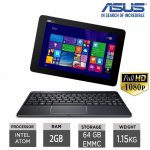

![Fresh Breakfast Meat Box (Using code) @ Campbells Meat [Haggis / Lorne Sausage / Bacon / Black Pudding & More]](/images/topics/208684_1.jpg)




































![[Xbox One] Q. u. b. e: Director's Cut on Deals with Gold](/images/topics/208716_1.jpg)


















Opening post
10.1in, 1920x1200 pixel IPS screen (Full HD)
Intel Atom 1.46 Ghz quad core processor, turbo boost to 2.39Ghz
Integrated Intel Graphics
2GB RAM
64GB storage (upgradeable via SD card)
Detachable Bluetooth keyboard and trackpad dock
1 x Micro HDMI
2 x Micro-USB 2.0
1 x Micro-USB 3.0
SD Card Reader
2-cell Lithium Polymer battery
Integrated Sound System
Weighs 1.15 Kg
Got a decent review at it's market entry price of £399, so for £134.99 it's gotta be good.
Includes free 48 hour delivery, 1 year warranty and 30 day returns! Possible 10% off for certain customers when using PayPal too!
Also available from Amazon £115 Used- Very good
Read more at:
http://www.trustedreviews.com/asus-transformer-book-t100-chi-review#Kj5r9OYro4LUpLKK.99
Top comments
Shame about the 2GB of RAM so. The sluggish eMMC storage and 2GB RAM on my Dell Venue 11 Pro tablet drive me nuts every time I have to use it.
I think I actually prefer the idea of a Bluetooth keyboard...(I have a Surface 3 though, so no need for one of these).
Definitely hot for the price. Also, Ebay are offering 10% discount when paying via Paypal for select customers.
Latest comments (573)
https://www.google.co.uk/webhp?sourceid=chrome-instant&ion=1&espv=2&ie=UTF-8#q=shift%20restart%20windows%2010
Yes you understood correctly what I wrote in first paragraph. Eyesight healing through diet besides other health issues and usually first to go is diabetes. Yes, I thought the same about glasses too. Mine is thick. I am not claiming I have the answer on that except musing on what an author wrote in a diet book I found in a charity shop in Fulham while really sick. Yes, it involves carrots juiced up couple times a day fresh. All I can say, my diet ain't great.
I have the t300 chi set up ok by adjusting the scale to 150 or 175%, can't remember which now. I then change all the icons to large and changed all of the title menu fonts to 11 or 12 from default but it still leaves some you can't change and you have to change each one individually and then click apply. Very frustrating which leads me to believe that all the R & D people at Microsoft either eat a lot of carrots or are all under mid 40's. No doubt there would be at least 100 security changes to make to do this as one action. That's what pi55es me off with windows, it's so over complicated when you want to do some of the simplest of changes.
I can watch the t300 from a bit further back which is nice but seeing as it's a lot more expensive laptop than my miix 3, I wouldn't say watching a video on it is any better. My Lenovo android tablet has the same screen resolution as the miix 3. Same manufacturer but the quality of the screen on the windows miix 3 is superior to the android one.
I returned the recent Lenovo 128gb ssd Very deal reluctantly as I encountered hassles squinting at screen and thought is it me or what or do I have to get close up?
Gave up and read about a diet that resulted in weakening glasses each year to amazement of opticians. He is glassless but his wife is not there yet but surprising optician yearly too.
Sometimes you have to buy these things to try and I didn't think for one minute the font size on some of the title bars would be so small. After buying an android tab the default fonts are similar to my 17" mac so it's great for browsing emails, typing comments on hotdeals etc and use the android tab every day as I do the mac. Some thing are just easier to look at on a bigger screen. Unfortunately windows just does not work for me at 10". I cannot do without windows though so I went and did something that I think ticks all my boxes. I bought the t300 chi. Great laptop, lovely screen, portable and I can actually see the title bars lol and added storage at 128gb means I can have all my car software on it.
What about getting an ext monitor or TV to connect to laptop?
For me the resolution is fine, but certainly if you wear glasses I can imagine it's an issue. 1920x1200 on a 10" is kinda pushing it.
Ultimately the point of this is to be a tablet, with the keyboard for occasional use. If you don't need windows for desktop apps you'd be better off with Android.
It run everything fast enough so no performance issues for me just more a size and windows 10 tablet issues really and the fact windows is still much easier to use with a mouse and keyboard. Even my son has a 14 inch Lenovo touchscreen laptop and he rarely touches the screen and uses the mouse as its just easier.
No point using tablet as selling point as nothing in app store worth having imo.
Luckily it was easy to sell without loss so fine for me. I will stick to my phone and laptop.
On another note... Is there anyway to configure the stylus? It seems really strange, when you hover sometimes it actually selects things, then sometimes when you press it down nothing happens? Trying to just do a doodle on paint and it was worse than my £4 amazon basics stylus! Which is strange as this one is about £30 isnt it? I cant find any support programs iinstalled to assist?
https://www.asus.com/us/Notebooks-Accessory/ASUS_Chi_Stylus/
At least I did not loose any money on it and the buyer has the benefit of a clean install on it. I need to avoid all these impulse buys ha.
The method: I was on a local account and also made sure I wasn't logged onto anything Microsoft on the web (Hotmail, office, onedrive etc). Can't remember whether that or the Windows account is what it gets tied to, but better to make sure.
So log into a local account then copy the key?
Sold mine for £25 :-)
Will sell it on, just need this for a bit of browsing.
That aside is it just me and my issues with tablets but I just can't get on with it. When I need to do anything that needs copy and paste and using word etc I just can't do it lol. I have to reach for my laptop.
As a tablet its ok for just browsing but not much else as the app store has nothing worth having. I know you can do most things via a browser but find it lacking.
Should have probably had a refund rather than replacement as can see it just sat to one side most of the time unless I sell it.
I appreciate not everyone has this but try something with a much higher output than the supplied 5v charger gives out.
This is the second laptop I rescued that Ive received from them, maybe they should give me discount!
edit- Regular charger now charges laptop normally after the battery wake-up.
Thats good to hear, won't have to charge both often If i get it to work.
Charger doesn't charge tablet (no orange light) Over current attempt may kick start it. Lets see.
But the keyboard lasts for ages, my Hudl 2 blueooth kboard has lasted for 3 weeks on 1 charge
Done the windows 10 upgrade and deleted the win 8 files so have 39 gig free. Not done the clean install as yet as it seems pretty nippy and fine currently. May do it another day when I can be bothered.
Some people have left a neg for something like this
"arrived late, terrible customer service when asked and no tracking info"
Im going to attempt a battery kick start by over current and see what comes about.
In which case, the failure rate wouldn't be high enough to justify them opening every box prior to despatch.
May need to leave my first neg in 12 years on ebay as they seem to have not learned their lesson with wasting peoples time.
(& no, it doesn't sound like dead devices come back to life - you just have to get it exchanged)
Anyone struggled to power on and fixed it somehow? Seen some people suggest stuff but no reports back of it actually working.
But I fitted this case in my own way, keyboard hinges are not in the middle of the case, but on the right side, when I open the case. Good access to all buttons and connectors.
There was something you said in an earlier post about deleting all partitions, even the 100mb ones that made me ask the as I am sure there is one about that size on mine but ignored it due to the size.
That is a clean install. No manufacturer bloatware. No custom partition sizes. Just one big drive space in which Windows 10 can install in its cleanest possible way
So when you mention 'clean install' are you just referring to the procedure within windows back up / recovery to reset and remove all files.
Mine got back to them Friday afternoon so hoping they send my new one today.
I'd probably not bother with a windows tablet unless I had the need to run desktop apps - especially one like this which is as much a mini laptop as a tablet.
Also, it will serve you well to learn how to do a clean install - so I really don't understand why you're getting rid of it.
Yes, it was a fleeting possibility on Windows 10 Mobile - until they realised the performance hit would be unmanageable.
You *may* also be able to get it all installed by switching between the keyboard and USB stick as you go through the process (the USB shouldn't need to be installed for the entire process).
Best bet is to get your hands on 2x micro USB to USB adapters and then use both USB ports....or get 1x multi port adapter.
Might be worth checking if it only happens on N or G connections, or only on 2.4/5ghz, or only at certain speeds - for example, I had a router once that would hiccup all wifi when devices were connected to both at the same time (although not the net connection).
If it's any help, all my devices are on wifi N and 2.4ghz.
To help other users, I can confirm, this probably smallest otg things works perfect: http://www.banggood.com/DM-Micro-USB-to-USB-Flash-Drive-OTG-Adapter-for-U-Disk-Xiaomi-HTC-Samsung-HuaWei-Tablet-PC-p-999105.html?cur_warehouse=CN
Also Trust primo folio case fits well. Bought from B&M for £6..
By getting a new one would confirm if faulty or not if the new one has same issues.
I resolved similar issues like that by re setting the router to factory settings or clearing all devices attached thus the router issuing new ip's etc.
If nothing else, this is a useful learning curve for people - because knowing how to clean install a PC will help ensure you don't get saddled with built in spyware such as the Superfish stuff on Lenovo PC's a while back.
Even windows 7 sets up its own partitions so I always deleted everything so it was set up right.
I can't see how setting up win 10 on any device is any different as its the same software and treats each device the same so should work the same.
Assuming you did the latter, then these problems you have faced weren't because of bad instruction...
I'm sure GNKelly is suffering from the same issue.
Leaving any of those in place will potentially cause Windows to look for the once present recovery partition -- which is of course now deleted.
Time to do a clean install and wipe everything on that internal drive
That is what Submerged has done - and the reset function works by design, and without issue.
& yes, I have not used this particular laptop - but it is just like any other Atom powered 2 in 1...so if instructions are followed, the computer will reset to Windows 10 without issue.
You just have to remember to delete ALL partitions before installing W10 (this includes all of the little 100MB or so system reserved partitions etc that precede the main c drive partition).
I suggest you give a clean install another try....but this time, make sure you delete absolutely everything from the hard drive so it is just one big, empty drive. Then let W10 do what it does. Your laptop will work
Sure you could send it back for a refund/replacement once thats done as all your stuff will have gone.
I only did this because of the earlier statement about Windows 10 having an inbuilt recovery, which is certainly the case, but not on these systems.
Please don't take this personally but I doubt you have hands-on experience with this particular unit so don't give instructions that might leave people without a native OS
- A redesign of Windows’ Refresh and Reset functionalities to no longer use a separate recovery image (often preinstalled by manufacturers today) in order to bring Windows devices back to a pristine state. This reduces Windows’ storage footprint further as the recovery image on typical devices can range in size from 4GB to 12GB, depending on the make and model.
https://blogs.windows.com/windowsexperience/2015/03/16/how-windows-10-achieves-its-compact-footprint/
Your thoughts? :man:
http://www.howtogeek.com/206329/how-to-find-your-lost-windows-or-office-product-keys/
http://www.nirsoft.net/utils/product_cd_key_viewer.html
It's towards the bottom of the page. You may have to turn off your anti virus to run it.
Copy the product key and keep it somewhere safe.
You can download windows 8.1 from microsoft. Now depending on how Asus set there machines up I don't if you can run the install within windows 10 or if you have to create a uefi boot on a usb stick and change the bios settings to boot from usb.
I have also owned the older T100 Z3740, which I have upgraded in the same way without issue (and which I have restored from within Windows too).
There are nuances to this Chi (bluetooth keyboard most notably) - but there is no reason why upgrades should be problematic for some and not for others.
Anyway, what particular advice are you referring to?
Could you please stay away from this forum, your advice is at best unproductive, at worst damaging
Android does update, apps on my phone and tab update all the time with usually an OS update once every year or 18 months and the updates are quick to install unlike windows which takes an eternity and slow the machine down. Seems better with windows 10. I have actually gone a whole week without any available updates lol. Not to mention the eventual slow down process of a windows machine. Hopefully they may have fixed that with windows 10 but every pc or laptop that I have had needs a re-install of windows every two years or so and running pc clean up programs makes no difference at all. My macbook pro however is still as quick as it was 3 or 4 years ago. What I will say though out of my three different operating systems if I had to keep only one then which would it be.....................the choice is obvious to me. There are things I can do within windows that I cannot do with IOS or Android although windows works well in VMware on the mac. Android is a fun thing in my opinion but without windows I would struggle in the job I do. Numbers and Pages software on the mac just doesn't cut it for me.
You could check if it still happens if the tablet is right next to the router, it should never have signal strength issues there.
http://windows.microsoft.com/en-GB/windows-8/create-reset-refresh-media
The Windows 8.1 licence key *may* still be in the BIOS. You may be able to determine if you have a W8.1 product key via the RWEverything tool;
http://www.nextofwindows.com/how-to-retrieve-windows-8-oem-product-key-from-bios
Having said that, I'm not sure there is much point going back to 8.1. Your WiFi issues are not present in anyone else's laptops - so it is a device specific issue (either hardware...or driver).
Probably best trying to reinstall W10 via USB and starting again...and if it doesn't work, sending it back.
Assuming it is, check the power management properties of the driver.
The following thread may give you some ideas;
http://superuser.com/questions/652276/how-not-to-lose-wifi-after-going-to-standby-mode
https://www.youtube.com/watch?v=huqJUghX26Y
That's an html5 stream, in win 8.1 with IE, running on battery, over wifi. Stream stats show zero dropped frames, and the tablet isn't even stressed at all - it's running around 33% CPU ..... and that's with it downclocking itself to 0.94ghz (clear sign the gpu is taking the strain).
Also tried an iplayer HD stream, that's flash: 10 to 20% cpu at 0.6ghz:
http://www.bbc.co.uk/iplayer/episode/p03vfstf/new-blood-1-case-1-part-1
Edge can play 4k 60fps videos on my older gen T100. Chrome? Struggles with 1080p of any frame rate!!
My only issue at the moment is mine seems to struggle playing back 1080p youtube videos, and seems to be quite laggy when loading webpages. Currently using Chrome but it appears to be the same.
Upgraded to windows 10 and have all the updates installed so not too sure where the issue is, CPU usage doesn't seem to be at 100% when its laggy, and memory usage is around 70% (a bit on the higher end of the spectrum)
I received an Asus branded stylus pen in my box, did everyone else? I hadn't seen others mention it.
*Touch wood*
I tend to install it as part of the K-Lite Codec Pack.
Just go to the Windows 10 upgrade page and do an in-place upgrade. Once Win10 is running, run the disk cleanup program (Hit Win key and type "Disk Cleanup" or r-click one of the drives in explorer, go into properties and hit the disk cleanup button). One of the options is to remove previous versions of Windows, which removes the old recovery partition and extends the C: drive into the new space for you, then removes the Windows.old files and various other crap. You can then go into Programs and Features and remove the programs you don't want and into all apps to remove the apps you don't want and you now have lots of new space. Then update the drivers from the ASUS site. The whole cleanup thing takes about 10 minutes- a lot quicker and easier than a fresh install.
Happy enough to use as is, cheers for the deal :smiley: Seems a decent piece of kit at the price.t
For all you guys out there who are wanting to do a fresh install it's a good idea to do a recovery back up of your existing system first. You may also want to check out the Asus folder located either in programs or programs86 and you may just find some other stuff in there that could be useful after your fresh install especially the chi bluetooth folder. I copied everything that I thought was relevant and did a fresh install of windows 10. It saved me quite a bit of space about 10gb or so as it was only showing 89gb at first.
To be honest mine didn't have much bloatware and re-installed most of the Asus stuff. Personally I think it worked just as well before I did the fresh install as sometimes now I see working symbol as though something is running that wasn't running before. It could be Avast or something that was in Microsoft's install compared to the Asus version.
Don't forget to clear out your windows download folder. When windows updates it leaves the files in the folder taking up space. You don't need to keep them once installed.
C:\Windows\SoftwareDistribution\Download
Highlight all
Delete
I've just gone into device manager and checked for an updated driver and it found one, will test now and see if it's fixed. On Windows 10 by the way.
Mine wouldnt charge, not even a light when plugged in. I was about to send an email via ebay but thought i would try another charger (an lg gflex2 one) and sure enough i now get an amber light, i got nothing with the original.
I wonder if these units are quite old and hence heavily discharged, maybe the original usb power supply cannot supply enough current to 'kickstart' the charge process. The asus supply does work as it charges the keyboard fine.
Fingers crossed mine will now work and this helps others too.
Looking here:
http://www.asus.com/us/site/2-in-1/transformer-book/chi/
"In addition to the latest Windows 8.1, T100CHI models feature a free one year subscription to Microsoft Office 365 Personal Edition, along with free 1TB of Microsoft OneDrive storage for one year."
But that's the US site only, the UK one doesn't say the same thing.
Anyone who doesn't already have office could try registering it and tell us? :-)
Also, on THIS site it does state "In addition to the latest Windows 8.1, T100CHI models feature a free one year subscription to Microsoft Office 365 Personal Edition, along with free 1TB of Microsoft OneDrive storage for one year"
I'm not sure whether this will cause any issues going forward. In regards to the keyboard it just seems like it does not connect for an eternity on login, but after that tends to resume more consistent. Must be something to do with bluetooth not being activated until logged in.
I have been noticing some bugs though, such as explorer.exe freezing fairly often, desktop icons disappearing for a minute or two, etc etc.
Sometimes when explorer.exe crashes it'll eventually end up with just a black screen and the mouse cursor, forcing me to soft reset.
May just have to go back to 8.1
Besides even 150 quid ain't bad
*Edit, thanks - you posted whilst I was typing but I'll leave the question intact if case someone else has a similar question*
My personal experience is that 10 is already better than 8.1 in a whole myriad of ways....with only a few shortcomings that will be overcome with the Redstone update. Sooo, you may as well just go fully in right from the get go
Resetting the PC just gets rid of the original remnants of 8.1, along with the 'Windows.Old' folder which is probably around 12GB's in size, and the W10 update files. It does not get rid of the 8.1 restore partition.
If the keyboard eventually connects....then it isn't that you have a dud, it's that something isn't set up correctly (most likely the drivers).
Thank you very much sir.
Don't have time to play both the touch version and mobile version unfortunately.
Nice looking piece of kit - it's already extremely slim, both in tablet and laptop mode, but the way it tapers at the edges and the silver outline makes it seem even thinner.
So all of these cheap adapters will work fine.
You need one of those. If you lived nearby you could have one of mine! I have 7 from various tablet trade in things :smiley:
Same goes for anyone else...if you live near Kettering, you can have one of these!
Have currently got an updated Windows 10 running and was planning on a clean install but to have the USB drive and mouse/keyboard plugged in at the same time means I need to find a usb hub which I haven't got at this second.
Given it's all running smoothly I'm starting to think twice about trying a clean install given I've read a lot of people then had issues with drivers which took a while to resolve.
I also found newer version's here http://www.android-x86.org/releases/releasenote-5-1-rc1
I've just been booting it from USB thus far. Once I'm happy in the version I'll probably install to intrenal memory.
Couldn't get remix os to work but will keep looking into that.
Even my Surface 3, with a stronger processor can charge via my Anker battery
But you really could do with a USB keyboard
Another issue I've faced is as the keyboard is bluetooth it's useless when trying to navigate through boot options and touchscreen doesn't work when trying to select windows/android either.
SO, if someone doesn't mind doing so, it would be helpful to have a post that contains update steps/driver links. (I don't own this laptop - so I can't do this myself unfortunately).
Here is the link for all the drivers though;
https://www.asus.com/support/Download/3/580/0/9/Zz4V88LZYaiUzSDr/40/
Download them all before doing a clean install
Enough said :wink:
Cheers
Whats peoples storage like though, mine says 48GB on the main C drive? Thought it was supposed to be 64GB? I know its always a bit smaller but that seems like quite a decrease.... Doesnt leave much to use up once you install a few large size games!
Ditto the bluetooth drivers, even after removing the default driver, says that there is already a better version installed. All a bit of a nightmare really, cannot even get the keyboard dock connected atm.
(Also, you are not going to find a laptop anywhere near this price that gives you 8+ hours of battery. This is a great deal, & with its USB charging, v.v.mobile. A 10,000Mah battery will add at least 3 or 4 hours on to this)
Just got mine today, seems to work fine so far. Have not updated to Windows 10 yet though.
So if you don't have a keyboard, don't do a clean install. Just restore it (you won't get the recovery partition space back, or the cleaner partition structure - but everything else will be the same)
Don't just go straight to a clean install.
Not really their fault as they are all sealed and doubt they would know.
No bother though - just live chat with MS and they'll issue a fresh key (lots of people on the Acer Switch 11 thread wiped Windows 8.1 prematurely - and therefore had no W10 key at all. MS just gave them a new licence).
2. Run that stick from WITHIN Windows
3. Once updated to W10, check it is activated, then wipe the whole computer by running the USB at startup.
Finished.
should i follow this ???
If so; settings, update and security, recovery, Advanced start up (restart now). You'll find the various settings you need when Windows restarts
But in favour of 32bit; connected standby definitely works on 32bit Atom's (the reason why all these Baytrail tabs have 32bit rather than 64bit Windows installed). 32 bit uses less RAM (v.useful on a 2GB RAM device). 32bit OS installations are significantly smaller than 64 bit ones....
AND, most of the apps you use are running 32 bit installers anyway (including Microsoft's own Office 365 - where they actually recommend the X86 version of the app!).
There really is no need to install the 64 bit version of Windows. Not yet - and no for a long time to come. Security is the only marginal benefit.
Have remix OS on a USB stick and no matter what i try I can't boor from USB.
Its a 64 bit processor too, another reason to perhaps use 64?
The chip supports 64-bit but does everything else?
However, on this device, with the Z3775 processor & some fairly fast eMMC storage, you'll have no issues at all with performance. In fact, I imagine you will be surprised at just how fluidly it performs!
If you are dithering, what you need to ask yourself is whether you are happy to stick with W8.1 for the forseeable future (no future capability updates) - or whether you want to be on an OS that has a huge amount of Microsoft's developer time and attention. You will need to make a choice, because in 60 days, you will no longer get the option to upgrade for free.
Personally, having used W10 on a myriad of computers, it is an absolute no brainer.
Went smoothly, just testing it out now. Streaming a 30GB mkv (Avatar) off a NAS and it's smooth, using between 8-20% of CPU.
does it work nice and fast? or is it just a compromised experience due to low ram?
I've seen w8.1 on these and it seemed to work smooth but will I get same speed and performance with win10?
Tablet seems nice and responsive so far. The Toshiba Click Mini I had before seemed a fair bit more laggy, which I think was just as much to do with the type of eMMC they used as well as the CPU. Hopefully Asus have used faster storage on this.
64 bit OS's are more secure, and can address more RAM. But Windows 10 is already extremely secure...so it's no biggie. It'll be a big step up from Windows 7 in terms of security at any rate.
Presumably there wouldn't be any speed benefits with x64 either then on account of the >4gb ram?
You all need to create an X86 (32 bit) Windows 10 HOME USB installer.
I would personally stick with 32 bit - even when you come to completely wipe and reinstall Windows. 64 bit is wasted on a laptop with only 2GB of RAM and limited eMMC space.
Windows 10 is very good on the drivers front. However, one person did post earlier that one of the auto installed drivers messes up the sleep function on this laptop. Easy to fix (just uninstall the problem driver, and reinstall with the one direct from Asus). You'll have to go back through this thread to find the comment.
However, if you have a 32 bit installation, then you can only initially upgrade to a 32 bit version of Windows 10. Once it is upgraded, you can wipe it and reinstall a 64bit version of Windows 10.
However, although you can install a 64 bit version of the software, I personally wouldn't bother. 64 bit Windows takes up more space - and though more secure, does use more RAM. Since you only have 2GB of RAM, I would try and conserve it (along with the actual OS disk space) by sticking with 32 bit Windows.
Would you recommend a 64bit version of Windows 10. I know our processor is 64bit but this seems to come with x86 software by default.
Also, which version of windows 10 would need to be installed to be activated? Home, etc? x64 / x86?
Sorry for all the questions, just in a rush to set it up before friday.
Thanks :smiley:
Most importantly, when the USB is set up, run it from WITHIN Windows the first time. Don't restart the computer and do a clean installation - because doing so will mean you won't have a valid W10 licence.
So yes, run the USB installer from within Windows 8. Let it do its thing - it'll sync with Microsoft's servers and generate a W10 licence that is tied to your hardware. Let it do the upgrade installation. Then once it is installed, check that Windows 10 is activated (it will be)....after which, you can restart the computer and boot from the USB installer. You will then be able to completely format the hard drive and start fresh :smiley:
Sounds more complicated than it is.
Just click the upgrade now button;
https://www.microsoft.com/en-gb/software-download/windows10
Once Windows 10 is activated, I then highly recommend creating the relevant Windows 10 USB installer, and completely wiping all remnants of the Windows 10 and Windows 8.1.
A fresh installation (removing recovery partitions etc) will give you a cleaner disc structure, and give you back 8 or so GB's of additional space. Well worth it.
Thanks for helpful previous replies. I am still dealing with fiasco at Very and my buying finger hesitates...
The box was sealed.
As things stand, it is an experimental feature for those on the Windows Insider (Fast) update ring. The standard version of Edge does not have extension support (yet)
Game of Thrones never looked so good :smile:
It charges not just the tablet at the faster rate, but a Galaxy S7 too!
P
I know you see cheap Allwinner etc.. tablet laptops, with decent specs for 50 quid less, but theres a reason so many people have bought this laptop, it has a good, powerful processor, a great screen at a more-than-average size (for a tablet) and has Windows pre installed, it was built to be a laptop as well as a tablet
Those Chinese tablets are just... tablets, and while many boast good specs, and I'm sure some are great, they are not as reliable as some of these well known brands, often come without warranties and are a real pain to return, for repairs or otherwise
The only Chinese branded tablets I would personally trust are Xiaomi Mii Pads, which are more expensive than this anyways, and don't come with pre installs or keyboards. I have seen alot of XM Cherry Trails around but half the time its just an unbranded Chinese tablet, quoting specs, on something like Gearbest
You can do a dual RemixOS boot if you wish with this, however this laptop is made by a big, global tech brand, with a powerful, Intel CPU, pre installed official Windows and a year warranty
Considering the market entry price for these was £399, 134.99 for this with free delivery is an absolute steal, I would highly advise getting this over a maybe 20 quid cheaper Chinese knockoff
This is a no brainer deal at this price. Don't even give the China tabs a second thought.
(Also, UK warranty!)
Would those be more usable?
Comments?
P
thanks
I guess as they are old stock they have been sat in a warehouse long enough to deplete the battery on many of them.
Pleasantly surprised to find the Asus stylus in the box too. What a bargain!
Mine was completely out of charge when it arrived, like some others' here.
P
Debating whether to upgrade to win10. Even on my laptop i had nothing but issues messing around with rolling back drivers etc. Have already put Remix OS on a USB drive to use with this.
They must be totally out of juice if the charge light won't even come on!
Also according to review on pcadvisor it says "we found it could take two hours on charge with a flat battery before we could even turn the device on"
so will give it a few hours..
By the way, for anyone upgrading to win10, apparently the default install will pick the wrong driver and mess up sleep, here's a fix:
https://www.asus.com/uk/support/FAQ/1016000/
It set up, booted into windows and gave me an immediate "Your PC ran into a problem...etc".
Still wouldn't start with Automatic Repair and refresh can't get it to boot either
It is the best 2 in 1 by far for the money. The Z3775 processor really is v.good for the price point
I'm sure they'll get it replaced quickly...
It may also just have an over depleted battery. Reconnecting it over and over may just pump enough juice to get the charge circuits working properly.
(Can't remember where I read to do that - but it did work on some piece of tech, many moons ago. Think it may have been an old Nokia!)
Anyone know of a hard reset or something?
We'll be waiting 2 months :laughing::laughing:
Am off to Bruges very early on Friday so just wanted enough time to set it up after work tomorrow so I can use on the journey lol.
Suppose I can just use it "as is" and mess about with it when I get back.
Hopefully it turns up tomorrow for all of us :smile:
My guess is they dispatched late and so perhaps threw in next day delivery to sweeten the deal? I've done that as a seller before, and had that done by businesses to me in the past
DPD is my experience are world class, all my Amazon courier stuff, and returns, are always DPD, and they come bang on time! prompt email at 6-9am, the package is always delivered/picked up on time and I've never had any lost/late ones, over many purchases and returns, so
Here's to hope! ^^
Does anyone know what delivery method they actually use? Don't think whether to expect it tomorrow or Thursday
Mine has just been marked as dispatch via other 48hr courier, no tracking though.
http://dna.ebay.co.uk/marketingweb/optin/78472?clk_rvr_id=1036254361113&rmvSB=true&ul_ref=http%253A%252F%252Frover.ebay.com%252Frover%252F1%252F710-53481-19255-0%252F1%253Fff3%253D4%2526pub%253D5574894536%2526toolid%253D10001%2526campid%253D5336549684%2526customid%253D%2526mpre%253Dhttp%253A%252F%252Fdna.ebay.co.uk%252Fmarketingweb%252Foptin%252F78472%2526srcrot%253D710-53481-19255-0%2526rvr_id%253D1036254361113
http://www.ebay.co.uk/itm/191512197652?_trksid=p2057872.m2749.l2649&ssPageName=STRK%3AMEBIDX%3AIT
http://www.ebay.co.uk/itm/191512197652?_trksid=p2057872.m2749.l2649&ssPageName=STRK%3AMEBIDX%3AIT
The 50p cheaper ones are for Samsung phones, I don't know if they run at different A or V, I have no clue, only reason Im mentioning this is cos I know some official Samsung chargers have different outputs to standard Android ones
http://www.ebay.co.uk/itm/Keychain-Keyring-Micro-USB-adapter-Cable-Charger-for-HTC-M1-Samsung-Galaxy-S5-S6-/351701659423?hash=item51e30d6f1f:g:jsgAAOSwHQ9WZscH
Or the same thing, 50p cheaper
http://www.ebay.co.uk/itm/Keychain-Key-Ring-Micro-USB-Charging-Sync-Data-Cable-For-Samsung-S4-S5-S6-/152087157049?var=&hash=item236919d939:m:mehWxwfTwgKt5ZLZLc6nySA
In the meantime, if anyone is interested in picking up some cheap microUSB cables to charge or connect this thing
http://www.hotukdeals.com/deals/micro-usb-keyring-data-charge-cable-bulk-vodafonestore-via-ebay-1-49-free-express-2459805
this is dirt cheap :smiley: with free delivery from Vodafone
Anyone else had there's dispatched from Friday?
Most things can be substituted by Spotify and the like....but for me personally, there's nothing better than being able to download my own music and videos rather than relying on apps/streaming and the like.
Different strokes for different folks
How long has it been? It says dispatched within a day, plus delivery, should be 3-5 days all in all
I got an entire desktop, I've used 80GB of my SSD and 200GB of my HDD, that's it, I have more than everything I want, I could probs cut down 50GB of Steam games and not blink
I use a 128GB micro SD in my Surface 3....but would LOVE to have a significantly bigger capacity option. Even my combined 256GB of space isn't nearly enough to fully sync my OneDrive data (curse Microsoft for removing placeholders!)
Besides the memory is eMMC so its faster than a hard drive anyway, it uses flash, kinda like in between an SSD and HDD
Also, the only variants of the T100 with the usable hard drive connector tend to be the ones sold on the continent. They are v.rare here. It was/is easy to change out the hard drive for an SSD. In fact, if you look hard enough, there is an original T100 variant with a Z3775 processor and hard drive in the keyboard. If I hadn't got a Surface 3 128GB, I would have tried to get one of those.
Short answer though - get this Chi....it is cheap and has a v.nice screen. Then just use an external hard drive or USB thumb drive.
Other things have now failed - HDMI/audio jack & the wifi is tempremental. But then again, it has spent about 10k miles in a pannier bag on various cycle tours :smiley:
As for Windows 10....the Z3775 in the Chi is considerably faster than the Z3740 in my T100. I installed Firefox with adblock plus, and with that installed, never considered it to be slow. My T100 would run World of Tanks Blitz on max settings at above 30fps....and it would render 1080p videos in real time (10 minute 1080p vid would take 10 minutes to render).
As long as your expectations are reasonable, you'll be v.v.v.pleased with this laptop.
how does windows 8 performance compare to windows 10 on this machine?
I'd like to buy it as a second backup machine and for novelty reason mainly and I'd like to tun windows 10 but not if it's running poorly.
also does anyone know if the battery in the tablet part replaceable at all?
Ok so i have tested this method twice and both times showed a significant improvement in performance:
Right click on start menu and open up control panel
Search for performance in the top right
Click on adjust appearance and performance
open advanced tab and click change
Uncheck automatic
Click the drive system is installed on select custom size
set initial and maximum size to the value recommended by windows
click set and then restart
Has anyone else experienced this? I'm wondering whether to change back or not
It does not come with office 365, but for this price you can just add it if you want, and still pay less than other tablet laptop options, it comes with Windows 8 upgradeable to 10, that is all
Considering I build my own high ish end gaming PCs I would say I do know, I just made an error
Thanks again, and please stop continuing this
Best to offer advice when you are sure about the subject matter. If you don't know, leave it to those that do (I'm specifically referring to you thinking that the atom in this outperforms a 4th gen Core i3)
It is a 3775 vs a 3735F. Note the additional 7 :wink:
What that translates to is a 1,000 point advantage on multi core processing (3,000 points to 1,900). That is a significant difference...
http://cpuboss.com/cpus/Intel-Atom-Z3775-vs-Intel-Atom-Z3735F
Actually some very significant performance differences!
Imo for the extra 50 ish quid, this is much better, new, HD, double storage, faster USBs,
However the Miix does have Windows 10 installed (if wanted) and the warranty may be handled better from Argos. It's also significantly cheaper.
If you want the latest games or 1080+ graphics at more than 30fps, you'll need to fork out on a better PC, but for the lower end stuff this does fine
You have to buy a USB to microUSB connector to use regular USBs, I think they did this to stop the tablet being too chunky, the connectors arent too expensive
In the past month, 552 positives and only 4 negatives
99.2% positive feedback
Plus I have personally bought a tablet off them before, when my brother dropped it and broke the charge connector inside I sent it back and they fixed it
Imo they're absolutely fine
Sellers feedback doesn't look too good!
Telling someone to buy something for (at that point) absolutely no purpose is just so wrong. & your defence thereafter was non-existent.
Right, life is too short. Time to nip this one in the bud. Adios
You win, I will 'Think' in future. Now please, stop spamming my deal.
You are the one that needs to reassess things, not me.
By all means feel free to be another apathetic human...but don't begrudge me for speaking out. Buying stuff for absolutely no reason is of no benefit to anyone - and certainly not of benefit to the rest of the planet who have to absorb all of the electronic waste we chuck their way.
Think.
Honestly, leave that guy alone, he just wants a cheap Windows option not a lecture on human's debalancing the world's Chi or something
Dude for the money you won't get better imo, rare to get a non Celeron PC at this price, I suggest you buy it if you want to :smiley: your money
wenttoabetterplace, go preach somewhere else, please, this is a deal site not some philosophical/environmental discussion. No quarrel with you or what you're saying, but this is not the time nor the place
Is the mantra of a society that has completely lost touch with nature.
I think we have forgotten exactly what in this world affords us the ability to breath clean air, drink clean water, and eat healthy food.
Anyway, I've chimed in enough. Humans will do what humans do.
I agree doing so would be pure greed and probably wrong.
but if peopel like gadgets etc and they have the money they should by all means go ahead and buy them it's their oney and they can use it on whatever they enjoy.
At least you now have justifiable reasons for buying it though. My point earlier was that there is ZERO point in buying something that you don't need, simply because it is a 'deal'. It's a waste of money, and more importantly, a waste of resources.
Earth ‘overshoot day’ – the day each year when our demands on the planet outstrip its ability to regenerate – comes six days earlier than 2014, with world’s population currently consuming the equivalent of 1.6 planets a year
http://www.theguardian.com/environment/2015/aug/12/humans-have-already-used-up-2015s-supply-of-earths-resources-analysis
Ok here's the way I see things,if you like something and you can afford it you can buy it.there is nothing wrong about it wheter you need it or not.
In my case,I dont own a windows PC anymore as I have a nice Mac,but then there is that odd time were I might need an old windows only software so having the option is nice.and I don't like wasting my macbooks SSD with windows partition etc for very occassional use.
Plus I like to play some older window games.and a cheap and tidy windows machine sounds a reasonable buy.
But still I don't like using usb converter ports etc.
Ps: Take things easy.its just a cheap tablet.buying it not buying these stuff won't effect the world as much as say.
Have we really travelled so far down the path of consumerism that we have aligned our national identity with buying stuff?!
Wow. That's a new one.
If a purchase is unnecessary and cannot be justified by the buyer, then there is no reason to buy something. It's that simple. & in a world with SO many challenges, it is an indictment on the way that we live that we can spend wantonly on stuff we won't use and don't need.
Shame on us.
Go give to charity and let people buy in peace, they can do that in their own time, not now when they're clearly looking to buy stuff for them
Don't mean to sound harsh but technically every pound you ever spend on anything other than food, water and rent could go to charities like MSF, and while they do great work and need our support, getting rid of everything but necessities from your life would rather defeat the point of living in the UK in the first place
If you're gonna use it, and you want it, and you can afford it,then buy it imo
I think that is a really foolish position to take - because it demonstrates a gross misunderstanding of the reality of the world we are living in.
There are things we all need to live in the modern world - and prosper. But when someone has a MacBook, an iPad, a Galaxy S5, and a Lumia...what possible need is there for another laptop?!
HUKD is v.useful. It serves a great purpose. It helps us all to get the most useful items to us at the very best price. But we all need to be a little more circumspect when buying things that are completely unnecessary/superfluous.
No point buying a laptop that won't get used. Just give it to an organisation like MSF that will do something with it.
(I have no problems with people buying this, or anything else, when they actually need it).
With the greatest of respect, if you want it and its a deal, you're quite entitled to buy it without being guilt tripped by people like these guys above
If you want to give to charity then sure, I do personally sometimes and alot of people do, but it is meant to be voluntary and from the heart not forced on you through guilt
Your point has literally contradicted every single HUKD in history, and by your reckoning we should not buy stuff unless we need it which means, no cars, no computers, no holidays, what for the greater good of humanity? Stop turning this into some communist/environmentalist debate and comment on the damn deal.
Its quite ironic that you spout this nonsense while on a 'consumer' PC, in a safe country, on a deal site that you claim is full of 'excessive amounts of stuff' and is 'painful to watch', yet you are still here?
Stick to the deals man, this isn't a politics forum. Honestly this site makes me regret posting deals sometimes, some of the rubbish...
I for one have bought too many impulse buys because of this site when I clearly did not need it. So really this site is not so good for that reason.
I have tried to stay away so I am not so skint but always come back lol.
Most people on this website buy excessive amounts of stuff. Personally though, I try to buy the least amount of stuff possible - and only when it is absolutely relevant and will get a lot of use in my life.
That Amazon Warehouse sale was painful to watch at times as so much stuff was hoovered up that people clearly didn't need to buy.
Sadly, the UK's wealth shields us from the devastation our consumption causes. If we had to visualise it as SE Asians and Africans have to see it each and every day, we wouldn't be so incredibly wasteful;
http://www.theguardian.com/environment/2015/apr/19/worlds-mountain-of-electrical-waste-reaches-new-peak-of-42m-tonnes
Digital waste like laptops don't magically get recycled. They end up in huge landfills that dot this planet. So rather than buying things unnecessarily, we should try to buy things that are relevant and useful to us. Not just for our sake, but for that of future generations. Given that the other person doesn't even know WHY they should buy this, it stands to reason that they absolutely shouldn't buy it.
Instead of buying things unnecessarily, give the money to something that does good.
http://www.msf.org.uk/
By that reasoning this site is an evil demon spawn that creates consumer demand for evil plastic and metal goods
Dude, if you want it, you can afford it, and you agree this is a deal, then buy it
Also, any one of the computers/phones listed can do what this does....so why buy it!? It's just unnecessary
At this price range the most you'll ever get is a crappy Celeron and if you are gonna use it, even lightly, then why not?
I own a recent Macbook Pro,An iPad Mini 4,an iPhone 6s,a Samsung Galaxy Note 5,a Nokia Lumia Windows phone,Android based TV box a d love them all,all amazing devices..and yet I'm temted to buy this thing.
Ive seen one in action the screen is very good and build quality is much higher than what you expect in this price range.however mini USB ports are a huge let down,and in fact the main reason I havent bought it yet.
Should I buy it??? Or not??
Intel Pentium 4 or more (you have more)
Windows 7, 8 or 10 (you have 8, upgradeable to 10)
NVIDIA FX 5900 or more (integrated graphics will be fine)
2GB RAM (you have 2GB)
3GB HDD (you have 64GB eMMC which is faster than HDD)
So, yes it will run FM absolutely fine
Telltale games are fairly easy to run, it will run them and level 1 humble's pretty well, like I said, low to mid end gaming
so hard to get your head around it all, reviews say it's a bit sluggish but they are reviewing it at 400 so comparing it to Microsoft surface etc. then on YouTube videos it looks like it flies through windows and plays decent PS2 quality games and others have had football manager running on this processor!
Its still a fantastic purchase but the cpu is worse than I thought it was, apart from that nothing has changed
Think about that next time.
I looked at the wrong Z, ok, I understand the cpu isn't as good but it still has a great screen and for light to mid gaming (see Portal and old Fallout post) has already proven to be fine
It still has faster memory due to flash on eMMC, and still has the benefit of a HD screen built in where as the desktop does not
I apologise for the one mistake but that does not make everything else I say wrong
BTW I'm not knocking the product, it's great value for the correct purpose, however gaming is not it. I'm actually considering buying one purely for travelling to watch movies and light Office work.
As I stated before, it's best to ignore your advice. Pretending you know what you are talking about just ends up costing people time and money.
Hope I haven't broken the forum rules by saying this here. It's not really a sales ad, just seeing if anyone is interested and take it from there.
As for SD, 128GB I guess? It takes SD cards so whatever SD size you can find, it should take
For the same reason the integrated graphics on this laptop should also be better than the desktop you have, cos it links to the CPU
Your desktop has 4GB RAM which means it could cope with multitasking better, and it can be upgraded to 8GB which is fantastic, this tablet is stuck at 2GB, however it's not like it actually needs much more
Your bootups will probably be faster on your desktop as SSDs are generally faster than eMMC storage, altho if your SSD is old or has a slow speed then the eMMC mught actually be faster, also depends how many starting applications you got, so could go either way in terms of boot ups
However eMMC on this laptop will definitely be faster than your standard HDD as it uses flash memory, eMMC is also much more impervious to vibrations. It's also upgradeable via SD so you shouldn't have too many space issues on this laptop either
All in all, this laptop includes a HD screen, a keyboard, has faster memory, less RAM, and a much better CPU and integrated GPU, I would say yes it is most definitely and upgrade
https://www.amazon.co.uk/Acer-Revo-RL85-Nettop-White/dp/B00VM6874C
I get what he means on RAM, many devices are 4GB plus, I mean I have 16GB on my desltop, but this just doesn't need it, its a tablet with a keyboard, 2GB is more than enough for what it will most likely be doing
I believe it is yes, so even better, this model should do even better in real time game tests
What a great little machine this is
Here's an interesting thread with videos about playing games on this machine
http://www.transformerforums.com/forum/asus-transformer-book-t100-games/39536-gaming-transformer-book-t100.html
Should play the older Fallouts ok on low-mid specs, min. for F1 is a Dual core pentium and 6100 GPU, this has a much better quad core Intel Atom and integrated graphics, so long and short, yes
For Portal you need min. Pentium again, so fine, and 512MB RAM, you have 2GB, needs to be DX8 compatible, thats all good...
You can run both, probs on mid range graphics. This CPU blows old Pentium ones out the water and nowadays the integrated GPU is faster than old GTX cards
Shame. Made a profit on two Windows 8 tabs selling that. Asus video on ebay listing suggests it comes/came with Office 2013, presumably as a trial.
I would consider an iPad in preference to a Windows tablet. But I would never consider Android/iPad in preference to a laptop style form factor. It is just much easier to get proper things done on a Windows powered laptop.
(I now have a Surface 3 - and am getting an Android phone. That combination should be best of both worlds)
If you wanna work off it, or want the freedom of a web browser, get this.
Sounds like it, this has 2GB RAM too but a much better processor and eMMC storage so should be alot faster, also web browsers are generally less laggy than apps so ^^ I personally would
Windows wins in every other way IMO
I'm not saying the build quality is any better for the 64GB version, just an observation.
As someone with 16GB DDR4 RAM on his PC, I agree with you, phones and tablets are very inefficient and hardly need the same RAM as a PC. I think you're forgetting that this is essentially a tablet with a Bluetooth keyboard, my Hudl 2 has 2GB RAM and runs fast with a bluetooth keyboard, and my old Nexus 7 with 1GB RAM is still a quality piece of kit.
This should serve people well.
According to reviews the sound quality is standard for a tablet PC, nothing special, quite treble heavy so I would recommend using headphones or external speakers for the long term, unless your sound usage is minimal
Also, did the Samsung Netbook have a conventional hard drive, or an eMMC drive? If it had a conventional drive, then that'll probably be why it chugged along.
I had no real issues with my Asus T100 (Z3740) with multiple tabs open. I used Firefox though. Have since upgraded to a Surface 3 128GB/4GB - and it's a beaut'
The Pentium 4 was released back in 2005 or so. GMA X3100 was released in 2007.
Things have come a long way since then. Just look at the user benchmarks for a Pentium 4 vs a Z3775;
http://cpu.userbenchmark.com/Compare/Intel-Pentium-4-170GHz-vs-Intel-Atom-Z3775/m6983vsm12464
https://www.youtube.com/results?search_query=z3775+gaming
Even if this laptop did perform at the necessary speeds, you would soon find yourself limited by the 50GB or so of internal space.
Better to buy a proper laptop with an SSD drive (second hand Thinkpad perhaps). You'll get no bottlenecks with one of those :smiley:...and you'll be able to buy a 500GB or so SSD for around £80
Intel Atom Z3775 1.46 GHz (2.39 GHz Turbo)
http://www.cpubenchmark.net/cpu.php?cpu=Intel+Atom+Z3775+%40+1.46GHz
do you not go by the 1.46 mark? what's the turbo? still looks low on the benchmark? maybe I'm looking at it wrong
Video bitrate calculator gives 111MB/s
http://www.systemrequirementslab.com/cyri/requirements/football-manager-2016/12833
As an example, the normal 4K (4096 x 2160) Blu-Ray bitrate is 108Mbps, or 13.5 MB/s.
Pretty sure the person asking the question doesn't need a device with 111MB/s bit rate :wink:
Good review
Have some heat.
BTW my phone (nexus) has 2GB and it is absolutely fine. Phones and Computers like this shouold not be compared.
You can set up the device without iTunes. You can backup your device from the handset itself. I rely on music streaming services so have no need to transfer my music across. You don't need to buy music from iTunes; just download a relevant app Amazon etc.
On the point of being 'tied in'. The same is true of any ecosystem and has been the case since the dawn of computers. If you buy a professional piece of software that operates on Windows, you're tied in to Windows in order to use it! If you buy an App on iOS, guess what, you're tied into iOS to use it! In other words, your argument is a poor one for preferring one OS over the other.
Also, I use my iPad Pro on the train all the time. With the new Smart Keyboard cover Apple provide it makes using MS Office a breeze. Yes, that's right, you can get MS Office on an iPad. The full suite. And, it's free for most iPads (minus the 12.9" iPad Pro). Admittedly, I wouldn't want to be writing a PhD thesis on it (and I would know, I've just finished writing one), but it's great for doing the odd bit of work whilst out and about...
i have a z3735 tablet and most of my gripes are about windows on a touchscreen (plus input in games not made for it) rather than performance, and this is a higher spec than mine plus convertible so i'd heartily recommend this type of device for people who want windows programs in small form. just not for me, i'll wait for something with less crappy storage (size and speed) and ideally more ram.
Postage: £15.99 Economy Delivery | See details
Item location:
London, United Kingdom
Posts to:
United Kingdom and many other countries | See details
Oh I see now.....it's because I'm in the Isle of Man. Just use Royal Mail you talentless money-grabbing filth!!!
Standard Delivery Free
Express Delivery (24 hours) £3.99
UWOTM8
RAM isn't irrelevant it is the centrepiece for multitasking, a 2GB device will almost certainly be faster than a 1GB device, having said that yes Apple devices are extremely well optimised (not that Windows isn't, the military uses it, not iOS, for a reason)
Windows is, and I'm not knocking iOS for what it is, a fluid extremely popular OS that has that nice, niche feel to it; but if you're in an office or on the train home, pulling out a laptop with a keyboard, Windows and Microsoft Office is probs much more appealing than pulling out an iPad. Thats just my opinion tho.
Also, the whole RAM thing is rather an irrelevance....as is the CPU clock speed. iOS is optimised for about 50 different devices - Windows has to work on millions of different configurations. iOS performs better and gets better battery life/sleep.
Windows is certainly useful - and I personally wouldn't get rid of my Surface for an iPad....but to say that you need a Windows computer to get stuff done is a fallacy.
The Asus has Windows 8, upgradeable to 10, whereas on an iPad you are locked into iOS, using the Apple store and paying for your apps and music through iTunes, a web browser has alot more freedom.
The Asus also has double the RAM of an iPad which will help speed up and improve multi tasking like having multiple tabs open or typing in Word while browsing the web
They both have a 5MP camera, and a webcam, the Asus takes SD card expansion and the Apple doesn't so if you want expandable memory get the Asus, and of course the Asus has the bluetooth keyboard which can be used to turn it into a laptop
Long and short, for a big screen to watch Netflix, or if you like iOS and iTunes, get an iPad
To actually do anything, and save money, get something like this :')
I have no idea haha, Im just going on resolution, it should be able to handle all of those no prob at all
[email protected]
[email protected]
[email protected]
[email protected]
[email protected]
[email protected]
[email protected]
[email protected]
[email protected]
[email protected]
[email protected]
[email protected]
[email protected]
[email protected]
[email protected]
Now you take the prices:
Surface 3 64GB with keyboard and 1 years Office £350-400
Asus Transformer T100CHI with keyboard and 1 years office (I chucked it in) £174.99
For me its a no brainer. The Surface is slightly better but for price performance this blows it out the water.
For all of you sceptics out there, don't be put off by the bluetooth keyboard. It works very well. I wasn't that keen on the micro-b usb 3 port either. My t300 came with an adapter hub but the usb-a ports are so tight I bought a couple of adapters from ebay. Thought it would be easier to have these attached permanently to the devices I use a lot and they were quite cheap and work great.
http://www.ebay.co.uk/itm/191512197652?_trksid=p2057872.m2749.l2649&ssPageName=STRK%3AMEBIDX%3AIT
http://www.ebay.co.uk/itm/261442087135?_trksid=p2057872.m2749.l2649&ssPageName=STRK%3AMEBIDX%3AIT
You can probably get these cheaper elsewhere but I have bought from this seller before. Postage in a couple of days and never had any issues.
Nice one man, I hope you're impressed by it :smiley:
https://www.amazon.co.uk/gp/product/B00H5DD7EQ/ref=oh_aui_detailpage_o00_s00?ie=UTF8&psc=1
I can detach the keyboard for watching videos on the train and re attach it when I'm working at home. Suits both of my needs perfectly
Neoprene cases provide all the protection required when on the move (IMO)
Recommended this to a friend who has been in the market for a cheap but capable 2 in 1.
Asus did do an official case for it but can't seem to find it anywhere
Another option is this Fintie:
http://www.ebay.co.uk/itm/like/142003024516?lpid=122&chn=ps&googleloc=9045917&poi=&campaignid=207297426&device=c&adgroupid=13585920426&rlsatarget=aud-133395220626%3Apla-142405560786&adtype=pla&crdt=0
I really like the fintie but I can't seem to find one in the UK, sorry :/
Any generic 10'' tablet cover will do you if you're stuck at any point :smiley: if worst comes to it get a zippable carry case for it
Shop around, these links are by no means the only places to find these surely
With all that said, I certainly wouldn't change my Surface 3 - it's brilliant. But if only it had the quality of apps (such a shame Microsoft missed the boat! They should have just bolted on an app store onto Windows 7 and at least allowed the developers to start building things for Windows --- rather than essentially have them wait until 2016 for the whole UWP thing to finally get going!)
For the money I think its a cracker
True, no apps, altho I have to say apps are often laggy or buggy and are just substitutes for web browsers on phones and tablets. Plus, this does have some apps from the Windows store
You can even get your Angry Birds on the internet now ^^ so no missing out on that quality, ad filled 2d game action! woohoo :smile:
You of course have the benefit of Windows OS, upgradeable to 10 ( I lurrrve 10), and the fact that it can be both a laptop and tablet.
It has double the RAM of an iPad 3 wifi, and a bigger screen too, so actually multitasking might not be that bad compared to an iPad, the screen is slightly worse than an iPad but is still full HD
Long and short is I would say yes, as your iPad is on its way out, this is a good alternative, especially for work, office browsing and Windows OS. Plus is cheaaaap compared to new iPad
It isn't a Celeron :') its a quad core 2.39Ghz turbo'ed CPU, it can handle a little multitasking
managed to get it replaced under warranty.
wouldn't recommend one of these unless it's just a punt or it's purely for the basic browsing.
these things can't be upgraded easily, if at all (I.e. where it counts).
hence ours is currently up for sale.
thank you in advance.
That link is the same laptop yes ^^
http://www.techradar.com/reviews/pc-mac/tablets/transformer-book-t100-chi-review-1291780/review/2
I really like the asus and this is a goodish price but at only £15 more I would of wanted the newer one,or at £15 more I would go for the bigger screen on the acer as i did
for that 1.5" you are jumping up a lot of money with an asus over something like the acer i bought.
I get what you mean but 1 inch below your optimal size is hardly a deal breaker right? The specs are what matter, besides its got a cracking screen and its not exactly small ^^
Exactly! Its very slim for this price range, microUSB all da way
any pointer to buy Micro to C USB Adapter's? dont know what to look for. thank you
My only concern is the screen size. In my experience the sweet spot for productivity is really around 11.6-12 inches, have used several 10 inchers in the past and found the size just a bit too small. If this came in at that screen size I'd grab one at a higher cost. Still, this is a pretty sweet screen and if you are not planning to use this much for Office, Photoshop etc it will be a great buy at this price.
Edit: Sorry, just saw the spec listed by OP, doesn't seem to.
Bluetooth sips power (as evidenced by the fact the keyboard lasts for weeks without requiring a recharge).
& yes, the new Atoms have better GPU's and are marginally more power efficient - but the Z3775 in this is better at everyday processing compared to the X5 in the newer model.
If I was buying one, I would buy this.
the new 8500 is more power efficient and has a better gfx setup, its not all about speed ya know ;P
also only came out recently so it sorta guarantees a newer unit
Also, that newer Atom isn't actually much quicker than this one. In fact, if memory serves, the Z3775 in this is actually faster than all but the top processor in the new Atom line...
by the time i had finished research and went back to buy they had gone back up to £200 :disappointed: was gutted
"From only £85.49 [ Show me how]
Collect 95 Nectar points"
Didn't know about the 10% thats really nifty huh?
Screen is really crisp. Though there are Lenovo Miix and Linx1010 for around £120 mark but they are 32GB versions and relatively poor build quality compared to this one.
I think I actually prefer the idea of a Bluetooth keyboard...(I have a Surface 3 though, so no need for one of these).
Definitely hot for the price. Also, Ebay are offering 10% discount when paying via Paypal for select customers.
It does seem to have a broken screen issue, altho if you don't drop it I'm sure it'll be fine :smiley: the bluetooth keyboard has a seperate battery yes, but the keyboard battery lasts for weeks without re charging, reconnecting is as easy as pushing a button, I have a similar set up with a Hudl 2 and it seems they use the same keyboard type for this, easy as pie
Shame about the 2GB of RAM so. The sluggish eMMC storage and 2GB RAM on my Dell Venue 11 Pro tablet drive me nuts every time I have to use it.